2021 MERCEDES-BENZ C-CLASS CABRIOLET wipers
[x] Cancel search: wipersPage 5 of 545

Symbols
........................................................ 5At
agl ance .................................................... 6
Cockpit ........................................................... 6
Indica tor and warning lamps (s tandard) ........ 10
Indicator and warning lamps (widesc reen
cockpit) ......................................................... 12
Overhead contro l panel ................................ 14
Door operating unit and seat adjustment ..... 16
Emergencies and breakdowns ...................... 18Digital Owner's Manual
.............................20
Calling up the Digital Owner's Manual ..........20 Genera
l notes............................................. 21
Pr otection of the environment ......................21
Ta ke -ba ckof end-of-life vehicles ...................21
Mercedes-Benz GenuineParts ....................... 22
Owner's Manual ...........................................23
Operating saf ety .......................................... .23
Declaration of conformity ............................. 25
Diagno stics connection ................................ 29
Qualified specialist workshop ....................... 31Ve
hicle registration ....................................... 31
Cor rect use of theve hicle ............................. 31
Information on the REA CHregulation ........... 31
No tesfo r persons with electronic medi‐
cal aids ......................................................... 32
Implied warranty .......................................... .32
QR code forre scue card ...............................33
Data storage .................................................33
Copyright ...................................................... 36 Occupant saf
ety......................................... 37
Re stra int sy stem ...........................................37
Seat belts ..................................................... 39
Airbags ......................................................... 44
Ro ll bar ........................................................ .51
PRE-SAFE ®
sy stem ....................................... 52
Safely transporting children in theve hi‐
cle ................................................................53
No tes on pets in theve hicle .......................... 71 Opening and closing
.................................. 72
Ke y .............................................................. .72
Doo rs............................................................ 75
Boot .............................................................. 80 Soft
top .........................................................81
Side windo ws............................................... 88
Anti-theft pr otection .....................................92 Seats and
stowing ..................................... 95
No tes on the cor rect driver's seat posi‐
tion ............................................................... 95
Seats ............................................................ 96
St eering wheel ............................................ 106
Easy entry and exitfeature ........................ .107
Memory function ........................................1 09
St ow age areas ............................................ .110
Soc kets ....................................................... 11 5
Wi reless charging of the mobile phone
and connection with theex terior aerial .......1 16
Fitting/removing thefloor mats .................. 11 8 Light and sight
.......................................... 11 9
Exterior lighting ........................................... 11 9
Interior lighting ........................................... 12 6
Wi ndsc reen wipers and windscreen
wa sher sy stem ............................................ 127
Mir rors ........................................................ 13 02
Contents
Page 130 of 545

Ad
justing the ambient lighting Multimedia sy
stem:
4 Vehicle 5
÷ Light settings
5 Ambient lighting
Setting the colour #
Select Colour. #
Set a colour.
Ad justing the brightness #
Select Brightness . #
Set a brightness value.
Ac tivating the brightness for zones #
Select Brightness zones . #
Activate Oor deacti vate ª the function.
The Display ,Front andRear zones can be set
separately. Setting
the interior lighting switch-off delay
time Multimedia sy
stem:
4 Vehicle 5
÷ Light settings
5 Interior light shut-off #
Set the switch-off delay time. Wi
ndscreen wipers and windscreen washer
sy stem Switching
the windscreen wipers on/off 1
gWindsc reen wipers off
2 Ä Intermittent wiping, normal
3 Å Intermittent wiping, frequent Light and sight
127
Page 131 of 545

4
° Continuous wiping, slow
5 ¯ Continuous wiping, fast #
Turn the combination switch tothe cor re‐
sponding position 1-5. #
Single wipe/washing: pushthe button on
th e combination switch in the direction of
ar row 1.
R í Single wipe
R î Wiping with washer fluid Re
placing the windsc reen wiper blades &
WARNING Risk of becoming trapped if
th e windscreen wipers are switched on
while wiper blades are being replaced
If th e windscreen wipers begin tomo vewhile
yo u are changing the wiper blades, you can
be trapped bythe wiper arm. #
Alw ays switch off the windscreen wip‐
ers and ignition before changing the
wiper blades. Moving
the wiper arms into there placement
position #
Switch the ignition on and then off again
immediatel y. #
Within around 15seconds, press and hold
th eî button on the combination switch
fo r appro ximately thre e seconds
(/ page 127).
The wiper arms will mo veinto there place‐
ment position.
Re moving the wiper blades #
Foldthe wiper arms away from the wind‐
screen. #
Hold the wiper arm with one hand. With the
ot her hand, turn the wiper blade away from
th e wiper arm in the direction of ar row 1 as
fa r as it will go. #
Slide catch 2inthe direction of ar row 3
until it engages in there mo val position. #
Remo vethe wiper blade from the wiper arm
in the direction of ar row4. 12 8
Light and sight
Page 137 of 545
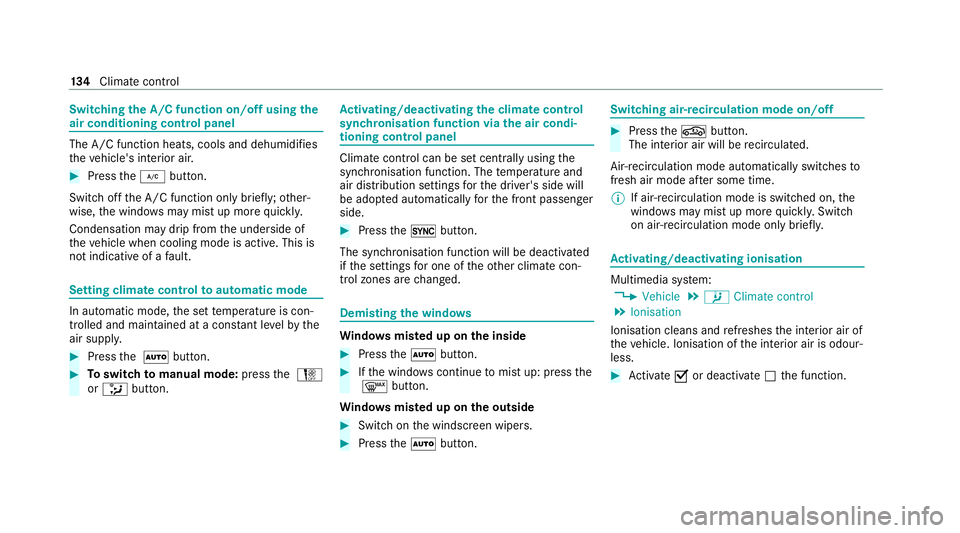
Switching
the A/C function on/off using the
air conditioning control panel The A/C function heats, cools and dehumidi
fies
th eve hicle's interior air. #
Press the¿ button.
Switch off the A/C function only brief ly;ot her‐
wise, the windo wsmay mist up more quickl y.
Condensation may drip from the underside of
th eve hicle when cooling mode is active. This is
not indicative of a fault. Setting climate cont
rolto automatic mode In auto
matic mode, the set temp erature is con‐
trolled and maintained at a const ant levelby the
air suppl y. #
Press the à button. #
Toswitch tomanual mode: pressthe H
or _ button. Ac
tivating/deactivating the climate control
syn chro nisation function via the air condi‐
tioning control panel Climate control can be set centrally using
the
synchronisation function. The temp erature and
air distribution settings forth e driver's side will
be adop ted automatically forth e front passenger
side. #
Press the0 button.
The synchronisation function will be deactivated
if th e settings for one of theot her climate con‐
trol zones are changed. Demisting
the windo ws Wi
ndo wsmis ted up on the inside #
Press theà button. #
Ifth e windo wscontinue tomist up: press the
¬ button.
Wi ndo wsmis ted up on the outside #
Switch on the windscreen wipers. #
Press theà button. Switching air-recirculation mode on/off
#
Press theg button.
The interior air will be recirculated.
Air-reci rculation mode automatically swit ches to
fresh air mode af ter some time.
% If air-recirculation mode is switched on, the
windo wsmay mist up more quickl y.Switch
on ai r-re circulation mode only brie fly. Ac
tivating/deactivating ionisation Multimedia sy
stem:
4 Vehicle 5
b Climate control
5 Ionisation
Ionisation cleans and refreshes the interior air of
th eve hicle. Ionisation of the interior air is odour‐
less. #
Activate Oor deacti vate ª the function. 134
Climate cont rol
Page 360 of 545

&
WARNING Risk of inju ryfrom touching
co mp onents under voltage
The ignition sy stem and the fuel injection
sy stem workunder high voltage. You could
re cei vean electric shoc k. #
Neverto uch co mponents of the ignition
sy stem or the fuel injection sy stem
when the ignition is switched on. The live components include
thefo llowing, for
ex ample:
R Ignition coils
R Spark plug connec tors
R Injectors &
WARNING Risk of bu rns from hot com‐
ponent parts in the engine compartment
Cer tain component parts in the engine com‐
partment can be very hot, e.g. the engine,
th e cooler and parts of theex haust sy stem. #
Allow the engine tocool down and only
to uch co mponent parts described in
th efo llowing. &
WARNING Risk of inju ryfrom using the
windscreen wipers while the engine bon‐
net is open
When the engine bonn etis open, and the
windscreen wipers are set in motion, you can
be trapped bythe wiper linkage. #
Alw ays switch off the windscreen wip‐
ers and ignition before opening the
engine bonn et. Opening
the bonnet #
Torelease the bonn et, pull on handle 1. Maintenance and care
357
Page 371 of 545

#
Clean draught stop net 1with a damp clo th
in conjunction with the care products and
cleaning agents recommended and appr oved
fo r Mercedes-Benz. Cleaning
thefo lding draught stop*
NO
TEDama getothe net due tousing a
high-pressure cleaner #
Never use a high-p ressure cleaner to
clean the net of the wind deflector. Re
quirements:
R Make sure that the no tes on the cor rect
ins tallation and stowing location of thefo ld‐
ing draught stop are obser ved (/ page 85). #
Clean folding draught stop net with a damp
clo thin conjunction with the care products
and cleaning agents recommended and
appr ovedfo r Mercedes-Benz. Note
s on care of car parts &
WARNING Risk of entrapment if the
windscreen wipers are swit ched on while
th e windscreen is being cleaned
If th e windscreen wipers are set in motion
while you are cleaning the windscreen or
wiper blades, you can be trapped bythe
wiper arm. #
Alw ays switch off the windscreen wip‐
ers and the ignition before cleaning the
windscreen or wiper blades. &
WARNING Risk of bu rns from theta il‐
pipe and tailpipe trims
The exhaust tailpipe and tailpipe trims can
become very hot. If you come into contact
with these parts of theve hicle, you could
burn yourself. #
Alw ays be particular lycareful around
th eta ilpipe and theta ilpipe trims and
supervise children especially closely in
th is area. #
Allow vehicle parts tocool down before
to uching them. To
avo id damage totheve hicle, obser vethe
no tes on cleaning and care of thefo llowing vehi‐
cle parts:
Wheels and rims
R Use wate r and acid-free alloy wheel cleaners.
R Do not use acidic alloy wheel cleaners to
re mo vebrake dust. This could damage wheel
bolts and brake components.
R Toavo id cor rosion of the brake disks and
brakepads, drive theve hicle for a few 368
Maintenance and care
Page 395 of 545

#
Only use fuses that ha vebeen appr oved
by Mercedes-Benz and which ha vethe
cor rect fuse rating. Blown fuses mu
stbe replaced with fuses of the
same rating, which you can recognise bythe col‐
our and the label. The fuse ratings and fu rther
information tobe obser ved can be found in the
fuse assignment diagram.
Fu se assignment diag ram: onthe fuse box in
th e boot (/ page 394).
* NO
TEDama geor malfunctions caused
by moisture Moisture may cause dama
getothe electrical
sy stem or cause it tomalfunction. #
When the fuse box is open, make sure
th at no moisture can enter the fuse
box. #
When closing the fuse box, make sure
th at the seal of the lid is positioned cor‐
re ctly on the fuse box. If
th e newly inser ted fuse also blo ws, ha vethe
cause traced and rectified at a qualified special‐
ist workshop.
Ensure thefo llowing before replacing a fuse:
R The vehicle is secured against rolling away.
R All electrical consumers are switched off.
R The ignition is switched off.
The electrical fuses are located in various fuse
bo xes:
R Fuse box in the engine compartment on the
driver's side (/ page 392)
R Fuse box on the driver's side of the cockpit
(/ page 393)
R Fuse box in the front passenger foot we ll
(/ page 394)
R Fuse box in the boot on theright-hand side
of theve hicle, when vie wed in the direction
of tr avel (/ page 394) Opening and closing
the fuse box in the
engine compa rtment Re
quirements:
R A dry clo thand a sc rewdriver are available.
Obse rveth e no tes on electrical fuses
(/ page 391).
Opening &
WARNING Risk of inju ryfrom using the
windscreen wipers while the engine bon‐
net is open
When the engine bonn etis open, and the
windscreen wipers are set in motion, you can
be trapped bythe wiper linkage. #
Alw ays switch off the windscreen wip‐
ers and ignition before opening the
engine bonn et. 392
Breakdown assis tance
Page 541 of 545

No
tes on fitting..................................... 400
Re moving.............................................. 408
Re placing...................................... 400, 405
Re placing the hub cap........................... 405
Re starting the tyre pressure loss
wa rning sy stem..................................... 400
Re starting the tyre pressure monitor‐
ing sy stem.............................................3 99
Selection............................................... 400
Snow chains.......................................... 395
St oring..................................................4 04
TIREFIT kit.............................................. 376
Ty re pressure (N otes)............................ 396
Ty re pressure loss warning sy stem
(function)............................................... 399
Ty re pressure monitoring sy stem
(function)............................................... 398
Ty re pressure table................................ 397
Un usual handling characteristic s.......... 395
Wi -Fi
Overview............................................... 259
Setting................................................... 259
Setting up a hotspot.............................. 260
Setting up an Internet connection........ .323 Wi
descreen co ckpit instrument dis‐
play
Instrument clu ster................................... 12
Wi nd deflector
Care...................................................... 366
Wi ndow lif ter
see Side windo ws
Wi ndo ws
Car e...................................................... 368
Closing (all)............................................ .88
Opening (all). ........................................... 88
Wi ndo ws
see Side windo ws
Wi ndscreen
Demisting.............................................. 13 3
Re placing the wiper blades.................... 12 8
Wi ndscreen
see Windsc reen
Wi ndscreen washer fluid
No tes....................................................4 25
Wi ndscreen washer sy stem
To pping up............................................. 361 Wi
ndscreen wipers
Re placing the wiper blades.................... 12 8
Switching on/of f................................... 127
Wi nter operation
Snow chains.......................................... 395
Wi nter tyres
Setting the permanent speed limit........ 17 9
Wi per blades
Ca re...................................................... 368
Re placing...............................................1 28
Wire lesscharging
Fu nction/no tes...................................... 11 6
Mobile phone......................................... 11 7
Wire lessvehicle comp onents
Declaration of con form ity....................... .25
Speci fic absor ption rate.......................... 25
Wo rkshop
see Qualified specialist workshop 538
Index