Page 404 of 594
Mazda Connect Basic Operations
▼Mazda Connect Basic Operations
NOTE
The explanation of functions described in this manual may differ from the actual
operation, and the shapes of screens and buttons and the letters and characters
displayed may also differ from the actual appearance.
Additionally, depending on future softwa
re updates, the content may successively
change without notice.
▼ Commander Switch Operation
The commander switch can be used to switch to each function and to operate each
function.
Set the palm of your hand on the command
er knob so that your fingers can touch
each of the switches.
You can switch the screens without having to look down at your hand.
NOTE
For safety reasons, some operations are disabled while driving the vehicle.
Interior Features
Mazda Connect
5-18
CX-30_8JP5-EA-20K_Edition1_new 2020-7-22 15:50:09
Page 405 of 594
The shape of the switches varies depending on the specifications.
No.Item Explanation
1
Commander knob (selection):
Rotate or slide the commander knob to highlight/select the on-screen
functions you want to use.
2
Commander knob (select):
Depress the commander knob to select the desired on-screen function
you want to use.
3
Entertainment button:
The audio source screen last used is displayed.
(During Apple CarPlay™ or Android Auto™ music playback)
Displays the Apple CarPlay™ or Android Auto™ now playing screen.
Interior Features
Mazda Connect
5-19
CX-30_8JP5-EA-20K_Edition1_new 2020-7-22 15:50:09
Page 406 of 594

No.Item Explanation
4
Vo l u m e k n o b :
Vo l u m e a d j u s t m e n t
Adjust the volume by turning the volume knob.
If you adjust the volume during voice guidance, the volume of the
voice guidance will change.
If you adjust the volume during a hands-free call, the conversation vol-
ume will change.
Press the volume knob to mute/pause the audio. Press the knob again
to resume.
Po we r o ff /o n
Press and hold to turn off the Mazda Connect power and turn off the
screen.
Press and hold again to turn on the Mazda Connect power.
NOTE
If you press the volume knob to mute an audio source which can be
paused, such as Apple CarPlay™, USB audio, or Bluetooth® audio,
while it is playing , the song playback pauses. Press the volume knob
again to cancel the mute and the pause at the same time.
Selecting a radio station
Radio stations saved to your Favorites can be selected by sliding the
volume knob left (SEEK DOWN)/right (SEEK UP) while listening to
FM/AM/SiriusXM
®. The station will change each time you slide the
volume knob.
If you want to manually tune to the next available station before or af-
ter the currently selected station, slide and hold the volume knob left
(SEEK DOWN) or right (SEEK UP) until you hear a beep and the tuner
will select the next available station.
Playback Control
Music and video files can be cued when listening to stored content via
USB, Bluetooth
®, and SiriusXM®, audio, or video.
Slide the volume knob right to skip to the next track or slide it to the
left to go back to the previous track. You can also slide and hold the
volume knob to fast forward or rewind the track.
Interior Features
Mazda Connect
5-20
CX-30_8JP5-EA-20K_Edition1_new 2020-7-22 15:50:09
Page 407 of 594
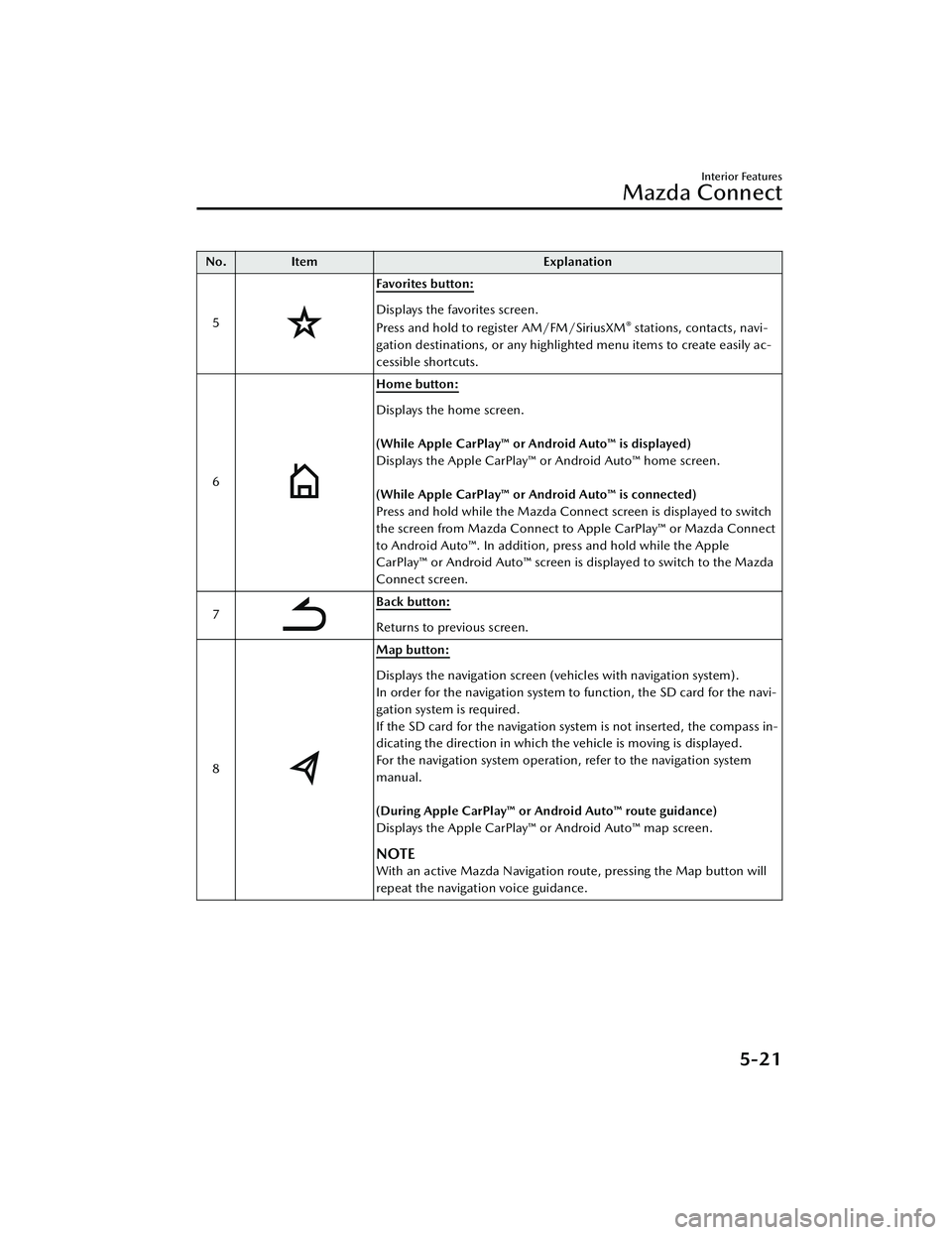
No.Item Explanation
5
Favorites button:
Displays the favorites screen.
Press and hold to register AM/FM/SiriusXM® stations, contacts, navi-
gation destinations, or any highlighted menu items to create easily ac-
cessible shortcuts.
6
Home button:
Displays the home screen.
(While Apple CarPlay™ or Android Auto™ is displayed)
Displays the Apple CarPlay™ or Android Auto™ home screen.
(While Apple CarPlay™ or Android Auto™ is connected)
Press and hold while the Mazda Connect screen is displayed to switch
the screen from Mazda Connect to Apple CarPlay™ or Mazda Connect
to Android Auto™. In addition, press and hold while the Apple
CarPlay™ or Android Auto™ screen is displayed to switch to the Mazda
Connect screen.
7
Back button:
Returns to previous screen.
8
Map button:
Displays the navigation screen (vehicles with navigation system).
In order for the navigation system to function, the SD card for the navi-
gation system is required.
If the SD card for the navigation system is not inserted, the compass in-
dicating the direction in which the vehicle is moving is displayed.
For the navigation system operation, refer to the navigation system
manual.
(During Apple CarPlay™ or Android Auto™ route guidance)
Displays the Apple CarPlay™ or Android Auto™ map screen.
NOTE
With an active Mazda Navigation route, pressing the Map button will
repeat the navigation voice guidance.
Interior Features
Mazda Connect
5-21
CX-30_8JP5-EA-20K_Edition1_new 2020-7-22 15:50:09
Page 408 of 594

▼Audio Remote Control Switch Operation
The audio remote control switch is on the left side of the steering wheel. You can
operate basic audio functions, pick up/hang up the phone, or activate voice
control using the switch.
The shape of the switches may
differ depending on the
specifications.
No. Item Explanation
1
Volume adjustment button:
Press the (+) or (-) button to adjust the volume.
If you adjust the volume during voice guidance, the volume of the
voice guidance will change.
If you adjust the volume during a hands-free call, the conversation vol-
ume will change.
2
(SEEK UP) Seek Switch:Selecting a radio station
Radio stations saved to your Favorites can be selected by pressing the
seek switch while listening to FM/AM/SiriusXM
®. The station will
change to the previous or next favorite station each time you press the
seek switch. If you want to manually tune to the next available station
before or after the currently selected station, press and hold the seek
switch until it beeps and the tuner will select the next available station.
Playback Control
Music and video files can be cued when listening to stored content via
USB, Bluetooth
®, and SiriusXM®, audio, or video.
Slide the volume knob right to skip to the next track or slide it to the
left to go back to the previous track. You can also slide and hold the
volume knob to fast forward or rewind the track.
(SEEK DOWN)
Interior Features
Mazda Connect
5-22
CX-30_8JP5-EA-20K_Edition1_new 2020-7-22 15:50:09
Page 409 of 594

No.Item Explanation
3 SOURCE SOURCE button:
The audio source can be switched each time the button is pressed.
In addition, when the button is pressed and held, the current au-
dio source is muted and the audio source selection screen is displayed.
(During Apple CarPlay™ or Android Auto™ playback)
Press and hold the SOURCE button to mute the current audio source.
4
Hang-up button:
(During a call)
Press the button to end the call.
(While receiving a call)
Press the button to refuse a call.
5
Ta l k / P i c k - u p b u t t o n :
(While receiving a call)
Press the button to answer the call.
6
Mute button:
Press the button to mute.
Press it again to cancel the mute.
NOTE
If you press the mute button to mute an audio source which can be
paused, such as Apple CarPlay™, USB audio, or Bluetooth® audio,
while it is playing, the song play back pauses. Press the mute button
again to cancel the mute and the pause at the same time.
▼ Operation Using Voice Recognition Function
The shape of the switches may differ depending on the specifications.
Interior Features
Mazda Connect
5-23
CX-30_8JP5-EA-20K_Edition1_new
2020-7-22 15:50:09
Page 410 of 594

No.Item Explanation
1
Talk/Pick-up button:
When the button is pressed, the voice recognition top screen is dis-
played and the voice recognition is activated.
(While voice guidance is being announced)
Press the button to skip the voice guidance.
2
Hang-up button:
Press the button to end the voice recognition.
Voice recognition activation
When the talk/pick-up button on the audio remote control switch is pressed, top
screen of the voice recognition will be displayed.
NOTE
When an Apple CarPlay™ or Android Auto™ compatible device is connected, the
Mazda Connect voice recognition system is disabled to allow the use of Siri® or
Android Auto™ voice recognition at any time with the talk/pick-up button.
Commands usable at any time
“Help” - Can be used to check for usable voice commands.
“Back” - Returns to the previous screen. When a voice command is spoken while on
the telephone number input screen, the cont ent that was previously input is deleted.
“Cancel”- The voice recognition is ended.
To learn more on how to operate Mazda Connect
“Owner's Manual” - The operation guide screen is displayed.
Ending voice recognition
Do any one of the following operations:
Press the hang-up button.Press and hold the talk/Pick-up button.Say the word, “Cancel”.
Interior Features
Mazda Connect
5-24
CX-30_8JP5-EA-20K_Edition1_new 2020-7-22 15:50:09
Page 411 of 594
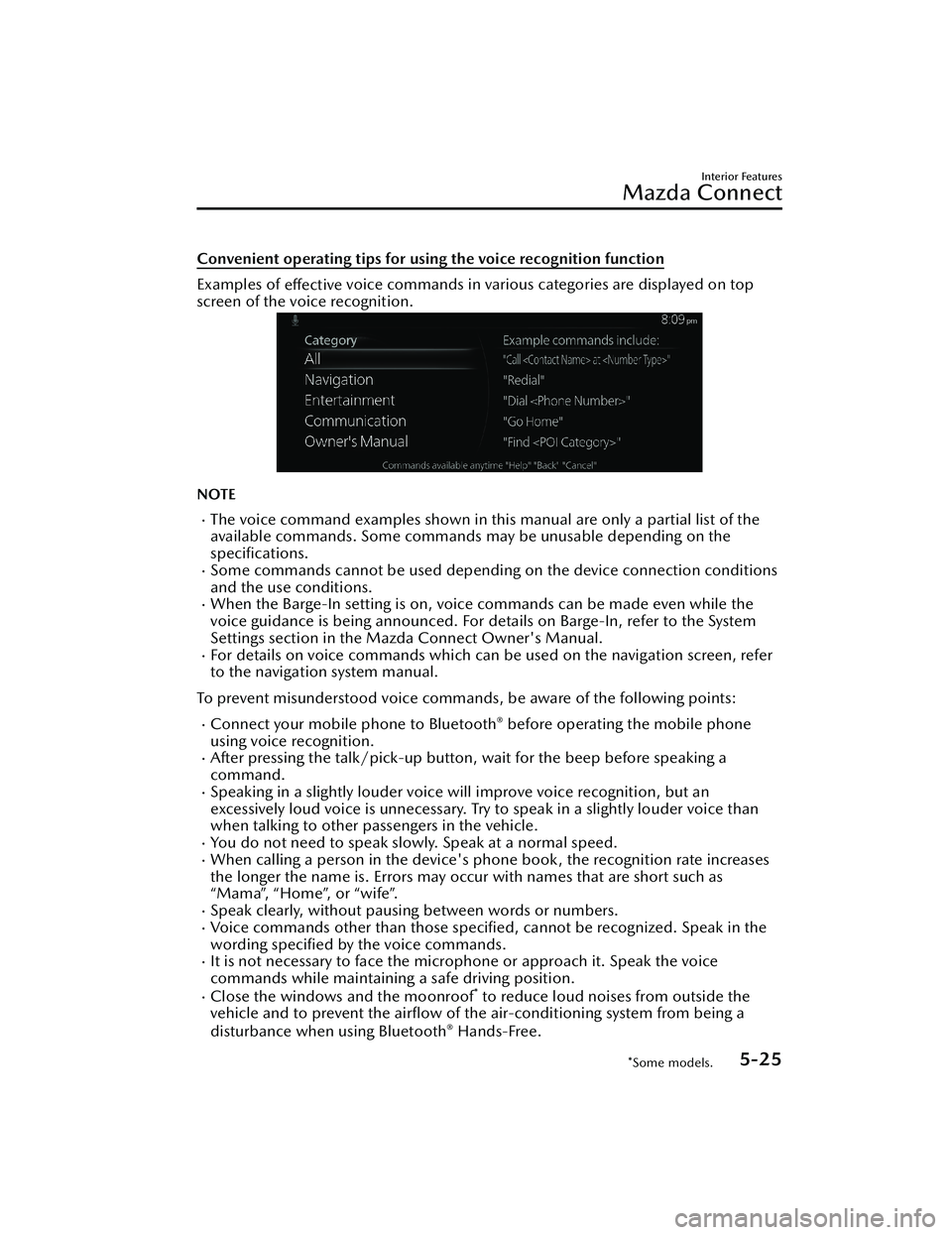
Convenient operating tips for using the voice recognition function
Examples of effective voice commands in various categories are displayed on top
screen of the voice recognition.
NOTE
The voice command examples shown in this manual are only a partial list of the
available commands. Some commands may be unusable depending on the
specifications.
Some commands cannot be used depending on the device connection conditions
and the use conditions.
When the Barge-In setting is on, voice commands can be made even while the
voice guidance is being announced. For details on Barge-In, refer to the System
Settings section in the Mazda Connect Owner's Manual.
For details on voice commands which can be used on the navigation screen, refer
to the navigation system manual.
To prevent misunderstood voice commands, be aware of the following points:
Connect your mobile phone to Bluetooth® before operating the mobile phone
using voice recognition.
After pressing the talk/pick-up button, wait for the beep before speaking a
command.
Speaking in a slightly louder voice will improve voice recognition, but an
excessively loud voice is unnecessary. Try to speak in a slightly louder voice than
when talking to other passengers in the vehicle.
You do not need to speak slowly. Speak at a normal speed.When calling a person in the device's phone book, the recognition rate increases
the longer the name is. Errors may oc cur with names that are short such as
“Mama”, “Home”, or “wife”.
Speak clearly, without pausing between words or numbers.Voice commands other than those specified , cannot be recognized. Speak in the
wording specified by the voice commands.
It is not necessary to face the microphone or approach it. Speak the voice
commands while maintaining a safe driving position.
Close the windows and the moonroof* to reduce loud noises from outside the
vehicle and to prevent the airflow of the air-conditioning system from being a
disturbance when using Bluetooth
® Hands-Free.
Interior Features
Mazda Connect
*Some models.5-25
CX-30_8JP5-EA-20K_Edition1_new 2020-7-22 15:50:09

