2021 MAZDA MODEL CX-30 ACC
[x] Cancel search: ACCPage 384 of 594

▼Parking Sensor Warning Beep
Informs the driver of the ap
proximate distance from the vehicle to the obstruction
using warning beeps depending on the distance. If multiple obstructions are
detected at the same time, warning beeps are activated according to the distance to
the nearest obstruction. The warning beeps are activated as follows while the system
is operating. However, the warning beeps are not activated while the seat belt
reminder is operating.
Front ultrasonic sensor
*, Rear ultrasonic sensor
Distance De-
tection area Distance between vehicle and obstruction
Beeper sound*1Front ultrasonic sensor Rear ultrasonic sensor
Farthest dis- tance Approx. 100
―60.0 cm
(39.3 ―23.6 in)
Approx. 150 ―60.0 cm
(59.0 ―23.6 in)
Slow intermittent
sound
Far distance Approx. 60.0
―45.0 cm
(23.6 ―17.7 in)
Approx. 60.0 ―45.0 cm
(23.6 ―17.7 in)
Medium intermit-
tent sound
Middle dis- tance Approx. 45.0
―35.0 cm
(17.7 ―13.7 in)
Approx. 45.0 ―35.0 cm
(17.7 ―13.7 in)
Fast intermittent
sound
When Driving
Pa r k i n g S e n s o r Sys te m
4-238*Some models.
CX-30_8JP5-EA-20K_Edition1_new 2020-7-22 15:50:09
Page 387 of 594

5Interior Features
Use of various features for ride comfort, including air-
conditioning system and audio system.
Climate Control System............. 5-2 Operating Tips....................... 5-2
Vent Operation......................5-3
Manual Type..........................5-6
Fully Automatic Type............ 5-10
Mazda Connect...................... 5-14 What is Mazda Connect ?.....5-14
Mazda Connect Basic
Operations.......................... 5-18
Connected Service (U.S.A.
only)................................... 5-35
Interior Equipment.................. 5-36Sunvisors............................. 5-36
Interior Lights...................... 5-37
Accessory Socket................. 5-39
Cup Holder......................... 5-40
Bottle Holder.......................5-41
Assist Grips......................... 5-42
Rear Coat Hooks................. 5-42
Storage Compartments........ 5-43
5-1
CX-30_8JP5-EA-20K_Edition1_new 2020-7-22 15:50:09
Page 393 of 594

Air intake selector switch
This switch controls the source of air
entering the vehicle.
Outside or recirculated air positions
can be selected. Press the switch to
select outside/recirculated air
positions.
Recirculated air position (indicator
light illuminated)
Outside air is shut off. Use this position
when going through tunnels, driving in
congested traffic (high engine exhaust
areas) or when quick cooling is
desired.
Outside air position (indicator light
turned off)
Outside air is allowed to enter the
cabin. Use this mode for ventilation or
windshield defrosting.
WARNING
Do not use the position (indicator
light turns on) in cold or rainy
weather:
Using the
position (indicator light
turns on) in cold or rainy weather is
dangerous as it will cause the windows
to fog up. Your vision will be
hampered, which could lead to a
serious accident.
Windshield de froster switch
Press the switch to defrost the
windshield and front door windows.
Refer to Windshield Defrosting and
Defogging on page 5-8.
Rear window defogger switch
Press the rear window defogger switch
to defrost the rear window.
Refer to Rear Window Defogger on
page 4-55.
▼Heating
1. Press the switch.
2. Set the air intake selector to the outside air position (indicator light
turns off).
3. Set the temperature control dial to the hot position.
4. Set the fan control dial to the desired speed.
5. If dehumidified heating is desired, turn on the air conditioner.
NOTE
If the windshield fogs up easily, press
the
switch.If cooler air is desired at face level,
press the
switch and adjust the
temperature control dial to maintain
maximum comfort.
The air to the floor is warmer than air
to the face (except when the
temperature control dial is set at the
extreme hot or cold position).
▼ Cooling
1. Press the switch.
2. Set the temperature control dial to the cold position.
3. Set the fan control dial to the desired speed.
4. Turn on the air conditioner by
pressing the A/C switch.
5. After cooling begins, adjust the fan control dial and temperature
control dial as needed to maintain
maximum comfort.
Interior Features
Climate Control System
5-7
CX-30_8JP5-EA-20K_Edition1_new 2020-7-22 15:50:09
Page 394 of 594

CAUTION
If the air conditioner is used while
driving up long hills or in heavy traffic,
monitor the high engine coolant
temperature warning indication to see
if it is displayed (page 7-24).
The air conditioner may cause engine
overheating. If the warning indication
is displayed, turn the air conditioner
off (page 7-17).
NOTE
When maximum cooling is desired,
set the temperature control dial to
the extreme cold position and set
the air intake selector to the
recirculated air position, then turn
the fan control dial fully clockwise.
If warmer air is desired at floor level,
press the
switch and adjust the
temperature control dial to maintain
maximum comfort.
The air to the floor is warmer than air
to the face (except when the
temperature control dial is set at the
extreme hot or cold position).
▼ Ve n t i l a t i o n
1. Press the switch.
2. Set the air intake selector to the outside air position (indicator light
turns off).
3. Set the temperature control dial to
the desired position.
4. Set the fan control dial to the desired speed.
▼Windshield Defrosting and
Defogging
1. Press the switch.
2. Set the temperature control dial to the desired position.
3. Set the fan control dial to the desired speed.
4. If dehumidified heating is desired, turn on the air conditioner.
WARNING
Do not defog the windshield using the
switch with the temperature
control set to the cold position:
Using the
switch with the
temperature control set to the cold
position is dangerous as it will cause
the outside of the windshield to fog
up. Your vision will be hampered,
which could lead to a serious accident.
Set the temperature control to the hot
or warm position when using the
switch.
NOTE
Fogging on the windows clears up
more easily while the air conditioner
is on, but they will fog up more easily
if the air conditioner is turned off.
Be careful that the windows do not
fog up when doing any of the
following:
Switching to recirculate modeTurning off the air conditionerFor maximum defrosting, turn on the
air conditioner, set the temperature
control dial to the extreme hot
position, and turn the fan control
dial fully clockwise.
If warm air is desired at the floor,
press the
switch.
Interior Features
Climate Control System
5-8
CX-30_8JP5-EA-20K_Edition1_new 2020-7-22 15:50:09
Page 396 of 594

Fully Automatic Type
▼Fully Automatic Type
Climate control system information is displayed on the display.
1. Driver temperature control dial
2. AUTO switch
3. Temperature setting display (driver’s side)
4. Air intake display
5. Airflow display
6. Mode selector display
7. Temperature setting display (passenger’s side)
8. SYNC (synchronized temperature) switch
9. Passenger temperature control dial
10.A/C switch
11.Rear window defogger switch
12.Mode selector switch
13.Fan control switch
14.Air intake selector switch
15.Windshield defroster switch
16.Power switch
▼Control Switches
AUTO switch
By pressing the AUTO switch the
following functions will be
automatically controlled in accordance
with the selected set temperature:
Airflow temperatureAmount of airflowSelection of airflow modeOutside/Recirculated air selectionAir conditioner operation
Seat warmer level selection*
Heated steering wheel operation*
NOTE
AUTO switch indicator light
When the AUTO switch indicator
light is on, it indicates auto
operation, and the system will
function automatically.
If any of the following switches are
operated while in auto control, the
AUTO switch indicator turns off.
Interior Features
Climate Control System
5-10*Some models.
CX-30_8JP5-EA-20K_Edition1_new
2020-7-22 15:50:09
Page 398 of 594

Air intake selector switch
Outside or recirculated air positions
can be selected. Press the switch to
select outside/recirculated air
positions.
Recirculated air position (
)
Outside air is shut off. Use this position
when going through tunnels, driving in
congested traffic (high engine exhaust
areas) or when quick cooling is
desired.
Outside air position (
)
Outside air is allowed to enter the
cabin. Use this mode for ventilation or
windshield defrosting.
WARNING
Do not recirculate the air in the cabin
during cold or rainy weather:
Recirculating the air in the cabin during
cold and rainy weather is dangerous as
it will cause the windows to fog up.
Your vision will be hampered, which
could lead to a serious accident.
SYNC (Synchronized Temperature)
switch
Use the SYNC switch to change the
mode between the individual
operation (driver and passenger) and
interconnection (simultaneous)
modes.
Interconnection mode (indicator light
turns on)
The set temperature for the driver and
front passenger is controlled
simultaneously.
Individual operation mode (indicator
light turns off)
The set temperature can be controlled
individually for the driver and front
passenger.
Windshield defroster switch
Press the switch to defrost the
windshield and front door windows.
Refer to Windshield Defrosting and
Defogging on page 5-13.
Rear window defogger switch
Press the rear window defogger switch
to defrost the rear window.
Refer to Rear Window Defogger on
page 4-55.
▼ Operation of Automatic Air
Conditioner
1. Press the AUTO switch. Selection of
the airflow mode, air intake
selector and amount of airflow will
be automatically controlled.
2. Use the temperature control dial to
select a desired temperature.
If you want to set the temperature
on the front passenger's side
separately from the driver's side,
turn the front passenger
temperature control dial to switch
the mode automatically to the
individual operation mode and set
the temperature for the front
passenger's side.
To turn off the system, press the power
switch.
NOTE
Set the control dial to the
recommended temperature of 22 °C
(72 °F), and then adjust it as desired.
Setting the temperature to maximum
hot or cold will not provide the
desired temperature at a faster rate.
Interior Features
Climate Control System
5-12
CX-30_8JP5-EA-20K_Edition1_new 2020-7-22 15:50:09
Page 399 of 594

When selecting heat, the system will
restrict airflow until the engine has
warmed to prevent cold air from
blowing out of the vents.
▼Windshield Defrosting and
Defogging
Press the windshield defroster switch.
In this position, the outside air position
is automatically selected, and the air
conditioner automatically turns on.
The air conditioner will directly
dehumidify the air to the front
windshield and side windows on page
5-4.
Airflow amount will be increased.
WARNING
Set the temperature control to the hot
or warm position when defogging
(
position):
Using the
position with the
temperature control set to the cold
position is dangerous as it will cause
the outside of the windshield to fog
up. Your vision will be hampered,
which could lead to a serious accident.
NOTE
Fogging on the windows clears up
more easily while the air conditioner
is on, but they will fog up more easily
if the air conditioner is turned off.
Be careful that the windows do not
fog up when doing any of the
following:
Switching to recirculate modeTu r n i n g off the air conditionerUse the temperature control dial to
increase the air flow temperature
and defog the windshield more
quickly.
▼Sunlight/Temperature Sensor
The climate control system measures
inside and outside temperatures,
humidity and sunlight using the
sunlight/temperature sensor. It sets
temperatures inside the cabin
accordingly.
CAUTION
Do not obstruct both sensors,
otherwise the climate control system
will not operate properly.
Sunlight sensor
1. Sunlight sensor
Interior temperature sensor
1. Interior temperature sensor
Interior Features
Climate Control System
5-13
CX-30_8JP5-EA-20K_Edition1_new
2020-7-22 15:50:09
Page 401 of 594
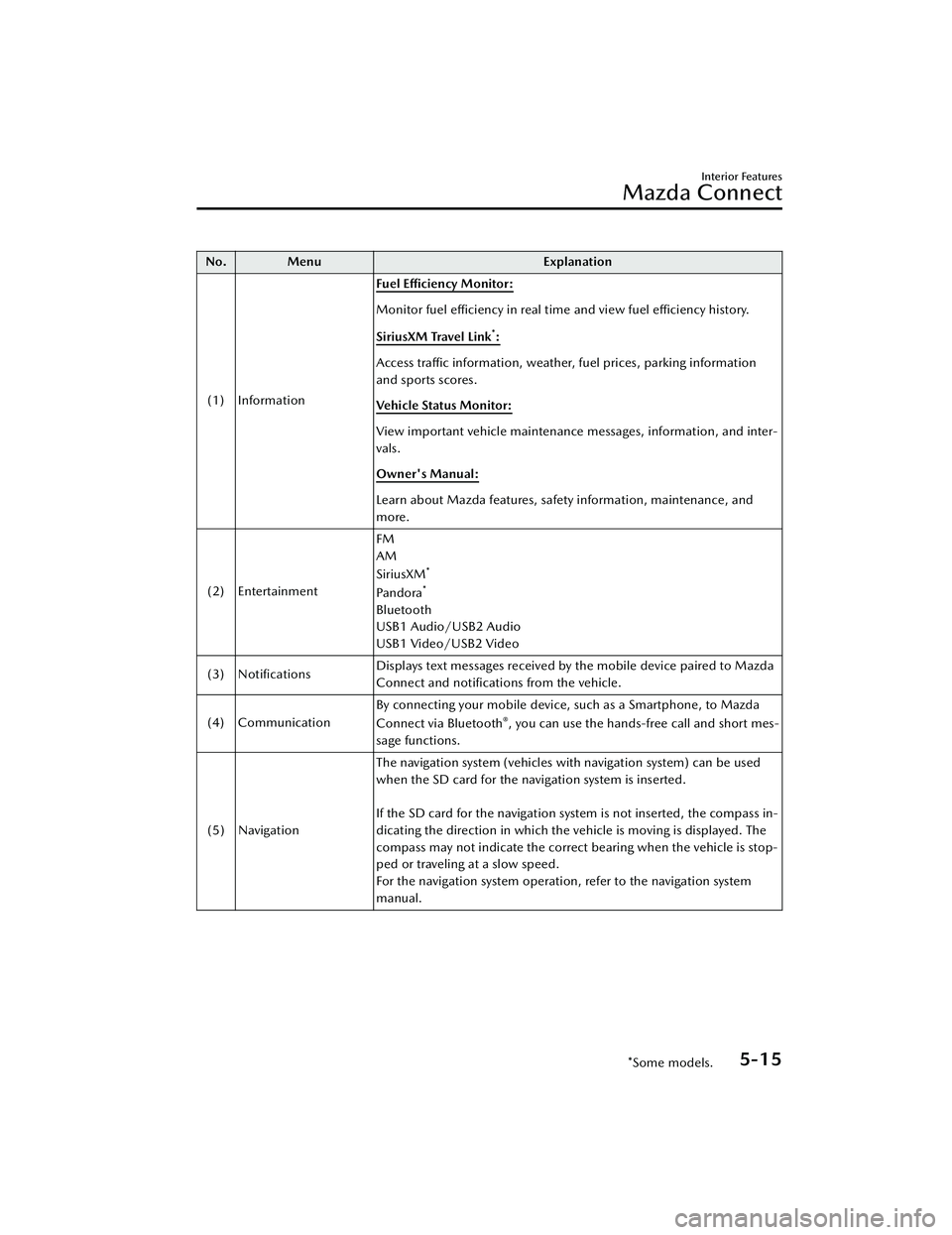
No. MenuExplanation
(1) Information Fuel Efficiency Monitor:
Monitor fuel
efficiency in real time and view fuel
efficiency history.
SiriusXM Travel Link
*:
Access traffic information, weather, fuel prices, parking information
and sports scores.
Vehicle Status Monitor:
View important vehicle maintenance messages, information, and inter-
vals.
Owner's Manual:
Learn about Mazda features, safety information, maintenance, and
more.
(2) Entertainment FM
AM
SiriusXM
*
Pa n d o ra*
Bluetooth
USB1 Audio/USB2 Audio
USB1 Video/USB2 Video
(3) Notifications Displays text messages received by the mobile device paired to Mazda
Connect and notifications from the vehicle.
(4) Communication By connecting your mobile device, such as a Smartphone, to Mazda
Connect via Bluetooth
®, you can use the hands-free call and short mes-
sage functions.
(5) Navigation The navigation system (vehicles with navigation system) can be used
when the SD card for the navigation system is inserted.
If the SD card for the navigation system is not inserted, the compass in-
dicating the direction in which the vehicle is moving is displayed. The
compass may not indicate the correct bearing when the vehicle is stop-
ped or traveling at a slow speed.
For the navigation system operation, refer to the navigation system
manual.
Interior Features
Mazda Connect
*Some models.5-15
CX-30_8JP5-EA-20K_Edition1_new
2020-7-22 15:50:09