2021 LINCOLN NAUTILUS manual radio set
[x] Cancel search: manual radio setPage 9 of 579

Setting the Blower Motor Speed
.............155
Setting the Temperature ............................
155
Directing the Flow of Air ............................
155
Auto Mode .....................................................
156
Climate Control – Troubleshooting .........
157
Interior Air Quality
What Is the Cabin Air Filter ........................
158
Replacing the Cabin Air Filter ...................
158
Front Seats
Front Seat Precautions ...............................
159
Sitting in the Correct Position ...................
159
Power Seats ..................................................
160
Massage Seats ..............................................
163
Heated Seats .................................................
163
Ventilated Seats ...........................................
164
Rear Seats
Manual Seats .................................................
165
Power Seats ...................................................
167
Heated Seats .................................................
167Rear Occupant Alert System
What is the Rear Occupant Alert System
.......................................................................
169
How Does the Rear Occupant Alert System Work ............................................................
169
Rear Occupant Alert System Precautions .......................................................................
169
Rear Occupant Alert System Limitations .......................................................................
169
Switching Rear Occupant Alert System On and Off ........................................................
170
Rear Occupant Alert System Indicators .......................................................................
170
Rear Occupant Alert System Audible Warnings ....................................................
170
Memory Function
How Does the Memory Function Work ........................................................................\
171
Memory Function Precautions ...................
171
Locating the Memory Function Buttons ........................................................................\
171
Saving a Preset Position ..............................
171
Recalling a Preset Position .........................
171Garage Door Opener
What Is the Garage Door Opener
............
173
How Does the Garage Door Opener Work .......................................................................
173
Garage Door Opener Precautions ...........
173
Garage Door Opener Limitations .............
174
Programming the Garage Door Opener to Your Hand-Held Transmitter ..................
174
Programming the Garage Door Opener to Your Garage Door Opener Motor ........
175
Programming the Garage Door Opener to Your Gate Opener Motor .......................
175
Clearing the Garage Door Opener ..........
176
Reprogramming the Garage Door Opener .......................................................................
176
Garage Door Opener Radio Frequencies .......................................................................
176
USB Ports
Locating the USB Ports ...............................
178
Playing Media Using the USB Port ..........
178
Charging a Device .......................................
178
5
2021 Nautilus (CD9) Canada/United States of America, enUSA, Edition date: 202011, First-Printing Table of Contents
Page 18 of 579

Performing a Master Reset
.......................453
Accessories
Accessories ..................................................
454
Lincoln Protect
What Is Lincoln Protect ..............................
456
Scheduled Maintenance
General Maintenance Information ..........
459
Normal Scheduled Maintenance ............
463
Special Operating Conditions Scheduled Maintenance .............................................
467
Customer Information
Rollover Warning .........................................
472
The Better Business Bureau Auto Line Program .....................................................
472
The Mediation and Arbitration Program ......................................................................
473
Ordering a Canadian French Owner's Manual .......................................................
474
Reporting Safety Defects in the United States ..........................................................
474 Reporting Safety Defects in Canada
......
475
Declaration of Conformity .........................
476
Radio Frequency Certification Labels ......................................................................
476
California Proposition 65 ...........................
514
Perchlorate ....................................................
514
Replacement Parts Recommendation .......................................................................
514
Mobile Communications Equipment .......
515
End User License Agreement ...................
516
Emission Law ................................................
546
Appendices
Electromagnetic Compatibility .................
548
14
2021 Nautilus (CD9) Canada/United States of America, enUSA, Edition date: 202011, First-Printing Table of Contents
Page 88 of 579

PRINCIPLE OF OPERATION
MyKey allows you to program keys with
restricted driving modes to promote good
driving habits. All but one of the keys can be
activated with these restricted modes.
Any keys that remain unprogrammed are
referred to as administrator keys or admin
keys. They can be used to:
•
Create a MyKey.
• Program configurable MyKey settings.
• Clear all MyKey features.
When you have created a MyKey, you can
access the following information by using
the information display to determine:
• How many admin keys and MyKeys are
programmed to your vehicle.
• The total distance your vehicle traveled
with a MyKey.
Note: Switch the vehicle on to use the
system.
Note: All MyKeys are programmed to the
same settings. You cannot program them
individually. Note:
For vehicles with push-button start,
when both a MyKey and an admin key are
present, the vehicle will recognize the admin
key when you switch the vehicle on.
Non-Configurable Settings
The following settings cannot be changed
by an admin key user:
• Seatbelt reminder. You cannot disable
this feature. The audio system will mute
when the driver and front-seat passenger
seatbelts are not fastened.
• Early low fuel or charge. The low-fuel or
low charge warning activates earlier,
giving the MyKey user more time to refuel
or recharge.
• Restricted touchscreen operation in some
markets. For example, MyKey may
prevent manual navigation destination
input when the vehicle is in any gear
other than park (P), or when the vehicle
reaches a certain rate of speed.
• Satellite radio adult content restrictions,
if available on your vehicle. Note:
If a phone is connected using Apple
CarPlay or Android Auto when driving with
a MyKey, the driver can receive phone calls
and text messages even if the do not disturb
restriction is on. If the vehicle comes with
satellite radio, the adult content is not
restricted.
Note: The audio system may not mute with
a basic AM/FM radio.
Note: You may be able to turn the lane
departure warning feature off, but the
feature will automatically re-activate with
every new key cycle.
Configurable Settings
With an admin key, you can configure certain
MyKey settings when you first create a
MyKey and before you restart the vehicle.
You can also change the settings afterward
with an admin key.
Note: Available vehicle features will appear
in your information display, providing you
with choices to switch them on or off, or to
select a more specific setting.
84
2021 Nautilus (CD9) Canada/United States of America, enUSA, Edition date: 202011, First-Printing MyKey™
Page 429 of 579

SETTING THE CLOCK AND DATE
1. Press Settings on the touchscreen.
2. Press
Clock Settings.
3. Set the time.
Note: The
AM and PM options are not
available if 24-hour mode is on.
Switching Automatic Time Updates On
and Off
1. Press
Settings on the touchscreen.
2. Press
Clock Settings.
3. Switch
Automatic time zone update on
or off.
AM/FM RADIO
AM/FM Radio Limitations
The further you travel from an AM or FM
station, the weaker the signal and the weaker
the reception. Hills, mountains, tall buildings, bridges,
tunnels, freeway overpasses, parking
garages, dense tree foliage and
thunderstorms can interfere with the
reception.
When you pass a ground-based broadcast
repeating tower, a stronger signal may
overtake a weaker one and result in the
audio system muting.
Selecting a Radio Station
Manually Selecting a Radio Station Turn to search through the radio frequency
band.
Using Direct Tune
1. Press
Direct Tune to open the number
pad.
2. Enter the station you prefer.
425
2021 Nautilus (CD9) Canada/United States of America, enUSA, Edition date: 202011, First-Printing Audio SystemE270235
Page 432 of 579

For additional information about extended
subscription terms, visit www
.Sirius XM. com
in the United States, www .Sirius XM. ca in
Canada, or call SiriusXM at 1-888-539-7474.
Note: SiriusXM reserves the unrestricted
right to change, rearrange, add or delete
programming including canceling, moving
or adding particular channels, and its prices,
at any time, with or without notice to you.
Neither SiriusXM and its affiliates nor Ford
Motor Company and its affiliates will be
liable to you or any third party for any such
modification, suspension or termination.
Satellite Radio Limitations
For optimal reception performance, keep the
antenna clear of snow and ice build-up and
keep luggage and other material as far away
from the antenna as possible.
Hills, mountains, tall buildings, bridges,
tunnels, freeway overpasses, parking
garages, dense tree foliage and
thunderstorms can interfere with your
reception. When you pass a ground-based
broadcast-repeating tower, a stronger signal
may overtake a weaker one and could result
in the audio system muting. Your display
could show an error message to indicate the
interference.
Locating the Satellite Radio
Identification Number
1. Select SiriusXM as the audio source.
2. Tune to channel 0.
Selecting a Channel
Manually Selecting a Channel
Press the button to find the
previous or next available satellite
radio station.
Using Direct Tune
1. Press
Direct Tune to open the number
pad. 2. Enter the channel you prefer.
Using Seek Press either button.
Using the Channel List
1. Press
Browse.
2. Select a channel.
Satellite Radio Settings
Subscription
Your subscription status is displayed. You
can subscribe or manage your subscription
directly from the touchscreen.
Listener Add/Switch
You can create up to five listener profiles per
SiriusXM account. Each listener profile can
be personalized with a name and profile
image.
428
2021 Nautilus (CD9) Canada/United States of America, enUSA, Edition date: 202011, First-Printing Audio SystemE328569 E328570
Page 558 of 579

Speed Compensated Volume.........................424
Tone Settings.......................................................424
Adjusting the Steering Wheel - Vehicles With: Manual Adjustable Steering
Column...........................................................112
Adjusting the Steering Wheel - Vehicles With: Power Adjustable Steering
Column...........................................................112
Adjusting the Volume..................................423
Aid Mode........................................................267
How Does Aid Mode Work..............................267
What Is Aid Mode...............................................267
Airbag Precautions
.........................................66
Airbags..............................................................63 Front Passenger Sensing System.....................
67
Air Conditioning See: Climate Control..........................................154
Air Conditioning System Capacity and Specification - 2.0L....................................410
Air Conditioning System Capacity and Specification - 2.7L
.....................................412
Air Filter See: Changing the Engine Air Filter..............344
Alert and Aid Mode.....................................268 How Does Alert and Aid Mode Work............268
What Is Alert and Aid Mode............................268
Alert Mode
.....................................................267
How Does Alert Mode Work............................267 What Is Alert Mode............................................267
All-Wheel Drive
..............................................214
All-Wheel Drive Driving Hints...........................214
All-Wheel Drive – Troubleshooting.................217
All-Wheel Drive Driving Hints
.....................214
Driving In Sand.....................................................215
Driving on Hilly or Sloping Terrain..................216
Driving on Snow and Ice...................................216
Driving Through Mud and Water.....................215
Emergency Maneuvers......................................214
All-Wheel Drive Limitations
.........................214
All-Wheel Drive Precautions.......................214
All-Wheel Drive – Troubleshooting...........217 All-Wheel Drive – Information
Messages..........................................................217
AM/FM Radio
.................................................425
AM/FM Radio Limitations.................................425
Selecting a Radio Station.................................425
Ambient Lighting...........................................128 Adjusting Ambient Lighting..............................128
Switching Ambient Lighting On and Off........128
Anti-Lock Braking System
...........................218
Anti-Lock Braking System Limitations...........218
Anti-Theft Alarm System.............................108 How Does the Anti-Theft Alarm System
Work...................................................................108
What Are the Inclination Sensors...................108
What Are the Interior Sensors.........................
108 What Is the Anti-Theft Alarm System.............108
What Is the Perimeter Alarm............................108
Anti-Theft Alarm System Settings.............109 Setting the Alarm Security Level.....................109
Switching Ask on Exit On and Off...................109
What are the Alarm Security Levels...............109
What Is Ask on Exit.............................................109
Appendices....................................................548
Applying the Electric Parking Brake
.........221
Applying the Electric Parking Brake in an Emergency...................................................221
App Precautions...........................................444
App Requirements.......................................444
Apps
.................................................................444
Audio System................................................423
AM/FM Radio.......................................................425
Digital Radio........................................................426
Satellite Radio......................................................427
Audio System Precautions.........................423
Auto-Dimming Exterior Mirror
....................134
What Is the Auto-Dimming Exterior
Mirror..................................................................134
Auto-Dimming Interior Mirror.....................132 Auto-Dimming Interior Mirror
Limitations.........................................................132
What Is the Auto-Dimming Interior Mirror..................................................................132
Auto Hold
.......................................................226
554
2021 Nautilus (CD9) Canada/United States of America, enUSA, Edition date: 202011, First-Printing Index
Page 572 of 579

Preparing Your Vehicle for Storage..........361
12 Volt Battery.....................................................362
Body........................................................................\
361
Brakes...................................................................362
Engine....................................................................361
General..................................................................361
Hybrid Battery Systems ...................................362
Tires.......................................................................362
Programming the Garage Door Opener to Your Garage Door Opener Motor...........175
Programming the Garage Door Opener to Your Gate Opener Motor..........................175
Gate Operator / Canadian Programming......175
Programming the Garage Door Opener to Your Hand-Held Transmitter
.....................174
Programming the Remote Control..............77
Programming Your Phone............................80 Resetting Phone as a Key...................................80
Properly Adjusting the Driver and Front Passenger Seats
...........................................67
Puncture See: Changing a Flat Tire..................................391
Push Button Ignition Switch.......................186 Starting the Engine..............................................187
Switching the Ignition Off..................................186
Switching the Ignition to Accessory
Mode..................................................................186 R
Radio Frequency Certification
Labels ............................................................
476
Blind Spot Information System Sensors.......476
Body Control Module.........................................481
Cruise Control Module......................................484
Garage Door Opener........................................488
Keys and Remote Controls..............................
489
Radio Transceiver Module...............................492
Remote Function Actuator................................
481
SYNC.....................................................................495
Telematics Control Unit.....................................
501
Tire Pressure Monitoring System Sensors.............................................................501
Wireless Accessory Charging Module..........510
Rear Exterior.....................................................37
Rear Occupant Alert System Audible Warnings.......................................................170
Rear Occupant Alert System Indicators......................................................170
Rear Occupant Alert System Limitations....................................................169
Rear Occupant Alert System Precautions..................................................169
Rear Occupant Alert System......................169
Rear Parking Aid...........................................235 Locating the Rear Parking Aid Sensors........235 Rear Parking Aid Audible Warnings..............235
Rear Parking Aid Limitations...........................235
What is the Rear Parking Aid...........................235
Rear Seats
.......................................................165
Heated Seats........................................................167
Manual Seats........................................................165
Power Seats..........................................................167
Rear View Camera Guide Lines...............240
Rear View Camera Object Distance Indicators......................................................241
Rear View Camera Precautions...............240
Rear View Camera.......................................240 Rear View Camera Settings..............................241
Rear View Camera Settings........................241 Switching Rear View Camera Delay On and
Off......................................................................242
Zooming the Rear View Camera In and Out
......................................................................241
Recalling a Preset Position...........................171
Recreationally Towing Your Vehicle - 2.0L, AWD...............................................................314
Recreationally Towing Your Vehicle - 2.0L, FWD................................................................314
Recreationally Towing Your Vehicle - 2.7L.................................................................314
Reduced Engine Performance..................305
Refueling
........................................................200
Manually Opening the Fuel Filler Door........202
568
2021 Nautilus (CD9) Canada/United States of America, enUSA, Edition date: 202011, First-Printing Index
Page 574 of 579
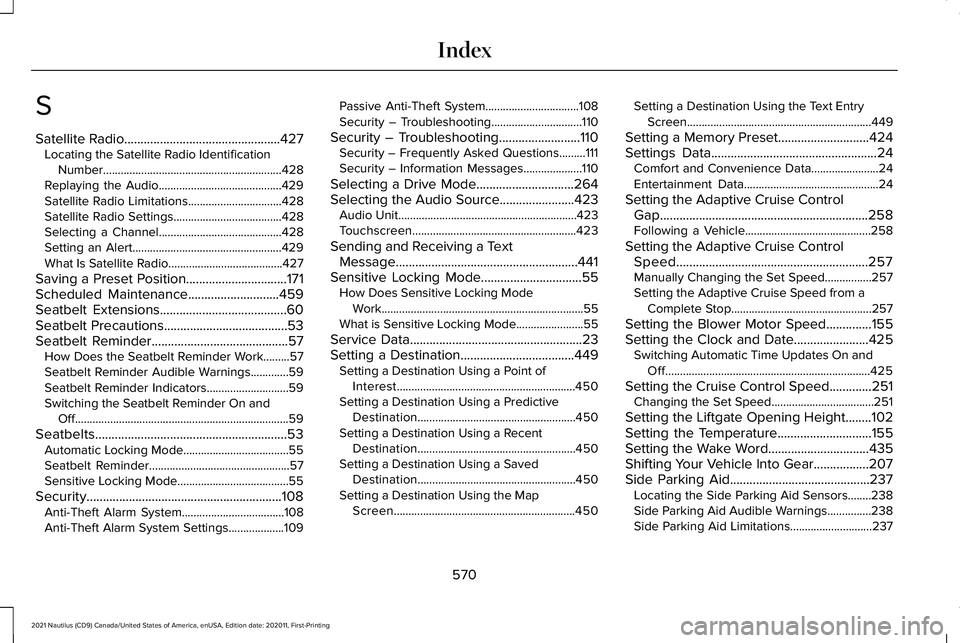
S
Satellite Radio................................................427
Locating the Satellite Radio Identification
Number.............................................................428
Replaying the Audio..........................................429
Satellite Radio Limitations................................428
Satellite Radio Settings.....................................428
Selecting a Channel..........................................428
Setting an Alert...................................................429
What Is Satellite Radio.......................................427
Saving a Preset Position...............................171
Scheduled Maintenance............................459
Seatbelt Extensions.......................................60
Seatbelt Precautions......................................53
Seatbelt Reminder
..........................................57
How Does the Seatbelt Reminder Work.........57
Seatbelt Reminder Audible Warnings.............59
Seatbelt Reminder Indicators............................59
Switching the Seatbelt Reminder On and Off........................................................................\
.59
Seatbelts...........................................................53 Automatic Locking Mode....................................55
Seatbelt Reminder................................................57
Sensitive Locking Mode......................................55
Security............................................................108 Anti-Theft Alarm System...................................108
Anti-Theft Alarm System Settings...................
109 Passive Anti-Theft System................................108
Security – Troubleshooting...............................110
Security – Troubleshooting
.........................110
Security – Frequently Asked Questions.........111
Security – Information Messages....................110
Selecting a Drive Mode..............................264
Selecting the Audio Source.......................423 Audio Unit.............................................................423
Touchscreen........................................................423
Sending and Receiving a Text Message........................................................441
Sensitive Locking Mode...............................55 How Does Sensitive Locking Mode
Work.....................................................................55
What is Sensitive Locking Mode.......................55
Service Data
.....................................................23
Setting a Destination...................................449 Setting a Destination Using a Point of
Interest.............................................................450
Setting a Destination Using a Predictive Destination......................................................450
Setting a Destination Using a Recent Destination......................................................450
Setting a Destination Using a Saved Destination......................................................450
Setting a Destination Using the Map Screen..............................................................450 Setting a Destination Using the Text Entry
Screen...............................................................449
Setting a Memory Preset............................424
Settings Data
...................................................24
Comfort and Convenience Data.......................24
Entertainment Data..............................................24
Setting the Adaptive Cruise Control Gap................................................................258
Following a Vehicle...........................................258
Setting the Adaptive Cruise Control Speed...........................................................257
Manually Changing the Set Speed................257
Setting the Adaptive Cruise Speed from a Complete Stop................................................257
Setting the Blower Motor Speed..............155
Setting the Clock and Date.......................425 Switching Automatic Time Updates On and
Off......................................................................425
Setting the Cruise Control Speed.............251 Changing the Set Speed...................................251
Setting the Liftgate Opening Height........102
Setting the Temperature
.............................155
Setting the Wake Word...............................435
Shifting Your Vehicle Into Gear.................207
Side Parking Aid...........................................237 Locating the Side Parking Aid Sensors........238
Side Parking Aid Audible Warnings...............238
Side Parking Aid Limitations............................
237
570
2021 Nautilus (CD9) Canada/United States of America, enUSA, Edition date: 202011, First-Printing Index