2021 LINCOLN AVIATOR automatic transmission
[x] Cancel search: automatic transmissionPage 224 of 667

•
Selectable drive modes: Certain
selectable drive modes may cause the
engine to run. See What Is Drive Mode
Control (page 329).
• Live in Drive: Use of the paddle shifters
while in drive (D) may cause the engine
to run.
See Automatic Transmission
(page 245).
Stopping
The gas engine may shut off to conserve fuel
as you come to a stop. Restarting your
vehicle is not required. Simply step on the
accelerator when you are ready to drive.
Transmission Operation
The engine and electric motor together
propel the vehicle through the automatic
transmission. This is normal hybrid operating
and helps deliver fuel efficiency and
performance. Battery
Your hybrid is equipped with a high voltage
battery. A cool battery maintains battery life
and provides the best possible performance.
The high voltage battery is cooled by the
vehicle's air conditioning system. When the
air conditioning system is on, you may notice
a slight increase in air temperature coming
from the climate control vents while the
battery is cooling. You may also notice cool
air flowing from the vents when the air
conditioning or blower is off.
Braking
Your hybrid is equipped with standard
hydraulic braking and regenerative braking.
Regenerative braking is performed by your
transmission and it captures brake energy
and stores it in the high voltage battery.
You may also notice during extending
downhill driving that your engine continues
to run instead of shutting off. During this
engine braking, the engine stays on, but it is
not using any fuel. You may also hear a slight
whine or whistle when operating your
vehicle. This is the normal operation of the
electric motor in the hybrid system.
Driving to Optimize Fuel Economy
Note:
Having your engine running is not
always an indication of inefficiency. In some
cases, it is actually more efficient than
driving in electric mode.
Your fuel economy should improve
throughout your hybrid's break-in period. As
with any vehicle, your driving habits and
accessory usage can significantly impact
your fuel economy. For best results, keep
these tips in mind:
221
Aviator (CTV) Canada/United States of America, enUSA, Edition date: 202007, Second-Printing Unique Driving Characteristics
Page 234 of 667
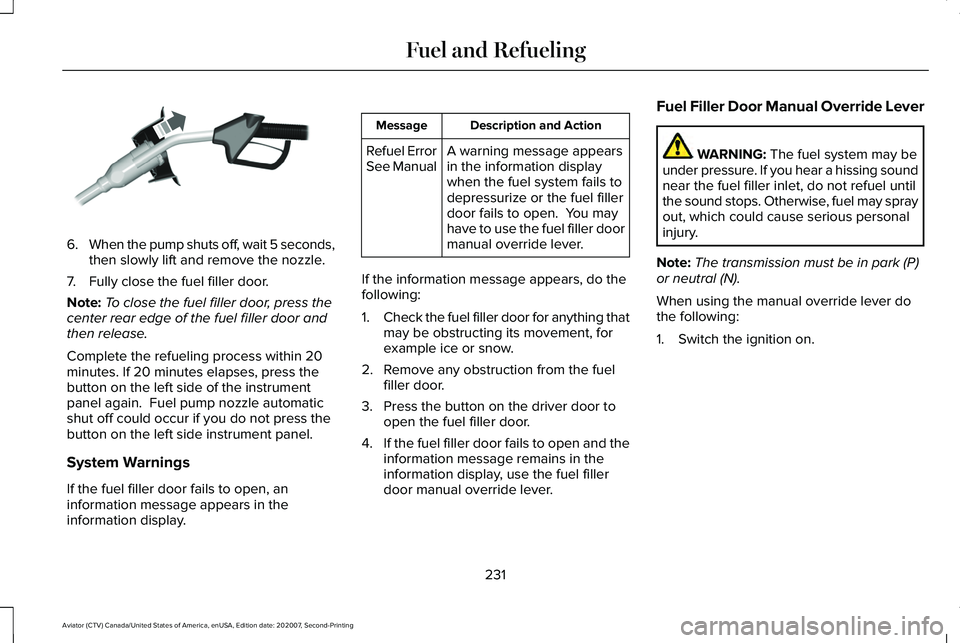
6.
When the pump shuts off, wait 5 seconds,
then slowly lift and remove the nozzle.
7. Fully close the fuel filler door.
Note: To close the fuel filler door, press the
center rear edge of the fuel filler door and
then release.
Complete the refueling process within 20
minutes. If 20 minutes elapses, press the
button on the left side of the instrument
panel again. Fuel pump nozzle automatic
shut off could occur if you do not press the
button on the left side instrument panel.
System Warnings
If the fuel filler door fails to open, an
information message appears in the
information display. Description and Action
Message
A warning message appears
in the information display
when the fuel system fails to
depressurize or the fuel filler
door fails to open. You may
have to use the fuel filler door
manual override lever.
Refuel Error
See Manual
If the information message appears, do the
following:
1. Check the fuel filler door for anything that
may be obstructing its movement, for
example ice or snow.
2. Remove any obstruction from the fuel filler door.
3. Press the button on the driver door to open the fuel filler door.
4. If the fuel filler door fails to open and the
information message remains in the
information display, use the fuel filler
door manual override lever. Fuel Filler Door Manual Override Lever WARNING: The fuel system may be
under pressure. If you hear a hissing sound
near the fuel filler inlet, do not refuel until
the sound stops. Otherwise, fuel may spray
out, which could cause serious personal
injury.
Note: The transmission must be in park (P)
or neutral (N).
When using the manual override lever do
the following:
1. Switch the ignition on.
231
Aviator (CTV) Canada/United States of America, enUSA, Edition date: 202007, Second-Printing Fuel and RefuelingE119081
Page 248 of 667

AUTOMATIC TRANSMISSION
WARNING: Always fully apply the
parking brake and make sure you shift into
park (P). Failure to follow this instruction
could result in personal injury or death. WARNING:
Do not apply the brake
pedal and accelerator pedal
simultaneously. Applying both pedals
simultaneously for more than a few
seconds will limit engine performance,
which may result in difficulty maintaining
speed in traffic and could lead to serious
injury.
Note: You cannot shift out of park (P) unless
the intelligent access key is inside your
vehicle.
Understanding Your Transmission
Selector Positions
Your vehicle has an electronic transmission
shifter. The transmission selector is on the
center stack below the touchscreen. Park.P
Reverse.
R
Neutral.
N
Drive.D
The instrument cluster displays the current
gear. Park (P)
With the transmission in park (P), your vehicle
locks the transmission and prevents the
wheels from turning. Always come to a
complete stop before putting your vehicle
into and out of park (P). An audible tone
sounds once you select park (P).
When you switch the ignition off, your vehicle
shifts into park (P). If you switch the ignition
off while your vehicle is moving, the
transmission first shifts into neutral (N) until
it reaches a speed less than 3 mph (5 km/h)
and then shifts into park (P).
The electric parking brake could apply when
you shift to park (P) without the brake pedal
fully pressed. The electric parking brake
applies when you shift to park (P) on large
slopes. The electric parking brake releases
with the drive away release function, or
manually as described in the Releasing the
Electric Parking Brake section.
See Electric
Parking Brake (page 258).
Note: A warning tone sounds if you open the
driver door and you have not shifted the
transmission selector to park (P).
245
Aviator (CTV) Canada/United States of America, enUSA, Edition date: 202007, Second-Printing TransmissionE247220
Page 249 of 667

Reverse (R)
With the transmission selector in reverse (R),
your vehicle moves backward. Always come
to a complete stop before shifting into and
out of reverse (R).
Neutral (N)
With the transmission selector in neutral (N),
you can start your vehicle and it is free to
roll. Hold the brake pedal down when in this
position.
Drive (D)
Drive (D) is the normal driving position for
the best fuel economy and smoothness. Shift
the transmission selector to drive (D) to allow
your vehicle to move forward and shift
through the forward gears.
The transmission shifts to the appropriate
gear for optimum performance based on
ambient temperature, road slope, vehicle
load and your input.
Automatic Return to Park
Note:
This feature does not operate when
your vehicle is in Stay in Neutral mode or
neutral tow.
The transmission returns to park (P) if any of
the following occur:
• You switch the ignition off.
• You do not have your seatbelt fastened
and you open the driver door.
• The driver door is open and you unfasten
your seatbelt.
If you switch the ignition off when your
vehicle is moving, your vehicle shifts into
neutral (N) until it slows down enough to shift
into park (P).
Note: This feature does not work properly if
the door ajar switch is malfunctioning. If your
door ajar indicator does not illuminate when
you open or close the driver door, or the
Transmission not in Park message still
displays in the information display when the
shifter has already selected (R), (N) or (D) and
the driver door remains closed, see your
authorized dealer. Stay in Neutral Mode
Note:
Stay in Neutral mode is a temporary
vehicle state that works with the engine in
a running or OFF state. Once in this mode,
maintain sufficient battery voltage, or your
vehicle returns to park (P) if left active for an
extended period of time when the engine is
off.
Failure to follow this instruction could result
in vehicle damage not covered by the vehicle
warranty.
Note: When entering an automatic car wash,
always enter the Stay in Neutral mode. Stay
in Neutral mode must be enabled if you are
exiting the vehicle before the car wash.
Extended usage of Stay in Neutral mode
could result in a battery voltage reduction to
a level where the vehicle no longer starts.
Do not tow your vehicle in this mode.
With the transmission selector in Stay in
Neutral mode, you can start your vehicle and
it is free to roll.
To enter Stay in Neutral mode, do the
following:
246
Aviator (CTV) Canada/United States of America, enUSA, Edition date: 202007, Second-Printing Transmission
Page 250 of 667

1. Bring your vehicle to a complete stop.
2. Shift into neutral (N).
3. Press neutral (N) again within five
seconds after shifting to neutral (N).
Note: The Stay in Neutral mode confirmation
message appears in the information display
when your vehicle has entered Stay in
Neutral mode and the neutral (N) button on
the transmission selector slowly blinks.
To exit Stay in Neutral mode, press park (P)
at any time, or apply the brakes when the
engine is running, to shift into a different
driving position.
Note: You can select the (P) position with or
without brakes applied when the engine is
OFF.
SelectShift Automatic ™ Transmission
Your vehicle has a SelectShift Automatic
transmission. The SelectShift Automatic
transmission gives you the ability to change
gears up or down, without a clutch, as
preferred. To prevent the engine from running at too
low an RPM, which could cause it to stall,
SelectShift still makes some downshifts if it
determines that you have not downshifted
in time. Although SelectShift makes some
downshifts for you, it still allows you to
downshift at any time if the SelectShift
determines that damage to the engine from
over-revving cannot occur.
Note:
Engine damage could occur if you
maintain excessive engine revving without
shifting.
Note: Vehicles have either steering wheel
controls or gearshift lever controls.
SelectShift could upshift if the engine is
approaching the RPM limit. It can also be
upshifted manually by pressing the (+) button.
Pull the + paddle on the steering wheel or
push the + button on the gearshift lever to
activate SelectShift.
• Pull the right paddle (+) to upshift.
• Pull the left paddle (–) to downshift. SelectShift in drive (D):
•
Provides a temporary manual mode for
performing more demanding maneuvers
where you require extra control of gear
selection, for example, when towing or
overtaking. This mode holds a selected
gear for a temporary period of time
dependent on driver inputs, for example,
steering or accelerator pedal input.
The instrument cluster displays your currently
selected gear. If you request a gear not
available due to vehicle conditions, low
speed, too high of an engine speed for the
requested gear selection, the current gear
flashes three times.
Note: At full accelerator pedal travel, the
transmission downshifts for maximum
performance.
247
Aviator (CTV) Canada/United States of America, enUSA, Edition date: 202007, Second-Printing TransmissionE144821
Page 261 of 667

HINTS ON DRIVING WITH ANTI-
LOCK BRAKES
The anti-lock braking system does not
eliminate the risks when:
•
You drive too closely to the vehicle in
front of you.
• Your vehicle is hydroplaning.
• You take corners too fast.
• The road surface is poor.
Note: If the system activates, the brake
pedal may pulse and may travel further.
Maintain pressure on the brake pedal. You
may also hear a noise from the system. This
is normal.
ELECTRIC PARKING BRAKE WARNING: Always fully apply the
parking brake and make sure you shift into
park (P). Failure to follow this instruction
could result in personal injury or death. WARNING:
If you drive extended
distances with the parking brake applied,
you could cause damage to the brake
system. WARNING:
The electric parking
brake does not operate if the vehicle
battery is running out of charge.
Your vehicle has an electric parking brake.
You operate it with a switch instead of a
lever. The switch is on the center console or
to the left-hand side of the steering wheel,
on the lower part of the instrument panel.
Note: The electric parking brake makes
noises during operation. This is normal.
Applying the Electric Parking Brake Pull the switch upward.
The red warning lamp flashes
during operation and illuminates
when the parking brake is applied. Note:
It remains illuminated for a short
period of time after you switch the ignition
off.
If it continues to flash or does not illuminate,
the system has malfunctioned. Have your
vehicle checked as soon as possible.
Note: You can apply the electric parking
brake when the ignition is off.
Note: The electric parking brake could
automatically apply when you shift into park
(P).
See Transmission (page 245).
Applying the Electric Parking Brake in an
Emergency
Note: Do not apply the electric parking brake
when your vehicle is moving, except in an
emergency. If you repeatedly use the electric
parking brake to slow or stop your vehicle,
you could cause damage to the brake
system.
You can use the electric parking brake to
slow or stop your vehicle in an emergency.
258
Aviator (CTV) Canada/United States of America, enUSA, Edition date: 202007, Second-Printing BrakesE267156 E270480
Page 263 of 667

HILL START ASSIST
WARNING: The system does not
replace the parking brake. When you leave
your vehicle, always apply the parking
brake. WARNING: You must remain in your
vehicle when the system turns on. At all
times, you are responsible for controlling
your vehicle, supervising the system and
intervening, if required. Failure to take care
may result in the loss of control of your
vehicle, serious personal injury or death. WARNING:
The system will turn off
if a malfunction is apparent or if you rev
the engine excessively. Failure to take care
may result in the loss of control of your
vehicle, serious personal injury or death.
The system makes it easier to pull away
when your vehicle is on a slope without the
need to use the parking brake. When the system is active, your vehicle
remains stationary on the slope for two to
three seconds after you release the brake
pedal. This allows time to move your foot
from the brake to the accelerator pedal. The
system releases the brakes automatically
once the engine has developed sufficient
torque to prevent your vehicle from rolling
down the slope. This is an advantage when
pulling away on a slope, for example from a
car park ramp, traffic lights or when reversing
uphill into a parking space.
The system activates on any slope that
causes your vehicle to roll.
Note:
There is no warning light to indicate
the system is either on or off.
Using Hill Start Assist
1. Press the brake pedal to bring your vehicle to a complete standstill. Keep the
brake pedal pressed and shift into first
gear when facing uphill or reverse (R)
when facing downhill.
2. If the sensors detect that your vehicle is on a slope, the system activates
automatically. 3. When you remove your foot from the
brake pedal, your vehicle remains on the
slope without rolling away for about two
to three seconds. This hold time
automatically extends if you are in the
process of driving off.
4. Drive off in the normal manner. The system releases the brakes automatically.
Note: When you remove your foot from the
brake pedal and press the pedal again when
the system is active, you will experience
significantly reduced brake pedal travel. This
is normal.
Switching the System On and Off
Vehicles with Manual Transmission
You can switch this feature on or off in the
information display. The system remembers
the last setting when you start your vehicle.
Vehicles with Automatic Transmission
You cannot turn the system on or off. When
you switch the ignition on, the system
automatically turns on.
260
Aviator (CTV) Canada/United States of America, enUSA, Edition date: 202007, Second-Printing Brakes
Page 273 of 667

WHAT IS HILL DESCENT CONTROL
WARNING: Hill descent control
cannot control descent in all surface
conditions and circumstances, such as ice
or extremely steep grades. Hill descent
control is a driver assist system and cannot
substitute for good judgment by the driver.
Failure to do so may result in loss of
vehicle control, crash or serious injury. WARNING:
The system does not
replace the parking brake. When you leave
your vehicle, always apply the parking
brake and shift the transmission into park
(P) for automatic transmission or first gear
for manual transmission.
Note: The system does not function below
3 mph (5 km/h)
.
Hill descent control allows the driver to set
and maintain vehicle speed while
descending steep slopes in various surface
conditions. The system can maintain vehicle speeds on
downhill slopes between
3–20 mph
(5–32 km/h). Above 20 mph (32 km/h), the
system remains on but the descent speed
cannot be set or maintained.
The system requires a cool down interval
after a period of sustained use. The amount
of time that the system can remain active
before cooling varies with conditions. The
system provides a warning in the message
center and a tone sounds when the system
is about to disengage for cooling. At this
time, manually apply the brakes as needed
to maintain descent speed.
SWITCHING HILL DESCENT
CONTROL ON AND OFF
You can switch the hill descent control on
and off through the touchscreen. SETTING THE HILL DESCENT
SPEED WARNING:
The system does not
replace the parking brake. When you leave
your vehicle, always apply the parking
brake and shift the transmission into park
(P) for automatic transmission or first gear
for manual transmission. WARNING:
The system does not
control speed in low traction conditions or
extremely steep slopes. The system is
designed to be an aid and does not relieve
you of your responsibility to drive with due
care and attention. Failure to follow this
instruction could result in personal injury.
To increase the descent speed, press the
accelerator pedal until you reach the speed
you prefer.
To decrease the descent speed, press the
brake pedal until you reach the speed you
prefer.
270
Aviator (CTV) Canada/United States of America, enUSA, Edition date: 202007, Second-Printing Hill Descent Control
(If Equipped)