2021 LEXUS RX450h ESP
[x] Cancel search: ESPPage 275 of 528
2754-5. Using the driving support systems
4
Driving
• When parallel parking
• When there is a rut or hole in the surface of the road
• When driving on a metal cover (grating), such as those used for drainage ditches
• When driving on a steep slope
• If a sensor is hit by a large amount of
water, such as when driving on a flooded
road
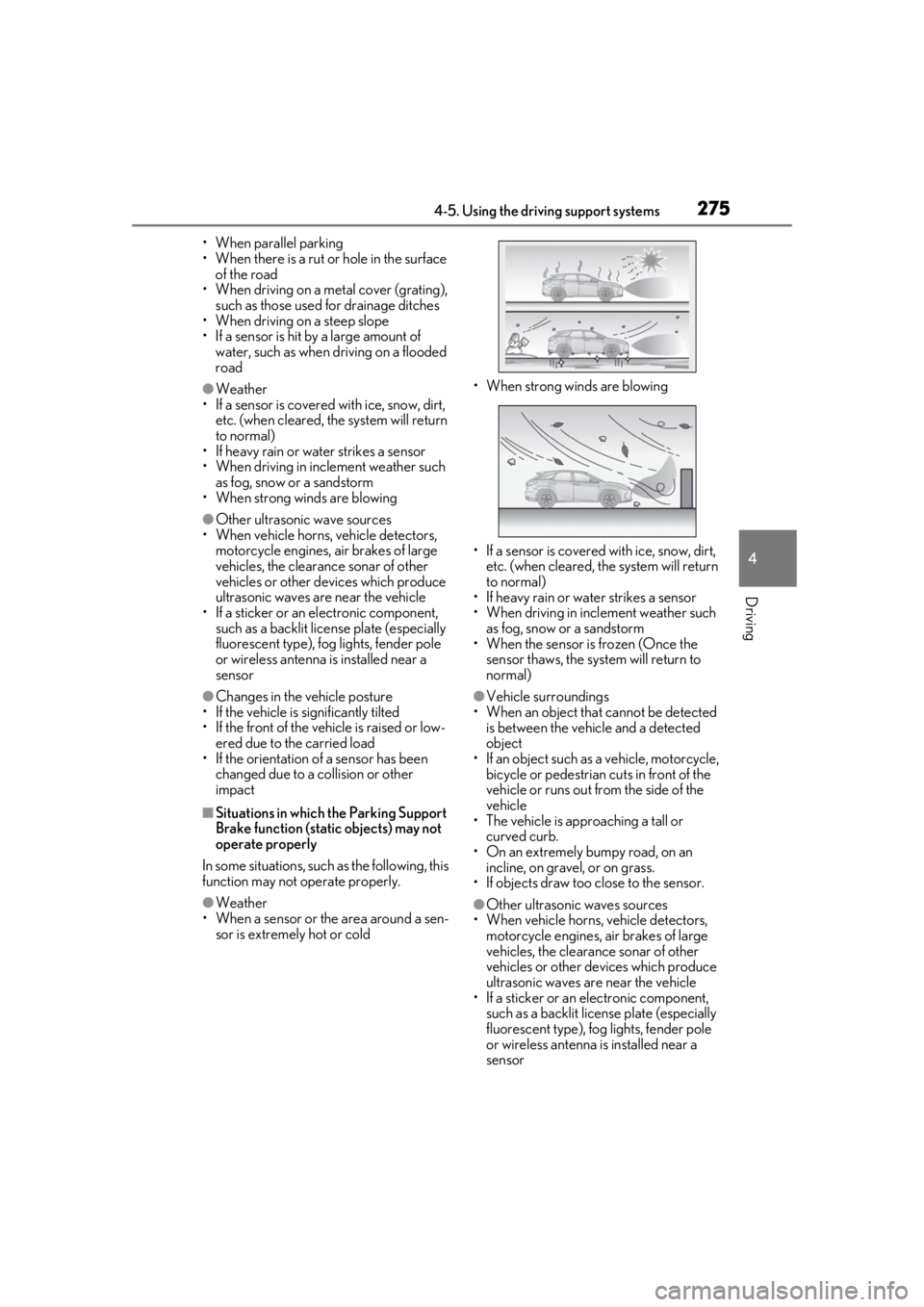
●Weather
• If a sensor is covered with ice, snow, dirt,
etc. (when cleared, the system will return
to normal)
• If heavy rain or water strikes a sensor
• When driving in incl ement weather such
as fog, snow or a sandstorm
• When strong winds are blowing
●Other ultrasonic wave sources
• When vehicle horns, vehicle detectors,
motorcycle engines, air brakes of large
vehicles, the clearance sonar of other
vehicles or other devices which produce
ultrasonic waves are near the vehicle
• If a sticker or an el ectronic component,
such as a backlit license plate (especially
fluorescent type), fog lights, fender pole
or wireless antenna is installed near a
sensor
●Changes in the vehicle posture
• If the vehicle is significantly tilted
• If the front of the vehicle is raised or low-
ered due to the carried load
• If the orientation of a sensor has been
changed due to a collision or other
impact
■Situations in which the Parking Support
Brake function (stati c objects) may not
operate properly
In some situations, such as the following, this
function may not operate properly.
●Weather
• When a sensor or the area around a sen- sor is extremely hot or cold • When strong winds are blowing
• If a sensor is covered with ice, snow, dirt,
etc. (when cleared, the system will return
to normal)
• If heavy rain or water strikes a sensor
• When driving in incl ement weather such
as fog, snow or a sandstorm
• When the sensor is frozen (Once the
sensor thaws, the system will return to
normal)
●Vehicle surroundings
• When an object that cannot be detected is between the vehicle and a detected
object
• If an object such as a vehicle, motorcycle, bicycle or pedestrian cuts in front of the
vehicle or runs out from the side of the
vehicle
• The vehicle is approaching a tall or
curved curb.
• On an extremely bumpy road, on an incline, on gravel, or on grass.
• If objects draw too close to the sensor.
●Other ultrasonic waves sources
• When vehicle horns, vehicle detectors, motorcycle engines, air brakes of large
vehicles, the clearance sonar of other
vehicles or other de vices which produce
ultrasonic waves are near the vehicle
• If a sticker or an electronic component, such as a backlit license plate (especially
fluorescent type), fog lights, fender pole
or wireless antenna is installed near a
sensor
Page 280 of 528

2804-5. Using the driving support systems
tires of a size other than specified are
installed
●If the front of the vehicle is raised or low-
ered due to the carried load
●If an electronic component, such as a
backlit license plate (especially fluores-
cent type), fog lights, fender pole or wire-
less antenna is installed near a radar
sensor
●If the orientation of a radar sensor has
been changed
●When multiple vehicles are approaching
with only a small gap between each vehi-
cle
●If a vehicle is approaching the rear of
your vehicle rapidly
●Situations in which the radar sensor may
not detect a vehicle
• When a vehicle approaches from the right or left at the rear of the vehicle while
you are turning while backing up
• When turning while backing up
• When backing out of a shallow angle parking spot
• When backing up on a slope with a sharp change in grade • When a vehicle turns into the detection
area
Page 281 of 528

2814-5. Using the driving support systems
4
Driving
Except F SPORT models
1 Normal mode
Provides an optimal ba lance of fuel econ-
omy, quietness, and dynamic performance.
Suitable for city driving.
Press the switch to change the driving
mode to normal mode when Eco drive
mode or sport mode is selected.
2 Eco drive mode
Helps the driver accelerate in an
eco-friendly manner and improve fuel
economy through moderate throttle char-
acteristics and by controlling the operation
of the air conditioning system (heat-
ing/cooling).
When not in Eco drive mode, if the driving mode select switch is
turned to the left, the
Eco drive mode indicator will come on.
3 Sport mode
Controls the hybrid system to provide
quick, powerful acceleration. This mode
also changes the steering feel, making it
suitable for when agile driving response is
desired, such as when driving on roads
with many curves.
When not in sport mode, if the driving
mode select switch is turned to the right,
the “Sport” indicator will comes on.
F SPORT models (vehicles with
Adaptive Variable Suspension Sys-
tem)
1 Normal mode/Custom mode
Normal mode and custom mode are
selected by pressing the driving mode
select switch. Each time the switch is
pressed, the driving mode changes
between normal mode and custom mode.
When custom mode is selected, the “Cus-
tom” indicator will be illuminated.
When Eco drive mode or sport mode is
Driving mode select switch
The driving modes can be selected
to suit driving conditions.
Selecting a drive mode
Page 282 of 528

2824-5. Using the driving support systems
selected, pressing the switch changes the
driving mode to normal mode.
•Normal mode
Provides an optimal ba lance of fuel econ-
omy, quietness, and dynamic performance.
Suitable for city driving.
•Custom mode
Allows you to drive with the following func-
tions set to your preferred settings. Cus-
tom mode settings can only be changed on
the drive mode customization display of
the Center Display. ( P.300)
2 Eco drive mode
Helps the driver accelerate in an
eco-friendly manner and improve fuel
economy through moderate throttle char-
acteristics and by controlling the operation
of the air conditioning system (heat-
ing/cooling).
When not in Eco drive mode, if the driving
mode select switch is turned to the left, the
Eco drive mode indicator will come on.
3Sport mode
•Sport S mode
Controls the hybrid system to provide
quick, powerful accele ration. This mode is
suitable for when agil e driving response is
desired, such as when driving on roads
with many curves.
When not in Sport S mode, if the driving mode select switch is turned to the right,
the “Sport S” indicator will come on.
•Sport S+ mode
Helps to ensure stee
ring performance and
driving stability by simultaneously con-
trolling the steering and suspension in
addition to the hybrid system. Suitable for
sportier driving.
When in Sport S mode, if the driving mode
select switch is turned to the right, the
“Sport S+” indicator will come on.
F SPORT models (vehicles without
Adaptive Variable Suspension Sys-
tem)
1 Normal mode
Provides an optimal ba lance of fuel econ-
omy, quietness, and dynamic performance.
Suitable for city driving.
Press the switch to change the driving
mode to normal mode when Eco drive
mode or sport mode is selected.
2 Eco drive mode
Helps the driver ac celerate in an
eco-friendly manner and improve fuel
FunctionSetting
Powertrain
Normal
Power
Eco
ChassisNormal
Sport
Air conditioning sys-
temNormal
Eco
Page 283 of 528

2834-5. Using the driving support systems
4
Driving
economy through moderate throttle char-
acteristics and by controlling the operation
of the air conditioning system (heat-
ing/cooling).
When not in Eco drive mode, if the driving
mode select switch is turned to the left, the
Eco drive mode indicator will come on.
3Sport mode
Controls the hybrid system to provide
quick, powerful acceleration. This mode
also changes the steering feel, making it
suitable for when agil e driving response is
desired, such as when driving on roads
with many curves.
When not in sport mode, if the driving
mode select switch is turned to the right,
the “Sport” indicator will comes on.
■Operation of the air conditioning sys-
tem in Eco drive mode
Eco drive mode controls the heating/cool-
ing operations and fan speed of the air con-
ditioning system to enhance fuel efficiency.
To improve air condit ioning performance,
adjust the fan speed or turn off Eco drive
mode.
■Automatic deactivation of sport mode
and custom mode
If the power switch is turned off after driving
in sport mode or custom mode, the drive
mode will be changed to normal mode.
■Driving mode pop-up display (12.3-inch
display only)
When the driving mode is changed, the
selected driving mode will be temporarily
displayed on the side display. ( P.300)
■ECB (Electronically Controlled
Brake System)
The electronically controlled system
generates braking force correspond-
ing to the brake operation
■ABS (Anti-lock Brake System)
Helps to prevent wheel lock when the
brakes are applied suddenly, or if the
brakes are applied while driving on a
slippery road surface
■Brake assist
Generates an increased level of brak-
ing force after the brake pedal is
depressed when the system detects a
panic stop situation
■VSC (Vehicle Stability Control)
Helps the driver to control skidding
when swerving sudden ly or turning on
slippery road surfaces
■Enhanced VSC (Enhanced Vehi-
cle Stability Control)
Provides cooperative control of the
ABS, TRAC, VSC and EPS.
Driving assist systems
To keep driving safety and perfor-
mance, the following systems oper-
ate automatically in response to
various driving situations. Be aware,
however, that these systems are
supplementary and should not be
relied upon too heavily when oper-
ating the vehicle.
Summary of the driving assist
systems
Page 287 of 528

2874-5. Using the driving support systems
4
Driving
WARNING
■Stopping distance when the ABS is
operating may exceed that of normal
conditions
The ABS is not designed to shorten the
vehicle’s stopping di stance. Always main-
tain a safe distance from the vehicle in
front of you, especially in the following
situations:
●When driving on dirt, gravel or
snow-covered roads
●When driving with tire chains
●When driving over bumps in the road
●When driving over roads with potholes
or uneven surfaces
■TRAC/VSC may not operate effec-
tively when
Directional control and power may not
be achievable while driving on slippery
road surfaces, even if the TRAC/VSC
system is operating. Drive the vehicle
carefully in conditions where stability and
power may be lost.
■Active Cornering Assist does not
operate effectively when
●Do not overly rely on Active Corner-
ing Assist. Active Cornering Assist
may not operate effectively when
accelerating down slopes or driving on
slippery road surfaces.
●When Active Cornering Assist fre-
quently operates, Active Cornering
Assist may temporarily stop operating
to ensure proper operation of the
brakes, TRAC and VSC.
■Hill-start assist control does not oper-
ate effectively when
●Do not overly rely on hill-start assist
control. Hill-start assist control may
not operate effectively on steep
inclines and roads covered with ice.
●Unlike the parking brake, hill-start
assist control is not intended to hold
the vehicle stationary for an extended
period of time. Do not attempt to use
hill-start assist control to hold the vehi-
cle on an incline, as doing so may lead
to an accident.
■When the TRAC/ABS/VSC/Trailer
Sway Control is activated
The slip indicator light flashes. Always
drive carefully. Reckless driving may
cause an accident. Exercise particular
care when the indicator light flashes.
■When the TRAC/VSC/Trailer Sway
Control systems are turned off
●Be especially careful and drive at a
speed appropriate to the road condi-
tions. As these are the systems to help
ensure vehicle stab ility and driving
force, do not turn the
TRAC/VSC/Trailer Sway Control sys-
tems off unless necessary.
●Trailer Sway Control is part of the VSC
system and will not operate if VSC is
turned off or experiences a malfunc-
tion.
■Replacing tires
Make sure that all ti res are of the speci-
fied size, brand, tread pattern and total
load capacity. In addition, make sure that
the tires are inflated to the recom-
mended tire inflation pressure level.
The ABS, TRAC, Trailer Sway Control
and VSC systems will not function cor-
rectly if different tire s are installed on the
vehicle.
Contact your Lexus dealer for further
information when replacing tires or
wheels.
■Handling of tires and the suspension
Using tires with any kind of problem or
modifying the suspensi on will affect the
driving assist systems, and may cause a
system to malfunction.
Page 289 of 528

2894-6. Driving tips
4
Driving
4-6.Driving tips
When using Eco drive mode, the
torque corresponding to the accelera-
tor pedal depression amount can be
generated more smoothly than it is in
normal conditions. In addition, the
operation of the air conditioning sys-
tem (heating/cooling) will be mini-
mized, improving the fuel economy.
( P.281)
The Eco-friendly driving is possible by
keeping the indicator needle (except F
SPORT models) or bar display (F
SPORT models) of Hybrid System
Indicator within Eco area. ( P.85)
Shift the shift lever to D when stopped
at a traffic light, or driving in heavy traf-
fic, etc. Shift the shift lever to P when
parking. When using the N, there is no
positive effect on fuel consumption. In
the N, the gasoline engine operates
but electricity cannot be generated.
Also, when using the air conditioning
system, etc., the hybrid battery (trac-
tion battery) power is consumed.
Drive your vehicle smoothly. Avoid
abrupt acceleration and decelera-
tion. Gradual acceleration and
deceleration will make more effec-
tive use of the electric motor (trac-
tion motor) without having to use
gasoline engine power.
Avoid repeated acceleration.
Repeated acceleration consumes
hybrid battery (traction battery)
power, resulting in poor fuel con-
sumption. Battery power can be
restored by driving with the acceler-
ator pedal slightly released.
Make sure to operate the brakes gently
and in a timely manner. A greater
amount of electrical energy can be
regenerated when slowing down.
Repeated acceleration and decelera-
tion, as well as long waits at traffic
lights, will lead to bad fuel economy.
Check traffic reports before leaving
and avoid delays as much as possible.
When driving in a traffic jam, gently
release the brake pedal to allow the
vehicle to move forward slightly while
avoiding overuse of the accelerator
pedal. Doing so can help control
excessive gasoline consumption.
Hybrid vehicle driving tips
For economical and ecological
driving, pay attention to the follow-
ing points:
Using Eco drive mode
Use of Hybrid System Indicator
Shift lever operation
Accelerator pedal/brake pedal
operation
When braking
Delays
Page 294 of 528

2944-6. Driving tips
Your vehicle is not designed to be
driven off-road. However, in the event
that off-road driving cannot be
avoided, please observe the following
precautions to help avoid the areas
prohibited to vehicles.
Drive your vehicle only in areas
where off-road vehicles are permit-
ted to travel.
Respect private property. Get
owner’s permission before entering
private property.
Do not enter areas that are closed.
Honor gates, barriers and signs that
restrict travel.
Stay on established roads. When
conditions are wet, driving tech-
niques should be changed or travel
delayed to prevent damage to
roads.
Avoid driving on very steep, slippery
roads and other surfaces, such as
sand, where the tires are liable to
lose traction. Your vehicle may not
perform as well as conventional
AWD on-road vehicles on these
surfaces.
■Additional informatio n for off-road driv-
ing
For owners in U.S. mainland, Hawaii and
Puerto Rico:
To obtain additional information pertaining
to driving your vehicle off-road, consult the
following organizations.
●State and Local Parks and Recreation
Departments
●State Motor Vehicle Bureau
●Recreational Vehicle Clubs
●U.S. Forest Service and Bureau of Land
Management
WARNING
●In a rollover crash, an unbelted person
is significantly more likely to die than a
person wearing a seat belt. Therefore,
the driver and all passengers should
always fasten th eir seat belts.
●Avoid sharp turns or abrupt maneu-
vers, if at all possible.
Failure to operate this vehicle correctly
may result in loss of control or vehicle
rollover causing death or serious
injury.
●Loading cargo on the roof luggage
carrier will make the center of the
vehicle gravity higher. Avoid high
speeds, sudden starts, sharp turns,
sudden braking or abrupt maneuvers,
otherwise it may result in loss of con-
trol or vehicle rollover due to failure to
operate this vehicle correctly.
●Always slow down in gusty crosswinds.
Because of its profile and higher cen-
ter of gravity, your vehicle is more sen-
sitive to side winds than an ordinary
passenger car. Slowing down will allow
you to have better control.
●Do not drive horizontally across steep
slopes. Driving straig ht up or straight
down is preferred. Your vehicle (or any
similar off-road vehicle) can tip over
sideways much more easily than for-
ward or backward.
Off-road driving
WARNING
■Off-road driving precautions
Always observe the following precau-
tions to minimize the risk of death, seri-
ous injury or damage to your vehicle:
●Drive carefully when off the road. Do
not take unnecessary risks by driving in
dangerous places.