Page 118 of 508

1183-2. Opening, closing and locking the doors
detection area, it may take slightly longer
to unlock the doors after the door handle
is gripped.
●Fingernails may scrape against the door
during operation of the door handle. Be
careful not to injure fingernails or dam-
age the surface of the door.
■When the vehicle is not driven for
extended periods
●To prevent theft of the vehicle, do not
leave the electronic key within 6 ft. (2 m)
of the vehicle.
●The smart access syst em with push-but-
ton start can be deactivated in advance.
●Setting the electronic key to battery-sav-
ing mode helps to reduce key battery
depletion. ( P.116)
■To operate the system properly
Make sure to carry the electronic key when
operating the system. Do not get the elec-
tronic key too close to the vehicle when
operating the system from the outside of the
vehicle.
Depending on the position and holding
condition of the electronic key, the key may
not be detected correctly and the system
may not operate properly. (The alarm may
go off accidentally, or the door lock preven-
tion may not operate.)
■If the smart access system with
push-button start does not operate
properly
●If the doors cannot be locked or unlocked
and the back door cannot be opened,
perform the following.
• Bring the electronic key close to the door handle and perform a lock or unlock
operation.
• Bring the electronic key close to the but- ton on the back door ( P.104) and press
the button.
• Use the wireless remote control.
If the doors cannot be locked or unlocked
by perform the above, use the mechanical
key. ( P.431) However, if the mechanical
key is used while the al arm system is set, the
warning will sound. ( P.68)
●If the engine cannot be started, refer to
P.432
■Customization
Some functions can be customized.
( P.461)
■If the smart access system with
push-button start has been deactivated
in a customized setting
●Locking and unlockin g the doors: Use
the wireless remote control or mechani-
cal key. ( P.99, 104, 431)
●Starting the engine and changing engine
switch modes: P.432
●Stopping the engine: P.176
Page 119 of 508
1193-2. Opening, closing and locking the doors
3
Before driving
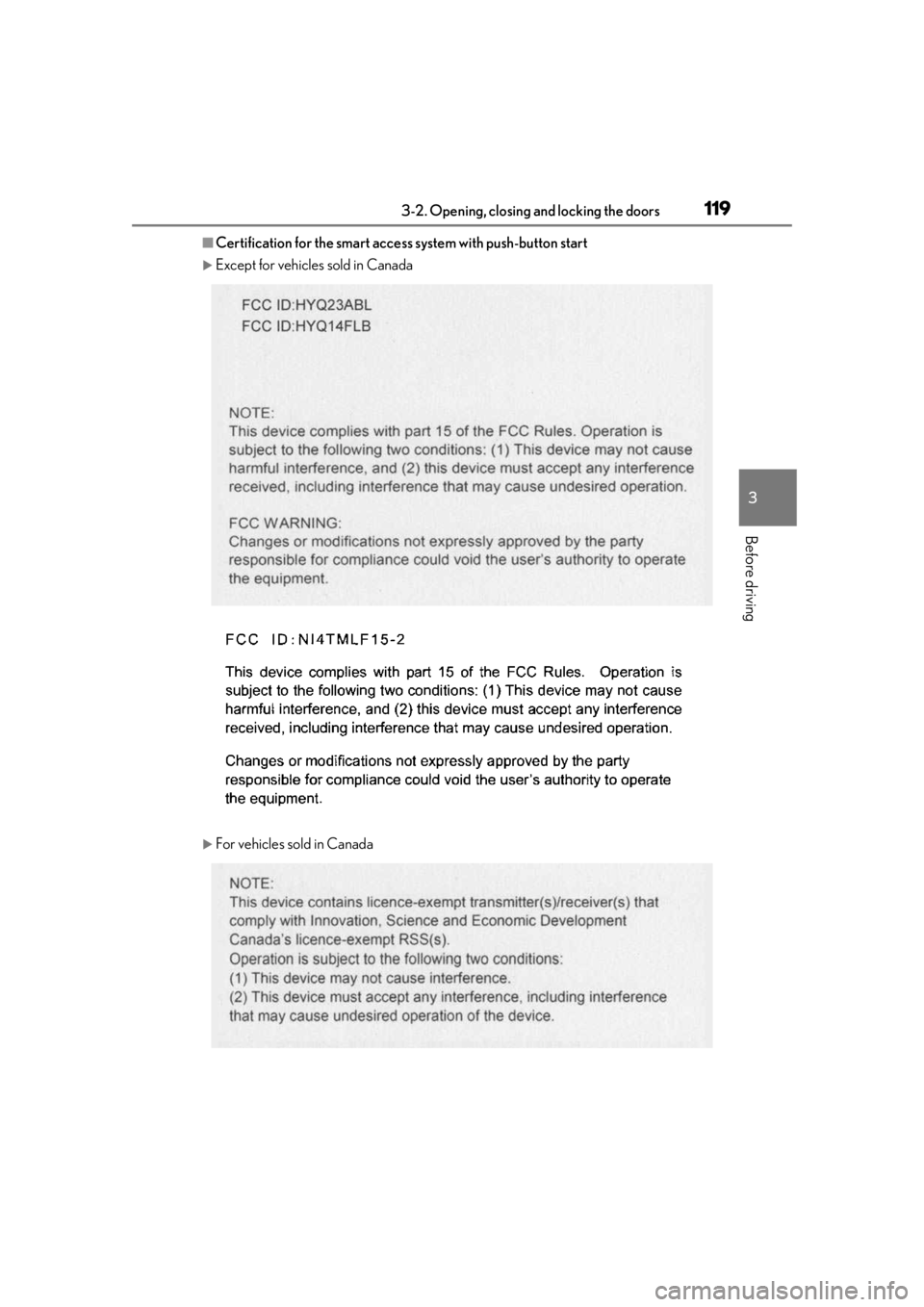
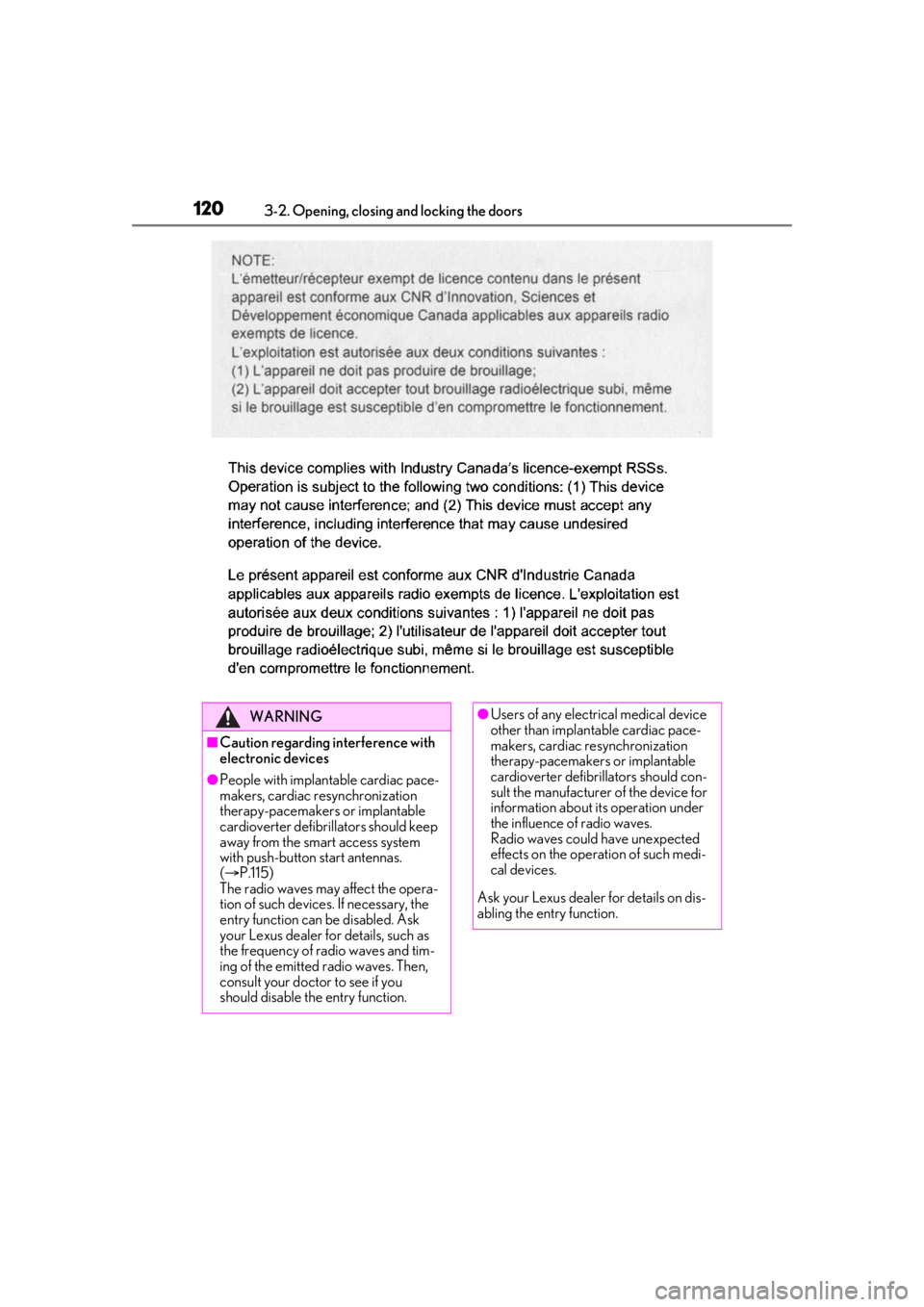
■Certification for the smart access system with push-button start
Except for vehicles sold in Canada
For vehicles sold in Canada
Page 120 of 508
1203-2. Opening, closing and locking the doors
WARNING
■Caution regarding interference with
electronic devices
●People with implantable cardiac pace-
makers, cardiac resynchronization
therapy-pacemakers or implantable
cardioverter defibrillators should keep
away from the smart access system
with push-button start antennas.
( P.115)
The radio waves may affect the opera-
tion of such devices. If necessary, the
entry function can be disabled. Ask
your Lexus dealer for details, such as
the frequency of radio waves and tim-
ing of the emitted radio waves. Then,
consult your doctor to see if you
should disable the entry function.
●Users of any electrical medical device
other than implantable cardiac pace-
makers, cardiac resynchronization
therapy-pacemakers or implantable
cardioverter defibrillators should con-
sult the manufacturer of the device for
information about its operation under
the influence of radio waves.
Radio waves could have unexpected
effects on the operation of such medi-
cal devices.
Ask your Lexus dealer for details on dis-
abling the entry function.
Page 122 of 508
1223-3. Adjusting the seats
Rear seats
WARNING
■When a rear seatback is folded
Observe the following precautions.
Failure to do so may result in death or
serious injury.
●Do not fold down the rear seatbacks
while driving.
●Stop the vehicle on level ground, apply
the parking brake and shift the shift
lever to P.
●Do not allow anyone to sit on a folded
rear seatback or in the luggage com-
partment while driving.
●Do not allow children to enter the lug-
gage compartment.
■When operating the rear seatback
Observe the following precautions.
Failure to do so may result in death or
serious injury.
●Make sure that passengers are clear of
the rear seatback before operating it.
●To prevent hands and other body parts
from being caught, keep them away
from the gaps in the seats and the mov-
ing parts of the seat s when operating a
rear seatback.
●Power seat: Do not let children oper-
ate the rear seatback. Other passen-
gers may get caught in the seat.
●Power seat: Make sure that all passen-
gers are clear of a seat before folding
it. Do not let passeng ers sit in the seat
while it is being folded.
■Seat adjustment
Second-row seats: To reduce the risk of
sliding under the lap belt during a colli-
sion, do not recline the seat more than
necessary.
If the seat is reclin ed excessively, the lap
belt may slide past the hips and apply
restraint forces directly to the abdomen,
or your neck may contact the shoulder
belt, increasing the ri sk of death or seri-
ous injury in the event of an accident.
■After adjusting the rear seats
Observe the following precautions.
Failure to do so may result in death or
serious injury.
●Make sure that the rear seatback is
securely locked in position by lightly
pushing it back and forth.
●Check that the seat belts are not
twisted or caught between or behind
in the rear seatback.
●Arrange the seat belts in the proper
positions for ready use.
■Jam protection function (power seat)
Observe the following precautions.
Failure to do so may result in death or
serious injury.
●Never use any part of your body to
intentionally activa te the jam protec-
tion function.
●The jam protection function may not
operate if something is caught just
before the fully folded position. Be
careful so that finger s, etc. do not get
caught.
●The jam protection function may not
operate depending on the shape or
position of the obstruction. Be careful
so that fingers, etc. do not get caught.
Page 127 of 508
1273-3. Adjusting the seats
3
Before driving
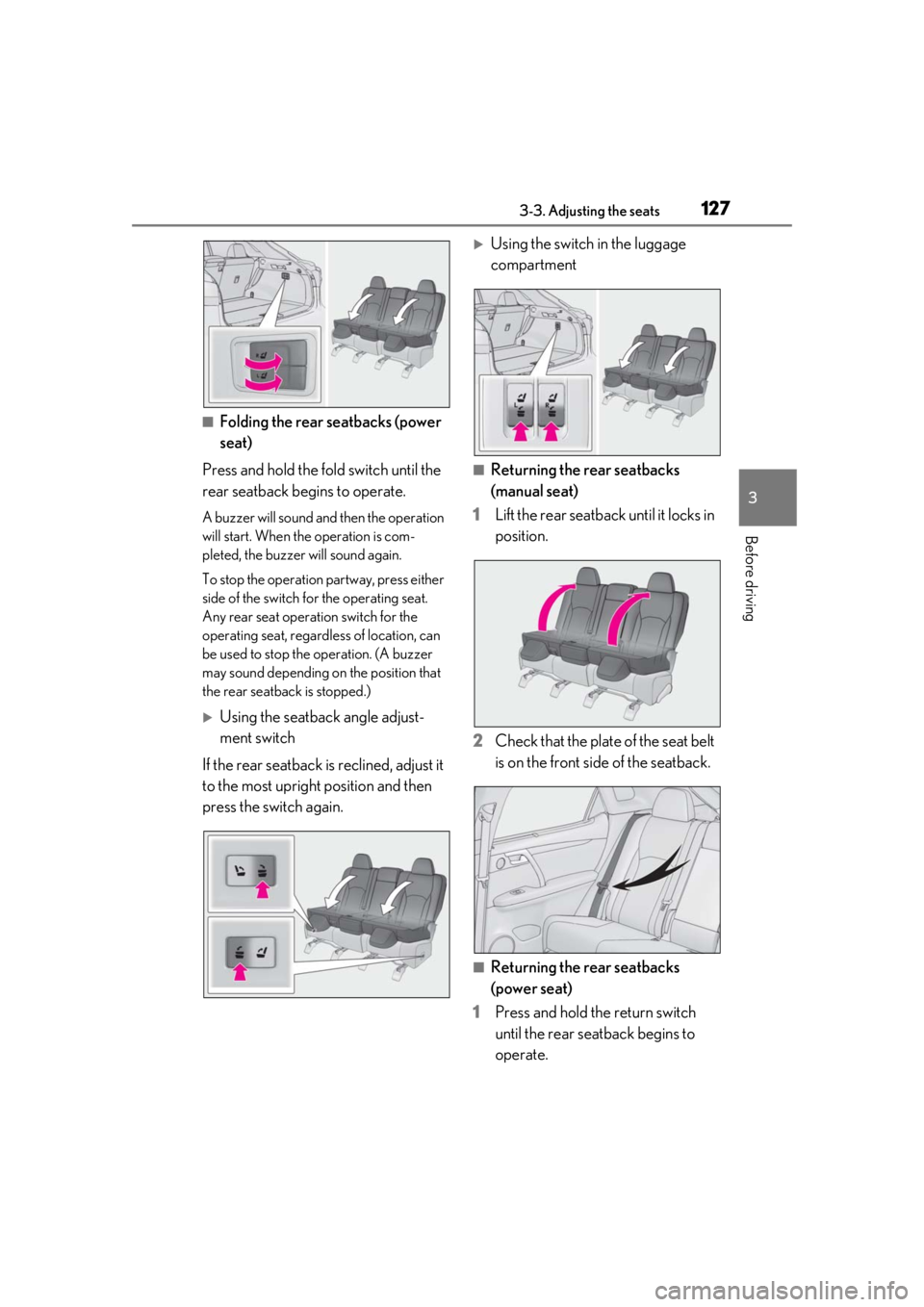
■Folding the rear seatbacks (power
seat)
Press and hold the fold switch until the
rear seatback begins to operate.
A buzzer will sound and then the operation
will start. When th e operation is com-
pleted, the buzzer will sound again.
To stop the operation partway, press either
side of the switch fo r the operating seat.
Any rear seat operation switch for the
operating seat, regardless of location, can
be used to stop the operation. (A buzzer
may sound depending on the position that
the rear seatback is stopped.)
Using the seatback angle adjust-
ment switch
If the rear seatback is reclined, adjust it
to the most upright position and then
press the switch again.
Using the switch in the luggage
compartment
■Returning the rear seatbacks
(manual seat)
1 Lift the rear seatback until it locks in
position.
2 Check that the plate of the seat belt
is on the front side of the seatback.
■Returning the rear seatbacks
(power seat)
1 Press and hold the return switch
until the rear seatback begins to
operate.
Page 128 of 508

1283-3. Adjusting the seats
A buzzer will sound and then the operation
will start. When the operation is com-
pleted, the buzzer will sound twice again.
To stop the operation partway, press either
side of the switch fo r the operating seat.
Any rear seat operation switch for the
operating seat, regardless of location, can
be used to stop the operation. (A buzzer
may sound depending on the position that
the rear seatback is stopped.)
Using the seatback angle adjust-
ment switch
Using the switch in the luggage
compartment
2 Check that the plate of the seat belt
is on the front side of the seatback.
■Folding the rear center seatback
only
Pull the lock release lever on the back
side of the seatback and fold the center
seatback.
To return the rear center seatback to its
original position, lift it until it locks in posi-
tion.
■Engine switch mode conditions under
which the rear seatbacks can be folded
down or raised (power seat)
The rear seatbacks can be folded down or
raised when the engine sw itch is in either of
the following modes:
●When the engine switch is turned off or in
ACCESSORY mode
●When the engine swit ch is in IGNITION
ON mode and any of the following con-
ditions are met:
• The parking brake is engaged.
• The brake pedal is depressed.
• The shift lever is in P.
■The rear seatbacks can be folded down
when (power seat)
When all of the following conditions are
met, a rear seat operation switch can be
used to fold down the rear seatback:
●When using the rear seat operation
switch (rear seat): The rear seatback is in
a position within the range shown in
the illustration with th e rear door nearest
to the seat to be operated open ( is
where the rear seatback is at its most
upright position)
●When using the rear seat operation
A
C
Page 130 of 508
1303-3. Adjusting the seats
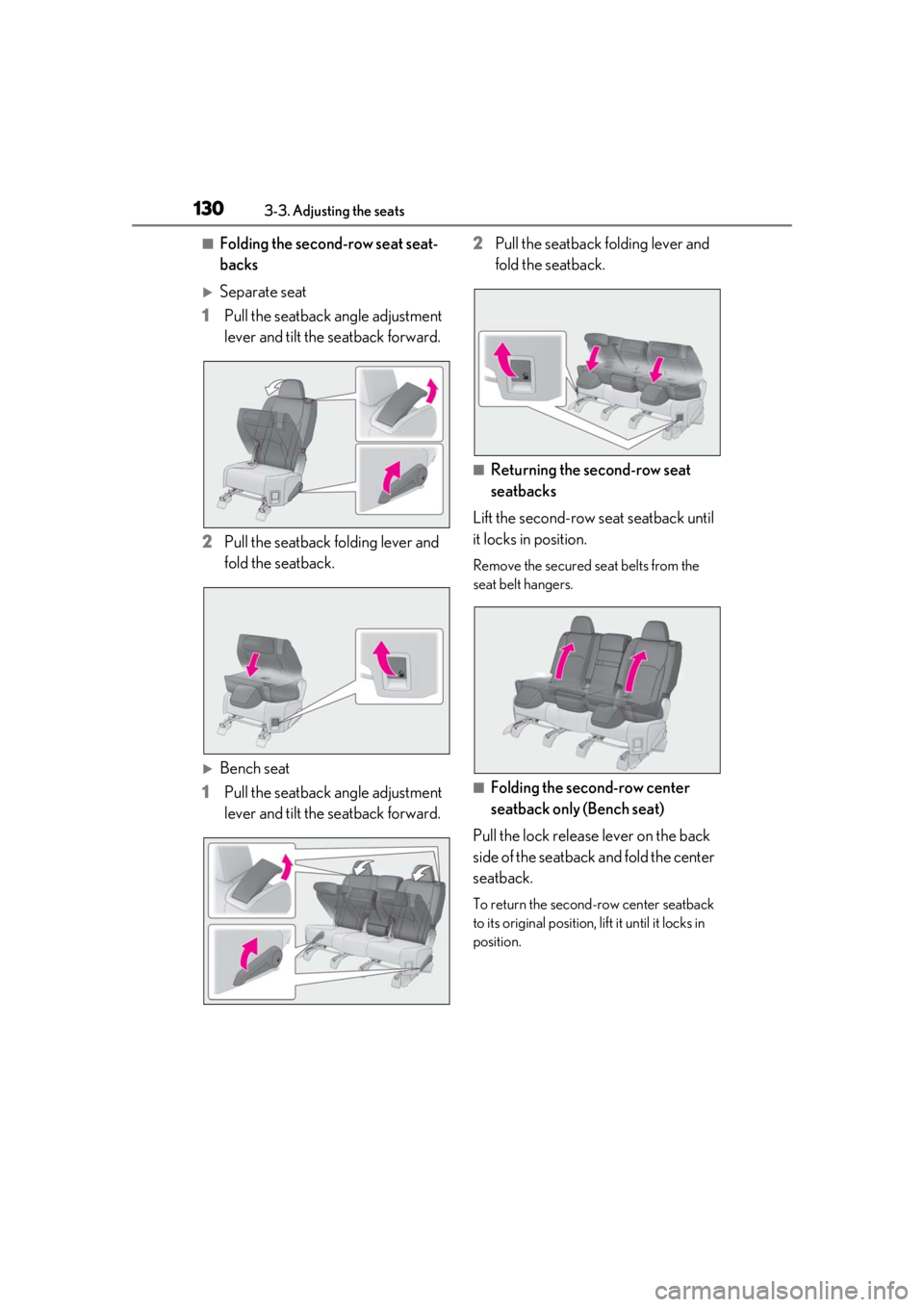
■Folding the second-row seat seat-
backs
Separate seat
1 Pull the seatback angle adjustment
lever and tilt the seatback forward.
2 Pull the seatback folding lever and
fold the seatback.
Bench seat
1 Pull the seatback angle adjustment
lever and tilt the seatback forward. 2
Pull the seatback folding lever and
fold the seatback.
■Returning the second-row seat
seatbacks
Lift the second-row seat seatback until
it locks in position.
Remove the secured se at belts from the
seat belt hangers.
■Folding the second-row center
seatback only (Bench seat)
Pull the lock release lever on the back
side of the seatback and fold the center
seatback.
To return the second-row center seatback
to its original position, lift it until it locks in
position.
Page 131 of 508
1313-3. Adjusting the seats
3
Before driving
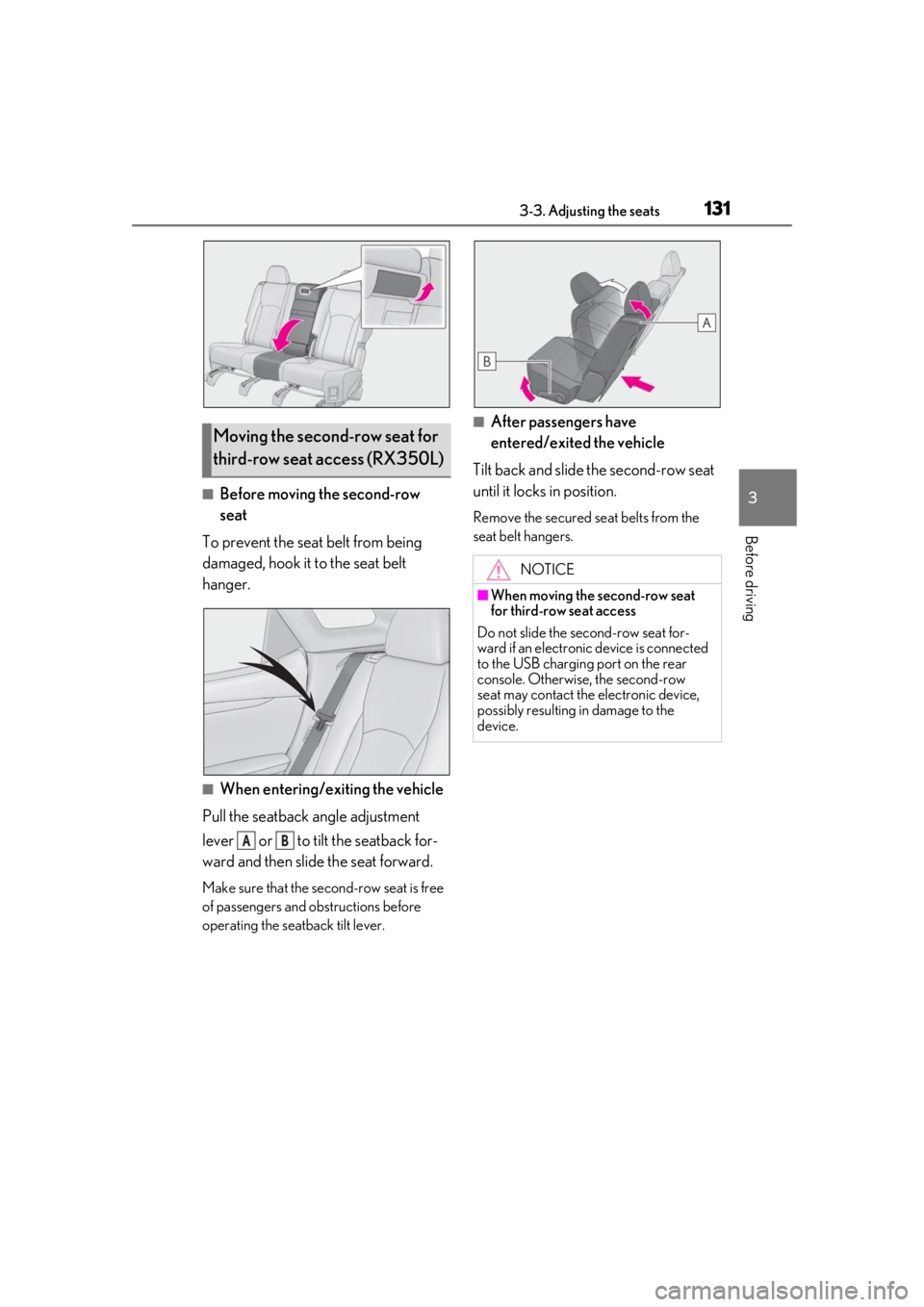
■Before moving the second-row
seat
To prevent the seat belt from being
damaged, hook it to the seat belt
hanger.
■When entering/exiting the vehicle
Pull the seatback angle adjustment
lever or to tilt the seatback for-
ward and then slid e the seat forward.
Make sure that the seco nd-row seat is free
of passengers and ob structions before
operating the seatback tilt lever.
■After passengers have
entered/exited the vehicle
Tilt back and slide the second-row seat
until it locks in position.
Remove the secured se at belts from the
seat belt hangers.
Moving the second-row seat for
third-row seat access (RX350L)
AB
NOTICE
■When moving the second-row seat
for third-row seat access
Do not slide the second-row seat for-
ward if an electronic device is connected
to the USB charging port on the rear
console. Otherwise, the second-row
seat may contact the electronic device,
possibly resulting in damage to the
device.