Page 268 of 300
9-88
Media Change Notifications
You can set to briefly display media information at the top of screen while playing the next
item when you move from the media player screen to another.
Extend Rear Camera Use
You can set to display the rear camera display even when you change the shift position other
than "R" (Reverse) after reversing.0000
A
When you shift to "P" (Park) or drive at a predetermined speed or faster, the rear view
display disappears to display the previous screen.
Page 269 of 300
9-89
Configuring the media settings (Type1)
(if equipped)
Set to receive a notification when the information changes during playback or to include sub-
folders when playing a folder on repeat.
1 On the All Menus screen, press Setup >
Media.
The media settings screen appears.
2 Configure the settings required:
Media Change Notifications
You can set to briefly display media information at the top of screen while playing the next
item when you move from the media player screen to another.
Repeat Folder
You can set to include sub-folders when playing a folder on repeat.
Page 270 of 300
9-90
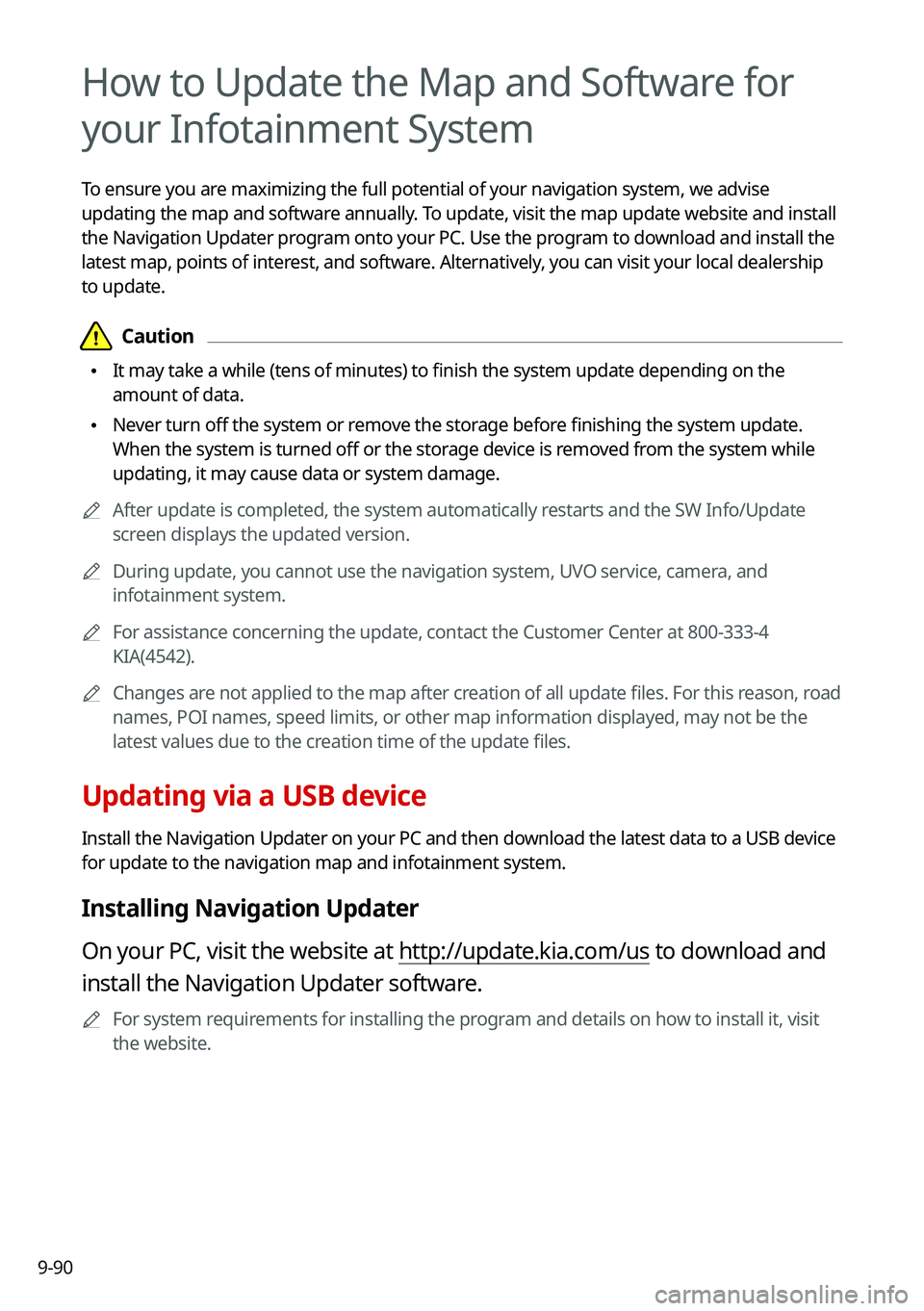
How to Update the Map and Software for
your Infotainment System
To ensure you are maximizing the full potential of your navigation system, we advise
updating the map and software annually. To update, visit the map update website and install
the Navigation Updater program onto your PC. Use the program to download and install the
latest map, points of interest, and software. Alternatively, you can visit your local dealership
to update.
\334\334Caution
\225It may take a while (tens of minutes) to finish the system update depending on the
amount of data.
\225Never turn off the system or remove the storage before finishing the system update.
When the system is turned off or the storage device is removed from the system while
updating, it may cause data or system damage.
0000
A
After update is completed, the system automatically restarts and the SW Info/Update
screen displays the updated version.
0000
A
During update, you cannot use the navigation system, UVO service, camera, and
infotainment system.
0000
A
For assistance concerning the update, contact the Customer Center at 800\
-333-4
KIA(4542).
0000
A
Changes are not applied to the map after creation of all update files. For this reason, road
names, POI names, speed limits, or other map information displayed, may \
not be the
latest values due to the creation time of the update files.
Updating via a USB device
Install the Navigation Updater on your PC and then download the latest data to a USB device
for update to the navigation map and infotainment system.
Installing Navigation Updater
On your PC, visit the website at http://update.kia.com/us to download and
install the Navigation Updater software.
0000
A
For system requirements for installing the program and details on how to install it, visit
the website.
Page 271 of 300
9-91
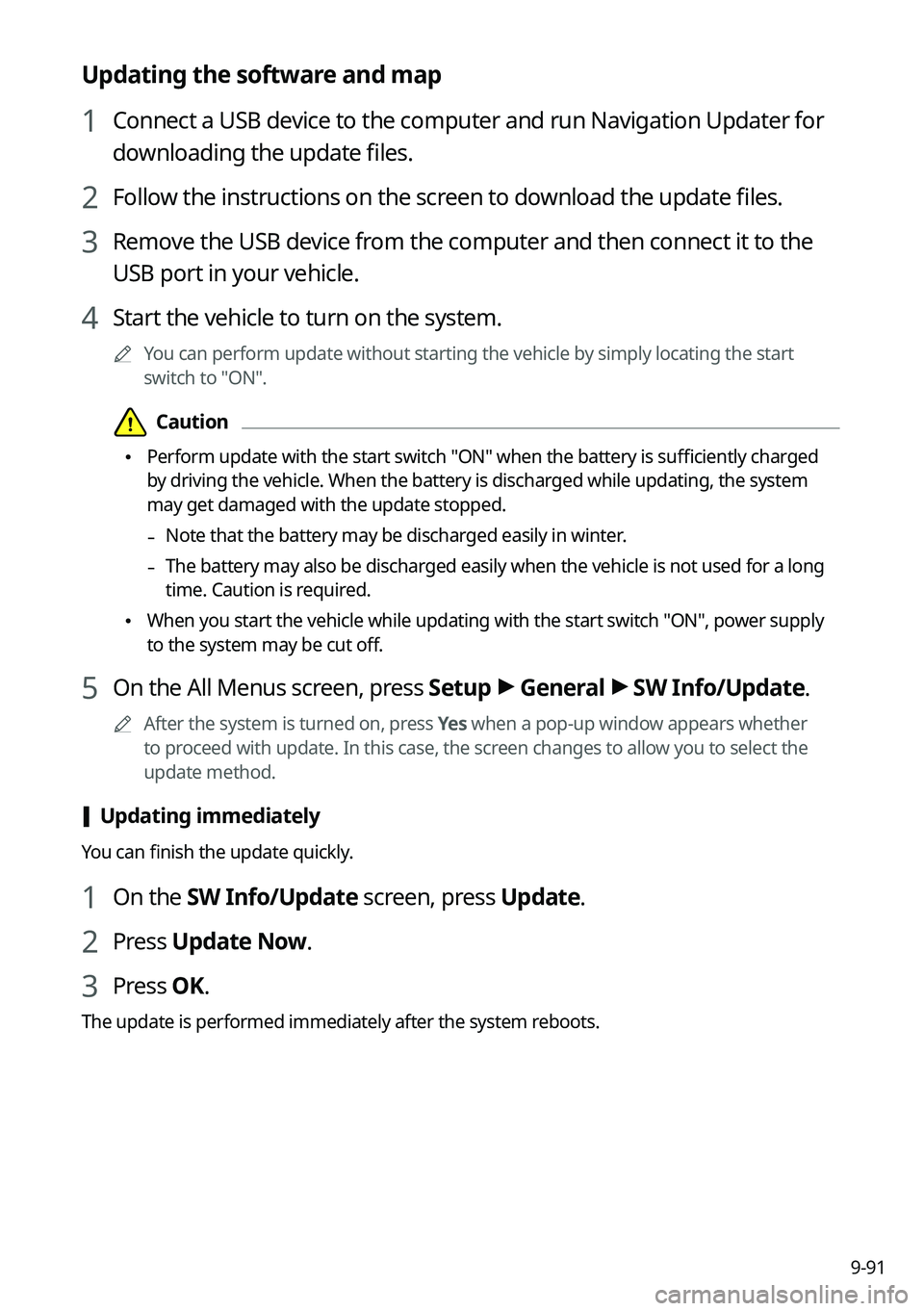
Updating the software and map
1 Connect a USB device to the computer and run Navigation Updater for
downloading the update files.
2 Follow the instructions on the screen to download the update files.
3 Remove the USB device from the computer and then connect it to the
USB port in your vehicle.
4 Start the vehicle to turn on the system.
0000
A
You can perform update without starting the vehicle by simply locating the start
switch to "ON".
\334\334Caution
\225Perform update with the start switch "ON" when the battery is sufficiently charged
by driving the vehicle. When the battery is discharged while updating, the system
may get damaged with the update stopped.
-Note that the battery may be discharged easily in winter.
-The battery may also be discharged easily when the vehicle is not used for a long
time. Caution is required.
\225
When you start the vehicle while updating with the start switch "ON", po\
wer supply
to the system may be cut off.
5 On the All Menus screen, press Setup >
General >
SW Info/Update.
0000
A
After the system is turned on, press Yes when a pop-up window appears whether
to proceed with update. In this case, the screen changes to allow you to select the
update method.
[ Updating immediately
You can finish the update quickly.
1 On the SW Info/Update screen, press Update.
2 Press
Update Now.
3 Press OK.
The update is performed immediately after the system reboots.
Page 282 of 300
10-8
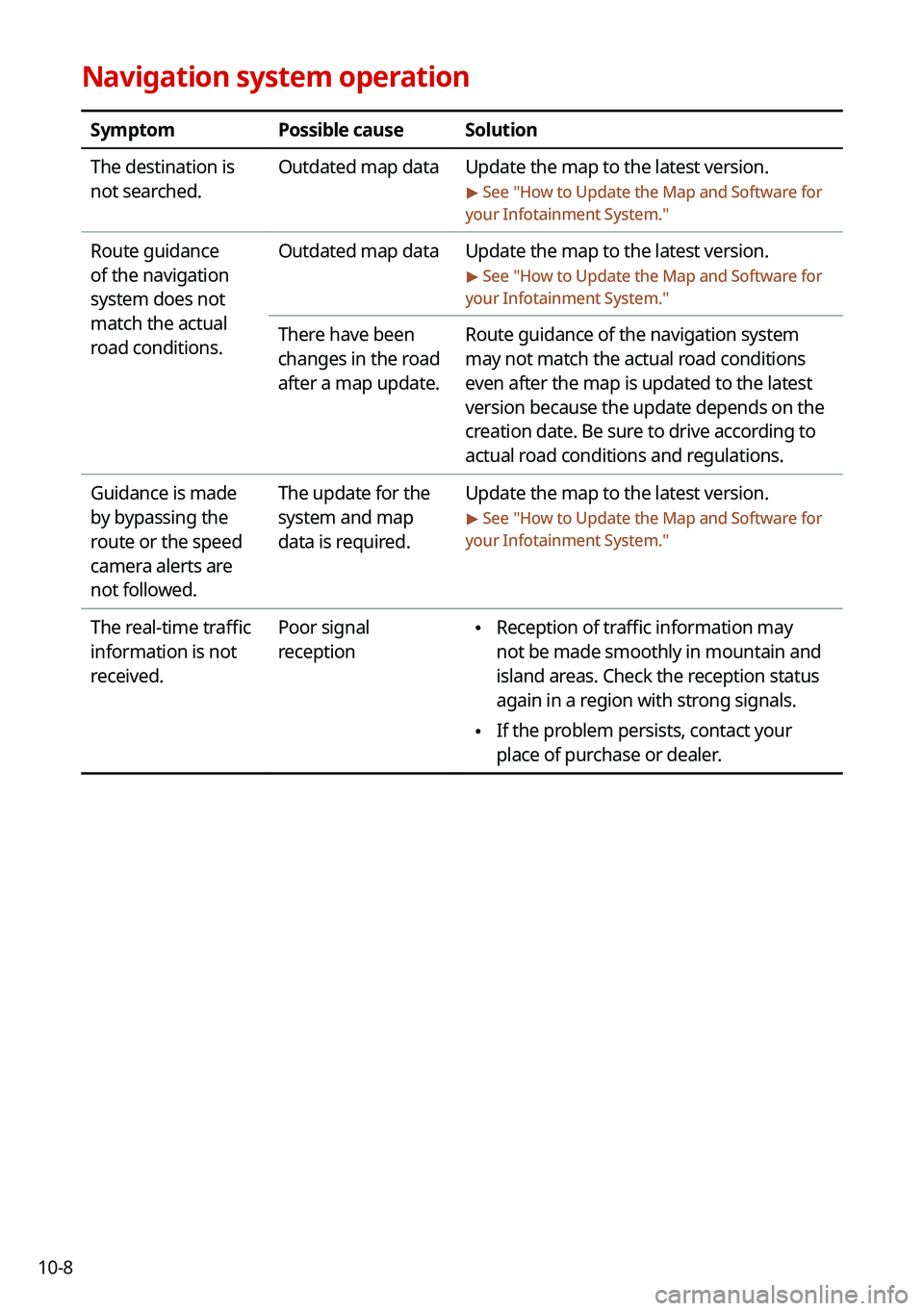
Navigation system operation
SymptomPossible causeSolution
The destination is
not searched. Outdated map data
Update the map to the latest version.
> See "How to Update the Map and Software for
your Infotainment System."
Route guidance
of the navigation
system does not
match the actual
road conditions. Outdated map data
Update the map to the latest version.
> See "How to Update the Map and Software for
your Infotainment System."
There have been
changes in the road
after a map update. Route guidance of the navigation system
may not match the actual road conditions
even after the map is updated to the latest
version because the update depends on the
creation date. Be sure to drive according to
actual road conditions and regulations.
Guidance is made
by bypassing the
route or the speed
camera alerts are
not followed. The update for the
system and map
data is required.
Update the map to the latest version.
> See "
How to Update the Map and Software for
your Infotainment System."
The real-time traffic
information is not
received. Poor signal
reception \225
Reception of traffic information may
not be made smoothly in mountain and
island areas. Check the reception status
again in a region with strong signals.
\225If the problem persists, contact your
place of purchase or dealer.
Page 285 of 300
10-11
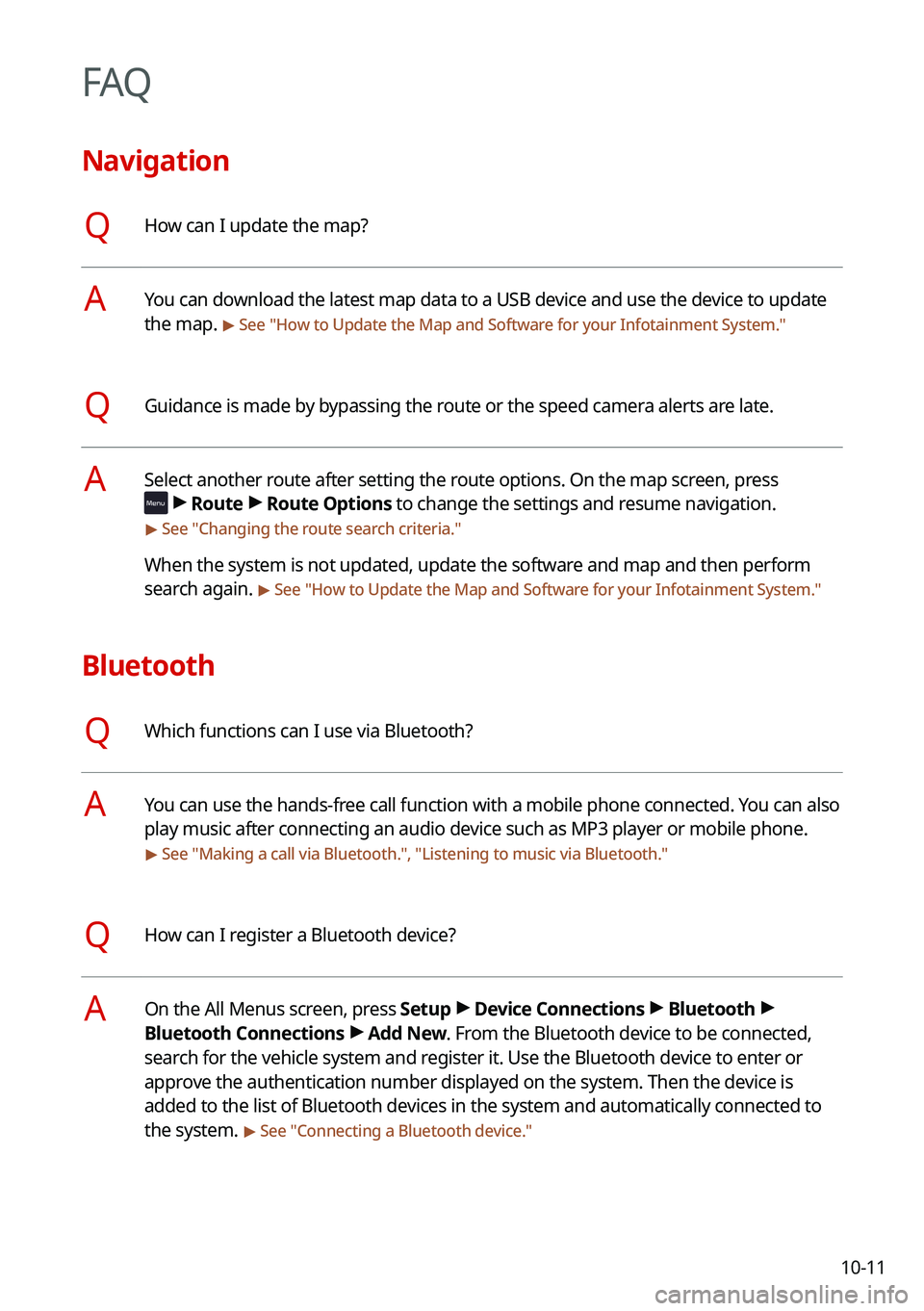
FAQ
Navigation
QHow can I update the map?
AYou can download the latest map data to a USB device and use the device to update
the map.
> See "How to Update the Map and Software for your Infotainment System."
QGuidance is made by bypassing the route or the speed camera alerts are late.
ASelect another route after setting the route options. On the map screen, press
>
Route >
Route Options to change the settings and resume navigation.
> See " Changing the route search criteria."
When the system is not updated, update the software and map and then perform
search again.
> See "How to Update the Map and Software for your Infotainment System."
Bluetooth
QWhich functions can I use via Bluetooth?
AYou can use the hands-free call function with a mobile phone connected. You can also
play music after connecting an audio device such as MP3 player or mobile phone.
> See "Making a call via Bluetooth.", "Listening to music via Bluetooth ."
QHow can I register a Bluetooth device?
AOn the All Menus screen, press Setup >
Device Connections >
Bluetooth >
Bluetooth Connections >
Add New. From the Bluetooth device to be connected,
search for the vehicle system and register it. Use the Bluetooth device to enter or
approve the authentication number displayed on the system. Then the device is
added to the list of Bluetooth devices in the system and automatically connected to
the system.
> See " Connecting a Bluetooth device."
Page 288 of 300
10-140000
A
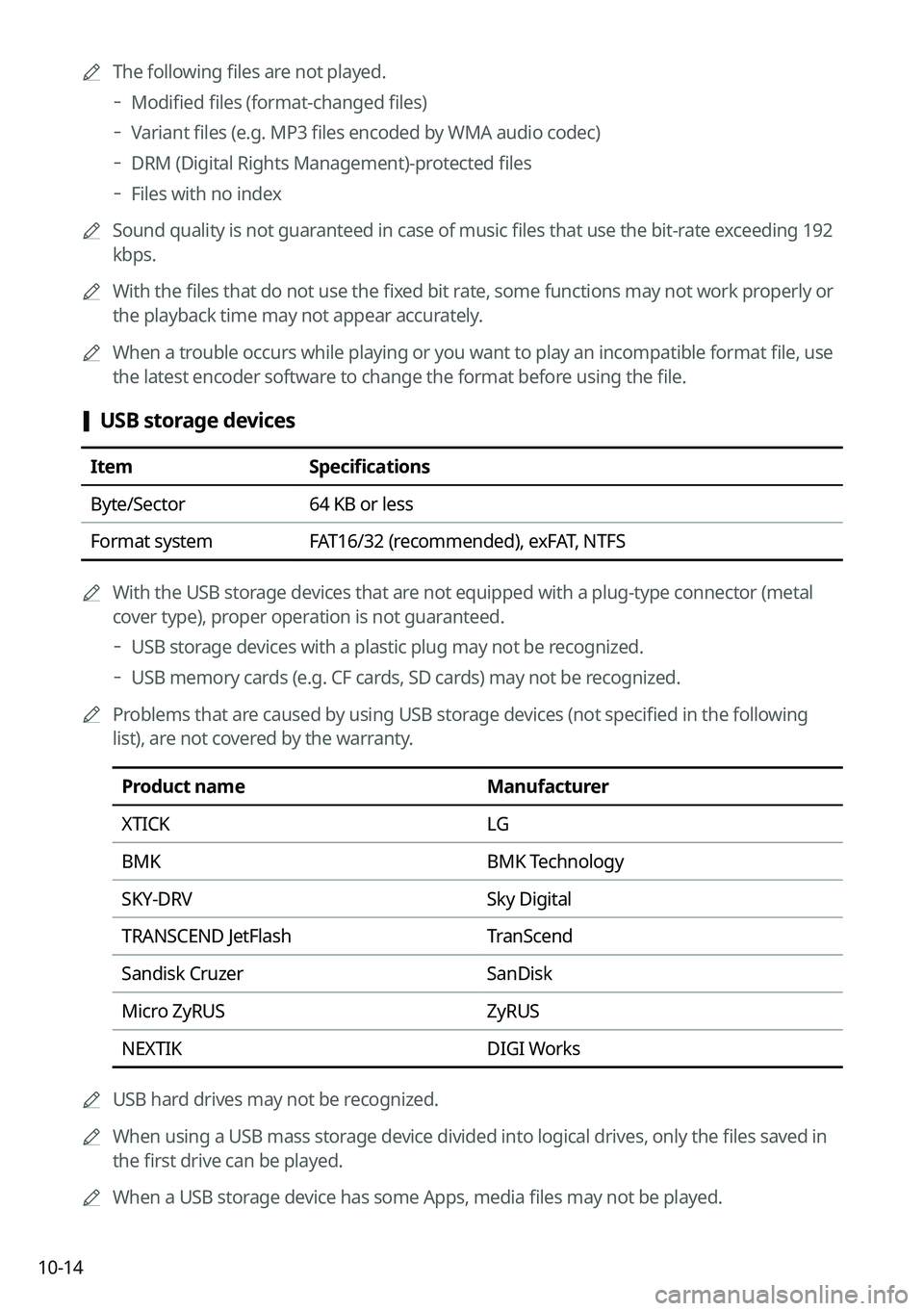
The following files are not played.
000DModified files (format-changed files)
000DVariant files (e.g. MP3 files encoded by WMA audio codec)
000DDRM (Digital Rights Management)-protected files
000DFiles with no index
0000
A
Sound quality is not guaranteed in case of music files that use the bit-rate exceeding 192
kbps.
0000
A
With the files that do not use the fixed bit rate, some functions may not work properly or
the playback time may not appear accurately.
0000
A
When a trouble occurs while playing or you want to play an incompatible format file, use
the latest encoder software to change the format before using the file.
[USB storage devices
Item
Specifications
Byte/Sector 64 KB or less
Format system FAT16/32 (recommended), exFAT, NTFS
0000
A
With the USB storage devices that are not equipped with a plug-type connector (metal
cover type), proper operation is not guaranteed.
000DUSB storage devices with a plastic plug may not be recognized.
000DUSB memory cards (e.g. CF cards, SD cards) may not be recognized.
0000
A
Problems that are caused by using USB storage devices (not specified in the following
list), are not covered by the warranty.
Product name Manufacturer
XTICK LG
BMK BMK Technology
SKY-DRV Sky Digital
TRANSCEND JetFlash TranScend
Sandisk Cruzer SanDisk
Micro ZyRUS ZyRUS
NEXTIK DIGI Works
0000
A
USB hard drives may not be recognized.
0000
A
When using a USB mass storage device divided into logical drives, only the files saved in
the first drive can be played.
0000
A
When a USB storage device has some Apps, media files may not be played.
Page 291 of 300
10-17
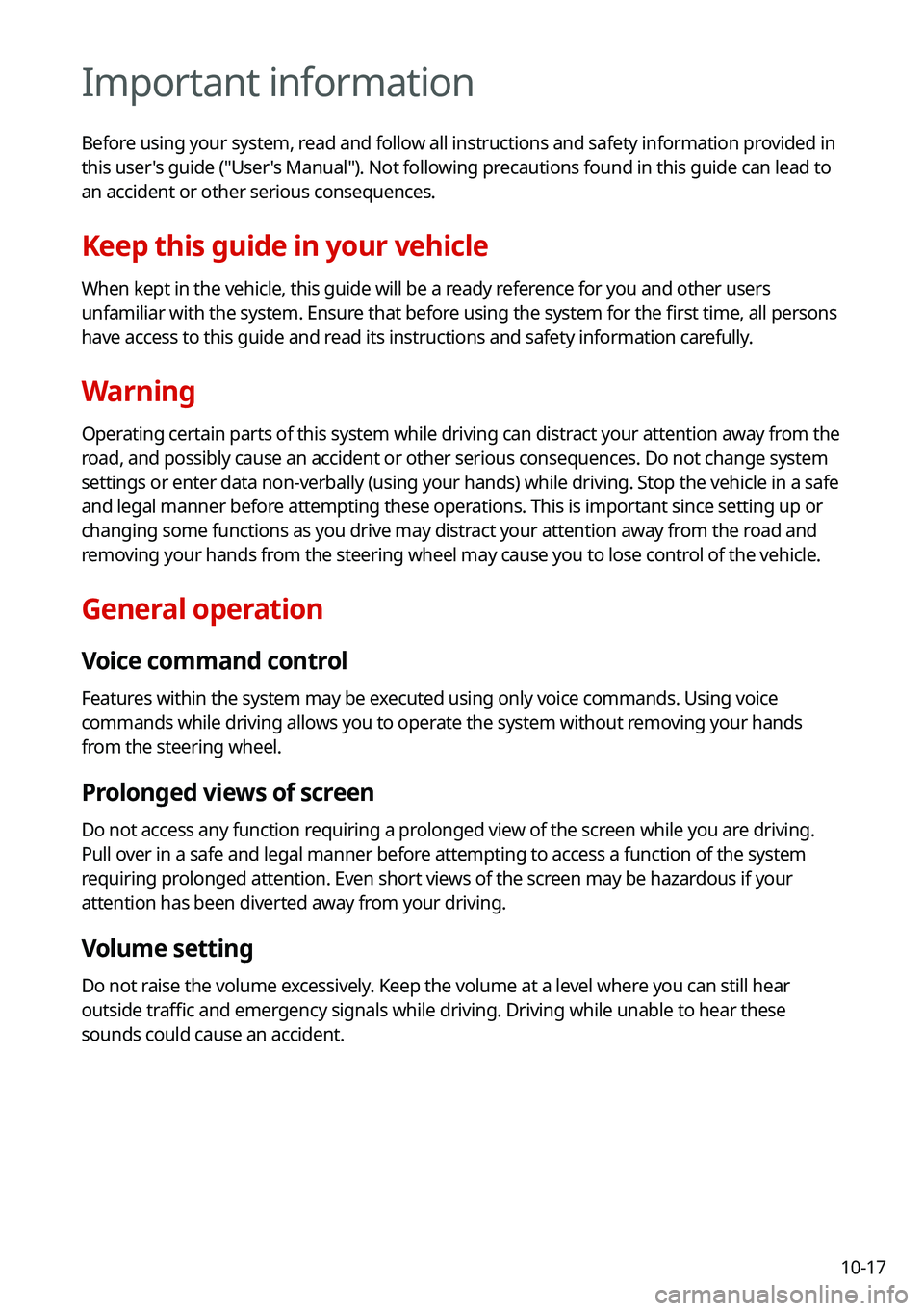
Important information
Before using your system, read and follow all instructions and safety information provided in
this user's guide ("User's Manual"). Not following precautions found in this guide can lead to
an accident or other serious consequences.
Keep this guide in your vehicle
When kept in the vehicle, this guide will be a ready reference for you and other users
unfamiliar with the system. Ensure that before using the system for the first time, all persons
have access to this guide and read its instructions and safety information carefully.
Warning
Operating certain parts of this system while driving can distract your attention away from the
road, and possibly cause an accident or other serious consequences. Do no\
t change system
settings or enter data non-verbally (using your hands) while driving. \
Stop the vehicle in a safe
and legal manner before attempting these operations. This is important since setting up or
changing some functions as you drive may distract your attention away from the road and
removing your hands from the steering wheel may cause you to lose control of the vehicle.
General operation
Voice command control
Features within the system may be executed using only voice commands. Using voice
commands while driving allows you to operate the system without removing your hands
from the steering wheel.
Prolonged views of screen
Do not access any function requiring a prolonged view of the screen while you are driving.
Pull over in a safe and legal manner before attempting to access a function of the system
requiring prolonged attention. Even short views of the screen may be hazardous if your
attention has been diverted away from your driving.
Volume setting
Do not raise the volume excessively. Keep the volume at a level where you can still hear
outside traffic and emergency signals while driving. Driving while unable to hear these
sounds could cause an accident.

