Page 291 of 631
55
Driving your vehicle
Before entering vehicle
• Be sure that all windows, outsidemirror(s), and outside lights are
clean.
• Check the condition of the tires.
• Check under the vehicle for any sign of leaks.
• Be sure there are no obstacles behind you if you intend to back up.
Necessary inspections
Fluid levels, such as engine oil,
engine coolant, brake fluid, and
washer fluid should be checked on a
regular basis, at the exact interval
depending on the fluid. Further
details are provided in chapter 7,
“Maintenance”.
Before starting
• Close and lock all doors.
• Position the seat so that all con-trols are easily reached.
• Buckle your seat belt.
• Adjust the inside and outside rearview mirrors.
• Be sure that all lights work.
• Check all gauges.
• Check the operation of warning lights when the ignition switch is
turned to the ON position.
• Release the parking brake and make sure the brake warning light
goes out.
For safe operation, be sure you are
familiar with your vehicle and its
equipment.
BEFORE DRIVING
WARNING - Distracted driving
Focus on the road while driving.
The driver's primary responsi-
bility is in the safe and legal
operation of the vehicle. Use of
any handled devices, other
equipment or vehicle systems
that distract the drive should
not be used during vehicle
operation.
Page 350 of 631
Driving your vehicle
645
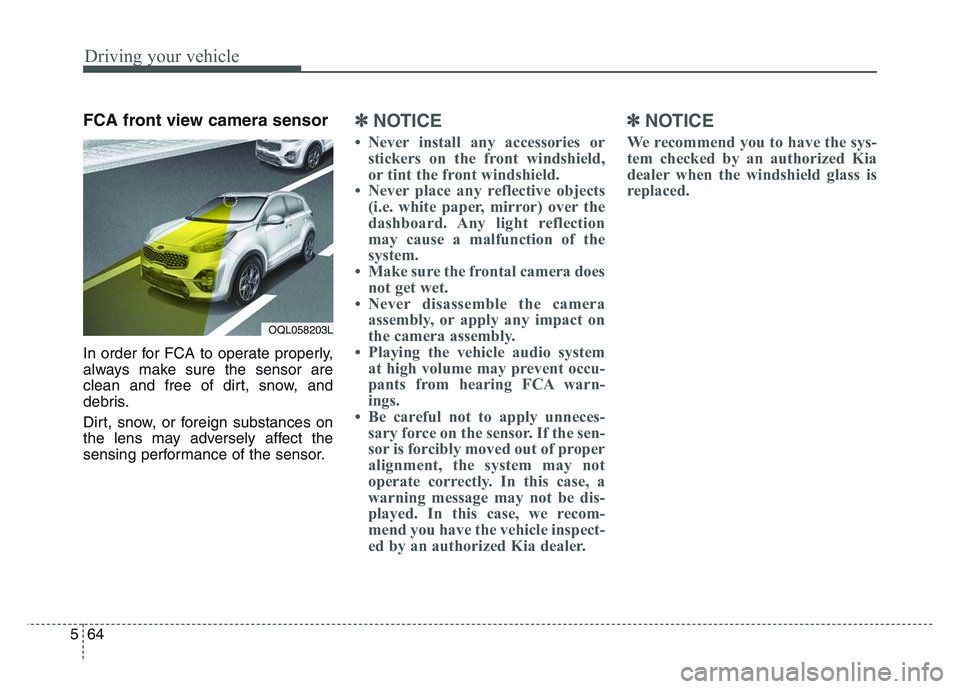
FCA front view camera sensor
In order for FCA to operate properly,
always make sure the sensor are
clean and free of dirt, snow, and
debris.
Dirt, snow, or foreign substances on
the lens may adversely affect the
sensing performance of the sensor.
✽NOTICE
• Never install any accessories orstickers on the front windshield,
or tint the front windshield.
• Never place any reflective objects (i.e. white paper, mirror) over the
dashboard. Any light reflection
may cause a malfunction of the
system.
• Make sure the frontal camera does not get wet.
• Never disassemble the camera assembly, or apply any impact on
the camera assembly.
• Playing the vehicle audio system at high volume may prevent occu-
pants from hearing FCA warn-
ings.
• Be careful not to apply unneces- sary force on the sensor. If the sen-
sor is forcibly moved out of proper
alignment, the system may not
operate correctly. In this case, a
warning message may not be dis-
played. In this case, we recom-
mend you have the vehicle inspect-
ed by an authorized Kia dealer.
✽NOTICE
We recommend you to have the sys-
tem checked by an authorized Kia
dealer when the windshield glass is
replaced.
OQL058203L
Page 366 of 631
Driving your vehicle
805
✽NOTICE
• Do not apply license plate moldingor foreign objects such as a
bumper sticker or a bumper guard
licence plate molding near the
radar sensor. Doing so may
adversely affect the sensing per-
formance of the radar.
• Always keep the radar sensor and the radar cover clean and free of
dirt and debris.
• Use only a soft cloth to wash the vehicle. Do not spray pressurized
water directly on the sensor or
sensor cover.
• Be careful not to apply unneces- sary force on the radar sensor or
sensor cover. If the sensor is
forcibly moved out of proper
alignment, FCA may not operate
correctly. In this case, a warning
message may not be displayed. In
this case, we recommend you have
the vehicle inspected by an
authorized Kia dealer. (Continued)(Continued)
• If the front bumper becomes dam-
aged in the area around the radar
sensor, FCA system may not oper-
ate properly. In this case, we rec-
ommend you have the vehicle
inspected by an authorized Kia
dealer.
• Use only genuine parts to repair or replace a damaged sensor or sen-
sor cover. Do not paint to the sen-
sor cover.
• Never install any accessories or stickers on the front windshield,
or tint the front windshield.
• Never place any reflective objects (i.e. white paper, mirror) over the
dashboard. Any light reflection
may cause a malfunction of the
system.
• Make sure the frontal camera does not get wet.
• Never disassemble the camera assembly, or apply any impact on
the camera assembly.
• Playing the vehicle audio system at high volume may prevent occu-
pants from hearing FCA warn-
ings. (Continued)(Continued)
• Be careful not to apply unneces-
sary force on the sensor. If the sen-
sor is forcibly moved out of proper
alignment, the system may not
operate correctly. In this case, a
warning message may not be dis-
played. In this case, we recom-
mend you have the vehicle inspect-
ed by an authorized Kia dealer.
Page 377 of 631
5 91
Driving your vehicle
✽NOTICE
• The operation of the LKA can becanceled or not work properly
according to road condition and
surroundings. Always be cautious
when driving.
• Do not disassemble the front view camera temporarily for tinting
windows or attaching any types of
coatings and accessories.
Do not disassemble the camera.
take your vehicle to an authorized
Kia dealer and have the system
checked to need a calibration.
• When you replace the windshield glass, front view camera or parts
of the steering, take your vehicle
to an authorized Kia dealer and
have the system checked to need a
calibration. (Continued)(Continued)
• The system is designed to detect
lane markers using a front view
camera. If the lane markers are
hard to detect, then the system
may be limited. Always be cau-
tious when using the system.
• When the lane markers are hard to detect, please refer to “Driver’s
Attention”.
• Do not remove or damage the related parts of LKA.
• Do not place objects on the dash- board that reflects light such as
mirrors, white paper, etc. It may
cause malfunction of LKA if the
sunlight is reflected.
• You may not hear warning sound of LKA if the audio volume is
high. (Continued)(Continued)
• If you drive with your hands off
the steering wheel, LKA will stop
controlling the steering wheel
after the hands off alarm. If you
drive with your hands on the
steering wheel again, the control
will be activated again.
• If the vehicle speed is high, steer- ing torque for assistance will not
be enough to keep your vehicle
within the lane. If so, the vehicle
may move out of its lane. Obey
speed limit when using LKA.
• If you attach objects to the steer- ing wheel, the system may not
assist steering.
• If you attach objects to the steer- ing wheel, hands off alarm may
not work properly.
Page 386 of 631
Driving your vehicle
1005
System setting and activation
System setting
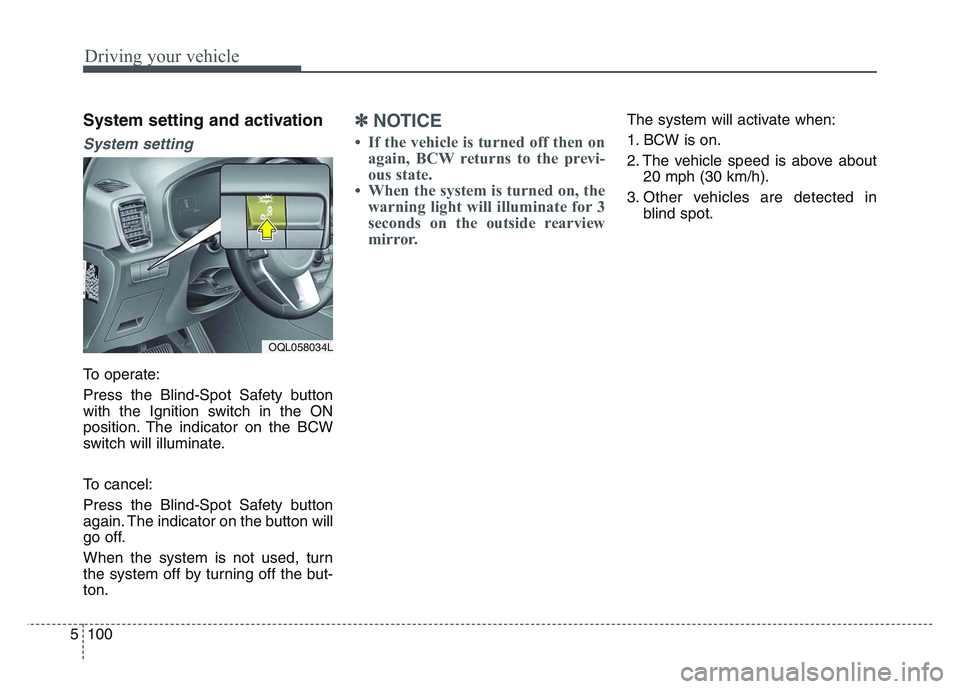
To operate:
Press the Blind-Spot Safety button
with the Ignition switch in the ON
position. The indicator on the BCW
switch will illuminate.
To cancel:
Press the Blind-Spot Safety button
again. The indicator on the button will
go off.
When the system is not used, turn
the system off by turning off the but-
ton.
✽NOTICE
• If the vehicle is turned off then onagain, BCW returns to the previ-
ous state.
• When the system is turned on, the warning light will illuminate for 3
seconds on the outside rearview
mirror.
The system will activate when:
1. BCW is on.
2. The vehicle speed is above about
20 mph (30 km/h).
3. Other vehicles are detected in blind spot.
OQL058034L
Page 387 of 631
5 101
Driving your vehicle
Warning message
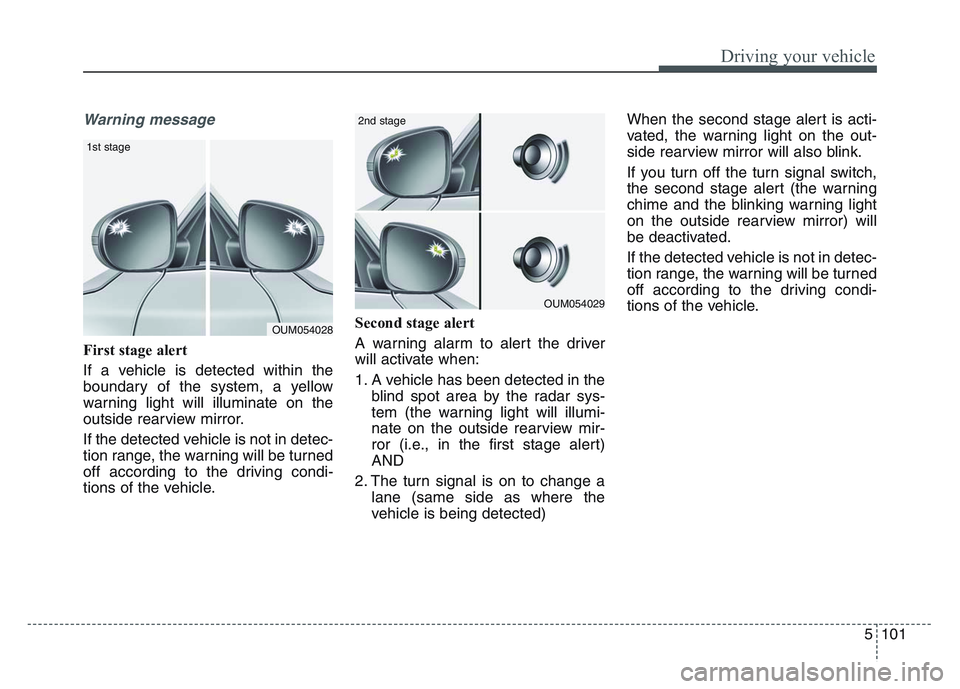
First stage alert
If a vehicle is detected within the
boundary of the system, a yellow
warning light will illuminate on the
outside rearview mirror.
If the detected vehicle is not in detec-
tion range, the warning will be turned
off according to the driving condi-
tions of the vehicle.Second stage alert
A warning alarm to alert the driver
will activate when:
1. A vehicle has been detected in the
blind spot area by the radar sys-
tem (the warning light will illumi-
nate on the outside rearview mir-
ror (i.e., in the first stage alert)
AND
2. The turn signal is on to change a lane (same side as where the
vehicle is being detected) When the second stage alert is acti-
vated, the warning light on the out-
side rearview mirror will also blink.
If you turn off the turn signal switch,
the second stage alert (the warning
chime and the blinking warning light
on the outside rearview mirror) will
be deactivated.
If the detected vehicle is not in detec-
tion range, the warning will be turned
off according to the driving condi-
tions of the vehicle.
OUM054028
1st stage
OUM054029
2nd stage
Page 388 of 631
Driving your vehicle
1025
Detecting Sensor
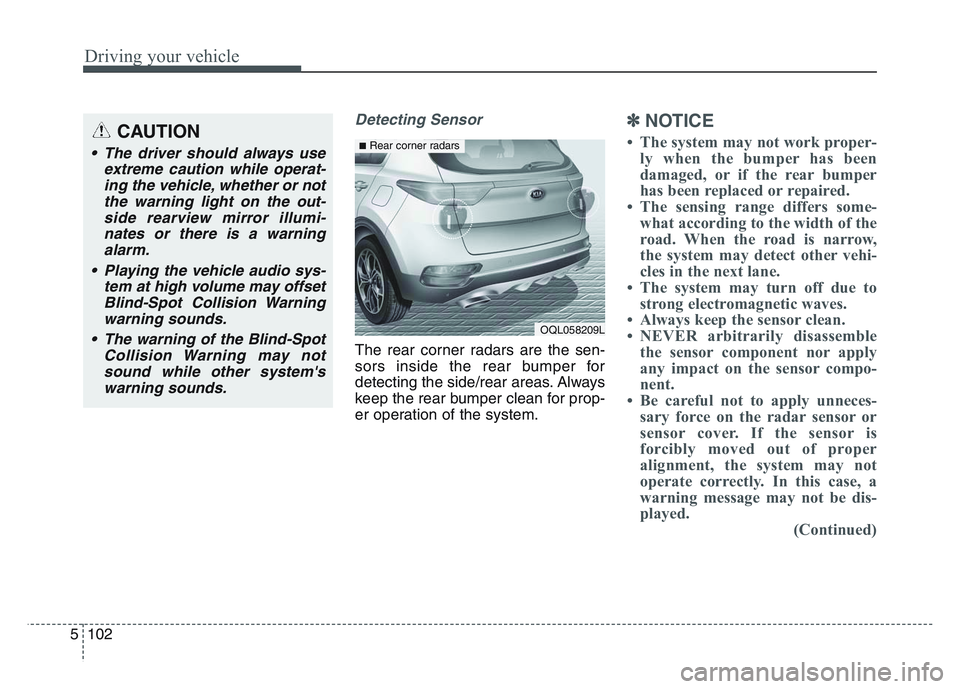
The rear corner radars are the sen-
sors inside the rear bumper for
detecting the side/rear areas. Always
keep the rear bumper clean for prop-
er operation of the system.
✽NOTICE
• The system may not work proper-ly when the bumper has been
damaged, or if the rear bumper
has been replaced or repaired.
• The sensing range differs some- what according to the width of the
road. When the road is narrow,
the system may detect other vehi-
cles in the next lane.
• The system may turn off due to strong electromagnetic waves.
• Always keep the sensor clean.
• NEVER arbitrarily disassemble the sensor component nor apply
any impact on the sensor compo-
nent.
• Be careful not to apply unneces- sary force on the radar sensor or
sensor cover. If the sensor is
forcibly moved out of proper
alignment, the system may not
operate correctly. In this case, a
warning message may not be dis-
played. (Continued)CAUTION
• The driver should always use
extreme caution while operat-ing the vehicle, whether or notthe warning light on the out-side rearview mirror illumi-nates or there is a warningalarm.
• Playing the vehicle audio sys- tem at high volume may offsetBlind-Spot Collision Warningwarning sounds.
• The warning of the Blind-Spot Collision Warning may notsound while other system'swarning sounds.
OQL058209L
■Rear corner radars
Page 426 of 631
Driving your vehicle
1405
✽NOTICE
• If the vehicle is turned off then onagain, RCCW returns to the previ-
ous state.
• When the system is turned on, the warning light will illuminate for 3
seconds on the outside rearview
mirror.
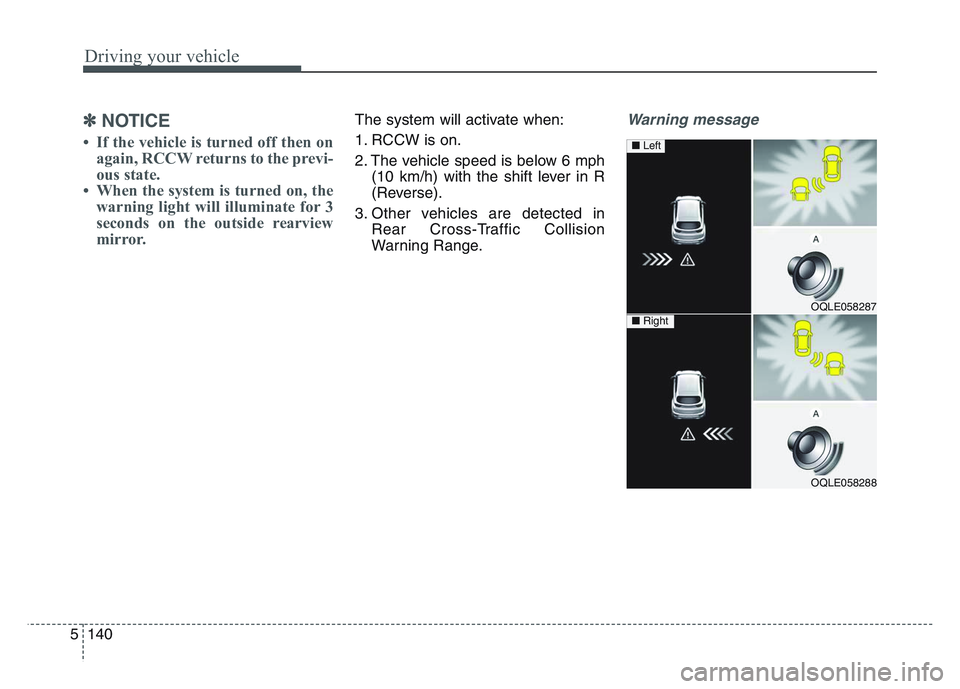
The system will activate when:
1. RCCW is on.
2. The vehicle speed is below 6 mph
(10 km/h) with the shift lever in R
(Reverse).
3. Other vehicles are detected in Rear Cross-Traffic Collision
Warning Range.Warning message
OQLE058287
OQLE058288
■ Left
■ Right