2021 KIA SPORTAGE Back Light
[x] Cancel search: Back LightPage 358 of 631
Driving your vehicle
725
Detecting pedestrians
The sensor may be limited when:
• The pedestrian is not fully detectedby the camera recognition system,
for example, if the pedestrian is
leaning over or is not fully walking
upright
• The pedestrian is moving very quickly or appears abruptly in the
camera detection area
• The pedestrian is wearing clothing that easily blends into the back-
ground, making it difficult to be
detected by the camera recogni-
tion system
• The outside lighting is too bright (e.g. when driving in bright sunlight
or in sun glare) or too dark (e.g.
when driving on a dark rural road
at night)
• It is difficult to detect and distin- guish the pedestrian from other
objects in the surroundings, for
example, when there is a group of
pedestrians, or a large crowd. • There is an item similar to a per-
son's body structure
• The pedestrian is small
• The pedestrian has impaired mobility
• The sensor recognition is limited
• The camera is blocked with a for- eign object or debris
• Inclement weather such as heavy rain or snow obscures the field of
view of the radar sensor or camera
• When light coming from a street light or an oncoming vehicle is
reflected on a wet road surface
such as a puddle in the road
• The field of view in front is obstructed by sun glare
• The windshield glass is fogged up.
• Adverse road conditions cause excessive vehicle vibrations while
driving
• When the pedestrian suddenly appears in front of the vehicle • When there is any other electro-
magnetic interference
• When a construction area, rail or other metal object is near the
pedestrian.
Page 370 of 631
Driving your vehicle
845
• The camera's field of view is notwell illuminated (either too dark or
too much reflection or too much
backlight that obscures the field of
view)
• The vehicle in front does not have their rear lights or their rear lights
does not turned ON or their rear
lights are located unusually.
• The outside brightness changes suddenly, for example when enter-
ing or exiting a tunnel
• When light coming from a street light or an oncoming vehicle is
reflected on a wet road surface
such as a puddle in the road
• The field of view in front is obstructed by sun glare
• The vehicle in front is driving errat- ically
• The vehicle is on unpaved or uneven rough surfaces, or road
with sudden gradient changes.
• The vehicle is driven near areas containing metal substances as a
construction zone, railroad, etc. • The vehicle drives inside a build-
ing, such as a basement parking
lot
• The front view camera does not recognize the entire vehicle in
front.
• The front view camera is damaged.
• The brightness outside is too low such as when the headlamps are
not on at night or the vehicle is
going through a tunnel.
• The shadow is on the road by a median strip, trees, etc.
• The vehicle drives through a toll- gate.
• The windshield glass is fogged up; a clear view of the road is obstruct-
ed.
• The rear part of the vehicle in front is not normally visible. (the vehicle
turns in other direction or the vehi-
cle is overturned.)
• The adverse road conditions cause excessive vehicle vibrations while
driving
• The sensor recognition changes suddenly when passing over a
speed bump • The vehicle in front is moving lon-
gitudinally to the driving direction
• The vehicle in front is stopped lon- gitudinally
• The vehicle in front is driving towards your vehicle or reversing
• You are on a roundabout and the vehicle in front circles
• It is difficult to secure the field of view of the front view camera such
as backlight, reflected light, and
darkness.
• When the front camera is blocked by continuous washer spray and
wiper operation.
• The vehicle in front is a special purpose vehicle, a trailer, or a truck
loading with unusual shape of lug-
gage.
• The ambient light is too high or low.
• The front view camera is contami- nated by front glass tinting, attach-
ing film, water proof coating, dam-
aged, foreign material such as a
sticker, worm, etc.
• When the front view camera (including lens) or front radar is
damaged.
Page 371 of 631
5 85
Driving your vehicle
• If not using headlamp or usingweak light in the night or in a tun-
nel.
• Backlight is shining in the driving direction of the vehicle. (Including
oncoming vehicle headlights.)
• When the rear part of the front vehicle is small or low.
• When a trailer or other vehicle is towing the front vehicle.
• When the ground clearance of the front vehicle is high.
• When a front vehicle makes sud- den lane changes unexpectedly.
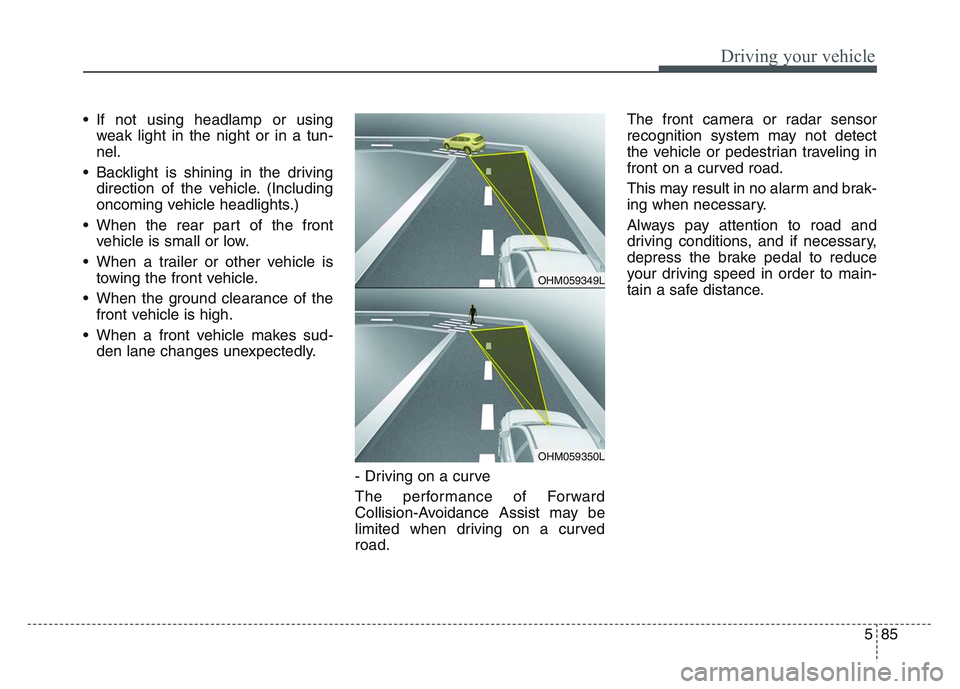
- Driving on a curve
The performance of Forward
Collision-Avoidance Assist may be
limited when driving on a curved
road. The front camera or radar sensor
recognition system may not detect
the vehicle or pedestrian traveling in
front on a curved road.
This may result in no alarm and brak-
ing when necessary.
Always pay attention to road and
driving conditions, and if necessary,
depress the brake pedal to reduce
your driving speed in order to main-
tain a safe distance.
OHM059349L
OHM059350L
Page 374 of 631
Driving your vehicle
885
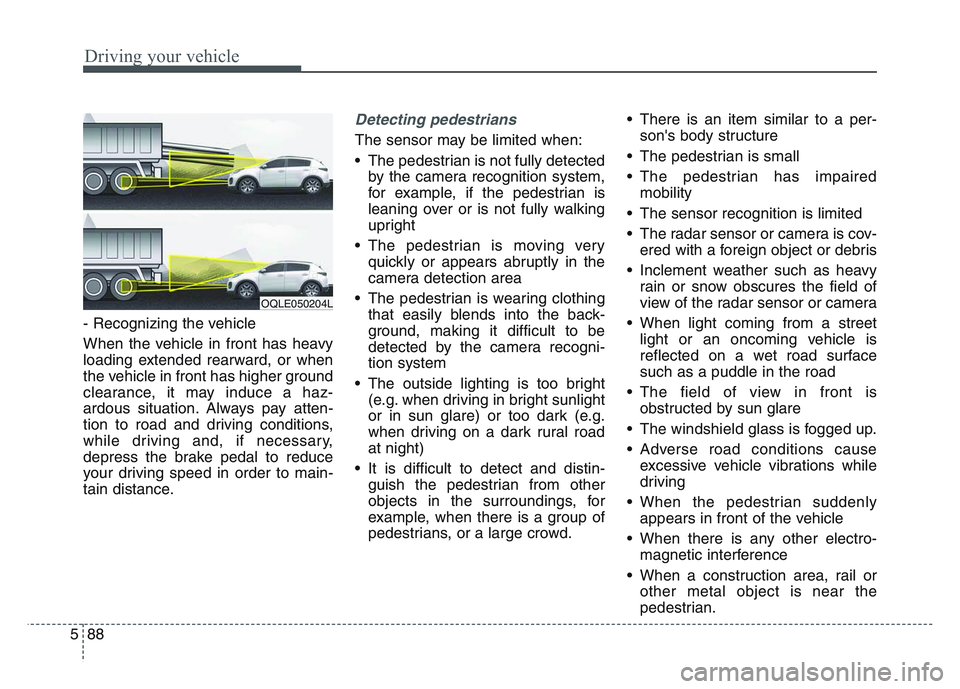
- Recognizing the vehicle
When the vehicle in front has heavy
loading extended rearward, or when
the vehicle in front has higher ground
clearance, it may induce a haz-
ardous situation. Always pay atten-
tion to road and driving conditions,
while driving and, if necessary,
depress the brake pedal to reduce
your driving speed in order to main-
tain distance.
Detecting pedestrians
The sensor may be limited when:
• The pedestrian is not fully detectedby the camera recognition system,
for example, if the pedestrian is
leaning over or is not fully walking
upright
• The pedestrian is moving very quickly or appears abruptly in the
camera detection area
• The pedestrian is wearing clothing that easily blends into the back-
ground, making it difficult to be
detected by the camera recogni-
tion system
• The outside lighting is too bright (e.g. when driving in bright sunlight
or in sun glare) or too dark (e.g.
when driving on a dark rural road
at night)
• It is difficult to detect and distin- guish the pedestrian from other
objects in the surroundings, for
example, when there is a group of
pedestrians, or a large crowd. • There is an item similar to a per-
son's body structure
• The pedestrian is small
• The pedestrian has impaired mobility
• The sensor recognition is limited
• The radar sensor or camera is cov- ered with a foreign object or debris
• Inclement weather such as heavy rain or snow obscures the field of
view of the radar sensor or camera
• When light coming from a street light or an oncoming vehicle is
reflected on a wet road surface
such as a puddle in the road
• The field of view in front is obstructed by sun glare
• The windshield glass is fogged up.
• Adverse road conditions cause excessive vehicle vibrations while
driving
• When the pedestrian suddenly appears in front of the vehicle
• When there is any other electro- magnetic interference
• When a construction area, rail or other metal object is near the
pedestrian.
OQLE050204L
Page 427 of 631
5 141
Driving your vehicle
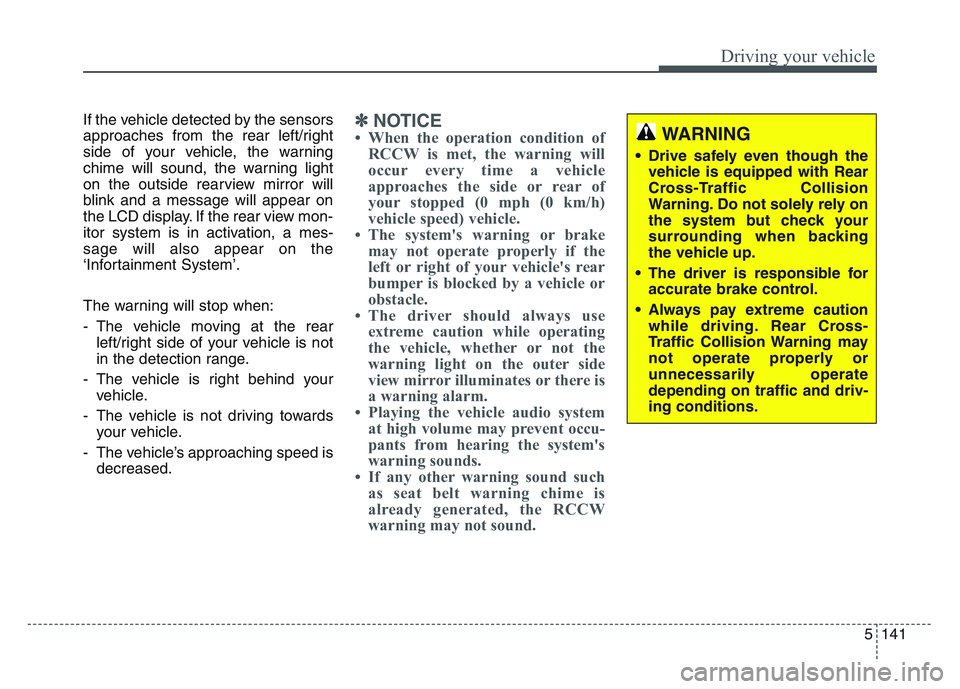
If the vehicle detected by the sensors
approaches from the rear left/right
side of your vehicle, the warning
chime will sound, the warning light
on the outside rearview mirror will
blink and a message will appear on
the LCD display. If the rear view mon-
itor system is in activation, a mes-
sage will also appear on the
‘Infortainment System’.
The warning will stop when:
- The vehicle moving at the rearleft/right side of your vehicle is not
in the detection range.
- The vehicle is right behind your vehicle.
- The vehicle is not driving towards your vehicle.
- The vehicle’s approaching speed is decreased.✽NOTICE
• When the operation condition ofRCCW is met, the warning will
occur every time a vehicle
approaches the side or rear of
your stopped (0 mph (0 km/h)
vehicle speed) vehicle.
• The system's warning or brake may not operate properly if the
left or right of your vehicle's rear
bumper is blocked by a vehicle or
obstacle.
• The driver should always use extreme caution while operating
the vehicle, whether or not the
warning light on the outer side
view mirror illuminates or there is
a warning alarm.
• Playing the vehicle audio system at high volume may prevent occu-
pants from hearing the system's
warning sounds.
• If any other warning sound such as seat belt warning chime is
already generated, the RCCW
warning may not sound.WARNING
• Drive safely even though the
vehicle is equipped with Rear
Cross-Traffic Collision
Warning. Do not solely rely on
the system but check your
surrounding when backing
the vehicle up.
• The driver is responsible for accurate brake control.
• Always pay extreme caution while driving. Rear Cross-
Traffic Collision Warning may
not operate properly or
unnecessarily operate
depending on traffic and driv-
ing conditions.
Page 449 of 631
5 163
Driving your vehicle
Driving with a trailer
Towing a trailer requires a certain
amount of experience. Before setting
out for the open road, you must get
to know your trailer. Acquaint your-
self with the feel of handling and
braking with the added weight of the
trailer. And always keep in mind that
the vehicle you are driving is now a
good deal longer and not nearly so
responsive as your vehicle is by
itself.
Before you start, check the trailer
hitch and platform, safety chains,
electrical connector(s), lights, tires
and mirror adjustment. If the trailer
has electric brakes, start your vehicle
and trailer moving and then apply the
trailer brake controller by hand to be
sure the brakes are working. This lets
you check your electrical connection
at the same time.
During your trip, check occasionally
to be sure that the load is secure,
and that the lights and any trailer
brakes are still working.
Following distance
Stay at least twice as far behind the
vehicle ahead as you would when
driving your vehicle without a trailer.
This can help you avoid situations
that require heavy braking and sud-
den turns.
Passing
You’ll need more passing distance
up ahead when you’re towing a trail-
er. And, because of the increased
vehicle length, you’ll need to go
much farther beyond the passed
vehicle before you can return to your
lane. Due to the added load to the
engine when going uphill the vehicle
may also take longer to pass than it
would on flat ground.
Backing up
Hold the bottom of the steering
wheel with one hand. Then, to move
the trailer to the left, just move your
hand to the left. To move the trailer to
the right, move your hand to the
right. Always back up slowly and, if
possible, have someone guide you.
Making turns
When you’re turning with a trailer,
make wider turns than normal. Do
this so your trailer won’t strike soft
shoulders, curbs, road signs, trees,
or other objects near the edge of the
road. Avoid jerky or sudden maneu-
vers. Signal well in advance before
turning or lane changes.
Page 479 of 631
6 19
What to do in an emergency
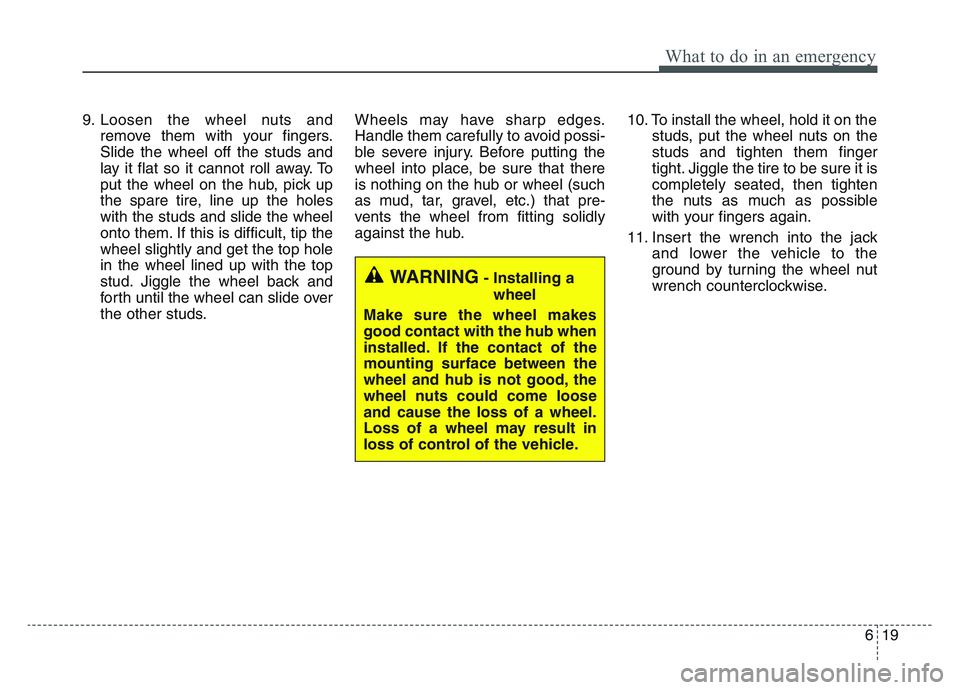
9. Loosen the wheel nuts andremove them with your fingers.
Slide the wheel off the studs and
lay it flat so it cannot roll away. To
put the wheel on the hub, pick up
the spare tire, line up the holes
with the studs and slide the wheel
onto them. If this is difficult, tip the
wheel slightly and get the top hole
in the wheel lined up with the top
stud. Jiggle the wheel back and
forth until the wheel can slide over
the other studs. Wheels may have sharp edges.
Handle them carefully to avoid possi-
ble severe injury. Before putting the
wheel into place, be sure that there
is nothing on the hub or wheel (such
as mud, tar, gravel, etc.) that pre-
vents the wheel from fitting solidly
against the hub.
10. To install the wheel, hold it on the
studs, put the wheel nuts on the
studs and tighten them finger
tight. Jiggle the tire to be sure it is
completely seated, then tighten
the nuts as much as possible
with your fingers again.
11. Insert the wrench into the jack and lower the vehicle to the
ground by turning the wheel nut
wrench counterclockwise.
WARNING- Installing a
wheel
Make sure the wheel makes
good contact with the hub when
installed. If the contact of the
mounting surface between the
wheel and hub is not good, the
wheel nuts could come loose
and cause the loss of a wheel.
Loss of a wheel may result in
loss of control of the vehicle.
Page 499 of 631
• Radial-ply tires . . . . . . . . . . . . . . . . . . . . . . . . . . . . . . 7-59
• Low aspect ratio tire . . . . . . . . . . . . . . . . . . . . . . . . . . 7-59
Fuses . . . . . . . . . . . . . . . . . . . . . . . . . . . . . . . . . . . . \
7-61
• Inner panel fuse replacement . . . . . . . . . . . . . . . . . . . 7-63
• Engine compartment fuse replacement. . . . . . . . . . . 7-65
• Fuse/relay panel description. . . . . . . . . . . . . . . . . . . . 7-67
Light bulbs . . . . . . . . . . . . . . . . . . . . . . . . . . . . . . . 7-79
• Bulb replacement precaution . . . . . . . . . . . . . . . . . . . 7-79
• Light bulb position (Front) . . . . . . . . . . . . . . . . . . . . 7-81
• Light bulb position (Rear) . . . . . . . . . . . . . . . . . . . . . 7-82
• Light bulb position (Side) . . . . . . . . . . . . . . . . . . . . . . 7-83
• Headlamp (High/Low beam) bulb replacement . . . . 7-83
• Front turn signal lamp bulb replacement . . . . . . . . . 7-84
• Position lamp + DRL bulb replacement . . . . . . . . . . 7-85
• Front fog lamp (Bulb and LED type) bulbreplacement . . . . . . . . . . . . . . . . . . . . . . . . . . . . . . . . 7-86
• Stop and tail lamp bulb replacement . . . . . . . . . . . . 7-86
• Tail lamp (inside) bulb replacement . . . . . . . . . . . . . 7-87
• Stop and tail lamp (LED type) bulb replacement . . 7-88
• Back-up lamp and Rear turn signal lamp (Bulb type) bulb replacement . . . . . . . . . . . . . . . . . 7-89
• High mounted stop lamp (LED type) bulb replacement . . . . . . . . . . . . . . . . . . . . . . . . . . . . . . . . 7-89
• License plate lamp (Bulb type) bulb replacement . . 7-89
• Side repeater lamp (LED type) bulb replacement . . 7-90 • Map lamp (Bulb and LED type)
bulb replacement. . 7-90
• Vanity mirror lamp (Bulb type) bulb replacement . . 7-91
• Room lamp (Bulb type) bulb replacement . . . . . . . 7-91
• Personal lamp (LED type) bulb replacement . . . . . . 7-92
• Glove box lamp (Bulb type) bulb replacement . . . . 7-92
• Liftgate room lamp (Bulb type) bulb replacement . . 7-93
Appearance care . . . . . . . . . . . . . . . . . . . . . . . . . . . 7-94
• Exterior care . . . . . . . . . . . . . . . . . . . . . . . . . . . . . . . . 7-94
• Interior care . . . . . . . . . . . . . . . . . . . . . . . . . . . . . . . . . 7-99
Emission control system . . . . . . . . . . . . . . . . . . . 7-102
• Crankcase emission control system . . . . . . . . . . . . . 7-102
• Evaporative emission control (including ORVR: Onboard Refueling Vapor Recovery) system . . . . . 7-102
• Exhaust emission control system . . . . . . . . . . . . . . . 7-103
7