2021 KIA SPORTAGE headlight
[x] Cancel search: headlightPage 219 of 631
4 129
Features of your vehicle
High beam operation
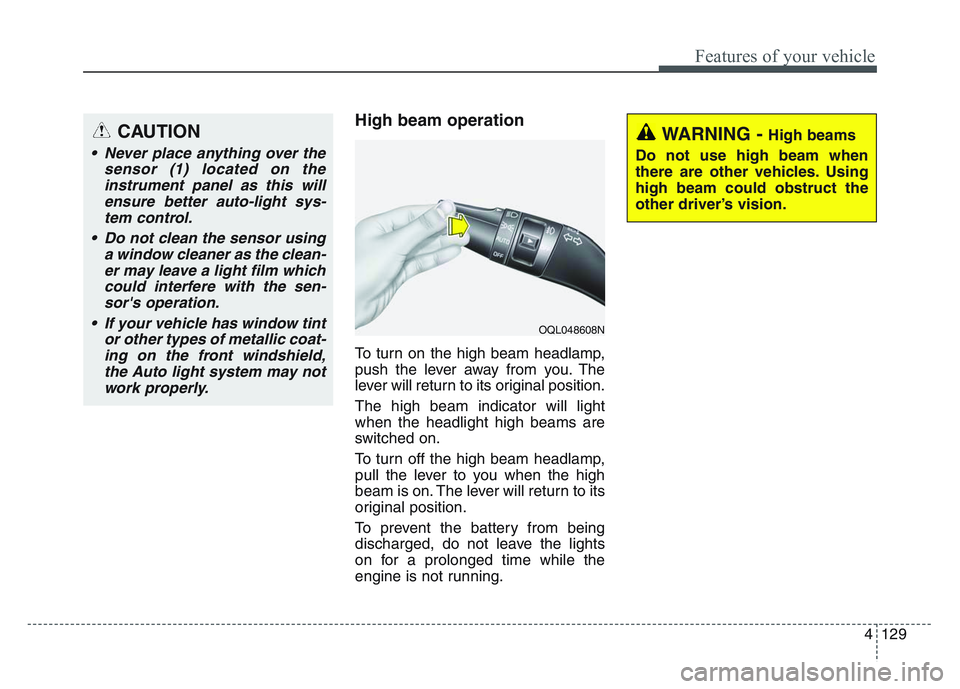
To turn on the high beam headlamp,
push the lever away from you. The
lever will return to its original position.
The high beam indicator will light
when the headlight high beams are
switched on.
To turn off the high beam headlamp,
pull the lever to you when the high
beam is on. The lever will return to its
original position.
To prevent the battery from being
discharged, do not leave the lights
on for a prolonged time while the
engine is not running.
CAUTION
• Never place anything over thesensor (1) located on theinstrument panel as this willensure better auto-light sys-tem control.
• Do not clean the sensor using a window cleaner as the clean-er may leave a light film whichcould interfere with the sen-sor's operation.
• If your vehicle has window tint or other types of metallic coat-ing on the front windshield,the Auto light system may notwork properly.
WARNING - High beams
Do not use high beam when
there are other vehicles. Using
high beam could obstruct the
other driver’s vision.
OQL048608N
Page 220 of 631
Features of your vehicle
1304
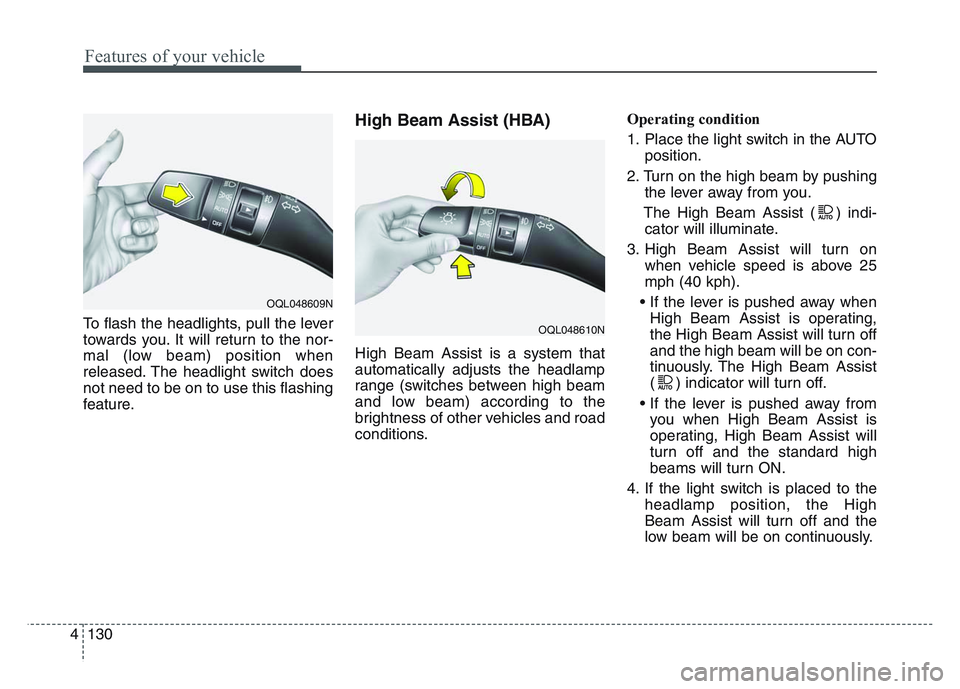
To flash the headlights, pull the lever
towards you. It will return to the nor-
mal (low beam) position when
released. The headlight switch does
not need to be on to use this flashing
feature.
High Beam Assist (HBA)
High Beam Assist is a system that
automatically adjusts the headlamp
range (switches between high beam
and low beam) according to the
brightness of other vehicles and road
conditions.Operating condition
1. Place the light switch in the AUTO
position.
2. Turn on the high beam by pushing the lever away from you.
The High Beam Assist ( ) indi- cator will illuminate.
3. High Beam Assist will turn on when vehicle speed is above 25
mph (40 kph).
• If the lever is pushed away when High Beam Assist is operating,
the High Beam Assist will turn off
and the high beam will be on con-
tinuously. The High Beam Assist
( ) indicator will turn off.
• If the lever is pushed away from you when High Beam Assist is
operating, High Beam Assist will
turn off and the standard high
beams will turn ON.
4. If the light switch is placed to the headlamp position, the High
Beam Assist will turn off and the
low beam will be on continuously.
OQL048609N
OQL048610N
Page 223 of 631
4 133
Features of your vehicle
If an indicator stays on and does not
flash or if it flashes abnormally, one of
the turn signal bulbs may be burned
out and will require replacement.
✽NOTICE
If an indicator flash is abnormally
quick or slow, a bulb may be burned
out or have a poor electrical connec-
tion in the circuit.
Front fog light (if equipped)
Fog lights are used to provide
improved visibility when visibility is
poor due to fog, rain or snow, etc. The
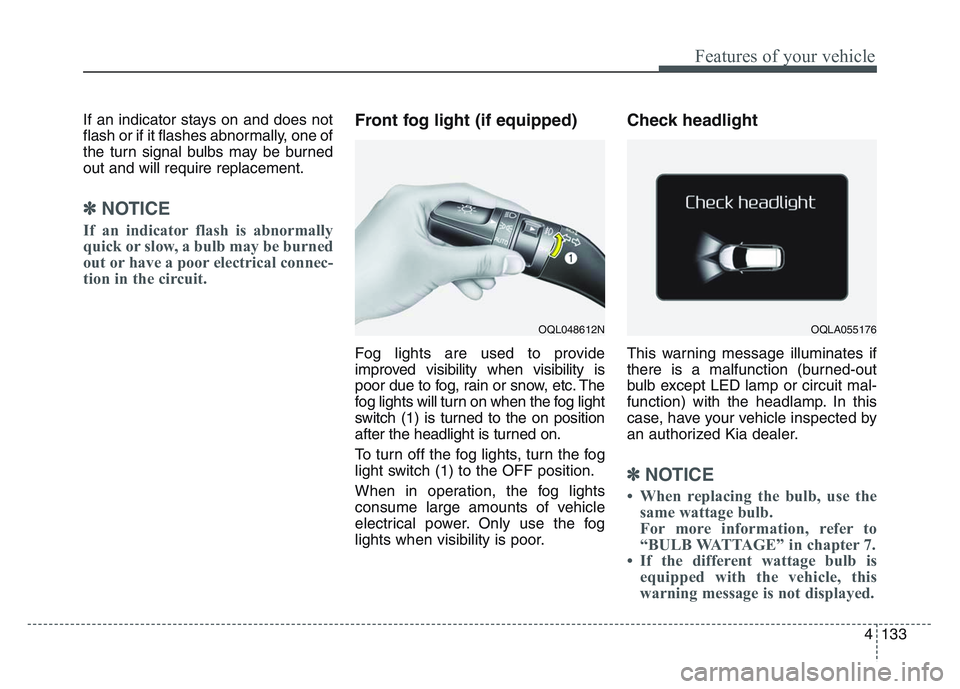
fog lights will turn on when the fog light
switch (1) is turned to the on position
after the headlight is turned on.
To turn off the fog lights, turn the fog
light switch (1) to the OFF position.
When in operation, the fog lights
consume large amounts of vehicle
electrical power. Only use the fog
lights when visibility is poor.
Check headlight
This warning message illuminates if
there is a malfunction (burned-out
bulb except LED lamp or circuit mal-
function) with the headlamp. In this
case, have your vehicle inspected by
an authorized Kia dealer.
✽NOTICE
• When replacing the bulb, use thesame wattage bulb.
For more information, refer to
“BULB WATTAGE” in chapter 7.
• If the different wattage bulb is equipped with the vehicle, this
warning message is not displayed.
OQL048612NOQLA055176
Page 232 of 631
Features of your vehicle
1424
WELCOME SYSTEM (IF EQUIPPED)
Headlight (Headlamp) escort
function
The headlights (and/or taillights)
remain on for approximately 5 min-
utes after the ignition key is removed
or turned to the ACC or LOCK posi-
tion. However, if the driver’s door is
opened and closed, the headlights
are turned off after 15 seconds.
The headlights can be turned off by
pressing the lock button on the trans-
mitter or smart key twice or turning
off the light switch from the headlight
or Auto light position.
Interior light
When the interior light switch is in the
DOOR position and all doors (and
trunk) are locked and closed, the
room lamp will come on for 30 sec-
onds if any of the below is performed.
• Without smart key system- When the door unlock button ispressed on the transmitter.
• With the smart key system - When the door unlock button ispressed on the smart key.
- When the button of the outside door handle is pressed.
At this time, if you press the door lock
button, the lamps will turn off imme-
diately.
Pocket lamp (if equipped)
When all doors are locked and
closed, the pocket lamp will come on
for 15 seconds if any of the below is
performed.
• With the smart key system - When the door unlock button ispressed on the smart key.
- When the button of the outside door handle is pressed.
At this time, if you press the door lock
button, the lamps will turn off imme-
diately.
Page 354 of 631
Driving your vehicle
685
• The front view camera is damaged.
• The brightness outside is too lowsuch as when the headlamps are
not on at night or the vehicle is
going through a tunnel.
• The shadow is on the road by a median strip, trees, etc.
• The vehicle drives through a toll- gate.
• The windshield glass is fogged up; a clear view of the road is obstruct-
ed.
• The rear part of the vehicle in front is not normally visible. (the vehicle
turns in other direction or the vehi-
cle is overturned.)
• The adverse road conditions cause excessive vehicle vibrations while
driving
• The sensor recognition changes suddenly when passing over a
speed bump• The vehicle in front
is moving longitudinally to the driv-
ing direction • The vehicle in front is stopped lon-
gitudinally
• The vehicle in front is driving towards your vehicle or reversing
• You are on a roundabout and the vehicle in front circles
• It is difficult to secure the field of view of the front view camera such
as backlight, reflected light, and
darkness.
• When the front camera is blocked by continuous washer spray and
wiper operation.
• The vehicle in front is a special purpose vehicle, a trailer, or a truck
loading with unusual shape of lug-
gage.
• The ambient light is too high or low.
• The front view camera is contami- nated by front glass tinting, attach-
ing film, water proof coating, dam-
aged, foreign material such as a
sticker, worm, etc. • If not using headlamp or using
weak light in the night or in a tun-
nel.
• Backlight is shining in the driving direction of the vehicle. (Including
oncoming vehicle headlights.)
• When the rear part of the front vehicle is small or low.
• When a trailer or other vehicle is towing the front vehicle.
• When the ground clearance of the front vehicle is high.
• When a front vehicle makes sud- den lane changes unexpectedly.
Page 371 of 631
5 85
Driving your vehicle
• If not using headlamp or usingweak light in the night or in a tun-
nel.
• Backlight is shining in the driving direction of the vehicle. (Including
oncoming vehicle headlights.)
• When the rear part of the front vehicle is small or low.
• When a trailer or other vehicle is towing the front vehicle.
• When the ground clearance of the front vehicle is high.
• When a front vehicle makes sud- den lane changes unexpectedly.
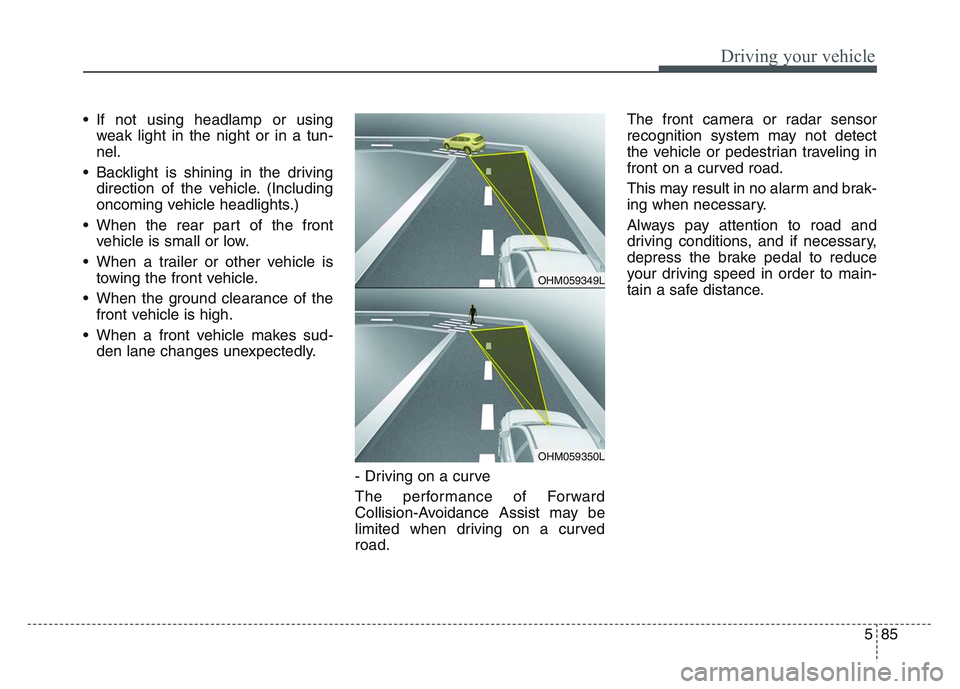
- Driving on a curve
The performance of Forward
Collision-Avoidance Assist may be
limited when driving on a curved
road. The front camera or radar sensor
recognition system may not detect
the vehicle or pedestrian traveling in
front on a curved road.
This may result in no alarm and brak-
ing when necessary.
Always pay attention to road and
driving conditions, and if necessary,
depress the brake pedal to reduce
your driving speed in order to main-
tain a safe distance.
OHM059349L
OHM059350L
Page 439 of 631
5 153
Driving your vehicle
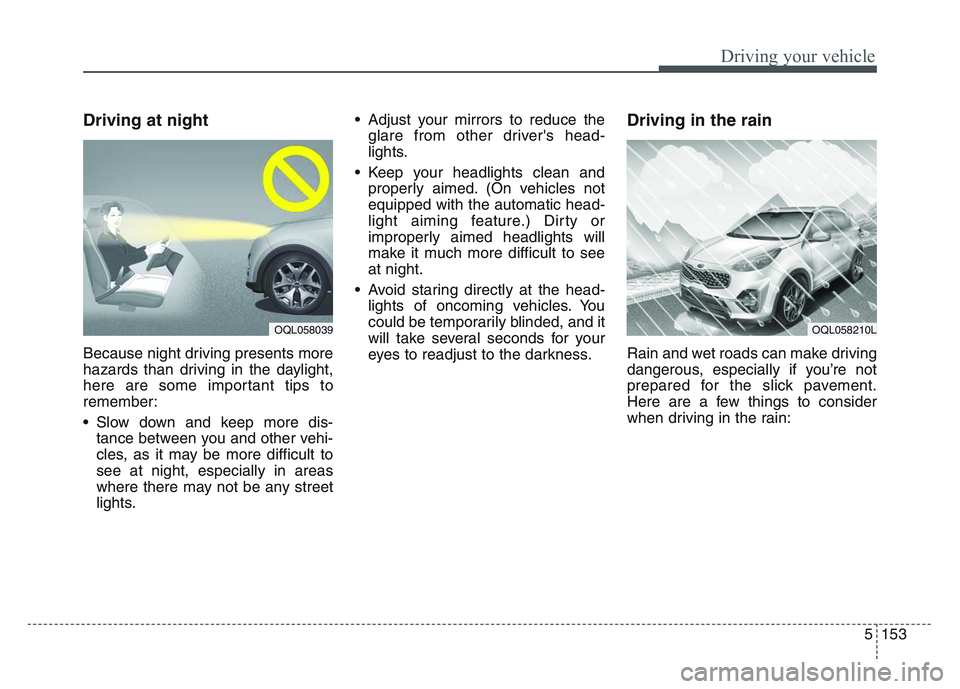
Driving at night
Because night driving presents more
hazards than driving in the daylight,
here are some important tips to
remember:
• Slow down and keep more dis-tance between you and other vehi-
cles, as it may be more difficult to
see at night, especially in areas
where there may not be any street
lights. • Adjust your mirrors to reduce the
glare from other driver's head-
lights.
• Keep your headlights clean and properly aimed. (On vehicles not
equipped with the automatic head-
light aiming feature.) Dirty or
improperly aimed headlights will
make it much more difficult to see
at night.
• Avoid staring directly at the head- lights of oncoming vehicles. You
could be temporarily blinded, and it
will take several seconds for your
eyes to readjust to the darkness.
Driving in the rain
Rain and wet roads can make driving
dangerous, especially if you’re not
prepared for the slick pavement.
Here are a few things to consider
when driving in the rain:
OQL058039OQL058210L
Page 440 of 631
Driving your vehicle
1545
• A heavy rainfall will make it harderto see and will increase the dis-
tance needed to stop your vehicle,
so slow down.
• Keep your windshield wiping equipment in good shape. Replace
your windshield wiper blades when
they show signs of streaking or
missing areas on the windshield.
• If your tires are not in good condi- tion, making a quick stop on wet
pavement can cause a skid and
possibly lead to an accident. Be
sure your tires are in good shape.
• Turn on your headlights to make it easier for others to see you.
• Driving too fast through large pud- dles can affect your brakes. If you
must go through puddles, try to
drive through them slowly.
• If you believe you may have gotten your brakes wet, apply them lightly
while driving until normal braking
operation returns.Driving in flooded areas
Avoid driving through flooded areas
unless you are sure the water is no
higher than the bottom of the wheel
hub. Drive through any water slowly.
Allow adequate stopping distance
because brake performance may be
affected.
After driving through water, dry the
brakes by gently applying them sev-
eral times while the vehicle is moving
slowly.
Driving off-road
Drive carefully off-road because your
vehicle may be damaged by rocks or
roots of trees. Become familiar with
the off-road conditions where you
are going to drive before you begin
driving.
Highway driving
Tires
Adjust the tire inflation pressures to
specification. Low tire inflation pres-
sures will result in overheating and
possible failure of the tires.
Avoid using worn or damaged tires
which may result in reduced traction
or tire failure.
Never exceed the maximum tire
inflation pressure shown on the tires.
WARNING- Under/over
inflated tires
Always check the tires for proper
inflation before driving.
Underinflated or overinflated
tires can cause poor handling,
loss of vehicle control, and sud-
den tire failure leading to acci-
dents, injuries, and even death.
For proper tire pressures, refer to
“Tires and wheels” in chapter 8.