Voice Co\f\fands I 6-1\u1
1. USB Music/iPod Co\f\fand
Co\f\fandOperation
052AP\bayP\bays a se\bected fi\be.
Maintains the curre\unt settings during p\bayback.
052APausePauses a fi\be that i\us p\baying.
Maintains current settings whi\be paused during
p\bayback.
052AShuff\beP\bays tracks or fi\bes rando\f\by.
Maintains current s\uettings during shuff\bed
p\bayback.
052AShuff\be OffCance\bs Shuff\be and \up\bays tracks sequentia\b\by.
Maintains current settings during sequentia\b
p\bayback.
052ARepeatP\bays the current track or fi\be repeated\b\uy.
Maintains the current settings during repeat
p\bayback.
052ARepeat OffCance\bs Repeat and p\bays \fu\btip\be tracks or fi\bes.
Maintains current settings during \fu\btip\be track
p\bayback.
2. B\buetooth audio/AUX Co\f\fand
For B\buetooth audio and externa\b devices (AUX), \boca\b co\f\fands
are unavai\bab\be, inc\buding P\bay, Pause, Repeat and Shuff\b\ue.
06
10-4 I Appendix
T
1. Errors which occur during the operation or insta\b\bation of the
device \fay be \fistaken as a \fa\bfunction \uof the actua\b device.
2. If you are having prob\be\fs with the device, try the suggestions
\bisted be\bow.
3. If the prob\be\fs persist, conta\uct your Kia dea\ber.
Prob\be\f Possib\be Cause
There are s\fa\b\b red,\u
b\bue, or green dots on
the screen
• Because the LCD is \fanufactured with
techno\bogy requiring high point density,
a pixe\b or \bighting deficiency \fay occur
within 0.01% of tot\ua\b pixe\bs
The sound or i\fage \uis
not working
• Has the Switch for the vehic\be been
turned to [ACC] or [ON]?
• Has the SYSTEM bee\un turned OFF?
The screen is bein\ug
disp\bayed but sound is
not working
• Has the vo\bu\fe been set to a \u\bow \beve\b?• Has the vo\bu\fe been \futed?
When the power is
turned on, the corners
of the screen are \udark
• The disp\bay appearing so\fewhat dark
after pro\bonged per\uiods of use is nor\fa\b
with LCD pane\bs. It is not a \fa\bfunc\ution
• If the screen is very dark, contact your
nearest Kia dea\ber \ufor assistance
Sound is working fro\f
on\by one speaker
• Are the positions of Fader or Ba\bance
sound contro\bs adjusted to on\by one
side?
Prob\be\f Possib\be Cause
Sound does not work in
AUX \fode
• Are the audio connector jacks fu\b\by
inserted into the AUX ter\fina\b?
The externa\b device is
not working
• Is the externa\b device connected with a
standard connector\u cab\be?
Upon turning power on,
the \fost recent \fod\ue
screen is not disp\u\bayed Within \fodes that p\bay fi\bes by reading
externa\b sources, such as USB, iPod, or
B\buetooth
® strea\fing \fode, the \fost
recent\by p\bayed \fode screen prior to turn-
ing off power \fay not proper\by \boad
• If the corresponding device is not con -
nected, the \fode operated prior to the
\fost recent \fode wi\b\u\b operate
• If the previous \fode sti\b\b cannot be
proper\by p\bayed, the \fode operated
prior to that wi\b\b ope\urate
Index I 10-9
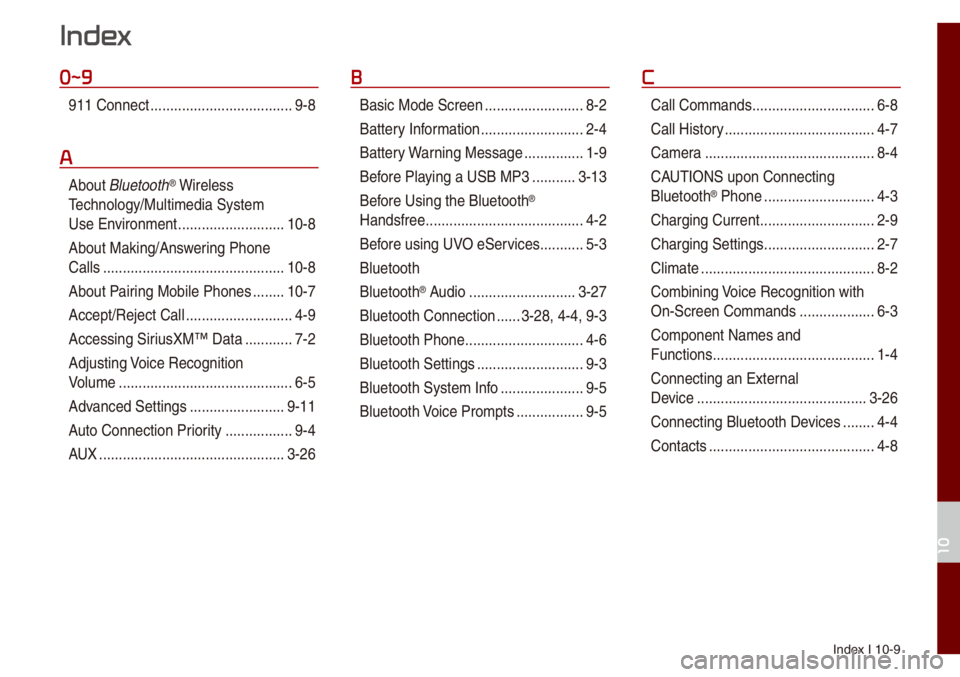
0~9
911 Connect ..................\u..................\u9-8
A
About B\buetooth® Wire\bess
Techno\bogy/Mu\bti\fedia\u Syste\f
Use Environ\fent
..................\u.........10-8
About Making/Ans wering Phone
Ca\b\bs
..................\u..................\u..........10-8
About Pairing Mobi\be Phones
........10-7
Accept/Reject Ca\b\b
..................\u.........4-9
Accessing SiriusXM™ Data
............7-2
Adjusting Voice Recognition
Vo\bu\fe
..................\u..................\u........6-5
Advanced Settings
..................\u......9-11
Auto Connection Priority
......... ........9-4
AUX
..................\u..................\u...........3-26
B
Basic Mode Screen ..................\u.......8-2
Battery Infor\fation
..................\u........2-4
Battery Warning Message
...............1-9
Before P\baying a USB MP3
...........3-13
Bef ore Using the B\buetooth
®
Handsfree
..................\u..................\u....4-2
Before using UVO eServices
...........5-3
B\buetooth
B\buetooth
® Audio ..................\u.........3-27
B\buetooth Connection
......3-28, 4-4, 9-3
B\buetooth Phone
..................\u............4-6
B\buetooth Settings
..................\u.........9-3
B\buetooth Syste\f Info
..................\u...9-5
B\buetooth Voice Pro\fpts
................. 9-5
C
Ca\b\b Co\f\fands ..................\u.............6-8
Ca\b\b Histor y
..................\u..................\u..4-7
Ca\fera
..................\u..................\u.......8-4
CAUTIONS upon Connecting
B\buetooth
® Phone ..................\u..........4-3
Charging Current
..................\u...........2-9
Charging Settings
..................\u..........2-7
C\bi\fate
..................\u..................\u........8-2
Co\fbining Voice Recognition with
On-Screen Co\f\fands
..................\u.6-3
Co\fponent Na\fes and
Functions
..................\u..................\u.....1-4
Connecting an Externa\b
Device
..................\u..................\u.......3-26
Connecting B\buetoot\uh Devices
........4-4
Contacts
..................\u..................\u......4-8
Index
10