2021 HYUNDAI SONATA HYBRID ESP
[x] Cancel search: ESPPage 309 of 527
06
6-33
DRIVE MODE INTEGRATED CONTROL SYSTEM (IF EQUIPPED)
Drive Mode
ODN8069020
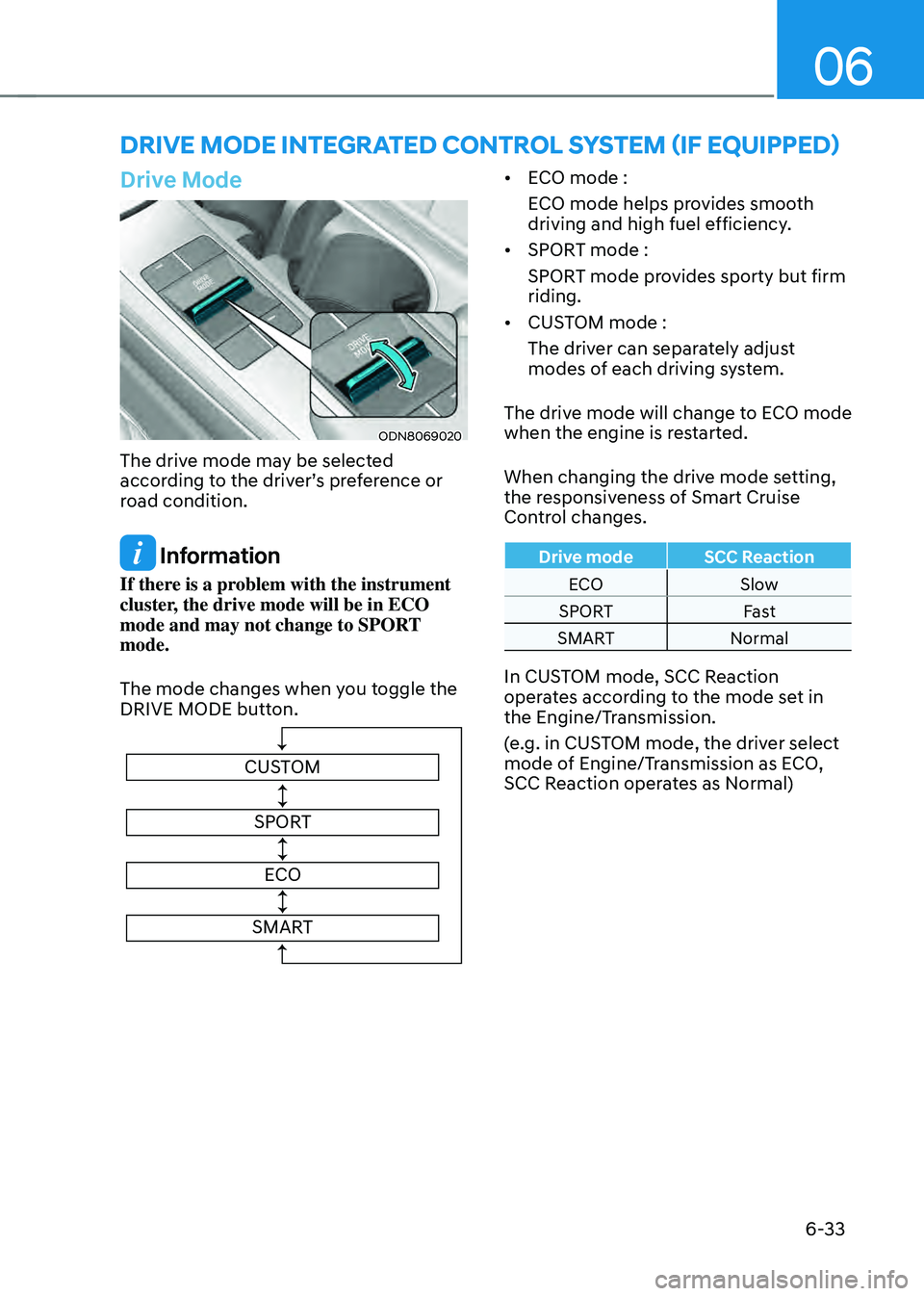
The drive mode may be selected
according to the driver’s preference or
road condition.
Information
If there is a problem with the instrument
cluster, the drive mode will be in ECO
mode and may not change to SPORT
mode.
The mode changes when you toggle the
DRIVE MODE button.
CUSTOMSPORT
ECO
SMART
• ECO mode :
ECO mode helps provides smooth
driving and high fuel efficiency.
• SPORT mode :
SPORT mode provides sporty but firm
riding.
• CUSTOM mode :
The driver can separately adjust
modes of each driving system.
The drive mode will change to ECO mode
when the engine is restarted.
When changing the drive mode setting,
the responsiveness of Smart Cruise
Control changes.
Drive mode SCC Reaction
ECO Slow
SPORT Fast
SMART Normal
In CUSTOM mode, SCC Reaction
operates according to the mode set in
the Engine/Transmission.
(e.g. in CUSTOM mode, the driver select
mode of Engine/Transmission as ECO,
SCC Reaction operates as Normal)
Page 310 of 527
While Driving
6-34
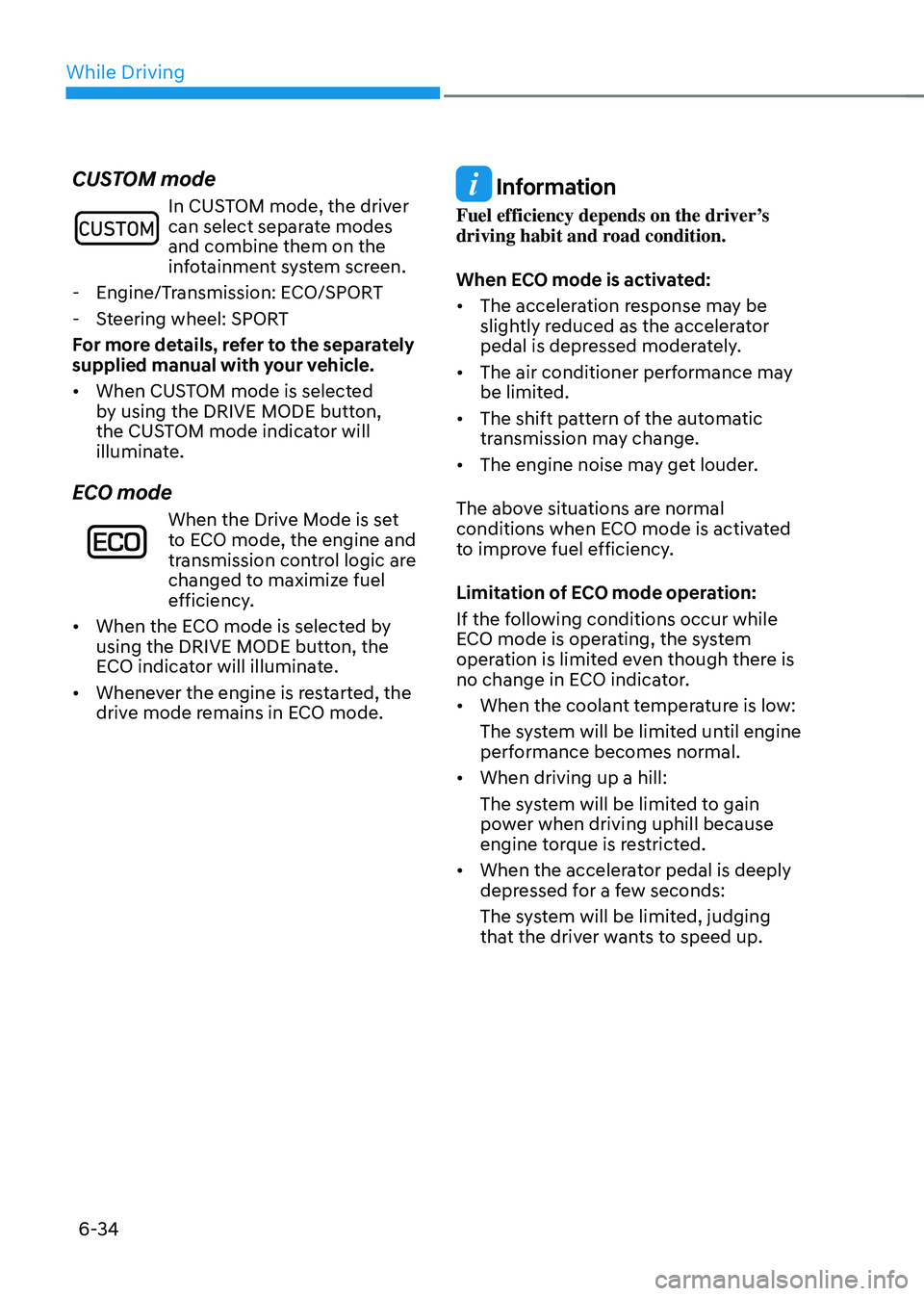
CUSTOM mode
In CUSTOM mode, the driver can select separate modes
and combine them on the
infotainment system screen.
-Engine/Transmission: ECO/SPORT
-Steering wheel: SPORT
For more details, refer to the separately
supplied manual with your vehicle.
• When CUSTOM mode is selected
by using the DRIVE MODE button,
the CUSTOM mode indicator will
illuminate.
ECO mode
When the Drive Mode is set
to ECO mode, the engine and
transmission control logic are
changed to maximize fuel
efficiency.
• When the ECO mode is selected by
using the DRIVE MODE button, the
ECO indicator will illuminate.
• Whenever the engine is restarted, the
drive mode remains in ECO mode.
Information
Fuel efficiency depends on the driver’s
driving habit and road condition.
When ECO mode is activated:
• The acceleration response may be
slightly reduced as the accelerator
pedal is depressed moderately.
• The air conditioner performance may
be limited.
• The shift pattern of the automatic
transmission may change.
• The engine noise may get louder.
The above situations are normal
conditions when ECO mode is activated
to improve fuel efficiency.
Limitation of ECO mode operation:
If the following conditions occur while
ECO mode is operating, the system
operation is limited even though there is
no change in ECO indicator.
• When the coolant temperature is low:
The system will be limited until engine
performance becomes normal.
• When driving up a hill:
The system will be limited to gain
power when driving uphill because
engine torque is restricted.
• When the accelerator pedal is deeply
depressed for a few seconds:
The system will be limited, judging
that the driver wants to speed up.
Page 318 of 527
While Driving
6-42
Brake operation
• In an urgent situation, the braking
system enters into the ready status for
prompt reaction against the driver’s
depressing the brake pedal.
• FCA provides additional braking
power for optimum braking
performance, when the driver
depresses the brake pedal.
• The braking control is automatically
deactivated, when the driver sharply
depresses the accelerator pedal, or
when the driver abruptly operates the
steering wheel.
• FCA brake control is automatically
canceled, when risk factors disappear.
CAUTION
• The driver should always use
extreme caution while operating
the vehicle, whether or not there is a
warning message or alarm from FCA
system.
• After the brake control is activated,
the driver must immediately depress
the brake pedal and check the
surroundings. The brake activation
by the system lasts for about 2
seconds.
• If any other warning sound such as
seat belt warning chime is already
generated, Forward Collision-
Avoidance Assist system warning
may not sound.
• Playing the vehicle audio system at
high volume may prevent occupants
from hearing the system warning
sounds.
WARNING
The braking control cannot completely
stop the vehicle nor avoid all
collisions. The driver should hold the
responsibility to safely drive and control
the vehicle.
WARNING
The FCA system logic operates within
certain parameters, such as the
distance from the vehicle, pedestrian or
cyclist ahead, the speed of the vehicle
ahead, and the driver’s vehicle speed.
Certain conditions such as inclement
weather and road conditions may affect
the operation of FCA system.
WARNING
Never deliberately drive dangerously to
activate the system.
Information
Exceptional operation of the braking assist
system
• The vehicle drives on a slope or curve.
• The vehicle drives by a pedestrian or
cyclist at the crossroads, traffic signals
or structure.
• The vehicle drives through a tunnel or
near a railroad.
• The vehicle drives where steam, smoke
or shadow is on the road.
• The vehicle drives on a road with a row
of trees or street lamps along the edge.
• There is interference by
electromagnetic waves or electric noise.
Page 321 of 527
06
6-45
System Malfunction
„„Type A„„Type B
OAD058171LOIK057091L
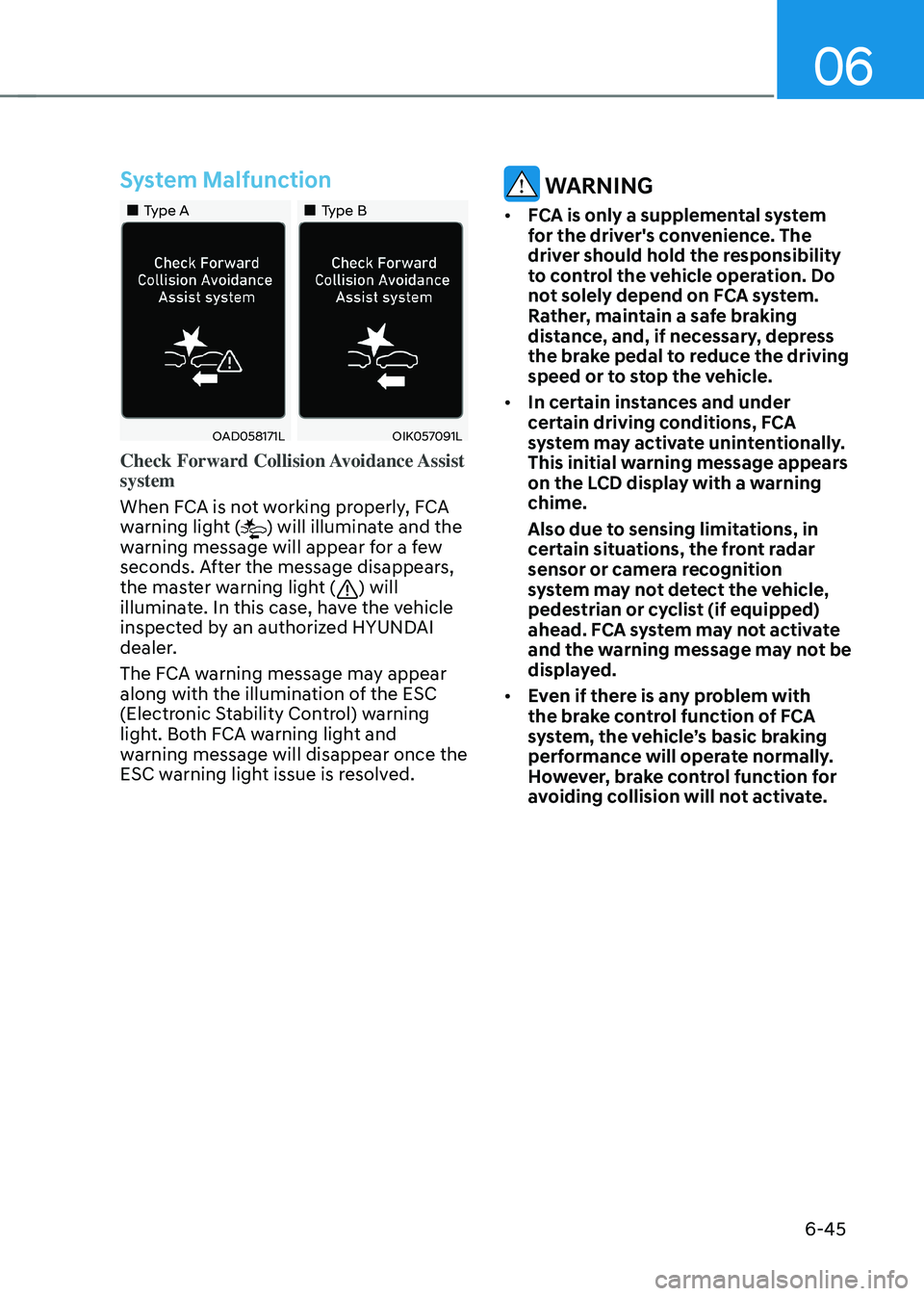
Check Forward Collision Avoidance Assist
system
When FCA is not working properly, FCA
warning light (
) will illuminate and the
warning message will appear for a few
seconds. After the message disappears,
the master warning light (
) will
illuminate. In this case, have the vehicle
inspected by an authorized HYUNDAI
dealer.
The FCA warning message may appear
along with the illumination of the ESC
(Electronic Stability Control) warning
light. Both FCA warning light and
warning message will disappear once the
ESC warning light issue is resolved.
WARNING
• FCA is only a supplemental system
for the driver's convenience. The
driver should hold the responsibility
to control the vehicle operation. Do
not solely depend on FCA system.
Rather, maintain a safe braking
distance, and, if necessary, depress
the brake pedal to reduce the driving
speed or to stop the vehicle.
• In certain instances and under
certain driving conditions, FCA
system may activate unintentionally.
This initial warning message appears
on the LCD display with a warning
chime.
Also due to sensing limitations, in
certain situations, the front radar
sensor or camera recognition
system may not detect the vehicle,
pedestrian or cyclist (if equipped)
ahead. FCA system may not activate
and the warning message may not be
displayed.
• Even if there is any problem with
the brake control function of FCA
system, the vehicle’s basic braking
performance will operate normally.
However, brake control function for
avoiding collision will not activate.
Page 327 of 527
06
6-51
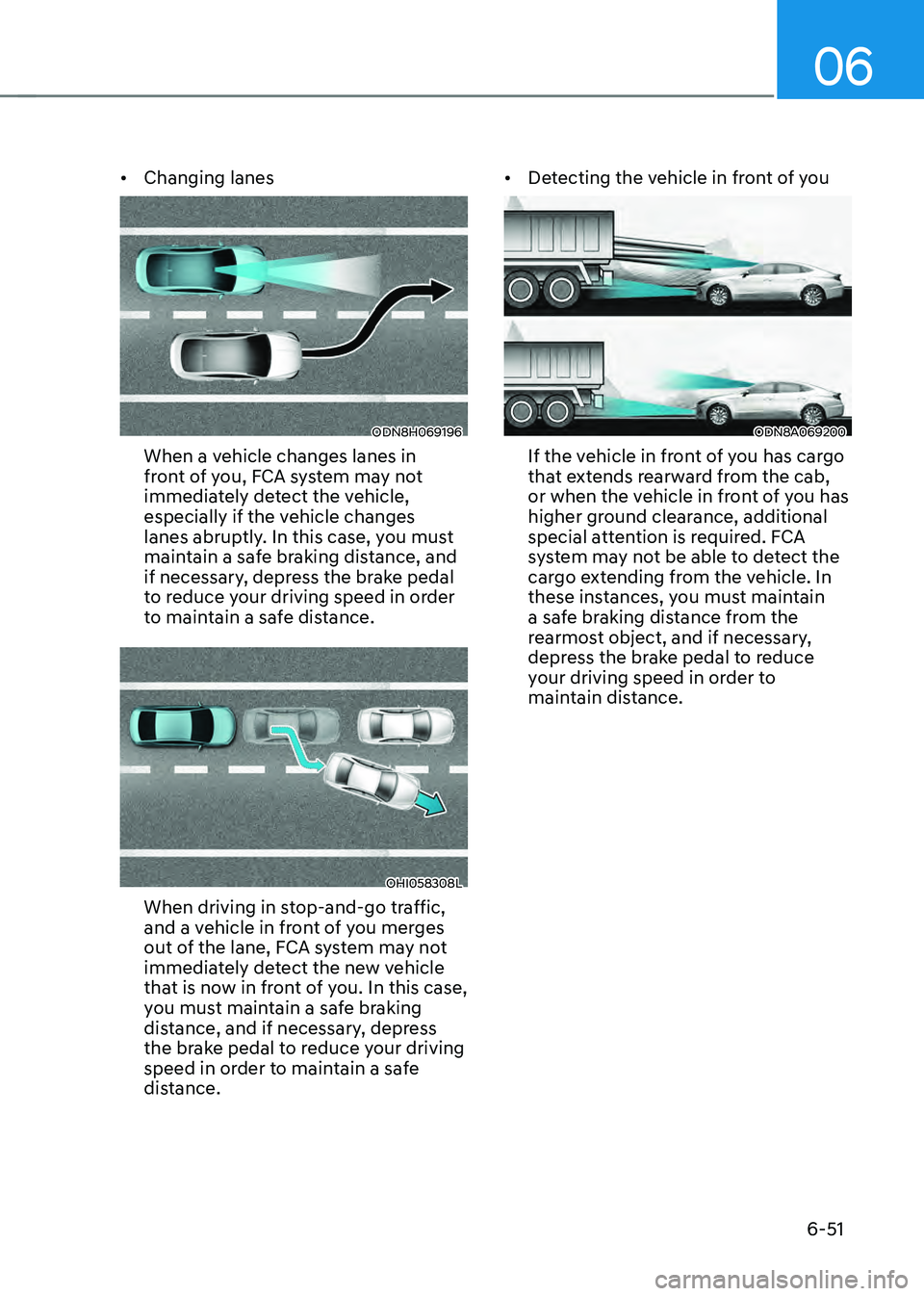
• Changing lanes
ODN8H069196
When a vehicle changes lanes in
front of you, FCA system may not
immediately detect the vehicle,
especially if the vehicle changes
lanes abruptly. In this case, you must
maintain a safe braking distance, and
if necessary, depress the brake pedal
to reduce your driving speed in order
to maintain a safe distance.
OHI058308L
When driving in stop-and-go traffic,
and a vehicle in front of you merges
out of the lane, FCA system may not
immediately detect the new vehicle
that is now in front of you. In this case,
you must maintain a safe braking
distance, and if necessary, depress
the brake pedal to reduce your driving
speed in order to maintain a safe
distance. •
Detecting the vehicle in front of you
ODN8A069200
If the vehicle in front of you has cargo
that extends rearward from the cab,
or when the vehicle in front of you has
higher ground clearance, additional
special attention is required. FCA
system may not be able to detect the
cargo extending from the vehicle. In
these instances, you must maintain
a safe braking distance from the
rearmost object, and if necessary,
depress the brake pedal to reduce
your driving speed in order to
maintain distance.
Page 331 of 527
06
6-55
ODN8H060228N
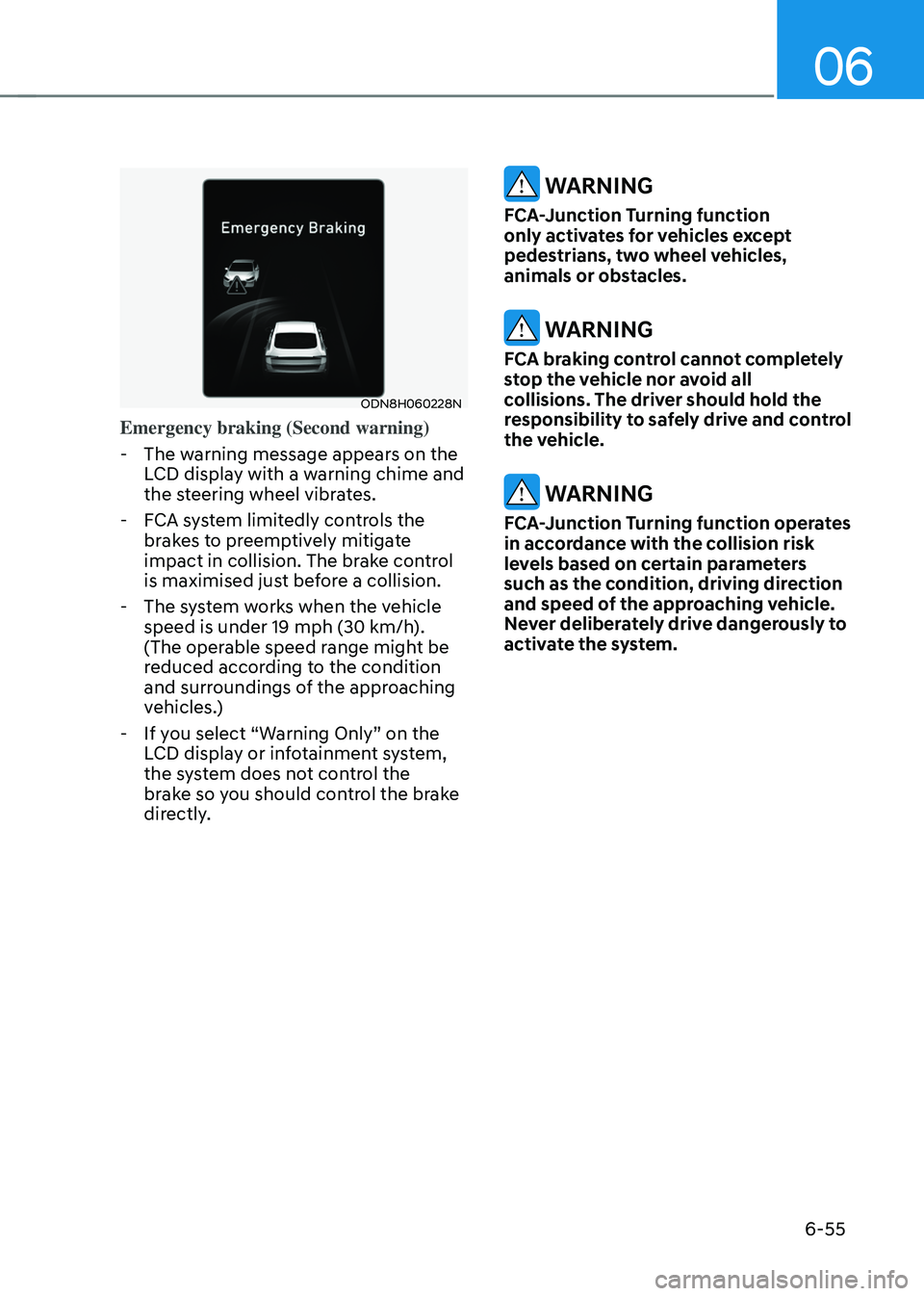
Emergency braking (Second warning)
-The warning message appears on the
LCD display with a warning chime and
the steering wheel vibrates.
-FCA system limitedly controls the
brakes to preemptively mitigate
impact in collision. The brake control
is maximised just before a collision.
-The system works when the vehicle
speed is under 19 mph (30 km/h).
(The operable speed range might be
reduced according to the condition
and surroundings of the approaching
vehicles.)
-If you select “Warning Only” on the
LCD display or infotainment system,
the system does not control the
brake so you should control the brake
directly.
WARNING
FCA-Junction Turning function
only activates for vehicles except
pedestrians, two wheel vehicles,
animals or obstacles.
WARNING
FCA braking control cannot completely
stop the vehicle nor avoid all
collisions. The driver should hold the
responsibility to safely drive and control
the vehicle.
WARNING
FCA-Junction Turning function operates
in accordance with the collision risk
levels based on certain parameters
such as the condition, driving direction
and speed of the approaching vehicle.
Never deliberately drive dangerously to
activate the system.
Page 332 of 527
While Driving
6-56
Limitations of the system
Junction Turning function is only a
supplemental system for driver’s safety
whilst turning left on the crossroads. The
driver should hold the responsibility to
control the vehicle. The system monitors
the oncoming vehicle ahead the road
through the front view camera and
radar. In certain situations, the front view
camera and radar may not be able to
detect the oncoming vehicles properly.
The driver must pay careful attention
in the following situations where the
system operation may be limited or it
may activate unintentionally.
The sensor may be limited when:
• The radar sensor or camera
recognizes the approaching vehicle
too late.
• The radar sensor or camera is blocked
with a foreign object or debris.
• The driving direction of the
approaching vehicle is irregular or
frontal.
• The approaching vehicle changes
lanes too late or decelerates suddenly.
• The angle of the approaching vehicle
is out of range.
• Whilst circling, the sensor (the front
view camera or front radar) does not
detect the approaching vehicle.
• The driving speed of the approaching
vehicle is too fast or slow.
• The head lamps of the approaching
vehicle are turned off or asymmetrical. •
The approaching vehicle stops whilst
turning left.
• The vehicle moves out of its lane or
returns to its lane.
• The vehicle changes lanes suddenly
at a low speed whilst there is an
approaching vehicle.
• The brightness outside is too so it
does not detect the vehicle.
• Inclement weather such as heavy rain
or snow obscures the field of view of
the front view camera or front radar.
• The approaching vehicle is covered
with snow.
• The field of view in front is obstructed
by sun glare.
• The shape of approaching vehicle is
unusual.
• Whilst driving upward or downward
on a slope.
For more information, refer to “Forward
Collision-Avoidance Assist (FCA)” in this
chapter.
Page 333 of 527
06
6-57
ODN8H060024N
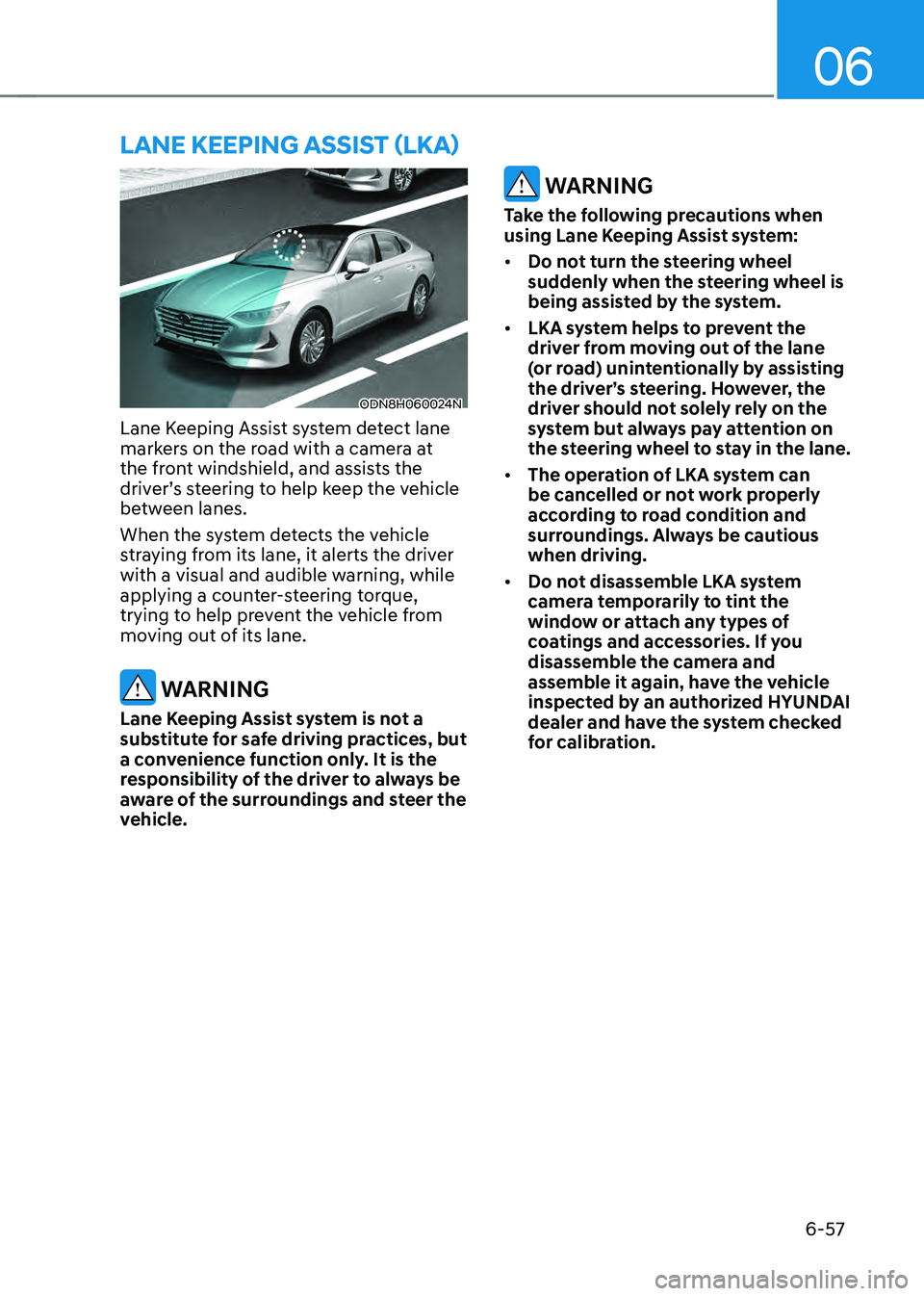
Lane Keeping Assist system detect lane
markers on the road with a camera at
the front windshield, and assists the
driver’s steering to help keep the vehicle
between lanes.
When the system detects the vehicle
straying from its lane, it alerts the driver
with a visual and audible warning, while
applying a counter-steering torque,
trying to help prevent the vehicle from
moving out of its lane.
WARNING
Lane Keeping Assist system is not a
substitute for safe driving practices, but
a convenience function only. It is the
responsibility of the driver to always be
aware of the surroundings and steer the
vehicle.
WARNING
Take the following precautions when
using Lane Keeping Assist system:
• Do not turn the steering wheel
suddenly when the steering wheel is
being assisted by the system.
• LKA system helps to prevent the
driver from moving out of the lane
(or road) unintentionally by assisting
the driver’s steering. However, the
driver should not solely rely on the
system but always pay attention on
the steering wheel to stay in the lane.
• The operation of LKA system can
be cancelled or not work properly
according to road condition and
surroundings. Always be cautious
when driving.
• Do not disassemble LKA system
camera temporarily to tint the
window or attach any types of
coatings and accessories. If you
disassemble the camera and
assemble it again, have the vehicle
inspected by an authorized HYUNDAI
dealer and have the system checked
for calibration.
LANE KEEPING ASSIST (LKA)