2021 HYUNDAI ELANTRA SEL audio
[x] Cancel search: audioPage 139 of 570

5
Interior Features ........................................................................\
...................5-111Cup Holder ........................................................................\
...................................... 5-111
Sun visor ........................................................................\
.......................................... 5-
112
Power Outlet
........................................................................\
................................... 5-
112
USB Charger
........................................................................\
................................... 5-
113
Wireless Cellular Phone Charging System
.......................................................... 5-
114
Clock
........................................................................\
.............................................. 5-
116
Clothes Hanger
........................................................................\
.............................. 5-
116
Infotainment System ........................................................................\
...........5-117USB Port ........................................................................\
.......................................... 5-117
An tenna ........................................................................\
..................................... .....5-118
Steering wheel audio control
........................................................................\
....... 5-
119
Infotainment system
........................................................................\
..................... 5-
120
Voice recognition
........................................................................\
.................................. 5-
120
Bluetooth® Wireless Technology hands-free
....................................................... 5-
120
How vehicle radio works
........................................................................\
................ 5-
121
High Beam Assist (HBA) ........................................................................\
.....5-72Detecting sensor (Front view camera) ................................................................... 5-72
Function settings ........................................................................\
............................. 5-72
Function operation ........................................................................\
.......................... 5-73
Function malfunction and limitations .................................................................... 5-73
Interior Lights ........................................................................\
....................... 5-75Interior lamp AUTO cut ........................................................................\
................... 5-75
Front lamps ........................................................................\
...................................... 5-75
Rear lamp ........................................................................\
........................................ 5 -76
Luggage compartment lamp ........................................................................\
......... 5-77
Vanity mirror lamp ........................................................................\
........................... 5-77
Welcome system ........................................................................\
............................ 5-78
Wipers and Washers ........................................................................\
............5-79Windshield Wipers ........................................................................\
......................... 5-79
Windshield Washers ........................................................................\
....................... 5-80
Manual Climate Control System ................................................................. 5-81Heating and Air Conditioning ........................................................................\
........ 5-82
System operation ........................................................................\
........................... 5-88
System Maintenance ........................................................................\
..................... 5-90
Automatic Climate Control System ............................................................5-92Automatic heating and air conditioning ............................................................... 5-93
Manual heating and air conditioning .................................................................... 5-94
System operation ........................................................................\
......................... 5-100
System Maintenance ........................................................................\
.................... 5-102
Windshield defrosting and defogging ......................................................5-104Manual climate control system ........................................................................\
... 5-104
Automatic climate control system ....................................................................... 5-105
Defogging logic ........................................................................\
........................... 5-106
Auto defogging system (only for automatic climate control system) ............... 5-107
Defroster ........................................................................\
....................................... 5-108
Climate control additional features ..........................................................5-109Sunroof inside air recirculation ........................................................................\
... 5-109
Auto comfort control (for driver’s seat) .............................................................. 5-109
Automatic ventilation ........................................................................\
................... 5-109
Storage compartment ........................................................................\
........5-110Center console storage ........................................................................\
................. 5-110
Glove box ........................................................................\
....................................... 5-110
5. Convenient Features
Page 159 of 570
05
5-23
-If you use a smart phone cover that
uses wir
eless communication or is
made of metal, the digital key NFC
function may not work properly.
Remove the smart phone cover
before using the digital key NFC
function.
• The vehicle may not be controlled by
the smartphone if any of the following
occurs:
- Basic and necessary functions o f
the smartphone manufacturer are
operating. (General call, urgent
call, audio or NFC payment)
- Wireless earphone is oper
ating.
(General call, urgent call or audio)
- The digital ke
y app function such
as basic setting or app launching
is limited by prior policy according
to the manufacturer while using a
smartphone produced by domestic
and foreign manufactures.
à If y
ou change the smartphone
number, you should modify the user
account information on the HYUNDAI
customer web site to use the digital
key app.
à If the v
ehicle owner changes
the smartphone device, the new
smartphone should be registered in
the car after deleting the registered
digital key(smartphone).
à If a shar
er changes or resets the
smartphone, the key should be re-
shared from owner.
à Some older smartphones may no
t
work properly. Please check the
available smartphone models with
your dealer.
à NFC an
tenna position on the
smartphone can be confirmed
on each smartphone’s manual or
contact to customer service center
of the smartphone manufacturer.
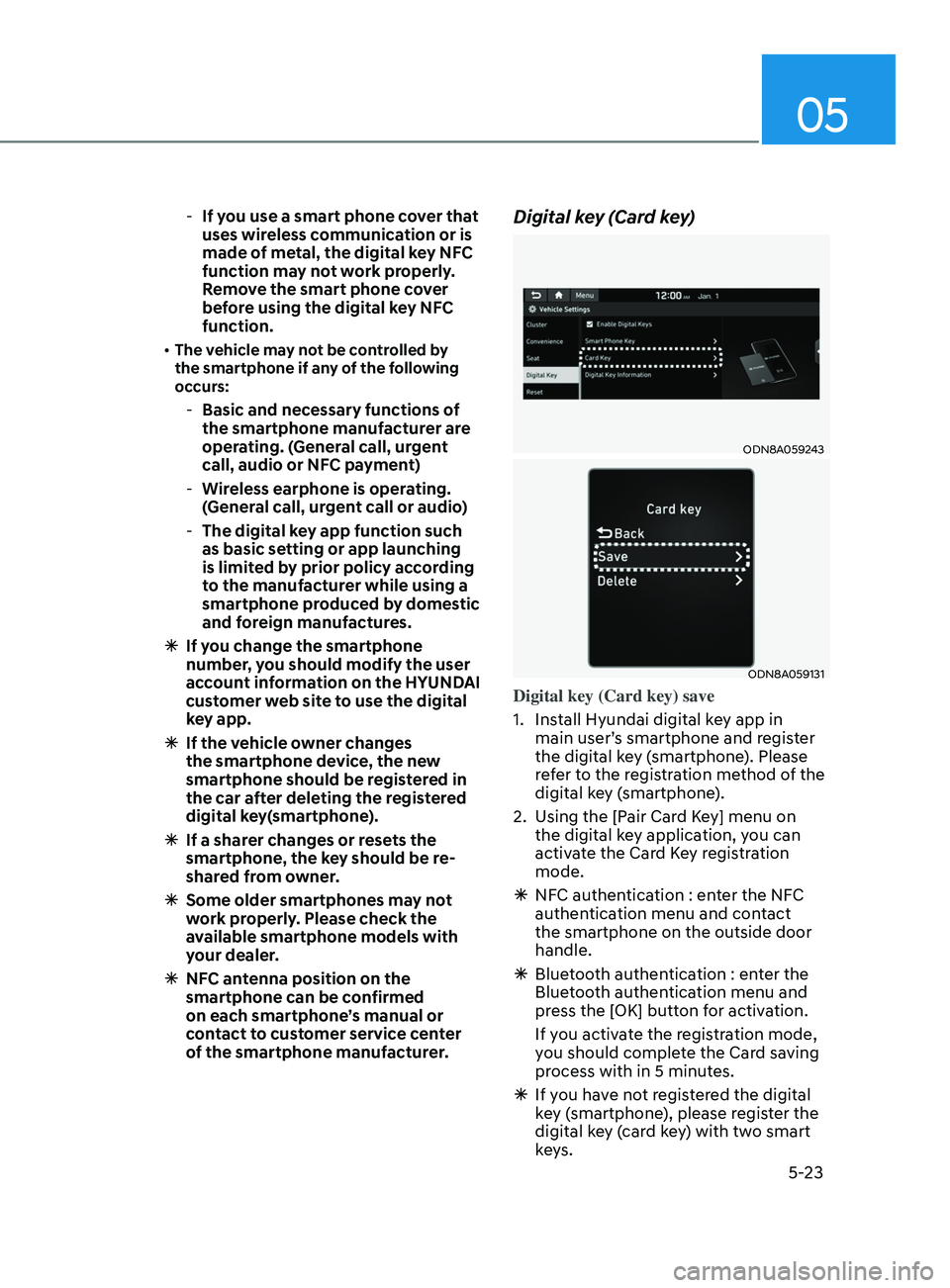
Digital key (Card key)
ODN8A059243
ODN8A059131
Digital key (Card key) save
1.
Install Hyundai digital k
ey app in
main user’s smartphone and register
the digital key (smartphone). Please
refer to the registration method of the
digital key (smartphone).
2.
Using the [P
air Card Key] menu on
the digital key application, you can
activate the Card Key registration
mode.
à NFC authen
tication : enter the NFC
authentication menu and contact
the smartphone on the outside door
handle.
à Bluet
ooth authentication : enter the
Bluetooth authentication menu and
press the [OK] button for activation.
If you activate the registration mode,
you should complete the Card saving
process with in 5 minutes.
à If you ha
ve not registered the digital
key (smartphone), please register the
digital key (card key) with two smart
keys.
Page 249 of 570
05
5-113
NOTICE
To prevent damage to the Power
Outlets:
• Use the power outlet only when the
engine is running and remove the
accessory plug after use. Using the
accessory plug for prolonged periods
of time with the engine off could
cause the battery to discharge.
• Only use 12V electric accessories
which are less than 180 W in electric
capacity.
• Adjust the air-conditioner or heater
to the lowest operating level when
using the power outlet.
• Close the cover when not in use.
• Some electronic devices can
cause electronic interference
when plugged into a vehicle’s
power outlet. These devices may
cause excessive audio static and
malfunctions in other electronic
systems or devices used in your
vehicle.
• Push the plug in as far as it will go. If
good contact is not made, the plug
may overheat and the fuse may open.
• Plug in battery equipped electrical/
electronic devices with reverse
current protection. The current
from the battery may flow into the
vehicle’s electrical/electronic system
and cause system malfunction.
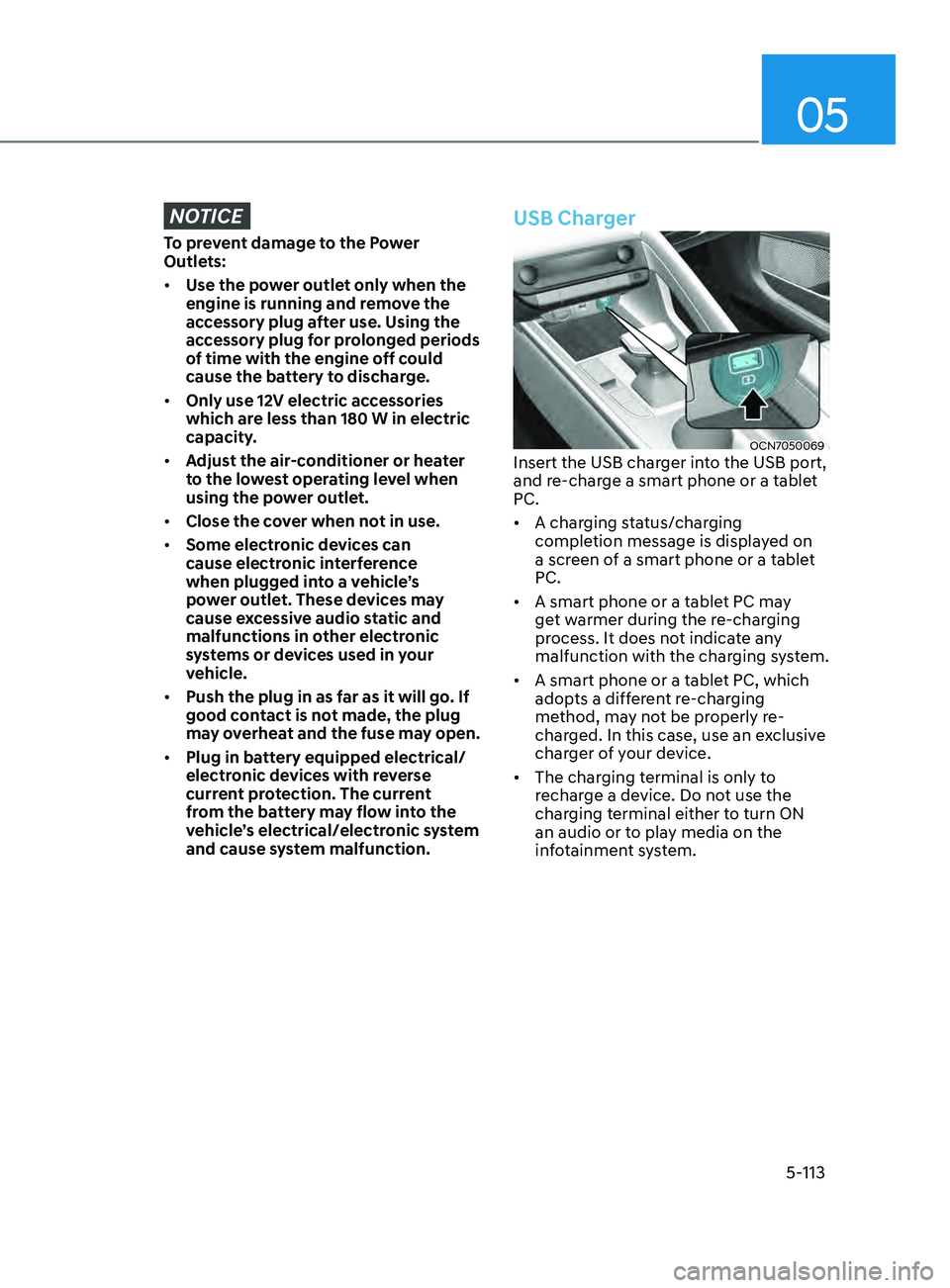
USB Charger
OCN7050069Insert the USB charger into the USB port,
and re-charge a smart phone or a tablet
PC.
• A charging status/charging
completion message is displayed on
a screen of a smart phone or a tablet
PC.
• A smart phone or a tablet PC may
get warmer during the re-charging
process. It does not indicate any
malfunction with the charging system.
• A smart phone or a tablet PC, which
adopts a different re-charging
method, may not be properly re-
charged. In this case, use an exclusive
charger of your device.
• The charging terminal is only to
recharge a device. Do not use the
charging terminal either to turn ON
an audio or to play media on the
infotainment system.
Page 253 of 570
05
5-117
infoTAinmenT SySTem
NOTICE
• If you install an aftermarket HID
head lamp, your vehicle’s audio and
electronic devices may not function
properly.
• Prevent chemicals such as perfume,
cosmetic oil, sunscreen, hand
cleaner, and air freshener from
contacting the interior parts
because they may cause damage or
discoloration.
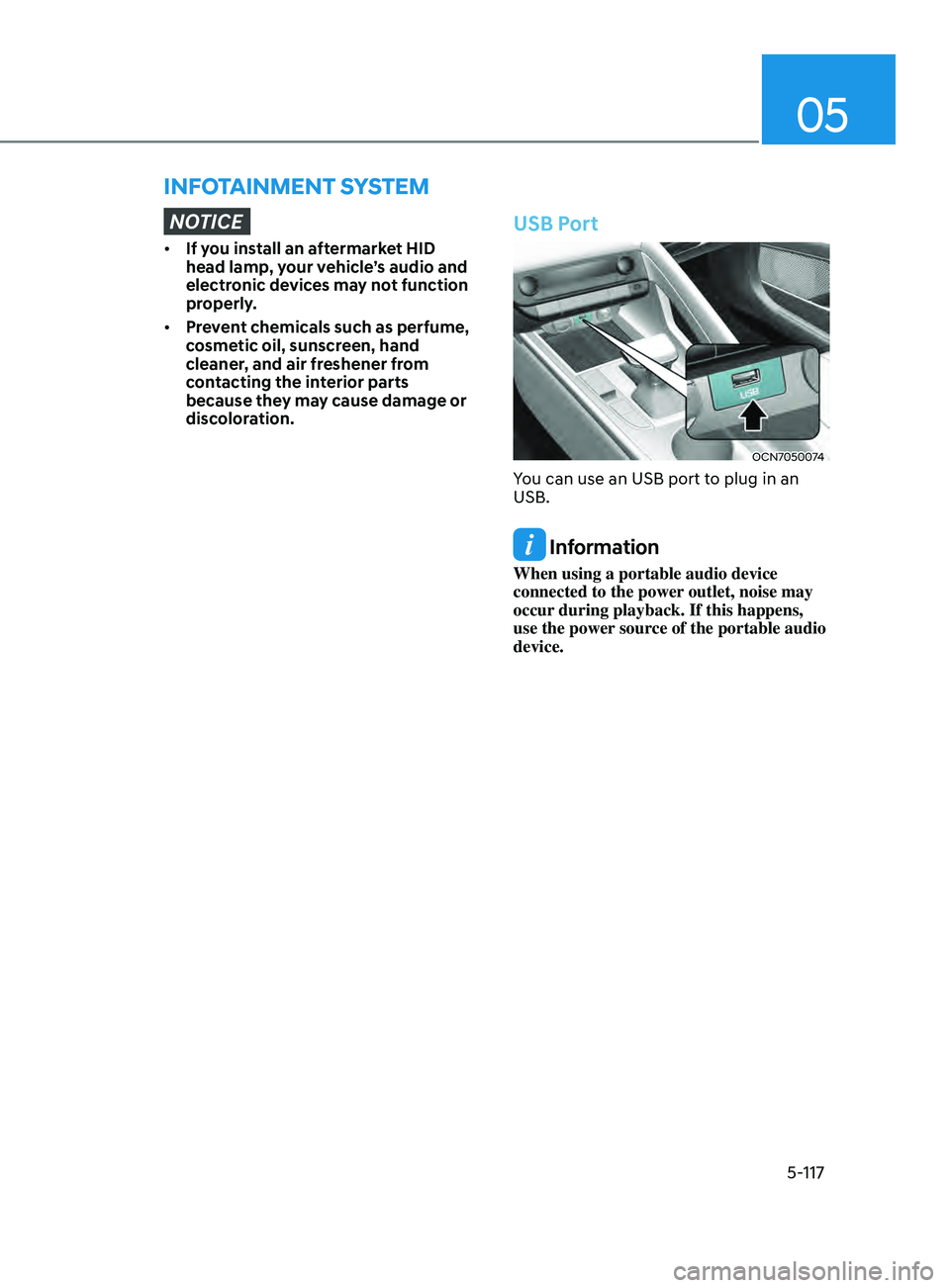
USB Port
OCN7050074
You can use an USB port to plug in an
USB.
Information
When using a portable audio device
connected to the power outlet, noise may
occur during playback. If this happens,
use the power source of the portable audio
device.
Page 255 of 570
05
5-119
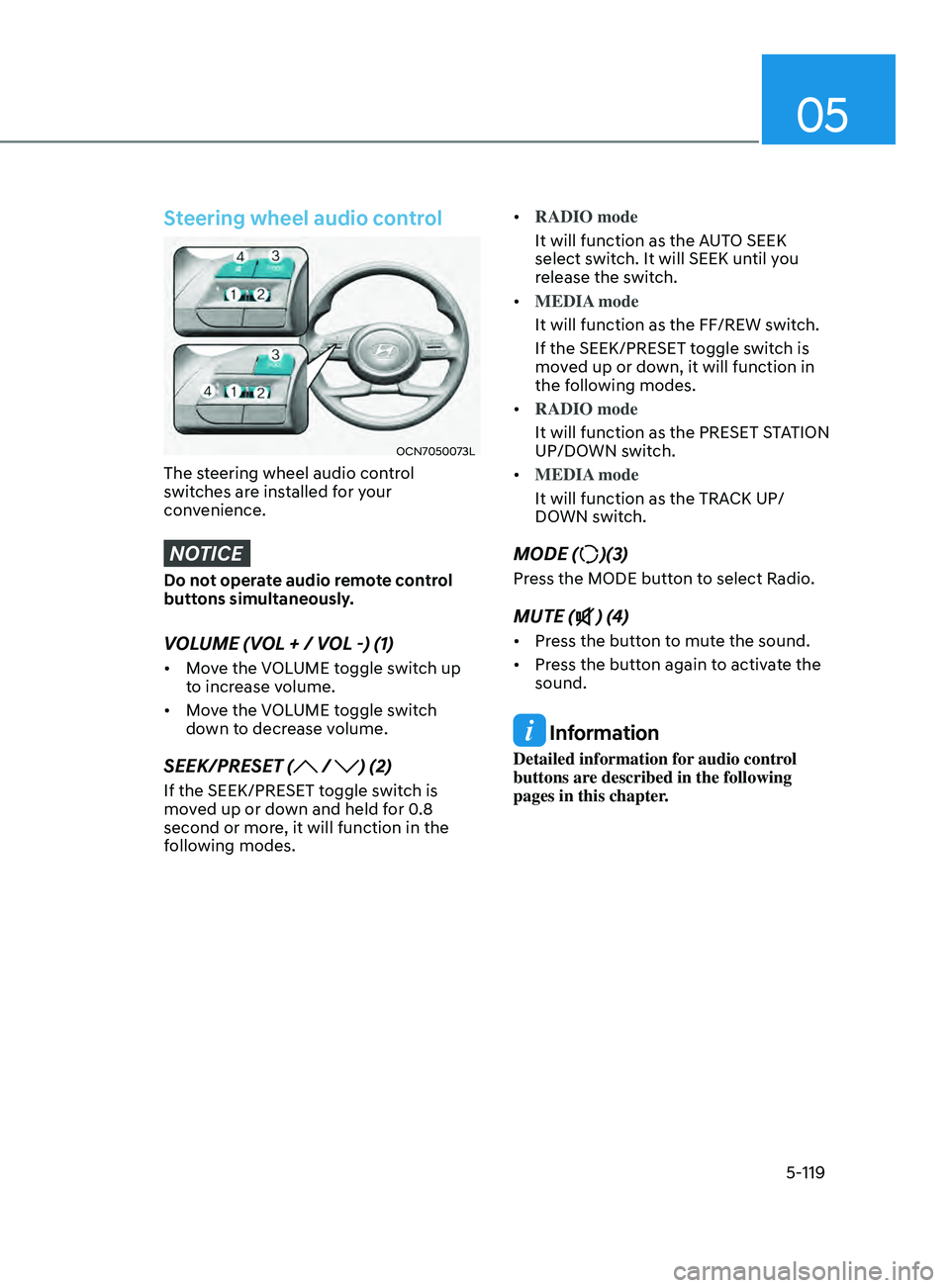
Steering wheel audio control
OCN7050073L
The steering wheel audio control
switches are installed for your
convenience.
NOTICE
Do not operate audio remote control
buttons simultaneously.
VOLUME (VOL + / VOL -) (1)
• Move the VOLUME toggle switch up
to increase volume.
• Move the VOLUME toggle switch
down to decrease volume.
SEEK/PRESET ( / ) (2)
If the SEEK/PRESET toggle switch is
moved up or down and held for 0.8
second or more, it will function in the
following modes. •
RADIO mode
It will function as the AUTO SEEK
select switch. It will SEEK until you
release the switch.
• MEDIA mode
It will function as the FF/REW switch.
If the SEEK/PRESET toggle switch is
moved up or down, it will function in
the following modes.
• RADIO mode
It will function as the PRESET STATION
UP/DOWN switch.
• MEDIA mode
It will function as the TRACK UP/
DOWN switch.
MODE ()(3)
Press the MODE button to select Radio.
MUTE () (4)
• Press the button to mute the sound.
• Press the button again to activate the
sound.
Information
Detailed information for audio control
buttons are described in the following
pages in this chapter.
Page 256 of 570
Convenient Features
5-120
Infotainment system (if equipped)
If your vehicle is equipped with
additional navigation, please refer to the
infotainment system manual separately
supplied.
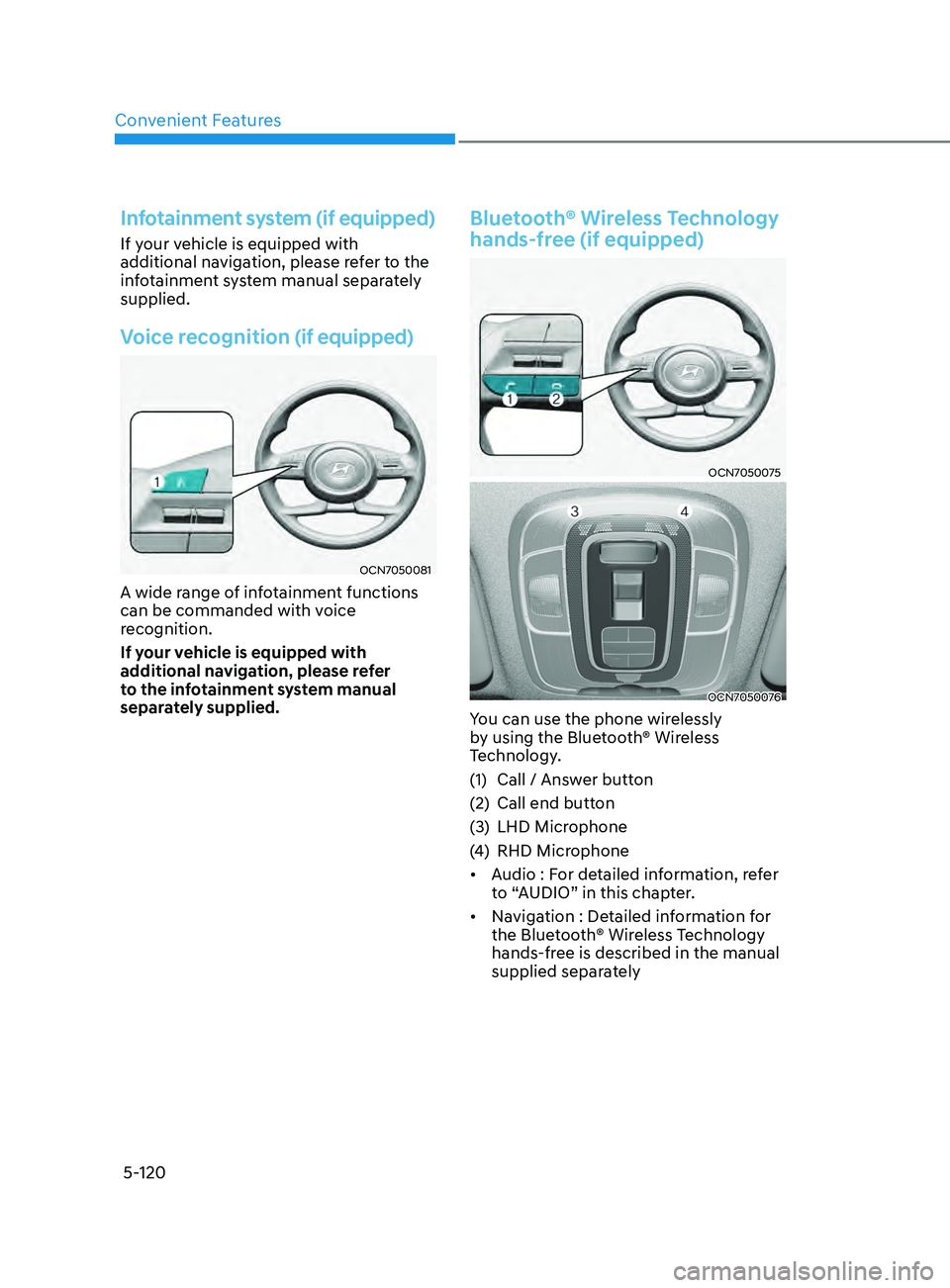
Voice recognition (if equipped)
OCN7050081
A wide range of infotainment functions
can be commanded with voice
recognition.
If your vehicle is equipped with
additional navigation, please refer
to the infotainment system manual
separately supplied.
Bluetooth® Wireless Technology
hands-free (if equipped)
OCN7050075
OCN7050076
You can use the phone wirelessly
by using the Bluetooth® Wireless
Technology.
(1)
Call / Answ
er button
(2)
Call end button
(3
)
LHD Microphone
(4
)
RHD Microphone
• A
udio : For detailed information, refer
to “AUDIO” in this chapter.
• Navigation : Detailed information for
the Bluetooth® Wireless Technology
hands-free is described in the manual
supplied separately
Page 257 of 570
05
5-121
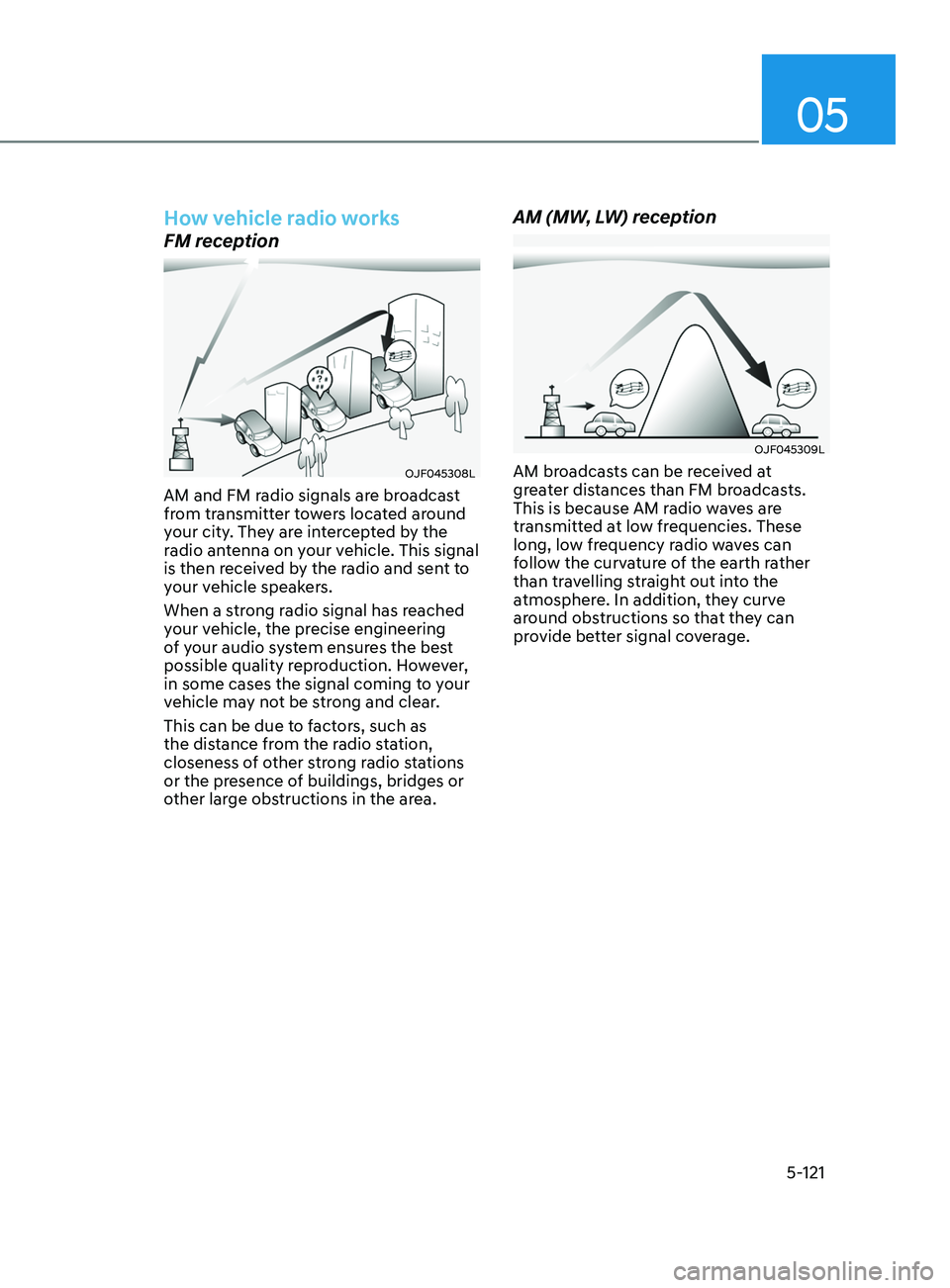
How vehicle radio works
FM reception
OJF045308L
AM and FM radio signals are broadcast
from transmitter towers located around
your city. They are intercepted by the
radio antenna on your vehicle. This signal
is then received by the radio and sent to
your vehicle speakers.
When a strong radio signal has reached
your vehicle, the precise engineering
of your audio system ensures the best
possible quality reproduction. However,
in some cases the signal coming to your
vehicle may not be strong and clear.
This can be due to factors, such as
the distance from the radio station,
closeness of other strong radio stations
or the presence of buildings, bridges or
other large obstructions in the area.
AM (MW, LW) reception
OJF045309L
AM broadcasts can be received at
greater distances than FM broadcasts.
This is because AM radio waves are
transmitted at low frequencies. These
long, low frequency radio waves can
follow the curvature of the earth rather
than travelling straight out into the
atmosphere. In addition, they curve
around obstructions so that they can
provide better signal coverage.
Page 259 of 570
05
5-123
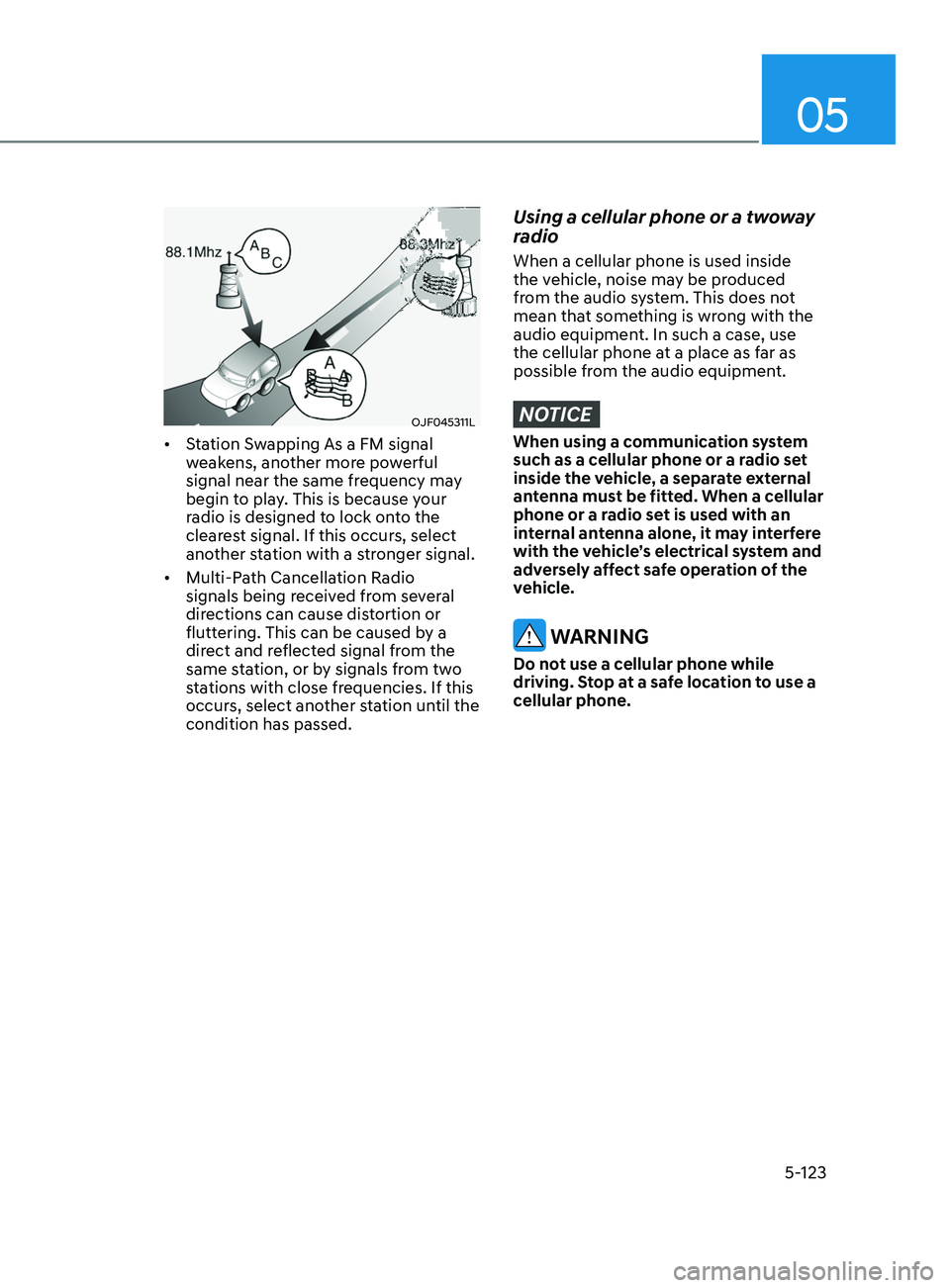
OJF045311L
• Station Swapping As a FM signal
weakens, another more powerful
signal near the same frequency may
begin to play. This is because your
radio is designed to lock onto the
clearest signal. If this occurs, select
another station with a stronger signal.
• Multi-Path Cancellation Radio
signals being received from several
directions can cause distortion or
fluttering. This can be caused by a
direct and reflected signal from the
same station, or by signals from two
stations with close frequencies. If this
occurs, select another station until the
condition has passed.
Using a cellular phone or a twoway
radio
When a cellular phone is used inside
the vehicle, noise may be produced
from the audio system. This does not
mean that something is wrong with the
audio equipment. In such a case, use
the cellular phone at a place as far as
possible from the audio equipment.
NOTICE
When using a communication system
such as a cellular phone or a radio set
inside the vehicle, a separate external
antenna must be fitted. When a cellular
phone or a radio set is used with an
internal antenna alone, it may interfere
with the vehicle’s electrical system and
adversely affect safe operation of the
vehicle.
WARNING
Do not use a cellular phone while
driving. Stop at a safe location to use a
cellular phone.