2021 HONDA CIVIC HATCHBACK reset
[x] Cancel search: resetPage 242 of 711

240
uuAudio System Basic Operation uPlaying the AM/FM Radio
Features
Playing the AM/FM Radio
RADIO Button
Press to select a band.
(Back) Button
Press to go back to the previous
display or cancel a setting.
/ (Seek/Skip) Buttons
Press or to search up and down
the selected band for a station with a strong
signal.
VOL/ (Volume/power) Knob
Press to turn the audio system
on and off.
Turn to adjust the volume.
Preset Buttons (1-6)
To store a station:
1. Tune to the selected station.
2. Pick a preset button and hold it until you hear a beep.
To listen to a stored station, select a band, then press the preset button. Selector Knob
Turn to tune the radio frequency.
Press, and then turn to select an
item. After that, press again to
make your selection.
MENU/CLOCK Button
Press to display the menu items.
Audio/Information Screen
21 CIVIC 5D HUM-31TGG6400_01.book 240 ページ 2020年8月28日 金曜日 午後1時
48分
Page 243 of 711

241
uuAudio System Basic Operation uPlaying the AM/FM Radio
Features
Provides text data information related to your selected RDS capable FM station.
■To find an RDS station from Station List
1. Press while listening to an FM station.
2. Rotate to select the station, then press .
■Update List
Updates your available st ation list at any time.
1. Press while listening to an FM station.
2. Rotate to select Update List, then press .
■Radio text
Displays the radio text informat ion of the selected RDS station.
1. Press the MENU/CLOCK button.
2. Rotate to select Settings, then press .
3. Rotate to select RDS Settings, then press .
4. Rotate to select Radio Text, then press .
■Scan
Samples each of the strongest stations on the selected band for 10 seconds.
1. Press the MENU/CLOCK button.
2. Rotate to select Scan, then press .
To turn off scan, press .
■Radio Data System (RDS)1 Playing the AM/FM Radio
The ST indicator appears on the display indicating
stereo FM broadcasts.
Stereo reproduction in AM is not available.
You can store 6 AM stations and 12 FM stations into
the preset memory.
Switching the Audio Mode
Press the audio source selecting button on the
steering wheel.
2 Audio Remote Controls P. 230
1Radio Data System (RDS)
When you select an RDS-capable FM station, the RDS
automatically turns on, and the frequency display
changes to the station name. However, when the
signals of that station become weak, the display
changes from the statio n name to the frequency.
21 CIVIC 5D HUM-31TGG6400_01.book 241 ページ 2020年8月28日 金曜日 午後1時 48分
Page 250 of 711

248
uuAudio System Basic Operation uPlaying Bluetooth ® Audio
Features
Playing Bluetooth ® Audio
Your audio system allows you to listen to music from your Bluetooth-compatible
phone.
This function is available when the phone is paired and connected to the vehicle’s
Bluetooth ® HandsFreeLink ® (HFL) system.
2 Phone Setup P. 390
1Playing Bluetooth ® Audio
Not all Bluetooth -enabled phones with streaming
audio capabilities are compatible with the system.
For a list of compatible phones, visit
automobiles.honda.com /handsfreelink/, or call 1-
888-528-7876.
In some states, it may be il legal to perform some data
device functions while driving.
Only one phone can be used with HFL at a time.
When there are more than two paired phones in the
vehicle, the first paired phone the system finds is
automatically connected.
If more than one phone is paired to the HFL system,
there will be a delay before the system begins to play.
In some cases, the name of the artist, album, or track
may not appear correctly.
Some functions may not be available on some
devices.
MEDIA Button
Press to select
Bluetooth ® Audio.
VOL/
(Volume/
Power) Knob
Press to turn
the audio
system on and
off.
Turn to adjust
the volume.
MENU/CLOCK
Button
Press to
display the
menu items.
Audio/Information Screen
Bluetooth Ind
icator
Appears when your phone is connected to HFL.
/ (Seek/Skip) Buttons
Press or to change files.
Play Button (Preset 1)
Press to resume a file. Pause Button (Preset 2)
Press to pause a file.
21 CIVIC 5D HUM-31TGG6400_01.book 248 ページ 2020年8月28日 金曜日 午後1時 48分
Page 256 of 711
254
uuAudio System Basic Operation uAudio/Information Screen
Features
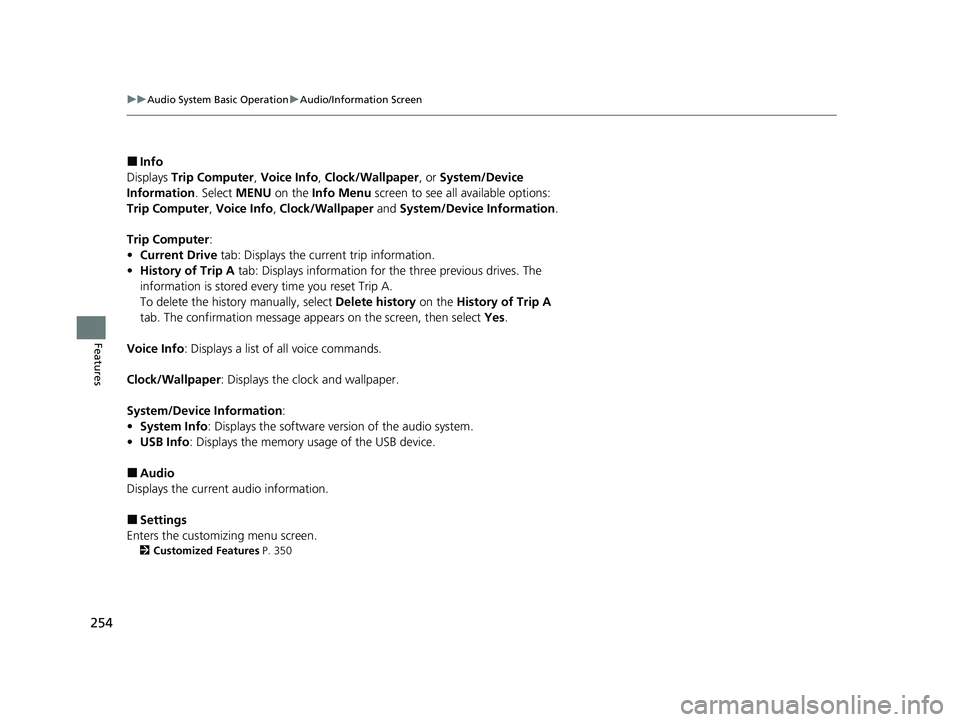
■Info
Displays Trip Computer , Voice Info , Clock/Wallpaper , or System/Device
Information . Select MENU on the Info Menu screen to see al l available options:
Trip Computer , Voice Info , Clock/Wallpaper and System/Device Information .
Trip Computer :
• Current Drive tab: Displays the current trip information.
• History of Trip A tab: Displays information for the three previous drives. The
information is stored every time you reset Trip A.
To delete the history manually, select Delete history on the History of Trip A
tab. The confirmation message app ears on the screen, then select Yes.
Voice Info : Displays a list of all voice commands.
Clock/Wallpaper : Displays the clock and wallpaper.
System/Device Information :
• System Info: Displays the software version of the audio system.
• USB Info : Displays the memory usage of the USB device.
■Audio
Displays the current audio information.
■Settings
Enters the customiz ing menu screen.
2Customized Features P. 350
21 CIVIC 5D HUM-31TGG6400_01.book 254 ページ 2020年8月28日 金曜日 午後1時 48分
Page 265 of 711

Continued263
uuAudio System Basic Operation uAudio/Information Screen
Features
■To use apps or widgets
1.Press the button.
2. Select App List or icon.
u The App screen appears.
3. Select the app or widget you want to use.
Preinstall app list:
• Calculator : Displays Calculator.
• Downloads
*1: Displays the data
downloaded from the web browser and so
on.
• App Installer : Check with a Honda dealer
for apps that are avai lable for installation.
*1: Downloads app cannot be used because there is no Browser function in this
system.
1 To use apps or widgets
Select and hold a selected app or widget to add that
app’s or widget’s shortcut on the home screen.
Pre-installed apps may not start up normally. If this
occurs, you need to reset the system.
2 Defaulting All the Settings P. 379
If you perform Factory Data Reset , it may reset all
the settings to their factory default.
2 Defaulting All the Settings P. 379
In case those apps still do not startup normally even
after Factory Data Reset , contact your dealer.
Do not install apps other than those confirmed by a
Honda dealer. Installation of unauthorized apps may
introduce data corruption risks to your vehicle's
information and your privacy.
You can delete user installed apps by the following
procedure.
1. Press the button.
2. Select Settings .
3. Select System .
4. Select the Others tab.
5. Select Detail Information .
6. Select Apps .
7. Select an app that you want to delete.
8. Select Delete .
Pre-installed apps cannot be deleted.
Models without navigation system
App List Icon
Models with navigation system
(App list) Icon
21 CIVIC 5D HUM-31TGG6400_01.book 263 ページ 2020年8月28日 金曜日 午後1時 48分
Page 280 of 711

278
uuAudio System Basic Operation uVoice Control Operation
Features
■Voice Setting
The screen changes to the Voice Recog.
tab on the System Settings screen.
■Voice Help
You can see a list of the available
commands on the screen.
• Useful Commands
*1
•Phone Commands
• Audio Commands*1
•On Screen Commands
• Music Search Commands
• General Commands
*1
•Climate Control Commands*1
The system accepts th ese commands on the
voice portal top screen.
• Call
• Call
• What time is it?
• What is today’s date?
*1: Models with navigation system
■Useful Commands*1
The system accepts these commands on the
dedicated screen for the voice recognition
of the phone.
• Call by number
• Call by name
• Call
• Call
The system accepts these commands on the
dedicated screen for the voice recognition
of the audio.
■Radio FM Commands
• Radio tune to <87.7-107.9> FM
• Radio tune to <87.7 -107.9> HD <1-8>
FM
• Radio FM preset <1-12>
■Radio AM Commands
• Radio tune to <530-1710> AM
• Radio AM preset <1-6>
■Radio SXM Commands*
•SXM channel <1-999>
• SXM channel
• Radio SXM preset <1-12>
■Phone Commands
■Audio Commands*1
■Pandora ® Commands*
• PANDORA play
■iPod Commands
• iPod play
• iPod play track <1-30>
• Music Search
• What album is this?
• What am I listening to?
■USB Commands
• USB play
• USB play track <1-30>
• Music Search
• What album is this?
• What am I listening to?
■Bluetooth ® audio Commands
• Bluetooth ® audio play
NOTE:
Bluetooth® Audio commands may not work
on some phones or Bluetooth ® Audio
devices.
* Not available on all models
21 CIVIC 5D HUM-31TGG6400_01.book 278 ページ 2020年8月28日 金曜日 午後1時 48分
Page 282 of 711

280
uuAudio System Basic Operation uPlaying AM/FM Radio
Features
Playing AM/FM Radio
*1:Some or all of the lists may not be displayed.
MENU
Select to display the menu items.
(Back) Button
Press to go back to the previous
display.
Seek Icons
Select or to search the
selected band up or down for a
station with a strong signal.
(Audio) Button
Press to display the audio screen.
Open/Close Icon*1
Displays/hides the detailed
information.
VOL/ AUDIO (Volume/Power
Audio) Knob
Press to turn the audio system on and
off. Turn to adjust the volume.
Tune Icons
Select or to tune the radio
frequency.
Audio/Information Screen
Scan Icon
Select to scan each station with a strong signal. Preset Icons
Tune the preset radio frequency.
Select and hold the preset icon to
store that station. Select to
display preset 7 onwards.
Driver Information Interface
21 CIVIC 5D HUM-31TGG6400_01.book 280 ページ 2020年8月28日 金曜日 午後1時
48分
Page 283 of 711

Continued281
uuAudio System Basic Operation uPlaying AM/FM Radio
Features
To store a station:
1. Tune to the selected station.
2. Select and hold the preset number for the station you want to store.
You can also store a preset station by the following procedure.
1. Tune to the selected station.
2. Select the open/close icon to display a list.
3. Select the Preset tab.
4. Select and hold the preset number for the station you want to store.
Lists the strongest stations on the selected band.
1. Select the open/close icon to display a list.
2. Select the Station List tab.
3. Select the station.
■Manual update
Updates your available st ation list at any time.
1. Select the open/close icon to display a list.
2. Select the Station List tab.
3. Select Refresh .
Samples each of the strongest stations on th e selected band for 10 seconds. To turn
off scan, select Cancel or press the button.
■Preset Memory
■Station List
■Scan
1Playing AM/FM Radio
The ST indicator appears on the display indicating
stereo FM broadcasts.
Stereo reproduction in AM is not available.
Switching the Audio Mode
Press the or button on the steering wheel or
select SOURCE on the screen.
2 Audio Remote Controls P. 230
You can store 6 AM stations and 12 FM stations into
preset memory.
HD Radio Technology manufactured under license
from iBiquity Digital Cor poration. U.S. and Foreign
Patents. For patents see http://dts.com/patents. HD
Radio, Artist Experience, and the HD, HD Radio, and
“ARC” logos are registered trademarks or
trademarks of iBiquity Di gital Corporation in the
United States and/ or other countries.
HD Radio
TM stations not availabl e in all locations in
Canada.
34
Models with HD RadioTM feature
21 CIVIC 5D HUM-31TGG6400_01.book 281 ページ 2020年8月28日 金曜日 午後1時 48分