2021 HONDA ACCORD SEDAN battery location
[x] Cancel search: battery locationPage 31 of 659

Quick Reference Guide
29
Handling the Unexpected (P 597)
Flat Tire (P 599)
●Park in a safe location and replace the
flat tire with the compact spare tire in the
trunk.
Indicators Come On
(P 615)
●Identify the indicator and consult the
owner’s manual.
Engine Won’t Start
(P 605)
●If the battery is dead, jump start using a
booster battery.
Blown Fuse (P 622)
●Check for a blown fuse if an electrical
device does not operate.
Overheating (P 613)
●Park in a safe location. If you do not see
steam under the hood, open the hood,
and let the engine cool down.
Emergency Towing
(P 628)
●Call a professional towing service if you
need to tow your vehicle.
Page 169 of 659

167Continued
Controls
Locking and Unlocking the Doors
Key
This vehicle comes with the following keys:
Use the key to start and stop the engine, and to lock and unlock all the doors, fuel
fill door and to open the trunk.1 Key
All the keys have an immobilizer system. The
immobilizer system helps to protect against vehicle
theft. 2 Immobilizer System P. 184
Follow the advice below to prevent damage to the
keys:
•Do not leave the keys in direct sunlight, or in
locations with high temperature or high humidity.
•Do not drop the keys or set heavy objects on them.•Keep the keys away from liquids, dust and sand.
•Do not take the keys apart except for replacing the
battery.
If the circuits in the keys are damaged, the engine
may not start, and the remote transmitter may not
work.
If the keys do not work properly, have them
inspected by a dealer.
You can remotely start the engine using the remote.
2 Remote Engine Start
* P. 416
Models with remote engine starter
Models without smart entry systemModels with smart entry system
* Not available on all models
Page 307 of 659
305
uuAudio System Basic Operation uHondaLink® Service*
Continued
Features
HondaLink® Service*
Is a subscription-based service that provides convenient features such as voice
communication in case of emergency, online security, and one-on-one operator
assistance.
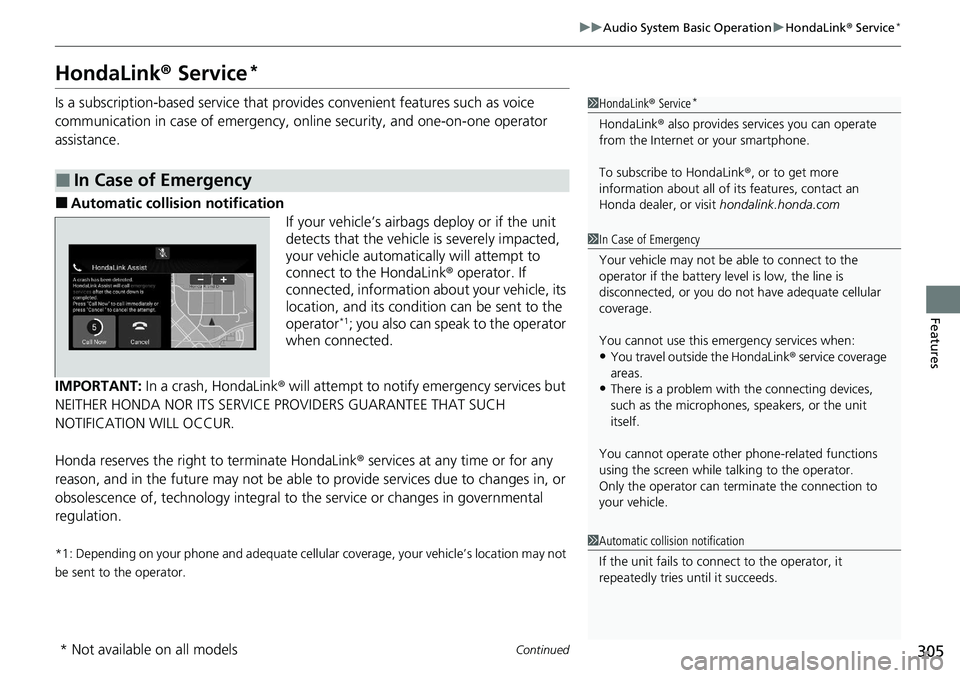
■Automatic collis ion notification
If your vehicle’s airbags deploy or if the unit
detects that the vehicle is severely impacted,
your vehicle automatically will attempt to
connect to the HondaLink ® operator. If
connected, information ab out your vehicle, its
location, and its condition can be sent to the
operator
*1; you also can speak to the operator
when connected.
IMPORTANT: In a crash, HondaLink® will attempt to notify emergency services but
NEITHER HONDA NOR ITS SERVICE PROVIDERS GUARANTEE THAT SUCH
NOTIFICATION WILL OCCUR.
Honda reserves the right to terminate HondaLink ® services at any time or for any
reason, and in the future may not be able to provide services due to changes in, or
obsolescence of, technology integral to the service or changes in governmental
regulation.
*1: Depending on your phone and adequate cellular coverage, your vehicle’s location may not
be sent to the operator.
■In Case of Emergency
1 HondaLink ® Service*
HondaLink ® also provides serv ices you can operate
from the Internet or your smartphone.
To subscribe to HondaLink ®, or to get more
information about all of its features, contact an
Honda dealer, or visit hondalink.honda.com
1In Case of Emergency
Your vehicle may not be able to connect to the
operator if the battery level is low, the line is
disconnected, or you do not have adequate cellular
coverage.
You cannot use this emergency services when:
•You travel outside the HondaLink ® service coverage
areas.
•There is a problem with the connecting devices,
such as the microphones, speakers, or the unit
itself.
You cannot operate othe r phone-related functions
using the screen while talking to the operator.
Only the operator can terminate the connection to
your vehicle.
1 Automatic collision notification
If the unit fails to connect to the operator, it
repeatedly tries until it succeeds.
* Not available on all models
Page 340 of 659
338
uuGeneral Information on the Audio System uHonda App License Agreement
Features
E. Information Coll ection and Storage
1. Information Collection, Use, Transmission and Storage of Data. Consent to Use of Data:
You agree that HONDA and PROVIDERS may
collect and use your information gathered in any manner as part of product support services related to the SOFTWARE or related services.
HONDA may share such information with third parties, including, without limitation, PROVIDERS, th ird party software and services
suppliers, their affiliates and/or their desi gnated agents, solely to improve their products or to provide services or technolo gies to you.
HONDA, third party software and systems s uppliers, their affiliates and/or their designated agent may disclose this information to others,
but not in a form that pe rsonally identifies you.
2. Information Storage.
Depending on the type of multimedia system you have in your VEHICLE, certain information may be stored for ease
of use of the SOFTWARE including, without limitation, search hi story, location history in certain applications, previous and saved
destinations, map locations within certain applications, and device numbers and contact information.
(a) Vehicle Health Information.
Your VEHICLE may remotely trans mit information regarding the status and health of your VEHICLE
(“VEHICLE INFORMATION”) to HONDA without notification to you. VEHICLE INFORMATION may contain VEHICLE maintenance and
malfunction status that is derived from VEHICLE diagnostic data and includes, but is not limited to, status of powered doors and windows,
battery life data, battery charging data, VEHICLE speed, coolant temperat ure, air compressor revolution, output power, warning codes,
diagnostic trouble codes, fuel injection volu me, and engine rotations per minute. VEHICL E HEALTH INFORMATION may be used by HON DA
for research and development, to deliver HONDA SERVICES and information to you, and to contact you, and is retained only for a period
of time necessary to fulfill these goals.
(b) VEHICLE Geolocation Data (non-navigation/map based).
If you opt-in to geolocation-based SERVICES, your vehicle’s geolocation data
(latitude and longitude) will be automatically se nt from your VEHICLE to HONDA and PROVIDERS.
(c) You understand that the inputting or uploading of information to your VEHICLE’s multimedia system or the SOFTWARE or SERVIC ES is
at your own risk and that HONDA is not responsible for unauthorized access to or use of any personal or other information. All information
uploaded to the SOFTWARE and SERVICES may be stored on your VEHICLES’s multimedia system and you understand that the security and
safety of your VEHICLE’s multimedia system is your sole responsibility.
Page 401 of 659
399
uuBluetooth ® HandsFreeLink ®u HondaLink ® Assist*
Continued
Features
HondaLink ® Assist*
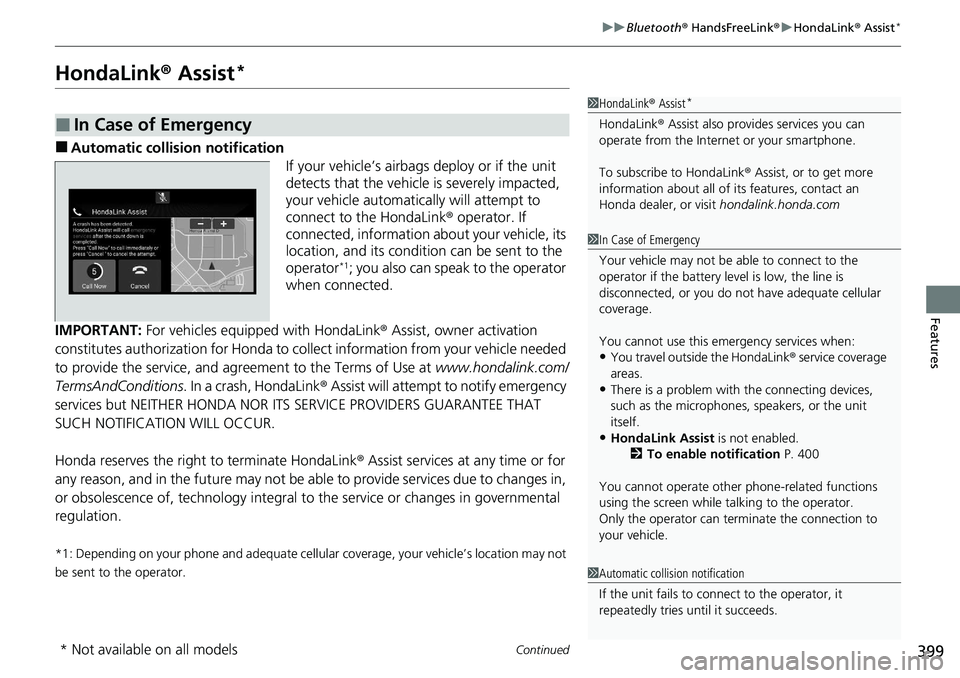
■Automatic collis ion notification
If your vehicle’s airbags deploy or if the unit
detects that the vehicle is severely impacted,
your vehicle automatically will attempt to
connect to the HondaLink ® operator. If
connected, information ab out your vehicle, its
location, and its condition can be sent to the
operator
*1; you also can speak to the operator
when connected.
IMPORTANT: For vehicles equipped with HondaLink ® Assist, owner activation
constitutes authorization for Honda to collect information from your vehicle needed
to provide the service, and agreement to the Terms of Use at www.hondalink.com/
TermsAndConditions . In a crash, HondaLink ® Assist will attempt to notify emergency
services but NEITHER HONDA NOR I TS SERVICE PROVIDERS GUARANTEE THAT
SUCH NOTIFICATION WILL OCCUR.
Honda reserves the right to terminate HondaLink ® Assist services at any time or for
any reason, and in the future may not be ab le to provide services due to changes in,
or obsolescence of, technology integral to the service or changes in governmental
regulation.
*1: Depending on your phone and adequate cellular coverage, your vehicle’s location may not
be sent to the operator.
■In Case of Emergency
1 HondaLink ® Assist*
HondaLink ® Assist also provides services you can
operate from the Intern et or your smartphone.
To subscribe to HondaLink ® Assist, or to get more
information about all of its features, contact an
Honda dealer, or visit hondalink.honda.com
1In Case of Emergency
Your vehicle may not be able to connect to the
operator if the battery level is low, the line is
disconnected, or you do not have adequate cellular
coverage.
You cannot use this emergency services when:
•You travel outside the HondaLink ® service coverage
areas.
•There is a problem with the connecting devices,
such as the microphones, speakers, or the unit
itself.
•HondaLink Assist is not enabled.
2 To enable notification P. 400
You cannot operate othe r phone-related functions
using the screen while talking to the operator.
Only the operator can terminate the connection to
your vehicle.
1 Automatic collision notification
If the unit fails to connect to the operator, it
repeatedly tries until it succeeds.
* Not available on all models
Page 599 of 659

597
Handling the Unexpected
This chapter explains how to handle unexpected troubles.
ToolsTypes of Tools .................................. 598
If a Tire Goes Flat
Changing a Flat Tire ......................... 599
Engine Does Not Start Checking the Engine ........................ 605
If the Remote Battery is Weak .......... 606
Emergency Engine Stop ................... 607
If the Battery Is Dead ....................... 608
Shift Lever Does Not Move .............. 611
Overheating How to Handle Overheating ............. 613 Indicator, Coming On/Blinking
If the Low Oil Pressure Warning Appears ... 615If the Charging System Indicator Comes
On ................................................. 615
If the Malfunction Indicator Lamp Comes On or Blinks ................................... 616
If the Brake System Indicator (Red) Comes
On or Blinks ................................... 617
If the Brake System Indicator (Red) Comes On
or Blinks at the Same Time When the Brake
System Indicator (Amber) Comes On.... 618
If the Electric Power Steering (EPS) System Indicator Comes On ....................... 619 If the Low Tire Pressure/TPMS Indicator
Comes On or Blinks ....................... 620
If the Transmission System Indicator Blinks along with the Warning Message... 621
Fuses Fuse Locations ................................. 622
Inspecting and Changing Fuses ........ 627
Emergency Towing ........................... 628
If You Cannot Unlock the Fuel Fill Door....629
If You Cannot Open the Trunk ........... 630
Refueling ........................................... 632
Page 624 of 659

622
Handling the Unexpected
Fuses
Fuse Locations
If any electrical devices are not working, set the power mode to VEHICLE OFF and
check to see if any app licable fuse is blown.
Located near the battery. Push the tabs to open the box.
Fuse locations are shown on the fuse box cover. Locate the fuse in question by the
fuse number and box cover number.
■Engine Compartment Fuse Box
Tab
Page 625 of 659

623
uuFuses uFuse Locations
Continued
Handling the Unexpected
■Circuit protected and fuse rating
Circuit ProtectedAmps
1BATTERY125 A
2
−(70 A)
EPS70 A
−(30A)
FUSE BOX MAIN 260 A
EBB40 A
ABS/VSA FSR 40 A −(30A)
IG MAIN1 30 A
3
REAR DEFROSTER40 A
FUSE BOX MAIN 160 A
−(30 A)
HEATER MOTOR40 A
−(40 A)
ST MG30 A
SUB FAN MOTOR30 A
VST1*(30 A)
4 VST2*(30 A)
FUSE BOX OP 2*(70 A)
−(40A)
FUSE BOX OP 1 60 A
5
−(40 A)
MAIN FAN MOTOR30 A
SPM230 A
ABS/VSA MOTOR40 A
IG MAIN230 A
WIPER MOTOR30 A
6SRM1 30A
7−−
8− −
9STOP LIGHT10 A
10 TCU (15 A)
11INJ20 A
12 TCU2*(10 A)
13IGP15 A
14 TCU3*(10 A)
15FI ECU10 A
16 BATT SNSR 7.5 A
17DBW15 A
18 IG COIL 15 A
19HAZARD15 A
20 − −
21−−
22 H/STRG*(10 A)
23−−
24 AUDIO 15 A
25REAR H/SEAT*(20 A)
26 FR WIPER DEICER*(15 A)
Circuit ProtectedAmps
27BACK UP10 A
28 HORN 10 A
29FR FOG LIGHT*(10 A)
30 SHUTTER GRILLE*(7.5 A)
31MG CLUTCH10 A
32 WASHER MOTOR 15 A
33−−
34 ACL (10 A)
35AUDIO SUB*(7.5 A)
36 IGPS 7.5 A
37IGPS (LAF)7.5 A
38 VB ACT 7.5 A
39IG1 TCU(10 A)
40 IG1 FUEL PUMP 20 A
41IG1 ABS/VSA7.5 A
42 IG1 ACG 10 A
43IG1 ST MOTOR10 A
44 IG1 MONITOR 7.5 A
45BACK UP2(30 A)
Circuit ProtectedAmps
* Not available on all models