2021 HONDA ACCORD SEDAN cruise control
[x] Cancel search: cruise controlPage 164 of 659
uuGauges and Displays uHead-Up Display*
162
Instrument Panel
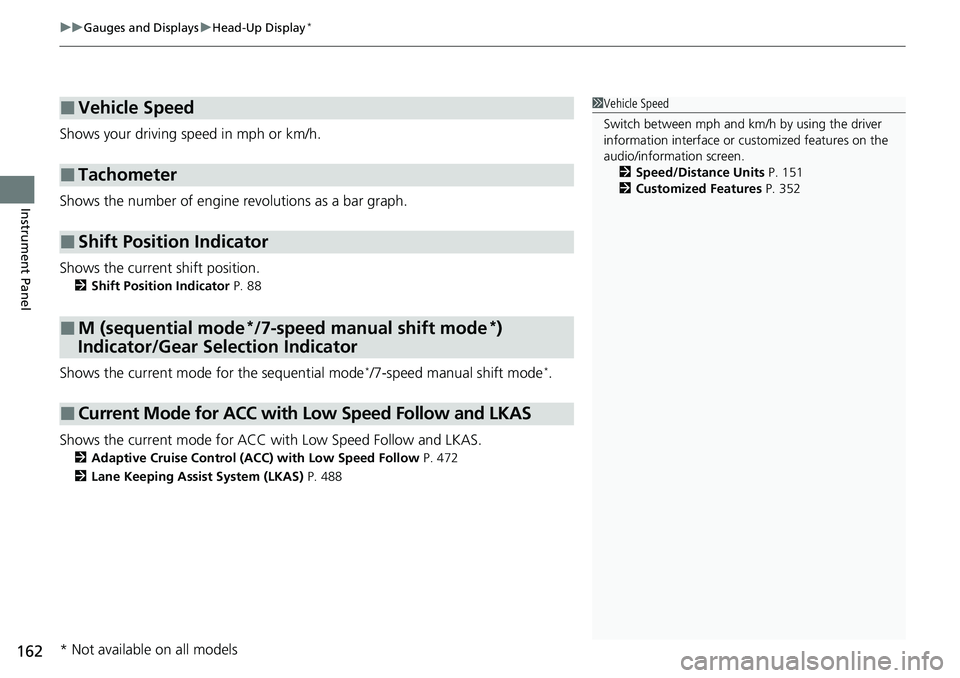
Shows your driving speed in mph or km/h.
Shows the number of engine revolutions as a bar graph.
Shows the current shift position.
2 Shift Position Indicator P. 88
Shows the current mode for the sequential mode*/7-speed manual shift mode*.
Shows the current mode for ACC wi th Low Speed Follow and LKAS.
2Adaptive Cruise Control (ACC) with Low Speed Follow P. 472
2 Lane Keeping Assist System (LKAS) P. 488
■Vehicle Speed
■Tachometer
■Shift Position Indicator
■M (sequential mode*/7-speed manual shift mode*)
Indicator/Gear Selection Indicator
■Current Mode for ACC with Low Speed Follow and LKAS
1 Vehicle Speed
Switch between mph and km/h by using the driver
information interface or cu stomized features on the
audio/information screen. 2 Speed/Distance Units P. 151
2 Customized Features P. 352
* Not available on all models
Page 405 of 659

403
Driving
This chapter discusses driving and refueling.
Before Driving................................... 404
Towing a Trailer ................................ 409
When Driving Starting the Engine .......................... 414
Precautions While Driving................. 420
Transmission .................................... 421
Shifting ............................ 422, 429, 431
SPORT Mode
*.................................. 435
ECON Mode .................................... 436
Auto Idle Stop
*................................ 437
Adaptive Damper System*............... 442Vehicle Stability AssistTM (VSA ®), aka Electronic
Stability Control (ESC), System ..............443
Agile Handling Assist ..............................445
Tire Pressure Monitoring System (TPMS) .... 446Tire Pressure Monitoring System (TPMS) - Required Federal Explanation ......... 450
Blind spot information System
*........... 452
Honda Sensing ®................................ 455
Collision Mitigati on Braking System
TM
(CMBSTM) ....................................... 458
Low Speed Braking Control*............ 467
Adaptive Cruise Control (ACC) with Low
Speed Follow ................................. 472
Lane Keeping Assist System (LKAS).... 488
Road Departure Mitigation (RDM) System ....................................... 496
Traffic Sign Recognition System ....... 500 Front Sensor Camera ....................... 506
Radar Sensor ................................... 508
Sonar Sensors
*................................ 509
Braking
Brake System ................................... 510
Anti-lock Brake System (ABS) ........... 518
Brake Assist System ......................... 519
Parking Your Vehicle ........................ 520
Multi-View Rear Camera .................. 531
Refueling ........................................... 533
Fuel Economy and CO
2 Emissions .... 536
Turbo Engine Vehicle ....................... 537
* Not available on all models
Page 445 of 659

443
uuWhen Driving uVehicle Stability AssistTM (VSA ®), aka Electronic Stability Control (ESC), System
Continued
Driving
Vehicle Stability AssistTM (VSA ®), aka Electronic
Stability Control (ESC), System
VSA ® helps stabilize the vehicle during cornering if the vehicle turns more or less
than what was intended. It also assists in maintaining traction on slippery surfaces.
It does so by regulating engine ou tput and selectively applying the brakes.
When VSA ® activates, you may notice that the
engine does not respond to the accelerator.
You may also notice some noise from the
hydraulic brake system. You will also see the
indicator blink.
■VSA ® Operation
1 Vehicle Stability AssistTM (VSA® ), aka Electronic Stability Control
(ESC), System
The VSA ® may not function properl y if tire type and
size are mixed. Make sure to use the same size and
type of tire, and the air pressures as specified.
When the VSA ® system indicator comes on and stays
on while driving, there ma y be a problem with the
system. While this may not interfere with normal
driving, have your vehi cle checked by a dealer
immediately.
VSA ® cannot enhance stability in all driving situations
and does not control the entire braking system. You
still need to drive and corner at speeds appropriate
for the conditions and always leave a sufficient
margin of safety.
The main function of the VSA ® system is generally
known as Electronic Stability Control (ESC). The
system also includes a traction control function.
The Vehicle Stability Assist
TM (VSA ®) system, Vehicle
Stability AssistTM (VSA ®) OFF, adaptive cruise control
(ACC) with Low Speed Follow, safety support and
low tire pressure/TPMS indicators may come on in
amber along with a message in the driver information
interface when you set the power mode to ON after
reconnecting the battery.
Drive a short distance at more than 12 mph (20 km/h).
Each indicator should go off. If any do not, have your
vehicle checked by a dealer.
VSA ® System
Indicator
Page 449 of 659
Continued447
uuWhen Driving uTire Pressure Monitoring System (TPMS)
Driving
1Tire Pressure Monitoring System (TPMS)
The low tire pressure/TPMS indicator may come on
under the following conditions:
•A compact spare tire is used.
•There is a heavier and une ven load on the tires,
such as when towing a trailer*, than the condition
at calibration.
•Tire chains* are used.
The Vehicle Stability Assist
TM (VSA ®) system, Vehicle
Stability AssistTM (VSA ®) OFF, adaptive cruise control
(ACC) with Low Speed Follow, safety support and
low tire pressure/TPMS indicators may come on in
amber along with a message in the driver information
interface when you set the power mode to ON after
reconnecting the battery.
Drive a short distance at more than 12 mph (20 km/h).
Each indicator should go off. If any do not, have your
vehicle checked by a dealer.
* Not available on all models
Page 457 of 659

455Continued
Driving
Honda Sensing®
Honda Sensing® is a driver support system which employs the use of three distinctly
different kinds of sensors: a radar sensor located at the lower part of the front
bumper, a front sensor camera mounted to the interior side of the windshield,
behind the rearview mirror, and the sonar sensors located in the front and rear
bumpers.
Honda Sensing ® is a driver support system which employs the use of two distinctly
different kinds of sensors: a radar sensor located at the lower part of the front
bumper and a front sensor camera mounted to the interior side of the windshield,
behind the rearview mirror.
Honda Sensing ® has following functions.
■The functions which do not requir e switch operations to activate
• Collision Mitigation Braking SystemTM (CMBSTM) 2 P. 458
• Low Speed Braking Control* 2 P. 467
• Road Departure Mitigation (RDM) System 2 P. 496
• Traffic Sign Recognition System 2 P. 500
■The functions wh ich require switch operations to activate
• Adaptive Cruise Control (ACC) with Low Speed Follow
2 P. 472
• Lane Keeping Assist System (LKAS) 2 P. 488
Models with Low Speed Braking Control
Models without Low Speed Braking Control
* Not available on all models
Page 463 of 659

Continued461
uuHonda Sensing ®u Collision Mitigation Braking SystemTM (CMBSTM)
Driving
When you turn the CMBSTM on and off, do the
following.
1. Press the safety support switch.
2. Roll the left selector wheel to the
symbol and push it.
u The message appears on the driver
information interface when the system
becomes on or off.
The CMBS
TM is turned on every time you start
the engine, even if you turned it off the last
time you drove the vehicle.
■CMBSTM On and Off1 CMBSTM On and Off
The CMBS
TM may automatically shut off, and the
safety support indicator (amb er) will come and stay
on under certain conditions:
2 CMBS
TM Conditions and Limitations P. 462
When the CMBS
TM is activated, it will continue to
operate even if the accele rator pedal is partially
depressed. However, it w ill be canceled if the
accelerator pedal is fully depressed.
The Vehicle Stability Assist
TM (VSA ®) system, Vehicle
Stability AssistTM (VSA ®) OFF, adaptive cruise control
(ACC) with Low Speed Follow, safety support and
low tire pressure/TPMS indicators may come on in
amber along with a message in the driver information
interface when you set the power mode to ON after
reconnecting the battery.
Drive a short distance at more than 12 mph (20 km/h).
Each indicator should go off. If any do not, have your
vehicle checked by a dealer.
Left Selector Wheel
Safety Support Switch
Page 474 of 659

472
uuHonda Sensing ®u Adaptive Cruise Control (ACC) with Low Speed Follow
Driving
Adaptive Cruise Control (A CC) with Low Speed Follow
Helps maintain a constant vehicle speed a nd a set following-interval behind a vehicle
detected ahead of yours and, if the detect ed vehicle comes to a stop, can decelerate
and stop your vehicle, without you having to keep your foot on the brake or the
accelerator.
When ACC with Low Speed Follow slows y our vehicle by applying the brakes, your
vehicle’s brake lights will illuminate.1 Adaptive Cruise Control (ACC) with Low Speed Follow
Important Reminder
As with any system, there are limits to ACC with Low
Speed Follow. Use the brake pedal whenever
necessary, and always keep a safe interval between
your vehicle and other vehicles.
3WARNING
Improper use of ACC with Low Speed
Follow can lead to a crash.
Use ACC with Low Speed Follow only
when driving on expressways or
freeways and in good weather
conditions.
3WARNING
ACC with Low Speed Follow has limited
braking capability and may not stop
your vehicle in time to avoid a collision
with a vehicle that qu ickly stops in front
of you.
Always be prepared to apply the brake
pedal if the cond itions require.
When to use
■Vehicle speed for ACC wi th Low Speed Follow: A vehicle is detected ahead
within ACC with Low Speed Follow range – ACC with Low Speed Follow
operates at speeds up to 90 mph (145 km/h).
No vehicle is detected within ACC with Low Speed Follow range – ACC with
Low Speed Follow operates at the speed of 25 mph (40 km/h) or above.
■Shift position for ACC with Low Speed Follow: In ( D or (S*.
The radar sensor is at the
lower part of the front
bumper.
The camera is
located behind
the rearview
mirror.
* Not available on all models
Page 475 of 659

Continued473
uuHonda Sensing ®u Adaptive Cruise Control (ACC) with Low Speed Follow
Driving
■How to activate the system1Adaptive Cruise Control (ACC) with Low Speed Follow
For directions on the prop er handling of the radar
sensor, refer to the following page.
2 Radar Sensor P. 508
You can read about handling information for the
camera equipped with this system. 2 Front Sensor Camera P. 506
ACC with Low Speed Follow may not work properly
under certain conditions.
2 ACC with Low Speed Follow Conditions
and Limitations P. 478
When not using ACC with Low Speed Follow: Turn
off adaptive cruise by pressing the button.
Do not use ACC with Low Speed Follow under the
following conditions:
•On roads with heavy traf fic or while driving in
continuous stop and go traffic.
•On roads with sharp turns.•On roads with steep downhill sections, as the set
vehicle speed can be exceeded by coasting. In such
cases, ACC with Low Speed Follow will not apply
the brakes to maintain the set speed.
•On roads with toll collection facilities or other
objects between lanes of traffic, or in parking
areas, or faci lities with driv e through access.
How to use
■Press the button on the
steering wheel.
(white) is on in the instrument panel.
ACC with Low Speed Follow is ready to use.