2021 FORD RANGER ECO mode
[x] Cancel search: ECO modePage 76 of 475

Type Two
You can operate the following
functions with the control:
Press to access phone mode or
to answer a phone call.
Press to end a phone call.
Press to silence the current
media
Press + or - to increase or to
decrease volume levels. Press to access the previous
media selection. Press to access the next media
selection.
Press to change the media
source.
Press to access the settings
menu on the SYNC screen.
Press to access the home
screen.
VOICE CONTROL
The controls are on the steering wheel. Press and release to activate
voice recognition.
CRUISE CONTROL
(IF EQUIPPED)
Type One See
Using Cruise Control (page 190).
73
Ranger (TFG) Canada/United States of America, Vehicles Built From: 23-11-2020, MB3J 19A321 AA enUSA, Edition date: 202009, First-Printing Steering WheelE272251 E272252 E265040 E268549 E265304 E265045 E265044 E100027 E142607 E272621 E142599 E200995
Page 81 of 475

Flashing the Headlamp High Beam
Slightly pull the lever toward you and
release it to flash the headlamps.
AUTOLAMPS
WARNING: The system does not
relieve you of your responsibility to drive
with due care and attention. You may
need to override the system if it does not
turn the headlamps on in low visibility
conditions, for example daytime fog. When the lighting control is in the
autolamps position, the headlamps turn
on in low light situations, or when the
wipers turn on. The headlamps remain on for a period of
time after you switch the ignition off. Use
the information display controls to adjust
the period of time that the headlamps
remain on.
Note:
If you switch the autolamps on, you
cannot switch the high beams on until the
system turns the low beams on.
Windshield Wiper Activated
Headlamps
When you switch the autolamps on, the
headlamps turn on within 10 seconds of
switching the wipers on. They turn off
approximately 60 seconds after you switch
the windshield wipers off.
The headlamps do not turn on with the
wipers:
• During a single wipe.
• When using the windshield washers.
• If the wipers are in intermittent mode.
Note: If you switch the autolamps and the
autowipers on, the headlamps turn on when
the windshield wipers continuously operate.
INSTRUMENT LIGHTING
DIMMER
Note: When disconnecting the battery or
when it runs out of charge, the illuminated
components turn to the maximum setting.
78
Ranger (TFG) Canada/United States of America, Vehicles Built From: 23-11-2020, MB3J 19A321 AA enUSA, Edition date: 202009, First-Printing LightingE242675 E142451
Page 88 of 475

Note:
In vehicles without global opening
and closing, you cannot operate the rear
windows from driver side when you press
the safety switch. In certain vehicles, you
cannot operate front passenger windows
as well. Press the control to lock or unlock the rear
window controls.
Resetting the Memory of the
Electric Windows - Vehicle with
One Touch Up/Down on Driver
Side only
Note:
The bounce back feature remains
turned off until you reset the memory.
In the event of a flat battery or after the
battery is disconnected from the vehicle,
you must reset the memory for the driver
window.
1. Open the window and then try to close
it using the one-touch feature.
2. Lift and hold the switch to the second action point until you fully close the
window.
3. Lift and hold the switch for more than two seconds and release.
4. Open the window using the first action
point and try to close it automatically
using the second action point.
5. If the window does not open or close automatically when you press the
switch or lift it to the second action
point, repeat the procedure. Safety Mode
Note:
The anti-trap function is not active
during this procedure.
If the system detects a malfunction, it
enters a safety mode. The windows move
a little at a time and then stop again. Close
the windows by pressing the switch again
when the windows stop moving.
Contact an authorized dealer.
Bounce-Back
The window automatically stops and
reverses some distance if it detects an
obstacle when closing.
Overriding the Bounce-Back Feature WARNING: If you override
bounce-back, the window does not
reverse if it detects an obstacle. Take
care when closing the windows to avoid
personal injury or damage to your
vehicle.
Proceed as follows to override this
protection feature when there is a
resistance, for example in winter:
1. Close the window twice until it reaches
the point of resistance and let it
reverse.
2. Close the window a third time to the point of resistance. The bounce-back
feature is now disabled and you can
close the window manually. The
window will go past the point of
resistance and you can close it fully.
See an authorized dealer as soon as
possible if the window does not close after
the third attempt.
Resetting the Bounce-Back Feature
Note: The bounce-back feature remains
turned off until you reset the memory.
85
Ranger (TFG) Canada/United States of America, Vehicles Built From: 23-11-2020, MB3J 19A321 AA enUSA, Edition date: 202009, First-Printing Windows and MirrorsE131468
Page 95 of 475

WARNING LAMPS AND
INDICATORS
The following warning lamps and
indicators alert you to a vehicle condition
that may become serious. Some lamps
illuminate when you start your vehicle to
make sure they work. If any lamps remain
on after starting your vehicle, refer to the
respective system warning lamp for further
information.
Note:
Some warning indicators appear in
the information display and operate the
same as a warning lamp but do not
illuminate when you start your vehicle.
Adaptive Cruise Control Indicator
(If Equipped) It illuminates when you switch
the system on.
It illuminates white when the
system is in standby mode. It illuminates
green when you set the adaptive cruise
speed.
See Using Adaptive Cruise Control
(page 191).
Anti-Lock Braking System If it illuminates when you are
driving, this indicates a
malfunction. Your vehicle
continues to have normal braking without
the anti-lock brake system function. Have
your vehicle checked as soon as possible.
Automatic Headlamp High Beam
Indicator
(If Equipped) It illuminates when the system
turns the headlamp high beam
on.
See
Automatic High Beam Control
(page 80). Auto-Start-Stop Indicator It illuminates when the engine
has automatically stopped. It
flashes to inform you when the
engine needs to restart. The indicator is
shown with a strikethrough if the system
is not available.
See
Auto-Start-Stop (page 147).
Battery It illuminates when you switch
the ignition on.
If it illuminates when the engine
is running this indicates a malfunction.
Have your vehicle checked as soon as
possible.
Blind Spot Monitor
(If Equipped) It illuminates when you switch
the system off.
See
Blind Spot Information
System (page 204).
Brake System Warning Lamp WARNING:
Driving your vehicle
with the warning lamp on is dangerous.
A significant decrease in braking
performance may occur. It may take you
longer to stop your vehicle. Have your
vehicle checked as soon as possible.
Driving extended distances with the
parking brake engaged can cause brake
failure and the risk of personal injury.
Note: Indicators vary depending on region.
This lamp is a dual function lamp and
illuminates when:
92
Ranger (TFG) Canada/United States of America, Vehicles Built From: 23-11-2020, MB3J 19A321 AA enUSA, Edition date: 202009, First-Printing Instrument ClusterE144524 E151262
Page 103 of 475

Settings
Hold OK to Clear All MyKeys
Clear
MyKeys
Enter the submenu and select your setting
Distance
Display
Setup
Enter the submenu and select your setting
Temper-
ature
Enter the submenu and select your setting
Tire Pres-
sure
Enter the submenu and select your setting
Language
Information Display Controls
(Type 3) •
Press the up or down arrow buttons to
scroll through the list.
• Press the right arrow button to enter a
sub-menu.
• Press the left arrow button to exit a
menu. •
Press and hold the left arrow button at
any time to return to the main menu
display (escape button).
• Press the
OK button to choose and
confirm settings or messages.
Main menu
From the main menu bar on the left side
of the information display, you can choose
from the following categories:
• Display Mode
• Trip 1 & 2
• Fuel Economy
• Driver Assist
• Settings
Scroll up or down to highlight one of the
categories, then press the right arrow key
or
OK to enter into that category. Press the
left arrow key as needed to exit back to the
main menu.
Display Mode
Use the up/down arrow buttons to choose
between the following display options.
100
Ranger (TFG) Canada/United States of America, Vehicles Built From: 23-11-2020, MB3J 19A321 AA enUSA, Edition date: 202009, First-Printing Information DisplaysE205893
Page 104 of 475
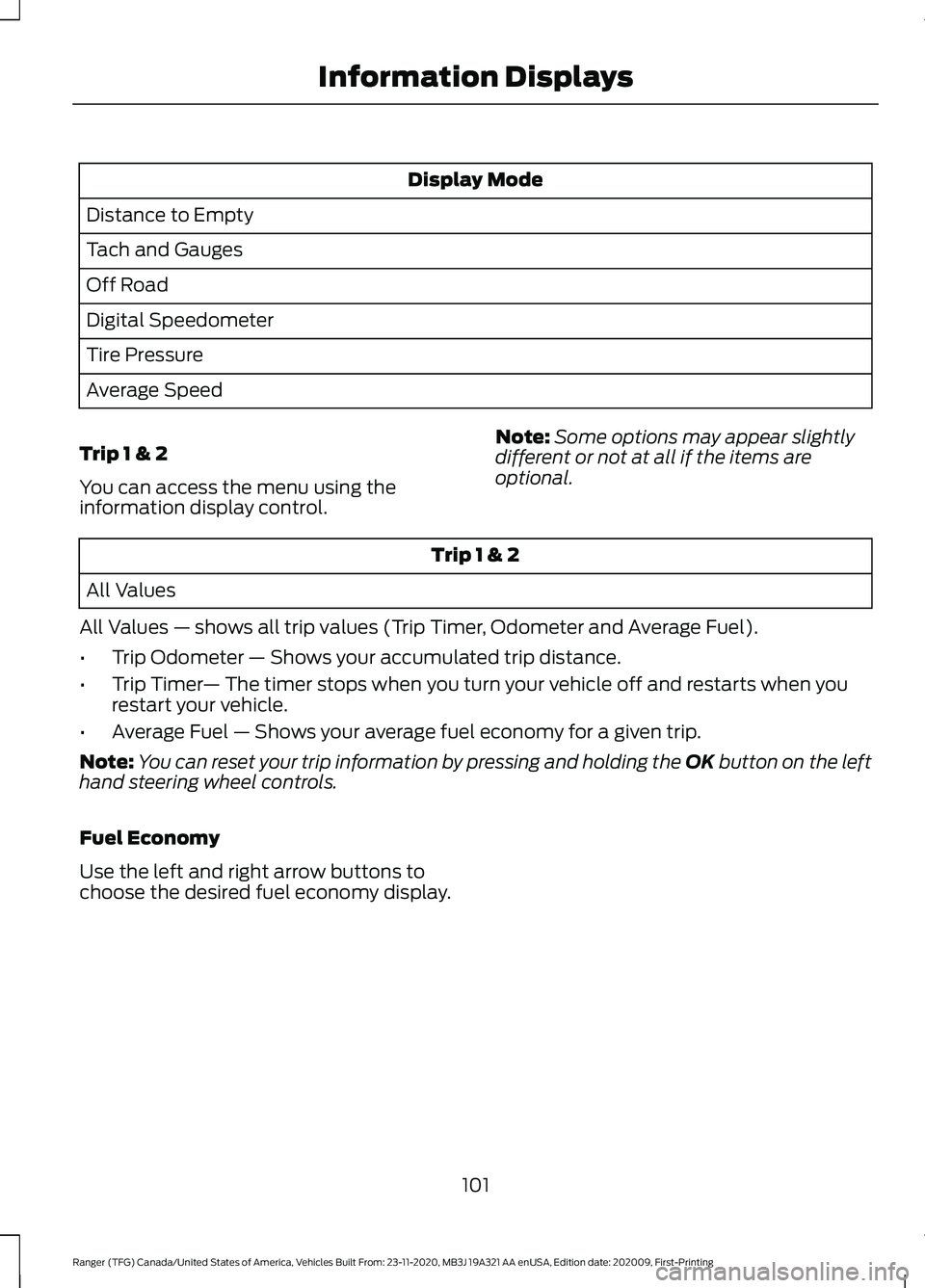
Display Mode
Distance to Empty
Tach and Gauges
Off Road
Digital Speedometer
Tire Pressure
Average Speed
Trip 1 & 2
You can access the menu using the
information display control. Note:
Some options may appear slightly
different or not at all if the items are
optional. Trip 1 & 2
All Values
All Values — shows all trip values (Trip Timer, Odometer and Average Fuel).
• Trip Odometer — Shows your accumulated trip distance.
• Trip Timer — The timer stops when you turn your vehicle off and restarts when you
restart your vehicle.
• Average Fuel — Shows your average fuel economy for a given trip.
Note: You can reset your trip information by pressing and holding the OK button on the left
hand steering wheel controls.
Fuel Economy
Use the left and right arrow buttons to
choose the desired fuel economy display.
101
Ranger (TFG) Canada/United States of America, Vehicles Built From: 23-11-2020, MB3J 19A321 AA enUSA, Edition date: 202009, First-Printing Information Displays
Page 105 of 475

Fuel Economy
Fuel Economy
Fuel History
Auto StartStop
• Fuel Economy - Shows a visual graph of your instantaneous fuel economy, average
fuel economy and distance to empty.
• Fuel History - Shows a bar chart of your fuel history from the past 30 min, average
fuel economy and distance to empty.
• Auto StartStop - Available Auto Start-Stop messaging will provide details about what
is happening with your system. See Information Messages (page 104).
Note: You can reset your average fuel economy by pressing and holding the
OK button on
the left hand steering wheel controls.
Driver Assist
In this mode, you can configure different
driver setting choices. Note:
Some items are optional and may
not appear. Driver Assist
Blind spot
Blind Spot
Enter the submenu and select your
setting
Trailer
Enter the submenu and select your
setting
Trailer Length
Cross Traffic
Alert
Hill Start Assist
Rear Park Aid
Trailer Sway Enter the submenu and select your setting
Chimes
Enter the submenu and select your setting
Cruise Control
Enter the submenu and select your setting
Driver Alert
102
Ranger (TFG) Canada/United States of America, Vehicles Built From: 23-11-2020, MB3J 19A321 AA enUSA, Edition date: 202009, First-Printing Information Displays
Page 118 of 475

Trail Control
Action
Message
You must reduce your vehicle speed to use trail control.
Reduce Speed To Enter Trail
Control
You must release the park brake to use trail control.
Trail Control Not Available with
Park Brake Applied
You successfully enabled trail control and must pressSET to activate.
Trail Control Enabled Use SET
Button to Set Speed
A trail control system fault has occurred, the drivermust resume control.
Trail Control Off Driver Resume
Control
The system has switched off.
Trail Control Off
A system fault is present. See What Is Trail Control
(page 182).
Trail Control Fault See Manual
You must switch the cruise control off to use trailcontrol.
Trail Control Not Available with
Cruise Control Active
You must close the door to use trail control.
Trail Control Not Available with
Driver Door Open
Descent control mode is active and you have to pressthe trail control switch to exit.
Descent Control Now Active
Press Trail Control Switch To Exit
Trailer Action
Message
A correct trailer connection is sensed during a givenignition cycle.
Trailer Connected
A trailer connection becomes disconnected, either
intentionally or unintentionally, and has been sensed during a given ignition cycle.
Trailer Disconnected
The trailer sway control has detected trailer sway.
Trailer Sway Reduce Speed
There are certain faults in your vehicle wiring and trailer
wiring/brake system. See Towing a Trailer (page 221).
Trailer Wiring Fault
There is a fault with your trailer turn lamp. Check yourlamp.
Trailer Left Turn Lamps Fault
Check Lamps
115
Ranger (TFG) Canada/United States of America, Vehicles Built From: 23-11-2020, MB3J 19A321 AA enUSA, Edition date: 202009, First-Printing Information Displays