2021 FORD MUSTANG change time
[x] Cancel search: change timePage 196 of 530
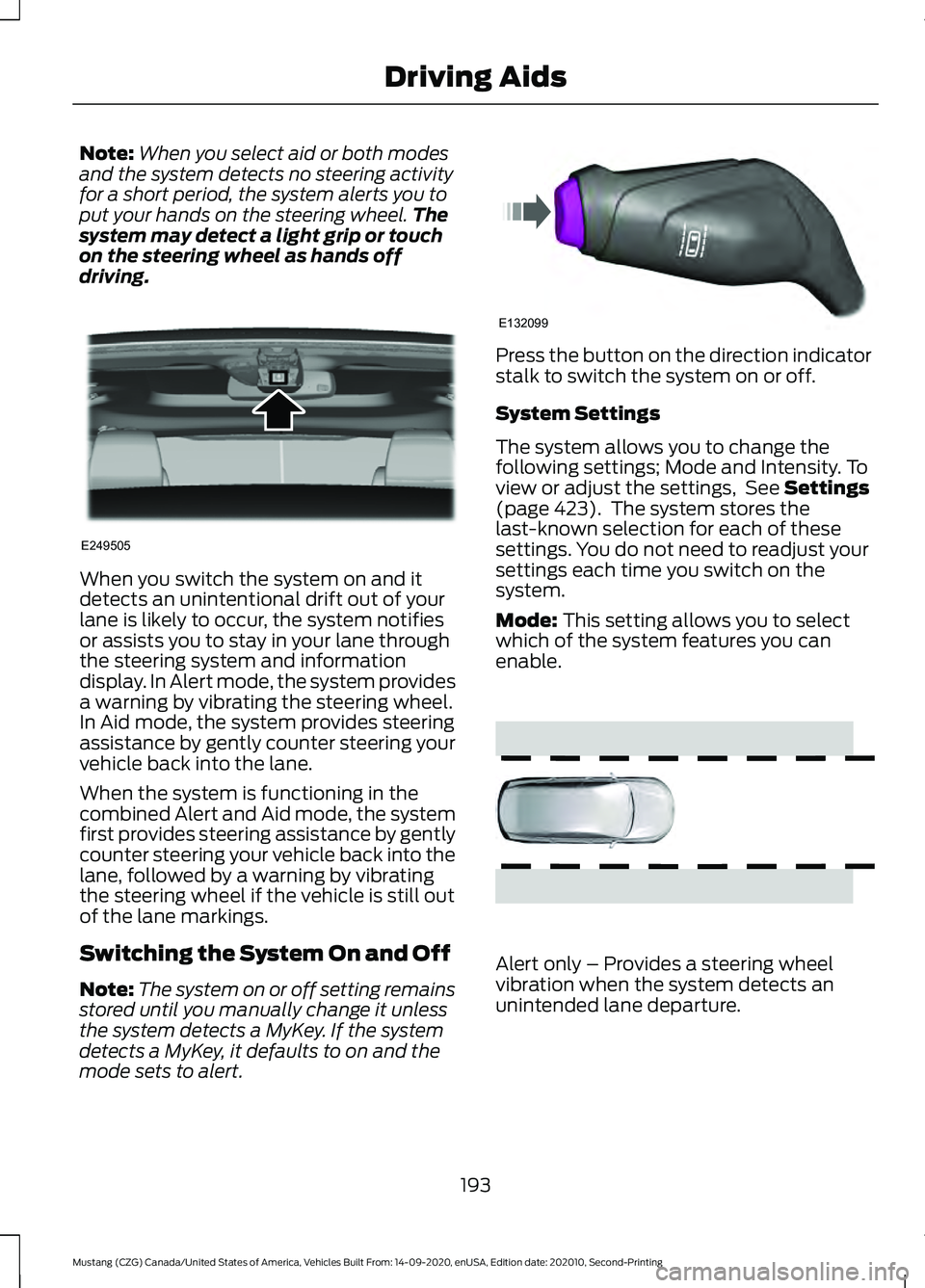
Note:
When you select aid or both modes
and the system detects no steering activity
for a short period, the system alerts you to
put your hands on the steering wheel. The
system may detect a light grip or touch
on the steering wheel as hands off
driving. When you switch the system on and it
detects an unintentional drift out of your
lane is likely to occur, the system notifies
or assists you to stay in your lane through
the steering system and information
display. In Alert mode, the system provides
a warning by vibrating the steering wheel.
In Aid mode, the system provides steering
assistance by gently counter steering your
vehicle back into the lane.
When the system is functioning in the
combined Alert and Aid mode, the system
first provides steering assistance by gently
counter steering your vehicle back into the
lane, followed by a warning by vibrating
the steering wheel if the vehicle is still out
of the lane markings.
Switching the System On and Off
Note:
The system on or off setting remains
stored until you manually change it unless
the system detects a MyKey. If the system
detects a MyKey, it defaults to on and the
mode sets to alert. Press the button on the direction indicator
stalk to switch the system on or off.
System Settings
The system allows you to change the
following settings; Mode and Intensity. To
view or adjust the settings, See Settings
(page 423). The system stores the
last-known selection for each of these
settings. You do not need to readjust your
settings each time you switch on the
system.
Mode:
This setting allows you to select
which of the system features you can
enable. Alert only – Provides a steering wheel
vibration when the system detects an
unintended lane departure.
193
Mustang (CZG) Canada/United States of America, Vehicles Built From: 14-09-2020, enUSA, Edition date: 202010, Second-Printing Driving AidsE249505 E132099 E165515
Page 198 of 530

Gray: Indicates that the system is
temporarily unable to provide a warning
or intervention on the indicated side(s).
This may be because:
•
Your vehicle is under the activation
speed.
• The direction indicator is active.
• Your vehicle is in a dynamic maneuver.
• The road has no or poor lane markings
in the camera field-of-view.
• The camera is obscured or unable to
detect the lane markings due to
environmental, traffic or vehicle
conditions. For example, significant sun
angles, shadows, snow, heavy rain or
fog, following a large vehicle that is
blocking or shadowing the lane or poor
headlamp illumination. See Troubleshooting for additional
information.
Green: Indicates that the system is
available or ready to provide a warning or
intervention, on the indicated side(s).
Yellow or Animated Graphics: Indicate that
the system is providing or has just provided
a lane keeping aid intervention.
Red: Indicates that the system is providing
or has just provided a lane keeping alert
warning.
The system can be temporarily suppressed
at any time by the following:
• Quick braking.
• Fast acceleration.
• Using the direction indicator.
• Evasive steering maneuver.
• Driving too close to the lane markings.
Troubleshooting Why is the feature not available (line markings are gray) when I can see the lane markings
on the road?
Your vehicle speed is outside the operational range of the feature.
The sun is shining directly into the camera lens.
A quick intentional lane change has occurred.
Your vehicle stays too close to the lane markings.
Driving at high speeds in curves.
The last alert warning or aid intervention occurred a short time ago.
Ambiguous lane markings, for example in construction zones.
Rapid transition from light to dark, or from dark to light.
Sudden offset in lane markings.
ABS or AdvanceTrac ™ is active.
There is a camera blockage due to dirt, grime, fog, frost or water on the windshield.
You are driving too close to the vehicle in front of you.
195
Mustang (CZG) Canada/United States of America, Vehicles Built From: 14-09-2020, enUSA, Edition date: 202010, Second-Printing Driving Aids
Page 208 of 530

Camera Troubleshooting
Action
Cause
Clean the outside of the windshield in frontof the camera.
The windshield in front of the camera is
dirty or the sensor is detecting an obstruc- tion.
Wait a short time. It could take several
minutes for the camera to detect that there is no obstruction.
The windshield in front of the camera is
clean but the message remains in the display screen.
Radar Troubleshooting Action
Cause
Clean the grille surface in front of the radaror remove the object causing the obstruc- tion.
The surface of the radar in the grille is dirty
or the sensor is detecting an obstruction.
Wait a short time. It could take several
minutes for the radar to detect that there is no obstruction.
The surface of the radar in the grille is clean
but the message remains in the display screen.
The pre-collision assist system temporarilyturns off. Pre-collision assist reactivates a short time after the weather conditions improve.
Heavy rain, spray, snow or fog is interfering
with the radar signals.
The pre-collision assist system temporarilyturns off. Pre-collision assist reactivates a short time after the weather conditions improve.
Swirling water or snow or ice on the surface
of the road may interfere with the radar signals.
Contact an authorized dealer to check theradar for proper coverage and operation.
Radar is out of alignment due to a front-
end impact.
Note: Proper system operation requires a
clear view of the road by the camera. Repair
any windshield damage in the area of the
camera's field of view.
Note: If something hits the front end of your
vehicle or damage occurs, the radar sensing
zone may change. This could cause missed
or false vehicle detections. Contact an
authorized dealer to check the radar for
proper coverage and operation. Note:
If your vehicle detects excessive heat
at the camera or a potential misalignment
condition, a message may display in the
information display indicating temporary
sensor unavailability. When operational
conditions are correct, the message
deactivates. For example, when the ambient
temperature around the sensor decreases
or the sensor successfully recalibrates.
205
Mustang (CZG) Canada/United States of America, Vehicles Built From: 14-09-2020, enUSA, Edition date: 202010, Second-Printing Driving Aids
Page 211 of 530

To create or save MyMode, press the
button on the steering wheel and access
the menu. See General Information
(page 99). The available systems display.
Choose your desired settings using the
appropriate buttons and menus. Press and
hold OK to save your settings. MyMode is
added to the drive mode list and can be
selected the next time you drive your
vehicle.
Note: The system has diagnostic checks
that continuously monitor the system to
make sure it properly operates. If a mode is
unavailable due to a system fault or change
in gear position, the selected mode defaults
to normal.
Note: Pre-Collision Assist is automatically
disabled when track mode is selected.
See
Pre-Collision Assist (page 202).
Note: If your vehicle has adaptive dampers,
the steering setting is optimized to work with
each drive mode. Other steering settings
may not be available.
Selectable Steering Press the steering button on the
instrument panel to change the
steering feel. The first press
illuminates the selected mode. Each time
you press the button, it changes the mode.
Modes:
• Normal - Default factory setting.
• Sport - Slightly higher effort required
for steering with more road force felt
through the steering wheel.
• Comfort - Slightly less effort required
for steering with less road force felt
through the steering wheel.
Note: A soft feedback bump in the steering
wheel may be felt after you make a
selection. Note:
The steering setting defaults to
normal if the battery is disconnected or
removed.
Active Exhaust
(If Equipped) Use the information display to
adjust the tone of the exhaust.
Active Exhaust modes:
• Quiet - Lowers the noise of the exhaust.
• Normal - Default factory setting.
• Sport - Raises the noise of the exhaust.
• Track - Tunes the exhaust for track
performance.
Note: The track exhaust mode setting is
only for use at tracks and not for use on
public roadways. Use of this setting results
in increased exterior noise, which may not
meet state and local laws and regulations.
It is the obligation of the driver to operate
the vehicle in a manner that complies with
state and local requirements. Only use the
track exhaust mode setting at a competition
track or an off-road course where elevated
exterior vehicle noise is acceptable.
Rev Match
(If Equipped)
This feature provides a smoother driving
experience, particularly during a downshift
event. This is accomplished by a shift
position prediction that commands a quick
engine RPM match to the selected gear.
You can switch this feature on and off
through the information display. See
General Information
(page 99).
Note: The system remembers your last
selection through ignition cycles.
Note: Rev match is only available with a
manual transmission.
208
Mustang (CZG) Canada/United States of America, Vehicles Built From: 14-09-2020, enUSA, Edition date: 202010, Second-Printing Driving AidsE174705 E287122
Page 212 of 530
No Lift Shift
This feature provides you with the ability
to keep the accelerator pedal firmly
pressed down during high engine speed,
wide open throttle accelerations. During
wide open throttle gear shifts, the engine
controller prevents the engine speed from
flaring with the clutch disengaged during
a rapid upshift. This allows reduced
manual transmission upshift time, resulting
in quicker acceleration and smoother no
lift shifts.
DRIVE CONTROL (IF EQUIPPED)
Selectable Drive Modes
(If Equipped)
Selectable drive modes deliver a
customized driving experience using a
variety of electronic vehicle systems. The
systems optimize vehicle dynamics and
powertrain response based on your
selected mode. Systems associated with
selectable drive modes are:
• Electronically power assisted steering.
See
Steering (page 201).
• Electronic stability control and traction
control maintain your vehicle control
in adverse conditions or high
performance driving.
See Stability
Control (page 175).
• Electronic throttle control enhances
the powertrain response to your driving
input.
• Adaptive dampers (if equipped).
• Active exhaust adjusts the sound
characteristics of your vehicle (if
equipped).
Using Selectable Drive Modes
Note: Your vehicle may have some of the
drive modes that follow. To change the drive mode setting, press
the mode button on the instrument panel
under the display. The first press
illuminates the selected mode, subsequent
presses change the selected mode.
Note:
Mode changes are not available when
the ignition is off or when the transmission
is in reverse (R). Some modes may be
unavailable when the transmission is in drive
(D) or sport (S).
Modes:
• Normal – Best suited for everyday
driving. If your vehicle has adaptive
dampers, the suspension delivers a
balanced combination of comfort and
handling. Selectable steering defaults
to normal but can be changed using
the steering button.
• Sport – Engages when you shift your
automatic transmission into sport (S).
Sport mode increases throttle
response and helps your vehicle
accelerate faster, but does not change
the vehicle dynamics or stability
system.
• Sport+ – Best suited for spirited driving.
This mode increases throttle response,
and if your vehicle has active exhaust,
it takes on a more powerful tone. If your
vehicle has adaptive dampers, the
suspension becomes stiffer, body
209
Mustang (CZG) Canada/United States of America, Vehicles Built From: 14-09-2020, enUSA, Edition date: 202010, Second-Printing Driving AidsE294773
Page 214 of 530
To create or save MyMode, press the
button on the steering wheel and access
the menu. See General Information
(page 99). The available systems display.
Select your desired settings using the
appropriate buttons and menus. Press and
hold OK to save your settings. MyMode is
added to the drive mode list and can be
selected the next time you drive your
vehicle.
Note: The system has diagnostic checks
that continuously monitor the system to
make sure it properly operates. If a mode is
unavailable due to a system fault or change
in gear position, the selected mode defaults
to normal.
Note: Pre-Collision Assist is automatically
disabled when track mode is selected.
See
Pre-Collision Assist (page 202).
Note: If your vehicle has adaptive dampers,
the steering setting is optimized to work with
each drive mode. Other steering settings
may not be available.
Selectable Steering
Note: The steering setting defaults to
normal if the battery is disconnected or
removed. Press the steering button on the
instrument panel to change the
steering feel. The first press
illuminates the selected mode. Each time
you press the button, it changes the mode.
Modes:
• Normal - Default factory setting.
• Sport - Slightly higher effort required
for steering with more road force felt
through the steering wheel.
• Comfort - Slightly less effort required
for steering with less road force felt
through the steering wheel. Note:
A soft feedback bump in the steering
wheel may be felt after you make a
selection.
Adaptive Dampers
(If Equipped) Press the button on the steering
wheel to adjust the suspension.
The first press illuminates the
current mode. Each time you press the
button, it changes the mode.
Adaptive damper modes:
• Normal — Available in normal and
sport drive modes.
• Sport — Available in normal, sport and
track drive modes.
• Track — Available only in track drive
mode.
• Drag Strip — Available only in drag strip
drive mode.
Active Exhaust
(If Equipped) Press the button on the
instrument panel under the
display to adjust the tone of the
exhaust.
Active Exhaust modes:
• Quiet - Lowers the noise of the exhaust.
• Normal - Default factory setting.
• Sport - Raises the noise of the exhaust.
• Track - Tunes the exhaust for track
performance.
Note: The track exhaust mode setting is
only for use at tracks and not for use on
public roadways. Use of this setting results
in increased exterior noise, which may not
meet state and local laws and regulations.
It is the obligation of the driver to operate
the vehicle in a manner that complies with
state and local requirements. Only use the
track exhaust mode setting at a competition
track or an off-road course where elevated
exterior vehicle noise is acceptable.
211
Mustang (CZG) Canada/United States of America, Vehicles Built From: 14-09-2020, enUSA, Edition date: 202010, Second-Printing Driving AidsE174705 E282723 E287122
Page 243 of 530
You are required to submit your warranty
dispute to BBB AUTO LINE before asserting
in court any rights or remedies conferred
by California Civil Code Section 1793.22(b).
You are also required to use BBB AUTO
LINE before exercising rights or seeking
remedies created by the Federal
Magnuson-Moss Warranty Act, 15 U.S.C.
sec. 2301 et seq. If you choose to seek
redress by pursuing rights and remedies
not created by California Civil Code Section
1793.22(b) or the Magnuson-Moss
Warranty Act, resort to BBB AUTO LINE is
not required by those statutes.
THE BETTER BUSINESS
BUREAU (BBB) AUTO LINE
PROGRAM (U.S. ONLY)
Your satisfaction is important to Ford
Motor Company and to your dealer. If a
warranty concern has not been resolved
using the three-step procedure outlined
earlier in this chapter in the Getting the
Services you need section, you may be
eligible to participate in the BBB AUTO
LINE program.
The BBB AUTO LINE program consists of
two parts – mediation and arbitration.
During mediation, a representative of the
BBB will contact both you and Ford Motor
Company to explore options for settlement
of the claim. If an agreement is not reached
during mediation or you do not want to
participate in mediation, and if your claim
is eligible, you may participate in the
arbitration process. An arbitration hearing
will be scheduled so that you can present
your case in an informal setting before an
impartial person. The arbitrator considers
the testimony provided and makes a
decision after the hearing.
Disputes submitted to the BBB AUTO LINE
program are usually decided within 40
days after you file your claim with the BBB.
You are not bound by the decision, and
may reject the decision and proceed to
court where all findings of the BBB Auto
Line dispute, and decision, are admissible
in the court action. Should you choose to
accept the BBB AUTO LINE decision, Ford
is then bound by the decision, and must
comply with the decision within 30 days
of receipt of your acceptance letter.
BBB AUTO LINE Application: Using the
information that follows, please call or
write to request a program application.
You will be asked for your name and
address, general information about your
new vehicle, information about your
warranty concerns, and any steps you have
already taken to try to resolve them. A
Customer Claim Form will be mailed that
needs to be completed, signed and
returned to the BBB along with proof of
ownership. Upon receipt, the BBB reviews
the claim for eligibility under the Program
Summary Guidelines.
You can get more information by
calling BBB AUTO LINE at
1-800-955-5100, or writing to:
BBB AUTO LINE a Division of BBB
National Programs, Inc.
1676 International Drive, Suite 550
McLean, VA 22102
BBB AUTO LINE applications can also be
requested by calling the Ford Motor
Company Customer Relationship Center
at 1-800-392-3673.
For additional information, refer to the
Better Business Bureau website.
Note:
Ford Motor Company reserves the
right to change eligibility limitations, modify
procedures, or to discontinue this process
at any time without notice and without
obligation.
240
Mustang (CZG) Canada/United States of America, Vehicles Built From: 14-09-2020, enUSA, Edition date: 202010, Second-Printing Customer Assistance
Page 273 of 530
Note:
If the brake fluid level is between the
MIN and the MAX marks on the reservoir, it
is acceptable.
Note: If the brake fluid level is below the
MIN
mark or above the MAX mark, have
your vehicle checked as soon as possible.
Note: To avoid fluid contamination, the
reservoir cap must remain in place and fully
tight, unless you are adding fluid.
Only use fluid that meets our
specifications. See
Capacities and
Specifications (page 335).
Brake Fluid Service Interval
Brake fluid absorbs water over time which
degrades the effectiveness of the brake
fluid. Change the brake fluid at the
specified intervals to prevent degraded
braking performance.
For detailed interval information, see
Scheduled Maintenance in your Owner's
Manual or your local maintenance guide.
CLUTCH FLUID CHECK -
MANUAL TRANSMISSION
The clutch and brake systems share the
same fluid reservoir. See
Brake Fluid
Check (page 269).
POWER STEERING FLUID
CHECK
Your vehicle is equipped with an electric
power steering (EPS) system. There is no
fluid reservoir to check or fill. CHANGING THE 12V BATTERY WARNING:
Batteries normally
produce explosive gases which can
cause personal injury. Therefore, do not
allow flames, sparks or lighted
substances to come near the battery.
When working near the battery, always
shield your face and protect your eyes.
Always provide correct ventilation. WARNING:
When lifting a
plastic-cased battery, excessive pressure
on the end walls could cause acid to flow
through the vent caps, resulting in
personal injury and damage to the
vehicle or battery. Lift the battery with a
battery carrier or with your hands on
opposite corners. WARNING:
Keep batteries out of
reach of children. Batteries contain
sulfuric acid. Avoid contact with skin,
eyes or clothing. Shield your eyes when
working near the battery to protect
against possible splashing of acid
solution. In case of acid contact with skin
or eyes, flush immediately with water for
a minimum of 15 minutes and get prompt
medical attention. If acid is swallowed,
call a physician immediately. WARNING:
Battery posts,
terminals and related accessories
contain lead and lead compounds,
chemicals known to the State of
California to cause cancer and
reproductive harm. Wash your hands
after handling
.
270
Mustang (CZG) Canada/United States of America, Vehicles Built From: 14-09-2020, enUSA, Edition date: 202010, Second-Printing Maintenance