2021 FORD ESCAPE change time
[x] Cancel search: change timePage 202 of 589

WHAT IS THE CATALYTIC
CONVERTER
The catalytic converter is part of your
vehicle's emissions system and filters
harmful pollutants from the exhaust gas.
CATALYTIC CONVERTER
PRECAUTIONS
WARNING: Do not park, idle or
drive your vehicle on dry grass or other
dry ground cover. The emission system
heats up the engine compartment and
exhaust system, creating the risk of fire. WARNING:
The normal operating
temperature of the exhaust system is
very high. Never work around or attempt
to repair any part of the exhaust system
until it has cooled. Use special care when
working around the catalytic converter.
The catalytic converter heats up to a very
high temperature after only a short
period of engine operation and stays hot
after the engine is switched off.
To avoid damaging the catalytic converter:
• Do not crank the engine for more than
10 seconds at a time.
• Do not run the engine with a spark plug
lead disconnected.
• Do not push-start or tow-start your
vehicle. Use booster cables. See Jump
Starting the Vehicle
(page 316).
• Use the correct fuel.
See Fuel and
Refueling (page 188).
• Do not switch the ignition off when your
vehicle is moving.
• Avoid running out of fuel.
• Have the items listed in scheduled
maintenance information performed
according to the specified schedule. Note:
Do not make any unauthorized
changes to your vehicle or engine. By law,
vehicle owners and anyone who
manufactures, repairs, or services a fleet of
vehicles are not permitted to intentionally
remove an emission control device or
prevent it from working.
CATALYTIC CONVERTER –
TROUBLESHOOTING
Catalytic Converter – Warning
Lamps
Your vehicle has an on-board diagnostics
system that monitors the emission control
system. If any of the following warning
lamps illuminate, this may indicate that
the on-board diagnostics system has
detected an emission control system
malfunction. Continuing to drive your vehicle may cause
reduced power or the engine to stop.
Failure to respond to a warning lamp may
cause damage that your vehicle Warranty
may not cover. Have your vehicle checked
as soon as possible.
199
Escape (CTC) Canada/United States of America, Vehicles Built From: 02-11-2020, enUSA, Edition date: 202011, First-Printing Catalytic Converter
Page 221 of 589

Driving In Sand
When driving over sand, try to keep all four
wheels on the most solid area of the trail.
Shift to a lower gear and drive steadily
through the terrain. Apply the accelerator
slowly and avoid excessive wheel slip. Do
not drive your vehicle in deep sand for an
extended period of time. This will cause
the system to overheat. A message
appears in the information display. See
All-Wheel Drive – Information
Messages (page 220).
Note: If your vehicle gets stuck in sand, it
may be rocked out by shifting between
forward and reverse gears, stopping
between shifts in a steady pattern. Press
lightly on the accelerator in each gear.
Note: Do not rock your vehicle if the engine
is not at normal operating temperature, as
damage to the transmission may occur.
Note: Do not rock your vehicle for more
than a minute, as damage to the
transmission and tires may occur or the
engine may overheat.
Driving Through Mud and Water
Mud
Be cautious of sudden changes in vehicle
speed or direction when you are driving in
mud. Even all-wheel drive vehicles can lose
traction in mud. If your vehicle does slide,
steer in the direction of the slide until you
regain control of your vehicle.
After driving through mud, clean off residue
stuck to rotating driveshafts and tires.
Excess mud stuck on tires and rotating
driveshafts can cause an imbalance that
could damage drive components.
Note: If your vehicle gets stuck in mud, it
may be rocked out by shifting between
forward and reverse gears, stopping
between shifts in a steady pattern. Press
lightly on the accelerator in each gear. Note:
Do not rock your vehicle if the engine
is not at normal operating temperature, as
damage to the transmission may occur.
Note: Do not rock your vehicle for more
than a minute, as damage to the
transmission and tires may occur or the
engine may overheat.
Water
If you must drive through deep water, drive
slowly. The water could limit traction or
brake capability. See Driving Through
Shallow Water (page 311).
When driving through water, determine the
depth and avoid water higher than the
center of the wheel.
Once through water, always try the brakes.
Wet brakes will not stop your vehicle as
quickly as dry brakes. Apply light pressure
to the brake pedal while slowly moving the
vehicle to dry the brakes.
Note: Driving through deep water could
cause damage to the transmission. If the
front or rear axle is submerged in water, the
axle lubricant and power transfer unit
lubricant should be checked and changed
if necessary.
Driving on Hilly or Sloping Terrain
Although natural obstacles could make it
necessary to travel diagonally up or down
a hill or steep incline, you should try to drive
straight up or straight down.
Note: Avoid turning on steep slopes or
hills. A danger lies in losing traction, slipping
sideways and possible vehicle roll over.
Whenever driving on a hill, determine
beforehand the route you can use. Do not
drive over the crest of a hill without seeing
what conditions are on the other side. Do
not drive in reverse over a hill without the
aid of an observer.
218
Escape (CTC) Canada/United States of America, Vehicles Built From: 02-11-2020, enUSA, Edition date: 202011, First-Printing All-Wheel Drive
(If Equipped)
Page 226 of 589
BRAKES –
TROUBLESHOOTING
Brakes – Warning Lamps
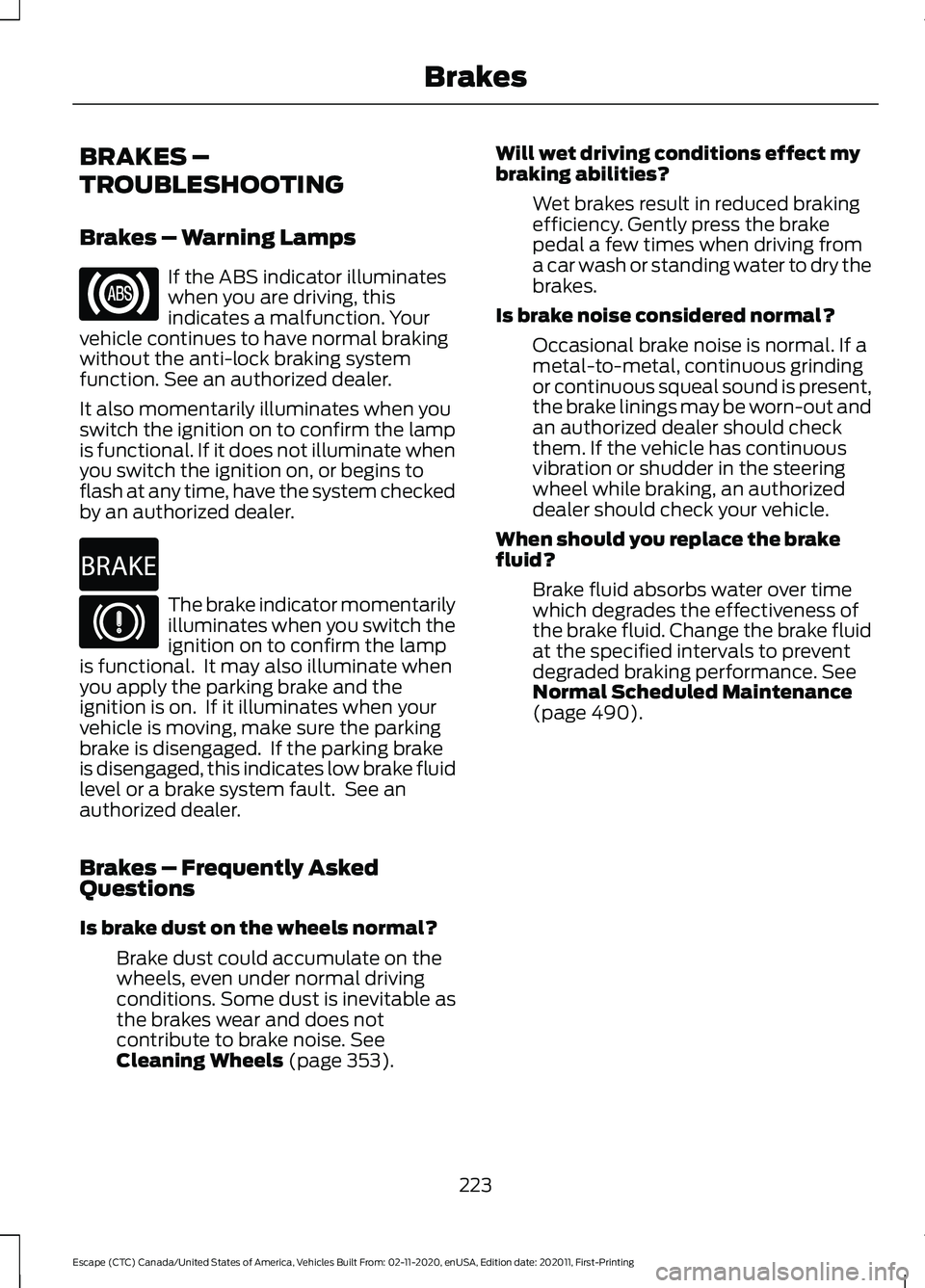
If the ABS indicator illuminates
when you are driving, this
indicates a malfunction. Your
vehicle continues to have normal braking
without the anti-lock braking system
function. See an authorized dealer.
It also momentarily illuminates when you
switch the ignition on to confirm the lamp
is functional. If it does not illuminate when
you switch the ignition on, or begins to
flash at any time, have the system checked
by an authorized dealer. The brake indicator momentarily
illuminates when you switch the
ignition on to confirm the lamp
is functional. It may also illuminate when
you apply the parking brake and the
ignition is on. If it illuminates when your
vehicle is moving, make sure the parking
brake is disengaged. If the parking brake
is disengaged, this indicates low brake fluid
level or a brake system fault. See an
authorized dealer.
Brakes – Frequently Asked
Questions
Is brake dust on the wheels normal?
Brake dust could accumulate on the
wheels, even under normal driving
conditions. Some dust is inevitable as
the brakes wear and does not
contribute to brake noise. See
Cleaning Wheels (page 353). Will wet driving conditions effect my
braking abilities?
Wet brakes result in reduced braking
efficiency. Gently press the brake
pedal a few times when driving from
a car wash or standing water to dry the
brakes.
Is brake noise considered normal? Occasional brake noise is normal. If a
metal-to-metal, continuous grinding
or continuous squeal sound is present,
the brake linings may be worn-out and
an authorized dealer should check
them. If the vehicle has continuous
vibration or shudder in the steering
wheel while braking, an authorized
dealer should check your vehicle.
When should you replace the brake
fluid? Brake fluid absorbs water over time
which degrades the effectiveness of
the brake fluid. Change the brake fluid
at the specified intervals to prevent
degraded braking performance.
See
Normal Scheduled Maintenance
(page
490).
223
Escape (CTC) Canada/United States of America, Vehicles Built From: 02-11-2020, enUSA, Edition date: 202011, First-Printing Brakes E270480
Page 249 of 589
Why does active park assist not offer
a parking space?
You recently disconnected or replaced
the battery. After you reconnect the
battery you must drive your vehicle on
a straight road for a short period of
time.
Why does active park assist not
correctly position the vehicle into a
parking space? An irregular curb along the parking
space prevents the system from
correctly aligning your vehicle.
Why does active park assist not
correctly position the vehicle into a
parking space? Vehicles or objects bordering the
space could not be correctly parked.
Why does active park assist not
correctly position the vehicle into a
parking space? Your vehicle stopped too far past the
parking space.
Why does active park assist not
correctly position the vehicle into a
parking space? The tires are not correctly installed or
maintained. For example, using a spare
tire, not inflated correctly, improper
size, or of different sizes.
Why does active park assist not
correctly position the vehicle into a
parking space? A repair or alteration changed the
detection capabilities.
Why does active park assist not
correctly position the vehicle into a
parking space? A parked vehicle has a high
attachment. For example, a salt
sprayer, snowplow or moving truck
bed. Why does active park assist not
correctly position the vehicle into a
parking space?
The parking space length, or position
of parked objects, changes after your
vehicle passes the space.
Why does active park assist not
correctly position the vehicle into a
parking space? The temperature around your vehicle
quickly changes. For example, driving
from a heated garage into a cold
outside temperature, or after leaving
a car wash.
246
Escape (CTC) Canada/United States of America, Vehicles Built From: 02-11-2020, enUSA, Edition date: 202011, First-Printing Active Park Assist (If Equipped)
Page 258 of 589

ADAPTIVE CRUISE CONTROL
INDICATORS
Illuminates when you switch
adaptive cruise control on. The
color of the indicator changes to
indicate the system status.
White indicates the system is on but
inactive.
Green indicates that you set the speed and
the system is active.
SWITCHING FROM ADAPTIVE
CRUISE CONTROL TO CRUISE
CONTROL WARNING: Normal cruise control
will not brake when your vehicle is
approaching slower vehicles. Always be
aware of which mode you have selected
and apply the brakes when necessary.
Use the touchscreen to select the
following:
1. Select
Settings.
2. Select
Driver Assist..
3. Select
Cruise Control.
4. Select
Normal. The cruise control indicator
replaces the adaptive cruise
control indicator if you select
normal cruise control. The gap setting does
not display, and the system does not
respond to lead vehicles. Automatic
braking remains active to maintain set
speed. The system remembers the last
setting when you start your vehicle. LANE CENTERING
How Does Lane Centering Work
Adaptive cruise control with lane centering
uses radar and camera sensors to help
keep your vehicle in the lane by applying
continuous assistance steering torque
input toward the lane center on highways.
Note:
The adaptive cruise control gap
setting operates normally.
Lane Centering Precautions WARNING:
Do not use the system
when towing a trailer. Failure to follow
this instruction could result in the loss of
control of your vehicle, personal injury or
death. WARNING:
Do not use the system
if any changes or modifications to the
steering wheel have been made. Any
changes or modifications to the steering
wheel could affect the functionality or
performance of the system. Failure to
follow this instruction could result in the
loss of control of your vehicle, personal
injury or death.
Adaptive cruise control precautions apply
to lane centering unless stated otherwise
or contradicted by a lane centering
precaution. See Adaptive Cruise Control
Precautions
(page 249).
Lane Centering Requirements
You must keep your hands on the steering
wheel at all times.
255
Escape (CTC) Canada/United States of America, Vehicles Built From: 02-11-2020, enUSA, Edition date: 202011, First-Printing Adaptive Cruise Control
(If Equipped)E144529 E71340
Page 259 of 589

The system only activates when all of the
following occur:
•
You have adaptive cruise control with
stop and go on.
• Lane centering assist is enabled in your
information and entertainment screen.
See Switching Lane Centering On
and Off (page 256).
• You have your hands on the steering
wheel.
• The system detects both lane
markings.
Note: If it does not detect valid lane
markings, the system stays inactive until
valid markings are available.
Lane Centering Limitations
Adaptive cruise control limitations apply
to lane centering unless stated otherwise
or contradicted by a lane centering
limitation. See Adaptive Cruise Control
Limitations
(page 250).
Lane Centering may not correctly operate
in any of the following conditions:
• Your vehicle is not centered in the lane.
• The lane is too narrow or wide.
• The system does not detect at least
one lane marking or when lanes merge
or split.
• Limited steering torque input is applied.
• Areas under construction or new
infrastructure.
• When modifications to the steering
system have been made.
• When using a spare tire.
• In high wind conditions.
Note: The driving assistance torque is
limited and may not be sufficient for all
driving situations such as driving through
tight curves or driving through curves at high
speeds. Note:
In exceptional conditions, the system
may deviate from the center line.
Switching Lane Centering On and
Off
You must keep your hands on the steering
wheel at all times.
The controls are on the steering wheel. Press the button.
The indicator appears in the information
display. When the system is on, the color
of the indicator changes to indicate the
system status.
You can override the system at any time
by steering your vehicle.
Note: The correct requirements must be
met before you can switch the system on.
See
Lane Centering Requirements (page
255).
Lane Centering Alerts
You must keep your hands on the steering
wheel at all times.
When the system is active and detects no
steering activity for a period of time, the
system alerts you to put your hands on the
steering wheel. If you do not react to the
warnings the system cancels and slows
your vehicle down to idle speeds while
maintaining steering control.
The system also alerts you if your vehicle
crosses lane markings without detected
steering activity.
Note: The system may detect a light grip
or touch on the steering wheel as hands-off
driving.
256
Escape (CTC) Canada/United States of America, Vehicles Built From: 02-11-2020, enUSA, Edition date: 202011, First-Printing Adaptive Cruise Control
(If Equipped)E262175
Page 260 of 589

When an external condition cancels the
system, for example, no lane markings
available, a tone sounds and a message
appears in the instrument cluster display.
If your vehicle starts to slow
down, provide steering input to
the wheel and press and release
the button to regain full system
performance.
Note: The system disables until the next
key cycle if your vehicle slows down due to
driver inactivity twice within a key cycle.
Lane Centering Automatic
Cancellation
When an external condition cancels the
system, for example, no lane markings
available, a tone sounds and a message
appears in the instrument cluster display. If your vehicle starts to slow
down, you must provide steering
input to the wheel and press and
release the button to regain full system
performance.
Automatic cancellation can also occur if:
• The lane becomes too wide or too
narrow.
• The system cannot detect valid lane
markings.
• Lane markings cross over one another.
Note: The system disables until the next
key cycle if your vehicle slows down due to
driver inactivity twice within a key cycle.
Lane Centering Indicators Illuminates when you switch
lane centering on. The color of
the indicator changes to indicate
the system status.
Gray indicates the system is on but
inactive. Green indicates the system is active and
applying steering torque assistance input
to keep your vehicle in the center of the
lane.
Amber with an audible tone and then gray
indicates a system automatic cancellation.
INTELLIGENT ADAPTIVE
CRUISE CONTROL
How Does Intelligent Adaptive
Cruise Control Work
Intelligent adaptive cruise control
combines speed sign recognition with
adaptive cruise control to adjust the cruise
set speed to the speed limit detected by
the speed sign recognition system. As the
system detects new speed signs, the set
speed updates.
Note:
The adaptive cruise control gap
setting operates normally.
Intelligent Adaptive Cruise Control
Precautions WARNING: You are responsible for
controlling your vehicle at all times. The
system is designed to be an aid and does
not relieve you of your responsibility to
drive with due care and attention. Failure
to follow this instruction could result in
the loss of control of your vehicle,
personal injury or death.
Intelligent Adaptive Cruise Control
Requirements
Traffic sign recognition must be enabled
for intelligent adaptive cruise control to be
active.
257
Escape (CTC) Canada/United States of America, Vehicles Built From: 02-11-2020, enUSA, Edition date: 202011, First-Printing Adaptive Cruise Control (If Equipped)E308130 E308130 E297977
Page 270 of 589

•
You apply direct steering, accelerate
fast or brake hard.
• The vehicle speed is less than 40 mph
(64 km/h).
• The anti-lock brake, stability control or
traction control system activates.
• The lane is too narrow.
• Something is obscuring the camera or
it is unable to detect the lane markings
due to environment, traffic or vehicle
conditions.
The lane keeping system may not correct
lane positioning in any of the following
conditions:
• High winds.
• Uneven road surfaces.
• Heavy or uneven loads.
• Incorrect tire pressure.
SWITCHING THE LANE
KEEPING SYSTEM ON AND
OFF To activate the lane keeping
system, press the button on the
steering wheel.
To deactivate the lane keeping system,
press the button again.
Note: When switching the system on or off
a message appears in the information and
entertainment display to show the status.
Note: The system stores the on or off
setting until manually changed, unless it
detects a MyKey ™. If the system detects a
MyKey ™, it defaults to the last setting for
that MyKey ™.
Note: If the system detects a MyKey ™,
pressing the button does not affect the on
or off status of the system. You can only
change the mode and intensity settings. SWITCHING THE LANE
KEEPING SYSTEM MODE
The lane keeping system has different
settings that you can view or adjust using
the information display.
The system stores the last known selection
for each of these settings. You do not need
to readjust your settings each time you
switch on the system.
To change the lane keeping system mode,
use the touchscreen:
1. Press
Settings on the touchscreen.
2. Press
Driver Assistance.
3. Press
Lane-Keeping System.
4. Press
Lane-Keeping Mode.
5. Select a mode.
Note: The system remembers the last
setting when you start your vehicle. If the
system detects a MyKey ™, it defaults to the
last setting for that MyKey ™.
ALERT MODE
What Is Alert Mode
Alert mode vibrates the steering wheel
when it detects an unintended lane
departure.
267
Escape (CTC) Canada/United States of America, Vehicles Built From: 02-11-2020, enUSA, Edition date: 202011, First-Printing Lane Keeping SystemE334922