2021 FORD BRONCO SPORT sensor
[x] Cancel search: sensorPage 51 of 471
SAFETY CANOPY™
WARNING: Do not place objects
or mount equipment on or near the
headliner at the siderail that may come
into contact with a deploying curtain
airbag. Failure to follow these
instructions may increase the risk of
personal injury in the event of a crash. WARNING:
Do not lean your head
on the door. The curtain airbag could
injure you as it deploys from the
headliner. WARNING:
Do not attempt to
service, repair, or modify the
supplementary restraint system or
associated components. Failure to
follow this instruction could result in
personal injury or death. WARNING:
All occupants of your
vehicle, including the driver, should
always properly wear their seatbelts,
even when an airbag supplemental
restraint system is provided. Failure to
properly wear your seatbelt could
seriously increase the risk of injury or
death. WARNING:
To reduce risk of injury,
do not obstruct or place objects in the
deployment path of the airbag. WARNING:
If a supplementary
restraint system component has
deployed, it will not function again. Have
the system and associated components
inspected as soon as possible. Failure to
follow this instruction could result in
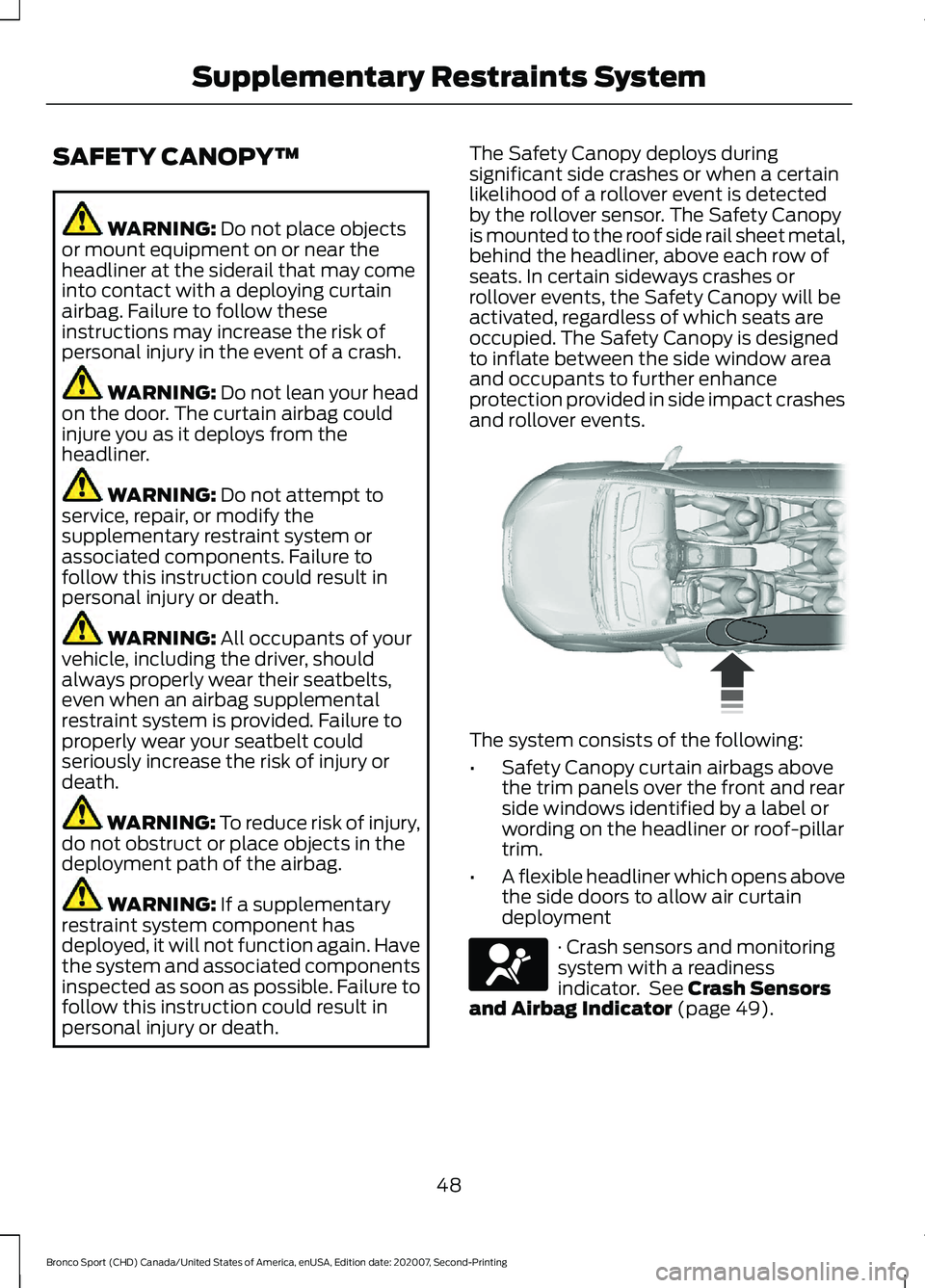
personal injury or death. The Safety Canopy deploys during
significant side crashes or when a certain
likelihood of a rollover event is detected
by the rollover sensor. The Safety Canopy
is mounted to the roof side rail sheet metal,
behind the headliner, above each row of
seats. In certain sideways crashes or
rollover events, the Safety Canopy will be
activated, regardless of which seats are
occupied. The Safety Canopy is designed
to inflate between the side window area
and occupants to further enhance
protection provided in side impact crashes
and rollover events.
The system consists of the following:
•
Safety Canopy curtain airbags above
the trim panels over the front and rear
side windows identified by a label or
wording on the headliner or roof-pillar
trim.
• A flexible headliner which opens above
the side doors to allow air curtain
deployment · Crash sensors and monitoring
system with a readiness
indicator. See
Crash Sensors
and Airbag Indicator (page 49).
48
Bronco Sport (CHD) Canada/United States of America, enUSA, Edition date: 202007, Second-Printing Supplementary Restraints System E75004 E67017
Page 52 of 471
Properly restrain children 12 years old and
under in the rear seats. The Safety Canopy
will not interfere with children restrained
using a properly installed child or booster
seat because it is designed to inflate
downward from the headliner above the
doors along the side window opening.
The design and development of the Safety
Canopy included recommended testing
procedures that were developed by a
group of automotive safety experts known
as the Side Airbag Technical Working
Group. These recommended testing
procedures help reduce the risk of injuries
related to the deployment of side airbags
(including the Safety Canopy).
CRASH SENSORS AND
AIRBAG INDICATOR
WARNING: Modifying or adding
equipment to the front end of your
vehicle (including hood, bumper system,
frame, front end body structure, tow
hooks and hood pins) may affect the
performance of the airbag system,
increasing the risk of injury. Do not
modify or add equipment to the front
end of your vehicle.
Your vehicle has a collection of crash and
occupant sensors which provide
information to the restraints control
module. The restraints control module
deploys (activates) the seatbelt
pretensioners, driver airbag, passenger
airbag, knee airbag(s), seat mounted side
airbags and the Safety Canopy. Based on
the type of crash, the restraints control
module deploys the appropriate safety
devices. The restraints control module also
monitors the readiness of the above safety
devices plus the crash and occupant
sensors. The readiness of the safety
system is indicated by a warning indicator
light in the instrument cluster or by a
backup tone if the warning light is not
working. Routine maintenance of the
airbag is not required.
A difficulty with the system is indicated by
one or more of the following:
•
The readiness light will not illuminate
immediately after you switch the
ignition on.
• The readiness light either flashes or
stays lit.
• A series of five beeps is heard. The tone
pattern repeats periodically until the
problem, the light or both are repaired.
If any of these things happen, even
intermittently, have the supplemental
restraint system serviced at an authorized
dealer immediately. Unless serviced, the
system may not function properly in the
event of a crash.
The restraint system is designed to
activate when the vehicle sustains
conditions sufficient to cause the restraint
control module to deploy a safety device.
49
Bronco Sport (CHD) Canada/United States of America, enUSA, Edition date: 202007, Second-Printing Supplementary Restraints SystemE67017
Page 68 of 471
Activating Intelligent Access (If
Equipped)
General Information
You can unlock and lock the vehicle
without taking the keys out of your pocket
or purse when your Passive key is within
3 ft (1 m) of your vehicle. Intelligent access
uses a sensor on the back of the door
handle for unlocking and a separate sensor
on the face of each door handle for locking.
The system does not function if:
• Your vehicle battery has no charge.
• The key battery has no charge.
• The key frequencies are jammed.
Note: The system may not function if the
passive key is close to metal objects or
electronic devices, for example keys or a cell
phone.
Note: If the system does not function, use
the key blade to lock and unlock your
vehicle. See
Remote Control (page 53).
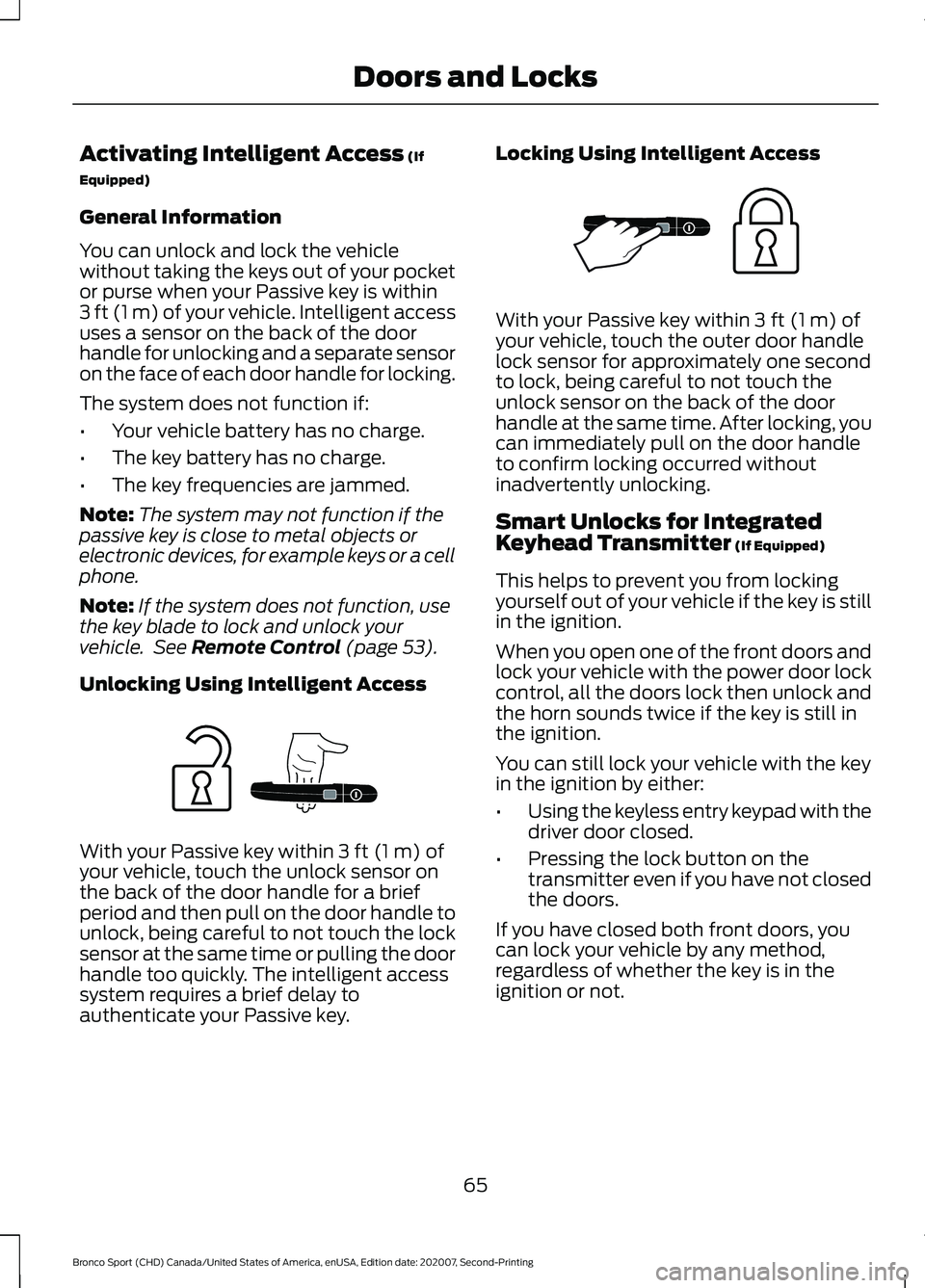
Unlocking Using Intelligent Access With your Passive key within
3 ft (1 m) of
your vehicle, touch the unlock sensor on
the back of the door handle for a brief
period and then pull on the door handle to
unlock, being careful to not touch the lock
sensor at the same time or pulling the door
handle too quickly. The intelligent access
system requires a brief delay to
authenticate your Passive key. Locking Using Intelligent Access With your Passive key within
3 ft (1 m) of
your vehicle, touch the outer door handle
lock sensor for approximately one second
to lock, being careful to not touch the
unlock sensor on the back of the door
handle at the same time. After locking, you
can immediately pull on the door handle
to confirm locking occurred without
inadvertently unlocking.
Smart Unlocks for Integrated
Keyhead Transmitter
(If Equipped)
This helps to prevent you from locking
yourself out of your vehicle if the key is still
in the ignition.
When you open one of the front doors and
lock your vehicle with the power door lock
control, all the doors lock then unlock and
the horn sounds twice if the key is still in
the ignition.
You can still lock your vehicle with the key
in the ignition by either:
• Using the keyless entry keypad with the
driver door closed.
• Pressing the lock button on the
transmitter even if you have not closed
the doors.
If you have closed both front doors, you
can lock your vehicle by any method,
regardless of whether the key is in the
ignition or not.
65
Bronco Sport (CHD) Canada/United States of America, enUSA, Edition date: 202007, Second-Printing Doors and LocksE248555 E248556
Page 79 of 471
SWITCHING THE HEATED
STEERING WHEEL ON AND OFF
(IF EQUIPPED)
To activate the heated steering
wheel, press the button on the
climate control unit.
On some vehicles, an indicator on the
button illuminates when the heated
steering wheel is on.
Note: A sensor regulates the temperature
of the steering wheel.
76
Bronco Sport (CHD) Canada/United States of America, enUSA, Edition date: 202007, Second-Printing Steering Wheel
Page 81 of 471
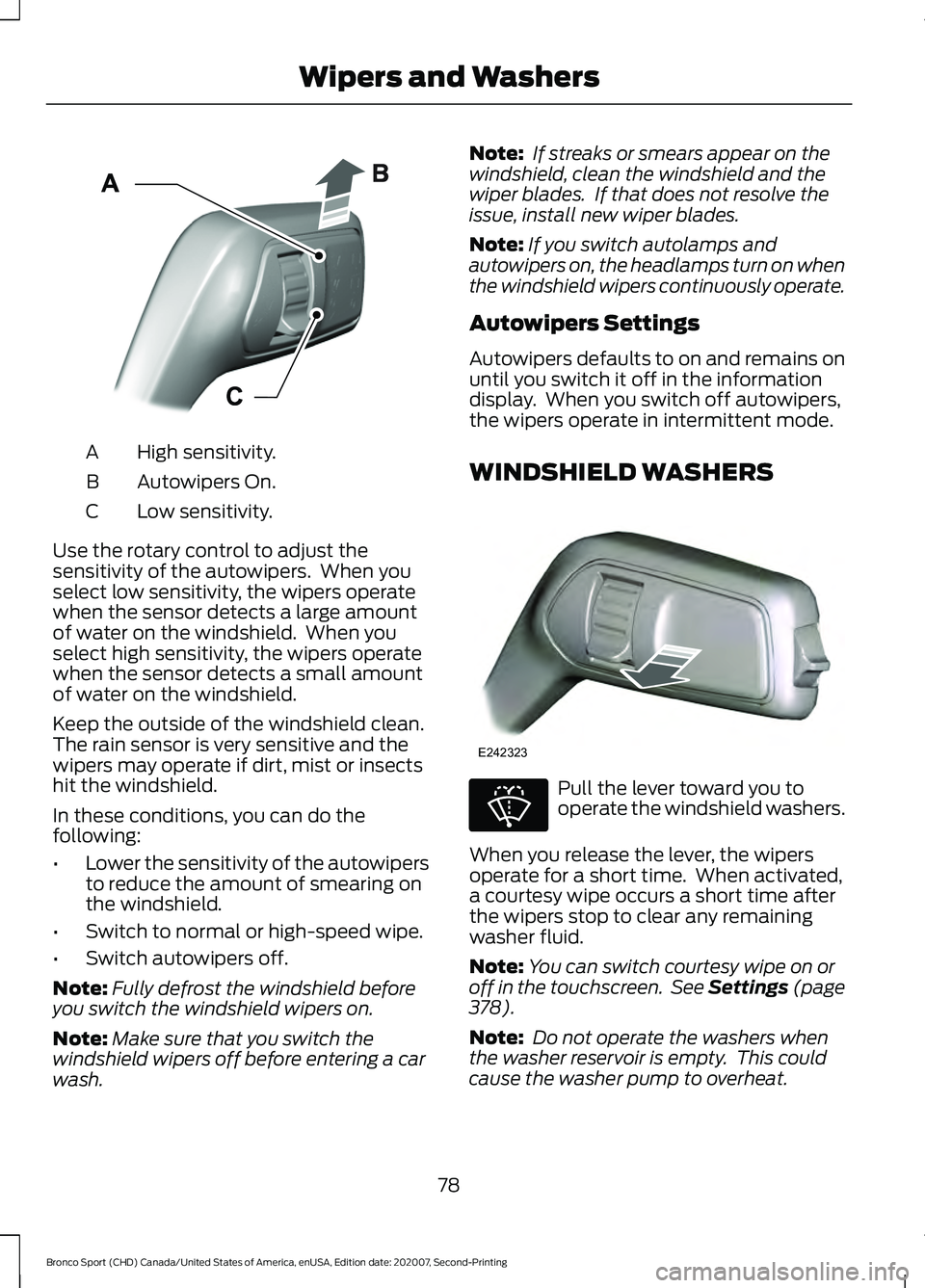
High sensitivity.
A
Autowipers On.
B
Low sensitivity.
C
Use the rotary control to adjust the
sensitivity of the autowipers. When you
select low sensitivity, the wipers operate
when the sensor detects a large amount
of water on the windshield. When you
select high sensitivity, the wipers operate
when the sensor detects a small amount
of water on the windshield.
Keep the outside of the windshield clean.
The rain sensor is very sensitive and the
wipers may operate if dirt, mist or insects
hit the windshield.
In these conditions, you can do the
following:
• Lower the sensitivity of the autowipers
to reduce the amount of smearing on
the windshield.
• Switch to normal or high-speed wipe.
• Switch autowipers off.
Note: Fully defrost the windshield before
you switch the windshield wipers on.
Note: Make sure that you switch the
windshield wipers off before entering a car
wash. Note:
If streaks or smears appear on the
windshield, clean the windshield and the
wiper blades. If that does not resolve the
issue, install new wiper blades.
Note: If you switch autolamps and
autowipers on, the headlamps turn on when
the windshield wipers continuously operate.
Autowipers Settings
Autowipers defaults to on and remains on
until you switch it off in the information
display. When you switch off autowipers,
the wipers operate in intermittent mode.
WINDSHIELD WASHERS Pull the lever toward you to
operate the windshield washers.
When you release the lever, the wipers
operate for a short time. When activated,
a courtesy wipe occurs a short time after
the wipers stop to clear any remaining
washer fluid.
Note: You can switch courtesy wipe on or
off in the touchscreen. See Settings (page
378).
Note: Do not operate the washers when
the washer reservoir is empty. This could
cause the washer pump to overheat.
78
Bronco Sport (CHD) Canada/United States of America, enUSA, Edition date: 202007, Second-Printing Wipers and WashersE295997 E242323 E270967
Page 89 of 471
WHAT IS AUTOMATIC HIGH
BEAM CONTROL
The system turns on high beams if it is dark
enough and no other traffic is present. If it
detects an approaching vehicle
’s
headlamps or tail lamps, or street lighting
ahead, the system turns the high beams
off. Low beams remain on.
A camera sensor, centrally mounted
behind the windshield of your vehicle,
continuously monitors conditions to turn
the high beams on and off.
SWITCHING AUTOMATIC HIGH
BEAM CONTROL ON AND OFF WARNING: Do not use the system
in poor visibility, for example fog, heavy
rain, spray or snow.
1. Press
Settings on the touchscreen.
2. Press
Vehicle.
3. Press
Lighting.
Activating the Automatic High
Beam Control Switch the lighting control to the
autolamps position. See
Autolamps
(page 81).
Note: The lighting control defaults to
autolamps each time you switch your
vehicle on.
When active, the high beams turn on if:
• The ambient light level is low enough.
• There is no traffic in front of your
vehicle.
• The vehicle speed is greater than
approximately
32 mph (51 km/h). When active, the high beams turn off if:
•
The ambient light level is high enough
that high beams are not required.
• The system detects an approaching
vehicle's headlamps or tail lamps.
• The system detects severe rain, snow
or fog.
• The camera is blocked.
• The vehicle speed falls below
approximately
27 mph (44 km/h).
Note: The deactivation speed is lower on
curves.
Note: High beam reactivation may be
delayed in certain curvy road situations.
Note: The system may not operate properly
if the sensor is blocked. Keep the windshield
free from obstruction or damage.
Note: The system may not operate properly
in cold or inclement conditions. You can
switch on the high beams by overriding the
system.
Note: If the system detects a blockage, for
example bird droppings, bug splatter, snow
or ice, the system goes into low beam mode
until you clear the blockage. A message may
appear in the information display if the
camera is blocked.
Note: Using much larger tires or equipping
vehicle accessories such as snowplows can
modify your vehicle's ride height and
degrade automatic high beam control
performance.
AUTOMATIC HIGH BEAM
CONTROL INDICATORS The indicator illuminates to
confirm when the system is
ready to assist.
86
Bronco Sport (CHD) Canada/United States of America, enUSA, Edition date: 202007, Second-Printing Automatic High Beam ControlE281240
Page 93 of 471
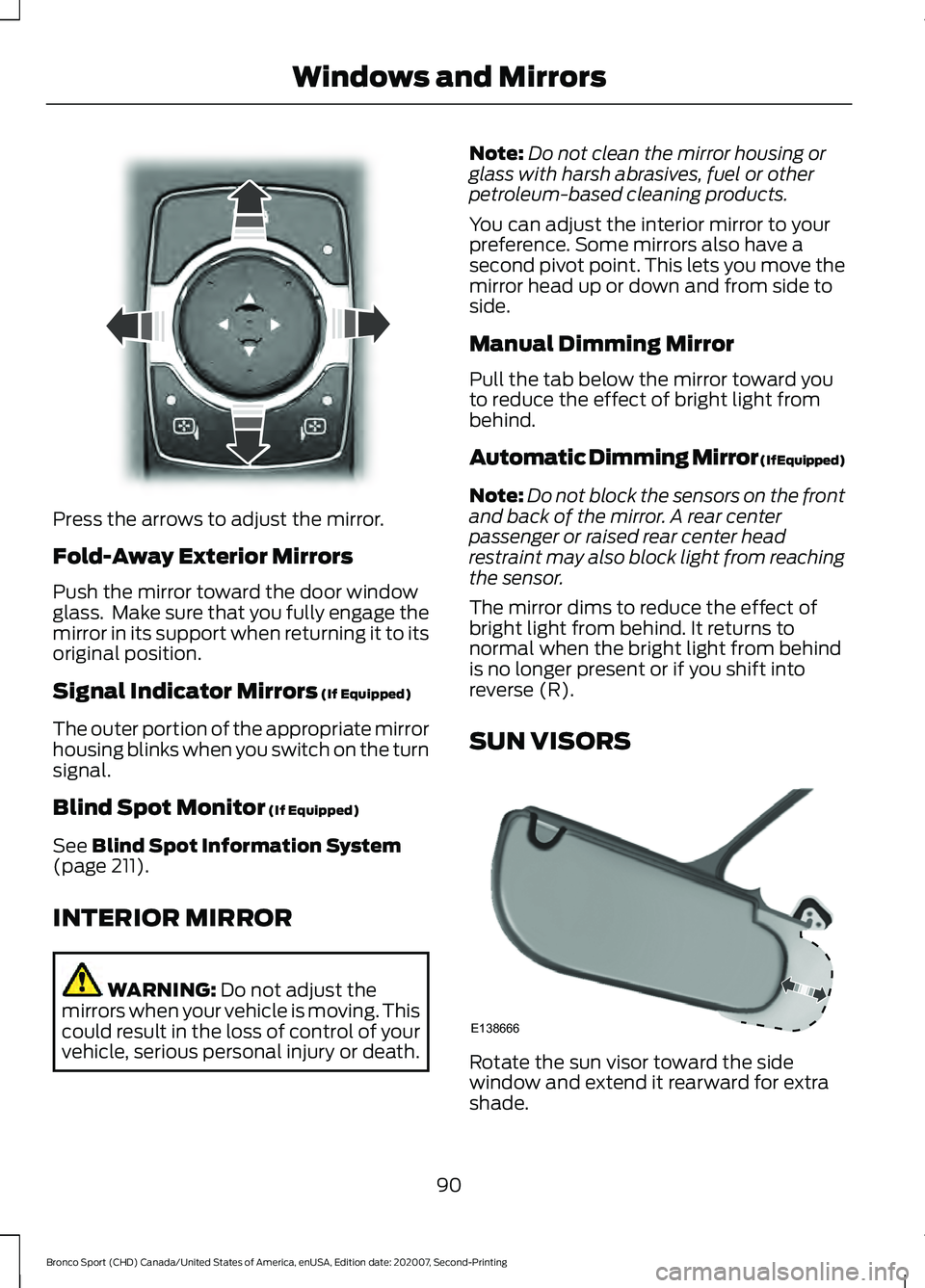
Press the arrows to adjust the mirror.
Fold-Away Exterior Mirrors
Push the mirror toward the door window
glass. Make sure that you fully engage the
mirror in its support when returning it to its
original position.
Signal Indicator Mirrors (If Equipped)
The outer portion of the appropriate mirror
housing blinks when you switch on the turn
signal.
Blind Spot Monitor
(If Equipped)
See
Blind Spot Information System
(page 211).
INTERIOR MIRROR WARNING:
Do not adjust the
mirrors when your vehicle is moving. This
could result in the loss of control of your
vehicle, serious personal injury or death. Note:
Do not clean the mirror housing or
glass with harsh abrasives, fuel or other
petroleum-based cleaning products.
You can adjust the interior mirror to your
preference. Some mirrors also have a
second pivot point. This lets you move the
mirror head up or down and from side to
side.
Manual Dimming Mirror
Pull the tab below the mirror toward you
to reduce the effect of bright light from
behind.
Automatic Dimming Mirror (If Equipped)
Note: Do not block the sensors on the front
and back of the mirror. A rear center
passenger or raised rear center head
restraint may also block light from reaching
the sensor.
The mirror dims to reduce the effect of
bright light from behind. It returns to
normal when the bright light from behind
is no longer present or if you shift into
reverse (R).
SUN VISORS Rotate the sun visor toward the side
window and extend it rearward for extra
shade.
90
Bronco Sport (CHD) Canada/United States of America, enUSA, Edition date: 202007, Second-Printing Windows and MirrorsE303927 E138666
Page 107 of 471
Note:
When viewing this screen you can
reset your average fuel economy. Hold OK
to reset fuel history and average fuel
economy.
Trip 1 and 2
Provides trip timer, trip average fuel
economy and total trip distance traveled.
For hybrid vehicles, the trip also shows the
distance traveled on electric power only.
INFORMATION MESSAGES
Depending on your vehicle options and
instrument cluster type, not all messages
display or are available. Note:
The system abbreviates or shortens
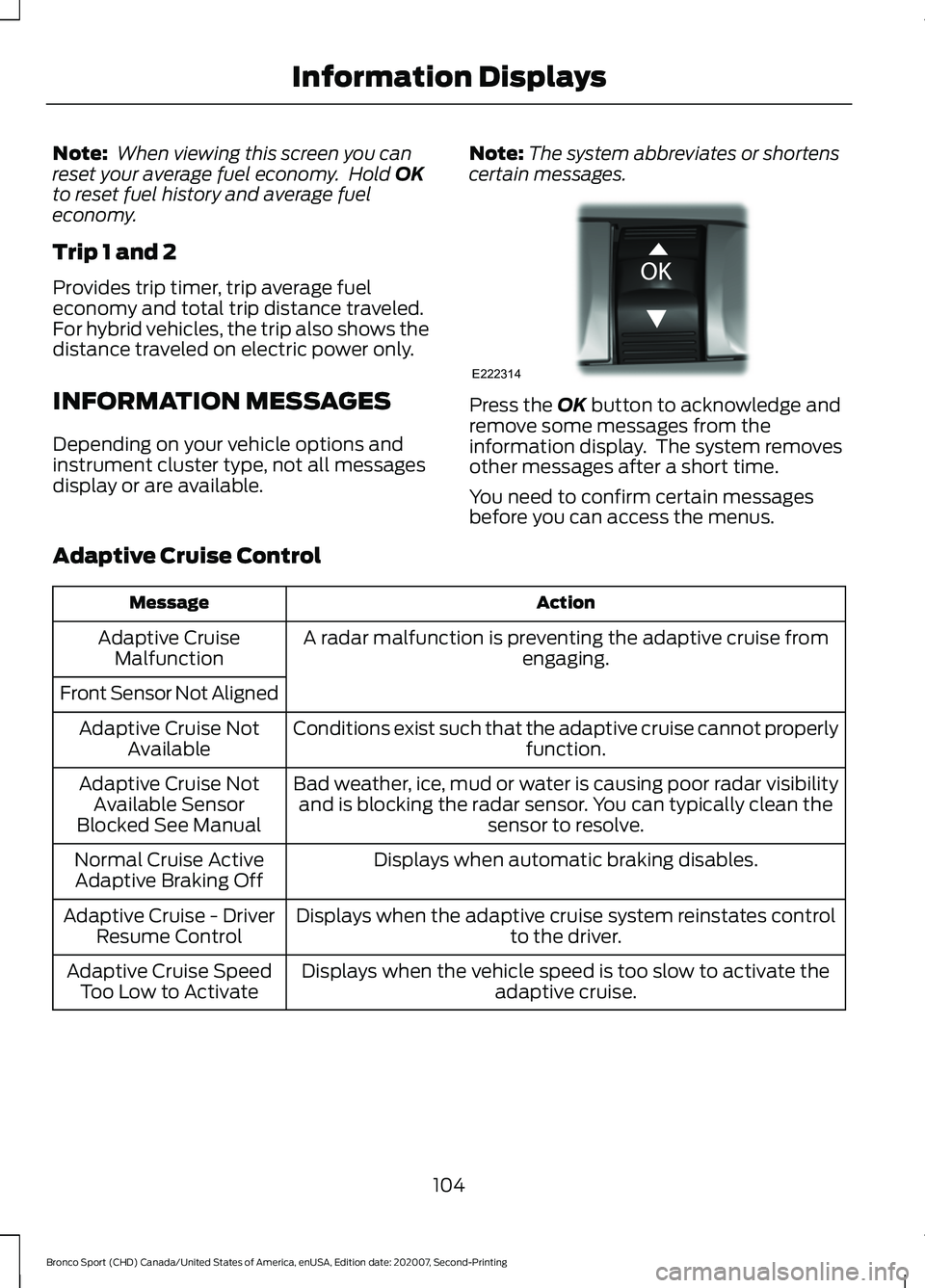
certain messages. Press the
OK button to acknowledge and
remove some messages from the
information display. The system removes
other messages after a short time.
You need to confirm certain messages
before you can access the menus.
Adaptive Cruise Control Action
Message
A radar malfunction is preventing the adaptive cruise from engaging.
Adaptive Cruise
Malfunction
Front Sensor Not Aligned Conditions exist such that the adaptive cruise cannot properlyfunction.
Adaptive Cruise Not
Available
Bad weather, ice, mud or water is causing poor radar visibilityand is blocking the radar sensor. You can typically clean the sensor to resolve.
Adaptive Cruise Not
Available Sensor
Blocked See Manual
Displays when automatic braking disables.
Normal Cruise Active
Adaptive Braking Off
Displays when the adaptive cruise system reinstates controlto the driver.
Adaptive Cruise - Driver
Resume Control
Displays when the vehicle speed is too slow to activate theadaptive cruise.
Adaptive Cruise Speed
Too Low to Activate
104
Bronco Sport (CHD) Canada/United States of America, enUSA, Edition date: 202007, Second-Printing Information DisplaysE222314