2021 CITROEN C5 AIRCROSS button start
[x] Cancel search: button startPage 258 of 292

12
Select "My destinations ".
Select the " Recent" tab.
Select the address chosen in the list to display
the " Guidance criteria ".
Press " OK" to start navigation.
Select " Position " to visualise the arrival
point geographically.
To "My home " or "My work "
Press Navigation to display the
primary page.
Press the " MENU" button to go to the
secondary page.
Select "My destinations ".
Select the " Preferred" tab.
Select " My home ".
Or Select "My work ".
Or
Select a
preset favourite destination.
To a contact
Press Navigation to display the
primary page.
Press the " MENU" button to go to the
secondary page.
Navigation
Choice of a destination
To a new destination
Press Navigation to display the
primary page.
Press the " MENU" button to go to the
secondary page.
Select "Enter address ".
Select the " Country".
Enter the " City", the " Street " and the
" Number " and confirm by pressing
on the suggestions displayed.
Press " OK" to select the " Guidance
criteria ".
And/or Select "See on map " to select the
" Guidance criteria ".
Press " OK" to start navigation.
Zoom out /in using the touch buttons or
with two fingers on the screen. In order to be able to use the navigation,
it is necessary to fill in the "
City", the
" Street " and the " Number" on the
virtual keyboard or take it from the
list in " Contact " or in the " History" of
addresses.
Without confirmation of the house number,
the navigation system will show one of the
ends of the street.
To a recent destination
Press Navigation to display the
primary page.
Press the " MENU" button to go to the
secondary page.
CITROËN Connect Nav
Page 259 of 292

13
Select "My destinations ".
Select the " Contact" tab.
Select a
contact in the list to start navigation.
To points of interest (POI)
Points of interest (POI) are listed in different
categories. Press Navigation to display the
primary page.
Press the " MENU" button to go to the
secondary page.
Select "Points of interest ".
Select the " Tr a v e l", or "Leisure "
or " Commercial" or " Public" or
" Geographic " tab.
Or Select "Search" to enter the name
and address of a
POI. Press "
OK" to start calculation of
the route.
To a point on the map
Press Navigation to display the
primary page.
Explore the map by sliding a
finger on the
screen.
Select the destination by pressing on the map.
Tap the screen to place a
marker
and display the sub-menu.
Press this button to start navigation.
Or Press this button to save the
address displayed.
A long press on an item opens a
list of
POIs nearby.
To GPS coordinates
Press Navigation to display the
primary page. Explore the map by sliding a
finger on the
screen.
Touch the screen with a finger to go to the next
image.
Press this button to display the world
map.
Using the grid, select the desired
country or region by zooming.
Press this button to display or enter
the GPS coordinates.
A marker is displayed in the middle
of the screen, with the " Latitude"
and " Longitude " coordinates.
Choose the type of coordinates:
DMS for: Degrees, Minutes, Seconds.
DD for: Degrees, Decimals. Press this button to start navigation.
Or Press this button to save the
address displayed.
OR Press this button to enter the value
for "Latitude " using the virtual
keypad.
.
CITROËN Connect Nav
Page 261 of 292

15
ORPress Applications to display the
primary page.
Press the " OPTIONS" button to go to the
secondary page.
Select "Wi- Fi network
connection ".
Select the " Secured" or "Not
secured " or "Stored " tab.
Select a
network.
Using the virtual keypad, enter the
" Key " for the Wi-Fi network and the
" Password ". The ser vices offered with connected
navigation are as follows.
A Connected Services pack:
-
Weather,
-
F
illing stations,
-
C
ar park,
-
Tr a f f i c ,
-
P
OI local search.
A Danger zone pack (as an option).
Settings specific to
connected navigation
Press the " MENU" button to go to the
secondary page. Select "
Settings ".
Select " Map".
Press " OK" to start the connection.
Usage restrictions:
-
W
ith CarPlay
®, connection sharing is
only with a
Wi-Fi connection.
-
W
ith MirrorLink
TM, connection sharing
is only with a
USB connection.
The quality of ser vices depends on the
quality of the network connection. With the arrival of "TOMTOM
TR AFFIC", the ser vices will be
available.
Processes and standards are constantly
changing; for the communication process
between the smartphone and the system
to work correctly, it is recommended to
update the operating system of the
smar tphone as well as the date and
time of the smar tphone and of the
system. Press Navigation to display the
primary page. Activate or deactivate:
-
"
Allow declaration of danger
zones ".
- "
Guidance to final destination
on foot "
- "
Display recommended
speed "
These settings must be made
according to each profile.
Select " Alerts".
Activate or deactivate:
- "
Advise of car park nearby ",
" Filling station alert ", "Risk
areas alert ", "Accident black
spot alert " then select the
alert symbol, " Give an audible
warning ", "Advise proximity
of POI 1 ", "Advise proximity of
POI 2 ".
To have access to connected navigation,
select the option: " Authorise sending
information " in "Settings".
.
CITROËN Connect Nav
Page 264 of 292
18
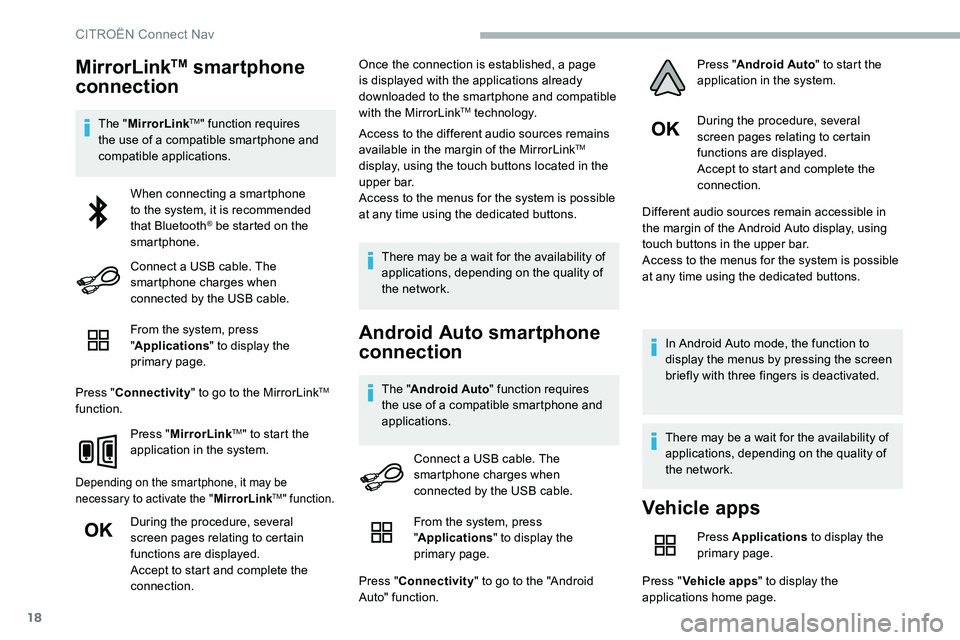
MirrorLinkTM smartphone
connection
The " MirrorLinkTM" function requires
the use of a
compatible smartphone and
compatible applications.
From the system, press
"Applications " to display the
primary page.
Press " Connectivity " to go to the MirrorLink
TM
function.
Press "MirrorLink
TM" to start the
application in the system.
Depending on the smartphone, it may be
necessary to activate the " MirrorLinkTM" function.
During the procedure, several
screen pages relating to certain
functions are displayed.
Accept to start and complete the
connection. Once the connection is established, a page
is displayed with the applications already
downloaded to the smartphone and compatible
with the MirrorLink
TM technology.
Access to the different audio sources remains
available in the margin of the MirrorLink
TM
display, using the touch buttons located in the
u p p e r b a r.
Access to the menus for the system is possible
at any time using the dedicated buttons.
There may be a
wait for the availability of
applications, depending on the quality of
the network.
Android Auto smartphone
connection
The " Android Auto " function requires
the use of a compatible smartphone and
applications. During the procedure, several
screen pages relating to certain
functions are displayed.
Accept to start and complete the
connection.
Different audio sources remain accessible in
the margin of the Android Auto display, using
touch buttons in the upper bar.
Access to the menus for the system is possible
at any time using the dedicated buttons.
In Android Auto mode, the function to
display the menus by pressing the screen
briefly with three fingers is deactivated.
There may be a wait for the availability of
applications, depending on the quality of
the network.
When connecting a
smartphone
to the system, it is recommended
that Bluetooth
® be started on the
smartphone.
Connect a
USB cable. The
smartphone charges when
connected by the USB cable.
Connect a
USB cable. The
smartphone charges when
connected by the USB cable.
Vehicle apps
Press Applications to display the
primary page.
Press " Vehicle apps " to display the
applications home page.
From the system, press
"
Applications " to display the
primary page.
Press " Connectivity " to go to the "Android
Auto" function. Press "
Android Auto " to start the
application in the system.
CITROËN Connect Nav
Page 265 of 292

19
Internet browser
Press Applications to display the
primary page.
Press " Connectivity " to go to the " Internet
browser " function.
Press " Internet browser " to display the
browser home page.
Select the country of residence.
Press "OK" to save and start the
browser.
Connection to the internet is via one of
the network connections provided by the
vehicle or the user.
Bluetooth connection®
Activate the Bluetooth function on the
telephone and ensure that it is "visible to
all" (telephone configuration).
Procedure from the telephone
Select the system name in the list of
devices detected.
In the system, accept the connection request
from the telephone. To complete the pairing, whichever
procedure used (from the telephone or
from the system), ensure that the code
is the same in the system and in the
telephone.
Procedure from the system
Press Applications
to display the
primary page.
Press the " OPTIONS" button to go to the
secondary page.
Press "Bluetooth connection ".
Select " Search".
The list of telephones detected is
displayed.
If the pairing procedure fails, it is recommended
that you deactivate and then reactivate the
Bluetooth function on the telephone.
Select the name of the chosen
telephone in the list.
Depending on the type of telephone, the
option is given to accept or not accept the
transfer of contacts and messages.
Connection sharing
The system offers to connect the telephone
with 3 profiles:
-
"Telephone " (hands-free kit, telephone
only),
-
"Streaming " (streaming: wireless playing of
the audio files on the telephone),
-
"Mobile internet data ".
The " Mobile internet data " profile
must be activated for connected
navigation (where the vehicle does not
have "Emergency and assistance call"
services), having first activated sharing of
this connection on the smartphone.
Select one or more profiles.
Press " OK" to confirm.
Wi-Fi connection
Network connection by the smartphone's Wi-Fi.
Press Applications to display the
primary page.
Press the " OPTIONS" button to go to the
secondary page.
.
CITROËN Connect Nav
Page 266 of 292

20
Select "Wi- Fi network
connection ".
Select the " Secured" or "Not
secured " or "Stored " tab.
Select a
network.
Using the virtual keypad, enter the
" Key " for the Wi-Fi network and the
" Password ".
Press " OK" to start the connection.
The Wi-Fi connection and the sharing of
the Wi-Fi connection are exclusive.
Wi-Fi connection sharing
Creation of a local Wi-Fi network by the
s ystem.
Press Applications to display the
primary page.
Press the " OPTIONS" button to go to the
secondary page.
Select "Wi-Fi connection sharing ".Select the "
Activation" tab to activate or
deactivate sharing of the Wi-Fi connection.
And/or
Select the " Settings" tab to change the name
of the system network and the password.
Press "OK" to confirm.
To protect against unauthorised access
and to make the set of systems as secure
as possible, the use of a security code or
a
complex password is recommended.
Managing connections
Press Applications
to display the
primary page.
Press the " OPTIONS" button to go to the
secondary page.
Select "Manage connection ".
With this function, you can view the access
to connected ser vices, the availability of
connected services and modify the connection
mode.
Radio
Selecting a station
Press Radio Media to display the
primary page.
Press " Frequency ".
Press one of the buttons for an
automatic search for radio stations.
Or Move the slider for a
manual search
for frequencies up or down.
Or Press Radio Media to display the
primary page.
Press the " OPTIONS" button to go to the
secondary page.
Select "Radio stations " in the
secondary page.
Press " Frequency ".
Enter the values using the virtual
keypad.
First enter the units then click on the
decimals zone to enter the figures
after the decimal point.
CITROËN Connect Nav
Page 269 of 292
23
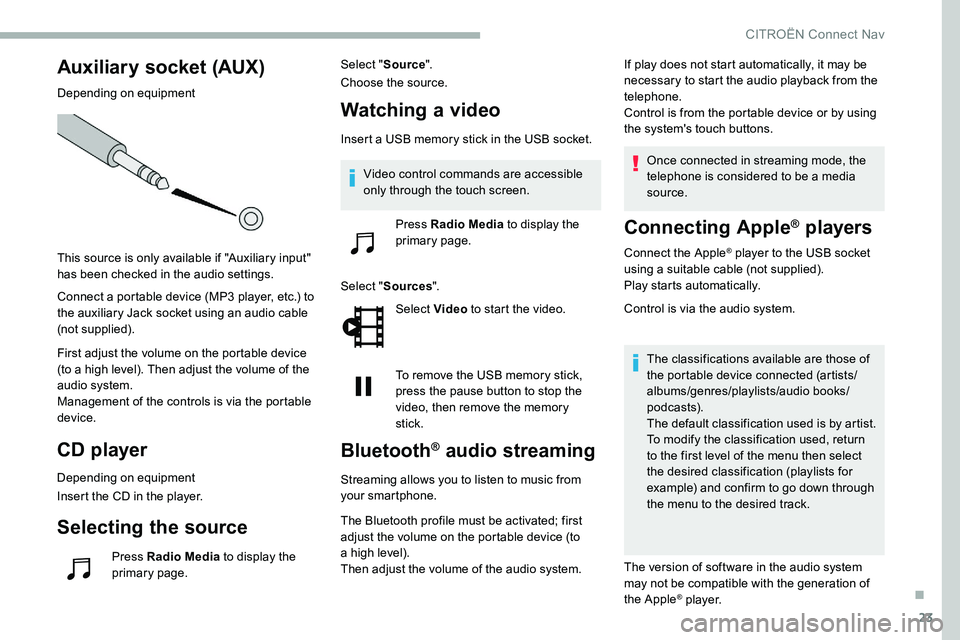
Auxiliary socket (AUX)
Depending on equipment
This source is only available if "Auxiliary input"
has been checked in the audio settings.
Connect a portable device (MP3 player, etc.) to
the auxiliary Jack socket using an audio cable
(not supplied).
First adjust the volume on the portable device
(to a
high level). Then adjust the volume of the
audio system.
Management of the controls is via the portable
device.
CD player
Depending on equipment
Insert the CD in the player.
Selecting the source
Press Radio Media to display the
primary page. Select "
Source".
Choose the source.
Watching a video
Insert a USB memory stick in the USB socket.
Sel ect " Sources ".
Select Video to start the video.
To remove the USB memory stick,
press the pause button to stop the
video, then remove the memory
stick.
Bluetooth® audio streaming
Streaming allows you to listen to music from
your smartphone.
The Bluetooth profile must be activated; first
adjust the volume on the portable device (to
a
high level).
Then adjust the volume of the audio system. If play does not start automatically, it may be
necessary to start the audio playback from the
telephone.
Control is from the portable device or by using
the system's touch buttons.
Once connected in streaming mode, the
telephone is considered to be a media
source.
Connecting Apple® players
Connect the Apple® player to the USB socket
using a
suitable cable (not supplied).
Play starts automatically.
Control is via the audio system.
The classifications available are those of
the portable device connected (artists/
albums/genres/playlists/audio books/
podcasts).
The default classification used is by artist.
To modify the classification used, return
to the first level of the menu then select
the desired classification (playlists for
example) and confirm to go down through
the menu to the desired track.
The version of software in the audio system
may not be compatible with the generation of
the Apple
® p l aye r.
Video control commands are accessible
only through the touch screen.
Press Radio Media to display the
primary page.
.
CITROËN Connect Nav
Page 272 of 292

26
Select "Bluetooth connection " to
display the list of paired devices.
Press on the name of the telephone
chosen in the list to disconnect it.
Press again to connect it.
Deleting a telephone
Select the basket at top right of the
screen to display a
basket alongside
the telephone chosen.
Press the basket alongside the
telephone chosen to delete it.
Receiving a call
An incoming call is announced by a ring and
a superimposed display in the screen.
Make a
short press on the steering
mounted telephone button to accept
an incoming call.
And Make a
long press
on the steering mounted telephone
button to reject the call. Or
Select "End call" on the touch
screen.
Making a call
Using the telephone is not recommended
while driving.
Park the vehicle.
Make the call using the steering mounted
controls.
Calling a new number
Press Telephone to display the
primary page.
Enter the phone number using the
digital keypad.
Press " Call" to start the call.
Calling a contact
Press Telephone to display the
primary page.
Or make a
long press on the steering mounted telephone
button.
Select " Contact ".
Select the desired contact from the list offered.
Select "Call".
Calling a recently used
n umber
Press Telephone to display the
primary page.
Or Make a
long press
on the steering mounted telephone
button.
Select " Calls".
Select the desired contact from the list offered.
It is always possible to make a
call directly
from the telephone; as a
safety measure,
first park the vehicle.
CITROËN Connect Nav