2021 CHEVROLET CORVETTE LED
[x] Cancel search: LEDPage 4 of 338

Chevrolet Corvette Owner Manual (GMNA-Localizing-U.S./Canada/Mexico-
14622938) - 2021 - CRC - 2/10/21
Introduction 3
Q:Keep Fuse Block Covers Properly
Installed
A: Lane Keep Assist
*: Malfunction Indicator Lamp
::Oil Pressure
X:Park Assist
O:Power
7:Rear Cross Traffic Alert
I:Registered Technician
/:Remote Vehicle Start
h:Risk of Electrical Fire
>:Seat Belt Reminders
I:Side Blind Zone Alert
7:Tire Pressure Monitor
d:Traction Control/StabiliTrak/Electronic
Stability Control (ESC)
a: Under Pressure
Page 7 of 338
Chevrolet Corvette Owner Manual (GMNA-Localizing-U.S./Canada/Mexico-
14622938) - 2021 - CRC - 2/10/21
6 Keys, Doors, and Windows
Keys, Doors, and
Windows
Keys and Locks
Keys . . . . . . . . . . . . . . . . . . . . . . . . . . . . . . . . . . . . . 6
Remote Keyless Entry (RKE) System . . . . . 7
Remote Keyless Entry (RKE) SystemOperation . . . . . . . . . . . . . . . . . . . . . . . . . . . . . . 7
Remote Vehicle Start . . . . . . . . . . . . . . . . . . . 12
Door Locks . . . . . . . . . . . . . . . . . . . . . . . . . . . . . . 14
Delayed Locking . . . . . . . . . . . . . . . . . . . . . . . . 16
Automatic Door Locks . . . . . . . . . . . . . . . . . . 16
Lockout Protection . . . . . . . . . . . . . . . . . . . . . . 17
Doors
Hood . . . . . . . . . . . . . . . . . . . . . . . . . . . . . . . . . . . 17
Hatch (Trunk) . . . . . . . . . . . . . . . . . . . . . . . . . . . 19
Vehicle Security
Vehicle Security . . . . . . . . . . . . . . . . . . . . . . . . 22
Vehicle Alarm System . . . . . . . . . . . . . . . . . . 22
Immobilizer . . . . . . . . . . . . . . . . . . . . . . . . . . . . . 23
Immobilizer Operation . . . . . . . . . . . . . . . . . . 23
Exterior Mirrors
Convex Mirrors . . . . . . . . . . . . . . . . . . . . . . . . . 24
Power Mirrors . . . . . . . . . . . . . . . . . . . . . . . . . . 24
Folding Mirrors . . . . . . . . . . . . . . . . . . . . . . . . . 25 Heated Mirrors . . . . . . . . . . . . . . . . . . . . . . . . . 26
Automatic Dimming Mirror . . . . . . . . . . . . . 26
Reverse Tilt Mirrors . . . . . . . . . . . . . . . . . . . . 26
Interior Mirrors
Interior Rearview Mirrors . . . . . . . . . . . . . . . 26
Manual Rearview Mirror . . . . . . . . . . . . . . . . 26
Automatic Dimming Rearview Mirror . . . 26
Rear Camera Mirror . . . . . . . . . . . . . . . . . . . . 26
Windows
Windows . . . . . . . . . . . . . . . . . . . . . . . . . . . . . . . 28
Power Windows . . . . . . . . . . . . . . . . . . . . . . . . 29
Rear Windows . . . . . . . . . . . . . . . . . . . . . . . . . . 30
Sun Visors . . . . . . . . . . . . . . . . . . . . . . . . . . . . . . 31
Roof
Roof Panel . . . . . . . . . . . . . . . . . . . . . . . . . . . . . . 31
Convertible Top . . . . . . . . . . . . . . . . . . . . . . . . 34
Keys and Locks
Keys
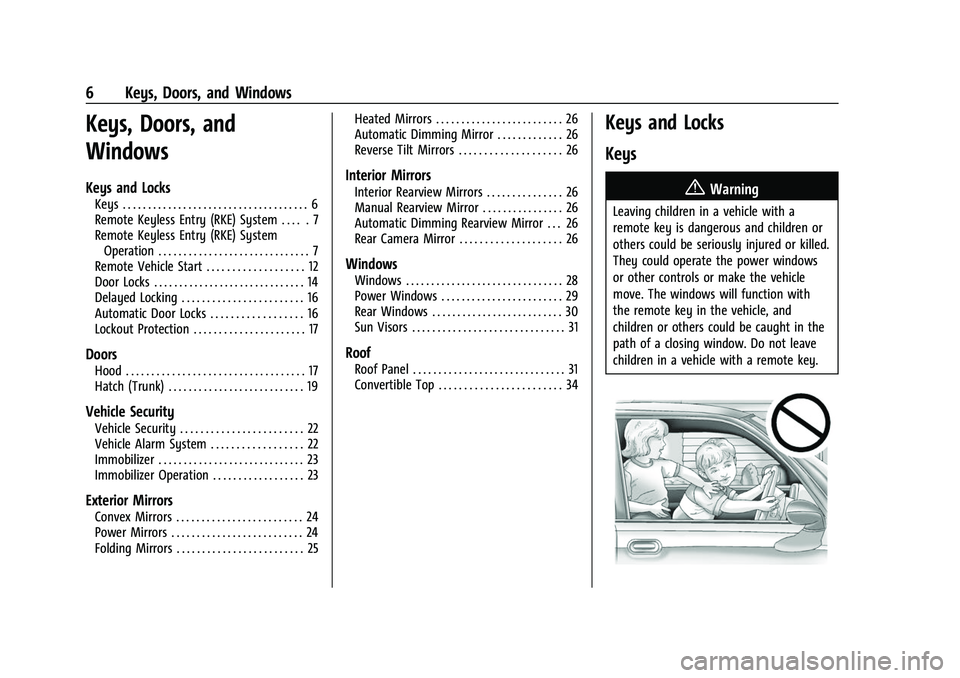
{Warning
Leaving children in a vehicle with a
remote key is dangerous and children or
others could be seriously injured or killed.
They could operate the power windows
or other controls or make the vehicle
move. The windows will function with
the remote key in the vehicle, and
children or others could be caught in the
path of a closing window. Do not leave
children in a vehicle with a remote key.
Page 9 of 338

Chevrolet Corvette Owner Manual (GMNA-Localizing-U.S./Canada/Mexico-
14622938) - 2021 - CRC - 2/10/21
8 Keys, Doors, and Windows
H:Press to lock both doors and the fuel
door. The turn signal indicators may flash
and/or the horn may sound on the second
press to indicate locking. See “Remote Lock,
Unlock, Start” underVehicle Personalization
0 98.
Pressing
Hmay also arm the
theft-deterrent system. See Vehicle Alarm
System 022.
See Folding Mirrors 025.
I:Press to unlock the driver door and the
fuel door. Press again within five seconds to
unlock both doors. When remotely unlocking
the vehicle at night, the headlamps and
taillamps may come on for about
30 seconds to light your approach to the vehicle depending on the settings. See
Vehicle Personalization
098. The turn signal
indicators may flash to indicate unlocking.
Pressing
Iwill disarm the theft-deterrent
system. See Vehicle Alarm System 022.
If equipped with remote window operation,
press
Iand hold for three seconds to
remotely open the windows, if enabled. See
Vehicle Personalization 098.
See Folding Mirrors 025.
S:Press twice to start the engine from
outside the vehicle using the remote key.
See Remote Vehicle Start 012. The vehicle
can not be driven during a remote start. To
drive the vehicle, press the brake pedal, then
press ENGINE START/STOP, with the remote
key in the vehicle.
7: Press and release to initiate vehicle
locator. The exterior lamps flash and the
horn chirps three times. Press
7and hold
for approximately three seconds to sound
the panic alarm. The horn sounds and the
turn signal lamps flash for 30 seconds,
or until
7is pressed again or the vehicle is
started.
D: Press twice to release the hatch/
trunk. The vehicle must be in P (Park).
E: Press twice and continue holding
following the second press for
approximately one second to release the
hood. The vehicle must be in P (Park).
M: If equipped, press and releaseK,
then immediately press and hold
M
continuously to open the convertible top all
the way. Release the button to stop
movement. This button will only open the
convertible top.
If equipped, press and release
Qthen
immediately press and hold
Mto open
the engine compartment.
Convertible Top
.Do not try to start the vehicle while using
the remote key to open the convertible
top. Release both the remote key button
and ENGINE START/STOP and wait a few
seconds before starting the vehicle
normally.
Keyless Access Operation
This Keyless Access system allows you to
unlock and unlatch the doors and hatch/
trunk without removing the remote key
Page 10 of 338

Chevrolet Corvette Owner Manual (GMNA-Localizing-U.S./Canada/Mexico-
14622938) - 2021 - CRC - 2/10/21
Keys, Doors, and Windows 9
from your pocket, purse, briefcase, etc. The
remote key must be within 1 m (3 ft) of the
trunk or door being opened. A touchpad is
located on the door handle.
The Keyless Access system can be
programmed to unlock both doors on the
first door handle touchpad press from the
driver door. Keyless Access can also be
turned Off. SeeVehicle Personalization 098.
If equipped with memory seats, remote keys
1 and 2 are linked to seating positions of
memory 1 or 2. See Memory Seats041.
Keyless Unlocking
Press the door handle touchpad to unlock
and open the doors if the remote key is
within 1 m (3 ft). See Door Locks014 and
“Passive Door Unlock” underVehicle
Personalization 098.
Disable/Enable Keyless Unlocking of Exterior
Door Handles and Trunk
If equipped, keyless unlocking of the exterior
door handles and trunk can be disabled and
enabled. Disabling Keyless Unlocking:
With the vehicle off, press and hold
Qand
Kon the remote key at the same time for
approximately three seconds. The turn signal
lamps will flash four times quickly to
indicate access is disabled. Using any
exterior handle to unlock the doors or open
the hood or hatch/trunk will cause the turn
signal lamps to flash four times quickly,
indicating access is disabled. If disabled,
disarm the alarm system before starting the
vehicle. Disabling Keyless Unlocking may
also be configured under Vehicle
Personalization.
Enabling Keyless Unlocking:
With the vehicle off, press and hold
Qand
Kon the remote key at the same time for
approximately three seconds. The turn signal
lamps will flash twice quickly to indicate
access is enabled. Enabling Keyless
Unlocking may also be configured under
Vehicle Personalization.
Passive Locking
Keyless Access will lock several seconds after
all doors are closed if the vehicle is off and
at least one remote key has been removed
or none remain in the vehicle. The fuel door will also lock.
If other electronic devices interfere with the
remote key signal, the vehicle may not
detect the remote key inside the vehicle.
If passive locking is enabled, the doors may
lock with the remote key inside the vehicle.
Do not leave the remote key in an
unattended vehicle.
If the vehicle is locked with a remote key
inside the vehicle, that remote key will be
disabled for starting the vehicle and other
keyless access operations. To re-enable that
remote key, press any button on that
remote key. The remote key will also be
re-enabled when the vehicle is started with
another known remote key, or when the
vehicle is unlocked.
To customize whether the doors
automatically lock when exiting the vehicle,
see
“Passive Door Lock” underVehicle
Personalization 098.
If equipped with remote folding mirrors,
passive locking may fold and unfold the
mirrors. See Folding Mirrors 025.
Page 11 of 338
Chevrolet Corvette Owner Manual (GMNA-Localizing-U.S./Canada/Mexico-
14622938) - 2021 - CRC - 2/10/21
10 Keys, Doors, and Windows
Temporary Disable of Passive Locking
Temporarily disable passive locking by
pressing and holding
Kon the interior door
switch with a door open for at least
four seconds, or until three chimes are
heard. Passive locking will then remain
disabled until the vehicle is turned on.
Remote Left in Vehicle Alert
When the vehicle is turned off and a remote
key is left in the vehicle, the horn will chirp
three times after both doors are closed. To
turn on or off, see “Remote Left in Vehicle
Alert” under Vehicle Personalization 098.
Remote No Longer in Vehicle Alert
If the vehicle is on, with a door open, and
then all doors are closed, the vehicle will
check for remote keys inside. If a remote
key is not detected, the Driver Information
Center (DIC) will display NO KEY FOUND and
the horn will chirp three times. This occurs
only once each time the vehicle is driven. To
turn on or off, see Vehicle Personalization
0 98. Keyless Trunk Opening
Press the hatch/trunk release touchpad to
open the trunk if the remote key is within
1 m (3 ft).
Programming Remote Keys to the
Vehicle
Only remote keys programmed to this
vehicle will work. If a remote key is lost or
stolen, a replacement can be purchased and
programmed through your dealer. When the
replacement remote key is programmed to
this vehicle, all remaining remote keys must
also be reprogrammed. Any lost or stolen
remote keys will no longer work once the
new remote key is programmed. Programming with Recognized Remote Keys
A new key can be programmed to the
vehicle when there are two recognized keys.
To program, the vehicle must be in run and
all remote keys, both currently recognized
and new, must be with you.
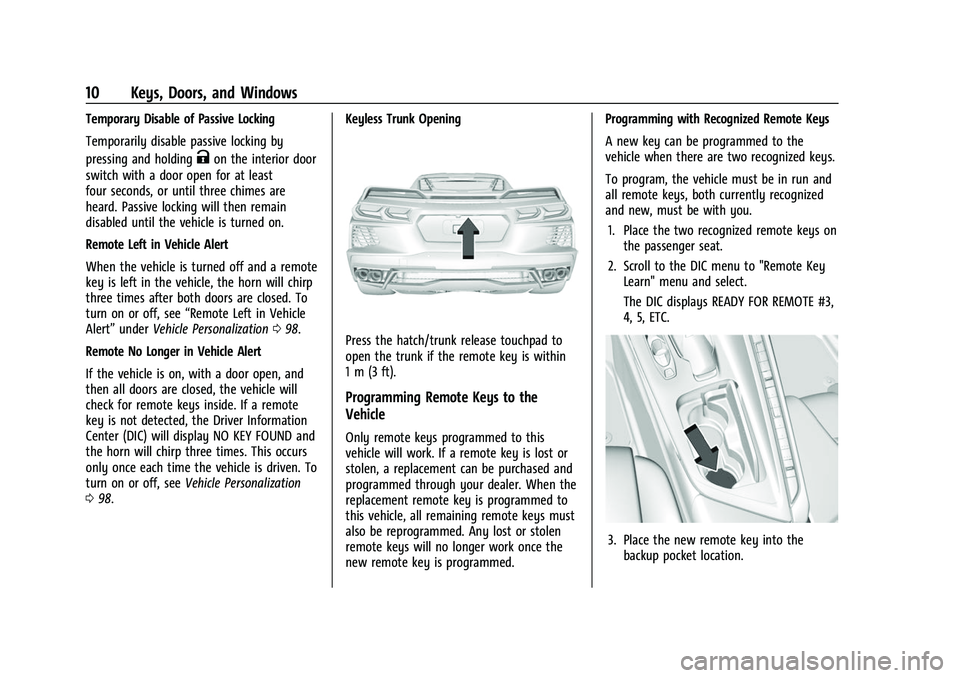
1. Place the two recognized remote keys on the passenger seat.
2. Scroll to the DIC menu to "Remote Key Learn" menu and select.
The DIC displays READY FOR REMOTE #3,
4, 5, ETC.
3. Place the new remote key into thebackup pocket location.
Page 14 of 338

Chevrolet Corvette Owner Manual (GMNA-Localizing-U.S./Canada/Mexico-
14622938) - 2021 - CRC - 2/10/21
Keys, Doors, and Windows 13
S:This button on the remote key is for
remote start.
The climate control system will use the
previous settings during a remote start. The
rear window defogger may come on during
remote start based on cold ambient
conditions. The rear window defogger
indicator light does not come on during
remote start.
If equipped, the heated and ventilated front
seats may also come on when the vehicle
personalization setting is enabled. See
Heated and Ventilated Front Seats 044.
If equipped with a remote start heated
steering wheel, it may come on during a
remote start. See Heated Steering Wheel
0 74.
Laws in some local communities may restrict
the use of remote starters. For example,
some laws may require a person using
remote start to have the vehicle in view.
Check local regulations for any
requirements.
If your vehicle is low on fuel, do not use the
remote start feature. The vehicle may run
out of fuel.
The remote key range may be shorter while
the vehicle is running. Other conditions can affect the performance
of the remote key. See
Remote Keyless Entry
(RKE) System 07.
You have a total of 30 minutes of engine
running time. The maximum run time of a
single start is 15 minutes, and it will shut off
automatically. You could do three 10 minute
starts if you manually shut off after
10 minutes. The last 10 minute start would
shut off automatically as your total
30 minutes will have been used.
Starting the Engine Using Remote Start
1. Press
Stwice on the remote key. The
turn signal lamps will flash. The lamps
flash to confirm the request to remote
start the vehicle has been received.
During the remote start, the doors will
be locked and the parking lamps will
remain on as long as the engine is
running.
2. The engine will shut off after 15 minutes or after the remainder of the 30 minute
total running time is used, unless you
stop the remote start before engine
running has completed or the ignition is
turned on.
3. Press the brake pedal and turn the ignition on to drive the vehicle. Total Engine Run Time
Remote start can be used for up to
30 minutes of total engine run time.
After two remote starts of 15 minutes,
or multiple shorter time starts totaling
30 minutes have been used, the vehicle's
ignition must be turned on and then off
before the remote start can be used again.
Canceling a Remote Start
To cancel a remote start, do any of the
following:.PressS. The parking lamps will turn off.
.Turn on the hazard warning flashers.
.Turn the vehicle on and then back off.
Conditions in Which Remote Start Will
Not Work
The remote start will not operate if any of
the following occur:
.The ignition is in any mode other
than off.
.A remote key is in the vehicle.
.The hatch/trunk is not closed.
.The convertible top is not fully open or
closed.
.The tonneau cover is not closed.
.The hazard warning flashers are on.
Page 18 of 338

Chevrolet Corvette Owner Manual (GMNA-Localizing-U.S./Canada/Mexico-
14622938) - 2021 - CRC - 2/10/21
Keys, Doors, and Windows 17
If a vehicle door is unlocked and then
opened and closed, the doors will lock either
when your foot is removed from the brake
or the vehicle speed becomes faster than
13 km/h (8 mph).
Automatic door locking cannot be disabled.
Automatic door unlocking can be
programmed. SeeVehicle Personalization
0 98.
Lockout Protection
If the ignition is on or in ACC/ACCESSORY
and the power door lock switch is pressed
with the driver door open, all the doors will
lock and only the driver door will unlock.
If the vehicle is off and locking is requested
while a door is open, when all doors are
closed the vehicle will check for remote keys
inside. If a remote key is detected and the
number of remote keys inside has not
reduced, the driver door will unlock and the
horn will chirp three times.
Lockout Protection can be manually
overridden with the driver door open by
pressing and holding
Qon the power door
lock switch.
Doors
Hood
Hood Release
{Warning
Do not drive the vehicle if the hood is
not latched completely. The hood could
open fully, block your vision, and cause a
crash. You or others could be injured.
Always close the hood completely before
driving. When the hood is not closed, the
vehicle will not exceed 42 km/h
(26 mph). Close the hood to drive faster
than 42 km/h (26 mph).
The hood compartment can be accessed in
several ways.
Ensure the hood is clear of any objects
before opening.
This vehicle prevents from shifting out of
P (Park) when the hood is not closed. Close
the hood to shift out of P (Park). Confirm
the hood is closed by checking that the
hood is flush with the surrounding
components. If the hood is closed but the ajar message is
still present, then the transmission lockout
can be overridden by holding the brake for
20 seconds and then shifting into D (Drive).
In this case, the vehicle will not exceed
42 km/h (26 mph). See your dealer for
service.
Driver Door Hood Latch Release Button
1. With the transmission in P (Park), press
Eon the bottom of the driver door
to release the hood.
2. From the front of the vehicle, lift the hood slightly until the gas strut system
automatically raises and holds it in the
fully open position.
Page 21 of 338

Chevrolet Corvette Owner Manual (GMNA-Localizing-U.S./Canada/Mexico-
14622938) - 2021 - CRC - 2/10/21
20 Keys, Doors, and Windows
Warning (Continued)
these components until they have cooled,
and always use a glove or towel to avoid
direct skin contact.
{Warning
Turn the vehicle off before opening the
hatch. If the engine is running with the
hatch open, you or others could be
injured.
Hatch/Trunk Release
The vehicle must be in P (Park).
{Warning
When opening or closing the hatch/trunk,
keep hands away from the closure area.
You or others could be injured.
To release the hatch/trunk:
{Warning
Vehicles equipped with a rear spoiler
have a small amount of space between
the hatch/trunk lid and the rear spoiler. (Continued)
Warning (Continued)
To help avoid potential injury from
pinching, lift or close the hatch/trunk lid
by using only the middle section. If the
hatch/trunk lid near the area of the
raised portion of the spoiler is used, use
one hand to raise/lower the hatch/trunk
lid enough to clear the spoiler, and use
the other hand to fully open/close the
hatch/trunk lid.
Convertible Shown, Coupe Similar
.PressNon the driver door.
.Presspon the remote key two times
quickly. See Remote Keyless Entry (RKE)
System 07.