2021 CHEVROLET CORVETTE engine
[x] Cancel search: enginePage 214 of 338
Chevrolet Corvette Owner Manual (GMNA-Localizing-U.S./Canada/Mexico-
14622938) - 2021 - CRC - 2/10/21
Driving and Operating 213
Driver Influenced Gear Selection:
.Aggressive driving will influence both the
upshift and downshift points in all modes.
.Criteria which have influence are: driving
mode, accelerator, brakes, lateral and
longitudinal loading.
.Changes in gear selection behavior due to
aggressive driving can include:
‐Downshifting early with higher rpm’s
during aggressive braking (i.e. entering
a corner)
‐ Altering upshifts while experiencing
lateral acceleration
‐ Not upshifting when the accelerator is
released to avoid unnecessary shifts if
the accelerator is re-applied
‐ Recognizing sporty driving and
anticipate upcoming corners with the
appropriate gear selection entering and
exiting
.Driver Modes
‐Driver influenced changes are effective
in all driving modes, however the
aggressiveness of the transmission
response will increase between Tour,
Sport, and Track Modes respectively. Active Fuel Management (engine cylinder
shuts off)
.Normal with Dual Clutch Transmission:
The engine uses 8-cylinder mode when
accelerating, but changes to 4-cylinder
mode when coasting.
Active Fuel Management is a preset of
Powertrain and cannot be modified or
changed independently.
Engine Sound
Caution
Using a stealth engine sound setting
during spirited driving will cause the
exhaust system to overheat and damage
the variable exhaust valves. Do not use
this setting when auto-crossing or driving
on high speed tracks.
If available, engine sound settings change
when the variable exhaust valves open.
Steering (Assist Effort)
Adjusts from a lighter steering feel to
reduced assist for more steering feel. Magnetic Ride Control (if equipped)
Adjusts the shock dampening firmness based
on driving conditions to improve comfort
and performance.
Drive Mode Customization
The vehicle is equipped to modify the
following vehicle settings base on vehicle
content. Through the center stack, under
Vehicle Settings, select
“Drive Mode
Customization” to customize and personalize
My Mode and/or Z-Mode.
Engine Sound:
Engine Sound adjusts the volume of engine
noise. Setting range from quietest to loudest
volume as you move from Stealth through
Track.
.Stealth, Tour, Sport, Track
Steering:
This setting adjusts the effort required to
turn the steering wheel. The steering wheel
offers better feedback but requires more
effort as you move from Tour to Track.
.Tour, Sport, Track
Page 215 of 338
Chevrolet Corvette Owner Manual (GMNA-Localizing-U.S./Canada/Mexico-
14622938) - 2021 - CRC - 2/10/21
214 Driving and Operating
Suspension:
This setting adjusts the firmness of the
suspension in the vehicle. Suspension adjust
stiffness of the shocks and / or springs. The
ride is more comfortable at lower settings
and is stiffer at higher settings for better
control.
.Tour, Sport, Track
Powertrain:
This setting adjusts the throttle response,
gear shifting and engine performance. An
increased throttle response enhances the
acceleration feel as you move toward Track,
but with a comfort trade-off due to more
aggressive gear shifting.
.Weather, Tour, Sport, Track
Brake Response:
This setting adjusts the brake pedal
response. Settings range from a slower
response for more comfortable driving to
the quickest response for quicker
deceleration. Brake pedal travel decreases
and caliper pressure increases as you move
from Tour to Sport. Track allows for
improved pedal precision at higher
decelerations for high performance driving.
.Tour, Sport, Track Performance Traction Management (PTM):
To activate PTM through Z-Mode, configure
Z-Mode to the desired PTM state in the
center stack (Vehicle>Settings>Drive Mode
Customization>Z-Mode). Press the Z-Mode
button once to activate Z-Mode. When PTM
is configured on, a message will appear in
the Driver Information Center (DIC)
“Z-Mode
Active —Press Again for PTM On —ESC
May be Disabled”.
To confirm, and enter PTM, press the
Z-Mode button again. The PTM state can
now be modified using the mode knob or
changing the Z Mode setting in the center
stack. Both the Z Mode and PTM indicators
will be displayed.
To cancel, press the center dismiss button
on the steering wheel (Z Mode remains
active). Selecting PTM states may modify
other Z Mode customization options.
.Off, Wet, Dry, Sport, Race 1, Race 2
Display:
This setting adjusts the cluster display
theme (this setting is only configured
through the cluster using the steering wheel
controls).
.Tour, Sport, Track, Weather (and any
informational tiles set-up).
Front Lift System
A two-position lift actuator (one per damper)
with 35 mm (1.5 in) of stroke will
hydraulically raise the front of the vehicle to
provide approximately 50 mm (2 in) of
increased clearance in approximately
three seconds (height and time will vary by
vehicle). The Front Lift System will allow
you to lift the front of the vehicle to enter a
driveway, driving over curbs, speed bumps
or onto ramps or a trailer.
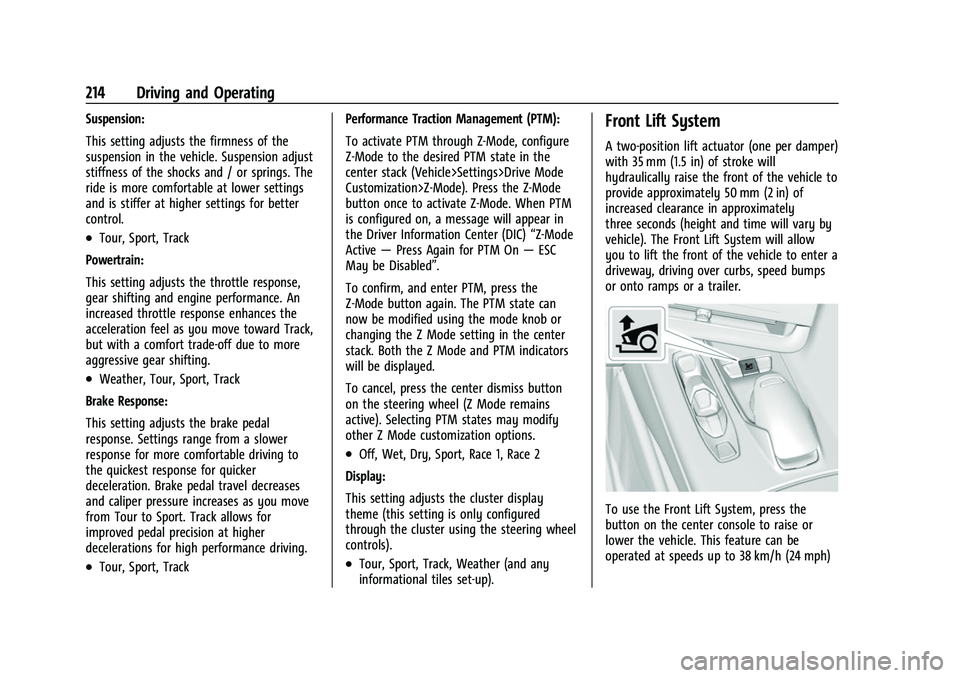
To use the Front Lift System, press the
button on the center console to raise or
lower the vehicle. This feature can be
operated at speeds up to 38 km/h (24 mph)
Page 216 of 338

Chevrolet Corvette Owner Manual (GMNA-Localizing-U.S./Canada/Mexico-
14622938) - 2021 - CRC - 2/10/21
Driving and Operating 215
when the engine is running. The system
functions based on the vehicle’s state or
operating mode:
.The system will not raise up when the
doors are open.
.The system can be raised or lowered by
the pushbutton, when the vehicle is in
RUN or in ACC mode.
.If the vehicle is in the raised position and
is driven at speeds above 38 km/h
(24 mph), it will automatically lower.
.If the vehicle is turned off, it will
automatically lower.
.If a vehicle door is opened during
lowering, the movement will pause for
15 seconds then continue to lower, but at
a slower rate.
The front height can be raised automatically
using GPS navigation in the vehicle. The
vehicle will automatically lift in up to 1,000
programmable locations. Once the button is
pushed, a notification will appear on the
Driver Information Center (DIC) and ask the
driver if they would like to “Remember”the
location. The driver can select this function
through the steering wheel controls, see
Steering Wheel Controls 074. The driver can
also delete stored locations for the
automatic lift. If the vehicle is raised automatically using GPS, it will
automatically lower once the vehicle is
located about 60 meters (197 feet) from the
programmed location. Drivers can disable
this function by turning off GPS location
through their vehicle Front Lift System will
still operate, but only by using the
pushbutton command, and the
“Auto Lift
Location Remembered” confirmation
message will not display.
The Front Lift System can also be used in
accessory mode. Put the vehicle in ACC/
ACCESSORY mode, then press and hold the
button on the center console for 10
consecutive seconds to automatically raise
the vehicle.
The DIC may display the message “Lift
System Unavailable” if the following occur:
.Any doors are ajar.
.The hood is open.
.The vehicle is moving over 38 km/h
(24 mph).
.Too many lift requests within a short
period. The Front Lift System should not be used to
service the vehicle. Do not place anything or
body parts under the vehicle while lifted.
See
Recommended Fluids and Lubricants
0 301.
Competitive Driving Mode
If equipped, Competitive Driving Mode, PTM,
and Launch Control are systems designed to
allow increased performance while
accelerating and/or cornering. This is
accomplished by regulating and optimizing
the engine, brakes, and suspension
performance. These modes are for use at a
closed course race track and are not
intended for use on public roads. They will
not compensate for driver inexperience or
lack of familiarity with the race track.
Drivers who prefer to allow the system to
have more control of the engine, brakes,
and suspension are advised to turn the
normal traction control and StabiliTrak/ESC
systems on.
Competitive Driving Mode
Competitive Driving Mode allows full engine
power while StabiliTrak/ESC helps maintain
directional control of the vehicle by selective
brake application. In this mode, the TCS is
off and Launch Control is available.
Page 217 of 338
Chevrolet Corvette Owner Manual (GMNA-Localizing-U.S./Canada/Mexico-
14622938) - 2021 - CRC - 2/10/21
216 Driving and Operating
Adjust your driving style to account for the
available engine power. See“Launch
Control” later in this section.
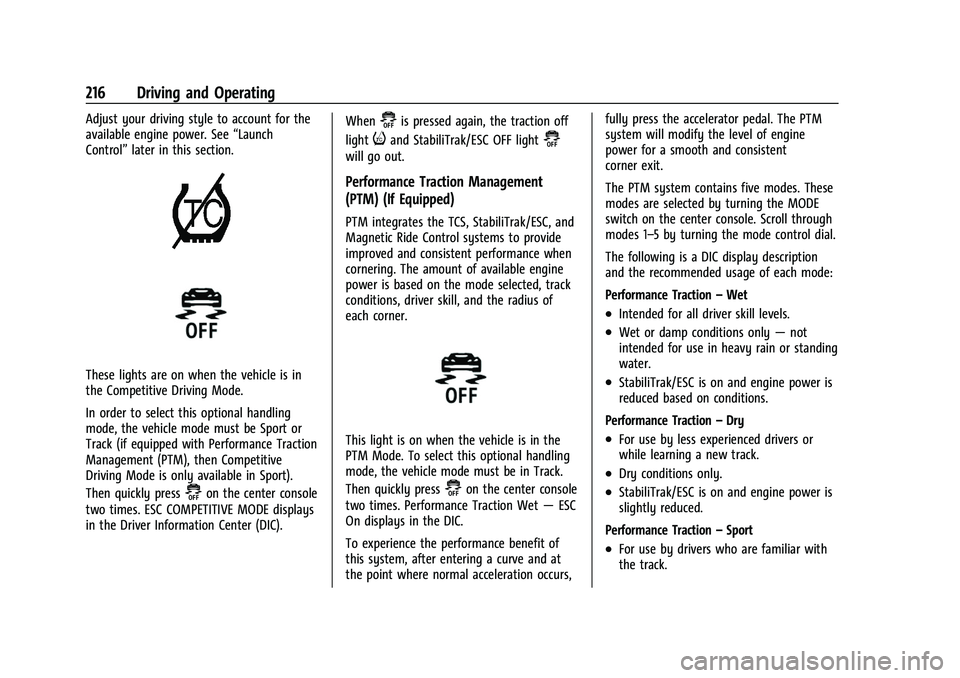
These lights are on when the vehicle is in
the Competitive Driving Mode.
In order to select this optional handling
mode, the vehicle mode must be Sport or
Track (if equipped with Performance Traction
Management (PTM), then Competitive
Driving Mode is only available in Sport).
Then quickly press
@on the center console
two times. ESC COMPETITIVE MODE displays
in the Driver Information Center (DIC). When
@is pressed again, the traction off
light
iand StabiliTrak/ESC OFF light@
will go out.
Performance Traction Management
(PTM) (If Equipped)
PTM integrates the TCS, StabiliTrak/ESC, and
Magnetic Ride Control systems to provide
improved and consistent performance when
cornering. The amount of available engine
power is based on the mode selected, track
conditions, driver skill, and the radius of
each corner.
This light is on when the vehicle is in the
PTM Mode. To select this optional handling
mode, the vehicle mode must be in Track.
Then quickly press
@on the center console
two times. Performance Traction Wet —ESC
On displays in the DIC.
To experience the performance benefit of
this system, after entering a curve and at
the point where normal acceleration occurs, fully press the accelerator pedal. The PTM
system will modify the level of engine
power for a smooth and consistent
corner exit.
The PTM system contains five modes. These
modes are selected by turning the MODE
switch on the center console. Scroll through
modes 1–5 by turning the mode control dial.
The following is a DIC display description
and the recommended usage of each mode:
Performance Traction
–Wet
.Intended for all driver skill levels.
.Wet or damp conditions only —not
intended for use in heavy rain or standing
water.
.StabiliTrak/ESC is on and engine power is
reduced based on conditions.
Performance Traction –Dry
.For use by less experienced drivers or
while learning a new track.
.Dry conditions only.
.StabiliTrak/ESC is on and engine power is
slightly reduced.
Performance Traction –Sport
.For use by drivers who are familiar with
the track.
Page 218 of 338
Chevrolet Corvette Owner Manual (GMNA-Localizing-U.S./Canada/Mexico-
14622938) - 2021 - CRC - 2/10/21
Driving and Operating 217
.Dry conditions only.
.Requires more driving skill than mode 2.
.StabiliTrak/ESC is on and more engine
power is available than in mode 2.
Performance Traction –Race 1
.For use by drivers who are familiar with
the track.
.Dry conditions only.
.Requires more driving skill than modes 2
or 3.
.StabiliTrak/ESC is off and available engine
power is the same as mode 3.
Performance Traction –Race 2
.For use by experienced drivers who are
familiar with the track.
.Dry conditions only.
.Requires more driving skill than in other
modes.
.StabiliTrak/ESC is off and engine power is
available for maximum cornering speed.
Press and release
@to turn off PTM and
return to the TCS and StabiliTrak/ESC
systems. The traction off light
iand
StabiliTrak Off light
@will go out.
Launch Control (Sport and Track
Mode Only)
A Launch Control feature is available, within
Competitive Driving Mode or PTM, on all
vehicles to allow the driver to achieve high
levels of vehicle acceleration in a straight
line. Launch Control is a form of TCS that
manages tire spin, and transmissions clutch,
while launching the vehicle. This feature is
intended for use during closed course race
events where consistent zero to
60 and quarter mile times are desirable.
Launch Control is only available when the
following criteria are met:
.Competitive Driving Mode or any of the
PTM Modes are selected (if equipped).
.The vehicle is not moving.
.The wheels and steering wheel are
pointing straight.
Launching the Vehicle
.Ensure the vehicle is in Competitive
Driving Mode or any of the PTM modes.
.The brake pedal must be firmly pressed
to the floor, equivalent to a panic brake
event.
.While maintaining the brake pedal, the
accelerator pedal is rapidly applied to
wide open throttle. (If the vehicle rolls due to wide open throttle, release the
throttle, press the brake pedal more
firmly, and re-apply the accelerator to
wide open throttle.)
The Launch Control feature will initially limit
engine speed as the driver rapidly applies
the accelerator pedal to wide open throttle.
Allow the engine rpm’s to stabilize.
A smooth, quick release of the brake pedal,
while maintaining the fully pressed
accelerator pedal, will manage tire slip and
transmissions clutch. After the vehicle is
launched, the system continues in
Competitive Driving Mode or PTM.
Competitive Driving Mode, PTM, and Launch
Control are systems designed for a closed
course race track and not intended for use
on public roads. The systems are not
intended to compensate for lack of driver
experience or familiarity with the race track.
Caution
The new vehicle break-in period should be
completed before using the launch
control feature, otherwise performance
will be limited and damage may occur to
the powertrain/engine. See New Vehicle
Break-In 0192.
Page 227 of 338
Chevrolet Corvette Owner Manual (GMNA-Localizing-U.S./Canada/Mexico-
14622938) - 2021 - CRC - 2/10/21
226 Driving and Operating
If the SBZA displays do not light up when
vehicles are in the blind zone and the
system is clean, the system may need
service. Take the vehicle to your dealer.
When SBZA is disabled for any reason other
than the driver turning it off, the Side Blind
Zone Alert On option will not be available
on the personalization menu.
Radio Frequency Information
SeeRadio Frequency Statement 0316.
Fuel
Top Tier Fuel
GM recommends the use of TOP TIER
Detergent Gasoline to keep the engine clean,
reduce engine deposits, and maintain
optimal vehicle performance. Look for the
TOP TIER Logo or see www.toptiergas.com
for a list of TOP TIER Detergent Gasoline
marketers and applicable countries.
Recommended Fuel
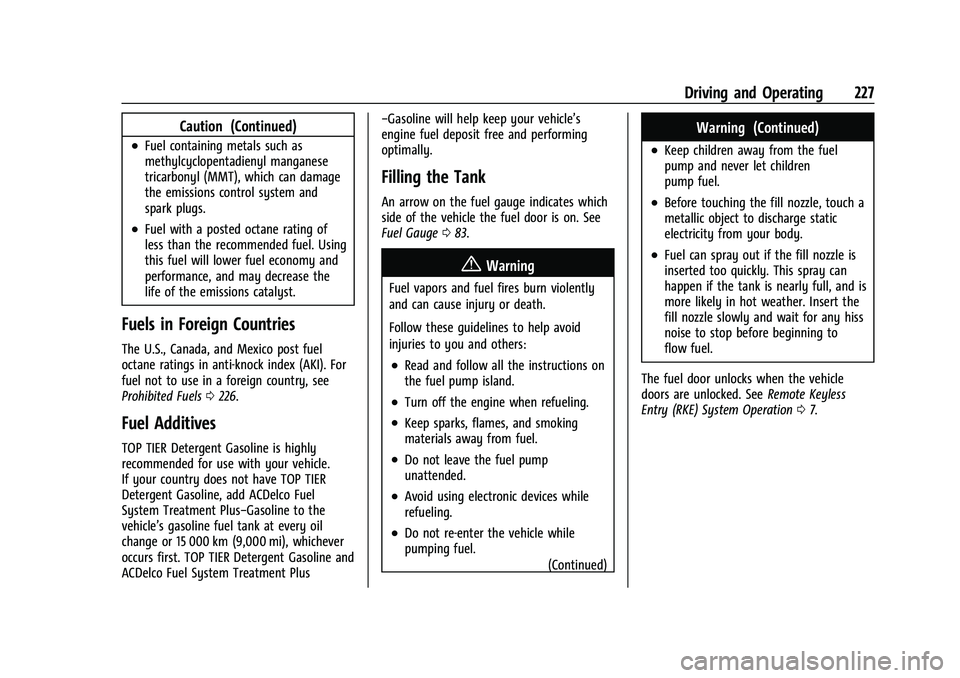
Use premium unleaded gasoline meeting
ASTM specification D4814 with a posted
octane rating of 93 —(R+M)/2.
If unavailable, unleaded gasoline with a
posted octane rating of 91 may be used, but
with reduced performance and fuel
economy. If the octane is less than 91, the
engine could be damaged and the repairs
would not be covered by the vehicle warranty. If heavy knocking is heard when
using gasoline rated at 93 octane, the
engine needs service.
Do not use any fuel labeled E85 or FlexFuel.
Do not use gasoline with ethanol levels
greater than 15% by volume.
Prohibited Fuels
Caution
Do not use fuels with any of the
following conditions; doing so may
damage the vehicle and void its
warranty:
.For vehicles that are not FlexFuel, fuel
labeled greater than 15% ethanol by
volume, such as mid-level ethanol
blends (16–50% ethanol), E85,
or FlexFuel.
.Fuel with any amount of methanol,
methylal, ferrocene, and aniline. These
fuels can corrode metal fuel system
parts or damage plastic and rubber
parts.
(Continued)
Page 228 of 338
Chevrolet Corvette Owner Manual (GMNA-Localizing-U.S./Canada/Mexico-
14622938) - 2021 - CRC - 2/10/21
Driving and Operating 227
Caution (Continued)
.Fuel containing metals such as
methylcyclopentadienyl manganese
tricarbonyl (MMT), which can damage
the emissions control system and
spark plugs.
.Fuel with a posted octane rating of
less than the recommended fuel. Using
this fuel will lower fuel economy and
performance, and may decrease the
life of the emissions catalyst.
Fuels in Foreign Countries
The U.S., Canada, and Mexico post fuel
octane ratings in anti-knock index (AKI). For
fuel not to use in a foreign country, see
Prohibited Fuels0226.
Fuel Additives
TOP TIER Detergent Gasoline is highly
recommended for use with your vehicle.
If your country does not have TOP TIER
Detergent Gasoline, add ACDelco Fuel
System Treatment Plus−Gasoline to the
vehicle’s gasoline fuel tank at every oil
change or 15 000 km (9,000 mi), whichever
occurs first. TOP TIER Detergent Gasoline and
ACDelco Fuel System Treatment Plus −Gasoline will help keep your vehicle’s
engine fuel deposit free and performing
optimally.
Filling the Tank
An arrow on the fuel gauge indicates which
side of the vehicle the fuel door is on. See
Fuel Gauge
083.
{Warning
Fuel vapors and fuel fires burn violently
and can cause injury or death.
Follow these guidelines to help avoid
injuries to you and others:
.Read and follow all the instructions on
the fuel pump island.
.Turn off the engine when refueling.
.Keep sparks, flames, and smoking
materials away from fuel.
.Do not leave the fuel pump
unattended.
.Avoid using electronic devices while
refueling.
.Do not re-enter the vehicle while
pumping fuel.
(Continued)
Warning (Continued)
.Keep children away from the fuel
pump and never let children
pump fuel.
.Before touching the fill nozzle, touch a
metallic object to discharge static
electricity from your body.
.Fuel can spray out if the fill nozzle is
inserted too quickly. This spray can
happen if the tank is nearly full, and is
more likely in hot weather. Insert the
fill nozzle slowly and wait for any hiss
noise to stop before beginning to
flow fuel.
The fuel door unlocks when the vehicle
doors are unlocked. See Remote Keyless
Entry (RKE) System Operation 07.
Page 229 of 338
Chevrolet Corvette Owner Manual (GMNA-Localizing-U.S./Canada/Mexico-
14622938) - 2021 - CRC - 2/10/21
228 Driving and Operating
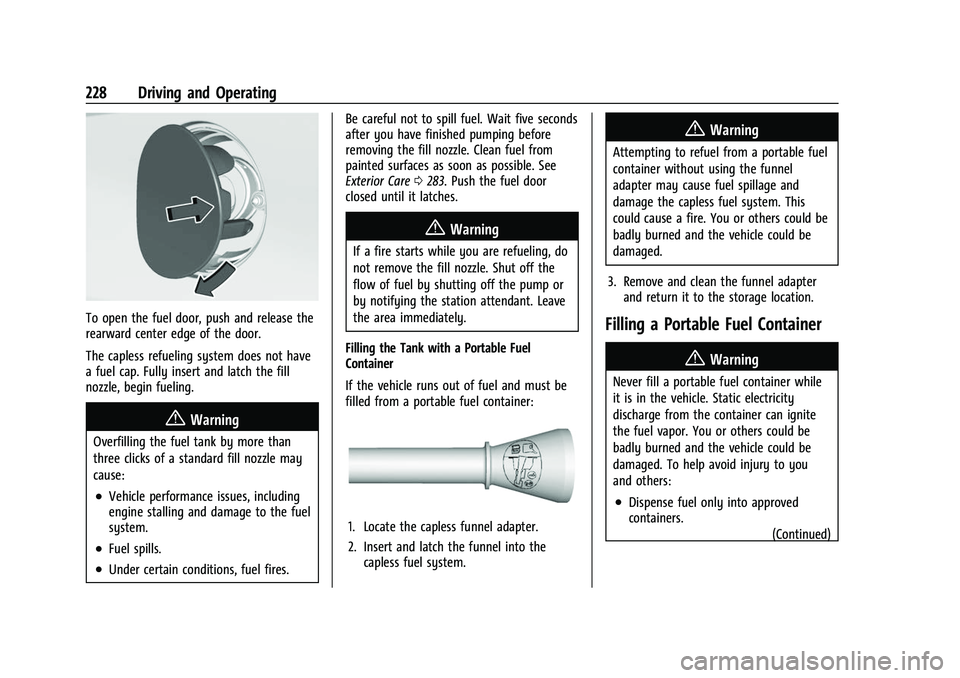
To open the fuel door, push and release the
rearward center edge of the door.
The capless refueling system does not have
a fuel cap. Fully insert and latch the fill
nozzle, begin fueling.
{Warning
Overfilling the fuel tank by more than
three clicks of a standard fill nozzle may
cause:
.Vehicle performance issues, including
engine stalling and damage to the fuel
system.
.Fuel spills.
.Under certain conditions, fuel fires.Be careful not to spill fuel. Wait five seconds
after you have finished pumping before
removing the fill nozzle. Clean fuel from
painted surfaces as soon as possible. See
Exterior Care
0283. Push the fuel door
closed until it latches.
{Warning
If a fire starts while you are refueling, do
not remove the fill nozzle. Shut off the
flow of fuel by shutting off the pump or
by notifying the station attendant. Leave
the area immediately.
Filling the Tank with a Portable Fuel
Container
If the vehicle runs out of fuel and must be
filled from a portable fuel container:
1. Locate the capless funnel adapter.
2. Insert and latch the funnel into the capless fuel system.
{Warning
Attempting to refuel from a portable fuel
container without using the funnel
adapter may cause fuel spillage and
damage the capless fuel system. This
could cause a fire. You or others could be
badly burned and the vehicle could be
damaged.
3. Remove and clean the funnel adapter and return it to the storage location.
Filling a Portable Fuel Container
{Warning
Never fill a portable fuel container while
it is in the vehicle. Static electricity
discharge from the container can ignite
the fuel vapor. You or others could be
badly burned and the vehicle could be
damaged. To help avoid injury to you
and others:
.Dispense fuel only into approved
containers.
(Continued)