2021 CHEVROLET BLAZER warning
[x] Cancel search: warningPage 20 of 380

Chevrolet Blazer Owner Manual (GMNA-Localizing-U.S./Canada/Mexico-
14608203) - 2021 - CRC - 10/29/20
Keys, Doors, and Windows 19
Use the pull cup to lower and close the
liftgate. Do not press the touch pad while
closing the liftgate. This will cause the
liftgate to be unlatched.
The liftgate can be opened when locked if
the RKE transmitter is within 1 m (3 ft) of
the touch pad. SeeRemote Keyless Entry
(RKE) System Operation 07.
The liftgate has an electric latch. If the
battery is disconnected or has low voltage,
the liftgate will not open. The liftgate will
resume operation when the battery is
reconnected and charged.
Power Liftgate Operation
{Warning
You or others could be injured if caught
in the path of the power liftgate. Make
sure there is no one in the way of the
liftgate as it is opening and closing.
Caution
Driving with an open and unsecured
liftgate may result in damage to the
power liftgate components.
If equipped with a power liftgate, the switch
is on the driver door. The vehicle must be in
P (Park).
The modes are:
.MAX: Opens to maximum height.
.3/4: Opens to a reduced height that can
be set from 3/4 to fully open. Use to
prevent the liftgate from opening into
overhead obstructions such as a garage
door or roof-mounted cargo. The liftgate
can be manually opened all the way.
.OFF: Opens manually only.
To power open or close the liftgate, select
MAX or 3/4 mode.
.Pressbtwice quickly on the RKE
transmitter until the liftgate moves.
.Press8on the driver door. The driver
door must either be unlocked or locked
without the security armed.
.Press the touch pad in the liftgate handle
after unlocking all doors. The RKE
transmitter must be within 1 m (3 ft).
.Presslon the bottom of the liftgate.
Press any liftgate button or the touch pad
while the liftgate is moving to stop it.
Pressing again restarts the operation in the
reverse direction. The touch pad in the
liftgate handle cannot be used to close the
liftgate.
Page 21 of 380

Chevrolet Blazer Owner Manual (GMNA-Localizing-U.S./Canada/Mexico-
14608203) - 2021 - CRC - 10/29/20
20 Keys, Doors, and Windows
Caution
Manually forcing the liftgate to open or
close during a power cycle can damage
the vehicle. Allow the power cycle to
complete.
The power liftgate may be temporarily
disabled under extreme low temperatures,
or after repeated power cycling over a short
period of time. If this occurs, the liftgate can
still be operated manually.
If the vehicle is shifted out of P (Park) while
the power function is in progress, the
liftgate will continue to completion. If the
vehicle is accelerated before the liftgate has
completed moving, the liftgate may stop or
reverse direction. Check for Driver
Information Center (DIC) messages and make
sure the liftgate is closed and latched before
driving.
Falling Liftgate Detection
If the power liftgate automatically closes
after a power opening cycle, it indicates that
the system is reacting to excess weight on
the liftgate or a possible support strut
failure. A repetitive chime will sound while
the falling liftgate detection feature is
operating. Remove any excess weight. If the liftgate continues to automatically close
after opening, see your dealer for service
before using the power liftgate.
Interfering with the power liftgate motion
or manually closing the liftgate too quickly
after power opening may resemble a
support strut failure. This could also activate
the falling liftgate detection feature. Allow
the liftgate to complete its operation and
wait a few seconds before manually closing
the liftgate.
Obstacle Detection Features
If the liftgate encounters an obstacle during
a power open or close cycle, a warning
chime may sound and the liftgate will
automatically reverse direction and move a
short distance away from the obstacle. After
removing the obstruction, the power liftgate
operation can be used again. If the liftgate
encounters multiple obstacles on the same
power cycle, the power function will
deactivate. After removing the obstructions,
manually close the liftgate which will allow
normal power operation functions to
resume.
If the vehicle is locked while the liftgate is
closing, and an obstacle is encountered that
prevents the liftgate from completely
closing, the horn will sound as an alert that
the liftgate did not close.
Setting the 3/4 Mode
To change the position the liftgate stops at
when opening:
1. Select MAX or 3/4 mode and power open the liftgate.
2. Stop the liftgate movement at the desired height by pressing any liftgate
switch. Manually adjust the liftgate
position if needed.
3. Press and hold
lat the bottom of the
liftgate until the turn signals flash and a
beep sounds. This indicates the setting
has been recorded.
The liftgate cannot be set below a minimum
programmable height. If there is no light
flash or sound, then the height adjustment
may be too low.
Manual Operation
Select OFF to manually operate the liftgate.
See “Manual Liftgate” at the beginning of
this section.
Page 26 of 380

Chevrolet Blazer Owner Manual (GMNA-Localizing-U.S./Canada/Mexico-
14608203) - 2021 - CRC - 10/29/20
Keys, Doors, and Windows 25
If the engine does not start and the security
light stays on, there is a problem with the
system. Turn the ignition off and try again.
If the ignition will not change from off to
on or ACC/ACCESSORY, and the RKE
transmitter appears to be undamaged, try
another transmitter. Or, you may try placing
the transmitter in the cupholder in the
center console. SeeRemote Keyless Entry
(RKE) System Operation 07.
If the vehicle will not start with the other
transmitter, or with the transmitter in the
cupholder, the vehicle needs service. If the
vehicle does start, the first transmitter may
be faulty. See your dealer who can service
the theft-deterrent system and have a new
RKE transmitter programmed to the vehicle.
It is possible for the immobilizer system to
learn new or replacement RKE transmitters.
Up to eight transmitters can be
programmed to the vehicle. To program
additional transmitters, see “Programming
Transmitters to the Vehicle” underRemote
Keyless Entry (RKE) System Operation 07.
Do not leave the transmitter or device that
disarms or deactivates the theft-deterrent
system in the vehicle.Exterior Mirrors
Convex Mirrors
{Warning
A convex mirror can make things, like
other vehicles, look farther away than
they really are. If you cut too sharply
into the right lane, you could hit a
vehicle on the right. Check the inside
mirror or glance over your shoulder
before changing lanes.
The passenger side mirror is convex shaped.
A convex mirror's surface is curved so more
can be seen from the driver seat.
Power Mirrors
To adjust each mirror: 1. Press
jor|to select the driver or
passenger side mirror. The indicator light
will illuminate.
2. Press the arrows on the control pad to move the mirror in the desired direction.
3. Adjust each outside mirror so that a little of the vehicle and the area behind it can
be seen.
4. Press
jor|again to deselect the
mirror.
Page 29 of 380
Chevrolet Blazer Owner Manual (GMNA-Localizing-U.S./Canada/Mexico-
14608203) - 2021 - CRC - 10/29/20
28 Keys, Doors, and Windows
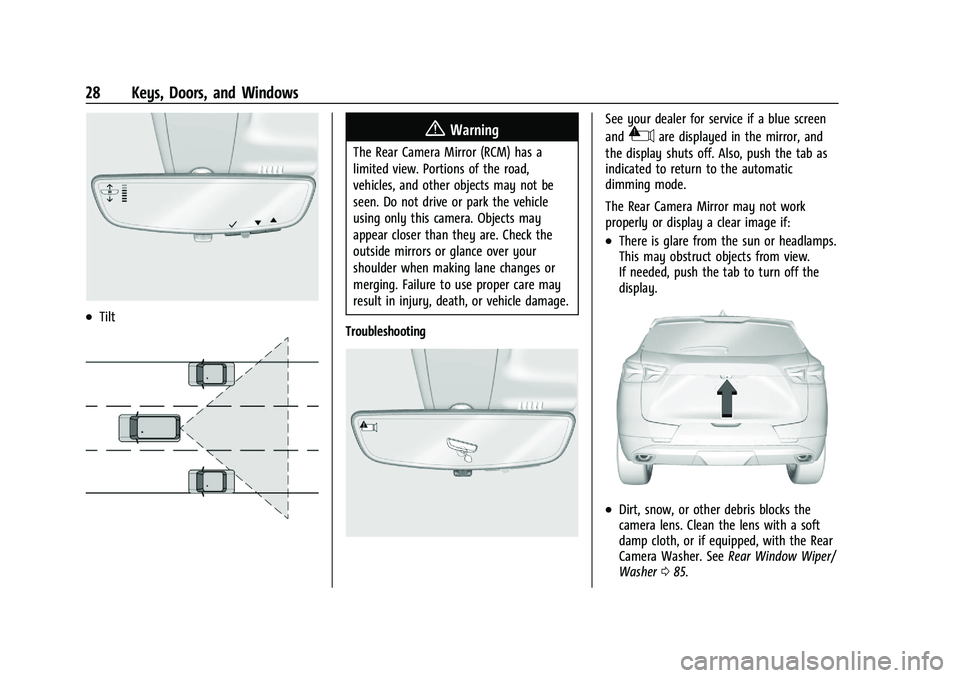
.Tilt
{Warning
The Rear Camera Mirror (RCM) has a
limited view. Portions of the road,
vehicles, and other objects may not be
seen. Do not drive or park the vehicle
using only this camera. Objects may
appear closer than they are. Check the
outside mirrors or glance over your
shoulder when making lane changes or
merging. Failure to use proper care may
result in injury, death, or vehicle damage.
Troubleshooting
See your dealer for service if a blue screen
and
3are displayed in the mirror, and
the display shuts off. Also, push the tab as
indicated to return to the automatic
dimming mode.
The Rear Camera Mirror may not work
properly or display a clear image if:
.There is glare from the sun or headlamps.
This may obstruct objects from view.
If needed, push the tab to turn off the
display.
.Dirt, snow, or other debris blocks the
camera lens. Clean the lens with a soft
damp cloth, or if equipped, with the Rear
Camera Washer. See Rear Window Wiper/
Washer 085.
Page 30 of 380

Chevrolet Blazer Owner Manual (GMNA-Localizing-U.S./Canada/Mexico-
14608203) - 2021 - CRC - 10/29/20
Keys, Doors, and Windows 29
.The camera’s mounting on the vehicle has
been damaged, and/or the position or the
mounting angle of the camera has
changed.
Windows{
Warning
Never leave a child, a helpless adult, or a
pet alone in a vehicle, especially with the
windows closed in warm or hot weather.
They can be overcome by the extreme
heat and suffer permanent injuries or
even death from heat stroke.
The vehicle aerodynamics are designed to
improve fuel economy performance. This
may result in a pulsing sound when one
window is down and the other three are up.
To reduce the sound, open another window
or the sunroof, if equipped.
Power Windows
{Warning
Leaving children in a vehicle with a
Remote Keyless Entry (RKE) transmitter is
dangerous and children or others could
be seriously injured or killed. They could
operate the power windows or other
controls or make the vehicle move. The
windows will function with the RKE
transmitter in the vehicle, and children or
others could be caught in the path of a
closing window. Do not leave children in
a vehicle with an RKE transmitter.
The power windows work when the ignition
is on, in ACC/ACCESSORY, or when Retained
Accessory Power (RAP) is active. See
Retained Accessory Power (RAP) 0205.
Using the window switch, press to open or
pull to close the window.
The windows may be temporarily disabled if
they are used repeatedly within a
short time.
Page 31 of 380

Chevrolet Blazer Owner Manual (GMNA-Localizing-U.S./Canada/Mexico-
14608203) - 2021 - CRC - 10/29/20
30 Keys, Doors, and Windows
Window Lockout
This feature stops the rear passenger
window switches from working:
.Press2to engage the rear window
lockout feature. The indicator light is on
when engaged.
.Press2again to disengage.
Window Express Movement
All windows can be opened without holding
the window switch. Press the switch down
fully and quickly release to express open the
window.
If equipped, pull the window switch up fully
and quickly release to express close the
window. Briefly press or pull the window switch in
the same direction to stop that window’s
express movement.
Window Automatic Reversal System
The express-close feature will reverse
window movement if it comes in contact
with an object. Extreme cold or ice could
cause the window to auto-reverse. The
window will operate normally after the
object or condition is removed.
Automatic Reversal System Override
{Warning
If automatic reversal system override is
active, the window will not reverse
automatically. You or others could be
injured and the window could be
damaged. Before using automatic reversal
system override, make sure that all
people and obstructions are clear of the
window path.
When the engine is on, override the
automatic reversal system by pulling and
holding the window switch if conditions
prevent it from closing.
Programming the Power Windows
Programming may be necessary if the
vehicle battery has been disconnected or
discharged. If the window is unable to
express-up, program each express-close
window: 1. Close all doors.
2. Turn the ignition on or to ACC/ ACCESSORY.
3. Partially open the window to be programmed. Then close it and continue
to pull the switch briefly after the
window has fully closed.
4. Open the window and continue to press the switch briefly after the window has
fully opened.
Remote Window Operation
If equipped, this feature allows all the
windows to be opened remotely. If enabled
in vehicle personalization, press and hold
K
on the RKE transmitter. See Vehicle
Personalization 0113.
Page 34 of 380

Chevrolet Blazer Owner Manual (GMNA-Localizing-U.S./Canada/Mexico-
14608203) - 2021 - CRC - 10/29/20
Seats and Restraints 33
Seats and Restraints
Head Restraints
Head Restraints . . . . . . . . . . . . . . . . . . . . . . . . . 33
Front Seats
Seat Adjustment . . . . . . . . . . . . . . . . . . . . . . . . 35
Power Seat Adjustment . . . . . . . . . . . . . . . . 36
Lumbar Adjustment . . . . . . . . . . . . . . . . . . . . 36
Reclining Seatbacks . . . . . . . . . . . . . . . . . . . . . 37
Memory Seats . . . . . . . . . . . . . . . . . . . . . . . . . . 38
Heated and Ventilated Front Seats . . . . . 40
Rear Seats
Rear Seats . . . . . . . . . . . . . . . . . . . . . . . . . . . . . . 42
Heated Rear Seats . . . . . . . . . . . . . . . . . . . . . . 44
Seat Belts
Seat Belts . . . . . . . . . . . . . . . . . . . . . . . . . . . . . . 44
How to Wear Seat Belts Properly . . . . . . 45
Lap-Shoulder Belt . . . . . . . . . . . . . . . . . . . . . . . 46
Seat Belt Use During Pregnancy . . . . . . . . 49
Seat Belt Extender . . . . . . . . . . . . . . . . . . . . . 49
Safety System Check . . . . . . . . . . . . . . . . . . . 49
Seat Belt Care . . . . . . . . . . . . . . . . . . . . . . . . . . 50
Replacing Seat Belt System Parts after aCrash . . . . . . . . . . . . . . . . . . . . . . . . . . . . . . . . . 50
Airbag System
Airbag System . . . . . . . . . . . . . . . . . . . . . . . . . 50
Where Are the Airbags? . . . . . . . . . . . . . . . . 52 When Should an Airbag Inflate? . . . . . . . . 53
What Makes an Airbag Inflate? . . . . . . . . . 54
How Does an Airbag Restrain? . . . . . . . . . 54
What Will You See after an Airbag
Inflates? . . . . . . . . . . . . . . . . . . . . . . . . . . . . . . 54
Passenger Sensing System . . . . . . . . . . . . . . 55
Servicing the Airbag-Equipped Vehicle . . . . . . . . . . . . . . . . . . . . . . . . . . . . . . . 58
Adding Equipment to the Airbag-Equipped Vehicle . . . . . . . . . . . . . . 59
Airbag System Check . . . . . . . . . . . . . . . . . . . 59
Replacing Airbag System Parts after a Crash . . . . . . . . . . . . . . . . . . . . . . . . . . . . . . . . . 60
Child Restraints
Older Children . . . . . . . . . . . . . . . . . . . . . . . . . 60
Infants and Young Children . . . . . . . . . . . . . 61
Child Restraint Systems . . . . . . . . . . . . . . . . 63
Where to Put the Restraint . . . . . . . . . . . . . 65
Lower Anchors and Tethers for Children(LATCH System) . . . . . . . . . . . . . . . . . . . . . . 66
Replacing LATCH System Parts After a Crash . . . . . . . . . . . . . . . . . . . . . . . . . . . . . . . . . . 71
Securing Child Restraints (With the Seat Belts in the Rear Seat) . . . . . . . . . . . . . . . . 72
Securing Child Restraints (With the Seat Belts in the Front Seat) . . . . . . . . . . . . . . . 73
Head Restraints
The vehicle’s front seats have adjustable
head restraints in the outboard seating
positions.
{Warning
With head restraints that are not
installed and adjusted properly, there is a
greater chance that occupants will suffer
a neck/spinal injury in a crash. Do not
drive until the head restraints for all
occupants are installed and adjusted
properly.
If your vehicle has rear head restraints
that fold down, always return them to
the full upright position whenever an
occupant is seated in the seat.
Page 36 of 380

Chevrolet Blazer Owner Manual (GMNA-Localizing-U.S./Canada/Mexico-
14608203) - 2021 - CRC - 10/29/20
Seats and Restraints 35
To fold the head restraint, press the button
on the side of the head restraint.
The head restraint will fold rearward
automatically.When an occupant or child restraint is in the
seat, always return the head restraint to the
full upright position. Pull the head restraint
up and forward until it locks into place. Push
and pull on the head restraint to make sure
that it is locked.
Always adjust the head restraint so that the
top of the restraint is at the same height as
the top of the occupant's head.
Rear outboard head restraints are not
removable.
Front Seats
Seat Adjustment
{Warning
You can lose control of the vehicle if you
try to adjust a driver seat while the
vehicle is moving. Adjust the driver seat
only when the vehicle is not moving.
To adjust a manual seat:
1. Lift the handle at the front of the seat cushion.
2. Move the seat forward or rearward to adjust the seat position.
3. Release the handle to stop the seat from moving.
4. Try to move the seat back and forth to be sure it is locked in place.