2021 AUDI A6 break
[x] Cancel search: breakPage 108 of 332

Driving
— Wet conditions
— Low temperatures, ice, and snow
— Roads covered in salt
— Dirty brake pads
Corrosion
Corrosion may form on the brake rotors if there is
no heavy braking, if the vehicle is not driven for
long periods of time, or if the vehicle is not driv-
en
frequently or for long distances. In this case,
braking heavily several times while driving at
high speeds can clean the brake rotors > A\.
Brake pads
New brake pads do not achieve their full braking
effect during the first 250 miles (400 km). They
must be “broken in” first. However, you can com-
pensate for the slightly reduced braking force by
pressing firmly on the brake pedal. Avoid heavy
braking during the break-in period.
Brake pad wear depends largely on the way the
vehicle is driven and on operating conditions.
Brake pad wear increases when driving frequently
in the city or short distances or when using a very
sporty driving style.
Ceramic brakes
Applies to: vehicles with ceramic brakes
Ceramic brakes provide excellent deceleration
rates.
The break-in period for new ceramic brakes may
be significantly longer than for standard brake
rotors. Due to the properties of the material,
they may cause noises at lower speeds. Ceramic
brakes also absorb more moisture in wet condi-
tions. Therefore, there will temporarily be less
braking force than when the brakes are dry. You
can compensate for this by pressing the brake
pedal harder.
Automatic post-collision braking system
The automatic post-collision braking system can
help to reduce the risk of sliding and of addition-
al collisions after an accident. If the airbag con-
trol module detects a collision, the vehicle is
braked by the ESC.
106
The vehicle does not brake automatically if one of
the following occurs:
— The driver presses the accelerator pedal, or
— The braking force generated by the pressed
brake pedal is greater than the braking force
that would be initiated by the system
— The ESC, the brake system, or the vehicle elec-
trical system is not functioning
ZX WARNING
— Only apply the brakes for the purpose of
cleaning the brake system when road and
traffic conditions permit. You must not en-
danger other road users and increase the
risk of an accident.
— Due to the risk of injury, only have an au-
thorized Audi dealer or authorized Audi
Service Facility work on the brake system.
Incorrect repairs could impair the function.
— Never let the vehicle roll while the engine is
stopped because this increases the risk of an
accident.
— During automatic braking maneuvers, the
brake pedal may move downward automati-
cally. To reduce the risk of injury, do not
place your foot under the brake pedal.
() Note
— Never let the brakes “rub” by pressing the
pedal lightly when braking is not actually
necessary. This can cause the brakes to over-
heat and increases braking distance and
causes wear.
— Observe the important information for driv-
ing downhill > page 109. This especially ap-
plies when towing a trailer.
(i) Tips
— If you retrofit your vehicle with a front spoil-
er, wheel covers or similar items, make sure
that
the air flow to the brakes is not ob-
structed. Otherwise the brake system can
overheat.
— Also refer to the information about brake
fluid > page 251.
Page 122 of 332

Trailer towing
you are operating the vehicle. Contact an author-
ized Audi dealer or authorized Audi Service Facili-
ty for more information.
Before you start driving, check all lighting equip-
ment on the trailer while it is hitched to the vehi-
cle.
The headlight range control automatically ad-
justs the light range of the headlights.
Safety chains
Make sure the safety chains are correctly applied
when pulling a trailer. The chains should hang
enough so that the trailer can drive around
curves. However, they must not touch the
ground.
Air suspension
Applies to: vehicles with air suspension
The Audi drive select* comfort mode > page 112
must be selected before you adjust the tongue
weight on the trailer and hitch the trailer >@,
=> page 114.
Likewise, the vehicle cannot be raised manually
using the Raise function > page 114.
The air suspension trailer mode must be switched
on.
Applies to MMI: select on the home screen: VE-
HICLE > Settings & Service > Air suspension:
trailer.
Switch trailer mode off again when you are no
longer towing a trailer.
When using rear carrier systems that are mount-
ed directly on the trailer hitch ball head, you can
also switch trailer mode off manually.
If you must drive on roads that are in poor condi-
tion, you can raise the vehicle again after hitching
the trailer or after adjusting the tongue weight
=> page 114.
Applies to: allroad: You can also increase ground
clearance by selecting the Audi drive select* off-
road or allroad modes > page 112.
Vehicle levels below the values set in the comfort
level will no longer be available, even if you are
lowering the vehicle manually.
120
ZA\ WARNING
Applies to: vehicles with air suspension
— Never turn off trailer mode while driving
when a trailer is hitched, because then the
restrictions for controlling the vehicle level
will be turned off.
— Driving with a trailer on unpaved roads when
the vehicle is raised may change the vehicle
handling. Adapt your speed.
— Note that the vehicle will lower automatical-
ly at certain speeds if you have lifted the ve-
hicle manually.
C) Note
— Applies to: vehicles with air suspension: Se-
lect the Audi drive select* comfort mode.
Otherwise, the tongue load specified for
your vehicle will no longer be applicable.
— Attachments retrofitted on the vehicle may
cause damage, especially on the trailer
hitch ball head. In cases of damage, have
the function checked by an authorized Audi
dealer or authorized Audi Service Facility.
@) Tips
— Block the wheels with chocks when parking
on inclines if the trailer is loaded.
— Audi recommends having the vehicle in-
spected between the inspection intervals if
you tow a trailer frequently.
— Avoid driving with a trailer during the vehi-
cle break-in period.
Pie Rie Relig
Driving with a trailer requires extra caution.
Speed
Adhere to the legal speed limits. Follow the legal
regulations that are applicable in the country
where you are operating the vehicle.
As the speed increases, the driving stability of
the trailer decreases. Therefore you should not
exceed the maximum legal speed limit when
there are unfavorable road, weather, and/or wind
conditions. This especially applies when driving
downhill.
Page 197 of 332
4K0012721BE
Audi connect
ZA WARNING
— Always follow the information found in > AA
in General information on page 192.
— Driver messages, text messages, and illumi-
nated warning and indicator lights in the ve-
hicle always take priority over information
from the Audi connect services. The infor-
mation displayed by the Audi connect serv-
ices should not cause you to take safety
risks. This can result in the vehicle breaking
down in traffic and to serious injuries or ac-
cidents.
@) Tips
— Accessing specific data or controlling func-
tions remotely depends on the charge level
of the vehicle battery. Therefore, these
functions only have limited availability after
switching off the ignition.
— An eSIM card establishes the Internet con-
nection for Audi connect vehicle control
services. The costs for this are included in
the price of Audi connect vehicle control
services. The cell phone network, for exam-
ple, must be available to use these services.
Applies to: vehicles with Audi connect vehicle control
Create a myAudi account by registering in the
myAudi app or at my.audi.com, depending on
your country.
>» Set the key user > page 32.
> Install the myAudi app on your mobile device
and log in with your access information.
@) Tips
Some services require you to enter a 4-digit
PIN that you set up during registration.
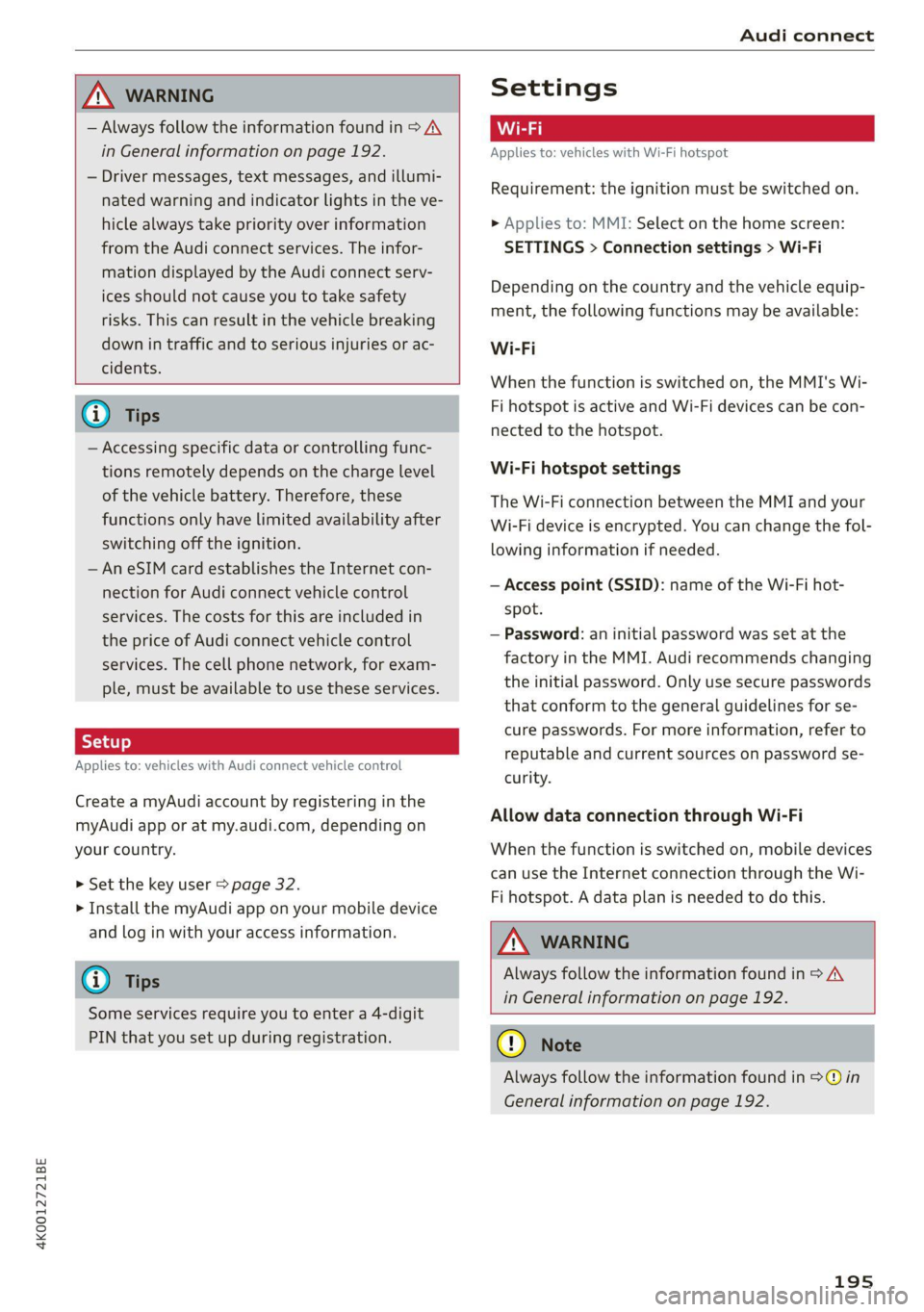
Settings
Applies to: vehicles with Wi-Fi hotspot
Requirement: the ignition must be switched on.
> Applies to: MMI: Select on the home screen:
SETTINGS > Connection settings > Wi-Fi
Depending on the country and the vehicle equip-
ment, the following functions may be available:
Wi-Fi
When the function is switched on, the MMI's Wi-
Fi hotspot is active and Wi-Fi devices can be con-
nected to the hotspot.
Wi-Fi hotspot settings
The Wi-Fi connection between the MMI and your
Wi-Fi device is encrypted. You can change the fol-
lowing information if needed.
— Access point (SSID): name of the Wi-Fi hot-
spot.
— Password: an initial password was set at the
factory in the MMI. Audi recommends changing
the initial password. Only use secure passwords
that conform to the general guidelines for se-
cure passwords. For more information, refer to
reputable and current sources on password se-
curity.
Allow data connection through Wi-Fi
When the function is switched on, mobile devices
can use the Internet connection through the Wi-
Fi hotspot. A data plan is needed to do this.
Z\ WARNING
Always follow the information found in > AV
in General information on page 192.
@) Note
Always follow the information found in >@ in
General information on page 192.
195
Page 199 of 332

4K0012721BE
Emergency call
Emergency call
Overview
Applies to: vehicles with emergency call function
An emergency call is a combination of data trans-
mission and a phone call. The data transmission
from your vehicle forwards important informa-
tion, such as the vehicle and position data, to the
emergency call center.
Depending on the country and the vehicle equip-
ment, the following functions may be available:
With the emergency call, you can call for help in
dangerous situations as quickly as possible. Use
this function when emergency help is needed
=> page 197.
— Audi connect emergency call (TPS emergency
call). This eCall system uses emergency call
centers operated by third party providers.
With online roadside assistance, you can request
assistance if there is a breakdown or a minor acci-
dent > page 198.
ZA\ WARNING
In areas with poor GPS reception or outside
the coverage range of the respective cell
phone service provider, some functions and/or
services may not be available, it may not be
possible to send or receive data, or functional-
ity may be limited.
@) Tips
To see which data can be transmitted, visit
your Audi country or sales region website at
www.audi.com.
Emergency call
Applies to: vehicles with emergency call function
The services are provided through a SIM card in-
stalled in the vehicle. Services are provided as-
suming that the cell phone network required for
the installed SIM card is functioning and availa-
ble for use. The services made availably by Audi
are only available within the mobile phone net-
work coverage area for the mobile phone service
provider selected by Audi.
—The emergency call function cannot be deac-
tivated in the Infotainment system settings.
— The availability of the TPS emergency call is
limited to certain times.
—The costs for call and data connections for
TPS emergency calls is included in the price
of the services.
Applies to: vehicles with emergency call function
A TPS emergency call can be made manually or
automatically > page 197.
Making an emergency call
Applies to: vehicles with emergency call function
Fig. 137 Front headliner: cover for the emergency call but-
ton
Manual emergency call
Requirement: the ignition must be switched on.
> Tap the cover (@) to open it.
> Press and hold the emergency call button until
the LED () blinks. The emergency call will be
made.
> If the emergency call button is pressed by mis-
take, then press it again immediately and hold
it until the LED stays on. The emergency call
will be canceled.
Automatic emergency call
The vehicle electrical system initiates an auto-
matic emergency call under certain circumstan-
ces, for example if an airbag deploys. The LEDin >
197
Page 249 of 332

Checking and Filling
4K0012721BE
® Note thorized Audi dealer or authorized Audi
Service Facility to determine the cause.
Please note that an exact oil consumption
measurement must be done with the neces-
If the engine oil level is too low or too high,
there is a risk of engine damage.
@ ) sary care and accuracy and may take time.
Tips An authorized Audi dealer or authorized
The oil level indicator in the display is only an Audi Service Facility is trained in accurately
informational display. If the oil level is too measuring the oil consumption.
low, a minimum oil warning appears in the in- — You can find information on engine oil and
strument cluster. Add oil and close the hood. engine oil capacities for the USA at www.
The current oil level will be displayed on the audiusa.com/help/maintenance, or for Can-
MMI the next time the ignition is switched on. ada at www.audi.ca/ca/web/en/
customer-area/care-and-maintenance/
@) Tips audi-service-schedules.html, or call
The engine oil consumption may be up to 800-822-2834.
0.5 quart/600 miles (0.5 liter/1,000 km), de-
pending on driving style and operating condi-
tions. In RS models, the oil consumption may
be up to 1 qt/600 mi (0.8 L/1,000 km). Con-
sumption may be higher during the first
3,000 miles (5,000 km). The engine oil level
must be checked regularly. It is best to check
each time you refuel your vehicle and before
long drives.
— Because of the Lubrication and cooling of
the engine, combustion engines consume
oil. The oil consumption varies depending
on the engine and may change during the Fig. 161 Engine compartment: engine oil filling opening
service life of the engine. Engines generally covet Sxem BE)
consume more oil at the beginning during
the break-in period. Then oil consumption
stabilizes after the break-in period.
RAZ-0072|
Observe the safety precautions > page 242, Gen-
eral information.
— Under normal conditions, oil consumption > Turn the engine off.
depends on the quality and viscosity of the > Open the hood > page 243.
oil, the engine RPM, the climate conditions, >» Unscrew the cap %~ for the engine oil filler
and the road conditions. The dilution of oil opening > fig. 161.
from condensation or fuel residue as well as > Carefully add 0.5 quart (0.5 liter) of the correct
the age of the oil also play a role. Because oil > page 245.
engine wear increases with mileage, oil con- > Close the engine oil filler opening cap.
sumption will increase again over time until > Close the hood = page 243.
it may be necessary to replace worn compo- > Restart the ignition after two minutes and read
nents. the current oil level in the MMI > page 246,
— Because all these variables play a role, it is Checking the engine oil level.
not possible to define an oil consumption » Applies to: using engine oil that meets the rec-
standard. Therefore, the oil level must be ommended specification: Add some more en-
checked regularly. gine oil again if necessary.
— If you believe that your engine has in-
creased its oil consumption, contact an au-
247
Page 261 of 332

4K0012721BE
Wheels
Glossary of tire and loading
terminology
Accessory weight
means the combined weight (in
excess of those standard items
which may be replaced) of auto-
matic transmission, power steer-
ing, power brakes, power win-
dows, power seats, radio, and
heater, to the extent that these
items are available as factory-in-
stalled equipment (whether in-
stalled or not).
Aspect ratio
means the ratio of the height to
the width of the tire in percent.
Numbers of 55 or lower indicate a
low sidewall for improved steer-
ing response and better overall
handling on dry pavement.
Bead
means the part of the tire that is
made of steel wires, wrapped or
reinforced by ply cords and that is
shaped to fit the rim.
Bead separation
means a breakdown of the bond
between components in the bead.
Cord
means the strands forming the
plies in the tire.
Cold tire inflation pressure
means the tire pressure recom-
mended by the vehicle manufac-
turer for a tire of a designated
size that has not been driven for
more than a couple of miles (kilo-
meters) at low speeds in the three
hour period before the tire pres-
sure is measured or adjusted.
Curb weight
means the weight of a motor ve-
hicle with standard equipment in-
cluding the maximum capacity of
fuel, oil, and coolant, air condi-
tioning and additional weight of
optional equipment.
Extra load tire
means a tire designed to operate
at higher loads and at higher in-
flation pressures than the corre-
sponding standard tire. Extra load
tires may be identified as “XL”,
“xl”, “EXTRA LOAD”, or “RF” on
the sidewall.
259
Page 288 of 332

Emergency assistance
Emergency assistance
General information
> Park the vehicle as far as possible from moving
traffic in the event of a breakdown. In the event
of a flat tire, park the vehicle ona level surface.
If you are ona steep hill, be especially careful.
> Set the parking brake.
> Switch the emergency flashers on.
> Have the passengers exit the vehicle. They
should move to a safe place, for example be-
hind a guard rail.
-Z\ WARNING
Follow the steps given above. This is for your
protection and the for the safety of others on
the road.
Equipment
e tool kit, tire m
vehicle jack
Applies to: vehicles with the vehicle tool kit, tire mobility kit,
and vehicle jack
Fig. 170 Luggage compartment: cargo floor cover
The vehicle tool kit, vehicle jack*, tire mobility
kit*, and compressor* are stored in the luggage
compartment under the cargo floor cover
> fig. 170.
> Lift the cargo floor by the plastic handle
> fig. 170.
> Applies to: sedan: Hook the handle into the lug-
gage compartment seal.
> Applies to: vehicles with spare tire: Turn the
handle counter-clockwise and remove the spare
tire.
286
» Applies to: sedan: Unhook the cargo floor cover
again before closing the luggage compartment
lid.
G@) Tips
The vehicle jack* does not require any mainte-
nance.
Tire mobility kit
Applies to: vehicles with tire mobility kit
> Read and follow the important safety precau-
tions > page 286.
> Set the parking brake.
> Select the “P” position.
> Check if a repair with the tire mobility kit is pos-
sible > page 286.
Using the tire mobility kit
Applies to: vehicles with tire mobility kit
B8U-0100
Fig. 171 Tire: tire damage that cannot be repaired
The tire repair is only meant for temporary use.
Change the damaged tire as soon as possible
oA.
If the tire is pierced by an object such as a nail,
do not remove the object from the tire.
The tire mobility kit can be used at temperatures
as low as -4 °F (-20 °C).
The tire mobility kit must not be used:
—If the tire has cuts or punctures that are larger
than 0.16 in (4 mm) @ © fig. 171
— If the rim is damaged (2)
— If you have driven with very low tire pressure or
without air in the tire @)
Page 318 of 332

Blowers + cssios «0 cneaene a & comeaus we soem vw teow = 92
Bluetooth
Audio player............000 2000 e ee eee 221
Connecting adevice...............006- 235
Connecting a mobile phone............ 181
Deleting adevice......... cee eee eee eee 236
Device overview............2..2.0000- 235
Disconnecting adevice................ 235
Displaying profiles..................0. 236
Selecting adevice.............0.-.00. 235
Specifying a favorite................0. 236
BOOSts: « 2 sews « @ stews & 2 sews Fe eee ge ee ce 16
Boost pressure indicator................. 16
Brake fluid
Checking the brake fluid level........... 251
Brak@Siecs ¢ ¢ ees ¢ o aes 2 eee ae eee eo oe 105
Brake:fluids « « sone eo eae oo enw vv cow 251
Emergency braking function............ 108
HOtars: x 2 syne: 5 ames § eee ox me 2 oe 109
New brake pads .......6. 0: es eeee eens 106
Bravidsis » sauvs y © squme 9 © eigen =o Renee «Been 237
Break-in security feature................. 38
Breaking in
New brake pads............ ee eee eee 106
Newtires. 2.2... 0.0... c eee ee eee eee 263
Browser
refer to Mediacenter..............-00- 224
Bulb replacement..................-00- 302
Business address...........00-.000e eee 206
C
California Proposition 65 Warning........ 243
Battery specific.......... 0.0 e eee ae 253
Calllist. 0... eee eee eee eee eee 185
Cameras... 2... eee eee 123
LOCAUIONS wx ¢ s aan ¢ ¢ Sees » ¥ Saewe 2 ¢ Saree 124
Capacities
Fuel tank’, = css ¢ s meme 2s news so ees eee 314
Washer fluid reservoir...............0. 314
Cargo MOf in cs coas 2 2 wm oe ewes oe wen oe 89
Gargo nets ss sees « wesw v women 5 v were 6 3 Co 88
Carwashis < con s+ goes ve sees 2p Rew a ee 280
Catalytic converter.............--00000- 241
Cell phone
refer to Telephone...........-.0ee000 181
316
Cell phone compartment
refer to Audi phone box.............4. 183
Central
locking......... 0.0.0. c eee ee eee 35
AUTO LOCK: 5 sacs s ana. s aaam & § Suid G 3 Have 35
Convenience key............0 0c ee eee 40
Convenience opening and closing......... 48
Luggage compartment lid............... 43
Mechanically unlocking and locking....... 38
MESSAGES « snc 5 0 smones @ a seme 3 3 aemene osname 37
Remote control key............--.00005 40
SGttiNnGs s x cewp » x eee £2 REE Fo wR F 8 oe 36
Vehicle key sccm « « svsnoue =o weenme = stonene i 3 omens 40
Central locking switch..............00.0. 37
Ceramic DrakeSeovic. x a eins we seesam o o ceca ¥ os 106
Certificationts, s 2 acws s « saun + ¢ suas 2 ¢ eee 311
Changing light bulbs................... 302
Charging
refer to Power sourceS...........-.00-05 84
Charging the battery
Mobilesdevicesis « « ssisin 6 seine sw aysene 2 as 222
USB... eee 184
Wirelessis « « saups ¢ © sees x 2 emus xe ees gb 184
Child safety lock
Climate control system controls in the rear. 46
Power windows...........0000e eee eeee 46
REAMrdGGrSisc + s saan sa wae a Ales s aeeR GS 46
Child safety seats... ..... cece cece eee 78
Securing to the top tether anchor........ 82
Securing with asafety belt... co. 6 6 cows s 81
Securing with LATCH...............2--. 80
Cleaning... ... cece eee eee ee 280
Cleaning Alcantara...............000005 283
Cleaning artificialleather............... 283
Cleaning carbon components........ 282, 283
Gleaning controls’. « sees «esse « e saws x eo 283
Cleaning decorative parts andtrim........ 282
Cleaning exhaust tail pipes.............. 282
Cleaning plastic parts................0. 282
Cleaning textiles................0.000. 283
Climate control system...........--..0-- 91
Climate control system controls in the rear
Child safety lock................000000. 46
Closing
Automatic luggage compartment lid...... 43
Convenience closing.............+-+04- 48
Hood ...... eee ee eee ee 243
Luggage compartment lid............... 43