2020 VOLVO V60 TWIN ENGINE ignition
[x] Cancel search: ignitionPage 445 of 673

STARTING AND DRIVING
}}}}
443
1. Put the ignition in mode
0.
2. Make sure the auxiliary battery (the bat- tery used to jump start the discharged battery) has a voltage of 12 volts.
3. If the auxiliary battery is in another vehicle, turn off that vehicle's engine and makesure that the vehicles are not touchingeach other.
4. Clamp the red jumper cable onto the auxil- iary battery's positive (+) terminal (1).
CAUTION
Connect the jump cable carefully to pre- vent short circuits with other componentsin the engine compartment.
5. Fold back the cover over your vehicle's positive (+) jump start terminal (2).
6. Clamp the other end of the red jumper cable to your vehicle's positive (+) jump start terminal (2).
7. Clamp the black jumper cable onto the auxiliary battery's negative (-) terminal (3).
8. Clamp the other end of the black jumper cable to your vehicle's negative (-) groundpoint (4). 9. Make sure the jumper cables are securely
attached to help prevent sparks whilejump starting.
10. Start the engine of the assisting vehicle and let it run for a few minutes at a higheridling speed than normal, about1500 rpm.
11. Start your vehicle's engine. If the engine does not start, allow an additional 10minutes of charging time and then try tostart the engine again.
NOTE
When the engine is started under normal conditions, the vehicle's electrical drivemotor is prioritized – the gasoline engineremains off. This means that after the startknob has been turned clockwise, the elec-tric motor has "started" and the vehicle isready to be driven. Start of the electricmotor is indicated by the indicator lights onthe instrument panel going out and its pre-selected theme illuminating.
CAUTION
Do not touch the connections between the cable and the vehicle during the startattempt. Risk of sparking.
12. Remove the jumper cables in the reverseorder ‒ first the black cables and then the
red cables. Make sure that none of the clamps of the black jumper cables come into contactwith either vehicle's positive (+) jump startterminals or either of the red jumpercable's connected clamps.
WARNING
PROPOSITION 65 WARNING! Battery
posts, terminals, and related accessories contain lead and lead compounds, chemi-cals known to the state of California tocause cancer and reproductive harm. Washhands after handling.
WARNING
Batteries generate hydrogen gas, which is flammable and explosive.
Do not connect the jumper cable toany part of the fuel system or to anymoving parts. Avoid touching hotmanifolds.
Battery fluid contains sulfuric acid. Donot allow battery fluid to contact eyes,skin, fabrics or painted surfaces.
If contact occurs, flush the affectedarea immediately with water. Obtain
Page 446 of 673

||
STARTING AND DRIVING
444
medical help immediately if eyes are affected.
Never expose the battery to open flameor electric spark. Do not smoke nearthe battery. Failure to follow theinstructions for jump starting can leadto injury.
NOTE
The vehicle cannot be started if the hybrid battery is discharged.
Related information
Starting the vehicle (p. 400)
Ignition modes (p. 403)
Adjusting the steering wheel (p. 197)
Selecting ignition mode (p. 404)
Driving with a trailer
There are a number of things to consider when towing a trailer, such as the towbar, thetrailer and how the load is distributed in thetrailer.
Load-carrying capacity is determined by the vehicle's curb weight. The total weight of allpassengers and any installed accessories, e.g.towbar, reduces the vehicle's load-carryingcapacity by the corresponding amount.
Towbars used on the vehicle must beapproved for the applicable use.
Distribute the load on the trailer so thatthe weight on the towbar complies withthe specified maximum towball weight.The tongue weight is calculated as part ofthe vehicle's payload.
Increase the tire pressure to the recom-mended pressure for a full load.
The engine is subjected to more load thanusual when towing a trailer.
Towing a trailer affects the vehicle's han-dling, durability and driving economy.
Do not drive with a heavy trailer when thevehicle is very new. Wait until the mileagehas reached at least 1000 km (620 miles).
On long and steep downgrades, the vehi-cle's brakes are subjected to much moreload than usual. When manually shifting, downshift and adapt speed accordingly.
Follow applicable regulations regarding permitted speed and weight.
Drive slowly when towing a trailer up along and steep incline.
The maximum trailer weights given onlyapply to altitudes up to 1000 meters(3280 feet) above sea level. At higher alti-tudes, engine power (and thus the vehi-cle's climbing ability) is decreased due tothe reduced air density, and the maximumtrailer weight must therefore be reduced.The weight of the vehicle and trailer mustbe decreased by 10% for each additional1000 m (3280 feet) or part thereof.
Avoid driving with a trailer on inclines ofmore than 12%.
Avoid overloading and other incorrect use.
The trailer's brakes must be balanced withthe vehicle's brakes to help ensure safestops (follow applicable local regulations).
Page 451 of 673

STARTING AND DRIVING
}}
449
Related information
Attaching and removing the towing eyelet (p. 449)
Hazard warning flashers (p. 160)
Recovery (p. 450)
Jump starting using another battery(p. 442)
Selecting ignition mode (p. 404)
Transmission (p. 414)
Attaching and removing the towing eyelet
Use the towing eyelet to tow another vehicle. Screw the towing eyelet securely into placein the threaded outlet behind the cover on theright-hand side of the rear bumper.
NOTE
If the vehicle is equipped with a towbar, there is no rear attachment for the towingeye.
Attaching the towing eyelet
Take out the towing eyelet, which is stored in a foam block under the floor inthe cargo compartment.
Remove the cover by pressing on the mark with a finger while folding out theopposite side/corner.
> The cover turns along its center line and can then be removed.
Page 453 of 673

STARTING AND DRIVING
}}
* Option/accessory.451
three programmable buttons and an indicator light in the mirror. For more information about HomeLink
®
,
please visit: www.HomeLink.com or call 1-800-355-3515. Save the original remote controls for future programming (e.g. for use in another vehicle).It is also advisable to delete the button pro-gramming if the vehicle is sold.
Related information
Using HomeLink ®
* (p. 453)
Programming HomeLink ®
* (p. 451)
Type approval for HomeLink ®
* (p. 454)
Programming HomeLink ®
*15
Follow these instructions to program HomeLink ®
, reset all programming, or pro-
gram individual buttons.
NOTE
In some vehicles, the ignition must be on or in the "accessory position" before HomeLink ®
can be programmed or used. It
can be a good idea to put new batteries in the remote control being replaced by HomeLink ®
for faster programming and
better radio signal transmission. TheHomeLink ®
buttons should be reset before
programming.
WARNING
While HomeLink ®
is being programmed,
the garage door or gate being programmed may be activated. Make sure that no one isnear the door or gate during programming.When programming a garage door opener,it is advised to park outside of the garage. 1. Point the remote control at the
HomeLink ®
button to be programmed and
hold it about 2-8 cm (1-3 inches) from the button. Do not obstruct the HomeLink ®
indicator light. Note: Some remote controls are more
effective at programming HomeLink ®
from
a distance of about 15-20 cm (6-12 inches). Keep this in mind if you experi-ence any programming difficulties.
2. Press and hold both the remote control button and the HomeLink ®
button to be
programmed.
13 Certain markets only.
14 HomeLink and the HomeLink house symbol are registered trademarks of Gentex Corporation.
15 Certain markets only.
Page 455 of 673

STARTING AND DRIVING
* Option/accessory.453
Related information
Using HomeLink ®
* (p. 453)
HomeLink ®
* (p. 450)
Type approval for HomeLink ®
* (p. 454)Using HomeLink ®
*17
Once HomeLink ®
is programmed, it can be
used instead of the separate remote controls.
Press and hold the programming button. The garage door, gate, alarm system, etc. will beactivated (this may take several seconds). Ifthe button is held down for more than 20 sec-onds, reprogramming will begin. The indicatorlight will glow steadily or flash when the but-ton has been pressed. The original remotecontrols may be used concurrently with HomeLink ®
if desired.
NOTE
When the ignition is switched off, HomeLink ®
will be active for at least
7 minutes.
NOTE
HomeLink ®
cannot be used if the vehicle is
locked and the alarm is armed * from the
outside.
WARNING
If you use HomeLink ®
to open a garage
door or gate, be sure no one is near the gate or door while it is in motion.
Do not use HomeLink ®
with any
garage door opener that lacks safetystop and reverse features as requiredby US federal safety standards (thisincludes any garage door opener modelmanufactured before April 1, 1982). Agarage door that cannot detect anobject - signaling the door to stop andreverse - does not meet current U.S.federal safety standards. For moreinformation, contact HomeLink at:www.homelink.com.
Related information
HomeLink ®
* (p. 450)
Programming HomeLink ®
* (p. 451)
Type approval for HomeLink ®
* (p. 454)
17
Certain markets only.
Page 460 of 673
AUDIO, MEDIA AND INTERNET
* Option/accessory.
458
Audio, media and Internet
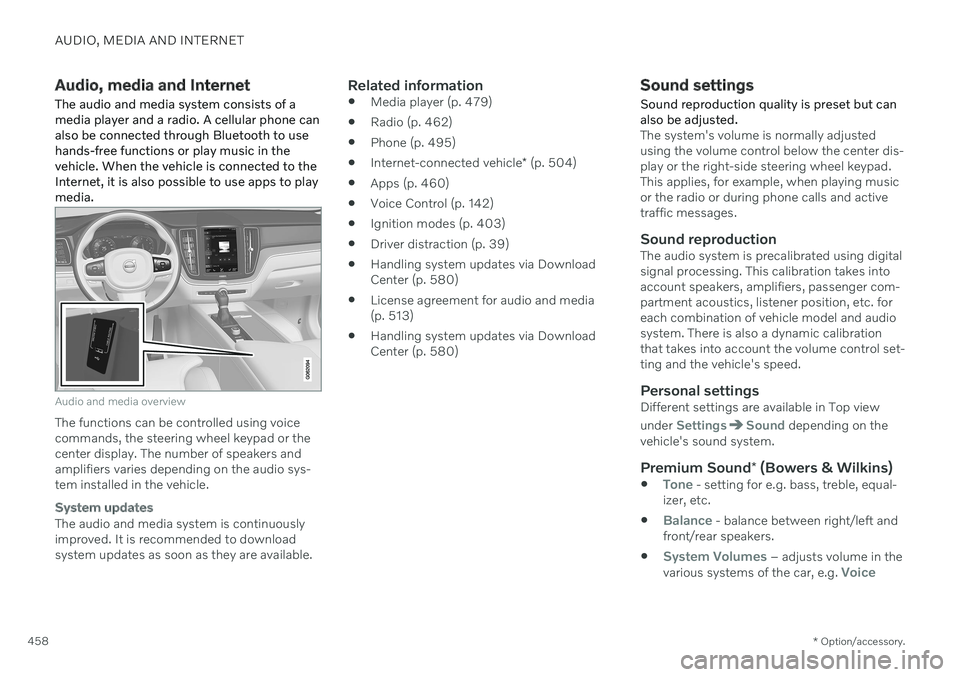
The audio and media system consists of a media player and a radio. A cellular phone canalso be connected through Bluetooth to usehands-free functions or play music in thevehicle. When the vehicle is connected to theInternet, it is also possible to use apps to playmedia.
Audio and media overview
The functions can be controlled using voice commands, the steering wheel keypad or thecenter display. The number of speakers andamplifiers varies depending on the audio sys-tem installed in the vehicle.
System updates
The audio and media system is continuously improved. It is recommended to download system updates as soon as they are available.
Related information
Media player (p. 479)
Radio (p. 462)
Phone (p. 495)
Internet-connected vehicle
* (p. 504)
Apps (p. 460)
Voice Control (p. 142)
Ignition modes (p. 403)
Driver distraction (p. 39)
Handling system updates via DownloadCenter (p. 580)
License agreement for audio and media(p. 513)
Handling system updates via DownloadCenter (p. 580)
Sound settings
Sound reproduction quality is preset but can also be adjusted.
The system's volume is normally adjusted using the volume control below the center dis-play or the right-side steering wheel keypad.This applies, for example, when playing musicor the radio or during phone calls and activetraffic messages.
Sound reproductionThe audio system is precalibrated using digitalsignal processing. This calibration takes intoaccount speakers, amplifiers, passenger com-partment acoustics, listener position, etc. foreach combination of vehicle model and audiosystem. There is also a dynamic calibrationthat takes into account the volume control set-ting and the vehicle's speed.
Personal settingsDifferent settings are available in Top view under
SettingsSound depending on the
vehicle's sound system.
Premium Sound * (Bowers & Wilkins)
Tone - setting for e.g. bass, treble, equal-
izer, etc.
Balance - balance between right/left and
front/rear speakers.
System Volumes – adjusts volume in the
various systems of the car, e.g. Voice
Page 488 of 673
AUDIO, MEDIA AND INTERNET
* Option/accessory.
486
Playing media via the USB port
External audio sources, such as an iPod ® or
MP3 player, can be connected to the audio system via the vehicle's USB port.
Devices with rechargeable batteries can be charged when they are connected via the USBport and the ignition is in mode I, II or the
engine is running. The content on the external source can be read faster if it only contains data of a compat-ible format. Video files can also be played viathe USB port. Some MP3 players have their own file system that the vehicle has support for.
Related information
Connecting a device via the USB port(p. 486)
Playing media (p. 480)
Video (p. 484)
Ignition modes (p. 403)
Technical specifications for USB devices(p. 487)
Apple ®
CarPlay ®
* (p. 488)
Android Auto
* (p. 492)
Connecting a device via the USB port
External audio sources, such as an iPod ®
or
MP3 player, can be connected to the audio system via any of the vehicle's USB ports.
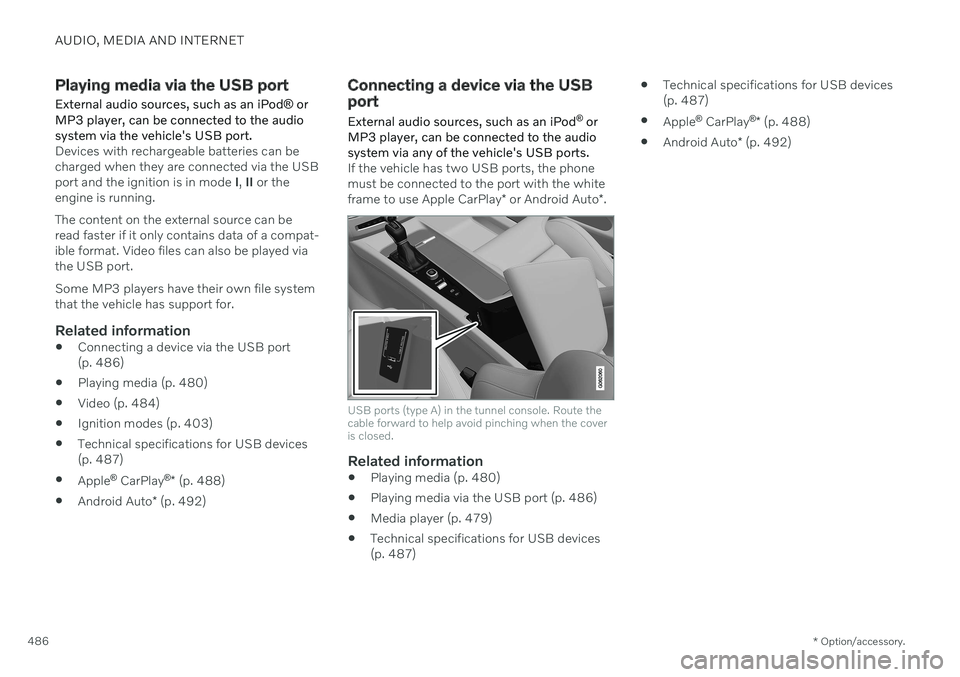
If the vehicle has two USB ports, the phone must be connected to the port with the white frame to use Apple CarPlay * or Android Auto *.
USB ports (type A) in the tunnel console. Route the cable forward to help avoid pinching when the coveris closed.
Related information
Playing media (p. 480)
Playing media via the USB port (p. 486)
Media player (p. 479)
Technical specifications for USB devices (p. 487)
Technical specifications for USB devices(p. 487)
Apple ®
CarPlay ®
* (p. 488)
Android Auto
* (p. 492)
Page 500 of 673
AUDIO, MEDIA AND INTERNET
* Option/accessory.
498
Connecting a phone to the car via Bluetooth automatically A phone can be automatically connected to the vehicle via Bluetooth. The phone musthave first been paired with the vehicle.
Only the two most recently connected phones can be connected automatically.
1. Activate Bluetooth in the phone before
turning the vehicle's ignition to mode I.
2. Turn the ignition to I or higher.
> The phone will be connected.
Related information
Phone (p. 495)
Connecting a phone to the car via Blue- tooth for the first time (p. 496)
Connecting a phone to the car via Blue-tooth manually (p. 498)
Disconnecting a Bluetooth-connectedphone (p. 498)
Switch between phones connected viaBluetooth (p. 499)
Disconnecting Bluetooth-connected devi-ces (p. 499)
Settings for Bluetooth devices (p. 503)
Internet-connected vehicle
* (p. 504)
Connecting the vehicle to the Internet viaa Bluetooth-connected phone (p. 505)
Ignition modes (p. 403)
Connecting a phone to the car via Bluetooth manually
A phone can be manually connected to the vehicle via Bluetooth. The phone must havefirst been paired with the vehicle.
1. Activate Bluetooth in the phone.
2. Open the phone tile.
> A list of available phones will be dis-played.
3. Tap the name of the phone you would like to connect.
> The phone will be connected.
Related information
Phone (p. 495)
Connecting a phone to the car via Blue- tooth for the first time (p. 496)
Connecting a phone to the car via Blue-tooth automatically (p. 498)
Disconnecting a Bluetooth-connectedphone (p. 498)
Switch between phones connected viaBluetooth (p. 499)
Disconnecting Bluetooth-connected devi-ces (p. 499)
Settings for Bluetooth devices (p. 503)
Internet-connected vehicle
* (p. 504)
Connecting the vehicle to the Internet viaa Bluetooth-connected phone (p. 505)
Disconnecting a Bluetooth- connected phone
A Bluetooth-connected phone can be discon- nected from the vehicle.
When the phone is out of range of the vehicle, it will be automatically discon-nected. If a call is in progress when thephone is disconnected from the vehicle,the call will be transferred from the vehi-cle's speakers and microphone to the cel-lular phone.
The phone can also be disconnected bymanually deactivating Bluetooth.
Related information
Phone (p. 495)
Phone settings (p. 502)
Switch between phones connected viaBluetooth (p. 499)
Disconnecting Bluetooth-connected devi-ces (p. 499)
Settings for Bluetooth devices (p. 503)