2020 VAUXHALL VIVARO C Headlight
[x] Cancel search: HeadlightPage 13 of 289

In brief111Power windows .....................41
2 Exterior mirrors .....................38
3 Side air vents ...................... 148
4 Selective ride control ..........171
5 Turn lights ........................... 133
Headlight flash ....................131
High beam ........................... 130
Exit lighting .......................... 136
6 Head-up display controls ....120
7 Steering wheel controls ........93
8 Steering wheel paddles ........93
9 Instruments ......................... 104
Driver Information Centre .... 115
10 Button for Driver
Information Centre ..............115
Windscreen wiper and
washer .................................. 94
Rear wiper and washer .........96
11 Head-up display ..................120
12 Air vents .............................. 148
13 Control elements for Info
Display ................................ 11914Info Display ......................... 119
15 Climate control system ........ 140
16 Storage compartment ...........78
17 Storage compartment ...........78
18 AUX input
19 Power outlet .......................... 97
20 Airbag deactivation ...............64
21 USB port ............................... 97
22 Seat heating .......................... 51
23 Electronic Stability Control
and Traction Control ...........170
Tyre deflation detection
system ................................. 238
Stop-start system ................156
Heated windscreen ...............44
Electric child locks ................. 28
Central locking system ..........24
24 Hazard warning flashers .....132
25 Manual transmission ...........167
Automatic transmission .......164
26 Power button ....................... 153
27 Automatic locking ..................2828Ignition switch .....................152
29 Control elements for
Infotainment system
30 Steering wheel adjustment ...93
31 Fuse box ............................. 230
32 Horn ...................................... 94
33 Cruise control ...................... 173
Speed limiter ....................... 176
Adaptive cruise control .......179
34 Bonnet release lever ...........213
35 Anti-theft alarm system .........36
Lane departure warning ......200
Side blind spot alert ............194
Parking assist ...................... 191
Parking heater ....................146
Headlight range adjustment 131
High beam assist ................130
Page 14 of 289

12In briefExterior lightingAUTO:automatic light control
switches automatically
between daytime running
light and headlightF:sidelightsD:headlight
Automatic light control 3 130.
Front fog lights 3 133.
Rear fog light 3 133.
Headlight flash and high beam
High beam 3 130.
High beam assist 3 130.
Headlight flash 3 131.
Turn lightsup:right turn lightsdown:left turn lights
Turn lights 3 133.
Page 25 of 289
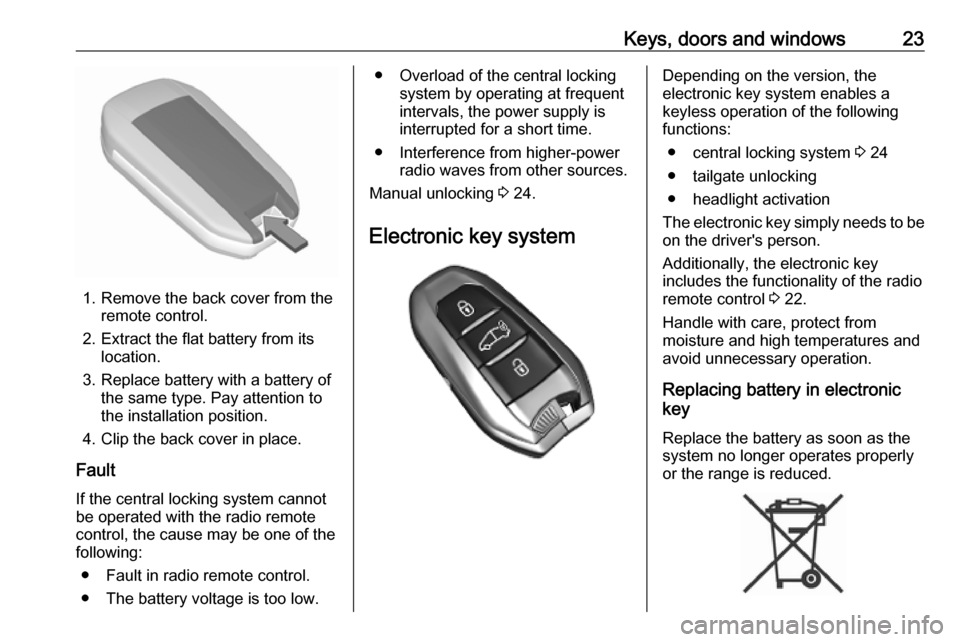
Keys, doors and windows23
1. Remove the back cover from theremote control.
2. Extract the flat battery from its location.
3. Replace battery with a battery of the same type. Pay attention to
the installation position.
4. Clip the back cover in place.
Fault
If the central locking system cannot
be operated with the radio remote
control, the cause may be one of the
following:
● Fault in radio remote control.● The battery voltage is too low.
● Overload of the central locking system by operating at frequentintervals, the power supply is
interrupted for a short time.
● Interference from higher-power radio waves from other sources.
Manual unlocking 3 24.
Electronic key systemDepending on the version, the
electronic key system enables a
keyless operation of the following
functions:
● central locking system 3 24
● tailgate unlocking
● headlight activation
The electronic key simply needs to be on the driver's person.
Additionally, the electronic key
includes the functionality of the radio
remote control 3 22.
Handle with care, protect from
moisture and high temperatures and
avoid unnecessary operation.
Replacing battery in electronic
key
Replace the battery as soon as the
system no longer operates properly
or the range is reduced.
Page 94 of 289

92Instruments and controlsInstruments and
controlsControls ....................................... 93
Steering wheel adjustment ........93
Steering wheel controls .............93
Horn ........................................... 94
Steering column controls ...........94
Windscreen wiper and washer ..94
Rear window wiper and washer ...................................... 96
Outside temperature ..................96
Clock ......................................... 97
Power outlets ............................. 97
Warning lights, gauges and indi‐
cators ......................................... 100
Instrument cluster ....................100
Speedometer ........................... 104
Odometer ................................ 105
Trip odometer .......................... 105
Tachometer ............................. 106
Fuel gauge .............................. 106
Engine coolant temperature gauge ..................................... 107
Engine oil level monitor ...........108
Service display ........................ 108
Control indicators ....................109Turn lights................................ 109
Seat belt reminder ...................109
Airbag and belt tensioners .......110
Airbag deactivation ..................110
Charging system .....................110
Malfunction indicator light ........110
Service vehicle soon ...............111
Stop engine ............................. 111
System check .......................... 111
Brake system ........................... 111
Parking brake .......................... 111
Antilock brake system (ABS) ...111
Gear shifting ............................ 112
Lane departure warning ..........112
Electronic Stability Control and Traction Control system .........112
Engine coolant temperature ....112
Preheating ............................... 112
Exhaust filter ............................ 112
AdBlue ..................................... 113
Deflation detection system ......113
Engine oil pressure ..................113
Low fuel ................................... 113
Autostop .................................. 114
Exterior light ............................ 114
Low beam ................................ 114
High beam ............................... 114
High beam assist .....................114
LED headlights ........................ 114
Front fog lights ......................... 114Rear fog light........................... 114
Rain sensor ............................. 114
Cruise control .......................... 114
Adaptive cruise control ............114
Vehicle detected ahead ...........114
Side blind spot alert .................115
Active emergency braking .......115
Speed limiter ........................... 115
Door open ................................ 115
Displays ..................................... 115
Driver Information Centre ........115
Info Display .............................. 119
Head-up display ......................120
Vehicle messages ......................122
Warning chimes .......................122
Vehicle personalisation ..............123
Telematics services ...................127
Vauxhall Connect ....................127
Page 106 of 289

104Instruments and controlsOverview1Turn lights 3 109aSeat belt reminder 3 109dAirbag and belt tensioners
3 110eAirbag deactivation 3 110SCharging system 3 110WMalfunction indicator light
3 110CService vehicle soon
3 111
LED headlights 3 114STOPStop engine 3 111XSystem check 3 111hParking brake 3 111iAntilock brake system
(ABS) 3 111,Gear shifting 3 112QLane departure warning
3 112JElectronic Stability Control
and Traction Control
system 3 112zPreheating 3 112+Exhaust filter 3 112BAdBlue 3 113qTyre deflation detection
system 3 113TEngine oil pressure 3 113r 2Low fuel 3 113V 2Engine coolant temperature
high 3 112ñAutostop 3 1141Exterior light 3 114DLow beam 3 114AHigh beam 3 114BHigh beam assist 3 114GFront fog lights 3 114HRear fog light 3 114yRain sensor 3 114V ,Vehicle detected ahead
3 114,Side blind spot alert 3 115vCruise control 3 114QAdaptive cruise control
3 1145Speed limiter 3 115mActive emergency braking
3 188ODoor open 3 115
Speedometer
Page 116 of 289

114Instruments and controlsAutostopñ illuminates or flashes green.
Illuminates green
Engine is in an Autostop.
Flashes green
Autostop is temporarily unavailable,
or Autostop mode is invoked
automatically.
Stop-start system 3 156.
Exterior light F illuminates green.
The exterior lights are on 3 129.
Low beam
D illuminates green.
Illuminated when low beam is on.
High beam
A illuminates blue.
Illuminates when high beam is on or during headlight flash 3 130.High beam assist
B illuminates green.
The high beam assist is activated
3 130.
LED headlights C illuminates and a warning
message is displayed in the Driver
Information Centre.
Seek the assistance of a workshop.
Front fog lights
G illuminates green.
The front fog lights are on 3 133.
Rear fog light H illuminates yellow.
The rear fog light is on 3 133.
Rain sensor y illuminates green.
Illuminated when rain sensor position on wiper lever is selected.Cruise control
v illuminates in the Driver
Information Centre when speed
limiter is active. Set speed is indicated
in the Driver Information Centre.
Cruise control 3 173.
Adaptive cruise control
Q illuminates in the Driver
Information Centre when adaptive cruise control is active.
Adaptive cruise control 3 179.
Vehicle detected ahead
Depending on version, V or I is
displayed in the Driver Information
Centre.
Adaptive cruise control
V is displayed in the Driver
Information Centre when a vehicle
ahead detected in the same lane.
Adaptive cruise control 3 179.
Page 125 of 289

Instruments and controls123● If an unintended lane changeoccurs.
● If the exhaust filter has reached the maximum filling level.
When the vehicle is parked and /
or the driver's door is opened
● With exterior lights on.
During an Autostop ● If the driver's door is opened.
● If any condition for a restart of the
engine is not fulfilled.Vehicle personalisation
The vehicle's behaviour can be
personalised by changing the settings
in the Info Display.
Depending on vehicle equipment and
country-specific regulations some of
the functions described below may
not be available.
Some functions are only displayed or active when the engine is running.
Radio (Infotainment system)
Press MENU to open the menu page.
Use the arrow buttons to operate the
display:
Select Personalisation-configuration
I OK .
Unit settings
Select Display configuration I OK .
Select Choise of units I OK .
Select desired settings I OK .
Language settings
Select Display configuration I OK .
Select Choise of language I OK .
Select desired language I OK .
Vehicle settings
Select Define vehicle parameters I
OK .
In the corresponding submenus the
following settings can be changed:
● Lamps
Follow me home headlamps :
Activates or deactivates the
function and adjusts its duration.
Welcome lighting : Activates or
deactivates the function and
adjusts its duration.
Directional headlights : Activates
or deactivates the function.
Page 127 of 289

Instruments and controls125●Type the new speed value via the
keypad and confirm with A /
OK .
● Confirm with A / OK once more
to exit the menu.
Vehicle settings
Press _.
Select Vehicle settings .
In the corresponding submenus the following settings can be changed:
● Parking
Prevention of door mirror folding :
Activates or deactivates the
automatic folding of the exterior
mirrors.
Rear wiper in reverse : Activates
or deactivates automatic
switching on of the rear window
wiper when reverse gear is
engaged.
● Headlights
Guide-me-home lighting :
Activates or deactivates the
function and adjusts its duration.Welcome lighting : Activates or
deactivates the function and
adjusts its duration.
Directional headlamps : Activates
or deactivates the cornering
lights.
● Comfort
Mood lighting : Adjusts the
brightness of the ambient
lighting.
● Safety
Speed reading/recommendation :
Activates or deactivates the
speed limit information by traffic
sign recognition.
Active safety brake : Activates or
deactivates active emergency braking, the alert distance for risk of collision can be selected.
Mirror adaptation in reverse :
Adjusts the exterior mirrors if
reverse gear is engaged to
facilitate pavement visibility.
Driver's attention warning :
Activates or deactivates the
driver drowsiness system.Multimedia Navi
Press : to open settings menu.
Unit settings
Select System settings in the options
menu.
Change units for Distance and fuel
consumption and Temperature .
Confirm with A / OK .
Language settings
Select Languages .
Change language by touching the respective entry.
Confirm with A / OK .