2020 TOYOTA PROACE VERSO warning
[x] Cancel search: warningPage 35 of 418
35
Starting prevented
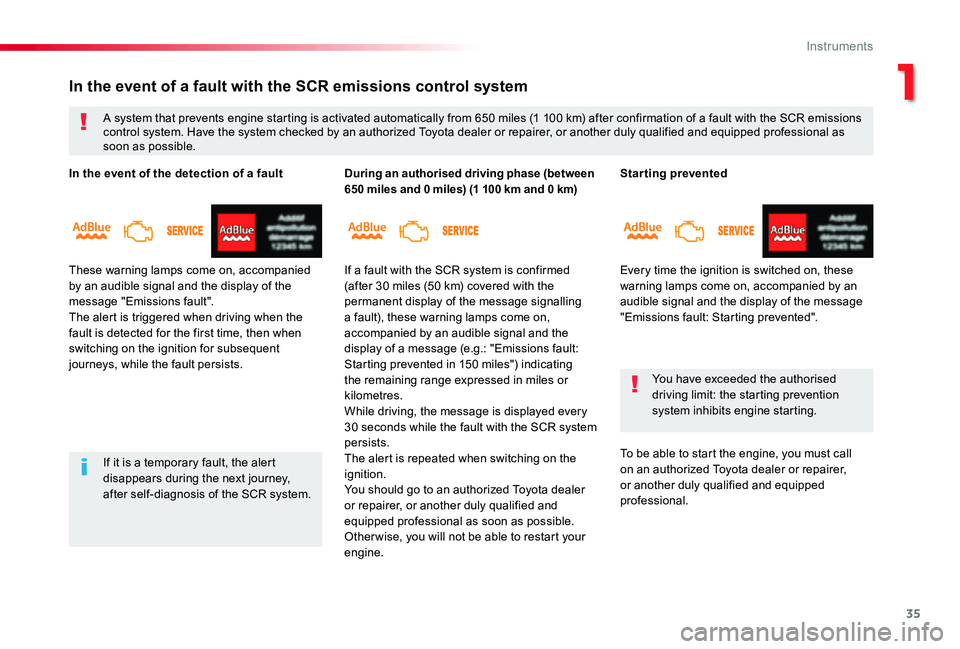
Every time the ignition is switched on, these warning lamps come on, accompanied by an audible signal and the display of the message "Emissions fault: Starting prevented".
You have exceeded the authorised driving limit: the starting prevention system inhibits engine starting.
To be able to start the engine, you must call on an authorized Toyota dealer or repairer, or another duly qualified and equipped professional.
In the event of a fault with the SCR emissions control system
A system that prevents engine starting is activated automatically from 650 miles (1 100 km) after confirmation of a fault with the SCR emissions control system. Have the system checked by an authorized Toyota dealer or repairer, or another duly qualified and equipped professional as soon as possible.
If it is a temporary fault, the alert disappears during the next journey, after self-diagnosis of the SCR system.
In the event of the detection of a fault
These warning lamps come on, accompanied by an audible signal and the display of the message "Emissions fault".The alert is triggered when driving when the fault is detected for the first time, then when switching on the ignition for subsequent journeys, while the fault persists.
During an authorised driving phase (between 650 miles and 0 miles) (1 100 km and 0 km)
If a fault with the SCR system is confirmed (after 30 miles (50 km) covered with the permanent display of the message signalling a fault), these warning lamps come on, accompanied by an audible signal and the display of a message (e.g.: "Emissions fault: Starting prevented in 150 miles") indicating the remaining range expressed in miles or kilometres.While driving, the message is displayed every 30 seconds while the fault with the SCR system persists.The alert is repeated when switching on the ignition.You should go to an authorized Toyota dealer or repairer, or another duly qualified and equipped professional as soon as possible.Other wise, you will not be able to restart your
engine.
1
Instruments
Page 47 of 418
47
If your vehicle is not fitted with an alarm, locking is confirmed by the fixed illumination of the direction indicators for about two seconds.According to version, the door mirrors fold at the same time.
If one of the openings (doors or boot) is still open, the central locking does not take place.When the vehicle is locked, if it is unlocked inadvertently, it will lock itself again automatically after about thirty seconds unless a door is opened.And if your vehicle has an alarm, this will be reactivated (with volumetric monitoring, even if this had been deactivated).The folding and unfolding of the door mirrors by the remote control can be deactivated by an authorized Toyota dealer or repairer, or another duly qualified and equipped professional
Driving with the doors locked may render access for the emergency services difficult in an emergency.As a safety measure (children on board), never leave the vehicle without taking your remote control, even for a short period.
Ensure that no person or object might prevent the correct closing of the windows.Be particularly aware of children when operating the windows.
Locking
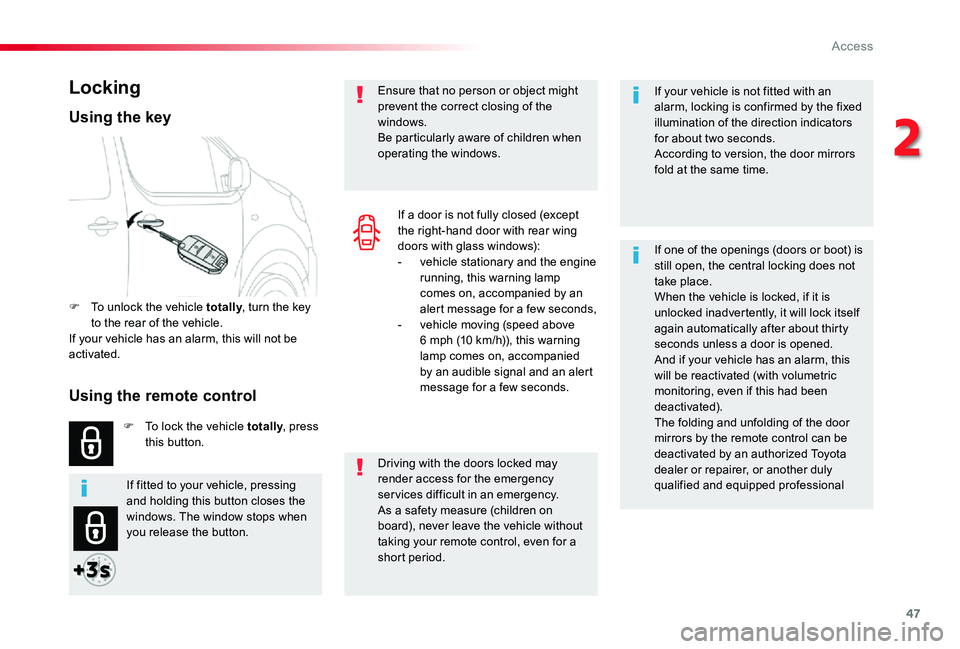
F To unlock the vehicle totally, turn the key to the rear of the vehicle.If your vehicle has an alarm, this will not be activated.
F To lock the vehicle totally, press this button.
Using the key
If a door is not fully closed (except the right-hand door with rear wing doors with glass windows):- vehicle stationary and the engine running, this warning lamp comes on, accompanied by an alert message for a few seconds,- vehicle moving (speed above 6 mph (10 km/h)), this warning lamp comes on, accompanied by an audible signal and an alert message for a few seconds.
If fitted to your vehicle, pressing and holding this button closes the windows. The window stops when you release the button.
Using the remote control
2
Access
Page 49 of 418

49
Electronic engine immobiliser
The remote control contains an electronic chip which has a special code. When the ignition is switched on, this code must be recognised in order for starting to be possible.This electronic engine immobiliser locks the engine management system a few moments after the ignition is switched off and prevents
starting of the engine by anyone who does not have the key.
F Press this button
Locating your vehicle
This function allows you to identify your vehicle from a distance, particularly in poor light. Your vehicle must have been locked for more than five seconds.
This switches on the courtesy lamps and the
direction indicators flash for about ten seconds.
Remote operation of lighting
A short press on this button switches on the lighting remotely (sidelamps, dipped beam headlamps and number plate lamps).
A second press on this button before the end of the timed period cancels the remote lighting.
Anti-theft protection
In the event of a fault, you are informed by illumination of this warning lamp, an audible signal and a message in the screen.
Keep safely, away from your vehicle, the label attached to the keys given to you on acquisition of the vehicle.
In this case, your vehicle will not start; contact an authorized Toyota dealer or repairer, or another duly qualified and equipped professional as soon as possible.
If fitted to your vehicle.
2
Access
Page 51 of 418
51
Changing the battery
Do not throw the remote control batteries away, they contain metals which are harmful to the environment.Take them to an approved collection point.
If the battery is flat, you are informed by lighting of this warning lamp in the instrument panel, an audible signal and a message in the screen.
Reinitialisation
Locking the rear wing doors with glass windows
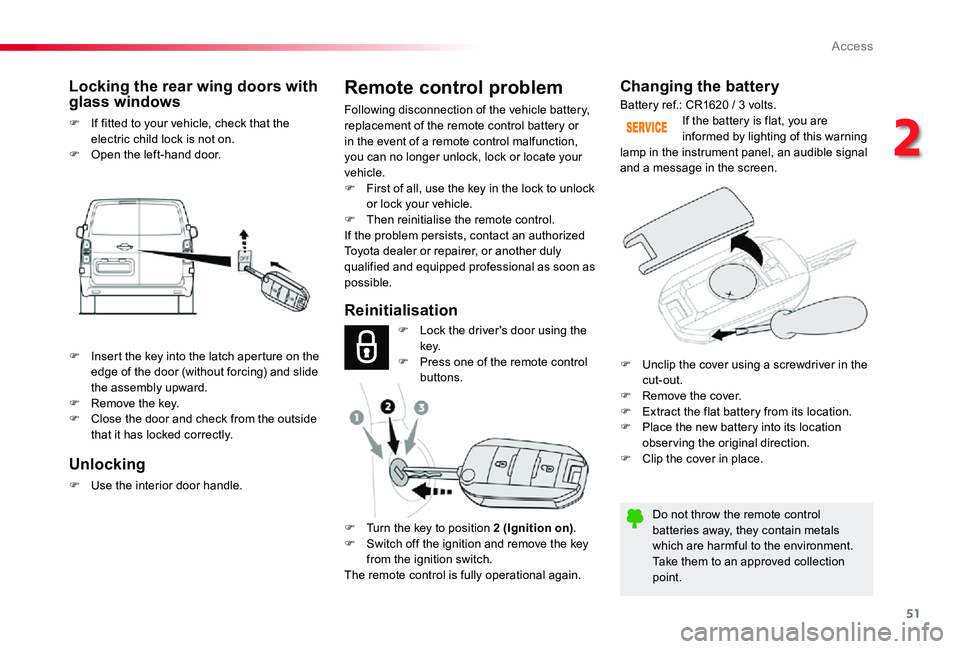
F If fitted to your vehicle, check that the electric child lock is not on.F Open the left-hand door.
Battery ref.: CR1620 / 3 volts.
F Lock the driver's door using the key.F Press one of the remote control buttons.
F Turn the key to position 2 (Ignition on).F Switch off the ignition and remove the key from the ignition switch.The remote control is fully operational again.
Unlocking
F Use the interior door handle.
Remote control problem
Following disconnection of the vehicle battery, replacement of the remote control battery or in the event of a remote control malfunction, you can no longer unlock, lock or locate your vehicle.F First of all, use the key in the lock to unlock or lock your vehicle.F Then reinitialise the remote control.If the problem persists, contact an authorized
Toyota dealer or repairer, or another duly qualified and equipped professional as soon as possible.
F Insert the key into the latch aperture on the edge of the door (without forcing) and slide the assembly upward.F Remove the key.F Close the door and check from the outside that it has locked correctly.
F Unclip the cover using a screwdriver in the cut-out.F Remove the cover.F Extract the flat battery from its location.F Place the new battery into its location obser ving the original direction.F Clip the cover in place.
2
Access
Page 52 of 418

52
"Smart Entry & Start
System"
It allows the central locking or unlocking of the vehicle from a distance.It is also used to locate and start the vehicle, as well as providing protection against theft.
Remote control
Locking
Ensure that no person or object could prevent the correct closing of the windows.Be particularly aware of children when operating the windows.
If a door is not correctly shut (except the right-hand door with rear wing doors with glass windows):- vehicle stationary and the engine running, this warning lamp comes on, accompanied by an alert message for a few seconds,- vehicle moving (speed above 6 mph (10 km/h)), this warning lamp comes on, accompanied by an audible signal and an alert message for a few seconds.
F To totally lock the vehicle, press this button.F To unlock the vehicle, press this button.
With electric sliding door(s)
F To unlock the vehicle and open the side door, press and hold this button until the door has opened
Unlocking is signalled by the rapid flashing of the direction indicators for about two seconds.Depending on version, the door mirrors unfold at the same time.
Unlocking
If fitted to your vehicle, pressing and holding this button allows the windows to be closed. The window stops when you release the button.
Access
Page 56 of 418
56
With an opening rear screen in the tailgate
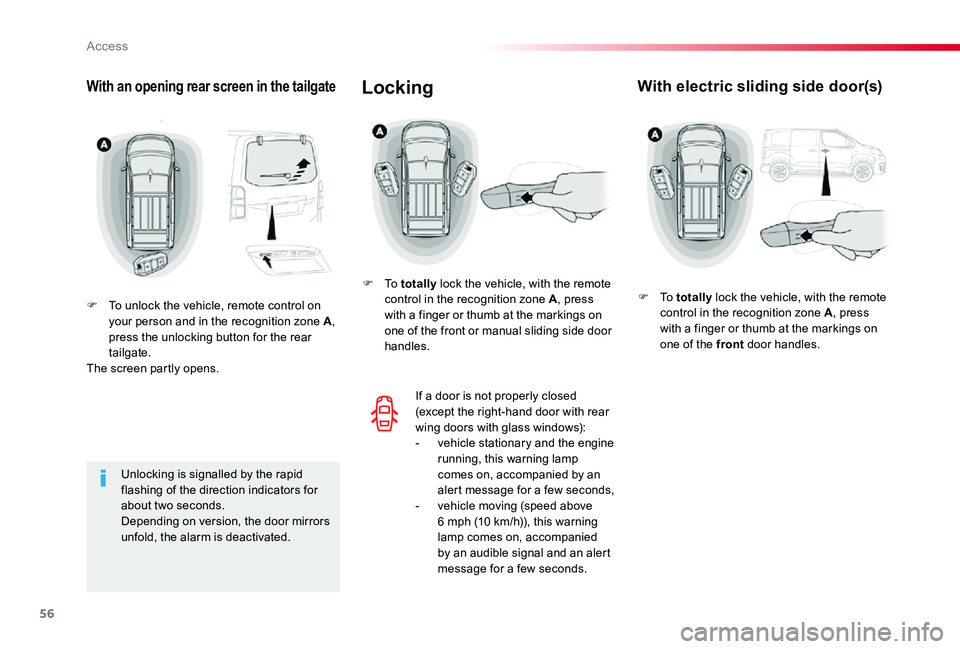
F To unlock the vehicle, remote control on your person and in the recognition zone A, press the unlocking button for the rear tailgate.The screen partly opens.
Unlocking is signalled by the rapid flashing of the direction indicators for about two seconds.Depending on version, the door mirrors unfold, the alarm is deactivated.
With electric sliding side door(s)Locking
F To totally lock the vehicle, with the remote control in the recognition zone A, press with a finger or thumb at the markings on one of the front or manual sliding side door handles.
If a door is not properly closed (except the right-hand door with rear wing doors with glass windows):- vehicle stationary and the engine running, this warning lamp comes on, accompanied by an alert message for a few seconds,- vehicle moving (speed above 6 mph (10 km/h)), this warning lamp comes on, accompanied by an audible signal and an alert message for a few seconds.
F To totally lock the vehicle, with the remote control in the recognition zone A, press with a finger or thumb at the markings on one of the front door handles.
Access
Page 59 of 418

59
If your vehicle is not fitted with an alarm, deadlocking is confirmed by fixed illumination of the direction indicators for about two seconds.
With a rear tailgate
F To lock the vehicle, with the remote control in the recognition zone A, press the rear tailgate locking control.F To deadlock the vehicle, press the control again within five seconds.
Locating your vehicle
This function allows you to identify your vehicle from a distance, particularly in poor light. Your vehicle must have been locked for more than five seconds.
F Press this button
This switches on the courtesy lamps and the
direction indicators flash for about ten seconds.
Remote operation of lighting
If fitted to your vehicle.
A short press on this button switches on the lighting remotely (sidelamps, dipped beam headlamps and number plate lamps).
A second press on this button before the end of the timed period cancels the remote lighting.
Anti-theft protection
Electronic engine immobiliser
The remote control contains an electronic chip which has a special code. When the ignition is switched on, this code must be recognised in order for starting to be possible.This electronic engine immobiliser locks the engine management system a few moments after the ignition is switched off and prevents starting of the engine by anyone who does not have the key.
In the event of a fault, you are informed by illumination of this warning lamp, an audible signal and a message in the screen.In this case, your vehicle will not start; contact an authorized Toyota dealer or repairer, or another duly qualified and equipped professional as soon as possible.
Keep safely, away from your vehicle, the label attached to the keys given to you on acquisition of the vehicle.
2
Access
Page 65 of 418
65
Front doors
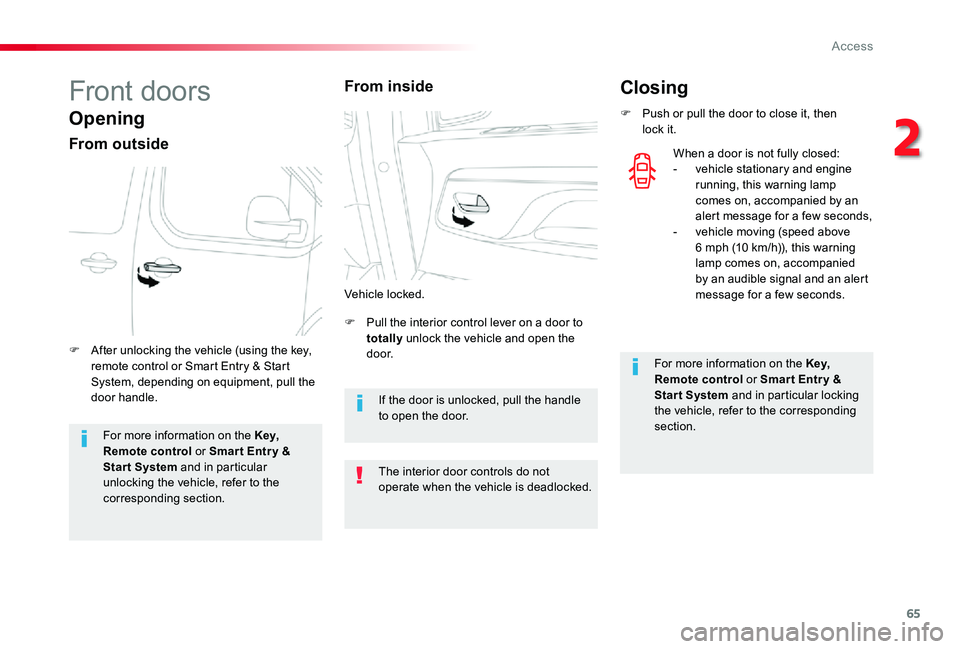
Opening
From outside
F Pull the interior control lever on a door to totally unlock the vehicle and open the d o o r.F After unlocking the vehicle (using the key, remote control or Smart Entry & Start System, depending on equipment, pull the door handle.
Vehicle locked.
For more information on the Key,
Remote control or Smar t Entr y & Start System and in particular unlocking the vehicle, refer to the corresponding section.
The interior door controls do not operate when the vehicle is deadlocked.
Closing
F Push or pull the door to close it, then lock it.
For more information on the Key, Remote control or Smar t Entr y & Start System and in particular locking the vehicle, refer to the corresponding section.
When a door is not fully closed:- vehicle stationary and engine running, this warning lamp comes on, accompanied by an alert message for a few seconds,- vehicle moving (speed above 6 mph (10 km/h)), this warning lamp comes on, accompanied by an audible signal and an alert message for a few seconds.
From inside
If the door is unlocked, pull the handle to open the door.
2
Access