Page 4 of 792

TABLE OF CONTENTS4
PRIUS PRIME_OM_OM47C77U_(U)5-5. Using the driving support
systems
Toyota Safety Sense P ..... 373
PCS (Pre-Collision System) ........................... 381
LDA (Lane Departure Alert with steering
control) ............................ 393
Dynamic radar cruise control with full-speed
range ............................... 403
Driving mode select switch .............................. 419
BSM (Blind Spot Monitor) ........ 421
• The Blind Spot Monitor
function ......................... 425
• The Rear Cross Traffic Alert function ................. 428
Intuitive parking assist ....... 433
Parking Support Brake function ........................... 443
S-APGS (Simple Advanced Parking
Guidance System) .......... 455
Driving assist systems....... 489
5-6. Driving tips Winter driving tips.............. 495 6-1. Using the air conditioning
system and defogger
Automatic air conditioning system (vehicles with
7-inch display) ................. 500
Automatic air conditioning system (vehicles with
11.6-inch display) ............ 511
Remote Air Conditioning System ............................ 522
Heated steering wheel/ seat heaters..................... 526
6-2. Using the interior lights Interior lights list................. 528• Front interior light .......... 529
• Front personal lights ...... 529
• Rear interior light ........... 530
6-3. Using the storage features List of storage features ...... 531• Glove box ...................... 532
• Console box .................. 532
• Cup holders ................... 533
• Bottle holders/door pockets.................. 534
• Auxiliary boxes .............. 535
• Seat back pockets ......... 535
Luggage compartment features ........................... 536
6Interior features
Page 219 of 792
PRIUS PRIME_OM_OM47C77U_(U)
2193. Instrument cluster
3
Instrument cluster
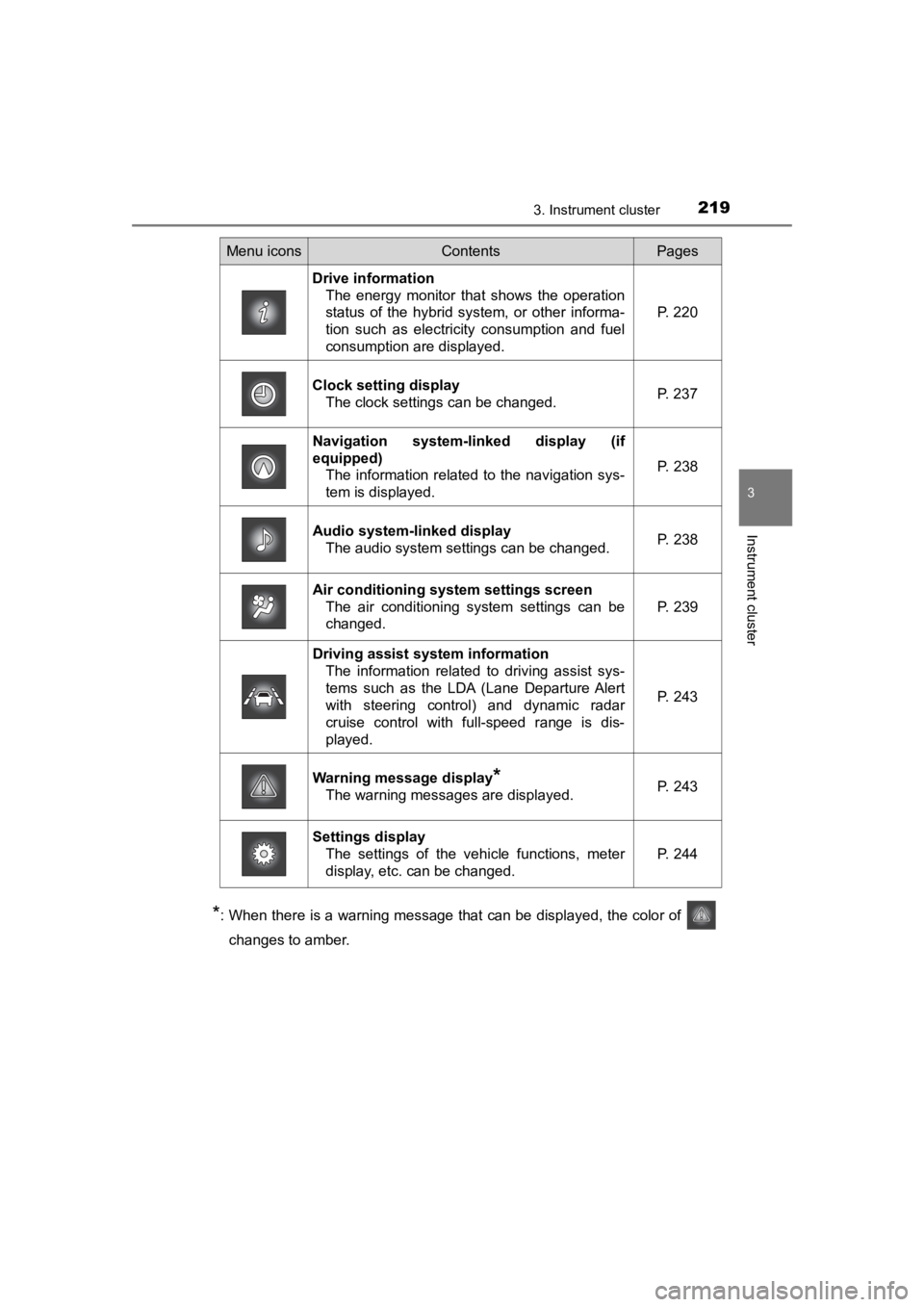
*: When there is a warning message that can be displayed, the color of
changes to amber.
Menu iconsContentsPages
Drive information The energy monitor that shows the operation
status of the hybrid system, or other informa-
tion such as electricity consumption and fuel
consumption are displayed. P. 220
Clock setting display The clock settings can be changed. P. 237
Navigation system-linked display (if
equipped)
The information related to the navigation sys-
tem is displayed.
P. 238
Audio system-linked displayThe audio system settings can be changed.P. 238
Air conditioning system settings screen
The air conditioning system settings can be
changed.
P. 239
Driving assist system informationThe information related to driving assist sys-
tems such as the LDA (Lane Departure Alert
with steering control) and dynamic radar
cruise control with full-speed range is dis-
played.
P. 243
Warning message display*
The warning messages are displayed.P. 243
Settings displayThe settings of the vehicle functions, meter
display, etc. can be changed.
P. 244
Page 243 of 792
PRIUS PRIME_OM_OM47C77U_(U)
2433. Instrument cluster
3
Instrument cluster
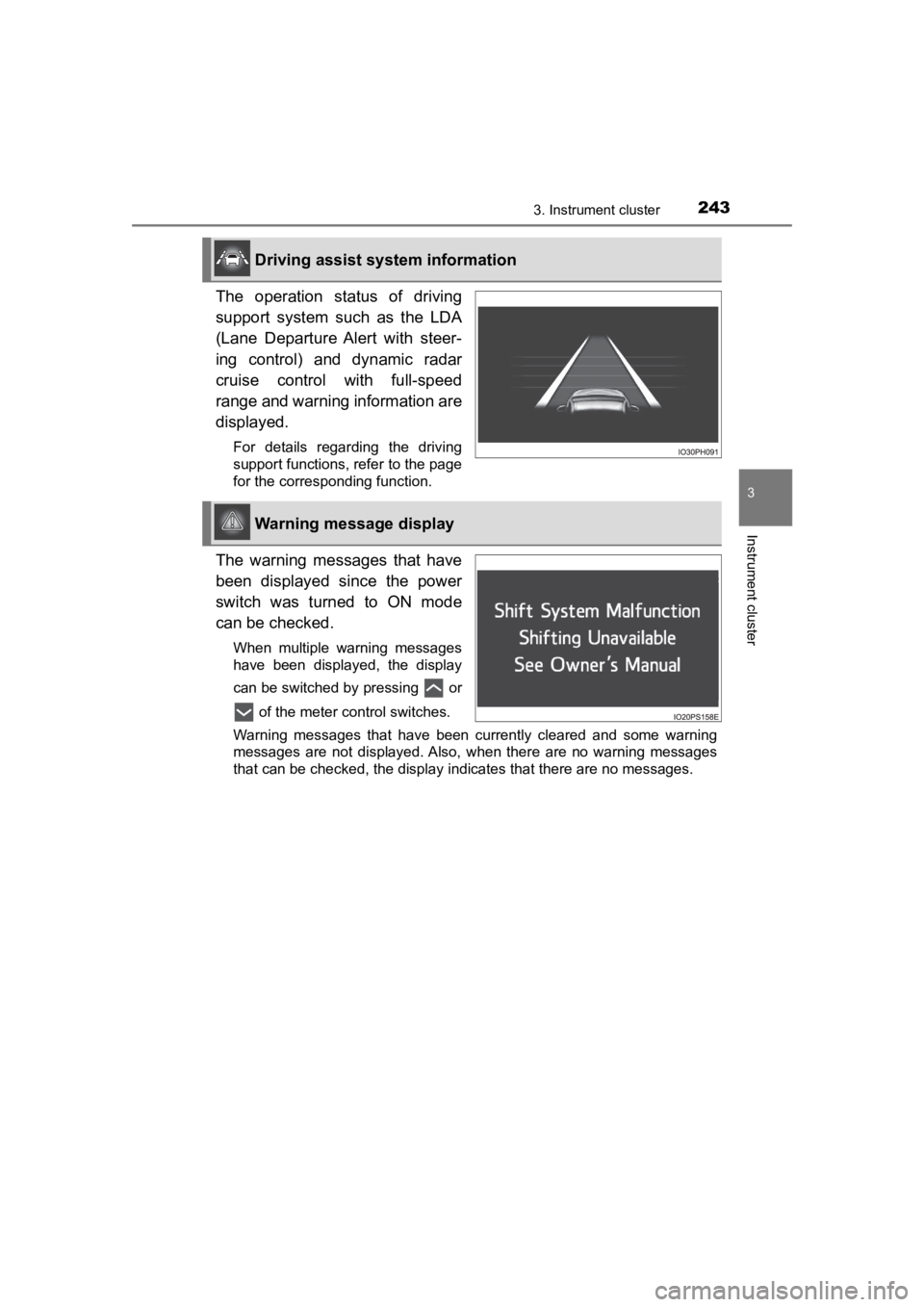
The operation status of driving
support system such as the LDA
(Lane Departure Alert with steer-
ing control) and dynamic radar
cruise control with full-speed
range and warning information are
displayed.
For details regarding the driving
support functions, refer to the page
for the corresponding function.
The warning messages that have
been displayed since the power
switch was turned to ON mode
can be checked.
When multiple warning messages
have been displayed, the display
can be switched by pressing or of the meter control switches.
Warning messages that have been currently cleared and some warn ing
messages are not displayed. Also, when there are no warning mes sages
that can be checked, the display indicates that there are no me ssages.
Driving assist system information
Warning message display
Page 245 of 792
PRIUS PRIME_OM_OM47C77U_(U)
2453. Instrument cluster
3
Instrument cluster
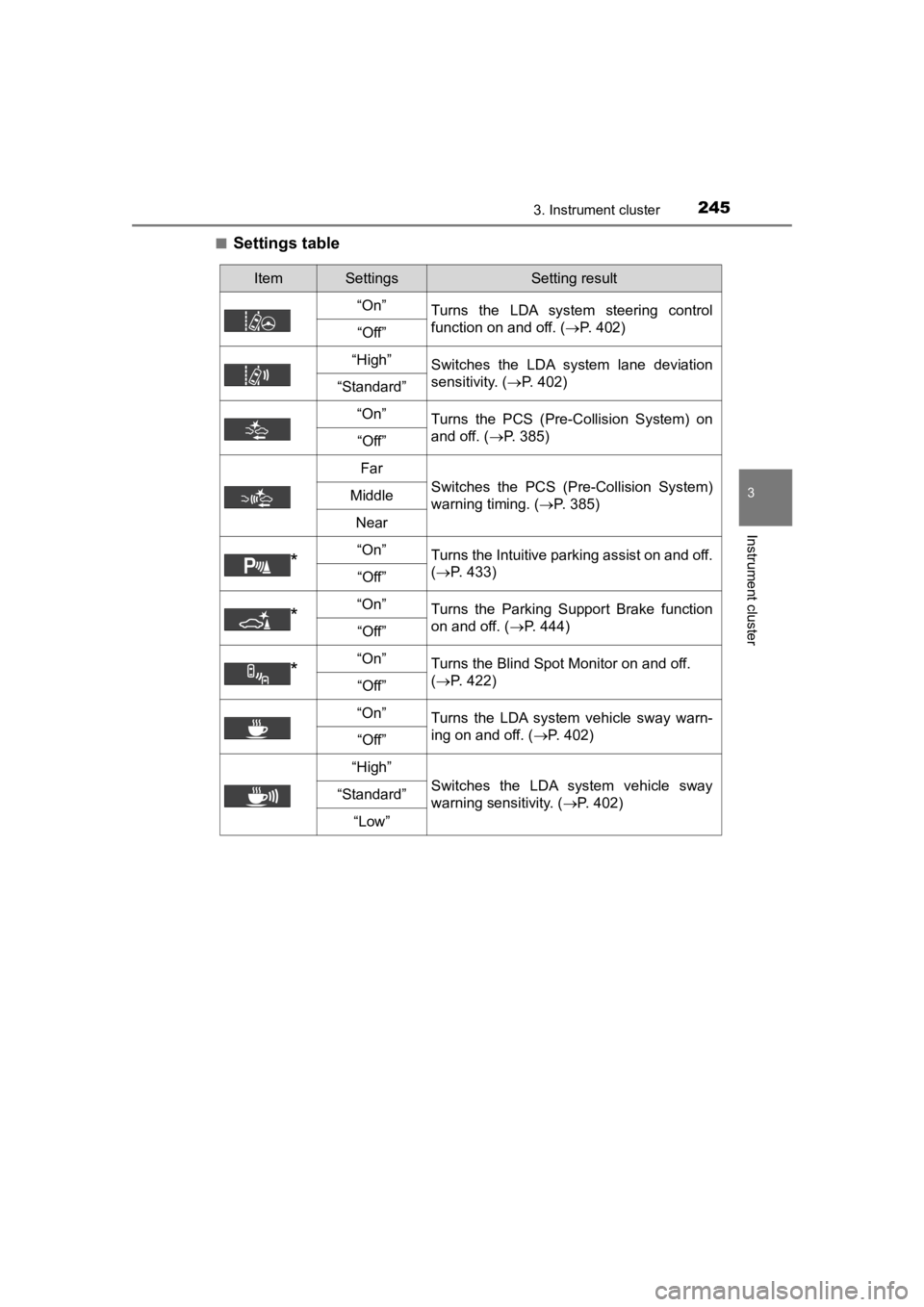
■Settings table
ItemSettingsSetting result
“On” Turns the LDA system steering control
function on and off. ( P. 402)
“Off”
“High”Switches the LDA system lane deviation
sensitivity. (P. 402)
“Standard”
“On”
Turns the PCS (Pre-Collision System) on
and off. ( P. 385)
“Off”
Far
Switches the PCS (Pre-Collision System)
warning timing. ( P. 385)Middle
Near
*“On”Turns the Intuitive parking assist on and off.
(P. 433)
“Off”
*“On”Turns the Parking Support Brake function
on and off. ( P. 444)
“Off”
*“On”Turns the Blind Spot Monitor on and off.
(P. 422)
“Off”
“On”
Turns the LDA system vehicle sway warn-
ing on and off. ( P. 402)
“Off”
“High”
Switches the LDA system vehicle sway
warning sensitivity. ( P. 402)“Standard”
“Low”
Page 317 of 792
317
PRIUS PRIME_OM_OM47C77U_(U)
5Driving
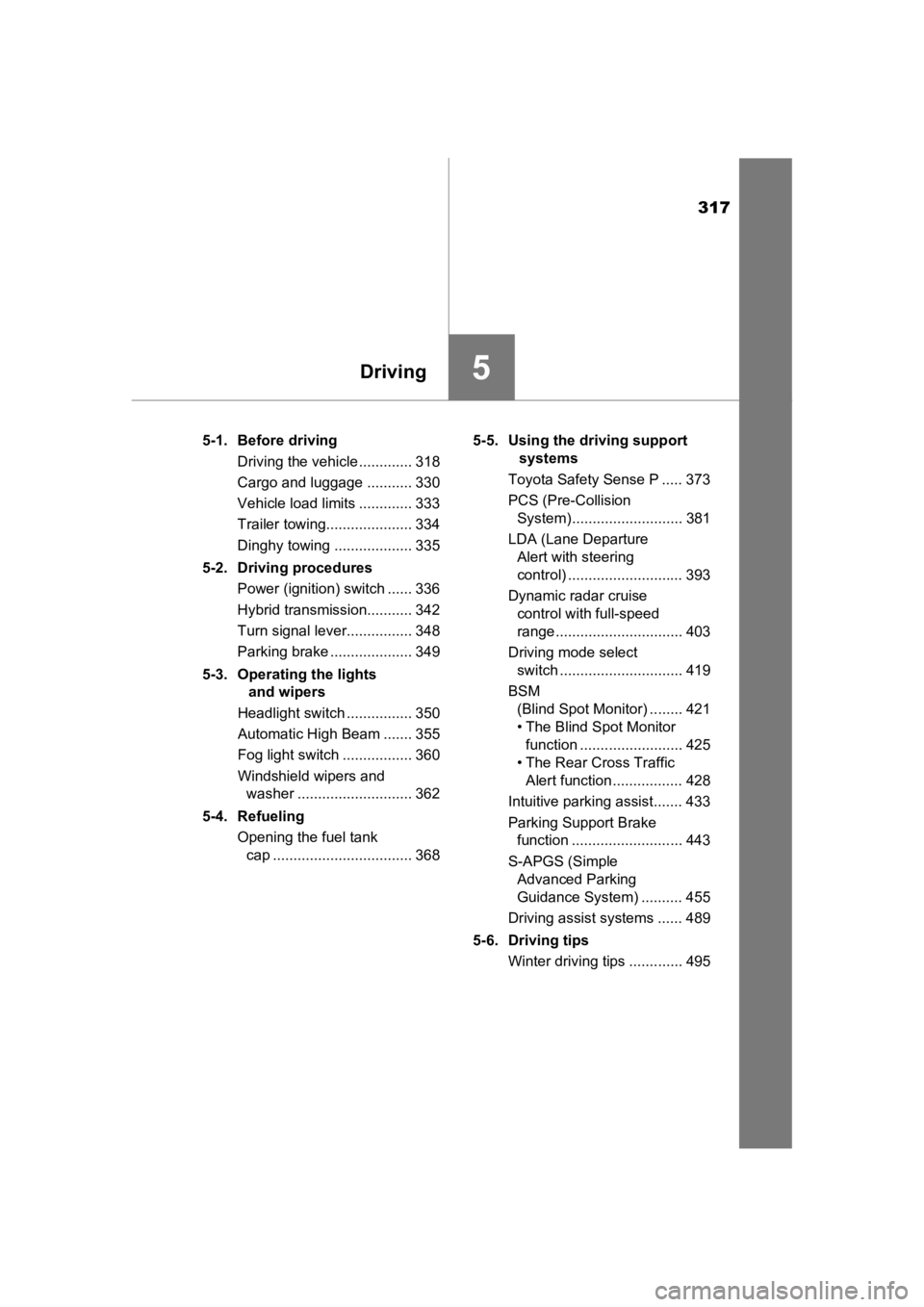
5-1. Before drivingDriving the vehicle ............. 318
Cargo and luggage ........... 330
Vehicle load limits ............. 333
Trailer towing..................... 334
Dinghy towing ................... 335
5-2. Driving procedures Power (ignition) switch ...... 336
Hybrid transmission........... 342
Turn signal lever................ 348
Parking brake .................... 349
5-3. Operating the lights and wipers
Headlight switch ................ 350
Automatic High Beam ....... 355
Fog light switch ................. 360
Windshield wipers and washer ............................ 362
5-4. Refueling Opening the fuel tank cap .................................. 368 5-5. Using the driving support
systems
Toyota Safety Sense P ..... 373
PCS (Pre-Collision System)........................... 381
LDA (Lane Departure Alert with steering
control) ............................ 393
Dynamic radar cruise control with full-speed
range............................... 403
Driving mode select switch .............................. 419
BSM (Blind Spot Monitor) ........ 421
• The Blind Spot Monitor function ......................... 425
• The Rear Cross Traffic Alert function ................. 428
Intuitive parking assist....... 433
Parking Support Brake function ........................... 443
S-APGS (Simple Advanced Parking
Guidance System) .......... 455
Driving assist systems ...... 489
5-6. Driving tips Winter driving tips ............. 495
Page 373 of 792
373
PRIUS PRIME_OM_OM47C77U_(U)
5-5. Using the driving support systems
5
Driving
Toyota Safety Sense P
◆PCS (Pre-Collision System)
P. 3 8 1
◆LDA (Lane Departure Alert with steering control)
P. 3 9 3
◆Automatic High Beam
P. 3 5 5
◆Dynamic radar cruise control with full-speed range
P. 4 0 3
The Toyota Safety Sense P consists of the following drive assis t
systems and contributes to a safe and comfortable driving expe-
rience:
WARNING
■ Toyota Safety Sense P
The Toyota Safety Sense P is designed to operate under the assumption
that the driver will drive safely, and is designed to help reduce the impact to
the occupants and the vehicle in the case of a collision or assist the driver in
normal driving conditions.
As there is a limit to the degree of recognition accuracy and control perfor-
mance that this system can provide, do not overly rely on this system. The
driver is always responsible for paying attention to the vehicl e’s surround-
ings and driving safely.
Page 393 of 792
393
PRIUS PRIME_OM_OM47C77U_(U)
5-5. Using the driving support systems
5
Driving
LDA (Lane Depar ture Al ert with steering
control)
When driving on highways and freeways with white (yellow) lines , this
function alerts the driver when the vehicle might depart from i ts lane
and provides assistance by opera ting the steering wheel to keep the
vehicle in its lane.
The LDA system recognizes visi-
ble white (yellow) lines with the
camera sensor on the upper por-
tion of the front windshield.
◆Lane departure alert function
When the system determines
that the vehicle might depart
from its lane, a warning is dis-
played on the multi-information
display and the warning buzzer
sounds to alert the driver.
When the warning buzzer
sounds, check the surrounding
road situation and carefully
operate the steering wheel to
move the vehicle back to the
center of the lane.
Summary of functions
Functions included in LDA system
Page 394 of 792
394
PRIUS PRIME_OM_OM47C77U_(U)
5-5. Using the driving support systems
◆Steering control function
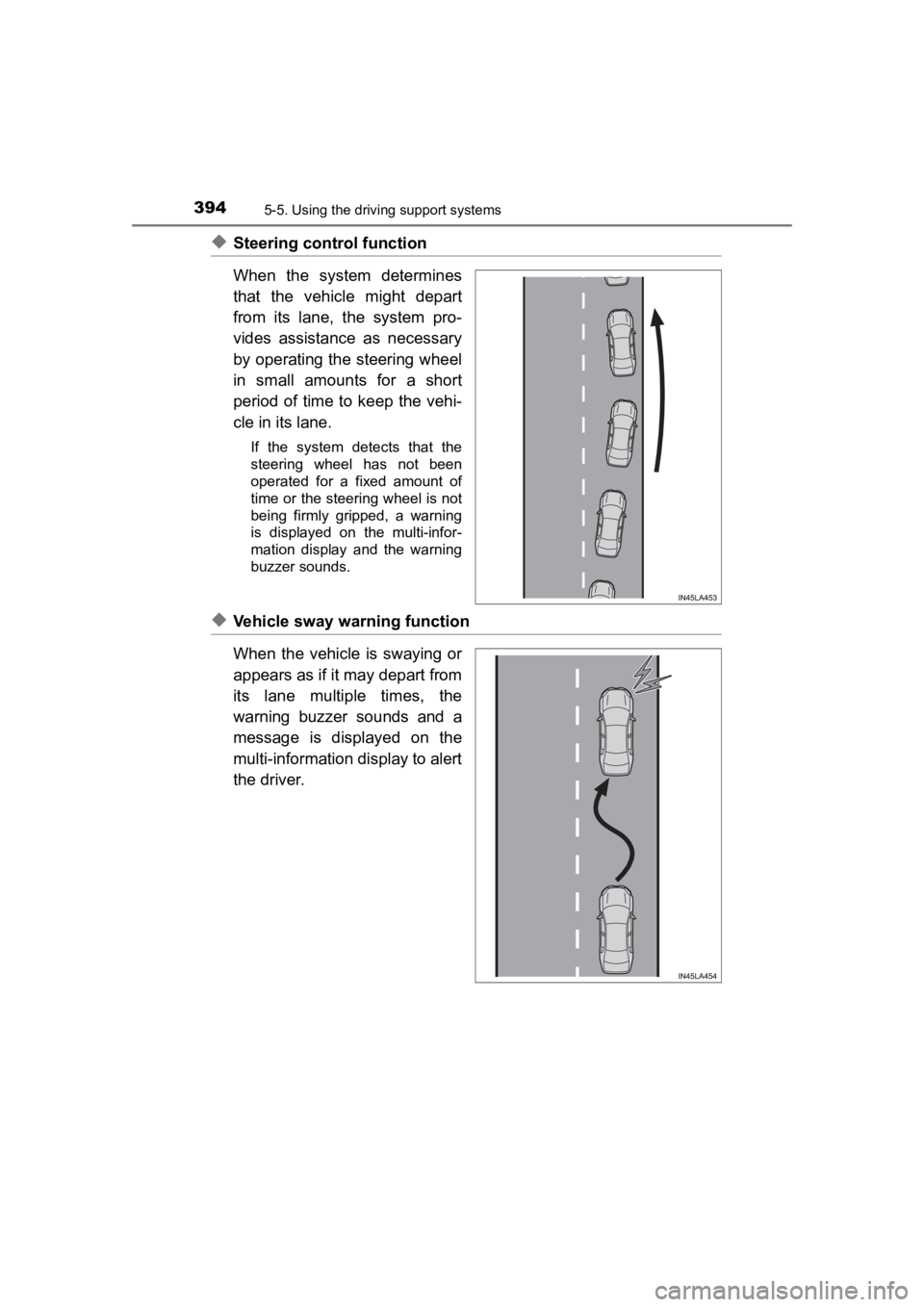
When the system determines
that the vehicle might depart
from its lane, the system pro-
vides assistance as necessary
by operating the steering wheel
in small amounts for a short
period of time to keep the vehi-
cle in its lane.
If the system detects that the
steering wheel has not been
operated for a fixed amount of
time or the steering wheel is not
being firmly gripped, a warning
is displayed on the multi-infor-
mation display and the warning
buzzer sounds.
◆Vehicle sway warning function
When the vehicle is swaying or
appears as if it may depart from
its lane multiple times, the
warning buzzer sounds and a
message is displayed on the
multi-information display to alert
the driver.