Page 4 of 596

TABLE OF CONTENTS4
4RUNNER (U)5-1. Using the
air conditioning system
and defogger
Manual air conditioning system............................. 340
Automatic air conditioning system............................. 346
Seat heaters/ seat ventilators ................ 353
5-2. Using the interior lights Interior lights list ................ 355
• Interior lights ................. 356
• Personal lights .............. 356
5-3. Using the storage features
List of storage features...... 358
• Glove box...................... 359
• Console box .................. 359
• Cup holders .................. 360
• Auxiliary box ................. 362
• Coin holder/tissue pocket/
pen holder ..................... 363
• Bottle holders ................ 364
Luggage compartment features ........................... 365 5-4. Other interior features
Other interior features........ 370
• Sun visors ..................... 370
• Vanity mirrors ................ 370
• Clock ............................. 371
• Power outlets (120 V AC) .................... 372
• Power outlets ................ 376
• USB charging ports ....... 379
• Armrest.......................... 381
• Assist grips .................... 381
Garage door opener .......... 382
5Interior features
Page 17 of 596

17Pictorial index
4RUNNER (U)Multi-information display . . . . . . . . . . . . . . . . . . . . . . . . . . . . P. 90
Display . . . . . . . . . . . . . . . . . . . . . . . . . . . . . . . . . . . . . . . . . . . . P. 90
When the warning messages are displayed . . . . . . . . . . . . . . P. 487
Parking brake . . . . . . . . . . . . . . . . . . . . . . . . . . . . . . . . . . . . . P. 224
Applying/releasing . . . . . . . . . . . . . . . . . . . . . . . . . . . . . . . . . . P. 224
Precautions against winter season . . . . . . . . . . . . . . . . . . . . . P. 331
Warning buzzer/message . . . . . . . . . . . . . . . . . . . . . . . . P. 477, 487
Turn signal lever . . . . . . . . . . . . . . . . . . . . . . . . . . . . . . . . . . P. 223
Headlight switch . . . . . . . . . . . . . . . . . . . . . . . . . . . . . . . . . . . . P. 225
Headlights/parking lights/tail lights/daytime running lights . .
. . P. 225
Fog lights . . . . . . . . . . . . . . . . . . . . . . . . . . . . . . . . . . . . . . . . . P. 235
Windshield wiper and washer switch . . . . . . . . . . . . . . . . . P. 237
Usage . . . . . . . . . . . . . . . . . . . . . . . . . . . . . . . . . . . . . . . . . . . P. 237
Adding washer fluid . . . . . . . . . . . . . . . . . . . . . . . . . . . . . . . . . P. 418
Emergency flasher switch . . . . . . . . . . . . . . . . . . . . . . . . . . P. 464
Hood lock release lever. . . . . . . . . . . . . . . . . . . . . . . . . . . . . P. 405
Tilt and telescopic steering lock release lever . . . . . . . . . . P. 156
Air conditioning system . . . . . . . . . . . . . . . . . . . . . . . . P. 340, 346
Usage . . . . . . . . . . . . . . . . . . . . . . . . . . . . . . . . . . . . . . . P. 340, 346
Rear window defogger . . . . . . . . . . . . . . . . . . . . . . . . . . . P. 342, 348
Audio/Navigation system
*
Clock . . . . . . . . . . . . . . . . . . . . . . . . . . . . . . . . . . . . . . . . . . . . P. 371
*: Refer to “NAVIGATION AND MULT IMEDIA SYSTEM OWNER’S MANUAL”.
4
5
6
7
8
9
10
11
12
13
Page 311 of 596
3114-5. Using the driving support systems
4
Driving
4RUNNER (U)■
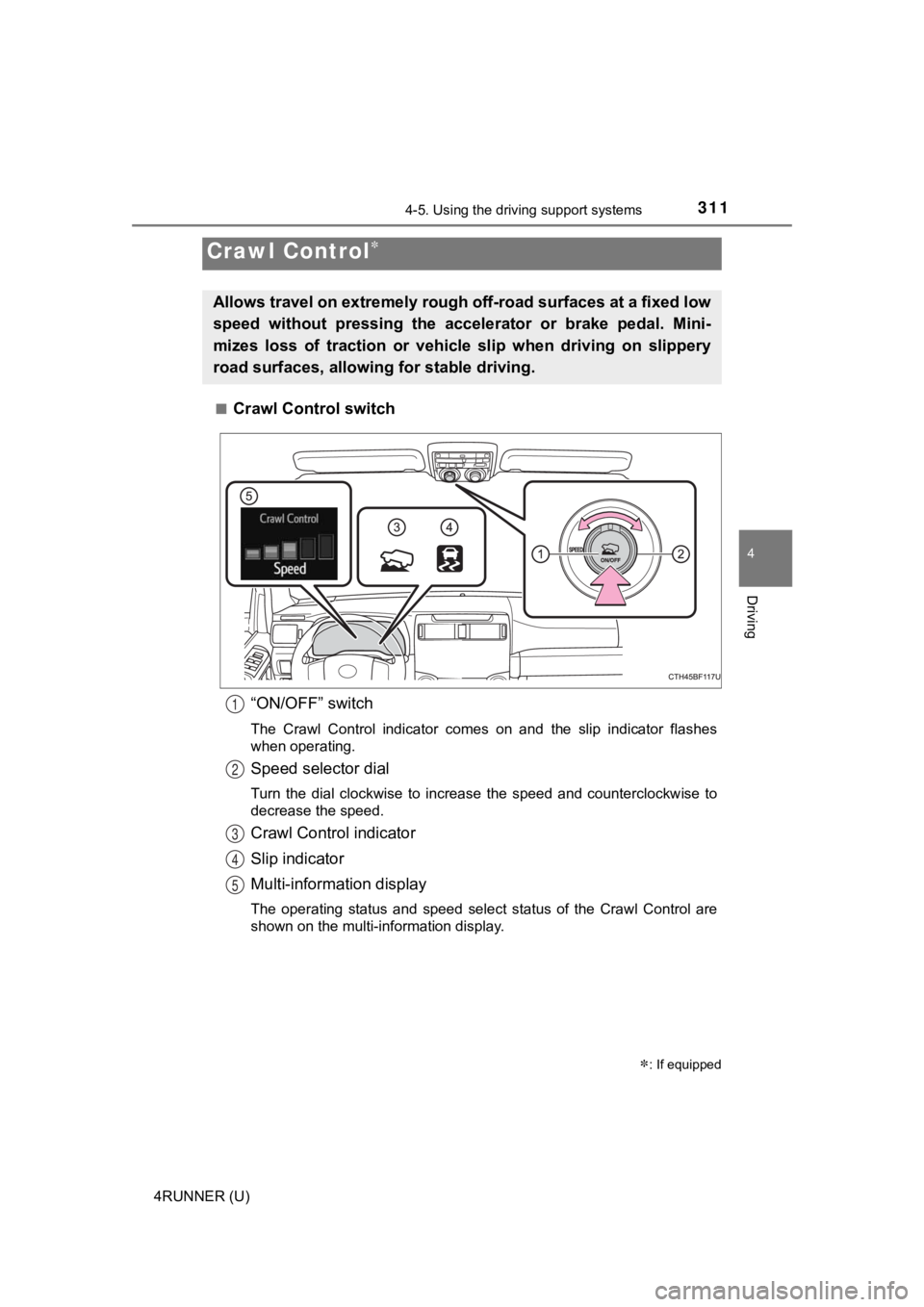
Crawl Control switch
“ON/OFF” switch
The Crawl Control indicator comes on and the slip indicator flashes
when operating.
Speed selector dial
Turn the dial clockwise to increase the speed and counterclockw ise to
decrease the speed.
Crawl Control indicator
Slip indicator
Multi-information display
The operating status and speed select status of the Crawl Contr ol are
shown on the multi-information display.
Crawl Control
: If equipped
Allows travel on extremely rough off-road surfaces at a fixed low
speed without pressing the accel erator or brake pedal. Mini-
mizes loss of traction or vehic le slip when driving on slippery
road surfaces, allowing for stable driving.
1
2
3
4
5
Page 339 of 596

339
Interior features5
4RUNNER (U)5-1. Using the
air conditioning system
and defogger
Manual air conditioning system............................. 340
Automatic air conditioning system............................. 346
Seat heaters/ seat ventilators ................ 353
5-2. Using the interior lights Interior lights list ................ 355
• Interior lights ................. 356
• Personal lights .............. 356
5-3. Using the storage features
List of storage features ..... 358
• Glove box...................... 359
• Console box .................. 359
• Cup holders .................. 360
• Auxiliary box ................. 362
• Coin holder/tissue pocket/
pen holder ..................... 363
• Bottle holders ................ 364
Luggage compartment features ........................... 365 5-4. Other interior features
Other interior features ....... 370
• Sun visors ..................... 370
• Vanity mirrors................ 370
• Clock ............................. 371
• Power outlets (120 V AC) .................... 372
• Power outlets ................ 376
• USB charging ports....... 379
• Armrest ......................... 381
• Assist grips ................... 381
Garage door opener.......... 382
Page 340 of 596
340
4RUNNER (U)
5-1. Using the air conditioning system and defogger
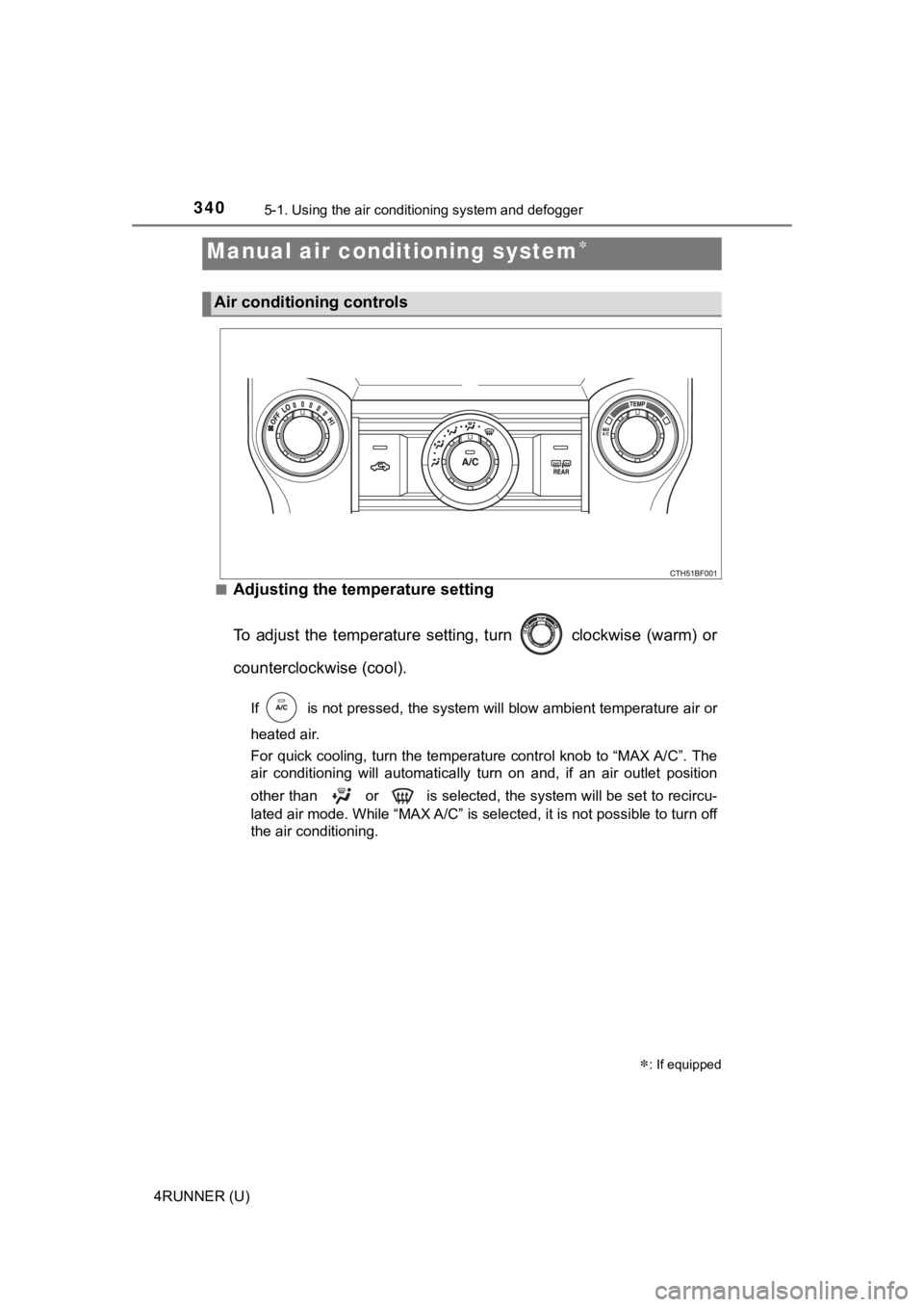
■Adjusting the temperature setting
To adjust the temperature setting, turn clockwise (warm) or
counterclockwise (cool).
If is not pressed, the system will blow ambient temperature air o r
heated air.
For quick cooling, turn the temperature control knob to “MAX A/ C”. The
air conditioning will automatically turn on and, if an air outl et position
other than or is selected, the system will be set to recircu-
lated air mode. While “MAX A/C” is selected, it is not possible to turn off
the air conditioning.
Manual air conditioning system
: If equipped
Air conditioning controls
Page 341 of 596
3415-1. Using the air conditioning system and defogger
5
Interior features
4RUNNER (U)■
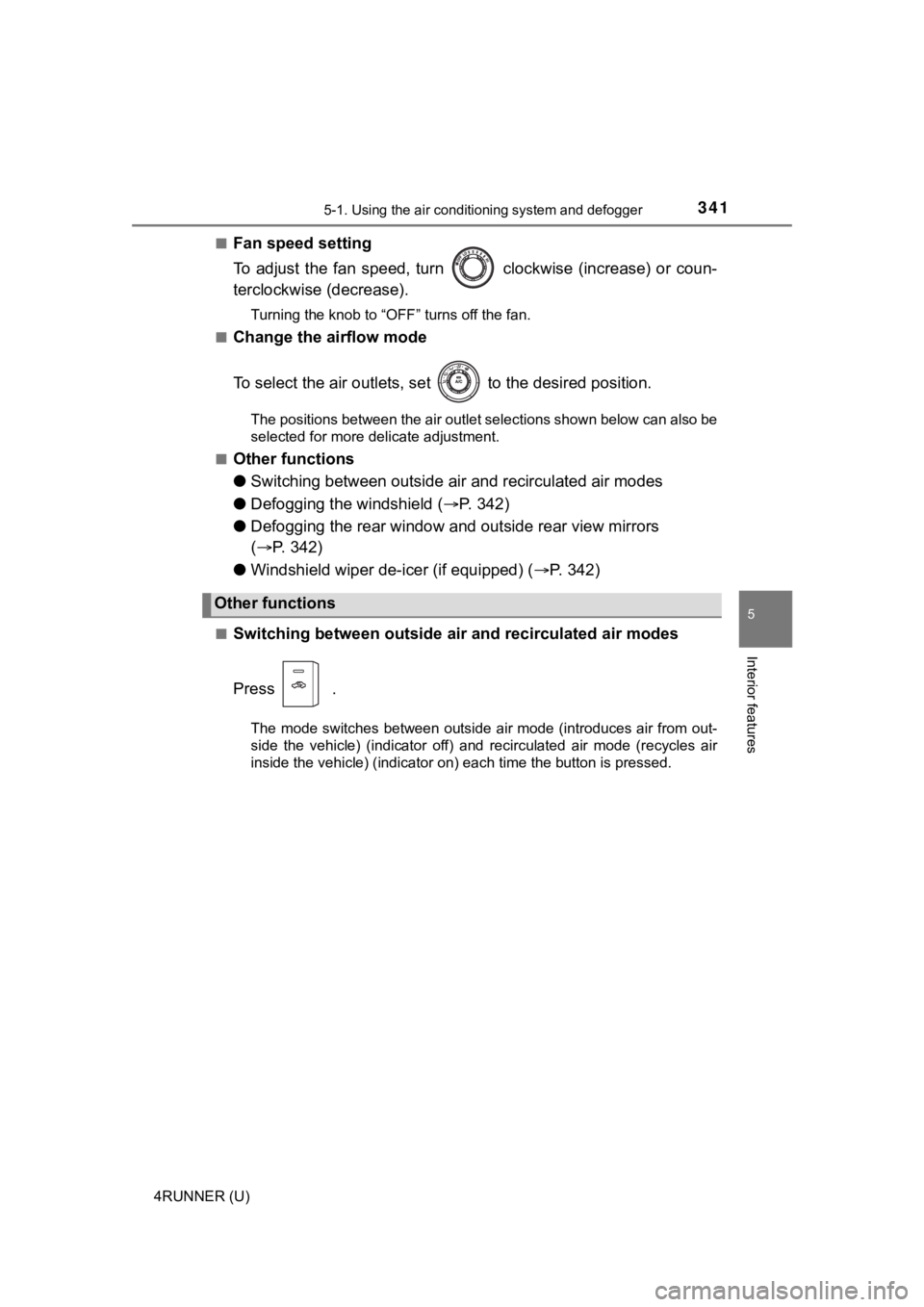
Fan speed setting
To adjust the fan speed, turn clockwise (increase) or coun-
terclockwise (decrease).
Turning the knob to “OFF” turns off the fan.
■
Change the airflow mode
To select the air outlets, set to the desired position.
The positions between the air outlet selections shown below can also be
selected for more delicate adjustment.
■
Other functions
● Switching between outside a ir and recirculated air modes
● Defogging the windshield ( P. 3 4 2 )
● Defogging the rear window and outside rear view mirrors
( P. 342)
● Windshield wiper de-icer (if equipped) ( P. 3 4 2 )
■Switching between outside air and recirculated air modes
Press .
The mode switches between outside air mode (introduces air from out-
side the vehicle) (indicator off) and recirculated air mode (re cycles air
inside the vehicle) (indicator on) each time the button is pressed.
Other functions
Page 346 of 596
3465-1. Using the air conditioning system and defogger
4RUNNER (U)■
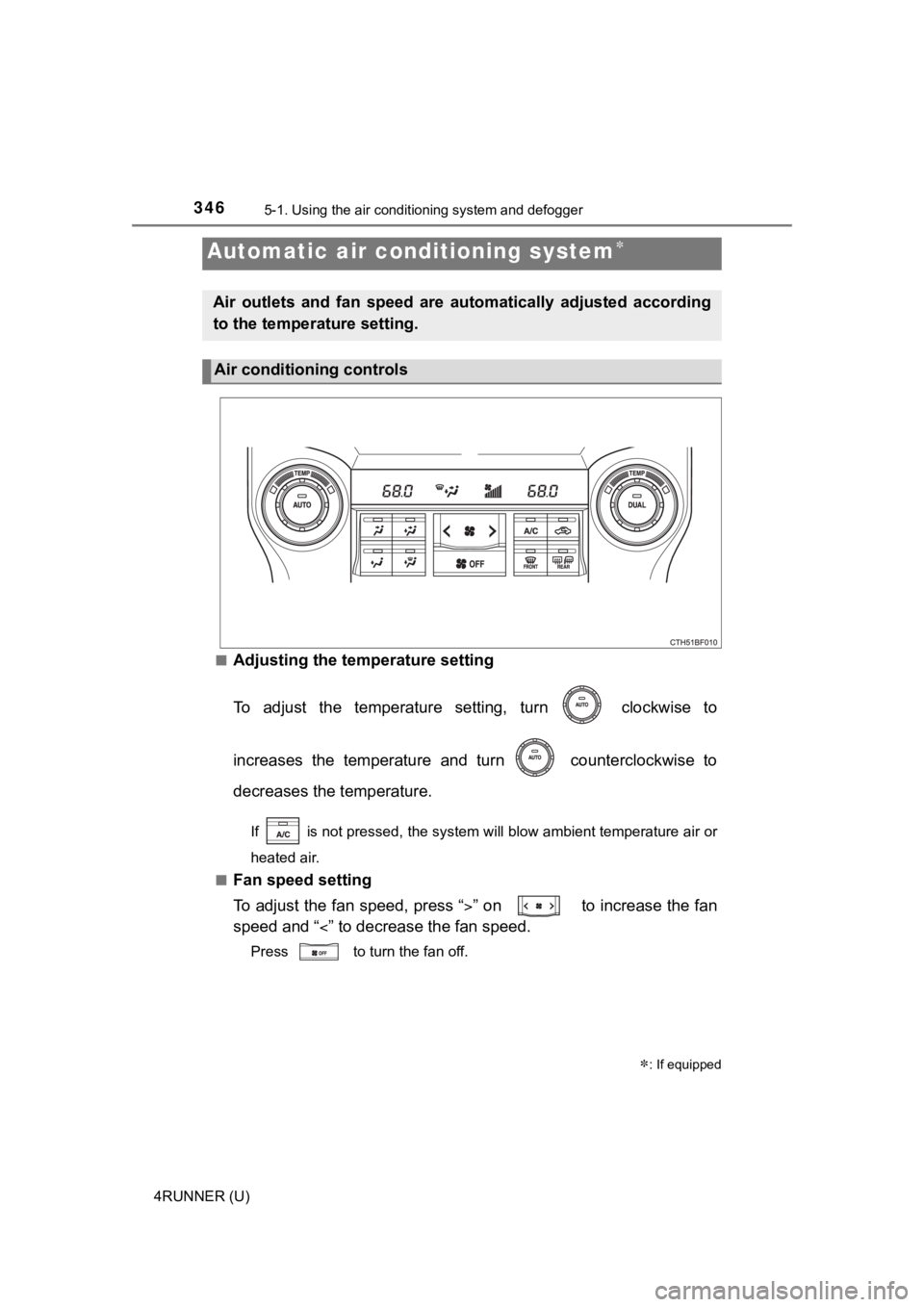
Adjusting the temperature setting
To adjust the temperature setting, turn clockwise to
increases the temperature and turn counterclockwise to
decreases the temperature.
If is not pressed, the system will blow ambient temperature ai
r or
heated air.
■
Fan speed setting
To adjust the fan speed, press “ ” on to increase the fan
speed and “ ” to decrease the fan speed.
Press to turn the fan off.
Automatic air conditioning system
: If equipped
Air outlets and fan speed are automatically adjusted according
to the temperature setting.
Air conditioning controls
Page 371 of 596
3715-4. Other interior features
5
Interior features
4RUNNER (U)
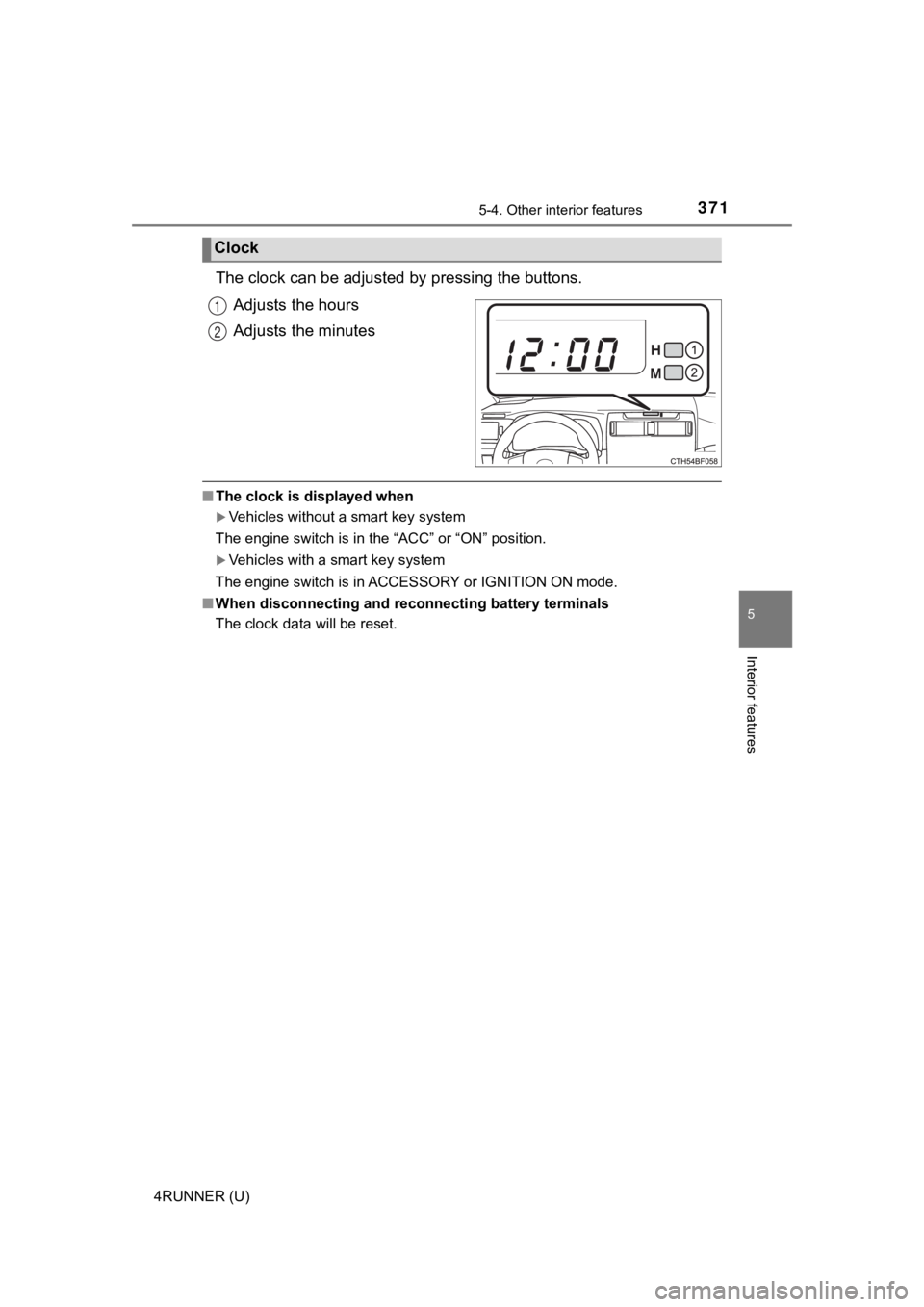
The clock can be adjusted by pressing the buttons.
Adjusts the hours
Adjusts the minutes
■ The clock is displayed when
Vehicles without a smart key system
The engine switch is in the “ACC” or “ON” position.
Vehicles with a smart key system
The engine switch is in ACCESSORY or IGNITION ON mode.
■ When disconnecting and reco nnecting battery terminals
The clock data will be reset.
Clock
1
2