2020 Peugeot Partner wiper blade
[x] Cancel search: wiper bladePage 4 of 260
2
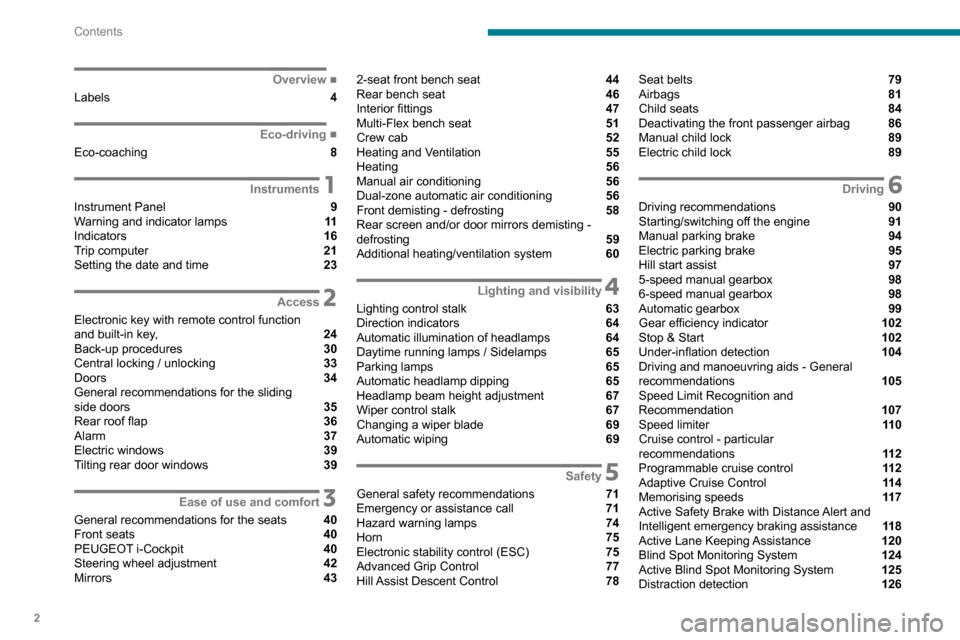
Contents
■
Overview
Labels 4
■
Eco-driving
Eco-coaching 8
1Instruments
Instrument Panel 9
Warning and indicator lamps 11
Indicators 16
Trip computer 21
Setting the date and time 23
2Access
Electronic key with remote control function
and built-in key, 24
Back-up procedures 30
Central locking / unlocking 33
Doors 34
General recommendations for the sliding
side doors
35
Rear roof flap 36
Alarm 37
Electric windows 39
Tilting rear door windows 39
3Ease of use and comfort
General recommendations for the seats 40
Front seats 40
PEUGEOT
i-Cockpit 40
Steering wheel adjustment 42
Mirrors 43
2-seat front bench seat 44
Rear bench seat 46
Interior fittings 47
Multi-Flex bench seat 51
Crew cab 52
Heating and Ventilation 55
Heating 56
Manual air conditioning 56
Dual-zone automatic air conditioning 56
Front demisting - defrosting 58
Rear screen and/or door mirrors demisting -
defrosting
59
Additional heating/ventilation system 60
4Lighting and visibility
Lighting control stalk 63
Direction indicators 64
Automatic illumination of headlamps 64
Daytime running lamps / Sidelamps 65
Parking lamps 65
Automatic headlamp dipping 65
Headlamp beam height adjustment 67
Wiper control stalk 67
Changing a wiper blade 69
Automatic wiping 69
5Safety
General safety recommendations 71
Emergency or assistance call 71
Hazard warning lamps 74
Horn 75
Electronic stability control (ESC) 75
Advanced Grip Control 77
Hill Assist Descent Control 78
Seat belts 79
Airbags 81
Child seats 84
Deactivating the front passenger airbag 86
Manual child lock 89
Electric child lock 89
6Driving
Driving recommendations 90
Starting/switching off the engine 91
Manual parking brake 94
Electric parking brake 95
Hill start assist 97
5-speed manual gearbox 98
6-speed manual gearbox 98
Automatic gearbox 99
Gear efficiency indicator 102
Stop & Start 102
Under-inflation detection 104
Driving and manoeuvring aids - General
recommendations
105
Speed Limit Recognition and
Recommendation
107
Speed limiter 11 0
Cruise control - particular
recommendations
11 2
Programmable cruise control 11 2
Adaptive Cruise Control 11 4
Memorising speeds 11 7
Active Safety Brake with Distance Alert and
Intelligent emergency braking assistance
11 8
Active Lane Keeping Assistance 120
Blind Spot Monitoring System 124
Active Blind Spot Monitoring System 125
Distraction detection 126
Page 61 of 260

59
Ease of use and comfort
3Dual-zone automatic air
conditioning
► Press this button to demist or defrost
the windscreen and side windows more
quickly
.
The system automatically manages the air
conditioning, air flow and air intake, and provides
optimum distribution towards the windscreen and
side windows.
► To turn it off, press this button
again or press " AUTO".
The system restarts with the values in use before
it was deactivated.
Heated windscreen and washer jets
For more information on the Wiper
control stalk and in particular the heated
windscreen and washer jets, refer to the
corresponding section.
With Stop & Start, when demisting
- defrosting has been activated, STOP
mode is not available.
Heated windscreen
Depending on country of sale.
This function heats the windscreen in cold
weather.
In area 1, the heating melts ice, enabling you to
free the wiper blades.
In area 2, the heating enhances visibility by
preventing the build-up of snow while the wipers
are operating.
On/Off
► With the engine running, press this button to
activate/deactivate the function (confirmed by an
indicator lamp).
The period of operation depends on the exterior
temperature.
Rear screen and/or
door mirrors demisting
- defrosting
On/Off
► Press this button to switch on/off rear
screen and door mirror defrosting (if fitted
to the vehicle).
► Press this button to switch on/off door
mirror defrosting.
Page 69 of 260

67
Lighting and visibility
4Headlamp beam height
adjustment
To avoid inconvenience to other road users,
the height of the halogen headlamps should be
adjusted according to the load in the vehicle.
0Unladen.
1 Partial load.
2 Medium load.
3 Maximum
authorised load.
4 5 6 Not used.
The initial setting is position 0.
Wiper control stalk
Programming
Your vehicle may also include some functions
that can be activated/deactivated:
–
automatic windscreen wipers,
–
rear wiping on engaging reverse gear
.
In wintry conditions, remove snow, ice or
frost present on the windscreen, around
the wiper arms and blades and the
windscreen seal, before operating the wipers.
Do not operate the wipers on a dry
windscreen. Under extremely hot or cold
conditions, ensure that the wiper blades are
not stuck to the windscreen before operating
the wipers.
Manual controls
The wipers are controlled directly by the driver.
With manual wiping (intermittent)
With AUTO wiping
Windscreen wipers
► To select the wiping speed: raise or lower the
stalk to the desired position.
Fast wiping (heavy rain)
Normal wiping (moderate rain)
Intermittent wiping (proportional to the
vehicle’s speed)
Off
or
Automatic wiping (press down, then release).
Single wipe (pull the stalk briefly towards you).
Windscreen wash
► Pull the wiper control stalk towards you and
hold.
The screenwash and windscreen wipers operate
for as long as the control stalk is pulled.
A
final wiping cycle is performed when
screenwashing ends.
Page 70 of 260

68
Lighting and visibility
After refitting a windscreen wiper blade
► To return the wiper blades to their initial
position, switch on the ignition and operate the
wiper control stalk.
Changing a wiper blade
Removing/refitting at the front
► Carry out these wiper blade replacement
operations from the driver's side.
► Starting with the wiper blade farthest from
you, hold each arm by the rigid section and raise
it as far as possible.
Take care not to hold the arms at the jet locations.
Do not touch the wiper blades. Risk of
irreparable deformation.
Do not release them while moving them. Risk
of damaging the windscreen!
On vehicles fitted with automatic air
conditioning, any action on the
screenwash control temporarily closes the air
intake, to avoid odours inside the passenger
compartment.
The windscreen wash jets are incorporated into the tip of each wiper
arm.
Screenwash fluid is sprayed along the length
of the wiper blade. This improves visibility and
reduces screenwash fluid consumption.
In some cases, depending on the contents
or colour of the fluid and on the exterior
brightness, the liquid spray may be barely
noticeable.
To avoid damaging the wiper blades, do not operate the windscreen washer if the
windscreen washer reservoir is empty.
Only operate the windscreen washer if
there is no risk of the fluid freezing on the
windscreen and hindering visibility. Always
use windscreen washer fluid suitable for low
temperatures during the winter period.
Never top up with water.
Rear wiper
Rear wiper selection ring:Off.
Intermittent wiping (proportional to the
speed of the vehicle).
Wash-wipe (set duration).
Reverse gear
When reverse gear is engaged, the rear wiper
will come into operation automatically if the
windscreen wipers are operating.
Activation/Deactivation
Activation or deactivation is set via the vehicle
configuration menu.
This system is activated by default.
If a significant accumulation of snow or
ice is present, or when using a bicycle
carrier on the boot, deactivate the automatic
rear wiper.
Special position of the
windscreen wipers
This maintenance position is used while cleaning
or replacing the wiper blades. It can also be
useful, in winter (ice, snow), to release the wiper
blades from the windscreen.
To maintain the effectiveness of the flat wiper blades, it is advisable to:
–
handle them with care,
–
clean them regularly using soapy water
,
–
avoid using them to retain cardboard on the
windscreen,
–
replace them at the first signs of wear
.
Before removing a windscreen wiper blade
► Actuating the wiper control stalk within one
minute of switching off the ignition will position
the wiper blades vertically
.
►
Proceed with the desired operation or replace
the wiper blades.
Page 71 of 260

69
Lighting and visibility
4After refitting a windscreen wiper blade
► To return the wiper blades to their initial
position, switch on the ignition and operate the
wiper control stalk.
Changing a wiper blade
Removing/refitting at the front
► Carry out these wiper blade replacement
operations from the driver's side.
►
Starting with the wiper blade farthest from
you, hold each arm by the rigid section and raise
it as far as possible.
Take care not to hold the arms at the jet locations.
Do not touch the wiper blades. Risk of
irreparable deformation.
Do not release them while moving them. Risk
of damaging the windscreen!
► Clean the windscreen using screenwash
fluid.
Do not apply "Rain X" type water-
repellent products.
►
Unclip the worn wiper blade closest to you
and remove it.
►
Install the new wiper blade and clip it to the
arm.
►
Repeat the procedure for the other wiper
blade.
►
Starting with the wiper blade closest to you,
once again hold each arm by the rigid section,
then guide it carefully onto the windscreen.
Removing/refitting at the rear
► Hold the arm by the rigid section and raise it
as far as possible.
►
Clean the rear screen using screenwash
fluid.
►
Unclip the worn wiper blade and remove it.
►
Install the new wiper blade and clip it to the
arm.
►
Once again hold the arm by the rigid section,
then guide it carefully onto the rear screen.
Automatic windscreen wipers
The windscreen wipers operate automatically
once rain is detected (sensor behind the rear
view mirror), adapting their speed to the intensity
of the rain without any action on the part of the
driver.
Switching on
Briefly push the control stalk downwards.
A wiping cycle confirms that the instruction has
been accepted.
Depending on version, this symbol
appears in the display screen or
this indicator lamp comes on on the instrument
panel and a message is displayed.
Off
Give the control stalk another brief push
downwards or place the control stalk in
another position (Int, 1 or 2).
This indicator lamp goes off on the instrument
panel and a message is displayed.
If the ignition has been off for more than
one minute, the automatic wipers must
Page 230 of 260

228
Alphabetical index
A
ABS 75
Accessories
71, 94
Access to the spare wheel
153–154
Active Safety Brake
118, 120
AdBlue®
146
AdBlue® tank
147
Additive, Diesel
144–145
Adjusting headlamps
67
Adjusting head restraints
46
Adjusting seat
41
Adjusting the air distribution
56–57
Adjusting the air flow
56–57
Adjusting the date
200, 224
Adjusting the height and reach of
the steering wheel
42
Adjusting the lumbar support
41
Adjusting the temperature
56–57
Adjusting the time
200, 224
Advanced Grip Control
77–78
Advice on care and maintenance
148
Advice on driving
7, 90
Airbags
81–84, 85
Airbags, curtain
83–84
Airbags, front
82, 83, 86
Airbags, lateral
82–83
Air conditioning
55, 57, 57–58
Air conditioning, digital
59
Air conditioning, dual-zone automatic
56–57
Air conditioning, manual
56, 58
Air intake
56–57
Air vents 55
Alarm
37–38
Alarm, volumetric
37
Android Auto connection
215
Anti-lock braking system (ABS)
75–76
Antitheft / Immobiliser
25
Apple CarPlay connection
196, 214
Applications
215
Area, loading
26, 33–34, 50
Armrest
41
Armrest, front
47
Assistance call
71–73
Assistance, emergency braking
75, 119
Audible warning
75
Audio streaming (Bluetooth)
183, 195, 219
B
Battery 139, 163, 165–166
Battery, 12 V
144, 163–164
Battery, charging
164–165
Battery, remote control
32, 62
Blind spot monitoring system
124
Blind spot monitoring system, active
125
Blind spot sensors
124–125
BlueHDi
144, 150
Bluetooth
(hands-free)
184–185, 197, 220–221
Bluetooth (telephone)
197–198, 220–221
Bodywork
149
Bonnet
141–142
Boot lid 29, 31
Bottle holder
47
Brake discs
145
Brake lamps
160
Brakes
145
Braking assistance system
75–76
Braking, automatic emergency
118, 120
Braking, dynamic emergency
96–97
Brightness
199
Bulbs
157
Bulbs (changing)
156–157
Bulbs (changing, type)
157
C
Cable, audio 219
Cable, Jack
219
Capacity, fuel tank
134–135
Cap, fuel filler
134–135
Care of the bodywork
149
CD
182, 195
CD, MP3
182, 195
Central locking
24, 29
Changing a bulb
156–157, 159
Changing a fuse
161–163
Changing a wheel
151, 153
Changing a wiper blade
68–69
Changing the remote control battery
32
Charger, induction
48
Charger, wireless
48
Checking the levels
142–143
Page 235 of 260

233
Alphabetical index
Three flashes (direction indicators) 64
Time (setting)
200, 224
TMC (Traffic info)
2 11
Tools
150
Topping-up AdBlue®
147
Towbar
76, 136–137
Towed loads
173–175
Towing another vehicle
167–168
Towing device
137
Towing eye
168
Traction control (ASR)
75, 77
Traffic information (TA)
179
Traffic information (TMC)
2 11
Trailer
76, 136
Trailer stability assist (TSA)
76
Trajectory control systems
75–76
Trip computer
21–22
Type of bulbs
157
Tyres
145, 176
Tyre under-inflation detection
104, 153
U
Under-inflation (detection) 104
Unlocking
24, 26–28
Unlocking from the inside
33–34
Unlocking, selective
26–27
Unlocking, total
26–27
Updating the date
200, 224
Updating the time
200, 224
USB
181, 195, 214, 219
V
Ventilation 55–56, 60–61
Video
219
Voice commands
206–208
W
Warning and indicator lamps 11
Warning lamp, driver''s seat belt
not fastened
80
Warning lamps
11
Warning lamp, seat belts
80
Warnings and indicators
11
Washer jets, heated
59
Washing
106
Washing (advice)
148–149
Weights
173–175
Welcome lighting
25
Wheel,
spare
104, 145, 150–151, 153–154, 156
Windows, rear doors
39
Windscreen, heated
59
Windscreen wipers
67
Wiper blades (changing)
68–69
Wiper, rear
68
Wipers
67, 69
Wipers, automatic rain sensitive
67, 69