2020 PEUGEOT 3008 steering
[x] Cancel search: steeringPage 257 of 308
255
PEUGEOT Connect Nav
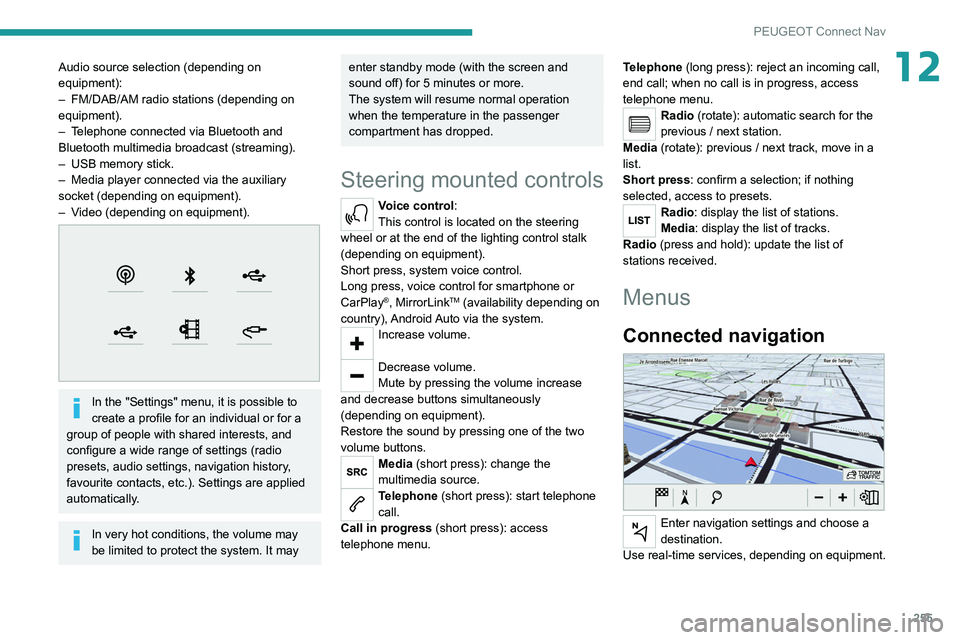
12Audio source selection (depending on
equipment):
–
FM/DAB/AM radio stations (depending on
equipment).
–
T
elephone connected via Bluetooth and
Bluetooth multimedia broadcast (streaming).
–
USB memory stick.
–
Media player connected via the auxiliary
socket (depending on equipment).
–
V
ideo (depending on equipment).
In the "Settings" menu, it is possible to
create a profile for an individual or for a
group of people with shared interests, and
configure a wide range of settings (radio
presets, audio settings, navigation history,
favourite contacts, etc.). Settings are applied
automatically.
In very hot conditions, the volume may
be limited to protect the system. It may
enter standby mode (with the screen and
sound off) for 5 minutes or more.
The system will resume normal operation
when the temperature in the passenger
compartment has dropped.
Steering mounted controls
Voice control:
This control is located on the steering
wheel or at the end of the lighting control stalk
(depending on equipment).
Short press, system voice control.
Long press, voice control for smartphone or
CarPlay
®, MirrorLinkTM (availability depending on
country), Android Auto via the system.
Increase volume.
Decrease volume.
Mute by pressing the volume increase
and decrease buttons simultaneously
(depending on equipment).
Restore the sound by pressing one of the two
volume buttons.
Media (short press): change the
multimedia source.
Telephone (short press): start telephone
call.
Call in progress (short press): access
telephone menu. Telephone (long press): reject an incoming call,
end call; when no call is in progress, access
telephone menu.
Radio (rotate): automatic search for the
previous / next station.
Media (rotate): previous / next track, move in a
list.
Short press: confirm a selection; if nothing
selected, access to presets.
Radio: display the list of stations.
Media: display the list of tracks.
Radio (press and hold): update the list of
stations received.
Menus
Connected navigation
Enter navigation settings and choose a
destination.
Use real-time services, depending on equipment.
Page 258 of 308
256
PEUGEOT Connect Nav
Applications
Run certain applications on a smartphone
connected via CarPlay®, MirrorLinkTM
(available in some countries) or Android Auto.
Check the status of Bluetooth
® and Wi-Fi
connections.
Radio Media
FM 87.5 MHz
Select an audio source or radio station, or
display photographs.
Telephone
Connect a telephone via Bluetooth®, read
messages and emails and send quick
messages.
Settings
Configure a personal profile and/or
configure the sound (balance, ambience,
etc.) and the display (language, units, date, time,
etc.).
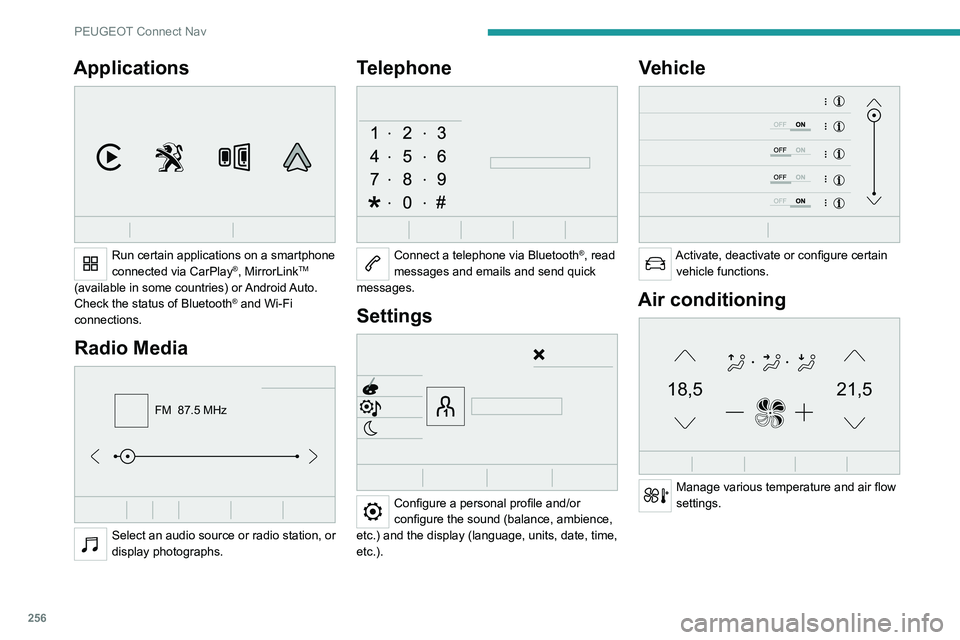
Vehicle
Activate, deactivate or configure certain vehicle functions.
Air conditioning
21,518,5
Manage various temperature and air flow
settings.
Voice commands
Steering wheel-mounted
controls
Voice commands:
Voice commands can be issued from any
screen page after a short press on the "Voice
commands" button located on the steering
wheel or at the end of the lighting control stalk
(depending on equipment), as long as there is no
telephone call in progress.
To ensure that voice commands are always recognised by the system, please
follow these recommendations:
– use natural language in a normal tone
without breaking up words or raising your
voice.
– always wait for the "beep" (audible signal)
before speaking.
– for best results, closing the windows and
sunroof is recommended, to avoid extraneous
interference (depending on version).
– before issuing a voice command, ask any
other passengers to refrain from speaking.
First steps
Example of a "voice command" for
navigation:
"Navigate to address 11 regent street,
London"
Page 259 of 308
257
PEUGEOT Connect Nav
12Voice commands
Steering wheel-mounted
controls
Voice commands:
Voice commands can be issued from any
screen page after a short press on the "Voice
commands" button located on the steering
wheel or at the end of the lighting control stalk
(depending on equipment), as long as there is no
telephone call in progress.
To ensure that voice commands are always recognised by the system, please
follow these recommendations:
–
use natural language in a normal tone
without breaking up words or raising your
voice.
–
always wait for the "beep" (audible signal)
before speaking.
–
for best results, closing the windows and
sunroof is recommended, to avoid extraneous
interference (depending on version).
–
before issuing a voice command, ask any
other passengers to refrain from speaking.
First steps
Example of a "voice command" for
navigation:
"Navigate to address 11 regent street,
London"
Example of a "voice command" for the radio and
media:
"Play artist Madonna"
Example of a "voice command" for the
telephone:
"Call David Miller"
The voice commands, with a choice of 17 languages (Arabic, Brazilian, Czech,
Danish, Dutch, English, Farsi, French,
German, Italian, Norwegian, Polish,
Portuguese, Russian, Spanish, Swedish,
Turkish), are made using the language
previously chosen and set in the system.
For some voice commands, there are
alternative synonyms.
Example: Guide to / Navigate to / Go to / ...
The voice commands in Arabic for: "Navigate
to address" and "Display POI in the city", are
not available.
Information - Using the
system
When voice commands are activated, by
briefly pressing the button, help is
displayed on the touch screen, offering various
menus and enabling voice-based interaction with
the system.
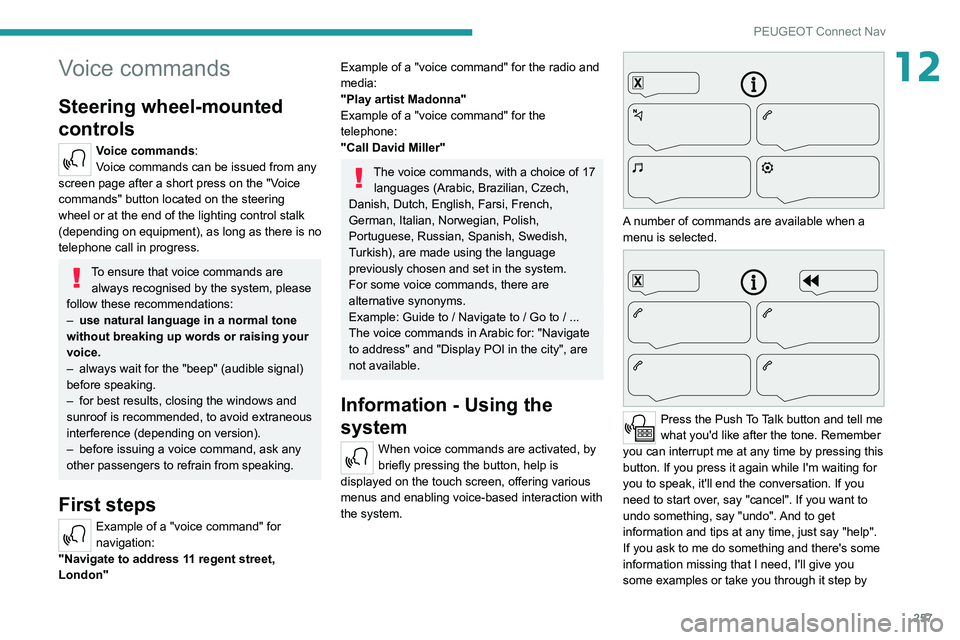
A number of commands are available when a
menu is selected.
Press the Push To Talk button and tell me
what you'd like after the tone. Remember
you can interrupt me at any time by pressing this
button. If you press it again while I'm waiting for
you to speak, it'll end the conversation. If you
need to start over, say "cancel". If you want to
undo something, say "undo". And to get
information and tips at any time, just say "help".
If you ask to me do something and there's some
information missing that I need, I'll give you
some examples or take you through it step by
Page 274 of 308
272
PEUGEOT Connect Nav
The ability of the system to connect just one profile depends on the telephone.
All three profiles may connect by default.
The profiles compatible with the system are: HFP, OPP, PBAP, A2DP, AVRCP,
MAP and PAN.
Visit the Brand's website for more information
(compatibility, additional help, etc.).
Automatic reconnection
On returning to the vehicle, if the last telephone
connected is present again, it is automatically
recognised and within about 30 seconds
after switching on the ignition, the pairing is
established automatically (Bluetooth activated).
To modify the connection profile:
Press Telephone to display the main
page.
Press the "OPTIONS " button to access the
secondary page.
Select "Bluetooth connection" to display
the list of paired devices.
Press the "Details" button.
Select one or more profiles.
Press "OK" to confirm.
Managing paired telephones
This function lets you connect or disconnect a
device or delete a pairing.
Press Telephone to display the main
page.
Press the "OPTIONS " button to access the
secondary page.
Select "Bluetooth connection" to display
the list of paired devices.
Press on the name of the telephone
selected in the list to disconnect it.
Press again to connect it.
Deleting a telephone
Select the basket at top right of the
screen to display a basket alongside the
telephone chosen.
Press the basket alongside the telephone
chosen to delete it.
Receiving a call
An incoming call is announced by a ring and a
superimposed display in the screen.
Make a short press on the steering
mounted telephone button to accept an
incoming call.
And
Make a long press
on the steering mounted telephone button
to reject the call.
Or
Select "End call" on the touch screen.
Making a call
Using the telephone is not recommended
while driving.
Park the vehicle.
Make the call using the steering mounted
controls.
Calling a new number
Press Telephone to display the main
page.
Enter the phone number using the digital
keypad.
Press "Call" to start the call.
Calling a contact
Press Telephone to display the main
page.
Or press and hold
the steering mounted telephone button.
Select "Contact".
Select the desired contact from the displayed list.
Select "Call".
Calling a recently used
number
Press Telephone to display the main
page.
Or
Press and hold
the steering mounted telephone button.
Select "Calls".
Select the desired contact from the displayed list.
It is always possible to make a call
directly from the telephone; as a safety
measure, first park the vehicle.
Managing contacts/entries
Press Telephone to display the main
page.
Select "Contact".
Select "Create" to add a new contact.
Press the "Telephone " tab to enter the
contact’s telephone number(s).
Press the "Address" tab to enter the
contact’s address(es).
Press the "Email" tab to enter the
contact’s email address(es).
Press "OK" to save.
Page 275 of 308
273
PEUGEOT Connect Nav
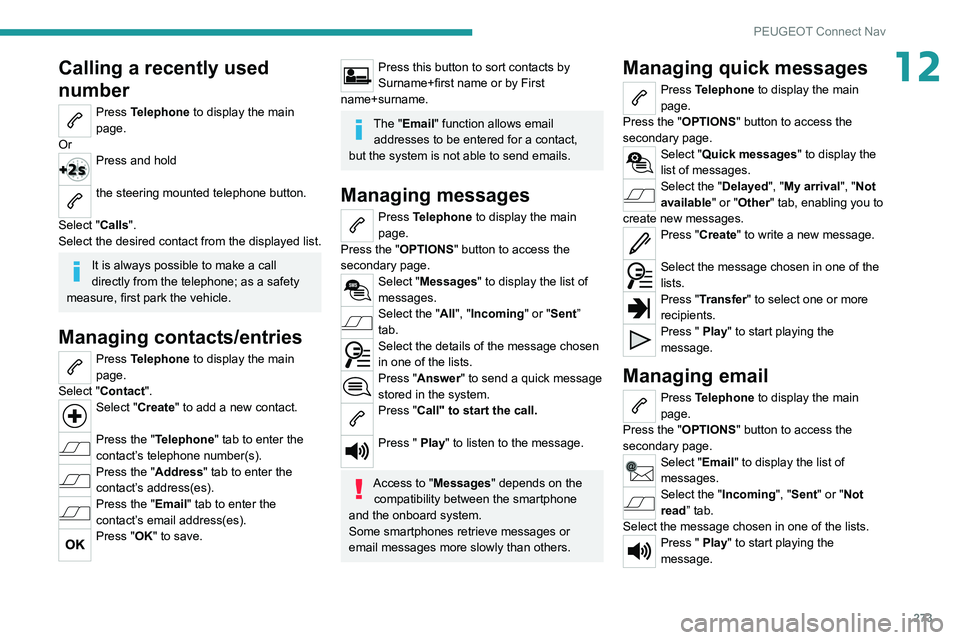
12Calling a recently used
number
Press Telephone to display the main
page.
Or
Press and hold
the steering mounted telephone button.
Select "Calls".
Select the desired contact from the displayed list.
It is always possible to make a call
directly from the telephone; as a safety
measure, first park the vehicle.
Managing contacts/entries
Press Telephone to display the main
page.
Select "Contact".
Select "Create" to add a new contact.
Press the "Telephone " tab to enter the
contact’s telephone number(s).
Press the "Address" tab to enter the
contact’s address(es).
Press the "Email" tab to enter the
contact’s email address(es).
Press "OK" to save.
Press this button to sort contacts by
Surname+first name or by First
name+surname.
The "Email" function allows email addresses to be entered for a contact,
but the system is not able to send emails.
Managing messages
Press Telephone to display the main
page.
Press the "OPTIONS " button to access the
secondary page.
Select "Messages" to display the list of
messages.
Select the "All", "Incoming " or "Sent”
tab.
Select the details of the message chosen
in one of the lists.
Press "Answer" to send a quick message
stored in the system.
Press "Call" to start the call.
Press " Play" to listen to the message.
Access to "Messages " depends on the
compatibility between the smartphone
and the onboard system.
Some smartphones retrieve messages or
email messages more slowly than others.
Managing quick messages
Press Telephone to display the main
page.
Press the "OPTIONS " button to access the
secondary page.
Select "Quick messages " to display the
list of messages.
Select the "Delayed", "My arrival", "Not
available" or "Other" tab, enabling you to
create new messages.
Press "Create" to write a new message.
Select the message chosen in one of the
lists.
Press "Transfer" to select one or more
recipients.
Press " Play" to start playing the
message.
Managing email
Press Telephone to display the main
page.
Press the "OPTIONS " button to access the
secondary page.
Select "Email" to display the list of
messages.
Select the "Incoming", "Sent" or "Not
read” tab.
Select the message chosen in one of the lists.
Press " Play" to start playing the
message.
Page 281 of 308
279
Alphabetical index
180° rear vision 159
A
ABS 90
Accelerated charging unit (Wallbox)
169
Accessories
87
Active Safety Brake
146–148
AdBlue®
18, 185
AdBlue® tank
186
Additive, Diesel
182–183
Adjusting headlamps
80
Adjusting head restraints
46
Adjusting seat
45, 47, 52–54
Adjusting the air distribution
60, 62–63
Adjusting the air flow
62–63
Adjusting the date
23–24, 251, 275
Adjusting the height and reach of
the steering wheel
49
Adjusting the lumbar support
45, 47
Adjusting the seat belt height
95
Adjusting the temperature
60–61
Adjusting the time
23–24, 251, 275
Advanced Grip Control
92
Advice on care and maintenance
168, 187
Advice on driving
7, 113
Airbags
97–101
Airbags, curtain
99–100
Airbags, front
98–99, 102
Airbags, lateral
98–99
Air conditioning
58–60, 63
Air conditioning, automatic 64
Air conditioning, digital
61, 64
Air conditioning, dual-zone automatic
61, 64
Air conditioning, manual
59, 64
Air conditioning, mono-zone
59, 64
Air intake
62, 64
Air vents
58
Alarm
34–35
Amplifier, audio
67
Android Auto connection
266
Anti-lock braking system (ABS)
90
Antitheft / Immobiliser
29
Apple CarPlay connection
247, 265
Applications
266
Armrest, front
68
Armrest, rear
71
Assistance call
88
Assistance, emergency braking
90, 148
Audible warning
88
Audio streaming (Bluetooth)
234, 246, 270
B
Backrest, folding 46
Battery
179
Battery, 12 V
183, 210–214
Battery, ancillaries
213
Battery, charging
167, 171, 211, 214
Battery (Hybrid)
168, 171
Battery, remote control
33–34
Blanking screen (snow shield)
178
Blind 42–43
Blind spot monitoring system, active
155
Blind spot sensors
154–155
Blinds, side
72
BlueHDi
18, 20, 182, 190
Bluetooth (hands-free)
234–235,
248–249, 271–272
Bluetooth (telephone)
248–249, 271–272
Bodywork
188
Bonnet
179–180
Boot
36–37, 40, 77
Boot (fittings)
73
Brake discs
184
Brake lamps
204
Brakes
184
Braking
125
Braking assistance system
90
Braking, automatic emergency
146–148
Braking, dynamic emergency
119–120
Brightness
250
Bulbs
203
Bulbs (changing)
201–202, 204–205
C
Cable, audio 270
Cable, Jack
270
Capacity, fuel tank
166
Cap, fuel filler
166
Care of the bodywork
188
CD
233, 246
Page 282 of 308
280
Alphabetical index
CD, MP3 233, 246
Central locking
31–32
Changing a bulb
201–202, 204–205
Changing a fuse
205–206, 208–209
Changing a wheel
191–192, 196–198
Changing a wiper blade
84–85
Changing the remote control battery
33
Charge level indicator
20
Charger, induction
67
Charger, wireless
67
Charging cable
169–170, 172
Charging connector
168, 171–172
CHECK
20
Checking the engine oil level
17
Checking the levels
181–182
Checking tyre pressures (using the kit)
193, 195
Checks
180, 183–184
Checks, routine
183–184
Child lock
11 2
Children
97, 103, 105, 107, 110–111
Children (safety)
11 2
Child seats
97, 100–103, 107, 110–111
Child seats, conventional
102–103
Child seats, i-Size
11 0
Child seats, ISOFIX
105, 107, 110
Cleaning (advice)
168, 187–189
Closing the boot
31, 37
Closing the doors
31, 36
Collision Risk Alert
146–147
Configurations, seats
57
Configuration, vehicle
23–25, 27
Connected applications
266–267Connection, Bluetooth 235, 248–249,
267, 271–272
Connection, MirrorLink
247–248, 266
Connection, Wi-Fi network
267–268
Connectivity
265
Consumption figures
26
Container, AdBlue®
185–186
Control, emergency boot release
37
Control, emergency door
32–33
Control, heated seats
48
Controls, steering mounted
121–124
Control stalk, lighting
78–79
Control stalk, wipers
83–86
Control unit
169–170, 172
Courtesy lamps
69
Cover, load space
73
Cruise control
132, 134, 136–138
Cruise control, adaptive
139
Cruise control by speed limit recognition
134
Cruise control, dynamic with Stop function
134
Cup holder
66
D
DAB (Digital Audio Broadcasting) -
Digital radio
231–232, 245, 269
Date (setting)
23–24, 251, 275
Daytime running lamps
79, 202
Deactivating the passenger
airbag
98, 101–102
Deadlocking
29, 31
Deferred charging 27, 168, 171, 173
Defrosting
64
Defrosting, front
64
Demisting
64
Demisting, front
64
Demisting, rear
65
Demisting, rear screen
65
Dials and gauges
9
Digital instrument panel
9–10
Dimensions
226
Dipstick
17, 181
Direction indicators
79, 202–204
Domestic charging
170, 173
Door pockets
66
Doors
36
Drive Assist Plus
139
Driver’s attention warning
149
Driving
44–45, 113
Driving aids camera (warnings)
131
Driving aids (recommendations)
130
Driving economically
7
Driving positions (storing)
47–48
Dynamic pack
125–126
Dynamic stability control (DSC)
90–92
E
EBFD 90
Eco-driving (advice)
7
Economy mode
179
Electric automatic gearbox (Hybrid)
124
Page 286 of 308
284
Alphabetical index
Remote control 28–32
Remote functions
26–27, 65, 172–173
Removing a wheel
199–200
Removing the mat
69
Replacing bulbs
201–202, 204–205
Replacing fuses
205–206
Replacing the air filter
183
Replacing the oil filter
183
Replacing the passenger compartment
filter
183
Reservoir, screenwash
182
Resetting the trip recorder
21
Reset trip
22
Rev counter
9
Reversing camera
131, 157–159
Reversing lamps
204
Roof bars
176–177
Running out of fuel (Diesel)
190
S
Safety, children 98, 100–103,
105, 107, 110–111
Saturation of the particle filter (Diesel)
183
Screen menu map
247
Screen, monochrome
23–24
Screen, multifunction (with audio system)
229
Screens, very cold conditions
178
Screenwash
84
Screenwash, front
84
Screenwash, rear
84
SCR (Selective Catalytic Reduction)
19, 185
Seat belts 94–97, 102
Seat belts, rear
95–96
Seat, rear bench
50–51
Seats, additional
55–57
Seats, electric
47–48
Seats, front
45, 47–48
Seats, heated
48
Seats, rear
50–57, 101
Selector, gear
121–124
Sensors (warnings)
131
Serial number, vehicle
227
Service indicator
17, 20
Servicing
17, 183, 184
Settings, equipment
23–25, 27
Settings, system
250, 274
Sidelamps
79, 202, 204
Ski flap
71
Smartphone
26–27, 65, 172–173
Snow chains
129, 177–178
Snow screen
178
Socket, 12 V accessory
66, 70, 77
Socket, 230 V
70
Socket, auxiliary
233, 246, 270
Socket, Jack
233, 270
Speakers
67
Speed limiter
132, 134–136
Speed limit recognition
132–133
Speedometer
9, 132
Sport mode
127
Spotlamps, side
81
Stability control (ESC)
90–92
Starting a Diesel engine
166
Starting the engine
114, 116Starting the vehicle 114–116, 121–124
Starting using another battery
117, 210
State of charge, battery
26, 168
Station, radio
230, 243–244, 268–269
Stay, bonnet
180
Steering mounted controls,
audio
229, 241, 255
Steering wheel, adjustment
49
Stickers, customising ~ Stickers,
expressive
188
Stopping the vehicle
114–117, 121–124
Stop & Start
23, 59, 64, 127–129,
166, 179, 183, 213
Storage
66, 68, 71–72
Storage box
76
Storage boxes
72
Storage compartments
66
Storage wells
76
Storing driving positions
47–48
Sunroof, panoramic
42–43
Sunshine sensor
58
Sun visor
66
Suspension
184
Switching off the engine
11 4
Synchronising the remote control
34
T
Table position 46
Tables, aircraft
71
Tables of engines
225
Tables of fuses
206, 208–209