2020 NISSAN MURANO steering
[x] Cancel search: steeringPage 138 of 518

• Intelligent Forward Collision Warning (I-FCW)
For additional information, refer to the
“Starting and driving” section of this
manual.
Forward Driving Aids temporarily
disabled. Front Sensor blocked. See
Owner’s Manual (if so equipped)
This message appears when the front ra-
dar sensor may be obstructed due to:
• mud, dirt, snow, ice, etc.
• inclement weather (rain, fog, snow, etc.)
All forward driving aids are temporarily dis-
abled until the system detects that the
front radar sensor is no longer obstructed.
For additional information, refer to the fol-
lowing (if so equipped) in the “Starting and
driving” section of this manual:
• Automatic Emergency Braking (AEB)
• Automatic Emergency Braking (AEB) with Pedestrian Detection
• Intelligent Cruise Control (ICC)
• Intelligent Forward Collision Warning (I- FCW)
Unavailable: Side Radar Obstruction
(if so equipped)
This message appears when one of the
following systems (if so equipped) be-
comes unavailable because a radar block-
age is detected.
• Blind Spot Warning (BSW)
• Rear Cross Traffic Alert (RCTA)
For additional information, refer to the
“Starting and driving” section of this
manual.
Push Ignition to OFF
Af ter the Push Ignition to OFF warning illu-
minates, the warning will illuminate if the
ignition switch is placed in the ACC position
when the shif t lever is moved to the P (Park)
position.
To turn off the Push warning, place the ig-
nition switch in the ON position and then in
the LOCK position.
Rear Door Alert is activated
When the system is enabled, this message
appears when the Rear Door Alert system
is active and can remind the driver to check
the back seat. • Using the steering wheel switch, a driver
can select “Dismiss Message” to clear the
display for a period of time. If no selection
is made, this message automatically
turns off af ter a period of time.
• Using the steering wheel switch, a driver can select “Disable Alert” to disable the
horn alert for the remainder of the cur-
rent trip.
WARNING
Selecting “Dismiss Message” during a
stop within a trip temporarily dis-
misses the message for that stop with-
out turning the system off. Alerts can
be provided for other stops during the
trip. Selecting “Disable Alert” turns off
the Rear Door Alert system for the re-
mainder of a trip and no audible alert
will be provided.
NOTE:
This system is disabled until a driver en-
ables it using the vehicle information
display. For additional information, refer
to “How to use the vehicle information
display ” in this section.
For additional information, refer to “Rear
Door Alert” in this section.
2-30Instruments and controls
Page 140 of 518

Vehicle ahead detection indicator
This indicator shows when the Automatic
Emergency Braking (AEB) system is en-
gaged and has detected a vehicle.
For additional information, refer to “Auto-
matic Emergency Braking (AEB)” and “Auto-
matic Emergency Braking (AEB) with Pe-
destrian Detection” in the “Starting and
driving” section of this manual.
Automatic Emergency Braking (AEB)
emergency warning indicator
This indicator illuminates along, with an au-
dible warning, when the system detects
the possibility of a forward collision.
For additional information, refer to “Auto-
matic Emergency Braking (AEB)” and “Auto-
matic Emergency Braking (AEB) with Pe-
destrian Detection” in the “Starting and
driving” section of this manual.
Cruise ON (if so equipped)
This message appears if thecruise
control switch on the steering wheel is
pressed and Cruise Control Alerts are en-
abled in the vehicle information display.
For additional information, refer to “Cruise
control” in the “Starting and driving” section
of this manual.
Cruise Target Speed SET (if so
equipped)
This message will appear if the Cruise Con-
trol system is on when the SET switch is
pushed and the Cruise Control Alerts are
enabled.
For additional information, refer to “Cruise
control” in the “Starting and driving” section
of this manual.
Intelligent Cruise ON (if so equipped)
This message appears if theIntelli-
gent Cruise Control (ICC) switch on the
steering wheel is pressed and Cruise Con-
trol Alerts are enabled in the vehicle infor-
mation display.
For additional information, refer to “Intelli-
gent Cruise Control (ICC)” in the “Starting
and driving” section of this manual.
Target Speed SET with Intelligent
Distance Control (if so equipped)
This message will appear if the Intelligent
Cruise Control system is on when the SET
switch is pushed and the Cruise Control
Alerts are enabled.
For additional information, refer to “Intelli-
gent Cruise Control (ICC)” in the “Starting
and driving” section of this manual.
Parking Sensor (if so equipped)
This indicator illuminates when the sensor
is activated. Pressing thebutton while
the sonar screen is displayed will dismiss
this message until the next time the sen-
sors are activated. The Parking Sensor sys-
tem will remain on, unless it is disabled in
the vehicle information display. For addi-
tional information, refer to “Front and rear
sonar system” in the “Starting and driving”
section of this manual.
Alarm-Timeforabreak?
This indicator appears when the driver en-
ables the timer alert function within the
driver assistance settings and the selected
set time is expired. The time is based on
ignition on time and can be set up to six
hours.
2-32Instruments and controls
Page 153 of 518

To sound the horn, push near the horn icon
on the steering wheel.
WARNING
Do not disassemble the horn. Doing so
could affect proper operation of the
supplemental front air bag system.
Tampering with the supplemental
front air bag system may result in seri-
ous personal injury. The climate controlled seat warms up or
cools down the front seat by blowing warm
or cool air from under the surface of the
seat. The climate control switch is located
on the center console.
The climate controlled seat can be oper-
ated as follows:
1. Place the ignition switch in the ON
position.
2. Turn the control knob
OAto the heat side
O1or the cool sideO2. The indicator light
OBon the control knob will illuminate. 3. Adjust the desired amount of air using
the control knob. The climate controlled
seat blower remains on low speed for
approximately 60 seconds af ter turning
the switch on or selecting the desired
temperature.
4. When the vehicle's interior is warmed or cooled, or before you leave the vehicle,
be sure to turn the control knob to the
off (center) position. The indicator light
OBon the control knob goes off with the
switch in the off (center) position.
To check the air filter for the climate con-
trolled seat, it is recommended that you
visit a NISSAN dealer.
WARNING
Do not use or allow occupants to use
the climate controlled seats if you or
the occupants cannot monitor seat
temperatures or have an inability to
feel pain in those body parts in contact
with the seat. Use of the climate con-
trolled seats by such people could re-
sult in serious injury.
LIC2227SIC4334
HORN CLIMATE CONTROLLED SEAT
SWITCHES (if so equipped)
Instruments and controls2-45
Page 157 of 518
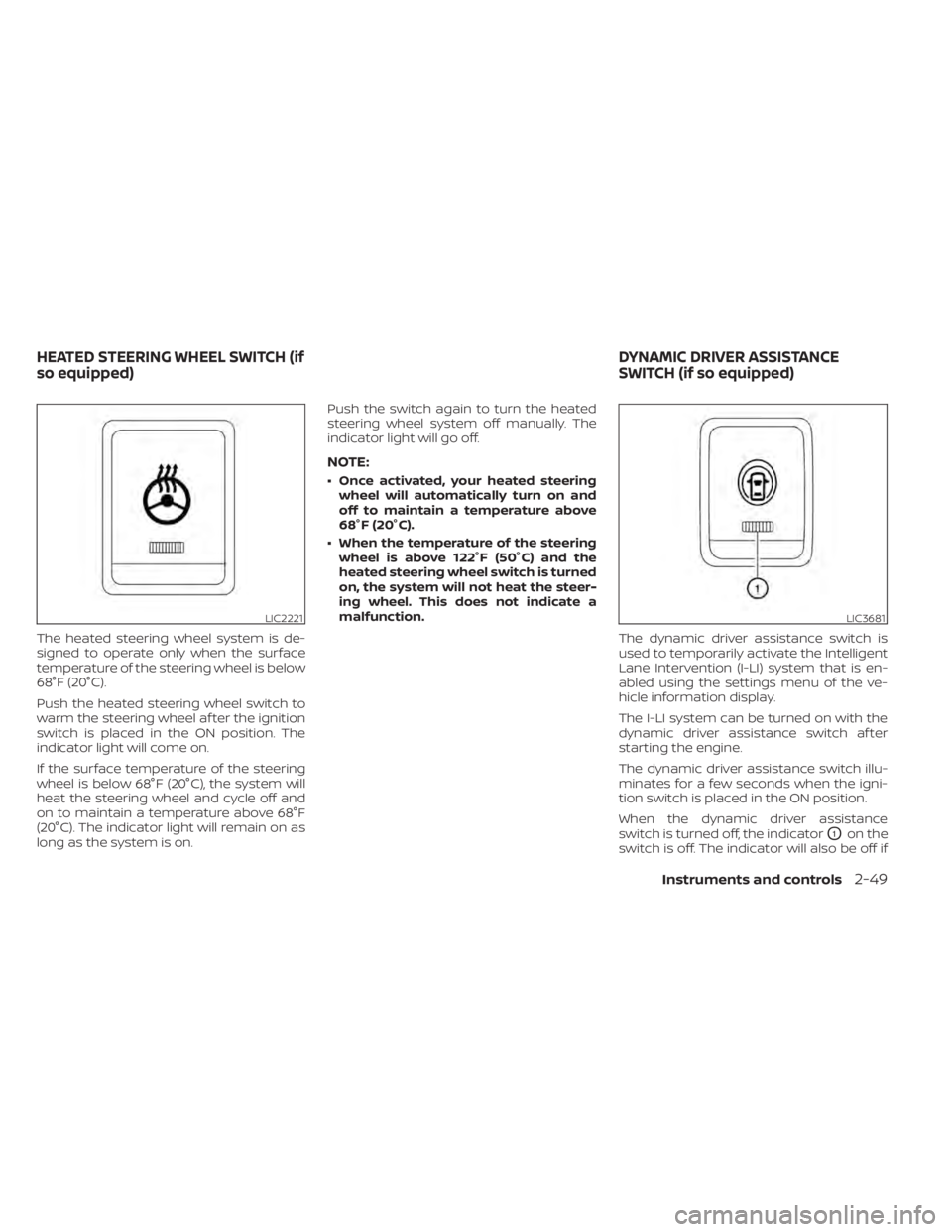
The heated steering wheel system is de-
signed to operate only when the surface
temperature of the steering wheel is below
68°F (20°C).
Push the heated steering wheel switch to
warm the steering wheel af ter the ignition
switch is placed in the ON position. The
indicator light will come on.
If the surface temperature of the steering
wheel is below 68°F (20°C), the system will
heat the steering wheel and cycle off and
on to maintain a temperature above 68°F
(20°C). The indicator light will remain on as
long as the system is on.Push the switch again to turn the heated
steering wheel system off manually. The
indicator light will go off.
NOTE:
• Once activated, your heated steering
wheel will automatically turn on and
off to maintain a temperature above
68°F (20°C).
• When the temperature of the steering wheel is above 122°F (50°C) and the
heated steering wheel switch is turned
on, the system will not heat the steer-
ing wheel. This does not indicate a
malfunction.
The dynamic driver assistance switch is
used to temporarily activate the Intelligent
Lane Intervention (I-LI) system that is en-
abled using the settings menu of the ve-
hicle information display.
The I-LI system can be turned on with the
dynamic driver assistance switch af ter
starting the engine.
The dynamic driver assistance switch illu-
minates for a few seconds when the igni-
tion switch is placed in the ON position.
When the dynamic driver assistance
switch is turned off, the indicator
O1on the
switch is off. The indicator will also be off if
LIC2221LIC3681
HEATED STEERING WHEEL SWITCH (if
so equipped) DYNAMIC DRIVER ASSISTANCE
SWITCH (if so equipped)
Instruments and controls2-49
Page 162 of 518

The extended storage switch is used when
shipping the vehicle. It is located in the fuse
panel to the lef t of the steering wheel on
the instrument panel. If any electrical
equipment does not operate, ensure the
extended storage switch is pushed fully in
place, as shown.
LDI2758LIC3266
Pulled position
LIC3268
Pushed position
EXTENDED STORAGE SWITCH
2-54Instruments and controls
Page 182 of 518

3 Pre-driving checks and adjustments
Keys.............................................3-2NISSAN Intelligent Key® .......................3-2
NISSAN Vehicle Immobilizer System
keys..........................................3-4
Doors ...........................................3-5
Locking with key .............................3-5
Locking with inside lock knob ................3-6
Locking with power door lock switch .........3-6
Automatic door locks ........................ 3-7
Child safety rear door lock .................... 3-7
NISSAN Intelligent Key® .......................... 3-7
Operating range .............................3-8
Door locks/unlocks precaution ...............3-9
NISSAN Intelligent Key® Operation ...........3-10
How to use the remote keyless entry
function ..................................... 3-13
Warning signals ............................. 3-16
Troubleshooting guide ......................3-16
Remote Engine Start (if so equipped) ...........3-19
Remote Engine Start operating range .......3-19
Remote starting the vehicle .................3-19
Extending engine run time ..................3-20
Canceling a Remote Engine Start ...........3-20
Conditions the Remote Engine Start will
notwork .................................... 3-21
Hood ........................................... 3-22Lif tgate
........................................ 3-22
Operating the manual lif tgate
(if so equipped) .............................. 3-23
Operating the power lif tgate
(if so equipped) .............................. 3-23
Motion-Activated Lif tgate
(if so equipped) .............................. 3-26
Lif tgate release ............................. 3-27
Lif tgate position setting
(if so equipped) .............................. 3-29
Fuel-filler door .................................. 3-29
Opener operation ........................... 3-29
Fuel-filler cap ................................ 3-30
Steering wheel ................................. 3-32
Manual operation (if so equipped) ...........3-32
Automatic operation (if so equipped) ........3-33
Sun visors ...................................... 3-34
Vanity mirrors ............................... 3-34
Card holder ................................. 3-35
Mirrors .........................................
3-35
Manual
anti-glare rearview mirror
(if so equipped) .............................. 3-35
Automatic anti-glare rearview mirror
(if so equipped) .............................. 3-35
Outside mirrors ............................. 3-36
Page 214 of 518

3. Press the OK button on the steeringwheel for about one second to turn off
the Loose Fuel Cap warning message
af ter tightening the fuel-filler cap.WARNING
• Do not adjust the steering wheel
while driving. You could lose control
of your vehicle and cause an
accident.
• Do not adjust the steering wheel any
closer to you than is necessary for
proper steering operation and com-
fort. The driver's air bag inflates with
great force. If you are unrestrained,
leaning forward, sitting sideways or
out of position in any way, you are at
greater risk of injury or death in a
crash. You may also receive serious
or fatal injuries from the air bag if you
are up against it when it inflates. Al-
ways sit back against the seatback
and as far away as practical from the
steering wheel. Always use the seat
belts.
MANUAL OPERATION (if so
equipped)
Tilt and telescopic operation
Pull the lock leverO1down:
• Adjust the steering wheel up or down in direction
O2to the desired position.
• Adjust the steering wheel forward or backward in direction
O3to the desired
position.
Push the lock lever
O1up firmly to lock the
steering wheel in place.
LPD2741
STEERING WHEEL
3-32Pre-driving checks and adjustments
Page 215 of 518

AUTOMATIC OPERATION (if so
equipped)
Tilt and telescopic operation
To adjust the steering wheel move the
switch
O1in the following directions:
• Adjust the steering wheel up or down in direction
O2to the desired tilt position.
• Adjust the steering wheel forward or backward in direction
O3to the desired
telescopic position.
CAUTION
For vehicles with automatic drive posi-
tioner: Failure to reset the tilt and tele-
scoping functions of the steering
wheel, af ter the vehicle’s battery has
been discharged, may prevent the
steering wheel position from being ad-
justed.
For vehicles with automatic drive posi-
tioner: Both the tilt and telescopic steering
operation must be reset af ter the vehicle’s
battery has been discharged in order to
prevent the tilt and telescopic operation
from locking in one position. When the bat-
tery has been recharged or replaced, per-
form the following:
• For tilt operation, adjust the switch
O1so
the steering wheel moves to the highest
position
O2that can be reached.
• For telescopic operation, adjust the switch
O1so the steering wheel moves to
the most forward and backward position
O3that can be reached.
Performing these operations resets the
range of the steering wheel’s tilt and tele-
scopic function.
Entry/Exit function (if so
equipped)
The automatic drive positioner (if so
equipped) will make the steering wheel
move up automatically when the driver's
door is opened and the ignition switch is in
the LOCK position. This lets the driver get
into and out of the seat more easily. The
steering wheel moves back into position
when the driver's door is closed and the
ignition switch is pushed.
For additional information, refer to “Auto-
matic drive positioner” in this section.
LPD2410
Pre-driving checks and adjustments3-33