2020 NISSAN MURANO reset
[x] Cancel search: resetPage 131 of 518

Maintenance
The maintenance menu allows the user to set reminders for various vehicle maintenance items.
WARNING
The tire replacement indicator is not a substitute for regular tire checks, including tire pressure checks. For additional informa-
tion, refer to “Changing wheels and tires” in the “Do-it-yourself ” section of this manual. Many factors including tire inflation,
alignment, driving habits and road conditions affect tire wear and when tires should be replaced. Setting the tire replacement
indicator for a certain driving distance does not mean your tires will last that long. Use the tire replacement indicator as a guide
only and always perform regular tire checks. Failure to perform regular tire checks, including tire pressure checks could result in
tire failure. Serious vehicle damage could occur and may lead to a collision, which could result in serious personal injury or death.
Menu item Result
Maintenance Displays various maintenance reminder options.
Oil and Filter Allows user to set a reminder at a specific interval or reset the current one.
Tire Allows user to set a reminder at a specific interval or reset the current one.
Other Allows user to set a reminder at a specific interval or reset the current one.
Clock
Menu item Result
Clock The vehicle clock can only be adjusted from the audio center display. When selected, the user will be in-
structed to go to the settings menu in the audio center display. For additional information, refer to the sepa-
rate NissanConnect® Owner's Manual.
TPMS Settings
The TPMS settings menu allows the user to change the tire pressure units displayed in the vehicle information display.
Menu item Result
Tire Pressure Unit Allows the user to select the tire pressure units that will display in the vehicle information display.
Instruments and controls2-23
Page 132 of 518

Unit/Language
The Unit/Language menu allows the user to change the units and language shown in the vehicle information display.
Menu itemResult
Mileage/Fuel Allows user to select different mileage display units.
Tire Pressure Unit Allows user to select different pressure display units.
Temperature Allows user to select different temperature display units.
Language Allows user to select different languages.
Key-Linked Settings
Menu item Result
System Allows user to turn the Key-Linked Settings on or off. For additional information, refer to “Automatic drive posi-
tioner” in the “Pre-driving checks and adjustments” section of this manual.
Factory Reset
The factory reset menu allows the user to restore the vehicle information display settings to factory status.
Menu item Result
Factory Reset Allows user to reset the vehicle information display setti
ngs to the original factory settings. Once selected,
the user can confirm or cancel the reset.
2-24Instruments and controls
Page 147 of 518

CAUTION
Use the headlights with the engine run-
ning to avoid discharging the vehicle
battery.
Autolight system
The autolight system allows the headlights
to turn on and off automatically. The auto-
light system can:
• Turn on the headlights, front parking, tail, license plate and instrument panel lights
automatically when it is dark.
• Turn off all the lights (except daylight run- ning lights) when it is light.
• Keep all the lights on for a period of time af ter you place the ignition switch in the
OFF position and all doors are closed.
NOTE:
Autolight activation sensitivity and
the time delay for autolight shutoff
can be adjusted. For additional infor-
mation, refer to “Vehicle information
display ” in this section.
To turn on the autolight system:
1. Turn the headlight switch to the AUTO position
O1.
2. Turn the ignition switch to ON.
3. The autolight system automatically turns the headlights on and off.
Initially, if the ignition switch is turned off
and a door is opened and lef t open, the
headlights remain on for a period of time. If
another door is opened while the head-
lights are on, then the timer is reset.
To turn the autolight system off, turn the
switch to the OFF,
,orposition.
LIC3241
Type B (if so equipped)
LIC3474
Instruments and controls2-39
Page 215 of 518

AUTOMATIC OPERATION (if so
equipped)
Tilt and telescopic operation
To adjust the steering wheel move the
switch
O1in the following directions:
• Adjust the steering wheel up or down in direction
O2to the desired tilt position.
• Adjust the steering wheel forward or backward in direction
O3to the desired
telescopic position.
CAUTION
For vehicles with automatic drive posi-
tioner: Failure to reset the tilt and tele-
scoping functions of the steering
wheel, af ter the vehicle’s battery has
been discharged, may prevent the
steering wheel position from being ad-
justed.
For vehicles with automatic drive posi-
tioner: Both the tilt and telescopic steering
operation must be reset af ter the vehicle’s
battery has been discharged in order to
prevent the tilt and telescopic operation
from locking in one position. When the bat-
tery has been recharged or replaced, per-
form the following:
• For tilt operation, adjust the switch
O1so
the steering wheel moves to the highest
position
O2that can be reached.
• For telescopic operation, adjust the switch
O1so the steering wheel moves to
the most forward and backward position
O3that can be reached.
Performing these operations resets the
range of the steering wheel’s tilt and tele-
scopic function.
Entry/Exit function (if so
equipped)
The automatic drive positioner (if so
equipped) will make the steering wheel
move up automatically when the driver's
door is opened and the ignition switch is in
the LOCK position. This lets the driver get
into and out of the seat more easily. The
steering wheel moves back into position
when the driver's door is closed and the
ignition switch is pushed.
For additional information, refer to “Auto-
matic drive positioner” in this section.
LPD2410
Pre-driving checks and adjustments3-33
Page 263 of 518

•If the low tire pressure warning light
illuminates while driving, avoid sud-
den steering maneuvers or abrupt
braking, reduce vehicle speed, pull
off the road to a safe location and
stop the vehicle as soon as possible.
Driving with under-inflated tires may
permanently damage the tires and
increase the likelihood of tire failure.
Serious vehicle damage could occur
and may lead to an accident and
could result in serious personal in-
jury. Check the tire pressure for all
four tires. Adjust the tire pressure to
the recommended COLD tire pres-
sure shown on the Tire and Loading
Information label to turn the low tire
pressure warning light off. If you have
a flat tire, replace it with a spare tire
as soon as possible. (For additional
information on changing a flat tire,
refer to “Flat tire” in the “In case of
emergency ” section of this manual.) •
When replacing a wheel without the
TPMS such as the spare tire, when a
spare tire is mounted or a wheel is
replaced, tire pressure will not be in-
dicated, the TPMS will not function
and the low tire pressure warning
light will flash for approximately 1
minute. The light will remain on af ter
1 minute. Have your tires replaced
and/or TPMS system reset as soon as
possible. It is recommended that you
visit a NISSAN dealer for this service.
• Replacing tires with those not origi-
nally specified by NISSAN could af-
fect the proper operation of the
TPMS.
• Do not inject any tire liquid or aerosol
tire sealant into the tires, as this may
cause a malfunction of the tire pres-
sure sensors.CAUTION
• The TPMS may not function properly
when the wheels are equipped with
tire chains or the wheels are buried in
snow.
• Do not place metalized film or any
metal parts (antenna, etc.) on the
windows. This may cause poor re-
ception of the signals from the tire
pressure sensors, and the TPMS will
not function properly.
Some devices and transmitters may tem-
porarily interfere with the operation of the
TPMS and cause the low tire pressure
warning light to illuminate.
Some examples are:
• Facilities or electric devices using similar radio frequencies are near the vehicle.
• If a transmitter set to similar frequencies is being used in or near the vehicle.
• If a computer (or similar equipment) or a DC/AC converter is being used in or near
the vehicle.
The low tire pressure warning light may
illuminate in the following cases:
• If the vehicle is equipped with a wheel and tire without TPMS.
Starting and driving5-7
Page 314 of 518
If the Cruise Control Alerts are enabled in
the Driver Assistance menu, then the “Tar-
get Speed SET. Press + or – to adjust” mes-
sage will appear in the vehicle information
display when the SET/– switch is pushed.
This message will disappear af ter about 6
seconds, or can be dismissed by pushing
the OK button. Cruise control status will
continue to display in the upper right cor-
ner of the vehicle information display while
the system is on.
•To pass another vehicle, depress the ac-
celerator pedal. When you release the
pedal, the vehicle returns to the previ-
ously set speed.
• The vehicle may not maintain the set speed when going up or down steep hills.
If this happens, drive without the cruise
control.
To cancel the preset speed, use one of the
following three methods:
• Push the CANCEL switch.
• Tap the brake pedal.
• Push the ON/OFF switch off. The
indicator in the vehicle information dis-
play goes out. The cruise control is automatically can-
celed if:
• You depress the brake pedal while push-
ing the RES/+ or SET/– switch. The preset
speed is deleted from memory.
• The vehicle slows down more than 8 mph (13 km/h) below the set speed.
• You move the shif t lever to N (Neutral).
If the Cruise Control Alerts are enabled in
the Driver Assistance menu, the “Cruise ON:
Press SET to engage speed control” mes-
sage will reappear in the vehicle informa-
tion display to let you know the cruise con-
trol system is still on if you set the target
speed again.
To reset at a faster cruising speed, use
one of the following three methods:
• Depress the accelerator pedal. When the vehicle attains the desired speed, push
and release the SET/– switch.
• Push and hold the RES/+ switch. When the vehicle attains the speed you desire,
release the switch.
• Push and release the RES/+ switch. Each time you do this, the set speed increases
by about 1 mph (1.6 km/h). To reset at a slower cruising speed,
use
one of the following three methods:
• Lightly tap the brake pedal. When the ve- hicle attains the desired speed, push the
SET/– switch and release it.
• Push and hold the SET/– switch. Release the switch when the vehicle slows to the
desired speed.
• Push and release the SET/– switch. Each time you do this, the set speed decreases
by about 1 mph (1.6 km/h).
To resume the preset speed, push and
release the RES/+ switch. The vehicle re-
turns to the last set cruising speed when
the vehicle speed is over 25 mph (40 km/h).
To turn off the cruise control, use one of
the following three methods:
• Push the CANCEL switch.
• Tap the brake pedal.
• Push the ON/OFF switch off. The
indicator in the vehicle information dis-
play goes out.
5-58Starting and driving
Page 316 of 518
•In the conventional (fixed speed)
cruise control mode, a warning
chime will not sound to warn you if
you are too close to the vehicle
ahead. Pay special attention to the
distance between your vehicle and
the vehicle ahead of you or a collision
could occur.
The ICC system maintains a selected dis-
tance from the vehicle in front of you within
the speed range of 0 to 90 mph (0 to 144
km/h) up to the set speed. The set speed
can be selected by the driver between 20 to
90 mph (32 to 144 km/h).
The vehicle travels at a set speed when the
road ahead is clear.
The ICC system can be set to one of two
cruise control modes:
• Vehicle-to-vehicle distance control
mode: For maintaining a selected dis-
tance between your vehicle and the ve-
hicle in front of you up to the preset speed
• Conventional (fixed speed) cruise con-
trol mode: For cruising at a preset speed Push the CRUISE ON/OFF switchOAto
choose the cruise control mode between
the vehicle-to-vehicle distance control
mode and the conventional (fixed speed)
cruise control mode.
Once a control mode is activated, it cannot
be changed to the other cruise control
mode. To change the mode, push the
CRUISE ON/OFF switch
OAonce to turn the
system off. Then push the CRUISE ON/OFF
switch
OAagain to turn the system back on
and select the desired cruise control mode.
Always confirm the setting in the ICC sys-
tem display.
For the vehicle-to-vehicle distance control
mode, refer to “Vehicle-to-vehicle distance
control mode” in this section.
For the conventional (fixed speed) cruise
control mode, refer to “Conventional (fixed
speed) cruise control mode” in this section.
5-60Starting and driving
Page 323 of 518
by pushing the OK button. Cruise control
status will continue to display in the upper
right corner of the vehicle information dis-
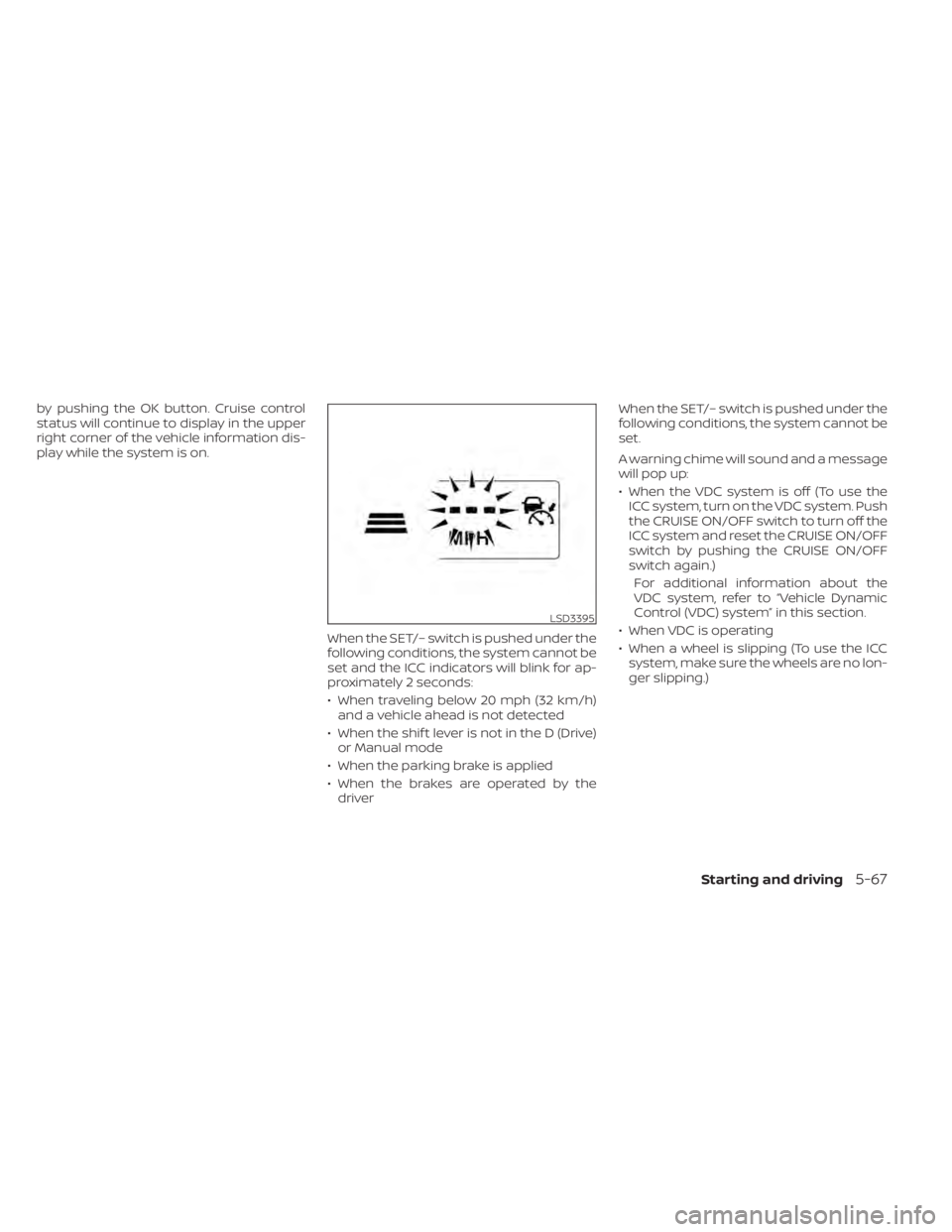
play while the system is on.When the SET/– switch is pushed under the
following conditions, the system cannot be
set and the ICC indicators will blink for ap-
proximately 2 seconds:
• When traveling below 20 mph (32 km/h)and a vehicle ahead is not detected
• When the shif t lever is not in the D (Drive) or Manual mode
• When the parking brake is applied
• When the brakes are operated by the driver When the SET/– switch is pushed under the
following conditions, the system cannot be
set.
A warning chime will sound and a message
will pop up:
• When the VDC system is off (To use the
ICC system, turn on the VDC system. Push
the CRUISE ON/OFF switch to turn off the
ICC system and reset the CRUISE ON/OFF
switch by pushing the CRUISE ON/OFF
switch again.)
For additional information about the
VDC system, refer to “Vehicle Dynamic
Control (VDC) system” in this section.
• When VDC is operating
• When a wheel is slipping (To use the ICC system, make sure the wheels are no lon-
ger slipping.)
LSD3395
Starting and driving5-67