2020 NISSAN ALTIMA malfunction
[x] Cancel search: malfunctionPage 105 of 559
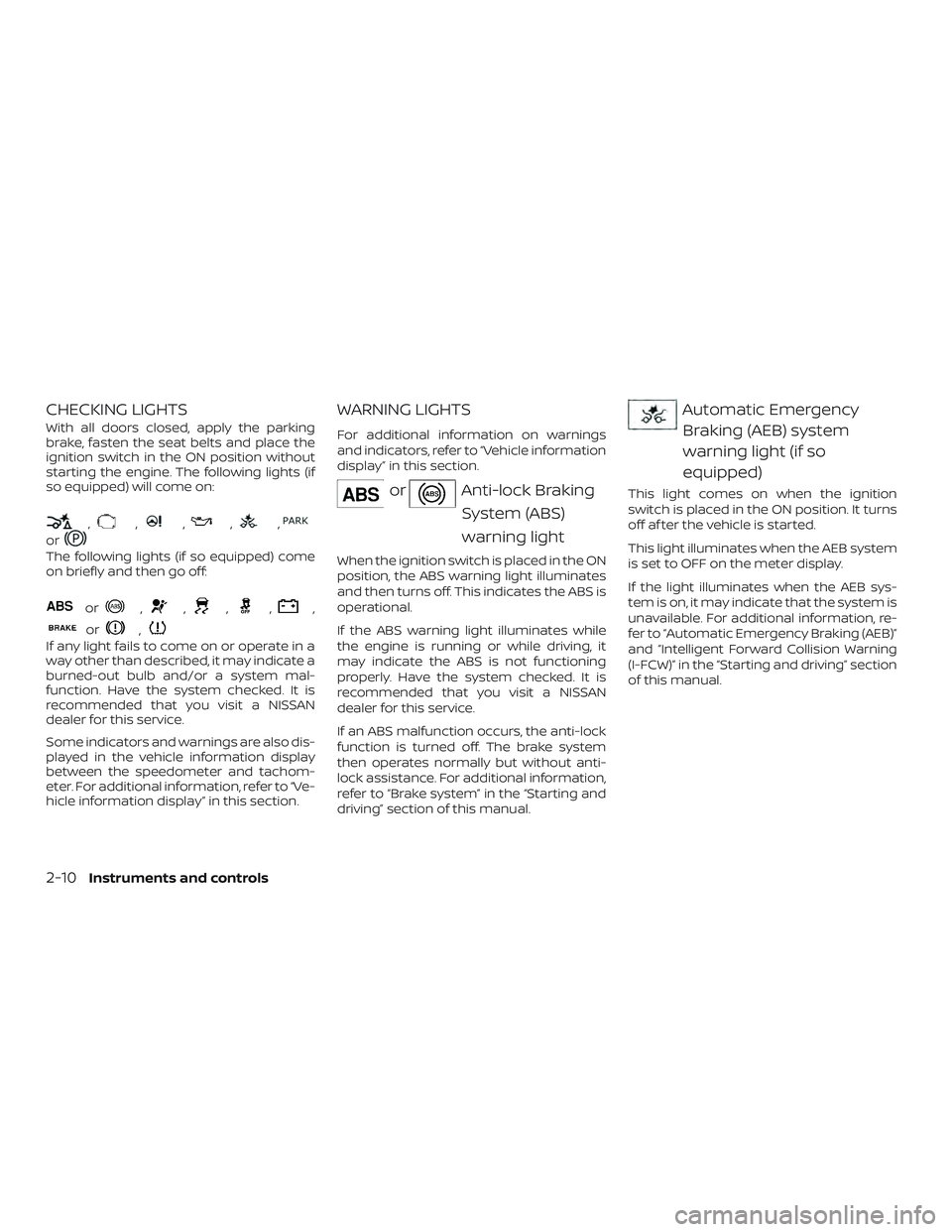
CHECKING LIGHTS
With all doors closed, apply the parking
brake, fasten the seat belts and place the
ignition switch in the ON position without
starting the engine. The following lights (if
so equipped) will come on:
,,,,,
or
The following lights (if so equipped) come
on briefly and then go off:
or,,,,,
or,
If any light fails to come on or operate in a
way other than described, it may indicate a
burned-out bulb and/or a system mal-
function. Have the system checked. It is
recommended that you visit a NISSAN
dealer for this service.
Some indicators and warnings are also dis-
played in the vehicle information display
between the speedometer and tachom-
eter. For additional information, refer to “Ve-
hicle information display” in this section.
WARNING LIGHTS
For additional information on warnings
and indicators, refer to “Vehicle information
display” in this section.
orAnti-lock BrakingSystem (ABS)
warning light
When the ignition switch is placed in the ON
position, the ABS warning light illuminates
and then turns off. This indicates the ABS is
operational.
If the ABS warning light illuminates while
the engine is running or while driving, it
may indicate the ABS is not functioning
properly. Have the system checked. It is
recommended that you visit a NISSAN
dealer for this service.
If an ABS malfunction occurs, the anti-lock
function is turned off. The brake system
then operates normally but without anti-
lock assistance. For additional information,
refer to “Brake system” in the “Starting and
driving” section of this manual.
Automatic EmergencyBraking (AEB) system
warning light (if so
equipped)
This light comes on when the ignition
switch is placed in the ON position. It turns
off af ter the vehicle is started.
This light illuminates when the AEB system
is set to OFF on the meter display.
If the light illuminates when the AEB sys-
tem is on, it may indicate that the system is
unavailable. For additional information, re-
fer to “Automatic Emergency Braking (AEB)”
and “Intelligent Forward Collision Warning
(I-FCW)” in the “Starting and driving” section
of this manual.
2-10Instruments and controls
Page 108 of 559

the vehicle must be driven at speeds
above 16 mph (25 km/h) to activate the
TPMS and turn off the low tire pressure
warning light. Use a tire pressure gauge
to check the tire pressure.
The “Tire Pressure Low - Add Air” warning
appears each time the ignition switch is
placed in the ON position as long as the low
tire pressure warning light remains illumi-
nated.
For additional information, refer to “Vehicle
information display” in this section, “Tire
Pressure Monitoring System (TPMS)” in the
“Starting and driving” and “In case of emer-
gency” sections of this manual.
TPMS malfunction
If the TPMS is not functioning properly, the
low tire pressure warning light will flash for
approximately 1 minute when the ignition
switch is placed in the ON position. The
light will remain on af ter 1 minute. Have the
system checked. It is recommended that
you visit a NISSAN dealer for this service.
The "Tire Pressure Low — Add Air" warning
does not appear if the low tire pressure
warning light illuminates to indicate a
TPMS malfunction.For additional information, refer to “Tire
Pressure Monitoring System (TPMS)” in the
“Starting and driving” section and “Tire
pressure” in the “Do-it-yourself ” section of
this manual.
WARNING
∙ Radio waves could adversely affect
electric medical equipment. Those
who use a pacemaker should contact
the electric medical equipment
manufacturer for the possible influ-
ences before use.
∙ If the light does not illuminate with the ignition switch placed in the ON
position, have the vehicle checked as
soon as possible. It is recommended
that you visit a NISSAN dealer for this
service. ∙ If the light illuminates while driving,
avoid sudden steering maneuvers or
abrupt braking, reduce vehicle speed,
pull off the road to a safe location and
stop the vehicle as soon as possible.
Driving with under-inflated tires may
permanently damage the tires and in-
crease the likelihood of tire failure. Se-
rious vehicle damage could occur and
may lead to an accident and could re-
sult in serious personal injury or
death. Check the tire pressure for all
four tires. Adjust the tire pressure to
the recommended COLD tire pressure
show on the Tire and Loading Infor-
mation label located in the driver’s
door opening to turn the low tire pres-
sure warning light off. If the light still
illuminates while driving af ter adjust-
ing the tire pressure, a tire may be flat
or the TPMS may be malfunctioning. If
you have a flat tire, replace it with a
spare tire as soon as possible. If no tire
is flat and all tires are properly in-
flated, have the vehicle checked. It is
recommended that you visit a NISSAN
dealer for this service.
Instruments and controls2-13
Page 112 of 559
Malfunction Indicator Light(MIL)
If this indicator light comes on steady or
blinks while the engine is running, it may
indicate a potential emission control mal-
function.
The MIL may also come on steady if the
fuel-filler cap is loose or missing, or if the
vehicle runs out of fuel. Check to make sure
the fuel-filler cap is installed and closed
tightly, and that the vehicle has at least
3 gallons (11.4 liters) of fuel in the fuel tank.
Af ter a few driving trips, the
light
should turn off if no other potential emis-
sion control system malfunction exists.
If this indicator light comes on steady for
20 seconds and then blinks for 10 seconds
when the engine is not running, it indicates
that the vehicle is not ready for an emission
control system inspection/maintenance
test. For additional information, refer to
“Readiness for Inspection/Maintenance
(I/M) test” in the “Technical and consumer
information” section of this manual. Operation
The MIL will come on in one of two ways:
∙ MIL on steady — An emission control system malfunction has been de-
tected. Check the fuel-filler cap if the
Loose Fuel Cap warning appears in the
vehicle information display. If the fuel-
filler cap is loose or missing, tighten or
install the cap and continue to drive the
vehicle. The
light should turn off
af ter a few driving trips. If the
light
does not turn off af ter a few driving
trips, have the vehicle inspected. It is
recommended that you visit a NISSAN
dealer for this service. You do not need
to have your vehicle towed to the
dealer.
∙ MIL blinking — An engine misfire has been detected which may damage the
emission control system. To reduce or
avoid emission control system dam-
age:
– do not drive at speeds above 45 mph (72 km/h).
– avoid hard acceleration or decelera- tion. – avoid steep uphill grades.
– if possible, reduce the amount of
cargo being hauled or towed.
The MIL may stop blinking and come on
steady. Have the vehicle inspected. It is rec-
ommended that you visit a NISSAN dealer
for this service. You do not need to have
your vehicle towed to the dealer.
CAUTION
Continued vehicle operation without
having the emission control system
checked and repaired as necessary
could lead to poor driveability, reduced
fuel economy, and possible damage to
the emission control system.
Security indicator light
This light blinks when the ignition switch is
placed in the OFF, LOCK or AUTO ACC posi-
tion.
The blinking security indicator light indi-
cates that the security systems equipped
on the vehicle are operational.
For additional information, refer to “Security
systems” in this section.
Instruments and controls2-17
Page 128 of 559

VEHICLE INFORMATION DISPLAY
WARNINGS
1. No Key Detected
2. Key ID Incorrect
3. Key Battery Low
4. Key System Error: See Owner’s Manual
5. Key Registration Complete
6. Shif t to Park
7. Push ignition to OFF
8. Push brake and start switch to drive
9. Engine start operation for IntelligentKey system (if I-Key battery level is low)
10. Release Parking Brake
11. Low Fuel
12. Loose Fuel Cap
13. Engine Oil Service due in———miles
14. Low Washer Fluid (if so equipped)
15. Tire Pressure Low - Add Air
16. Door Open
17. Trunk Open
18. Low Outside Temperature 19. Power will turn off to save the battery
20. Power turned off to save the battery
21. Reminder: Turn OFF Headlights
22. Headlight System Error: See Owner’s
Manual (if so equipped)
23. Parking Sensor Error: See Owner’s Manual (if so equipped)
24. Driver Attention Alert Malfunction
25. Malfunction: See Owner’s Manual (if so equipped)
26. Unavailable: Side Radar Obstruction (if so equipped)
27. Unavailable: High Cabin Temperature (if so equipped)
28. Time for a break?
29. Driver Attention Alert— Take a Break?
30. Malfunction (if so equipped)
31. Shipping Mode On Push Storage Fuse
32. Not Available: Parking Brake On (if so equipped)
33. Rear Door Alert is activated
34. Check Rear Seat For All Articles 35. Intelligent Cruise Control (ICC) indica-
tors (if so equipped)
36. Intelligent Cruise Control (ICC) (for ve- hicles with ProPILOT Assist) indicators
(if so equipped)
37. Speed Limit Sign indicator (if so equipped)
38. Chassis Control System Error: See Owner’s Manual (if so equipped)
39. Not Available System Malfunction (if so equipped)
40. Not Available: Seat Belt Not Fastened (if so equipped)
41. Not Available: Front Radar Blocked (if so equipped)
42. Currently not available (if so equipped)
43. Not Available Poor Road Conditions (if so equipped)
44. AWD Error: See Owner’s Manual (if so equipped)
45. AWD High Temp. Stop Vehicle (if so equipped)
46. AWD Tire Size Incorrect: See Owner’s Manual (if so equipped)
Instruments and controls2-33
Page 129 of 559

47. CVT (AT) Malfunction Service Now (if soequipped)
48. Service CVT (AT) Power reduced (if so equipped)
49. Unavailable: High Camera Tempera- ture (if so equipped)
No Key Detected
This warning appears when the Intelligent
Key is lef t outside the vehicle with the igni-
tion switch in the ON position. Make sure
the Intelligent Key is inside the vehicle.
For additional information, refer to “NISSAN
Intelligent Key®” in the “Pre-driving checks
and adjustments” section of this manual.
Key ID Incorrect
This warning appears when the ignition
switch is placed from the OFF position and
the Intelligent Key is not recognized by the
system. You cannot start the engine with
an unregistered key.
For additional information, refer to “NISSAN
Intelligent Key®” in the “Pre-driving checks
and adjustments” section of this manual.
Key Battery Low
This indicator illuminates when the Intelli-
gent Key battery is running out of power. If this indicator illuminates, replace the bat-
tery with a new one. For additional infor-
mation, refer to “Battery replacement” in
the “Do-it-yourself ” section of this manual.
Key System Error: See Owner’s Manual
Af ter the ignition switch is pushed to the
ON position, this light comes on for a period
of time and then turns off.
The Key System Error message warns of a
malfunction with the Intelligent Key sys-
tem. If the light comes on while the engine
is stopped, it may be impossible to start
the engine.
If the light comes on while the engine is
running, you can drive the vehicle. However,
in these cases, have the system checked. It
is recommended that you visit a NISSAN
dealer for this service.
Key Registration Complete
This appears when a new Intelligent Key is
registered to the vehicle.
Shif t to Park
This warning illuminates when the ignition
switch is in the AUTO ACC or OFF position
and the shif t lever is not in the P (Park)
position. Also, a chime sounds when the
ignition switch is in the AUTO ACC or OFF
position.
If this warning illuminates, move the shif t
lever to the P (Park) position and start the
engine.
Push ignition to OFF
Af ter the Push ignition to OFF warning illu-
minates, the warning will illuminate if the
ignition switch is placed in the AUTO ACC
position when the shif t lever is moved to
the P (Park) position.
To turn off the Push warning, place the ig-
nition switch in the ON position and then in
the LOCK position.
Push brake and start switch to drive
This indicator appears when the shif t lever
is in the P (Park) position.
This indicator also appears when the ve-
hicle has been started using the Remote
Engine Start (if so equipped) function.
This indicator means that the engine will
start by pushing the ignition switch with
the brake pedal depressed. You can start
the engine from any position of the ignition
switch.
2-34Instruments and controls
Page 131 of 559
button ignition switch positions” in the
“Starting and driving” section of this
manual.
Power turned off to save the battery
This message appears af ter the ignition
switch is automatically turned off. For addi-
tional information, refer to “Push-button ig-
nition switch positions” in the “Starting and
driving” section of this manual.
Reminder: Turn OFF Headlights
This warning appears when the headlights
are lef t in the ON position when exiting the
vehicle. Place the headlight switch in the
OFF or AUTO position. For additional infor-
mation, refer to “Headlight and turn signal
switch” in this section.
Headlight System Error: See Owner’s
Manual (if so equipped)
This warning illuminates when there is an
error with the system. For additional infor-
mation, refer to “Headlight and turn signal
switch” in this section.
Parking Sensor Error: See Owner’s
Manual (if so equipped)
This warning illuminates when there is an
error with the system. For additional infor-mation, refer to “Rear Sonar System (RSS)”
in the “Starting and driving” section of this
manual.
Driver Attention Alert Malfunction
This warning appears when the Intelligent
Driver Alertness (I-DA) system is not func-
tioning properly. For additional information,
refer to “Intelligent Driver Alertness (I-DA)” in
the “Starting and driving” section of this
manual.
Malfunction: See Owner’s Manual (if so
equipped)
This warning appears when one or more of
the following systems (if so equipped) is
not functioning properly:
∙ Traffic Sign Recognition (TSR)
∙ Rear Automatic Braking (RAB)
If one or more of these warning appears,
have the system checked. It is recom-
mended that you visit a NISSAN dealer for
this service.
Unavailable: Side Radar Obstruction (if
so equipped)
This message appears when the Blind
Spot Warning (BSW)/Rear Cross Traffic Alert
(RCTA) systems become unavailable be- cause a radar blockage is detected. For
additional information, refer to “Blind Spot
Warning (BSW)” or “Rear Cross Traffic Alert
(RCTA)” in the “Starting and driving” section
of this manual.
Unavailable: High Cabin Temperature (if
so equipped)
This message appears when the camera
detects an interior temperature of more
than 104°F (40°C). For additional informa-
tion, refer to “Automatic Emergency Brak-
ing (AEB)” , “Automatic Emergency Braking
(AEB) with Pedestrian Detection” , “Intelli-
gent Cruise Control (ICC)” , “Intelligent Lane
Intervention (I-LI)” or “Lane Departure Warn-
ing (LDW)” in the “Starting and driving” sec-
tion of this manual.
Time for a break?
This message appears when the set time
is reached. This time can be set up to six
hours. For additional information, refer to
“Settings” in this section.
Driver Attention Alert— Take a Break?
This alert appears when the system has
detected that the driver may be displaying
fatigue or a lack of attention.
2-36Instruments and controls
Page 132 of 559
Malfunction (if so equipped)
This warning appears when one or more of
the following systems (if so equipped) is
not functioning properly:∙ Automatic Emergency Braking (AEB)
∙ Automatic Emergency Braking (AEB) with Pedestrian Detection
∙ Intelligent Forward Collision Warning (I- FCW)
If one or more of these warning appears,
have the system checked. It is recom-
mended that you visit a NISSAN dealer for
this service.
For additional information, refer to “Auto-
matic Emergency Braking (AEB)”, “Auto-
matic Emergency Braking (AEB) with Pe-
destrian Detection” or “Intelligent Forward
Collision Warning (I-FCW) in the “Starting
and driving” section of this manual.
Shipping Mode On Push Storage Fuse
This warning may appear if the extended
storage switch is not pushed in. When this
warning appears, push in the extended
storage switch to turn off the warning. For
additional information, refer to “Extended
storage switch” in this section. Not Available Parking Brake On (if so
equipped)
This message may appear when the Intel-
ligent Cruise Control (ICC) (for vehicles with
ProPILOT Assist) is engaged.
Under the following condition, the ICC (for
vehicles with ProPILOT Assist) system is au-
tomatically canceled:
∙ The electronic parking brake is applied.
The above system cannot be used when
the electronic parking is activated.
For additional information, refer to "Intelli-
gent Cruise Control (ICC) (for vehicles with
ProPILOT Assist)” and “Parking brake” in the
“Starting and driving” section of this
manual.
Rear Door Alert is activated
When the system is enabled, this message
appears when the Rear Door Alert system
is active and can remind the driver to check
the back seat. ∙ Using the steering wheel switch, a driver can select “Dismiss Message” to clear
the display for a period of time. If no
selection is made, this message auto-
matically turns off af ter a period of time. ∙ Using the steering wheel switch, a driver
can select “Disable Alert” to disable the
horn alert for the remainder of the cur-
rent trip.
WARNING
Selecting “Dismiss Message” during a
stop within a trip temporarily dismisses
the message for that stop without turn-
ing the system off. Alerts can be pro-
vided for other stops during the trip. Se-
lecting “Disable Alert” turns off the Rear
Door Alert system for the remainder of
a trip and no audible alert will be
provided.
NOTE:
This system is disabled until a driver en-
ables it using the vehicle information
display. For additional information, refer
to “How to use the vehicle information
display ” in this section.
For additional information, refer to “Rear
Door Alert” in this section.
Check Rear Seat For All Articles
When the system is enabled, this message
appears when the vehicle comes to a com-
plete stop, the vehicle is transitioned from
Instruments and controls2-37
Page 133 of 559
the D (Drive) position to P (Park) position,
and the driver exits the vehicle. This mes-
sage alerts the driver, af ter a period of time,
to check for items in the rear seat af ter the
audible alert has been provided.
NOTE:
This system is disabled until a driver en-
ables it using the vehicle information
display. For additional information, refer
to “How to use the vehicle information
display ” in this section.
For additional information, refer to “Rear
Door Alert” in this section.
Intelligent Cruise Control (ICC) indica-
tors (if so equipped)
These indicators show the Intelligent
Cruise Control (ICC) system status. The sta-
tus is shown by color. For additional infor-
mation, refer to “Intelligent Cruise Control
(ICC) (for vehicles without ProPILOT Assist)”
in the “Starting and driving” section of this
manual.
Intelligent Cruise Control (ICC) (for ve-
hicles with ProPILOT Assist) indicators
(if so equipped)
These indicators show the ProPILOT Assist
with Intelligent Cruise Control (ICC) systemstatus. The status is shown by color. For
additional information, refer to “Intelligent
Cruise Control (ICC) (for vehicles with ProPI-
LOT Assist)” in the “Starting and driving”
section of this manual.
Speed Limit Sign indicator (if so
equipped)
This message may appear when the Traffic
Sign Recognition system is engaged.
For additional information, refer to “Traffic
Sign Recognition (TSR)” in the “Starting and
driving” section of this manual.
Chassis Control System Error: See Own-
er’s Manual (if so equipped)
This warning appears if there is an error in
the Automatic Brake Hold system. Have the
system checked. It is recommended that
you visit a NISSAN dealer for this service. For
additional information, refer to “Chassis
control” or “Automatic brake hold” in the
“Starting and driving” section of this
manual.
Not Available System Malfunction (if so
equipped)
This warning appears when one or more of
the following systems (if so equipped) is
not functioning properly. ∙ Intelligent Cruise Control (ICC)
∙ ProPILOT
∙ Blind Spot Warning (BSW)
∙ Lane Departure Warning (LDW)
∙ Intelligent Lane Intervention (I-LI)
If one or more of these warnings appear,
have the system checked. It is recom-
mended that you visit a NISSAN dealer for
this service.
For additional information, refer to "Intelli-
gent Cruise Control (ICC) (for vehicles with-
out ProPILOT Assist)” , “ProPILOT Assist” ,
“Blind Spot Warning (BSW)” , “Lane Depar-
ture Warning (LDW)” or “Intelligent Lane In-
tervention (I-LI)” in the “Starting and driving”
section of this manual.
Not Available Seat Belt Not Fastened (if
so equipped)
This message may appear when the Intel-
ligent Cruise Control (ICC) (with ProPILOT
Assist) system is engaged.
Under the following condition, the ICC (with
ProPILOT Assist) system is automatically
canceled: ∙ When the driver’s seat belt is not fas- tened
2-38Instruments and controls