2020 MERCEDES-BENZ GLS SUV interior lights
[x] Cancel search: interior lightsPage 57 of 549
If an accident did not occur,
the pre-em ptive
measures that we retake n are reve rsed.
Sy stem limits
The sy stem will not initiate any action in thefo l‐
lowing situations:
R when reve rsing
or
R when theve hicle is towing a trailer and there
is a risk of a rear impact
The sy stem will not initiate any braking applica‐
tion in thefo llowing situations:
R whilst driving
or
R when entering or exiting a parking space
while using Active Parking Assist Fu
nction of PRE-SAFE ®
Impulse Side If an imminent side impact is de
tected, PRE-
SA FE®
Impulse Side can pre-emptively mo vethe
front seat vehicle occupant's upper body
to wa rdsth e cent reoftheve hicle. It does this by ra
pidly inflating an air cushion in the outer seat
side bols ter of the seat backrest on the side on
which the impact is anticipated. This increases
th e dis tance between the door and theve hicle
occupant.
If PRE-SAFE ®
Impulse Side has been deplo yed or
is faulty, thePRE-SAFE impulse side inoperative
See Owner's Manual( /page 434) display mes‐
sage appears. Au
tomatic measures af ter an accident
Depending on the type and se verity of the acci‐
dent, and depending on theve hicle's equipment,
th efo llowing measures can be implemen ted, for
ex ample:
R automatic braking (post-collision brake)
R activating the hazard warning lights
R triggering an automatic emer gency call
(/ page 344)
R switching off the engine
To restart theve hicle, switch the ignition off
and switch it back on (/ page188).
Depending on the type and se verity of the accident, it is possible
that theve hicle can
no longer be star ted.
R switching off the fuel supply
R unlocking theve hicle doors
R lowe ring the side windo ws
R displaying the emer gency guide in the multi‐
media sy stem display
R switching on the interior lighting
Fu nction of the post-collision brake
Depending on the accident situation, the post-
collision brake can minimise the se verity of a fur‐
th er collision or even avo id it.
If an accident is de tected, the post-collision
brake can implement automatic braking. When
th eve hicle has come toast andstill, the electric
parking brake is automatically applied.
The driver can cancel automatic braking bytak‐
ing thefo llowing actions:
R braking more stronglythan automatic brak‐
ing
R fully depressing the accelera tor pedal with
fo rce 54
Occupant saf ety
Page 154 of 549
Example:
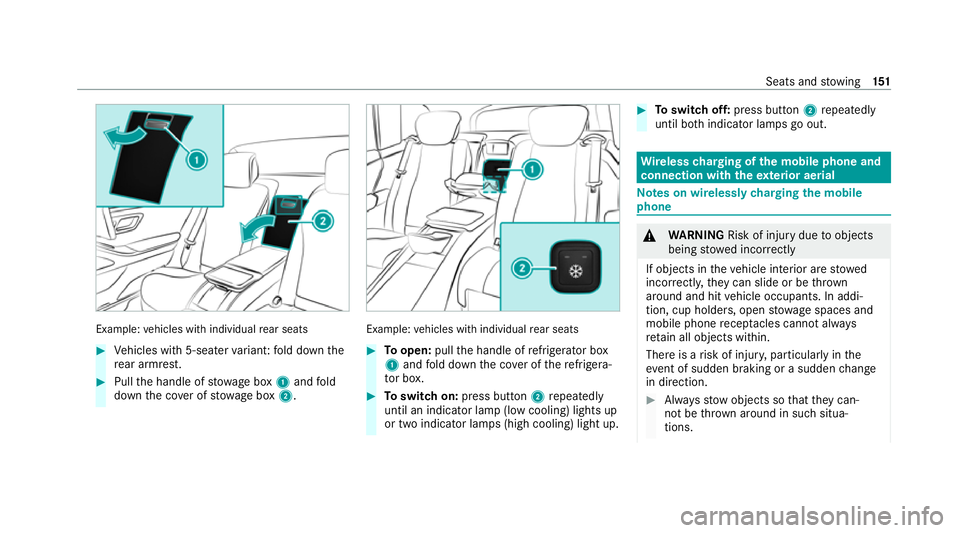
vehicles with individual rear seats #
Vehicles with 5-seater variant: fold down the
re ar armrest. #
Pull the handle of stowage box 1and fold
down the co ver of stow age box 2. Example:
vehicles with individual rear seats #
Toopen: pullthe handle of refrigerator box
1 and fold down the co ver of there frigera‐
to r box. #
Toswitch on: press button 2repeatedly
until an indicator lamp (low cooling) lights up
or two indicator lamps (high cooling) light up. #
Toswitch off: press button 2repeatedly
until bo thindicator lamps go out. Wire
lesscharging of the mobile phone and
connection with theex terior aerial Note
s on wirelessly charging the mobile
phone &
WARNING Risk of inju rydue toobjects
being stowed inco rrectly
If objects in theve hicle interior are stowed
incor rectly, they can slide or be thrown
around and hit vehicle occupants. In addi‐
tion, cup holders, open stowage spaces and
mobile phone recep tacles cannot al ways
re tain all objects within.
There is a risk of injur y,particularly in the
ev ent of sudden braking or a sudden change
in direction. #
Alw aysstow objects so that they can‐
not be throw n around in su chsitua‐
tions. Seats and
stowing 151
Page 166 of 549
Setting
theex terior lighting switch-off delay
time Re
quirements:
R The light switch is in theà position.
Multimedia sy stem:
4 © 5
Settings 5
Lights
5 Ext. light. del. sw. off #
Set the switch-off delay time.
When theve hicle engine is switched off, the
ex terior lighting will be activated forth e set
time. Switching
the sur round lighting on/off Multimedia sy
stem:
4 © 5
Settings 5
Lights
5 Surround lighting
When Surround lighting is active,theex terior
lighting lights up for 40 seconds af terth eve hicle
is unloc ked. When youstart theve hicle, the sur‐
ro und lighting is deactivated and the automatic
driving lights are activated. Illuminated
running boards: whenthe sur‐
ro und lighting is swit ched on, the illumination of
th eru nning boards is acti vated when a door is
opened. If the door is not closed, theru nning
board cou rtesy lighting is automatically deactiva‐
te d af ter 40 seconds. #
Activate or deacti vate the function. Interior lighting
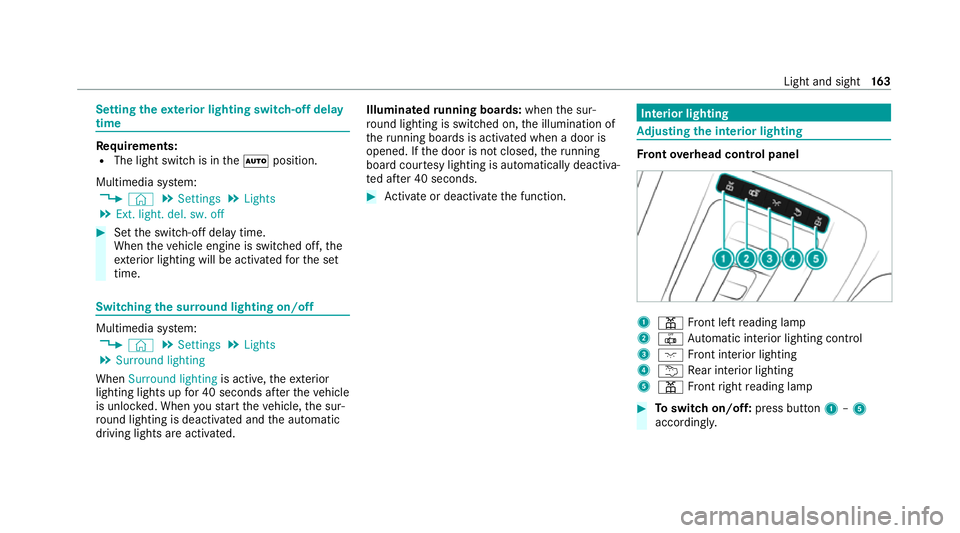
Ad
justing the in terior lighting Fr
ont overhead control panel 1
p Front left reading lamp
2 | Automatic interior lighting control
3 c Front interior lighting
4 u Rear interior lighting
5 p Front right reading lamp #
Toswitch on/off: press button1–5
accordingly. Light and sight
16 3
Page 167 of 549
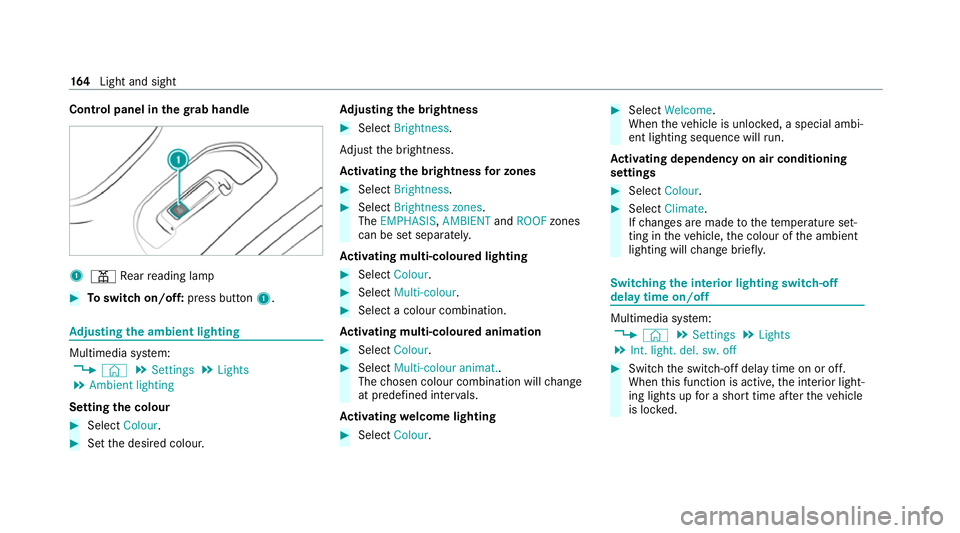
Control panel in
thegr ab handle 1
p Rear reading lamp #
Toswitch on/off: press button1. Ad
justing the ambient lighting Multimedia sy
stem:
4 © 5
Settings 5
Lights
5 Ambient lighting
Setting the colour #
Select Colour. #
Set the desired colour. Ad
justing the brightness #
Select Brightness .
Ad just the brightness.
Ac tivating the brightness for zones #
Select Brightness . #
Select Brightness zones .
The EMPHASIS ,AMBIENT andROOF zones
can be set separately.
Ac tivating multi-coloured lighting #
Select Colour. #
Select Multi-colour. #
Select a colour combination.
Ac tivating multi-coloured animation #
Select Colour. #
Select Multi-colour animat..
The chosen colour combination will change
at predefined inter vals.
Ac tivating welcome lighting #
Select Colour. #
Select Welcome.
When theve hicle is unloc ked, a special ambi‐
ent lighting sequence will run.
Ac tivating dependency on air conditioning
settings #
Select Colour. #
Select Climate.
If ch anges are made tothete mp erature set‐
ting in theve hicle, the colour of the ambient
lighting will change brief ly. Switching
the interior lighting switch-off
delay time on/off Multimedia sy
stem:
4 © 5
Settings 5
Lights
5 Int. light. del. sw. off #
Switch the switch-off delay time on or off.
When this function is active, the interior light‐
ing lights up for a short time af terth eve hicle
is loc ked. 16 4
Light and sight
Page 527 of 549
Overview.................................................
78
Problem................................................... 81
Un locking setting.................................... 79
Ke y functions
Deactivating............................................79
KEYLESS-GO Locking theve hicle..................................83
Problem................................................... 83
Un locking setting.................................... 79
Un locking theve hicle.............................. 83
Kickdown Using..................................................... 208
Knee airbag .................................................. 45 L
Lamp see Interior lighting
Lamps (instrument display) see Warning/indicator lamps
Lane de tection (au tomatic)
see Active Lane Keeping Assist
Lane Keeping Assist
see Active Lane Keeping Assist LED light
see Intelligent Light Sy stem
Leg rest
At tach ing/ removing the additional
cushion..................................................1 12
Le vel control sy stem
see AIRMATIC
see E- ACTIVE BODY CONTROL
Light switch Overview...............................................1 56
Lighting see Interior lighting
see Lights
Lights Active headla mps.................................. 15 9
Ad aptive Highbeam Assist Plus.............. 161
Au tomatic driving lights........................ .157
Combination swit ch............................... 15 8
Corne ring light....................................... 15 9
Driving ab road (symm etrical low
beam).................................................... 15 6
Fo g light (extended range)..................... 16 0
Haza rdwa rning light s............................ 15 8
Headla mpflashin g................................. 15 8High beam.............................................
15 8
Intellige nt Light Sy stem......................... 15 9
Light switc h........................................... 15 6
Low beam.............................................. 15 6
Mo torw ay mode..................................... 16 0
Off-road light.......................................... 161
Pa rking lights........................................ .156
Re ar fog light......................................... 15 6
Re sponsibility for lighting sy stems........ 15 6
Setting the dipped beam....................... 16 2
Setting theex terior lighting switch-
off delay time........................................1 63
St anding lights....................................... 15 6
Switching the sur round lighting on/
off......................................................... .163
Tu rn signal indicator.............................. 15 8
Limiter Activating.............................................. 235
Buttons.................................................. 235
Calling up a spee d................................. 235
Deactivating.......................................... 235
Fu nction................................................ 234
Pa ssive mode........................................ 234
Pe rm anent setting................................ .236
Re quirements........................................ 235 524
Index