2020 MERCEDES-BENZ E-CLASS WAGON ad blue
[x] Cancel search: ad bluePage 319 of 550
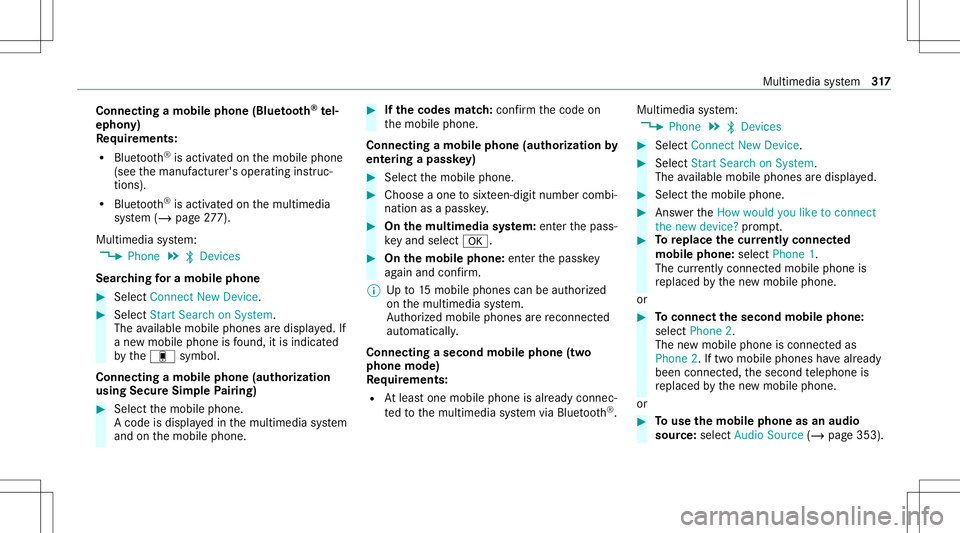
Connect
ingamob ilephone (Bluetoo th®
te l‐
ephon y)
Re quirement s:
R Blue tooth®
is act ivat ed on themobile phone
(see themanuf acturer'soper ating instruc‐
tion s).
R Blue tooth®
is act ivat ed on themultimedia
sy stem (/ page27 7).
Mul timedi asy stem:
4 Phone 5
00A5 Devic es
Sear ching fora mob ile pho ne #
Select Connect NewDevice. #
Select Star tSea rch onSys tem .
The available mobilephon esaredispla yed. If
a ne wmobile phoneisfound ,it is ind icat ed
by the# symbol.
Connecting amobile phone(authorizat ion
using SecureSim plePairing) #
Selec tth emobile phone.
A code isdispla yedin themultimedia system
and onthemobile phone. #
Ifth ecodes match: con firm thecode on
th emobile phone.
Connecting amobile phone(authorizat ion by
ent ering apa ssk ey) #
Select themobile phone. #
Choose aone tosixt een-digit numbercombi‐
nation asapassk ey. #
On themu ltim edia system: enterthepass‐
ke yand select0076. #
On themobil eph one: enterthepassk ey
ag ain and confirm .
% Upto15 mobil ephones canbeauthor ized
on themultimedia system.
Au thor ized mobile phones arere connect ed
au tomatical ly.
Connect ingasecond mobilephone (two
ph one mod e)
Re quirement s:
R Atleas tone mobile phoneis alr eady connec‐
te dto themultimedia system viaBlue tooth®
. Multimedia
system:
4 Phone 5
00A5 Devic es #
Select Connec tNew Devic e. #
Select Start Search onSystem.
The available mobilephon esaredispla yed. #
Select themobile phone. #
Answ ertheHow would youliketocon nect
the new device? prom pt. #
Toreplac ethe currentl yconnect ed
mobile phone:selectPhone 1.
The currentl yconne cted mob ile pho neis
re placed bythene wmobile phone.
or #
Toconnect thesecond mobileph one:
selec tPhon e2.
The newmobile phoneis con nectedas
Phone 2.Iftw omobile phones have already
been connected, thesecon dte lephon eis
re placed bythene wmobile phone.
or #
Touse themobil eph one asan aud io
sour ce:selec tAudio Source(/ page35 3). Multi
media system 317
Page 320 of 550
%
Amob ile pho necan beoperated both as an
audio sourceaswellas telephon ein par allel.
% Itis possible atanyfutur epoint tochang e
th etype ofcon nect ionforth emobile phone
alr eady connect edand tosetth is as Phon e
1, Phon e2 or Audio Source(/ page31 8).
Fu nctions ofthemobil eph one intw oph one
mod e
Fu nctions overview Mobile
phoneinthe
fo re gr ound Mobile
phone inthe
bac kground
Fu llra ng eof func ‐
tio ns Incom
ingcalls In
te rchangi ngmobil ephone s(tw ophone
mode)
Re quirement s:
R The mobile phonesareaut hor ized
(/ page31 7). Mul
timedi asy stem:
4 Phone 5
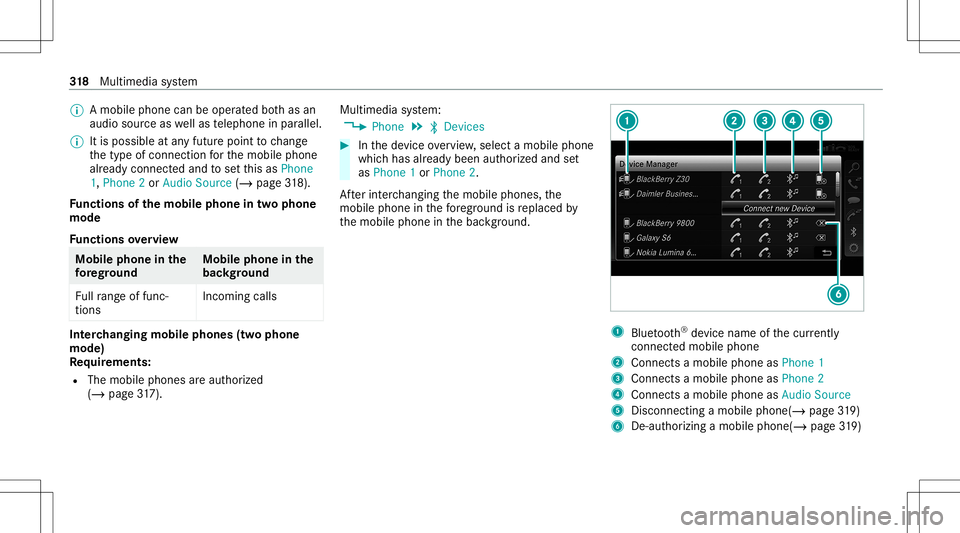
00A5 Devic es #
Inthede vice overview, select amobile phone
whic hhas already been author ized andset
as Phone 1or Phone 2.
Af terint erch ang ingthemobile phones, the
mobil ephone inthefo re grou nd isreplaced by
th emobile phoneinthebac kground. 1
Blue tooth®
de vice name ofthecur rently
conne cted mob ile pho ne
2 Connects amob ile pho neasPho ne1
3 Connects amob ile pho neasPho ne2
4 Connects amob ile pho neasAud ioSou rce
5 Disc onnec tingamob ile pho ne(/ page 319)
6 De-a uthor izing amob ile ph one(/ page 319) 31
8
Multimedia system
Page 325 of 550
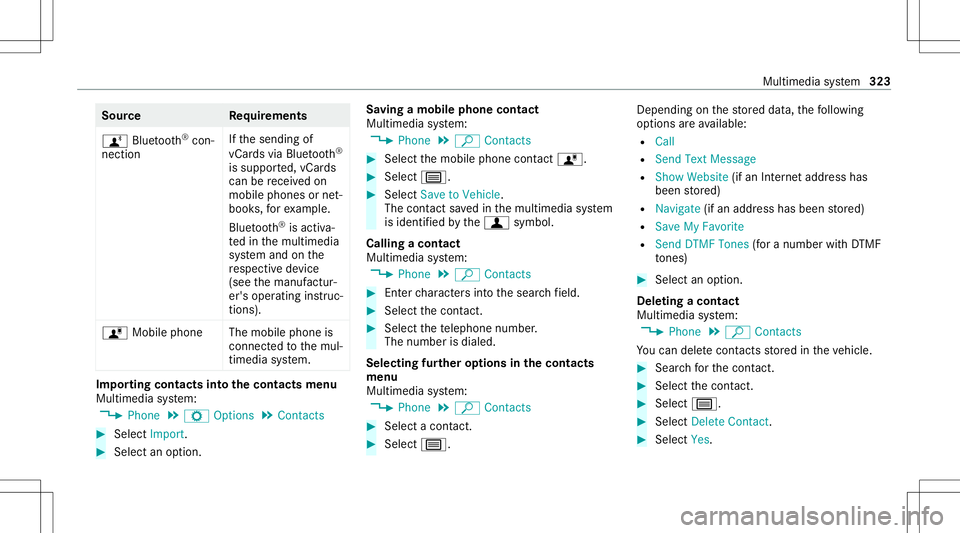
Sour
ce Requirement s
ñ Bluetooth®
con‐
nectio n If
th esendin gof
vCar dsvia Blue tooth®
is suppor ted, vCar ds
can berecei vedon
mobile phones ornet‐
book s,forex am ple.
Blue tooth®
is act iva‐
te din themultimedia
sy stem and onthe
re spectiv ede vice
(see themanuf actur‐
er's oper ating instruc‐
tion s).
ó Mobile phone Themobile phoneis
con nect edtothemul‐
timedia system. Im
por ting contacts intoth econtact smenu
Multi media system:
4 Phone 5
Z Option s5
Contac ts #
Select Import. #
Select anoption . Sa
ving amobile phonecontact
Multimedia system:
4 Phone 5
ª Contac ts #
Select themobile phonecontact ó. #
Sele ctp. #
Sele ctSave toVeh icle.
The cont actsave din themultimedia system
is identif iedbythef symbol.
Calling acontact
Multimedia system:
4 Phone 5
ª Contac ts #
Enterch aract ersint oth esear chfield. #
Select thecon tact. #
Sele ctthete lephon enumb er.
The numb erisdialed.
Selecting further options inthecontact s
menu
Multi media system:
4 Phone 5
ª Contac ts #
Select acon tact. #
Sele ctp. Depe
nding onthestor ed dat a,thefo llo wing
op tion sar eav ailable:
R Call
R Sen dTex tMess age
R Show Webs ite(ifan Inte rn et addr esshas
been stor ed)
R Navigate (ifan addr esshas been stor ed)
R Save MyFavorite
R Send DTMF Tones (for anumber withDT MF
to nes) #
Select anoptio n.
De letin gaco ntact
Mu ltimed iasystem:
4 Phone 5
ª Contac ts
Yo ucan deletecont acts stor ed intheve hicle. #
Sear chforth econ tact. #
Sele ctthecon tact. #
Sele ctp. #
Sele ctDele teCo ntact . #
Sele ctYes . Mu
ltimed iasystem 323
Page 326 of 550

Call
list Call
listove rview
Depen dingonwhe ther your mob ilephon esup‐
por tsthePB AP Blue tooth®
pr ofile ornot,th is
can have differe nt effects onthepr esent ation
and func tionsof thecall list.
If th ePB AP Blue tooth®
pr ofile issuppor ted, the
ef fects are asfollo ws :
R The calllists from themobile phonearedis‐
pla yedin themultimedia system.
R When connect ingthemobile phone, youma y
ha ve toconf irm thecon nect ionforth ePB AP
Blue tooth®
pr ofile.
If th ePB AP Blue tooth®
pr ofile isno tsuppor ted,
th eef fects areas follo ws :
R The multimedia system gener ates its owncal l
li st s.
R The calllistis no tsync hronized withth ecall
lis ts inthemobile phone. Making
acall from thecall list
Multi media system:
4 Phone 5
ø Recent Calls #
Select anumber .
The callismade. Te
xt messag es Ov
ervie wof text messag efunctions
If th econ nect edmobile phonesuppor tsthe
MAP Bluetooth®
pr ofile, thete xt mes sage func‐
tions canbeuse don themultimedia system.
Yo ucan obtain further information aboutset‐
ting sand suppor tedfunc tionsof Blue tooth®
-
cap ablemob ile pho nes from anauthor ized
Mer cedes-B enzCent eror at:htt p://
www .mercedes-ben z.com/con nect
Some mobile phones requ ire fur ther settings
af te rbeing connect edtothemultimedia system
(see manuf acturer'soper ating instruction s).
Ne wmessag esareidentif iedbythei sym‐
bol inthemedia displayand anaudible signal. Depen
dingonthemobile phone, themultimedia
sy stem onlydispla ysnewinco ming text mes ‐
sa ge sor the10 0ne we sttext mes sage s.
Conf iguringthete xt messag esdispla yed
Multimedia system:
4 Phone 5
Z Option s5
Text Message
5 Message Display #
Select p.
A menu withth efo llo wing option sis sho wn:
R AllMessage s
R New andUnread Message s
R New Message s
R Off (The text mes sage sar eno tdispla yed
aut omat ically.) #
Select anoption.
% The setting mayno tbe acti veunt ilth e
mobil ephone isreconnect ed. 32
4
Mu ltimed iasystem
Page 330 of 550

Multimedia
system:
4 Connec t5
Mercedes- BenzLink #
Select MBLink.
The mobile phonefunctionsand apps are
av ailable andshownonthemedia display.
Yo ucan find mor einf orma tionin theMer cedes-
Benz Linkcontrol bo xoper ating instruction s.
Ending Mercedes-Benz Link
Multimedia system:
4 Connec t5
Mercedes- BenzLink #
Select Disconnect.
The connect ionisended.
The mobile phonecontinues tobe supplied
wit helect ricity .
or #
Disco nnect thecon nect ingcable between
th eMer cedes- BenzLinkcontrol bo xand the
multime diasystem.
% Mer cedes- Benzrecomme ndsdisconnecti ng
th econ nect ingcable onlywhen theve hicle
is statio nary. App
leCar Play® Ov
ervie wof App leCar Play® &
WARNIN GRisk ofdist ra ction from infor‐
mati onsystems andcomm unication s
eq uipment
If yo uoper ateinf ormat ionand comm unic a‐
tio neq uipme ntintegratedin theve hicle
when driving, youwill bedistract edfrom the
tr af fic situ ation. Thiscou ldalso cau seyouto
lose control of theve hicle. #
Onlyoper ateth is eq uipmen twhen the
tr af fic situ ation per mits. #
Ifyo ucan notbe sur eof this, stop the
ve hicle whilstpa ying attention toroad
and traffic condi tions andoperate the
eq uipment withth eve hicle statio nary. Yo
umus tobse rveth eleg alrequ iremen tsforth e
cou ntryin whi chyouar ecur rentl ydr ivi ng when
op erati ng themultimedia system.
iPhone ®
func tionscan beused viathemultime‐
dia system using Apple CarPla y®
.The yar eoper‐
at ed using thecent ralcon trol elemen tor the Sir
i®
vo ice- oper ated con trol system. Youcan
act ivat eth evo ice- oper ated con trol system by
pr essing andholding the00E3 buttononthe
multifu nctionsteer ing wheel.
When usingApple CarPla y®
via thevo ice- oper‐
at ed con trol system, themultimedia system can
st ill be oper ated via theVo ice Cont rolSy stem
(/ page252).
Onl yone mobile phoneatatime canbecon nec‐
te dvia Apple CarPla y®
to themultimedia sys‐
te m.
The availabilit yof App leCarPla y®
ma yva ry
acc ordin gto thecount ry.
The service prov ider isresponsible forth is appli‐
cat ion and theser vices andcontent conne cted
to it.
Apple CarPla y®
is are gis tere dtra demar kof
Apple Inc.
Inf ormat iononApple CarPla y®
While usingApple CarPla y®
va rious funct ionsof
th emultimedia system, e.g.telephon yor the
media sourcesBlue tooth®
audio andiPod ®
,ar e
una vailable. 328
Multim ediasystem
Page 332 of 550
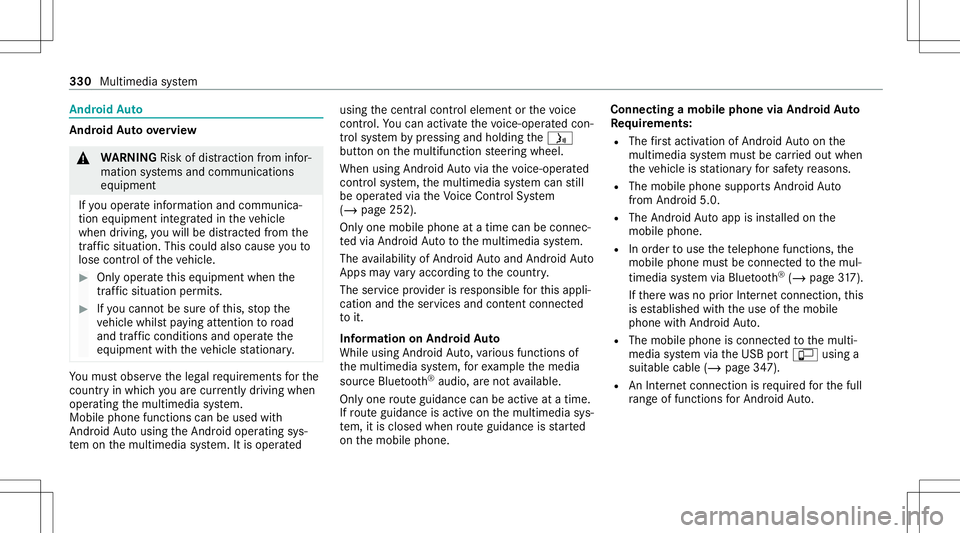
Andr
oidAuto Andr
oidAutoove rview &
WARNIN GRisk ofdist ra ction from infor‐
mati onsystems andcomm unication s
eq uipment
If yo uoper ateinf ormat ionand comm unic a‐
tio neq uipme ntintegratedin theve hicle
when driving, youwill bedistract ed from the
tr af fic situ ation. Thiscou ldalso cau seyouto
lose control of theve hicle. #
Onlyoper ateth is eq uipmen twhen the
tr af fic situ ation per mits. #
Ifyo ucan notbe sur eof this, stop the
ve hicle whilstpa ying attention toroad
and traffic condi tions andoperate the
eq uipment withth eve hicle statio nary. Yo
umus tobse rveth eleg alrequ iremen tsforth e
cou ntryin whi chyouar ecur rentl ydr ivi ng when
op erati ng themultimedia system.
Mobile phonefunctionscan beused with
An droid Autousin gth eAn droid oper ating sys‐
te m on themultimedia system. Itis oper ated using
thecent ralcon trol elemen tor thevo ice
con trol. Youcan activat eth evo ice- opera tedcon ‐
tr ol system bypressing andholding the00E3
butt onon themultifunc tionsteer ing wheel.
When usingAndroid Autovia thevo ice- opera ted
contr olsystem, themultimedia system can still
be opera tedvia theVo ice Cont rolSy stem
(/ page252).
Onl yone mobile phoneatatime canbecon nec‐
te dvia Android Auto tothemultimedia system.
The availabilit yof An droid Autoand Android Auto
App sma yva ry acc ordin gto thecount ry.
The service prov ider isresponsible forth is appli‐
cat ion and theser vices andcontent conne cted
to it.
Inf orma tion onAndr oidAuto
While usingAndroid Auto,va rious funct ionsof
th emultimedia system, forex am ple themedia
sour ceBlue tooth®
audio, areno tav ailable.
On lyone routeguidan cecan beact ive at atim e.
If ro uteguidan ceisact ive on themultimedia sys‐
te m, itis closed whenrouteguidan ceisstar ted
on themobile phone. Connecting
amobile phoneviaAndr oidAuto
Re quirement s:
R The firs tacti vatio nof Andr oid Au toon the
multime diasystem mus tbe car ried out when
th eve hicle isstatio naryfo rsaf etyre ason s.
R The mobi lephon esuppo rts Andr oidAuto
fr om Andr oid5.0.
R The Andr oidAutoapp isins talled onthe
mobil ephone.
R Inorder touse thete lephon efunc tions,the
mobil ephone mustbe connect edtothemul‐
timedia system viaBlue tooth®
(/ pag e31 7).
If th er ewa sno prior Interne tconn ection, this
is es tablished withth euse ofthemobile
phone withAn droid Auto.
R The mobile phoneisconn ectedtothemulti‐
media system viatheUSB portç using a
suit able cable (/page34 7).
R AnInterne tcon nect ionisrequ ired forth efull
ra ng eof func tions forAndr oidAuto. 330
Multimedia system
Page 346 of 550
tr
af fic condi tions.Thi scou ldalso cau seyou
to lose control of theve hicle. #
Onlyhandle adat ast or ag emedium
when theve hicle isstatio nary. Pe
rm issible file systems:
R FAT32
R exFA T
R NTFS
Pe rm issible datast or ag emedium:
R SD card
R USB stor ag ede vice
R iPod ®
/iPhone ®
R MTP devices
R Blue tooth®
audio equipme nt
% Obse rveth efo llo wing notes:
R The multimedia system suppor tsatot al
of up to50,000 files.
R Dat ast or ag emedia upto2TB aresup ‐
por ted(32‑ bitaddr essspace). Suppor
tedfo rm ats :
R MP3
R WMA
R AAC
R WAV
R FLAC
R ALAC
% Obser vethefo llo wing notes:
R Due tothelar ge variet yof available
music files rega rding encoder s,sam pling
ra tesand datara tes, pla ybac kcanno t
alw aysbe guar anteed.
R Due tothewide rang eof USB device s
av ailable onthemar ket,play bac kcann ot
be guar anteed forall USB devices.
R Cop y-pr otect edmusic files orDRM
enc rypte dfiles can notbe playedbac k.
R MP3 players mus tsupp ortMedi aTr ans ‐
fe rPr oto col (MT P). Ma
nuf actu redunder licensefrom Dolb yLabor a‐
to ries. Dolb y,Dol byAudio and thedouble-D sym‐
bol aretrademar ksofDolb yLabor ator ies. 34
4
Multimedia system
Page 355 of 550
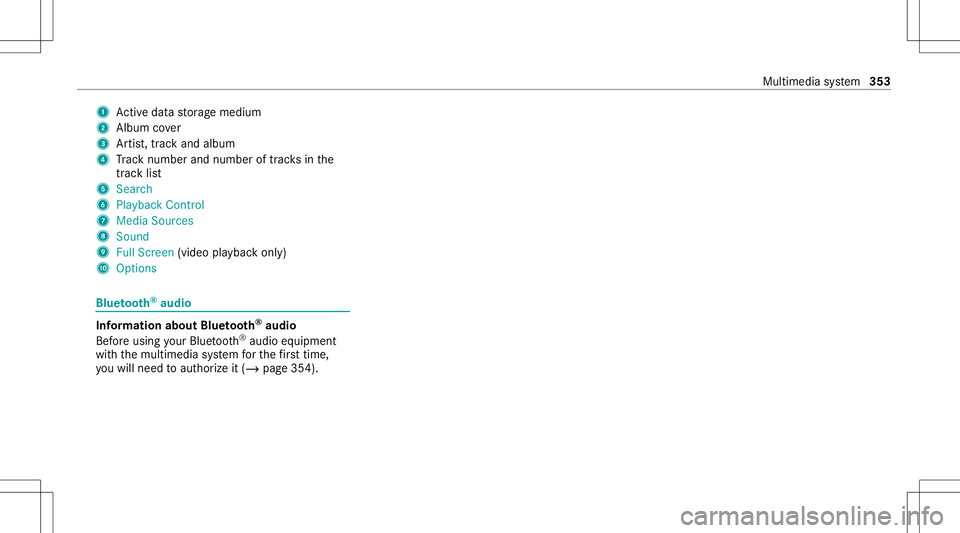
1
Activeda ta stor ag emedium
2 Album cover
3 Artis t,trac kand albu m
4 Trac knum berand num beroftrac ks inthe
tr ac klist
5 Search
6 Play ba ck Control
7 Med iaSou rces
8 Sound
9 FullScree n(vi deo play bac konl y)
A Option s Blue
tooth®
audio Inf
ormation aboutBluetooth®
audio
Bef oreusi ng your Blue tooth®
audio equipme nt
wit hth emultimedia system forth efirs ttim e,
yo uwill need toaut hor ize it(/ page35 4). Mult
imed iasystem 353