2020 MERCEDES-BENZ AMG GT COUPE change time
[x] Cancel search: change timePage 224 of 433
#
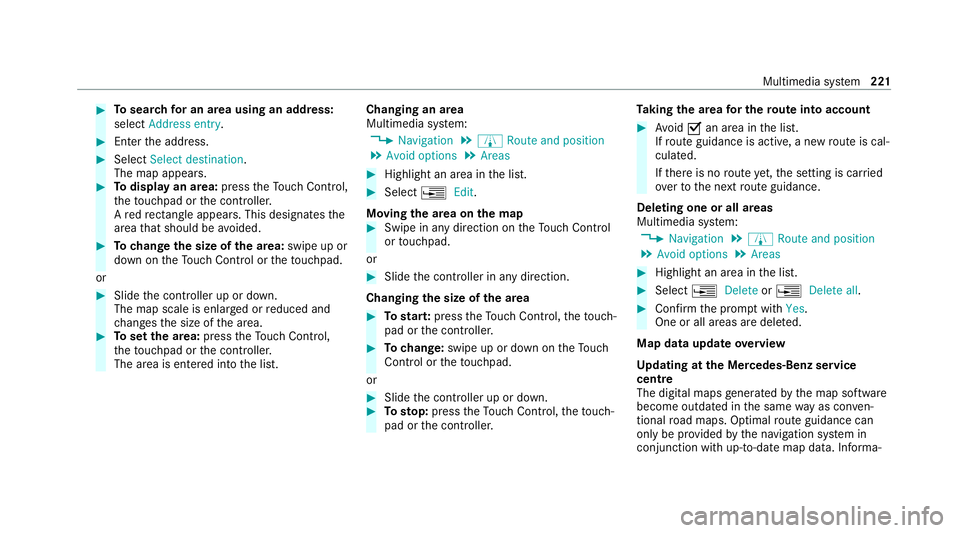
Tosear chfor an area using an address:
select Address entry . #
Enter the address. #
Select Select destination.
The map appears. #
Todispl ayan area: presstheTo uch Control,
th eto uchpad or the controller.
A redre ctangle appears . This designates the
area that should be avoided. #
Tochange the size of the area: swipe up or
down on theTo uch Control or theto uchpad.
or #
Slide the controller up or down.
The map scale is enlar ged or reduced and
ch anges the size of the area. #
Toset the area: presstheTo uch Control,
th eto uchpad or the controller.
The area is entered into the list. Changing an area
Multimedia sy
stem:
4 Navigation 5
À Route and position
5 Avoid options 5
Areas #
Highlight an area in the list. #
Select ¥Edit.
Moving the area on the map #
Swipe in any direction on theTo uch Control
or touchpad.
or #
Slide the controller in any direction.
Changing the size of the area #
Tostar t:press theTo uch Control, theto uch‐
pad or the controller. #
Tochange: swipe up or down on theTo uch
Control or theto uchpad.
or #
Slide the controller up or down. #
Tosto p:press theTo uch Control, theto uch‐
pad or the controller. Ta
king the area for the route into account #
Avoid Oan area in the list.
If ro ute guidance is active, a new route is cal‐
culated.
If th ere is no route yet,th e setting is car ried
ove rto the next route guidance.
Deleting one or all areas
Multimedia sy stem:
4 Navigation 5
À Route and position
5 Avoid options 5
Areas #
Highlight an area in the list. #
Select ¥Delete or¥ Delete all. #
Confirm the prom ptwith Yes.
One or all areas are dele ted.
Map data update overview
Up dating at the Mercedes-Benz se rvice
centre
The digital maps generated bythe map software
become outdated in the same way as conv en‐
tional road maps. Optimal route guidance can
on ly be pr ovided bythe navigation sy stem in
conjunction with up-to-date map data. Informa‐ Multimedia sy
stem 221
Page 226 of 433
R
height (rounded)
R number of GPS satellites from which a
signal can be recei ved
Displaying Qibla
Requ irements:
R The Qibla display is available in your count ry.
Multimedia sy stem:
4 Navigation 5
À Route and position #
Select Qibla.
The ar rowonthe compass sho wsthe direc‐
tion of pr ayer toMecca in relation tothe cur‐
re nt di rection of tr avel.
The number of satellites recei ved is shown.
Setting the map scale automatically
Multimedia sy stem:
4 Navigation 5
Z Options
The map scale is set automatically depending on
yo ur driving speed.
Fo r journe ysin cities with de tailed city models, a
map view from the driver's perspective is used. #
Switch Auto zoom onO or off ª. %
The automatically selected map scale can be
changed manually for a short time. The set‐
ting is reset automatically af ter a few sec‐
onds.
Displaying the satellite map
Multimedia sy stem:
4 Navigation 5
Z Options
5 Map content #
Switch Satellite map onO or off ª.
or #
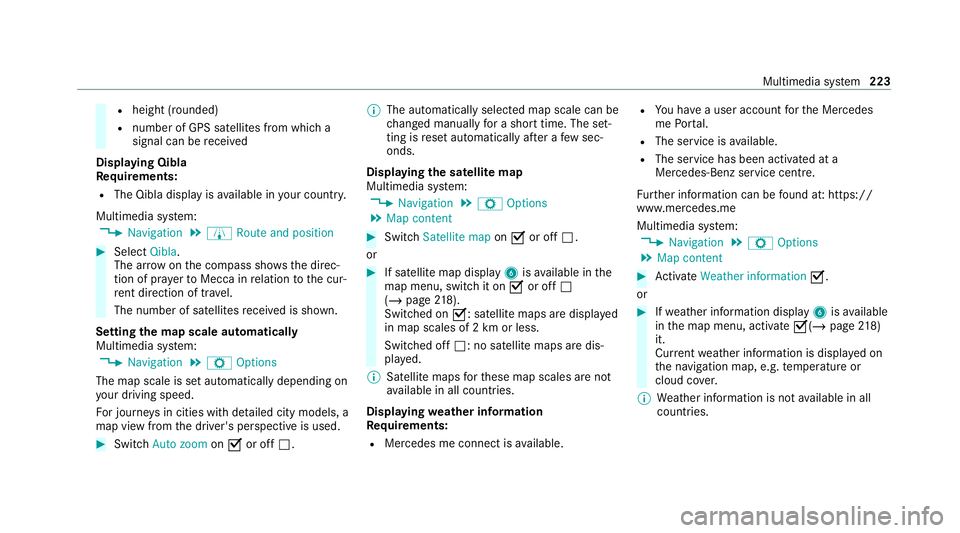
If satellite map display 6isavailable in the
map menu, switch it on Oor off ª
(/ page 218).
Switched on O: satellite maps are displa yed
in map scales of 2 km or less.
Swit ched off ª: no satellite maps are dis‐
pla yed.
% Satellite maps forth ese map scales are not
av ailable in all countries.
Displ aying weather information
Re quirements:
R Mercedes me connect is available. R
You ha vea user account forth e Mercedes
me Portal.
R The service is available.
R The service has been activated at a
Mercedes-Benz service centre.
Fu rther information can be found at: https://
www.mercedes.me
Multimedia sy stem:
4 Navigation 5
Z Options
5 Map content #
Activate Weather information O.
or #
Ifwe ather information display 6isavailable
in the map menu, activate O(/page218)
it.
Cur rent we ather information is displa yed on
th e navigation map, e.g. temp erature or
cloud co ver.
% Weather information is not available in all
countries. Multimedia sy
stem 223
Page 228 of 433
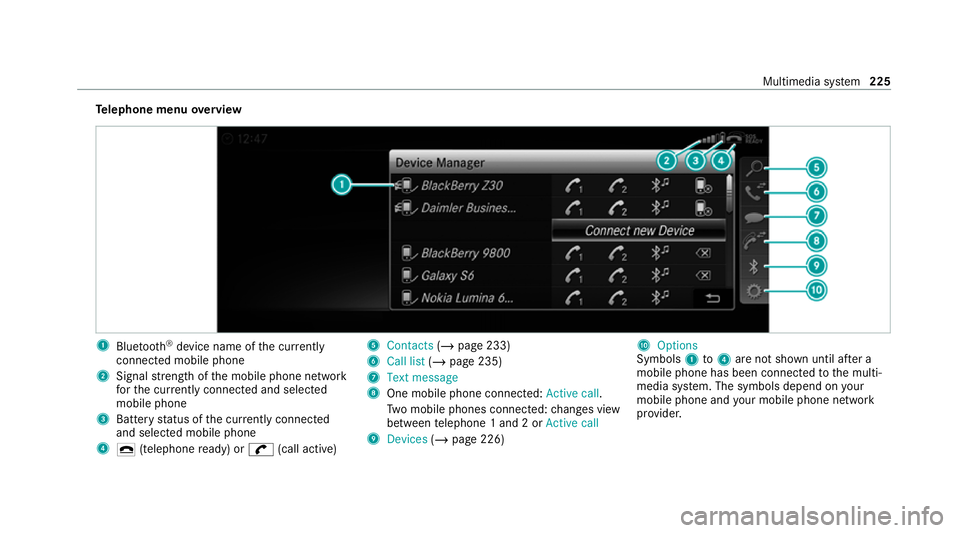
Te
lephone menu overview 1
Blue tooth ®
device name of the cur rently
connected mobile phone
2 Signal stre ngth of the mobile phone network
fo rth e cur rently connected and selected
mobile phone
3 Battery status of the cur rently connected
and selected mobile phone
4 ¢ (telephone ready) or w(call active) 5
Contacts (/page 233)
6 Call list (/page 235)
7 Text message
8 One mobile phone connec ted: Active call.
Tw o mobile phones connected: changes view
between telephone 1 and 2 or Active call
9 Devices (/page 226) A
Options
Symbols 1to4 are not shown until af ter a
mobile phone has been connected tothe multi‐
media sy stem. The symbols depend on your
mobile phone and your mobile phone network
pr ov ider. Multimedia sy
stem 225
Page 257 of 433
%
Ifth e pr ovider is recognised cor rectly, the
cor rect settings are alre ady entered. Ifthe
access data is not cor rect, you can adjust
th is using the predefined settings. #
Toselect the predefined access data of
th e mobile phone network pr ovider: select
th eö Connectivity submenu. #
Select Predefined settings.
A list of count ries appears. #
Select the count ryofyour mobile phone net‐
wo rkprov ider.
The list of available pr oviders appears. #
Select your mobile phone network pr ovider.
When an overview of the pr ovider settings
appears, make the necessary settings. #
Select Confirm settings.
A confi rmation for successful configura tion
appears.
% Toavo id possible additional costs, set the
access data in the manual confi guration set‐
tings, e.g. theAllow roaming option, accord‐
ing to yo ur data tariff. You can contact your mobile phone network pr
ovider toobtain the
precise access data. #
Confirm the connection with theve hicle hot‐
spot using the security key (/ page187).
% Onlyfor connections using the Blue tooth®
SA P profile: if you use a mobile phone to
pr ov ide the mobile hotspot forth eve hicle,
th is telephone will no longer ha veany teleph‐
ony and Internet functions and it cannot
re cei veany more mobile phone data. Tocon‐
tinue touse In tern et functions on the mobile
phone, you can connect it with theve hicle
hotspot. In this wa y,the mobile phone
accesses its own mobile phone da ta again,
albeit using Wi-Fi. Forth is reason, toavo id
additional costs, switch off the automatic
download of software updates via Wi-Fi on
yo ur mobile phone.
% Setting up the mobile hotspot at a later time
is also possible using theSystem menu
(/ page 184). If requ ired, you can call up
and adjust the access data at a later time in
th e same menu. Switching
the Blu etoo th®
pr ofile
Requ irements:
R The mobile phone supports the DUN and
PA N Blue tooth®
profiles.
Multimedia sy stem:
4 System 5
ö Connectivity
5 Internet settings #
Toswitch from DUN toPAN: select the
mobile phone. #
Select ¥. #
Select Change configuration. #
Activate OAutomatic configuration.
The Internet connection is au tomatical lycon‐
fi gured using thePA N Blue tooth®
profile. #
Toswitch from PANto DUN: select the
mobile phone. #
Select ¥. #
Select Change configuration. #
Deactivate ªAutomatic configuration. #
Select Configure settings using COMAND .254
Multimedia sy stem
Page 258 of 433
#
Con figuring the Internet connection using
preset or manual access data (/ page 252).
% While using business telephon y,it is not pos‐
sible toswitch Blue tooth ®
profiles.
Editing access data
Requ irements:
R The mobile phone supports the Blue tooth®
DUN profile.
Multimedia sy stem:
4 System 5
ö Connectivity
5 Internet settings #
Highlight the mobile phone. #
Select ¥. #
Select Change configuration .#
For mobile phones with PAN and DUN:
select Configure settings using COMAND. #
Configure the Internet connection using pre‐
set or manual access data (/ page 252).Cancelling Internet access permission
for a
mobile phone
Multimedia sy stem:
4 System 5
ö Connectivity
5 Internet settings #
Highlight the mobile phone. #
Select ¥. #
Select Delete configuration. #
Select Yes.
Displaying mobile phone details
Multimedia sy stem:
4 System 5
ö Connectivity
5 Internet settings #
Highlight the mobile phone. #
Select ¥. #
Select Details. Connection
status Connection
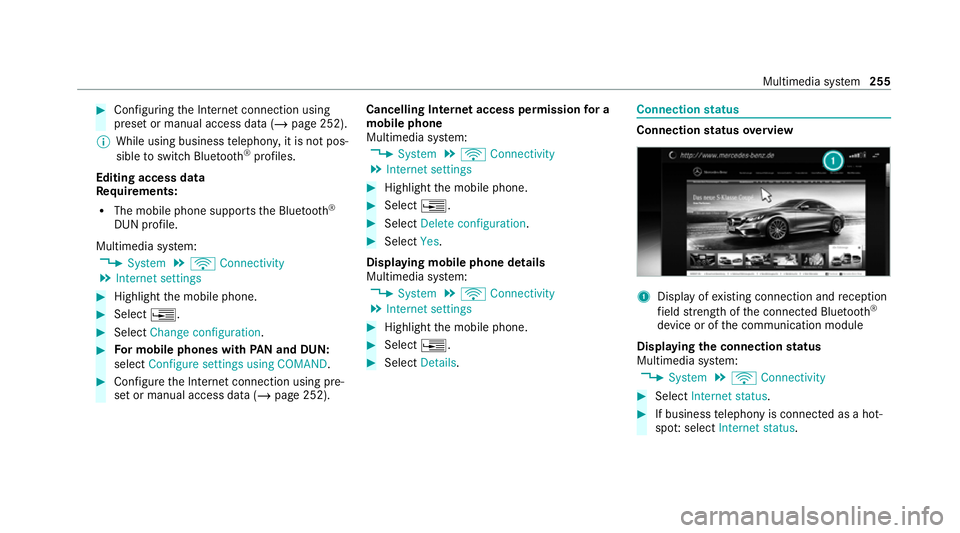
status overview 1
Display of existing connection and reception
fi eld stre ngth of the connected Blue tooth®
device or of the communication module
Displaying the connection status
Multimedia sy stem:
4 System 5
ö Connectivity #
Select Internet status . #
If business telephony is connecte d as a hot‐
spo t:select Internet status. Multimedia sy
stem 255
Page 277 of 433
In some countries,
thest andards may not be
av ailable, or may not be available in all areas.
The TVtuner can recei veprogrammes in Dolby
Digital Plus. Manufactured under licence from Dolby Labora‐
to
ries. Dolb y,Dol byAudio and the double-D sym‐
bol are trademar ksof Dolby Laboratories.
The TVtuner au tomatically sets theTV standard. TV
reception is dependent on thefo llowing fac‐
to rs:
R Speed
R Characteristics of the selected TVchannel
TV reception may be influenced bythefo llowing
fa ctors:
R Electronic devices whi chare take n into the
ve hicle may impair TVreception.
R The conditions forre ception may change
whilst theve hicle is in motion.
Po or reception conditions can ha vethefo llowing
ef fect:
R The TVtuner switches toan alternative digi‐
ta lch annel with better reception wi th the
same programme content.
R The TVtuner mu testh e sound, freezes the
screen or hides it. The tsymbol appears
in the displa y. Switching
toTV mode Multimedia sy
stem:
4 Media 5
à Media sources #
Select TV.
The TVpicture appears. If available, the
ch annel and prog ramme information is dis‐
pla yed.
If th eve hicle is tr avelling faster than 5 km/h
th ete levision picture is hidden from the
driver. If available, thech annel and pro‐
gr amme information is continuously dis‐
pla yed. 274
Multimedia sy stem
Page 280 of 433
Displaying cur
rent prog ramme in form ation
fo r the selected channel (EPG)
Multimedia sy stem:
4 Media 5
à Media sources 5
TV
5 Z Options #
Select Electronic Program Guide.
EPG displa ys thefo llowing information (if
av ailable):
R Broadcast times
R Names of the cur rent and upcoming pro‐
grammes #
Select programme information and confirm.
The de tails are displa yed. #
Toscroll: swipe up or down on theto uch‐
pad. #
Toexitth e detailed displa y:press the%
button.
Fu nction of thech annel fix setting
Channel fix is switched on
The channel is not changed. This is useful if, for
ex ample, you drive theve hicle thro ugh reception re
gions that ove rlap. It pr events frequent switch‐
ing ba ckand forth between channels.
The FIXindicator is displa yed af terth e name of
th eTV channel.
Channel fix is switched off
Depending on reception qualit y,theTV tuner
au tomatical lyswitches toan alternative channel
with the same programme conte nt but better
re ception. Using this function, the best possible
te levision picture can be found, rega rdless of the
re ception qualit y.
Ac tivating/deactivating channel fix
Multimedia sy stem:
4 Media 5
à Media sources 5
TV
5 Z Options #
Switch Channel fix onO or off ª. Channel list
overview The
TVtuner sho wsthe cur rent programme on
th e digital TVchannels or radio stations with
adequate reception in its ownch annel list. The order of
thech annel lists is alphabetical or
countr y-specific.
The TVtuner requ ires a short amount of time to
update the information.
The channel lists show thefo llowing information:
R recei vable channel names
R programme title
The information is shown under thefo llowing
conditions:
R it is broadcast bythe digital channel
R there ception conditions are adequate Favo
urites Overview of
TVprog rammes (f avourites)
Yo u can create up to100 digital TVchannels in
th e presets.
Fo rqu ick- access you can sa veTV channels as
fa vo urites. Multimedia sy
stem 277
Page 283 of 433
Selecting picture settings
Multimedia sy
stem:
4 Media 5
à Media sources 5
TV
5 Z Options #
Select Picture format. #
Select a picture form at.
Ad justing the brightness manually
If th eAutomatic pictureform at is swit ched off,
yo u can adjust the brightness yourself. #
Select Brightness. #
Adjust the brightness. Sound
To
ne settings Information about
the sound sy stem
The sound sy stem has a total output of 100 W
and is equipped with four speakers. It is availa‐
ble for all functions in thera dio and media
modes. Calling up
the sound menu
Multimedia sy stem:
4 Media 5
à Sound
The following functions are available:
R Equaliser
R Balance
R Automatic volume adjustment
R Other sound settings #
Select a sound menu.
Ad justing treble, mid- range and bass set‐
tings
Multimedia sy stem:
4 Media 5
à Sound 5
Equaliser #
Select Treble, MidorBass. #
Change the settings. Ac
tivating/deactivating automatic volume
adjustment
Multimedia sy stem:
4 Media 5
à Sound
5 Automatic volume adjustment
Au tomatic volume adjustment compensates for
dif fering volumes when changing between audio
sources. #
Activate Oor deacti vate ª the function.
Ad justing the balance
Multimedia sy stem:
4 Media 5
à Sound 5
Balance #
Adjust the balance. #
Toexitth e menu: pressthe% button. Burmes
ter®
sur round sound sy stem Information about
the Bu rmester ®
sur round
sound sy stem
The Burmes ter®
sur round sound sy stem has a
to ta l output of 640 W and is equipped with ten
speakers. It is available for all functions in the
ra dio and media modes. 280
Multimedia sy stem