2020 MAZDA MODEL CX-30 heating
[x] Cancel search: heatingPage 372 of 562

The fan has seven speeds.
Mode selector switches
The desired airflow mode can be
selected (page 5-4).
A/C switch
Press the A/C switch to turn the air
conditioner on. The indicator light on
the switch will illuminate when the fan
control dial is in any position except
OFF.
Press the switch once again to turn the
air conditioner off.
NOTE
The air conditioner may not function
when the outside temperature
approaches 0 °C (32 °F).
Air intake selector switch
This switch controls the source of air
entering the vehicle.
Outside or recirculated air positions
can be selected. Press the switch to
select outside/recirculated air
positions.
Recirculated air position (indicator
light illuminated)
Outside air is shut off. Use this position
when going through tunnels, driving in
congested traffic (high engine exhaust
areas) or when quick cooling is
desired.
Outside air position (indicator light
turned off)
Outside air is allowed to enter the
cabin. Use this mode for ventilation or
windshield defrosting.
WARNING
Do not use the position (indicator
light turns on) in cold or rainy
weather:
Using the
position (indicator light
turns on) in cold or rainy weather is
dangerous as it will cause the windows
to fog up. Your vision will be
hampered, which could lead to a
serious accident.
Windshield defroster switch
Press the switch to defrost the
windshield and front door windows.
Refer to Windshield Defrosting and
Defogging on page 5-7.
Rear window defogger switch
Press the rear window defogger switch
to defrost the rear window.
Refer to Rear Window Defogger on
page 4-53.
▼ Heating
1. Press the switch.
2. Set the air intake selector to the outside air position (indicator light
turns off).
3. Set the temperature control dial to the hot position.
4. Set the fan control dial to the desired speed.
5. If dehumidified heating is desired, turn on the air conditioner.
NOTE
If the windshield fo gs up easily, press
the
switch.If cooler air is desired at face level,
press the
switch and adjust the
temperature control dial to maintain
maximum comfort.
Interior Features
Climate Control System
5-6
CX-30_8HG6-EA-19I_Edition1_new 2019-6-13 18:45:11
Page 373 of 562

The air to the floor is warmer than air
to the face (except when the
temperature control dial is set at the
extreme hot or cold position).
▼Cooling
1. Press the switch.
2. Set the temperature control dial to the cold position.
3. Set the fan control dial to the desired speed.
4. Turn on the air conditioner by pressing the A/C switch.
5. After cooling begins, adjust the fan control dial and temperature
control dial as needed to maintain
maximum comfort.
CAUTION
If the air conditioner is used while
driving up long hills or in heavy traffic,
monitor the high engine coolant
temperature warning indication to see
if it is displayed (page 7-24).
The air conditioner may cause engine
overheating. If the warning indication
is displayed, turn the air conditioner
off (page 7-17).
NOTE
When maximum cooling is desired,
set the temperature control dial to
the extreme cold position and set
the air intake selector to the
recirculated air position, then turn
the fan control dial fully clockwise.
If warmer air is desired at floor level,
press the
switch and adjust the
temperature control dial to maintain
maximum comfort.
The air to the floor is warmer than air
to the face (except when the
temperature control dial is set at the
extreme hot or cold position).
▼ Ve n t i l a t i o n
1. Press the switch.
2. Set the air intake selector to the outside air position (indicator light
turns off).
3. Set the temperature control dial to the desired position.
4. Set the fan control dial to the desired speed.
▼Windshield Defrosting and
Defogging
1. Press the switch.
2. Set the temperature control dial to the desired position.
3. Set the fan control dial to the desired speed.
4. If dehumidified heating is desired, turn on the air conditioner.
WARNING
Do not defog the windshield using the
switch with the temperature
control set to the cold position:
Using the
switch with the
temperature control set to the cold
position is dangerous as it will cause
the outside of the windshield to fog
up. Your vision wi ll be hampered,
which could lead to a serious accident.
Set the temperature control to the hot
or warm position when using the
switch.
NOTE
Fogging on the windows clears up
more easily while the air conditioner
is on, but they will fog up more easily
if the air conditioner is turned off.
Be careful that the windows do not
fog up when doing any of the
following:
Switching to recirculate mode
Interior Features
Climate Control System
5-7
CX-30_8HG6-EA-19I_Edition1_new 2019-6-13 18:45:11
Page 459 of 562

7If Trouble Arises
Helpful information on what to do if a problem arises with the
vehicle.
Parking in an Emergency............ 7-2 Parking in an Emergency......... 7-2
Flat Tire................................... 7-3 Spare Tire and Tool Storage ..........
............................................ 7-3
Changing a Flat Tire................7-5
Battery Runs Out..................... 7-13 Jump-Starting...................... 7-13
Emergency Starting................. 7-16 Starting a Flooded Engine..... 7-16
Push-Starting....................... 7-16
Overheating........................... 7-17 Overheating........................ 7-17
Emergency Towing.................. 7-19 Towing Description.............. 7-19
Tiedown Hooks
*.................. 7-20
Warning/Indicator Lights and
Warning Sounds..................... 7-22If a Warning Light Turns On or
Flashes................................ 7-22
Message Indicated on Multi-
information Display............. 7-33
Warning Sound is
Activated.............................7-36
When Liftgate Cannot be
Opened................................. 7-41 When Liftgate Cannot be
Opened.............................. 7-41
Active Driving Display Does Not
Operate................................. 7-42 If the Active Driving Display Does
Not Operate
*....................... 7-42
Windshield Wipers Operate at High
Speed.................................... 7-43 Windshield Wipers Operate at
High Speed......................... 7-43
*Some models.7-1
CX-30_8HG6-EA-19I_Edition1_new 2019-6-13 18:45:11
Page 475 of 562

Overheating
▼Overheating
If the engine coolant temperature
gauge indicates overheating and the
high engine coolant temperature
warning indication is displayed, the
vehicle loses power or you hear a loud
knocking or pinging noise, the engine
is probably too hot.
WARNING
Pull over to a safe location, then
switch the ignition off and make sure
the fan is not running before
attempting to work near the cooling
fan:
Working near the cooling fan when it is
running is dangerous. The fan could
continue running indefinitely even if
the engine has stopped and the engine
compartment temperature is high. You
could be hit by the fan and seriously
injured.
Do not remove either
cooling system cap when the engine
and radiator are hot:
When the engine and radiator are hot,
scalding coolant and steam may shoot
out under pressure and cause serious
injury.
Open the hood ONLY after steam is
no longer escaping from the engine:
Steam from an overheated engine is
dangerous. The escaping steam could
seriously burn you.
If the engine coolant temperature
gauge indicates overheating and the
high engine coolant temperature
warning indication is displayed:
1. Drive safely to the side of the road and park off the right-of-way.
2. Put a vehicle with an automatic transmission in park (P), a manual
transmission in neutral.
3. Apply the parking brake.
4. Turn off the air conditioner.
5. Check whether coolant or steam is escaping from the engine
compartment.
If steam is coming from the engine
compartment:
Do not go near the front of the
vehicle. Stop the engine.
Wait until the steam dissipates,
then open the hood and start the
engine.
If neither coolant nor steam is
escaping:
Open the hood and idle the engine
until it cools.
CAUTION
If the cooling fan does not operate
while the engine is running, the
engine temperature will increase.
Stop the engine and call an
Authorized Mazda Dealer.
6. Make sure the cooling fan is operating, then turn off the engine
after the temperature has
decreased.
7. When cool, check the coolant level.
If Trouble Arises
Overheating
7-17
CX-30_8HG6-EA-19I_Edition1_new 2019-6-13 18:45:11
Page 476 of 562

If it is low, look for coolant leaks
from the radiator and hoses.
If you find a leak or other damage, or
if coolant is still leaking:
Stop the engine and call an Authorized
Mazda Dealer.
1. Cooling system cap
2. Cooling fan
3. Coolant reservoir
If you find no problems, the engine is
cool, and no leaks are obvious:
Carefully add coolant as required
(page 6-17).
CAUTION
If the engine continues to overheat or
frequently overheats, have the cooling
system inspected. The engine could be
seriously damaged unless repairs are
made. Consult an Authorized Mazda
Dealer.
If Trouble Arises
Overheating
7-18
CX-30_8HG6-EA-19I_Edition1_new
2019-6-13 18:45:11
Page 482 of 562

4. Start the engine and check thewarning light.
If the light remains illuminated even
though the oil level is normal or after
adding oil, stop the engine
immediately and have your vehicle
towed to an Authorized Mazda Dealer.
▼ High Engine Coolant Temperature
Warning Indicat ion
Displays if the engine coolant
temperature has increased excessively.
“Elevated Engine Coolant Temp. Drive
Slowly” displayed
Drive slowly to reduce engine load
until you can find a safe place to stop
the vehicle and wait for the engine to
cool down.
“Excessive Engine Coolant Temp. Stop
the Vehicle in a Safe Location”
displayed
This indicates the possibility of
overheating. Park the vehicle in a safe
place immediately and stop the
engine.
Refer to Overheating on page 7-17.
CAUTION
Do not drive the vehicle with the high
engine coolant temperature warning
light illuminated. Otherwise, it could
result in damage to the engine.
▼ Power Steering Malfunction
Indication/Indicator Light
The message is displayed if the electric
power steering has a malfunction.
If the message is displayed, stop the
vehicle in a safe place and do not
operate the steering wheel. There is no
problem if the indication turns off
when the engine is restarted after
some time has passed. If the indication
displays even after the engine is
restarted, contact an Authorized
Mazda Dealer if the message is
displayed continuously.
NOTE
If the message is displayed, the
power steering will not operate
normally. In this case, the steering
wheel can still be operated,
however, the operation may feel
heavy compared to normal, or the
steering wheel could vibrate when
turning.
Repeatedly jerking the steering
wheel left and right while the vehicle
is stopped or moving extremely
slowly will cause the power steering
system to go into protective mode
which will make the steering feel
heavy, but this does not indicate a
problem. If this occurs, park the
vehicle safely and wait several
minutes for the system to return to
normal.
If Trouble Arises
Warning/Indicator Lights and Warning Sounds
7-24
CX-30_8HG6-EA-19I_Edition1_new
2019-6-13 18:45:11
Page 557 of 562

Index
Close proximity warning...... 4-117
Display indication............... 4-116
Setting the system...............4-118
Shift-up/shift-down request
display............................... 4-121
Mazda Radar Cruise Control (MRCC)
System Warnings....................... 7-39
Message Indicated on Multi-
information Display................... 7-33
Meters...................................... 4-11
Mirrors Outside mirrors.................... 3-33
Rearview mirror.................... 3-34
Mirror Defogger........................ 4-54
Moonroof................................. 3-40
Multi-information Display.......... 4-13
O
Off-Road Traction Assist............ 4-75 Off-Road Traction Assist
indicator light....................... 4-75
Off-Road Traction
Assist switch......................... 4-75
Outside Mirrors.........................3-33
Overhead Console.................... 5-41
Overhead Lights........................ 5-35
Overheating.............................. 7-17
Overloading.............................. 3-53
Owner Maintenance Closing the hood..................6-13
Engine compartment
overview.............................. 6-14
Key battery replacement........6-26
Opening the hood................ 6-12
Owner maintenance
precautions.......................... 6-11
P
Parking Brake............................ 4-60
Parking Sensor System............. 4-222
Park assist sensor system
operation........................... 4-225
Sensor detection range........4-224
Power Liftgate........................... 3-21
Power Liftgate Warning Beep...... 7-38
Power Steering.......................... 4-81
Power Windows........................ 3-37
R
Rearview Mirror........................ 3-34
Rear Coat Hooks....................... 5-40
Rear Cross Traffic Alert (RCTA) ...........
.............................................. 4-111
Rear Cross Traffic Alert (RCTA)
Warning Beep........................... 7-39
Rear Door Child Safety Locks..... 3-18
Rear Side Radar Sensor............ 4-197
Rear View Monitor.................. 4-208 Displayable range on the
screen................................ 4-210
Rear view monitor
operation........................... 4-212
Rear view parking camera
location............................. 4-209
Switching to the rear view monitor
display............................... 4-209
Variance between actual road
conditions and displayed
image................................ 4-219
Viewing the display.............4-211
Rear Window Defogger............. 4-53
Rear Window Washer................ 4-52
Rear Window Wiper.................. 4-52
Recommended Oil.................... 6-15
Recording of Vehicle Data..........8-19
Recreational Towing.................. 3-54
Registering Your Vehicle in A Foreign
Country.................................... 8-15
Replacement Fuse..................................... 6-32
10-7
CX-30_8HG6-EA-19I_Edition1_new 2019-6-13 18:45:11
Page 559 of 562
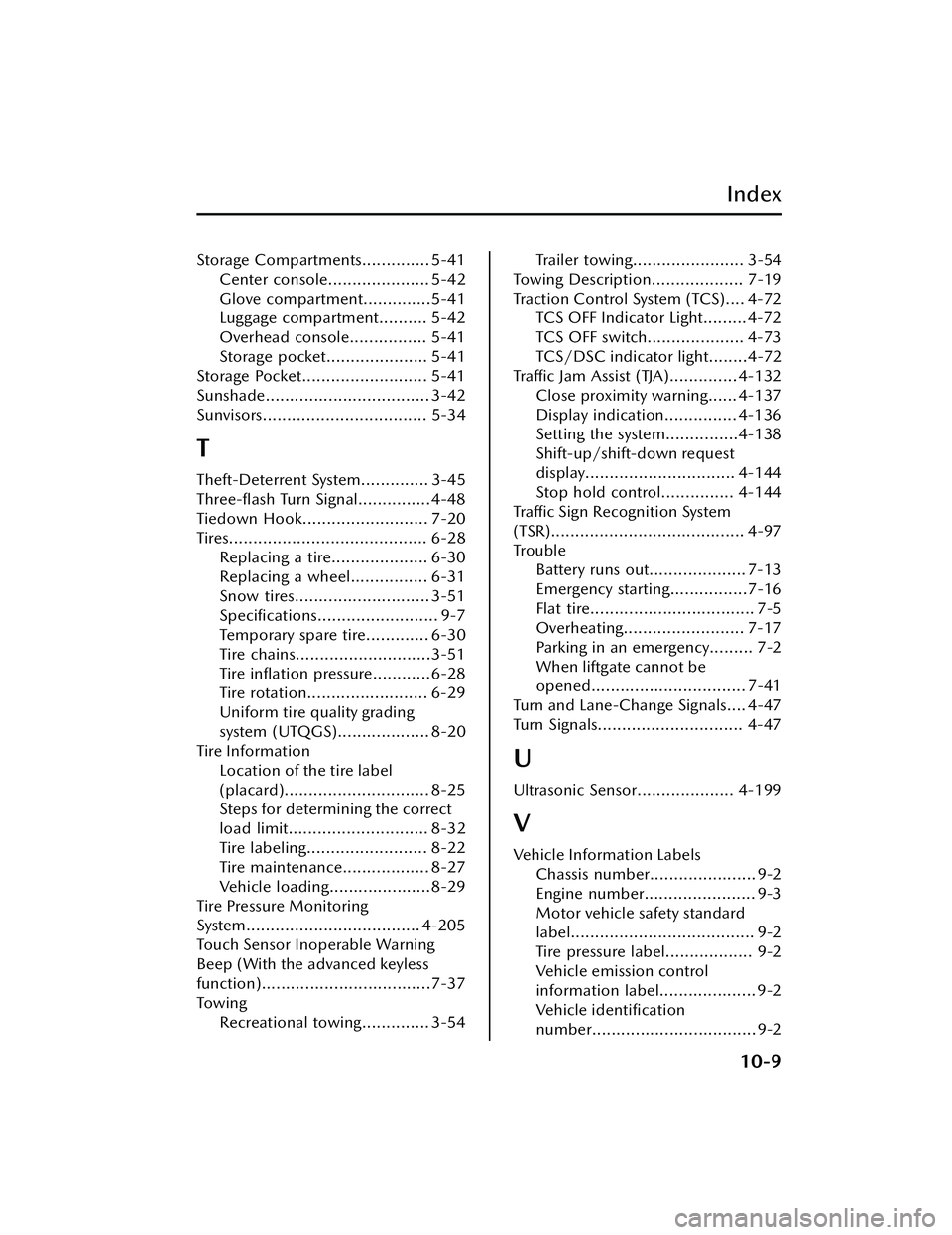
Index
Storage Compartments.............. 5-41Center console..................... 5-42
Glove compartment..............5-41
Luggage compartment.......... 5-42
Overhead console................ 5-41
Storage pocket..................... 5-41
Storage Pocket.......................... 5-41
Sunshade.................................. 3-42
Sunvisors.................................. 5-34
T
Theft-Deterrent System.............. 3-45
Three-flash Turn Signal...............4-48
Tiedown Hook.......................... 7-20
Tires......................................... 6-28 Replacing a tire.................... 6-30
Replacing a wheel................ 6-31
Snow tires............................ 3-51
Specifications......................... 9-7
Temporary spare tire............. 6-30
Tire chains............................3-51
Tire inflation pressure............6-28
Tire rotation......................... 6-29
Uniform tire quality grading
system (UTQGS)................... 8-20
Tire Information Location of the tire label
(placard).............................. 8-25
Steps for determining the correct
load limit............................. 8-32
Tire labeling......................... 8-22
Tire maintenance.................. 8-27
Vehicle loading.....................8-29
Tire Pressure Monitoring
System.................................... 4-205
Touch Sensor Inoperable Warning
Beep (With the advanced keyless
function)...................................7-37
To w i n g Recreational towing.............. 3-54
Trailer towing....................... 3-54
Towing Description................... 7-19
Traction Control System (TCS).... 4-72 TCS OFF Indicator Light......... 4-72
TCS OFF switch.................... 4-73
TCS/DSC indicator light........4-72
Tra ffi c Jam Assist (TJA).............. 4-132
Close proximity warning...... 4-137
Display indication............... 4-136
Setting the system...............4-138
Shift-up/shift-down request
display............................... 4-144
Stop hold control............... 4-144
Tra ffi c Sign Recognition System
(TSR)........................................ 4-97
Trouble Battery runs out.................... 7-13
Emergency starting................7-16
Flat tire.................................. 7-5
Overheating......................... 7-17
Parking in an emergency......... 7-2
When liftgate cannot be
opened................................ 7-41
Turn and Lane-Change Signals.... 4-47
Turn Signals.............................. 4-47
U
Ultrasonic Sensor.................... 4-199
V
Vehicle Information Labels Chassis number...................... 9-2
Engine number....................... 9-3
Motor vehicle safety standard
label...................................... 9-2
Tire pressure label.................. 9-2
Vehicle emission control
information label.................... 9-2
Ve h i c l e i d e n t i fi c a t i o n
number..................................9-2
10-9
CX-30_8HG6-EA-19I_Edition1_new 2019-6-13 18:45:11