2020 LINCOLN MKZ HYBRID fuel
[x] Cancel search: fuelPage 65 of 544
PRINCIPLE OF OPERATION
MyKey allows you to program keys with
restricted driving modes to promote good
driving habits. You can program the
restrictions to all keys except one. Any keys
that you did not program are administrator
keys or admin keys.
You can use admin keys to:
•
Create a MyKey with certain vehicle
restrictions.
• Program certain MyKey settings.
• Clear all MyKey restrictions.
After you program a MyKey, you can view
the following information through the
information display:
• The total number of admin keys and
MyKeys for your vehicle.
• The total distance a MyKey driver
traveled with your vehicle.
Note: Every MyKey receives the same
restrictions and settings. You cannot
program them individually. Note:
For vehicles equipped with a
push-button start switch: When both a MyKey
and an admin key are present when you
start your vehicle, the system recognizes the
admin key only.
Standard Settings
Not every vehicle includes the features listed
below. If your vehicle has this equipment,
then you cannot change the following
settings when using a MyKey:
• Seatbelt reminder or Belt-Minder™. MyKey
mutes the audio system until drivers, and
in some instances, passengers, fasten
their seatbelts. Note: If your vehicle
includes an AM/FM radio or a very basic
audio system, then the radio may not
mute.
• Earlier low-fuel warning. The low-fuel
warning activates earlier for MyKey
drivers, giving them more time to refuel. •
Certain driver alerts, stability systems or
parking aids turn on automatically when
you use the MyKey system. For example,
Blind Spot Information System (BLIS),
cross traffic alert, lane departure warning
or forward collision warning. Note: MyKey
drivers may be able to turn the lane
departure warning feature off, but this
feature turns back on automatically with
every new key cycle.
• Restricted touchscreen operation in some
markets. For example, MyKey may
prevent manual navigation destination
input while the vehicle is in any gear
other than park (P) or when the vehicle
reaches a certain rate of speed.
• Satellite radio adult content restrictions,
if this feature is available in your market.
Optional Settings
You can configure certain vehicle feature
settings when you first create a MyKey. You
can also change the settings afterward with
an admin key.
62
MKZ (CC9) Hybrid Electric Vehicle (HEV), Canada/United States of America, enUSA, Edition date: 201905, Second-Printing MyKey™
Page 101 of 544

Loose Mirror
If you manually fold the power-folding
mirrors, they may not work properly even
after you re-position them. You need to reset
them if:
•
The mirrors vibrate when you drive.
• The mirrors feel loose.
• The mirrors do not stay in the folded or
unfolded position.
• One of the mirrors is not in its normal
driving position.
To reset the power-fold feature, use the
power-folding mirror control to fold and
unfold the mirrors. You may hear a loud noise
as you reset the power-folding mirrors. This
sound is normal. Repeat this process as
needed each time you manually fold the
mirrors.
Heated Exterior Mirrors
See Heated Rear Window (page 144). Memory Mirrors
(If Equipped)
You can save and recall the mirror positions
through the memory function.
See Memory
Function (page 152).
Auto-dimming Feature
The driver exterior mirror automatically dims
when the interior auto-dimming mirror turns
on.
Signal Indicator Mirrors
The outer portion of the appropriate mirror
housing blinks when you activate the
direction indicator.
Lincoln Welcome Mat
Projection lights, on the bottom of the mirror
housings, project an image onto the ground
a short distance from the vehicle.
See
Lighting (page 87).
Blind Spot Information System
See
Blind Spot Information System (page
242). INTERIOR MIRROR WARNING:
Do not adjust the mirror
when your vehicle is moving.
Note: Do not clean the housing or glass of
any mirror with harsh abrasives, fuel or other
petroleum or ammonia-based cleaning
products.
You can adjust the interior mirror to your
preference. Some mirrors also have a second
pivot point. This lets you move the mirror
head up or down and from side to side.
Auto-Dimming Mirror
Note: Do not block the sensors on the front
and back of the mirror. Mirror performance
may be affected. A rear center passenger
or raised rear center head restraint may also
block light from reaching the sensor.
98
MKZ (CC9) Hybrid Electric Vehicle (HEV), Canada/United States of America, enUSA, Edition date: 201905, Second-Printing Windows and Mirrors
Page 106 of 544

Left Information Display.
A
Speedometer.
B
Right Information Display.
C
Left Information Display
Odometer
Located in the bottom of the display. It
registers the accumulated distance your
vehicle has traveled.
Battery Gauge:
An optional small battery gauge is provided
for Hybrid vehicles. This can be enabled in
the Settings menu under Battery Display.
See General Information (page 110). The fill
level, or State of Charge, indicates the
amount of energy stored in the high voltage
battery as a percent of total energy capacity.
The level increases or decreases as the
battery charges and discharges during
normal operation. Regen Display
A circular arrow symbol displays when
energy is being recaptured through the
regenerative braking system. Regen Display
can be disabled in the Settings menu. See
General Information (page 110).
Fuel Gauge
The fuel gauge indicates about how much
fuel is in the fuel tank.
The arrow adjacent to the fuel pump symbol
indicates on which side of your vehicle the
fuel filler door is located.
Note: The fuel gauge may vary slightly when
your vehicle is moving or on a slope. Low Fuel Reminder
A low fuel level reminder displays and
sounds when the distance to empty reaches
75 mi (120 km)
to empty for MyKey, and at
50 mi (80 km), 25 mi (40 km), 10 mi (20 km)
and 0 mi (0 km) for all vehicle keys.
Note: The low fuel reminder can appear at
different fuel gauge positions depending on
fuel economy conditions. This variation is
normal.
Vehicle Settings and Personalization
Display/Trip
See
General Information (page 110).
Information
See
General Information (page 110).
103
MKZ (CC9) Hybrid Electric Vehicle (HEV), Canada/United States of America, enUSA, Edition date: 201905, Second-Printing Instrument Cluster
Page 107 of 544

Settings
See General Information (page 110).
Brake Coach Display
The Brake Coach appears after your vehicle
has come to a stop. It coaches you to brake
in a manner which maximizes the amount of
energy returned through the regenerative
braking system. The percent displayed is an
indication of the regenerative braking
efficiency with 100% representing the
maximum amount of energy recovery.
This feature can be switched on or off in the
information displays settings menu.
See
General Information (page 110).
Trip Summary
Trip Summary displays upon shutting off your
vehicle. The information is cumulative over
the last trip. A new trip begins each time your
start your vehicle (when the Ready to Drive
message comes on). Corresponding trip
efficiency leaves appear on the right
information display. •
Distance - Displays the total distance
traveled, distance traveled on battery
power only (EV distance) and Regen
distance. Regen distance is the estimated
range gained from energy recaptured
through regenerative braking.
• Energy Use - Displays the average fuel
economy.
• Brake Score - The percent displayed is
an indication of the regenerative braking
efficiency for the trip.
Right Information Display
Entertainment
See General Information (page 390).
Phone
See
General Information (page 390).
Navigation or Compass
See
General Information (page 390).
Fuel Economy
See
General Information (page 110). Vehicle Range
Located at the bottom of the display. It
indicates the estimated distance to empty
based on the fuel remaining in the tank.
Changes in your driving pattern and climate
control use may cause the value to vary.
Trip Efficiency Leaves
Trip Efficiency Leaves display upon shutting
off your vehicle. The number of leaves
represent the average for the last trip. A new
trip begins each time you start your vehicle
(when the Ready to Drive message comes
on). Corresponding Trip Summary data
displays on the left information display.
WARNING LAMPS AND
INDICATORS
The following warning lamps and indicators
alert you to a vehicle condition that may
become serious. Some lamps illuminate
when you start your vehicle to make sure
they work. If any lamps remain on after
starting your vehicle, refer to the respective
system warning lamp for further information.
104
MKZ (CC9) Hybrid Electric Vehicle (HEV), Canada/United States of America, enUSA, Edition date: 201905, Second-Printing Instrument Cluster
Page 110 of 544
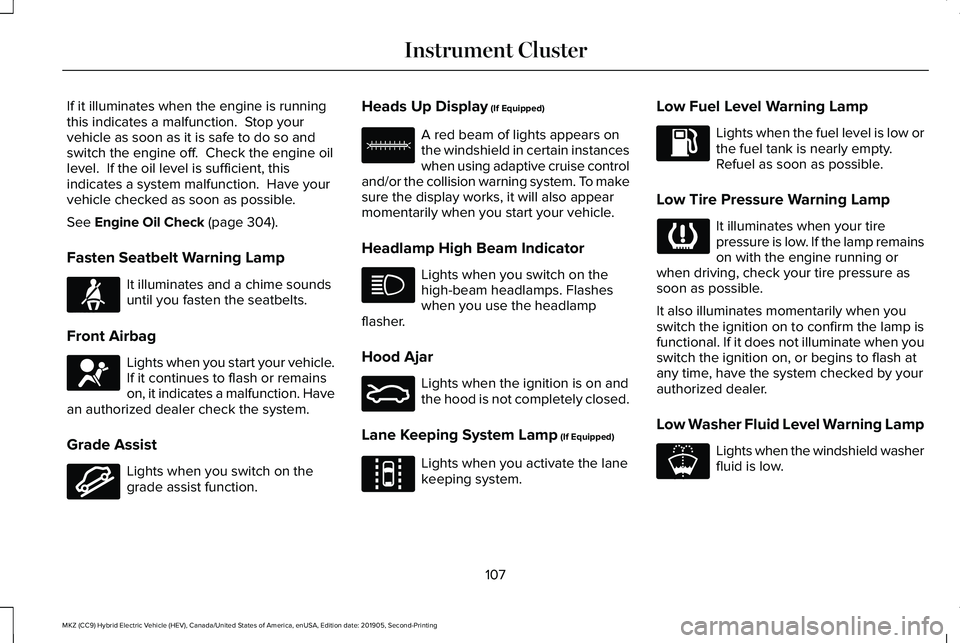
If it illuminates when the engine is running
this indicates a malfunction. Stop your
vehicle as soon as it is safe to do so and
switch the engine off. Check the engine oil
level. If the oil level is sufficient, this
indicates a system malfunction. Have your
vehicle checked as soon as possible.
See Engine Oil Check (page 304).
Fasten Seatbelt Warning Lamp It illuminates and a chime sounds
until you fasten the seatbelts.
Front Airbag Lights when you start your vehicle.
If it continues to flash or remains
on, it indicates a malfunction. Have
an authorized dealer check the system.
Grade Assist Lights when you switch on the
grade assist function. Heads Up Display
(If Equipped) A red beam of lights appears on
the windshield in certain instances
when using adaptive cruise control
and/or the collision warning system. To make
sure the display works, it will also appear
momentarily when you start your vehicle.
Headlamp High Beam Indicator Lights when you switch on the
high-beam headlamps. Flashes
when you use the headlamp
flasher.
Hood Ajar Lights when the ignition is on and
the hood is not completely closed.
Lane Keeping System Lamp
(If Equipped) Lights when you activate the lane
keeping system.Low Fuel Level Warning Lamp Lights when the fuel level is low or
the fuel tank is nearly empty.
Refuel as soon as possible.
Low Tire Pressure Warning Lamp It illuminates when your tire
pressure is low. If the lamp remains
on with the engine running or
when driving, check your tire pressure as
soon as possible.
It also illuminates momentarily when you
switch the ignition on to confirm the lamp is
functional. If it does not illuminate when you
switch the ignition on, or begins to flash at
any time, have the system checked by your
authorized dealer.
Low Washer Fluid Level Warning Lamp Lights when the windshield washer
fluid is low.
107
MKZ (CC9) Hybrid Electric Vehicle (HEV), Canada/United States of America, enUSA, Edition date: 201905, Second-Printing Instrument ClusterE71880 E67017 E144523 E156133 E159324 E144813 E178202
Page 114 of 544

Display/Trip
Use the up or down arrow buttons
to choose between the following
display options.
Note:The cluster will remember the menu
level 2 state when the individual key state
is changed from the RUN position to the OFF
position. Display/Trip
Menu level 5
Menu level 4
Menu level 3
Menu level 2
—
—
—
Speedometer
—
—
Help
Engage
Split Power + Avg Fuel Economy + Instantaneous Fuel Gauge + Fuel Gauge)
—
—
Help
Empower
(Power with engine on/off threshold
+ Avg Fuel Economy + Instantaneous Fuel Gauge + Fuel Gauge)
Average Fuel
Average Fuel
Change MyView
MyView
(MyView + Fuel Gauge) Instantaneous Fuel
Split Power
Coolant Temp.
Power + Threshold
Accessory Power
Tach rpm x1000
Trip 1
Accessory Power
111
MKZ (CC9) Hybrid Electric Vehicle (HEV), Canada/United States of America, enUSA, Edition date: 201905, Second-Printing Information DisplaysE144639
Page 115 of 544

Display/Trip
Trip 2
Trip 1
Fuel History
Trip 2
Coach
Fuel History
Blank
Coach
—
Blank
—
—
Help
—
—
—
Tire Pressure
—
—
Help
Trip 1
(Trip Data + Fuel Gauge) (+ Battery Gauge - Energi Only)
Trip 2
(Trip Data + Fuel Gauge) (+ Battery Gauge - Energi Only)
112
MKZ (CC9) Hybrid Electric Vehicle (HEV), Canada/United States of America, enUSA, Edition date: 201905, Second-Printing Information Displays
Page 116 of 544

Engage
Engage provides separate gauges for engine
power and high voltage battery power in
kilowatts (kW). The engine power gauge fill
is white and the high voltage battery power
gauge fill is blue. You can also see an
instantaneous fuel economy gauge. When
your vehicle is operating on battery power
only, you will see EV displayed and the
gauges will appear in blue.
Note:
Hold OK to reset average fuel
economy.
Empower
Empower provides a power demand gauge
in kilowatts (kW) which includes an engine
on or off threshold.
• When your vehicle is operating with
battery power only (below the threshold),
you will see EV displayed and the gauge
fill is blue.
• When your vehicle is operating with both
the engine and the high voltage battery
providing power the gauge fill is white. •
When power demand surpasses the
amber indicator, this level of demand and
associated fuel economy displays in
amber.
• When the engine is on, reducing power
demand to less than the threshold will
allow the engine to turn off.
You can also see an instantaneous fuel
economy gauge.
Note: Hold OK to reset average fuel
economy.
MyView
You can choose what to display in this view.
Selecting
Change MyView in the options
menu allows you to scroll through two
columns of content choices.
• Press the up or down arrow to view
content.
• Press
OK to save your selected content
• You must select content in both columns
before you can save your new MyView. Unique content available in MyView:
•
Accessory Power— Indicates electrical
power demands from your vehicle ’s
accessory systems. Accessories use
power but do not contribute to propelling
your vehicle. The gauge separately
displays power demand in kilowatts (kW)
for climate and other accessories.
Climate includes the power being used
by high voltage climate control
components such as the electric A/C
compressor. Other includes all power
being used by the low voltage
accessories (cabin fans, headlights and
heated seats).
• Coolant Temp – Indicates engine coolant
temperature. At normal operating
temperature, the level indicator will be
white and will be in the normal range
(between H and C). If the engine coolant
temperature exceeds the normal range,
the level indicator will change to red to
indicate that the engine is overheating.
Stop your vehicle as soon as safely
possible, turn your vehicle off and let the
engine cool.
113
MKZ (CC9) Hybrid Electric Vehicle (HEV), Canada/United States of America, enUSA, Edition date: 201905, Second-Printing Information Displays