Page 180 of 611
Features of your vehicle
92
4
Sound
Cluster Voice Guidance Volume (if
equipped) :
- This used to set/adjust the voiceguidance volume.
Parking Distance Warning Volume (if equipped) :
- Adjust the Park Assist Systemvolume. (Level 1 ~ 3)
Welcome Sound (if equipped) : - If this item is checked, the wel-come sound function will be acti-
vated. Convenience
Welcome Mirror/Light (if equipped) :
- If this item is checked, the wel-come mirror/light function will be
activated.
Wireless Charging System (if equipped) :
- If this is checked, the wirelesscharging system function will be
activated.
Wiper/Light Display (if equipped) : - If this item is checked, thewiper/light display will be activated.
Auto rear wiper (in R) (if equipped) : - If this is checked, the rear wiper willautomatically activated when the
front wiper is in ON position and
shift lever is in R (reverse) position.
Gear Position Pop-up (if equipped) : - If this item is checked, the gearposition pop-up display will be
activated.
Icy Road Warning (if equipped) : - If this item is checked, the icyroad warning display will be acti-
vated. Service interval
Enable Service Interval :
- To activate or deactivate the serv-ice interval function.
Adjust Interval : - To adjust the interval by mileageand period.
Reset : - To reset the service interval func-tion.
Page 190 of 611
Features of your vehicle
102
4
Check high beam assist system
(if equipped)
This warning message illuminates if the high beam assist system has
a malfunction.
In this case, have the vehicle inspect-
ed by a professional workshop. Have
your vehicle inspected by an author-
ized Kia dealer.
Device in wireless charger (if equipped)
If a smart phone is still left on the
wireless charging pad unattended,
even when the ignition is in ACC
OFF and the instrument panel's one
time driving information mode has
finished, a warning message will lit
up on the instrument panel.
❈ For more details, refer to “Smart
Phone Wireless Charger” in this
chapter.
Low Fuel
This warning message illuminates
if the fuel tank is nearly empty.
- When the low fuel level warninglight is illuminates.
Add fuel as soon as possible.
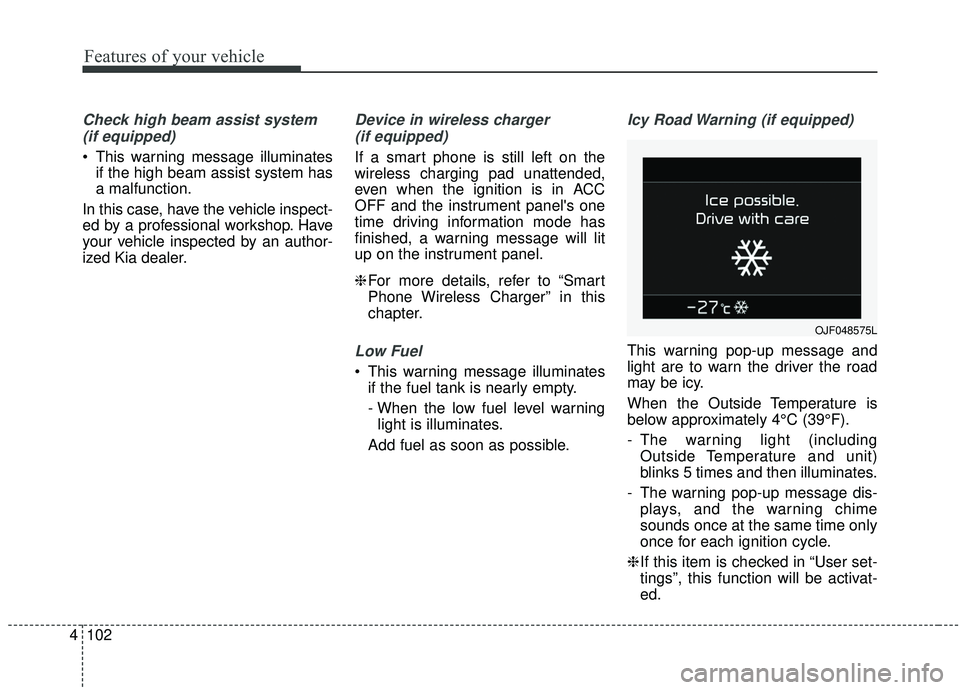
Icy Road Warning (if equipped)
This warning pop-up message and
light are to warn the driver the road
may be icy.
When the Outside Temperature is
below approximately 4°C (39°F).
- The warning light (including Outside Temperature and unit)
blinks 5 times and then illuminates.
- The warning pop-up message dis- plays, and the warning chime
sounds once at the same time only
once for each ignition cycle.
❈ If this item is checked in “User set-
tings”, this function will be activat-
ed.
OJF048575L
Page 206 of 611
Features of your vehicle
118
4
This system will activate when
backing up with the ignition switch
ON.
If the vehicle is moving at a speed
over 5 km/h (3 mph), the system
may not be activated correctly.
The sensing distance while the back-up warning system is in oper-
ation is approximately 120 cm (47
in.) at the rear bumper center area,
60 cm (23.5 in.) at the rear bumper
both side area.
If vehicle speed exceeds 10 km/h (6 mph), the system will not warn
you even though objects are
detected.
When more than two objects are sensed at the same time, the clos-
est one will be recognized first.Types of warning sound
When an object is 120 cm to 61 cm(47 in. to 24 in.) from the rear
bumper: Buzzer beeps intermit-
tently.
When an object is 60 cm to 31 cm (24 in. to 12 in.) from the rear
bumper: Buzzer beeps more fre-
quently.
When an object is within 30 cm (11 in.) of the rear bumper:
Buzzer sounds continuously.
Non-operational conditions of
parking distance warning-
reverse
The parking distance warning-
reverse may not operate properly
when:
1. Moisture is frozen to the sensor. (It will operate normally once the
moisture clears.
2. The sensor is covered with foreign matter, such as snow or water, or
the sensor cover is blocked. (It will
operate normally when the materi-
al is removed or the sensor is no
longer blocked.)
3. Driving on uneven road surfaces (unpaved roads, gravel, bumps,
gradient).
4. Objects generating excessive noise (vehicle horns, loud motor-
cycle engines, or truck air brakes)
are within range of the sensor.
5. The weather conditions produce heavy rain or water spray.
Page 208 of 611
Features of your vehicle
120
4
✽ ✽
NOTICE
This system can only sense objects
within the range and location of the
sensors. It cannot detect objects in
other areas where sensors are not
installed. Also, small or slim objects,
such as poles or objects located
between sensors may not be detected
by the sensors.
Always visually check behind the
vehicle when backing up.
Be sure to inform any drivers of the
vehicle that may be unfamiliar with
the system regarding the systems
capabilities and limitations.
Self-diagnosis
If you don’t hear an audible warning
sound or if the buzzer sounds inter-
mittently when shifting the gear to the
R (Reverse) position, this may indi-
cate a malfunction in the parking dis-
tance warning-reverse. If this occurs,
have your vehicle checked by an
authorized Kia dealer as soon as
possible.
✽ ✽NOTICE
Your new vehicle warranty does not
cover any accidents or damage to
the vehicle or injuries to its occu-
pants due to a parking distance
warning-reverse malfunction.
Always drive safely and cautiously.
Page 210 of 611
Features of your vehicle
122
4
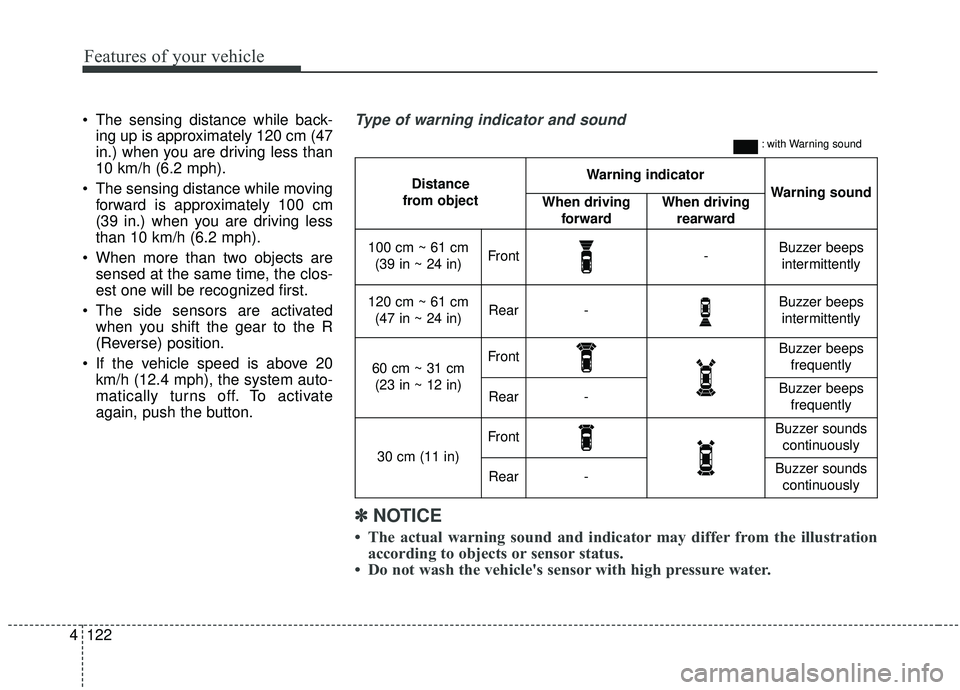
The sensing distance while back-
ing up is approximately 120 cm (47
in.) when you are driving less than
10 km/h (6.2 mph).
The sensing distance while moving forward is approximately 100 cm
(39 in.) when you are driving less
than 10 km/h (6.2 mph).
When more than two objects are sensed at the same time, the clos-
est one will be recognized first.
The side sensors are activated when you shift the gear to the R
(Reverse) position.
If the vehicle speed is above 20 km/h (12.4 mph), the system auto-
matically turns off. To activate
again, push the button.
Distance
from object Warning indicator
Warning soundWhen driving forwardWhen driving rearward
100 cm ~ 61 cm(39 in ~ 24 in)Front-Buzzer beeps intermittently
120 cm ~ 61 cm (47 in ~ 24 in)Rear-Buzzer beeps intermittently
60 cm ~ 31 cm (23 in ~ 12 in)FrontBuzzer beeps frequently
Rear-Buzzer beeps frequently
30 cm (11 in)
FrontBuzzer sounds continuously
Rear-Buzzer sounds continuously
Type of warning indicator and sound
: with Warning sound
✽ ✽ NOTICE
• The actual warning sound and indicator may differ from the illustration
according to objects or sensor status.
• Do not wash the vehicle's sensor with high pressure water.
Page 212 of 611
Features of your vehicle
124
4
Detecting range may decrease
when:
1. Outside air temperature is extremely hot or cold.
2. Undetectable objects smaller than 1 m and narrower than 14 cm in
diameter.
The following objects may not be
recognized by the sensor:
1. Sharp or slim objects such as ropes, chains or small poles.
2. Objects, which tend to absorb sen- sor frequency such as clothes,
spongy material or snow.
✽ ✽NOTICE
1. The warning may not sound
sequentially depending on the speed
and shapes of the objects detected.
2. The parking distance warning may malfunction if the vehicle
bumper height or sensor installa-
tion has been modified. Any non-
factory installed equipment or
accessories may also interfere
with the sensor performance.
3. Sensor may not recognize objects less than 30 cm (12 in.) from the
sensor, or it may sense an incor-
rect distance. Use with caution.
4. When the sensor is frozen or stained with snow or water, the sensor may
be inoperative until the stains are
removed using a soft cloth.
5. Do not push, scratch or strike the sensor with any hard objects that
could damage the surface of the
sensor. Sensor damage could occur.
✽ ✽NOTICE
This system can only sense objects
within the range and location of the
sensors, it can not detect objects in
other areas where sensors are not
installed. Also, small or slim objects,
or objects located between sensors
may not be detected.
Always visually check in front and
behind the vehicle when driving.
Be sure to inform any drivers in the
vehicle that may be unfamiliar with
the system regarding the systems
capabilities and limitations.
Page 213 of 611
4125
Features of your vehicle
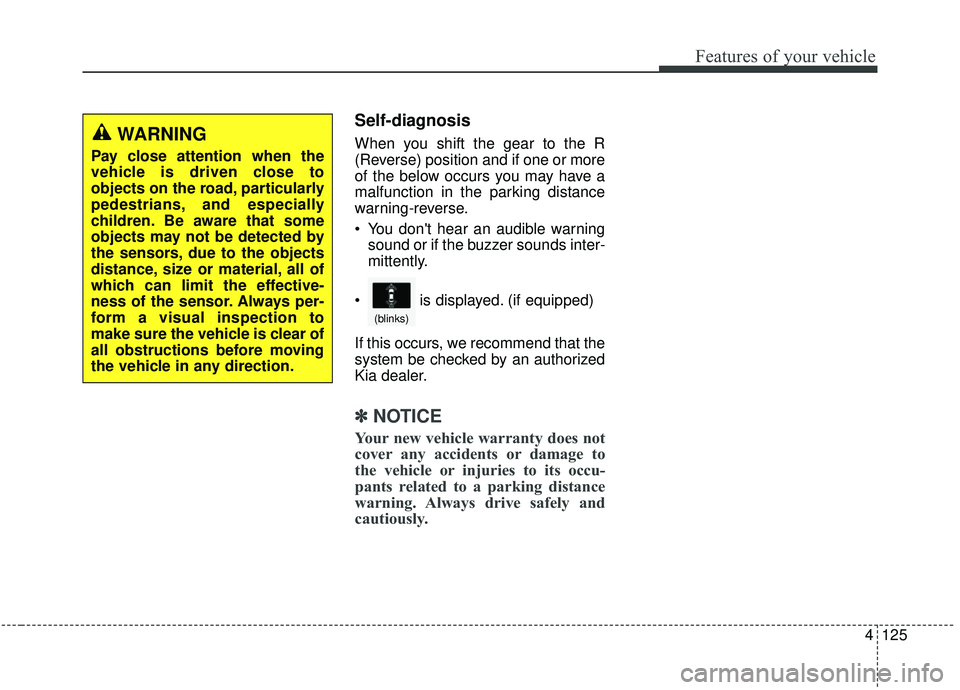
Self-diagnosis
When you shift the gear to the R
(Reverse) position and if one or more
of the below occurs you may have a
malfunction in the parking distance
warning-reverse.
You don't hear an audible warningsound or if the buzzer sounds inter-
mittently.
If this occurs, we recommend that the
system be checked by an authorized
Kia dealer.
✽ ✽ NOTICE
Your new vehicle warranty does not
cover any accidents or damage to
the vehicle or injuries to its occu-
pants related to a parking distance
warning. Always drive safely and
cautiously.
WARNING
Pay close attention when the
vehicle is driven close to
objects on the road, particularly
pedestrians, and especially
children. Be aware that some
objects may not be detected by
the sensors, due to the objects
distance, size or material, all of
which can limit the effective-
ness of the sensor. Always per-
form a visual inspection to
make sure the vehicle is clear of
all obstructions before moving
the vehicle in any direction.
is displayed. (if equipped)
(blinks)
Page 220 of 611
Features of your vehicle
132
4
When driving downhill or uphill.
When only part of the vehicle in
front is visible on a crossroad or
curved road.
When there is a traffic light, reflect- ing sign, flashing sign or mirror.
When the road conditions are bad such as being wet or covered with
snow.
When the front vehicle’s head- lamps are off but the fog lamps on.
When a vehicle suddenly appears from a curve.
When the vehicle is tilted from a flat tire or being towed.
When the LKA (Lane Keeping Assist) warning light illuminates. (if
equipped)✽ ✽ NOTICE
• Do not place any accessories,
stickers or tint the windshield.
• Have on the windshield glass replaced from an authorized deal-
er.
• Do not remove or damage related parts of the High Beam Assist sys-
tem.
• Be careful that water doesn’t get into the High Beam Assist unit.
• Do not place objects on the dash- board that reflect light such as
mirrors, white paper, etc. The sys-
tem may not function properly if
sunlight is reflected.
• At times, the Smart High Beam system may not operate due to sys-
tem limitations. Always check the
road conditions for your safety.
When the system does not operate
normally, manually change
between the high beam and low
beam.
• While other beeps such as the seat belt warning sound are in opera-
tion and override the LKA alarm-
ing system, LKA beeps may not
occur.
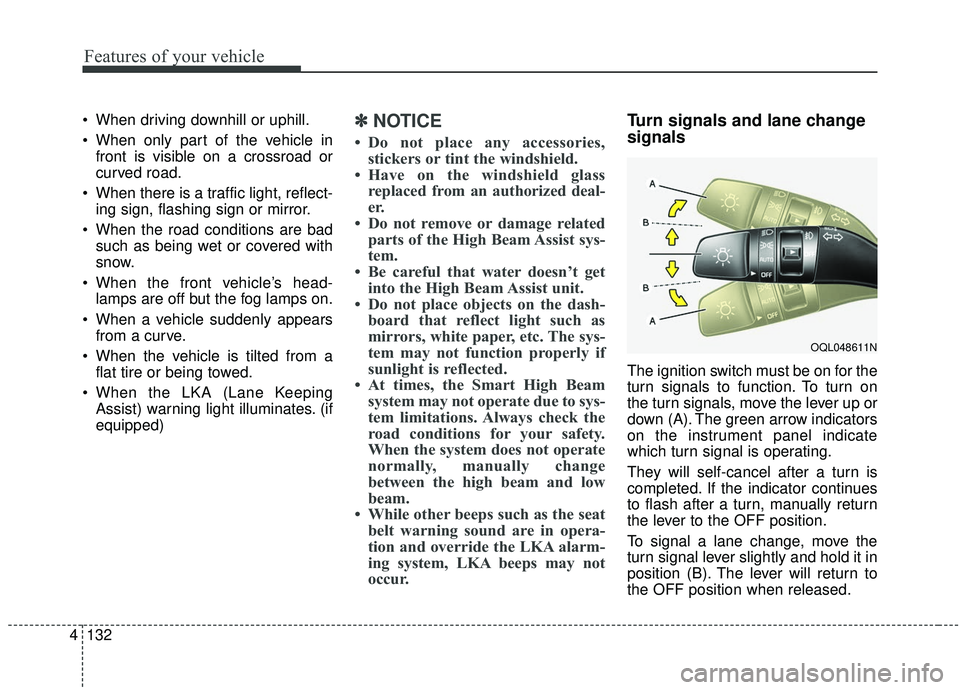
Turn signals and lane change
signals
The ignition switch must be on for the
turn signals to function. To turn on
the turn signals, move the lever up or
down (A). The green arrow indicators
on the instrument panel indicate
which turn signal is operating.
They will self-cancel after a turn is
completed. If the indicator continues
to flash after a turn, manually return
the lever to the OFF position.
To signal a lane change, move the
turn signal lever slightly and hold it in
position (B). The lever will return to
the OFF position when released.
OQL048611N