Page 364 of 611
583
Driving your vehicle
Good braking practices
Wet brakes can be dangerous! The
brakes may get wet if the vehicle is
driven through standing water or if it
is washed. Your vehicle will not stop
as quickly if the brakes are wet. Wet
brakes may cause the vehicle to pull
to one side.To dry the brakes, apply the brakes
lightly until the braking action returns
to normal, taking care to keep the
vehicle under control at all times. If
the braking action does not return to
normal, stop as soon as it is safe to
do so and we recommend that you
call an authorized Kia dealer for
assistance.
DO NOT drive with your foot resting
on the brake pedal. Even light, but
constant pedal pressure can result in
the brakes overheating, brake wear,
and possibly even brake failure.
If a tire goes flat while you are driv-
ing, apply the brakes gently and
keep the vehicle pointed straight
ahead while you slow down. When
you are moving slowly enough for it
to be safe to do so, pull off the road
and stop in a safe location.
Keep your foot firmly on the brake
pedal when the vehicle is stopped to
prevent the vehicle from rolling for-
ward.
WARNING
Whenever leaving the vehicle or
parking, always come to a com-
plete stop and continue to
depress the brake pedal. Move
the shift lever into the P (Park)
position, then apply the parking
brake, and place the Engine
Start/Stop button in the OFF
position.
Vehicles with the parking brake
not fully engaged are at risk for
moving inadvertently and caus-
ing injury to yourself or others.
Page 365 of 611
Driving your vehicle
84
5
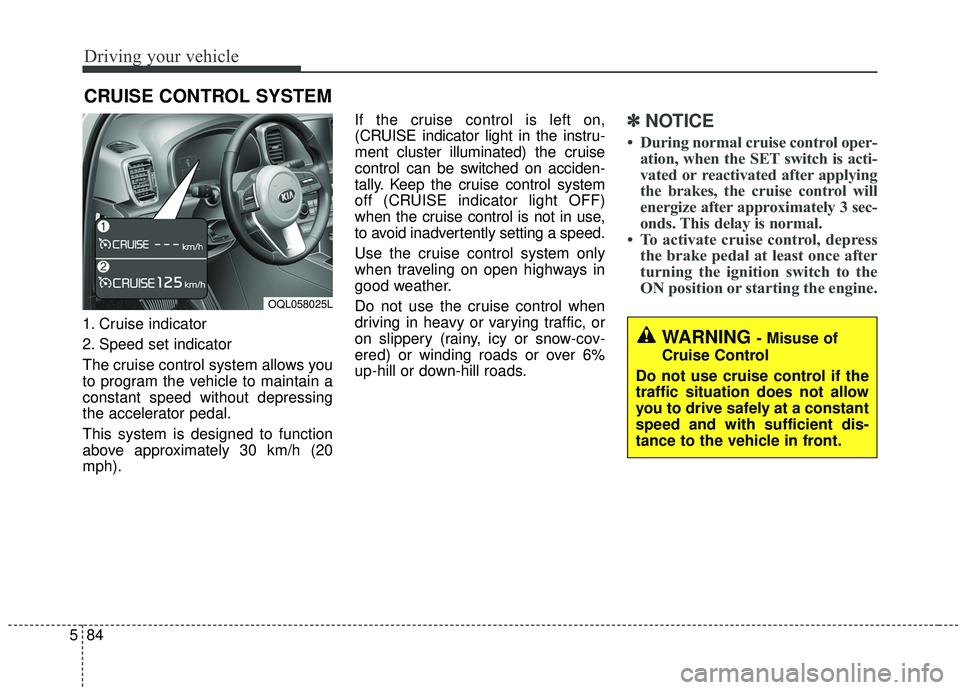
1. Cruise indicator
2. Speed set indicator
The cruise control system allows you
to program the vehicle to maintain a
constant speed without depressing
the accelerator pedal.
This system is designed to function
above approximately 30 km/h (20
mph). If the cruise control is left on,
(CRUISE indicator light in the instru-
ment cluster illuminated) the cruise
control can be switched on acciden-
tally. Keep the cruise control system
off (CRUISE indicator light OFF)
when the cruise control is not in use,
to avoid inadvertently setting a speed.
Use the cruise control system only
when traveling on open highways in
good weather.
Do not use the cruise control when
driving in heavy or varying traffic, or
on slippery (rainy, icy or snow-cov-
ered) or winding roads or over 6%
up-hill or down-hill roads.
✽ ✽
NOTICE
• During normal cruise control oper-
ation, when the SET switch is acti-
vated or reactivated after applying
the brakes, the cruise control will
energize after approximately 3 sec-
onds. This delay is normal.
• To activate cruise control, depress the brake pedal at least once after
turning the ignition switch to the
ON position or starting the engine.
CRUISE CONTROL SYSTEM
WARNING - Misuse of
Cruise Control
Do not use cruise control if the
traffic situation does not allow
you to drive safely at a constant
speed and with sufficient dis-
tance to the vehicle in front.
OQL058025L
Page 374 of 611
593
Driving your vehicle
Cancelled automatically
The driver's door is opened.
The shift lever is shifted to N(Neutral), R (Reverse) or P (Paking).
The EPB (electronic parking brake) is applied.
The vehicle speed is over 190 km/h (120 mph).
The ESC, ABS or TCS is operating.
The ESC is turned off.
The sensor or the cover is dirty or covered with foreign matter.
The vehicle is stopped for a certain period of time.
The driver starts driving by pushing the toggle switch up (RES+)/down
(SET-) or depressing the accelera-
tor pedal, after stopping the vehicle
with a vehicle stopped far away in
front.
The accelerator pedal is continu- ously depressed for long time.
When engine is stopped by ISG (Idle Stop and Go) mode.
The engine speed is in dangerous range. When the braking control is operat-
ed for Forward Collision-Avoidance
Assist(FCA).
The driver starts driving by pushing the toggle switch up (RES+)/down
(SET-) or depressing the accelera-
tor pedal, after the vehicle is
stopped by the Smart Cruise
Control system with no other vehi-
cle ahead.
The vehicle stops and goes repeat- edly for a long period of time.
The engine performance is abnor- mal. Each of these actions will cancel the
smart cruise control operation. (the
set speed and vehicle to vehicle dis-
tance on the LCD display will go off.)
If the smart cruise control is can-
celled automatically, the smart cruise
control will not resume even though
the RES+ or SET-lever is moved.
✽ ✽
NOTICE
If the smart cruise control is can-
celled, take your vehicle to an
authorized Kia dealer and have the
system checked.
Page 376 of 611
595
Driving your vehicle
To turn cruise control off:
When the Smart Cruise Control
System is not needed, press the
[CRUISE] switch and deactivate the
system.
Vehicle to vehicle distance
setting
To set vehicle to vehicle distance:
When the Smart Cruise Control
System is ON, you can set and main-
tain the distance to the vehicle ahead
without pressing the accelerator or
brake pedal.
Each time the button is pressed, the
vehicle to vehicle distance changes
as follows:For example, if you drive at 90 km/h
(56 mph), the distance maintain as
follows;
Distance 4 - approximately 52.5 m
(172 ft)
Distance 3 - approximately 40 m (131 ft)
Distance 2 - approximately 32.5 m (107 ft)
Distance 1 - approximately 25 m (82 ft)
✽ ✽NOTICE
The distance is set to the last set dis-
tance when the system is used for the
first time after starting the engine.
Distance 4 Distance 3 Distance 2
Distance 1
OQLE058143
OQL058233L
Page 381 of 611
Driving your vehicle
100
5
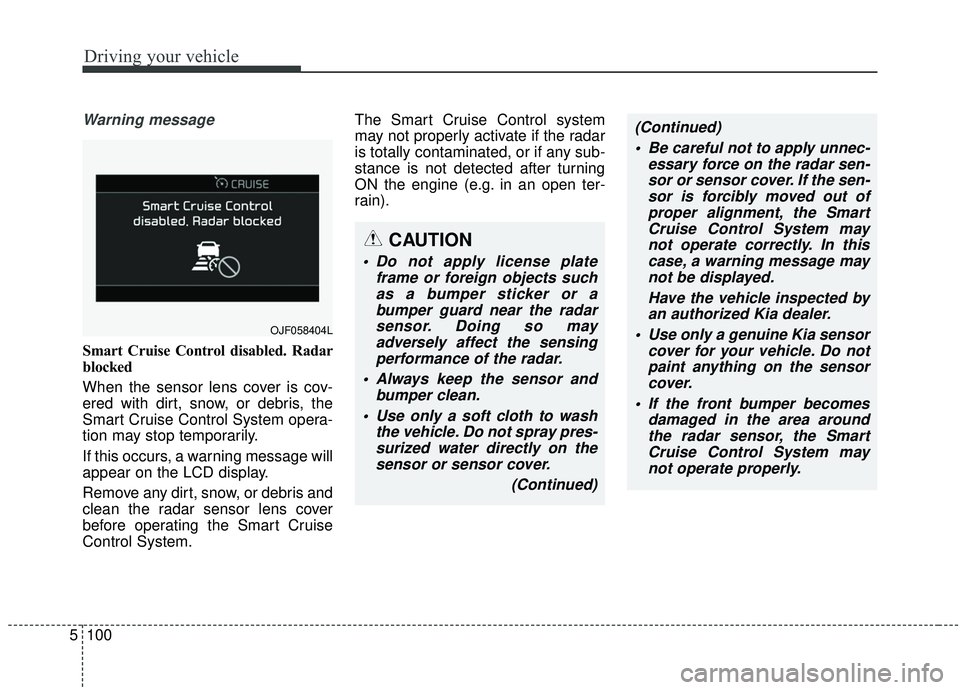
Warning message
Smart Cruise Control disabled. Radar
blocked
When the sensor lens cover is cov-
ered with dirt, snow, or debris, the
Smart Cruise Control System opera-
tion may stop temporarily.
If this occurs, a warning message will
appear on the LCD display.
Remove any dirt, snow, or debris and
clean the radar sensor lens cover
before operating the Smart Cruise
Control System. The Smart Cruise Control system
may not properly activate if the radar
is totally contaminated, or if any sub-
stance is not detected after turning
ON the engine (e.g. in an open ter-
rain).
OJF058404L
CAUTION
Do not apply license plate
frame or foreign objects suchas a bumper sticker or abumper guard near the radarsensor. Doing so mayadversely affect the sensingperformance of the radar.
Always keep the sensor and bumper clean.
Use only a soft cloth to wash the vehicle. Do not spray pres-surized water directly on thesensor or sensor cover.
(Continued)
(Continued) Be careful not to apply unnec- essary force on the radar sen-sor or sensor cover. If the sen-sor is forcibly moved out ofproper alignment, the SmartCruise Control System maynot operate correctly. In thiscase, a warning message maynot be displayed.
Have the vehicle inspected byan authorized Kia dealer.
Use only a genuine Kia sensor cover for your vehicle. Do notpaint anything on the sensorcover.
If the front bumper becomes damaged in the area aroundthe radar sensor, the SmartCruise Control System maynot operate properly.
Page 383 of 611
Driving your vehicle
102
5
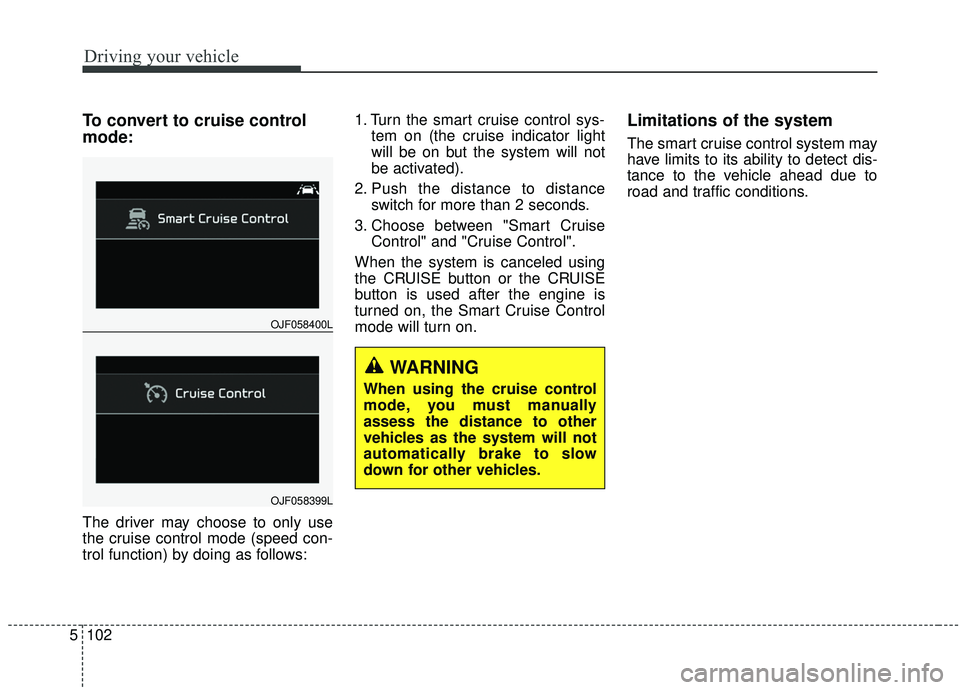
To convert to cruise control
mode:
The driver may choose to only use
the cruise control mode (speed con-
trol function) by doing as follows: 1. Turn the smart cruise control sys-
tem on (the cruise indicator light
will be on but the system will not
be activated).
2. Push the distance to distance switch for more than 2 seconds.
3. Choose between "Smart Cruise Control" and "Cruise Control".
When the system is canceled using
the CRUISE button or the CRUISE
button is used after the engine is
turned on, the Smart Cruise Control
mode will turn on.
Limitations of the system
The smart cruise control system may
have limits to its ability to detect dis-
tance to the vehicle ahead due to
road and traffic conditions.
OJF058400L
OJF058399L
WARNING
When using the cruise control
mode, you must manually
assess the distance to other
vehicles as the system will not
automatically brake to slow
down for other vehicles.
Page 388 of 611
5107
Driving your vehicle
✽ ✽NOTICE
The Smart Cruise Control System
may not operate temporarily due to:
- Electrical interference
- Modified suspension
- Differences in tire abrasion or tire
pressure
- Installation of different type of tires(Continued)
Always be aware of the select-
ed speed and distance to the
vehicle ahead.
The Smart Cruise Control System may not recognize
complex driving situations,
always pay attention to driv-
ing conditions and control
your vehicle speed.
After an engine start, please stop for several seconds. If
system initialization is not
completed, the SCC does not
normally operate.
After starting the engine, if objects are not detected or
the sensor cover is covered
with foreign substances, the
SCC system may not work.(Continued)
The Smart Cruise Control sys-tem cannot recognize a
stopped vehicle, pedestrians
or an oncoming vehicle.
Always look ahead cautiously
to prevent unexpected and
sudden situations from occur-
ring.
When other vehicles are changing lanes in front of you
frequently, the Smart Cruise
Control system may not oper-
ate appropriately.
Always drive cautiously to
prevent unexpected and sud-
den situations from occurring.
The smart cruise control sys- tem is not a substitute for
safe driving practices but a
convenience function only. It
is the responsibility of the
driver to always check to the
vehicle ahead.
(Continued)
WARNING
For safe operation, carefully
read and follow the instructions
in this manual before use.
Page 390 of 611
5109
Driving your vehicle
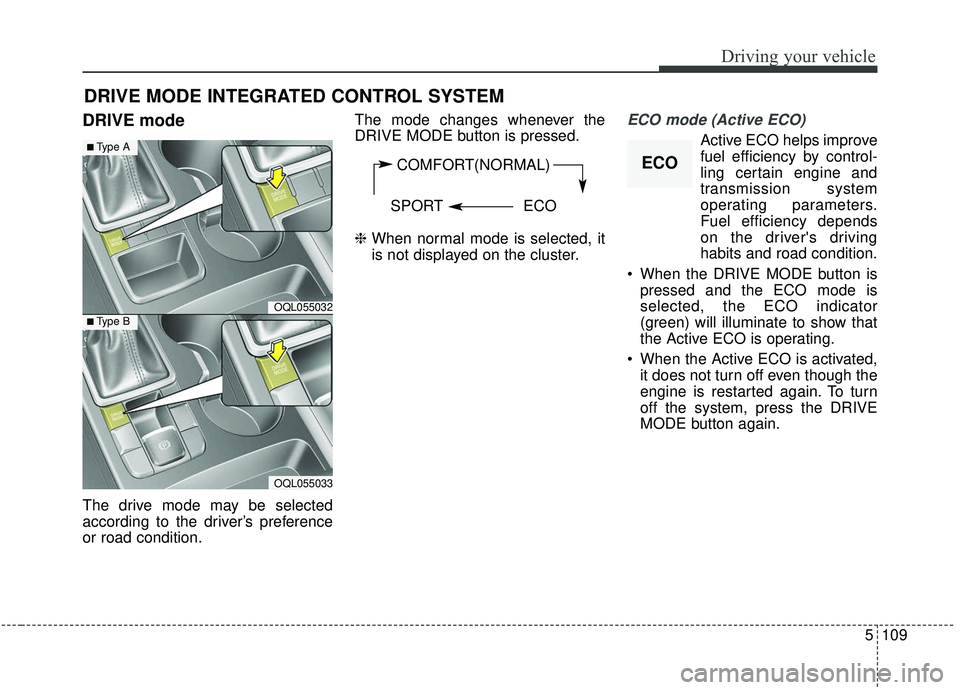
DRIVE mode
The drive mode may be selected
according to the driver’s preference
or road condition.The mode changes whenever the
DRIVE MODE button is pressed.
❈
When normal mode is selected, it
is not displayed on the cluster.
ECO mode (Active ECO)
Active ECO helps improve
fuel efficiency by control-
ling certain engine and
transmission system
operating parameters.
Fuel efficiency depends
on the driver's driving
habits and road condition.
When the DRIVE MODE button is pressed and the ECO mode is
selected, the ECO indicator
(green) will illuminate to show that
the Active ECO is operating.
When the Active ECO is activated, it does not turn off even though the
engine is restarted again. To turn
off the system, press the DRIVE
MODE button again.
DRIVE MODE INTEGRATED CONTROL SYSTEM
COMFORT(NORMAL)
SPORT ECO
OQL055032
■Type A
■Type B
OQL055033
ECO
![KIA SPORTAGE 2020 Owners Manual 595
Driving your vehicle
To turn cruise control off:
When the Smart Cruise Control
System is not needed, press the
[CRUISE] switch and deactivate the
system.
Vehicle to vehicle distance
setting
To set](/manual-img/2/40479/w960_40479-375.png "KIA SPORTAGE 2020 Owners Manual 595
Driving your vehicle
To turn cruise control off:
When the Smart Cruise Control
System is not needed, press the
[CRUISE] switch and deactivate the
system.
Vehicle to vehicle distance
setting
To set")