Page 109 of 516
429
Features of your vehicle
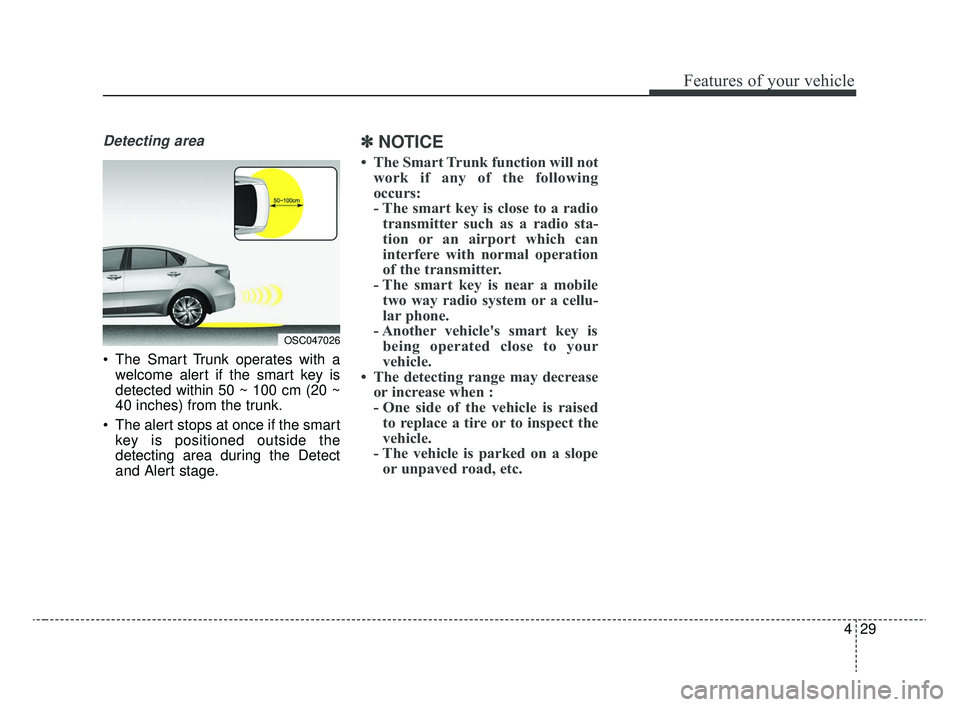
Detecting area
The Smart Trunk operates with awelcome alert if the smart key is
detected within 50 ~ 100 cm (20 ~
40 inches) from the trunk.
The alert stops at once if the smart key is positioned outside the
detecting area during the Detect
and Alert stage.
✽ ✽ NOTICE
• The Smart Trunk function will not
work if any of the following
occurs:
- The smart key is close to a radiotransmitter such as a radio sta-
tion or an airport which can
interfere with normal operation
of the transmitter.
- The smart key is near a mobile two way radio system or a cellu-
lar phone.
- Another vehicle's smart key is being operated close to your
vehicle.
• The detecting range may decrease or increase when :
- One side of the vehicle is raisedto replace a tire or to inspect the
vehicle.
- The vehicle is parked on a slope or unpaved road, etc.
OSC047026
SC CAN (ENG) 4.QXP 12/12/2019 5:09 PM Page 29
Page 112 of 516
Features of your vehicle
32
4
WARNING
No one should be allowed to
occupy the trunk at any time.
The trunk is a very dangerous
location in the event of a
crash.
Use the release lever for emergencies only. Use with
extreme caution, especially
while the vehicle is in motion.
SC CAN (ENG) 4.QXP 12/12/2019 5:09 PM Page 32
Page 152 of 516

Features of your vehicle
72
4
Automatically Unlock
- Disable : The auto door unlock
operation will be canceled.
- Vehicle Off/On, Key out : All doors will be automatically unlocked
when the ignition key is removed
from the ignition switch or the
Engine Start/Stop button is set to
the OFF position.
- On Shift to P : All doors will be automatically unlocked if the intelli-
gent variable transmission shift
lever is shifted to the P (Park) posi-
tion. (With the Engine ON, it is acti-
vated.) Two Press Unlock (if equipped)
- Off : The two press unlock function
will be deactivated. Therefore, all
doors will unlock if the unlock but-
ton on the driver's door is pressed.
- On : The driver's door will unlock if the unlock button on the driver's
door is pressed. When the same
button is pressed again within 4
seconds, all doors will unlock.
Horn Feedback (if equipped) :If
this item is checked, the door lock
sound function will be activated
when locking doors.
Smart Trunk (if equipped) :To
activate or deactivate the Smart
Trunk system.
❈ For more details, refer to “Smart
Trunk” in this chapter. Lights
One Touch Turn Signal
- Off : The one touch turn signal
function will be deactivated.
- 3, 5, 7 Flashes : The lane change signals will blink 3, 5, or 7 times
when the turn signal lever is moved
slightly.
❈ For more details, refer to “Light” in
this chapter
Head Lamp Delay
- If this item is checked, the head lamp delay function will be activat-
ed.
SC CAN (ENG) 4.QXP 12/12/2019 5:11 PM Page 72
Page 154 of 516
Features of your vehicle
74
4
Language
Choose the language
Reset
You can reset the menus in the User
Settings Mode. All menus in the User
Settings Mode are initialized, except
language and service interval.Warning messages
Warning messages appear on the
LCD to warn the driver. It is located in
the center of the instrument cluster.
The warning message may appear
differently depending on the type of
instrument cluster and some may not
show the warning message at all.
The warning message is shown in
either symbol, symbol and text, or
text type only. You can choose the
preferred language (for Type B only)
by selecting the User setting menu in
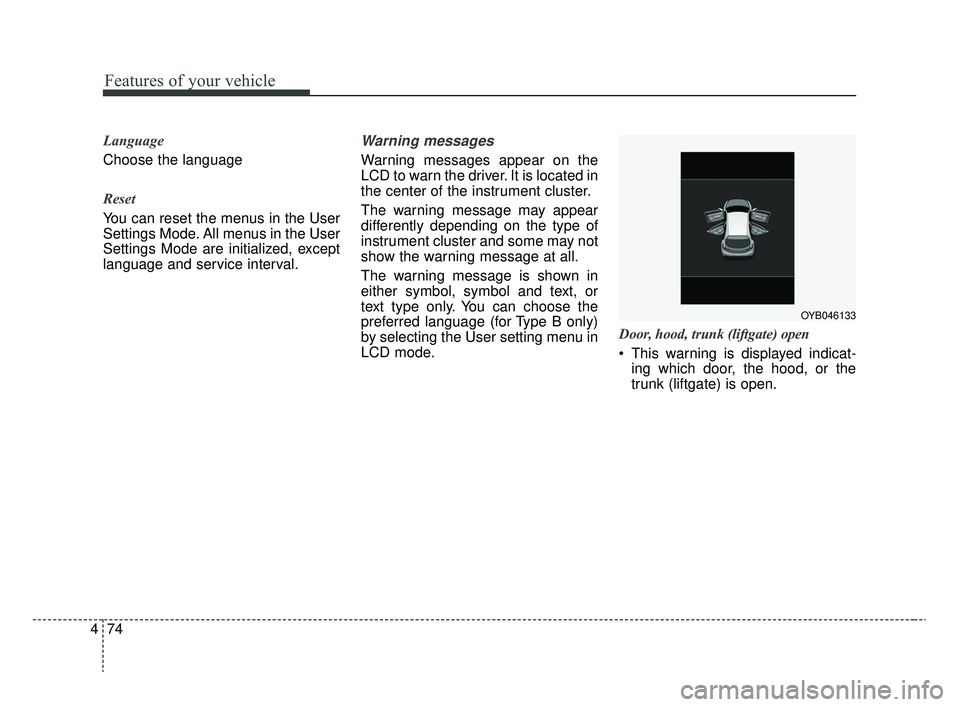
LCD mode. Door, hood, trunk (liftgate) open
This warning is displayed indicat-
ing which door, the hood, or the
trunk (liftgate) is open.
OYB046133
SC CAN (ENG) 4.QXP 12/12/2019 5:11 PM Page 74
Page 166 of 516
Features of your vehicle
86
4
Door Ajar Warning
Light (if equipped)
This warning light illuminates:
When a door is not closed securely.
Trunk (liftgate) OpenWarning Light(if equipped)
This warning light illuminates:
When the trunk (liftgate) is not
closed securely.
Washer Fluid WarningLight (if equipped)
This warning light illuminates:
When the washer fluid level in the reservoir is nearly empty.
In this case, you should refill the
washer fluid.
Master Warning Mode
(if equipped)
This warning light informs the driv- er of the following situations:
- Forward Collision-AvoidanceAssist (FCA) malfunction (if
equipped)
- Forward Collision Warning (FCW) malfunction (if equipped)
- Forward Collision-Avoidance Assist (FCA) radar blind (if
equipped)
If the warning situation is solved, the
master warning light will turn off.
SC CAN (ENG) 4.QXP 12/12/2019 5:12 PM Page 86
Page 186 of 516
Features of your vehicle
106
4
Trunk/Liftgate room lamp
The trunk/liftgate room lamp comes
on when the trunk/liftgate is opened.
The trunk/liftgate room lamp comes
on as long as the trunk/liftgate lid is
open. To prevent unnecessary charging
system drain, close the trunk/liftgate
lid securely after using the trunk/lift-
gate room lamp.
Glove box lamp
The glove box lamp comes on when
the glove box is opened. To prevent
unnecessary charging system drain,
close the glove box securely after
use.
OYB046407
OSC047412N
OYB046405
SC CAN (ENG) 4.QXP 12/12/2019 5:13 PM Page 106
Page 270 of 516
63
Driving your vehicle
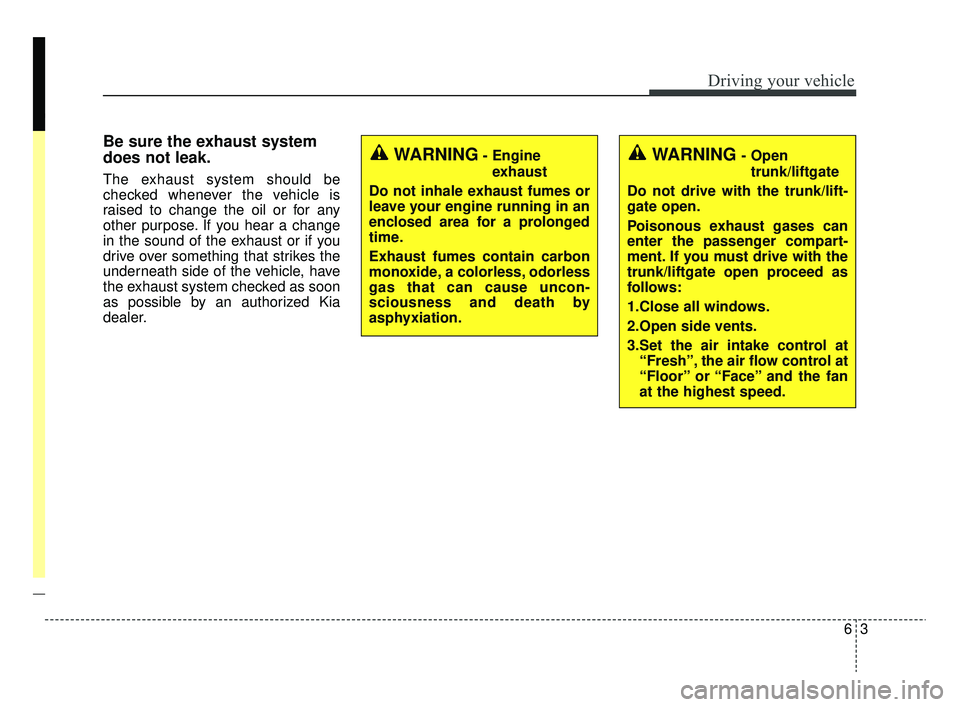
Be sure the exhaust system
does not leak.
The exhaust system should be
checked whenever the vehicle is
raised to change the oil or for any
other purpose. If you hear a change
in the sound of the exhaust or if you
drive over something that strikes the
underneath side of the vehicle, have
the exhaust system checked as soon
as possible by an authorized Kia
dealer.
WARNING- Engineexhaust
Do not inhale exhaust fumes or
leave your engine running in an
enclosed area for a prolonged
time.
Exhaust fumes contain carbon
monoxide, a colorless, odorless
gas that can cause uncon-
sciousness and death by
asphyxiation.WARNING- Open trunk/liftgate
Do not drive with the trunk/lift-
gate open.
Poisonous exhaust gases can
enter the passenger compart-
ment. If you must drive with the
trunk/liftgate open proceed as
follows:
1.Close all windows.
2.Open side vents.
3.Set the air intake control at “Fresh”, the air flow control at
“Floor” or “Face” and the fan
at the highest speed.
SC CAN (ENG) 6.QXP 6/7/2019 9:49 AM Page 3
Page 380 of 516

What to do in an emergency
38
7
When towing your vehicle in an
emergency without wheel dollies :
1. Set the ignition switch in the ACC
position.
2. Place the transmission shift lever in N (Neutral).
3. Release the parking brake.Removable towing hook (front)
(if equipped)
1. Remove the towing hook from the tool case located in the trunk/lift-
gate.
2. Remove the hole cover pressing the lower part of the cover on the
front bumper.
3. Install the towing hook by turning it clockwise into the hole until it is
fully secured.
4. Remove the towing hook and install the cover after use.
CAUTION- Towing
Do not tow the vehicle back-wards with the front wheels onthe ground as this may causedamage to the vehicle.
Do not tow with sling-type equipment. Use wheel lift orflatbed equipment.
wheels on the ground (suchas dinghy towing behind amotorhome or other motorvehicle) as this can seriouslydamage the IntelligentVariable Transmission.
CAUTION- Towing gear
position
Always place the transmissionshift lever in N (Neutral) whentowing your vehicle. Failure toplace the transmission shiftlever in N (Neutral) may causeinternal damage to the trans-mission.
OSC067008N
SC CAN (ENG) 7.qxp 6/7/2019 9:47 AM Page 38