2020 KIA NIRO PHEV lock
[x] Cancel search: lockPage 225 of 687

Features of your vehicle
88
4
Press START button while turning
wheel (for smart key system)
This warning message illuminates if the steering wheel does not
unlock normally when the ENGINE
START/STOP button is pressed.
It means that you should press the ENGINE START/STOP button
while turning the steering wheel
right and left.
Steering wheel not locked
(for smart key system)
This warning message illuminates if the steering wheel does not lock
when the ENGINE START/STOP
button changes to the OFF posi-
tion.
Check Steering Wheel Lock
System (for smart key system)
This warning message illuminates if the steering wheel does not lock
normally when the ENGINE
START/STOP button changes to
the OFF position.
Press brake pedal to start engine
(for smart key system)
This warning message illuminates if the ENGINE START/STOP button
changes to the ACC position twice
by pressing the button repeatedly
without depressing the brake pedal.
It means that you should depress the brake pedal to start the engine.
Key not in vehicle (for smart key
system)
This warning message illuminates if the smart key is not in the vehicle
when you press the ENGINE
START/STOP button.
It means that you should always have the smart key with you.
Key not detected (for smart key
system)
This warning message illuminates if the smart key is not detected
when you press the ENGINE
START/STOP button.
Page 235 of 687

Features of your vehicle
98
4
Anti-lock Brake System
(ABS) Warning Light
This warning light illuminates:
Once you set the ignition switch or ENGINE START/STOP button to
the ON position.
- It illuminates for approximately 3seconds and then goes off.
When there is a malfunction with the ABS (The normal braking sys-
tem will still be operational without
the assistance of the anti-lock
brake system).
In this case, have your vehicle
inspected by an authorized Kia
dealer.
Electronic
Brake forceDistribution(EBD) SystemWarning Light
These two warning lights illuminate at
the same time while driving:
When the ABS and regular brake system may not work normally.
In this case, have your vehicle
inspected by an authorized Kia
dealer.
WARNING - Electronic
Brake force Distribution
(EBD) System Warning Light
When both ABS and Parking
Brake & Brake Fluid Warning
Lights are on, the brake system
will not work normally and you
may experience an unexpected
and dangerous situation during
sudden braking thereby
increasing the risk of a crash
and injury. In this case, avoid
high speed driving and abrupt
braking. Have your vehicle
inspected by an authorized Kia
dealer as soon as possible.
Page 240 of 687

4103
Features of your vehicle
Master Warning light (if equipped)
This warning light informs the driv- er the following situations.
- Forward Collision-Avoidance Assist system malfunction (if equipped)
- Forward Collision-Avoidance Assist radar blocked (if equipped)
- Blind-Spot Collision Warning system malfunction (if equipped)
- Blind-Spot Collision Warning radar blocked (if equipped)
- Lamp malfunction
- LED headlamp malfunction (if equipped)
- High Beam Assist malfunction (if equipped)
- Tire Pressure Monitoring System (TPMS) malfunction
- Smart Cruise Control system mal- function (if equipped)
- Smart Cruise Control system radar blocked (if equipped) - Highway Driving Assist system mal-
function (if equipped)
- Lane Following Assist system mal- function (if equipped), etc.
The Master Warning Light illuminates
when one or more of the above warn-
ing situations occur. If the warning situ-
ation is resolved, the master warning
light will turn off.
Engine Coolant Temperature WarningLight
This warning light illuminates:
When the engine coolant tempera- ture is above 248°F (120°C). This
means that the engine is overheat-
ed and may be damaged.
If your vehicle is overheated, refer
to “If the engine overheats” in
chapter 6.
CAUTION - Engine
Overheating
Do not continue driving with theengine overheated. Otherwisethe engine may be damaged.
Page 250 of 687
4113
Features of your vehicle
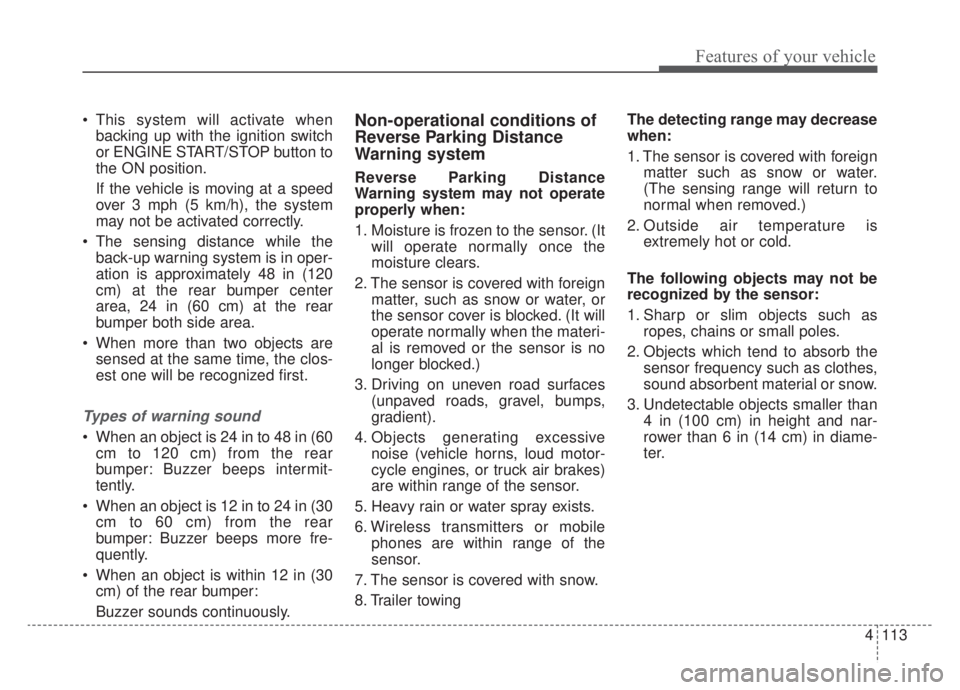
This system will activate whenbacking up with the ignition switch
or ENGINE START/STOP button to
the ON position.
If the vehicle is moving at a speed
over 3 mph (5 km/h), the system
may not be activated correctly.
The sensing distance while the back-up warning system is in oper-
ation is approximately 48 in (120
cm) at the rear bumper center
area, 24 in (60 cm) at the rear
bumper both side area.
When more than two objects are sensed at the same time, the clos-
est one will be recognized first.
Types of warning sound
When an object is 24 in to 48 in (60cm to 120 cm) from the rear
bumper: Buzzer beeps intermit-
tently.
When an object is 12 in to 24 in (30 cm to 60 cm) from the rear
bumper: Buzzer beeps more fre-
quently.
When an object is within 12 in (30 cm) of the rear bumper:
Buzzer sounds continuously.
Non-operational conditions of
Reverse Parking Distance
Warning system
Reverse Parking Distance
Warning system may not operate
properly when:
1. Moisture is frozen to the sensor. (It will operate normally once the
moisture clears.
2. The sensor is covered with foreign matter, such as snow or water, or
the sensor cover is blocked. (It will
operate normally when the materi-
al is removed or the sensor is no
longer blocked.)
3. Driving on uneven road surfaces (unpaved roads, gravel, bumps,
gradient).
4. Objects generating excessive noise (vehicle horns, loud motor-
cycle engines, or truck air brakes)
are within range of the sensor.
5. Heavy rain or water spray exists.
6. Wireless transmitters or mobile phones are within range of the
sensor.
7. The sensor is covered with snow.
8. Trailer towing The detecting range may decrease
when:
1. The sensor is covered with foreign
matter such as snow or water.
(The sensing range will return to
normal when removed.)
2. Outside air temperature is extremely hot or cold.
The following objects may not be
recognized by the sensor:
1. Sharp or slim objects such as ropes, chains or small poles.
2. Objects which tend to absorb the sensor frequency such as clothes,
sound absorbent material or snow.
3. Undetectable objects smaller than 4 in (100 cm) in height and nar-
rower than 6 in (14 cm) in diame-
ter.
Page 252 of 687

4115
Features of your vehicle
Battery saver function
The purpose of this feature is toprevent the battery from being dis-
charged if the lights are left in the
ON position. The system automati-
cally shuts off the parking lights 30
seconds after the ignition key is
removed and the driver’s door is
opened and closed.
With this feature, the parking lights will turn off automatically if the driver
parks on the side of the road at night
and opens the driver’s side door.
If necessary, to keep the parking
lights on when the ignition key is
removed, perform the following:
1) Open the driver-side door.
2) Turn the parking lights OFF and ON again using the light switch
on the steering column.
Headlight escort function
(if equipped)
If you turn the ignition switch to the
ACC or OFF position with the head-
lights ON, the headlights remain on
for about 5 minutes. However, if the
driver's door is opened and closed,
the headlights are turned off after 15
seconds.
The headlights can be turned off by
pressing the lock button on the trans-
mitter (or smart key) one more or
turning the light switch to the OFF
position.
Daytime running light
The Daytime Running Lights (DRL)
can make it easier for others to see the
front of your vehicle during the day.
DRL can be helpful in many different
driving conditions, and it is especially
helpful after dawn and before sunset.
The DRL system will turn the dedi-
cated lamp OFF when:
1. The headlight switch is on
2. The engine is off
3. The front fog light is on.
4. Engaging the Parking Brake
LIGHTING
Page 264 of 687
4127
Features of your vehicle
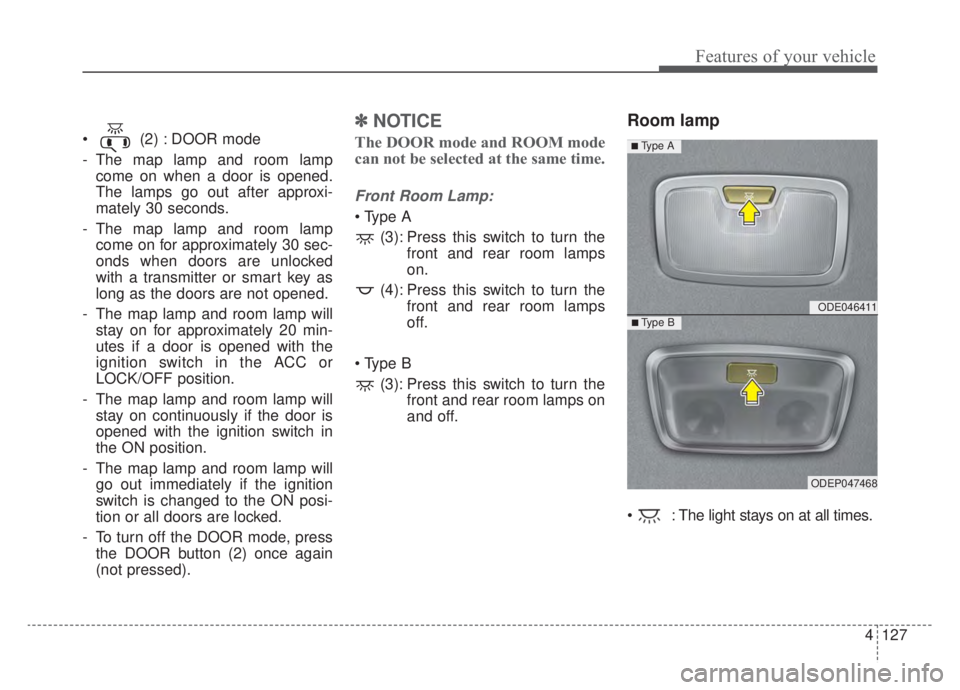
(2) : DOOR mode
- The map lamp and room lampcome on when a door is opened.
The lamps go out after approxi-
mately 30 seconds.
- The map lamp and room lamp come on for approximately 30 sec-
onds when doors are unlocked
with a transmitter or smart key as
long as the doors are not opened.
- The map lamp and room lamp will stay on for approximately 20 min-
utes if a door is opened with the
ignition switch in the ACC or
LOCK/OFF position.
- The map lamp and room lamp will stay on continuously if the door is
opened with the ignition switch in
the ON position.
- The map lamp and room lamp will go out immediately if the ignition
switch is changed to the ON posi-
tion or all doors are locked.
- To turn off the DOOR mode, press the DOOR button (2) once again
(not pressed).
✽ ✽ NOTICE
The DOOR mode and ROOM mode
can not be selected at the same time.
Front Room Lamp:
(3): Press this switch to turn the front and rear room lamps
on.
(4): Press this switch to turn the front and rear room lamps
off.
(3): Press this switch to turn the front and rear room lamps on
and off.
Room lamp
: The light stays on at all times.
ODE046411
ODEP047468
■ Type B
■ Type A
Page 266 of 687

4129
Features of your vehicle
WELCOME SYSTEM (IF EQUIPPED)
Headlight (Headlamp) escort
function
The headlights (and/or taillights)
remain on for approximately 5 min-
utes after the ignition key is removed
or turned to the ACC or LOCK posi-
tion. However, if the driver’s door is
opened and closed, the headlights
are turned off after 15 seconds.
The headlights can be turned off by
pressing the lock button on the trans-
mitter or smart key twice or turning
off the light switch from the headlight
or Auto light position.
Interior light
When the interior light switch is in the
DOOR position and all doors (and lift-
gate) are locked and closed, the
room lamp will come on for 30 sec-
onds if any of the below is performed.
With the smart key system- When the door unlock button ispressed on the smart key.
- When the button of the outside door handle is pressed.
At this time, if you press the door lock
button, the lamps will turn off imme-
diately.
Pocket lamp (if equipped)
When all doors are locked and
closed, the pocket lamp will come on
for 15 seconds if any of the below is
performed.
With the smart key system - When the door unlock button ispressed on the smart key.
- When the button of the outside door handle is pressed.
At this time, if you press the door lock
button, the lamps will turn off imme-
diately.
Page 278 of 687

4141
Features of your vehicle
Operation Tips
To keep dust or unpleasant fumesfrom entering the vehicle through
the ventilation system, temporarily
set the air intake control to the
recirculated air position. Be sure to
return the control to the fresh air
position when the irritation has
passed to keep fresh air in the
vehicle. This will help keep the driv-
er alert and comfortable.
Air for the heating/cooling system is drawn in through the grilles just
ahead of the windshield. Care
should be taken that these are not
blocked by leaves, snow, ice or
other obstructions.
To prevent interior fog on the wind- shield, set the air intake control to
the fresh air position and fan speed
to the desired position, turn on the
air conditioning system, and adjust
the temperature control to desired
temperature.Air conditioning (if equipped)
All Kia Air Conditioning Systems are
filled with R-1234yf refrigerant.
1.Start the engine. Press the air con-ditioning button.
2.Set the mode to the position.
3.Set the air intake control to the out- side air or recirculated air position.
4.Adjust the fan speed control and temperature control to maintain
maximum comfort.
When maximum cooling is desired, set the temperature control to the
extreme left position, set the mode
control to the MAX A/C position,
then set the fan speed control to
the highest speed.CAUTION - Excessive A/C
Use
When using the air conditioningsystem, monitor the tempera-ture gauge closely while drivingup hills or in heavy traffic whenoutside temperatures are high.Air conditioning system opera-tion may cause engine over-heating. Continue to use theblower fan but turn the air con-ditioning system off if the tem-perature gauge indicates engineoverheating.
CAUTION
When opening the windows inhumid weather, air conditioningmay create water dropletsinside the vehicle. Since exces-sive water droplets may causedamage to electrical equipment,air conditioning should only beused with the windows closed.