2020 KIA FORTE audio
[x] Cancel search: audioPage 311 of 568

565
Driving your vehicle
(Continued)
• Do not place reflectiveobjects(white paper or mirror etc.)
on the dashboard.
The system may unnecessarily
activate or deactivate due to
reflection of the sunlight.
• Excessive audio system volume may prevent occupants from hear-
ing the FCA system warning
alarm.System malfunction
When the FCA is not working prop-
erly, the FCA warning light ( ) will
illuminate and the warning mes-
sage will appear for a few seconds.
After the message disappears, the
master warning light ( ) will illu-
minate. In this situation, have the
vehicle inspected by an authorized
Kia dealer. The FCA system will get deactivat-
ed for the sake of driver's safety
when the ESC warning light comes
on. The FCA warning message will
appear at the same time, too. But
that doesn't necessarily mean the
malfunction of the FCA system.
Both the FCA warning light and
warning message will disappear
once the ESC warning light issue
is resolved.
OBDM058095N
Page 324 of 568
Driving your vehicle
78
5
✽ ✽
NOTICE
• Do not install any accessories,
such as license plate molding or
sticker, on the sensor area. Nor
arbitrarily replace the bumper.
Those may adversely affect the
sensing performance.
• Always keep the sensor/bumper area clean.
• Use only soft materials to wash the vehicle. Also, do not spray highly-
pressurized water on the sensor
installed on the bumper.
• Be careful not to apply unneces- sary force on the frontal sensor
area. When the sensor moves out
of the correct position due to
external force, the system may not
operate normally and may not
provide a warning light or mes-
sage. In this situation, have the
vehicle inspected by an authorized
Kia dealer.
• Use only a genuine Kia sensor cover, and do not apply any paint
on the sensor cover. (Continued)(Continued)
• Do not tint the window or install
stickers, or accessories around the
inside mirror where the camera is
installed.
• Make sure the frontal camera installation point does not get wet.
• Do not impact, apply excessive force to, or remove any
radar/camera components.
• Do not place reflective objects(white paper or mirrors
etc.) on the dashboard.
The system may unnecessarily
activate or deactivate due to the
reflection of sunlight.
• Excessive audio system volume may prevent occupants from hear-
ing the FCA system warning
alarm.
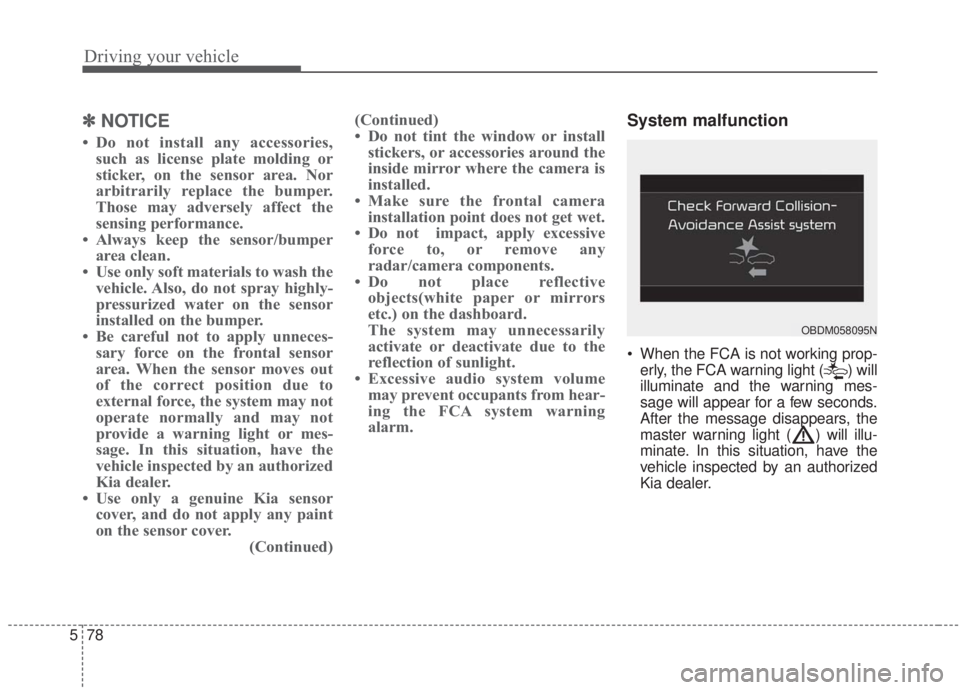
System malfunction
When the FCA is not working prop-
erly, the FCA warning light ( ) will
illuminate and the warning mes-
sage will appear for a few seconds.
After the message disappears, the
master warning light ( ) will illu-
minate. In this situation, have the
vehicle inspected by an authorized
Kia dealer.
OBDM058095N
Page 372 of 568

Driving your vehicle
126
5
(Continued)
• When you replace the windshield
glass, front view camera or sys-
tem, take your vehicle to an
authorized Kia dealer and have
the system check to see if you need
a calibration.
• The system is designed to detect lane markers using a front view
camera. If the lane markers are
hard to detect, then the system
may be limited. Always be cau-
tious when using the system.
• When the lane markers are hard to detect, please refer to the
“Driver’s Attention” section in
this Chapter
• Do not remove or damage the related parts of LKA.
• Do not place objects on the dash- board that reflect light such as
mirrors, white paper, etc. This
may prevent the system from
functioning. (Continued)(Continued)
• If the audio sound is excessive, you
may not hear the warning sound
of the LKA.
• If you continue to drive with your hands off the steering wheel, the
LKA system will stop controlling
the steering wheel after the hands
off alarm. Afterwards, if you drive
with your hands on the steering
wheel, the control will be activated
again.
• At high vehicle speeds, the steer- ing torque of LKA may not be
enough to keep your vehicle with-
in the lane. If so, the vehicle may
move out of its lane. Therefore,
obey any applicable speed limits
when using LKA.
• If you attach objects to the steer- ing wheel, the system may not
assist steering.
• If you attach objects to the steer- ing wheel, the hands off alarm
may not work properly.LKA operation
To activate/deactivate the LKA:
With the ignition switch in the ON
position, press the LKA button locat-
ed on the instrument panel on the
lower left hand side of the driver.
The indicator in the cluster display
will initially illuminate white.
When the indicator(white) activated
in the previous ignition cycle, the
system turns on without any control.
If you press the LKA button again,
the indicator on the cluster display
will go off.
OBD058035
Page 383 of 568

5137
Driving your vehicle
System malfunction
When the “Check System” warning
message appears, the system is not
working properly. In this situation, take
your vehicle to an authorized Kia deal-
er and have the system checked.
✽ ✽NOTICE
It may suggest a break according to
the driver’s driving pattern or
habits even if the driver doesn’t feel
fatigued.
✽ ✽NOTICE
The Driver Attention Warning sys-
tem utilizes the camera sensor on the
front windshield for its operation.
To keep the camera sensor in the
best condition, you should observe
the followings:
- Do not disassemble the camera
when installing tint on the win-
dows or applying any type of coat-
ings or accessories. If you disas-
semble a camera and assemble it
again, take your vehicle to an
authorized Kia dealer and have
the system checked.
- Do not place any reflective objects (i.e. white paper, mirror) over the
dashboard. Any light reflection
may prevent the Driver Attention
Warning (DAW) system from
functioning.
- Use extreme caution to keep the camera sensor out of water.
- Do not disassemble the camera assembly, or apply any impact on
the camera assembly.
• Playing the vehicle audio system at high volume may offset the
Driver Attention Warning system
warning sounds.WARNING
The Driver Attention Warning
system is not a substitute for
safe driving practices. It is the
responsibility of the driver to
always drive cautiously in
order to react to unexpected
and sudden situations. Pay
attention to the road condi-
tions at all times.
A driver who feels fatigued should take a break even
though there is no break sug-
gestion by the Driver
Attention Warning system.
OJF058429L
Page 482 of 568

745
Maintenance
When recharging the battery,
observe the following precautions:
The battery must be removed fromthe vehicle and placed in an area
with good ventilation.
Do not allow cigarettes, sparks, or flame near the battery.
Watch the battery during charging, and stop or reduce the charging
rate if the battery cells begin
gassing (boiling) violently or if the
temperature of the electrolyte of
any cell exceeds 49°C (120°F).
Wear eye protection when check- ing the battery during charging.
Disconnect the battery charger in the following order.
1. Turn off the battery charger main switch.
2. Unhook the negative clamp from the negative battery terminal.
3. Unhook the positive clamp from the positive battery terminal. Before performing maintenance or
recharging the battery, turn off all
accessories and stop the engine.
The negative battery cable must be removed first and installed last
when the battery is disconnected.Reset items
The following should be reset after
the battery has been discharged or
the battery has been disconnected.
Auto up/down window (See Chapter 4)
Sunroof (See Chapter 4)
Trip computer (See Chapter 4)
Climate control system (See Chapter 4)
Driver position memory system (See Chapter 3)
Audio (See Chapter 4)
Page 505 of 568

Maintenance
68
7
Fuse NameFuse ratingCircuit Protected
MEMORY 110ADriver IMS (Integrated memory system) Module,Air Conditioner Control Module, Instrument Cluster
MODULE 110AKey Interlock Switch,Data Link Connector, Hazard Switch, Driver/Passenger Smart Key Outside Handle,
ICM (Integrated Circuit Module) Relay Box (Outside Mirror Folding/Unfolding Relay), Mood_LP_Unit
TRUNK10ATrunk Relay
POWER
WINDOW RH25APower Window Right Handle side Relay
POWER
WINDOW LH25APower Window Left Handle side Relay, Driver Safety Power Window Module
POWER SEAT DRIVER25ADriver Seat Manual Switch
MODULE 47.5ALane Keeping Assist Unit, IBU (Integrated Body Control Unit), Forward Collision Avoidance Assist Unit,
Blind-Spot Collision Warning Unit Left Handle side/Right Handle side
SEAT HEATER REAR15ARear Seat Warmer Control Module
HEATED MIRROR10ADriver/Passenger Power Outside Mirror, Air Conditioner Control Module, ECM (Engine Control
Module)/PCM (Power train Control Module)
SEAT HEATERFRONT20AFront Seat Warmer Control Module, Front Air Ventilation Seat Control Module
AMP25AAMP (Amplifier)
MULTI MEDIA15AAudio/Video & Navigation Head Unit
Instrument panel (Driver’s side fuse panel)
Page 506 of 568

769
Maintenance
Fuse NameFuse ratingCircuit Protected
MODULE 510ACrash Pad Switch, Head Lamp Left Handle side/Right Handle side, Auto Transmission Shift Lever Indicator,
Electro Chromic Mirror, Audio/Video & Navigation Head Unit, Air Conditioner Control Module, Rear Seat
Warmer Control Module, Front Seat Warmer Control Module, Front Air Ventilation Seat Control Module
DOOR LOCK20ADoor Lock/Unlock Relay, ICM (Integrated Circuit Module) Relay Box (Two Turn Unlock Relay), Driver IMS
(Intergrated memory system) Module
IBU 115AIBU (Integrated Body Control Unit)
BRAKE SWITCH10AIBU (Integrated Body Control Unit), Stop Lamp Switch
IG125AEngine Room Junction Block (Fuse - ABS 3, ECU 5, SENSOR 4, TCU 2)
WIPER (LO/HI)10AEngine Room Junction Block (Front Wiper (Low) Relay), Front Wiper Motor, ECM (Engine Control
Module)/PCM (Power train Control Module), IBU (Integrated Body Control Unit)
AIR CONDITIONER17.5AEngine Room Junction Block (Blower, PTC Heater), Air Conditioner Control Module
AIR BAG 210ASRS (Supplemental Restraint System) Control Module
WASHER15AMultifunction Switch
MDPS7.5AMDPS (Motor Driven Power Steering) Unit
MODULE 77.5ARear Seat Warmer Control Module, Front Seat Warmer Control Module, Front Air Ventilation Seat Control
Module
SUNROOF 115ASunroof Motor, ESG_Unit
Page 507 of 568

Maintenance
70
7
Fuse NameFuse ratingCircuit Protected
CLUSTER7.5AInstrument Cluster
MODULE 37.5ASport Mode Switch, Stop Lamp Switch
START7.5AICM (Integrated Circuit Module) Relay Box (Burglar Alarm Relay), Transmission Range Switch, IBU
(Integrated Body Control Unit), ECM (Engine Control Module)/PCM (Power train Control Module),
Engine Room Junction Block (Start)
IBU 27.5AIBU (Integrated Body Control Unit)
AIR BAG
INDICATOR7.5AInstrument Cluster, Air Conditioner Control Module
MODULE 67.5AIBU (Integrated Body Control Unit)
MODULE 210AAudio/Video & Navigation Head Unit, IBU (Integrated Body Control Unit), Rear USB Charger, Wireless
Charger, AMP (Amplifier), Power Outside Mirror Switch, Engine Room Junction Block (Power Outlet)
AIR BAG 115ASRS (Supplemental Restraint System) Control Module, Passenger Occupant Detection Sensor
AIR
CONDITIONER 210AEngine Room Junction Block (BLOWER Relay), Air Conditioner Control Module, Blower Resistor, Blower
Motor
POWER OUTLET20ACigarette Lighter