2020 Hyundai Sonata Hood
[x] Cancel search: HoodPage 15 of 537

2-2
Vehicle Information
EXTERIOR OVERVIEW
Front view
The actual shape may differ from the illustration.ODN8A019001
1. Hood .....................................................5-64
2. Headlamp ..............................................8-55
3. Tires and wheels ..................................8-34
4. Side view mirror ................................... 5-53
5. Panoramic sunroof ...............................5-60
6. Front windshield wiper blades ............ 8-29
7. Windows ...............................................5-56
Page 17 of 537

2-4
Vehicle Information
The actual shape may differ from the illustration.ODN8A019003
1. Inside door handle ................................ 5-32
2. Seat position memory system .............5-39
3. Side view mirror control switch ...........5-54
4. Central door lock switch .......................5-33
5. Power window switches ......................5-56
6. Power window lock button ..................5-59
7. Steering wheel tilt/telescopic lever ....5-43
8. Steering wheel ......................................5-42
9. Instrument panel illumination control
switch
......................................................4-3
10. Idle Stop and Go (ISG) OFF button ......6-33
11. Lane Keeping Assist system button ....6-58
12. Trunk release button ............................5-65
13. ESC OFF button ....................................6-29
14. EPB (Electronic Parking Brake) .............6-21
15. Hood release lever ...............................5-64
INTERIOR OVERVIEW
Page 102 of 537
04
4-17
Door, Hood, Trunk Open Indicator
ODN8049012ODN8049012
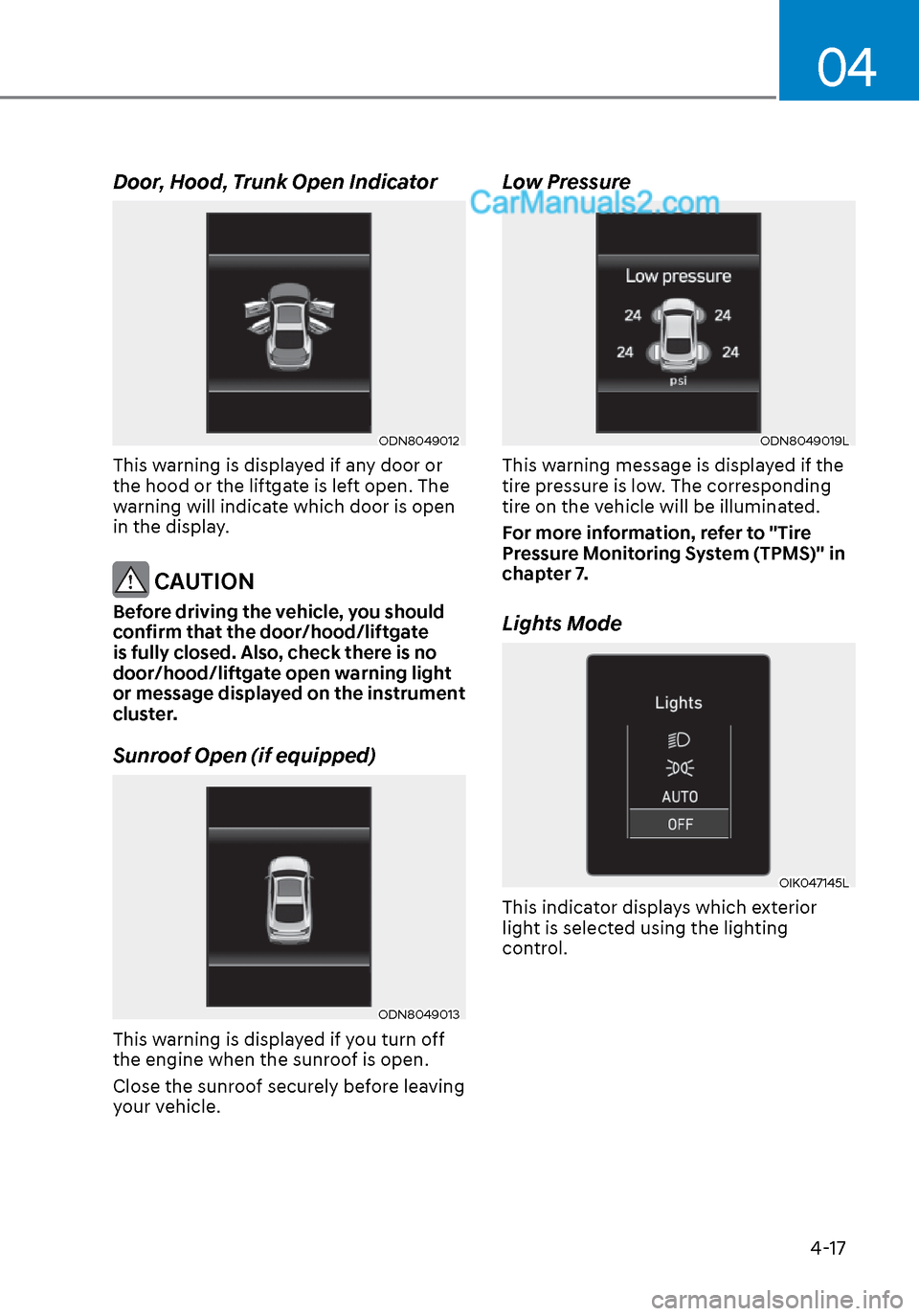
This warning is displayed if any door or
the hood or the liftgate is left open. The
warning will indicate which door is open
in the display.
CAUTION
Before driving the vehicle, you should
confirm that the door/hood/liftgate
is fully closed. Also, check there is no
door/hood/liftgate open warning light
or message displayed on the instrument
cluster.
Sunroof Open (if equipped)
ODN8049013ODN8049013
This warning is displayed if you turn off
the engine when the sunroof is open.
Close the sunroof securely before leaving
your vehicle.
Low Pressure
ODN8049019LODN8049019L
This warning message is displayed if the
tire pressure is low. The corresponding
tire on the vehicle will be illuminated.
For more information, refer to "Tire
Pressure Monitoring System (TPMS)" in
chapter 7.
Lights Mode
OIK047145LOIK047145L
This indicator displays which exterior
light is selected using the lighting
control.
Page 131 of 537

5. Convenient Features
Accessing Your Vehicle ........................................................................\
.......... 5-4Remote Key ........................................................................\
...................................... 5-4
Smart Key ........................................................................\
..........................................5-7
Immobilizer System ........................................................................\
........................ 5-14
Hyundai Digital Key ........................................................................\
......................... 5-15
Door Locks ........................................................................\
............................. 5-31Operating Door Locks from Outside the Vehicle .................................................. 5-31
Operating Door Locks from Inside the Vehicle .................................................... 5-32
Automatic Door Lock and Unlock Features .......................................................... 5-34
Child-Protector Rear Door Locks ........................................................................\
.. 5-35
Rear Occupant Alert (ROA) System ....................................................................... 5-36
Theft-Alarm System ........................................................................\
............. 5-38
Driver Position Memory System ................................................................. 5-39
Storing Positions into Memory ........................................................................\
..... 5-39
Recalling Positions from Memory ........................................................................\
.5-40
Resetting the Driver’s Seat Memory System ........................................................5-40
Easy Access Function ........................................................................\
......................5-41
Steering Wheel ........................................................................\
..................... 5-42Electric Power Steering (EPS) ........................................................................\
........ 5-42
Tilt Steering / Telescope Steering ........................................................................\
. 5-43
Heated Steering Wheel ........................................................................\
.................. 5-44
Horn........................................................................\
................................................. 5-45
Mirrors ......................................................................\
....................................5-46Inside Rearview Mirror ........................................................................\
................... 5-46
Side View Mirrors ........................................................................\
........................... 5-53
Reverse Parking Aid Function ........................................................................\
........ 5-55
Windows ......................................................................\
................................. 5-56Power Windows ........................................................................\
.............................. 5-57
Panoramic Sunroof ........................................................................\
..............5-60Sunshade ...............................................................\
..................................................5-61
Sliding the Sunroof ........................................................................\
..........................5-61
Tilting the Sunroof ........................................................................\
..........................5-61
Closing the Sunroof ........................................................................\
....................... 5-62
Resetting the Sunroof ........................................................................\
.................... 5-63
Sunroof Open Warning ........................................................................\
.................. 5-63
Exterior Features ........................................................................\
..................5-64Hood ....................................................................\
.................................................... 5-64
Trunk ...................................................................\
..................................................... 5 -65
Emergency Trunk Safety Release ........................................................................\
.. 5-66
Fuel Filler Door ........................................................................\
............................... 5-70
5
Page 134 of 537

Convenient Features5-4
Remote Key (if equipped)
OIG046001OIG046001
Your HYUNDAI uses a remote key, which
you can use to lock or unlock the driver
and passenger doors or the rear trunk.
(1) Door Lock
(2) Door Unlock
(3) Trunk Unlock
(4) Panic
Locking your vehicle
To lock your vehicle:
1. Make sure all doors, the engine hood and the trunk are closed.
2. Press the Door Lock button (1) on the remote key to lock all doors.
3. If the Door Lock button (1) is pressed once more within four seconds, the
horn will beep once and the hazard
warning lights will blink.
4. Make sure the doors are locked by checking the position of the door lock
button inside the vehicle.
WARNING
Do not leave the keys in your
vehicle with unsupervised children.
Unattended children could place the
key in the ignition switch and may
operate power windows or other
controls, or even make the vehicle
move, which could result in serious
injury or death.
Unlocking your vehicle
To unlock your vehicle:
1. Press the Door Unlock button (2) on the remote key.
2. The driver’s door will unlock. The hazard warning lights will blink two
times.
• Two press unlock setting: If you press the Door Unlock button
on the remote key again within
four seconds, then all the doors will
unlock.
Two press unlock setting can be
changed according to owner’s
preference in the cluster User Settings
mode or with the remote key.
• User settings mode method:
Select or deselect the ‘Two Press
Unlock’ feature in the User Settings
mode on the cluster LCD display (User
Settings → Door → Two Press Unlock).
Information
After unlocking the doors, the doors will
automatically relock after 30 seconds
unless a door is opened.
ACCESSING YOUR VEHICLE
Page 137 of 537
05
5-7
Smart Key (if equipped)
Type AType A
ODN8059006ODN8059006
Type BType B
ODN8059007ODN8059007
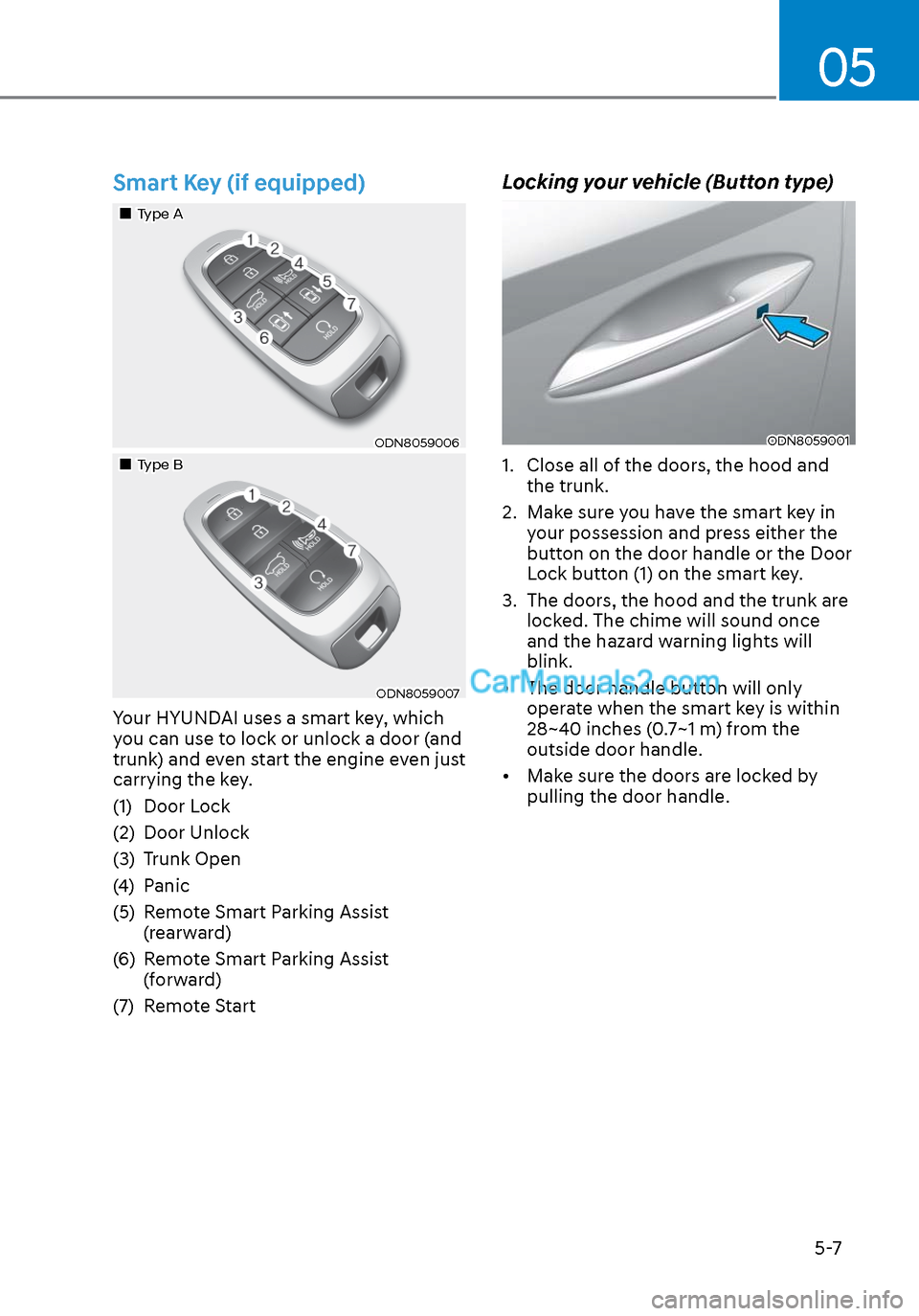
Your HYUNDAI uses a smart key, which
you can use to lock or unlock a door (and
trunk) and even start the engine even just
carrying the key.
(1) Door Lock
(2) Door Unlock
(3) Trunk Open
(4) Panic
(5) Remote Smart Parking Assist (rearward)
(6) Remote Smart Parking Assist (forward)
(7) Remote Start
Locking your vehicle (Button type)
ODN8059001ODN8059001
1. Close all of the doors, the hood and the trunk.
2. Make sure you have the smart key in your possession and press either the
button on the door handle or the Door
Lock button (1) on the smart key.
3. The doors, the hood and the trunk are locked. The chime will sound once
and the hazard warning lights will
blink.
• The door handle button will only operate when the smart key is within
28~40 inches (0.7~1 m) from the
outside door handle.
• Make sure the doors are locked by pulling the door handle.
Page 138 of 537

Convenient Features5-8
Locking your vehicle
(Touch sensor type)
ODN8059236ODN8059236
1. Close all of the doors, the hood and the trunk.
2. Make sure you have the smart key in your possession and touch either the
touch sensor on the door handle (the
engraved part) or press the Door Lock
button (1) on the smart key.
3. The doors, hood and trunk are locked. The chime will sound once and the
hazard warning lights will blink.
• The door handle button will only operate when the smart key is within
28~40 inches (0.7~1 m) from the
outside door handle.
• Make sure the doors are locked by pulling the door handle.
• If you locked the door with the touch sensor on the door handle, the doors
cannot be unlocked with the sensor
within 3 seconds.
Even though you press the outside door
handle button or touch the touch sensor,
the doors will not be locked and the
chime will sound for 3 seconds if any of
the following occurs:
• The Smart Key is in the vehicle
• The Engine Start/Stop button is in ACC or ON position.
• Any door except the trunk is opened.
CAUTION
When you leave your vehicle with
the smart key, make sure to press the
button on the front door handle or
touch the touch sensor on the front
door handle to lock the doors after
close all of the doors, the hood and the
trunk. If you do not press the button
or touch the touch sensor firmly, the
doors might not be locked so please use
caution.
WARNING
Do not leave the Smart Key in your
vehicle with unsupervised children.
Unattended children could press the
Engine Start/ Stop button and may
operate power windows or other
controls, or even make the vehicle
move, which could result in serious
injury or death.
Page 148 of 537
Convenient Features5-18
Set up main vehicle
You can manage multiple digital keys
fr
om the Digital key app. From the list of
digital keys you own, select the vehicle
you want to make your priority vehicle.
For more information, please refer to
the ‘Tutorial’ on your Digital key app.
ODN8059237ODN8059237
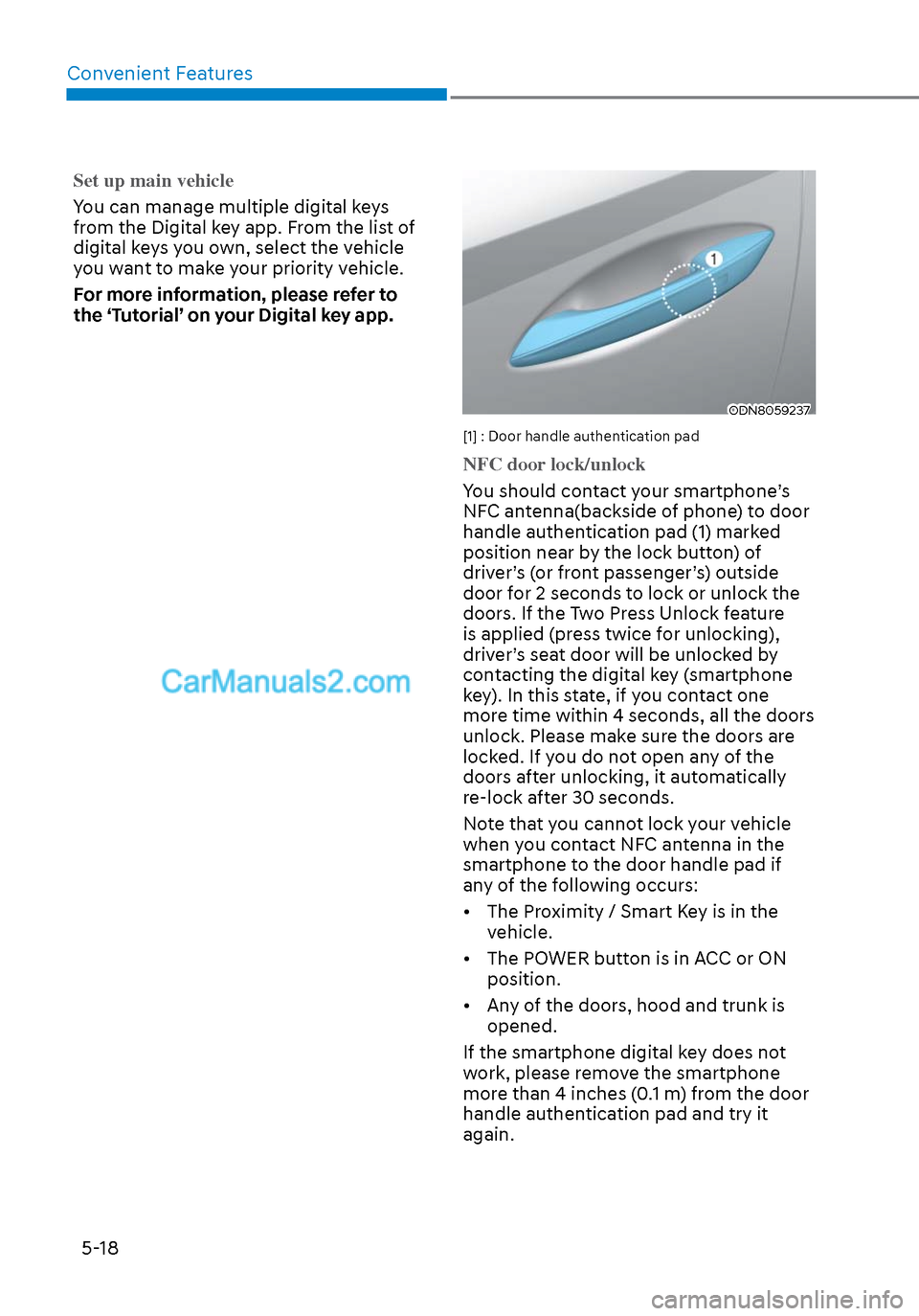
[1] : Door handle authentication pad
NFC door lock/unlock
You should contact your smartphone’s
NF
C antenna(backside of phone) to door
handle authentication pad (1) marked
position near by the lock button) of
driver’s (or front passenger’s) outside
door for 2 seconds to lock or unlock the
doors. If the Two Press Unlock feature
is applied (press twice for unlocking),
driver’s seat door will be unlocked by
contacting the digital key (smartphone
key). In this state, if you contact one
more time within 4 seconds, all the doors
unlock. Please make sure the doors are
locked. If you do not open any of the
doors after unlocking, it automatically
re-lock after 30 seconds.
Note that you cannot lock your vehicle
when you contact NFC antenna in the
smartphone to the door handle pad if
any of the following occurs:
• The Proximity / Smart Key is in the vehicle.
• The POWER button is in ACC or ON position.
• Any of the doors, hood and trunk is opened.
If the smartphone digital key does not
work, please remove the smartphone
more than 4 inches (0.1 m) from the door
handle authentication pad and try it
again.