2020 HYUNDAI SONATA HYBRID infotainment
[x] Cancel search: infotainmentPage 208 of 527
Convenient Features
5-60
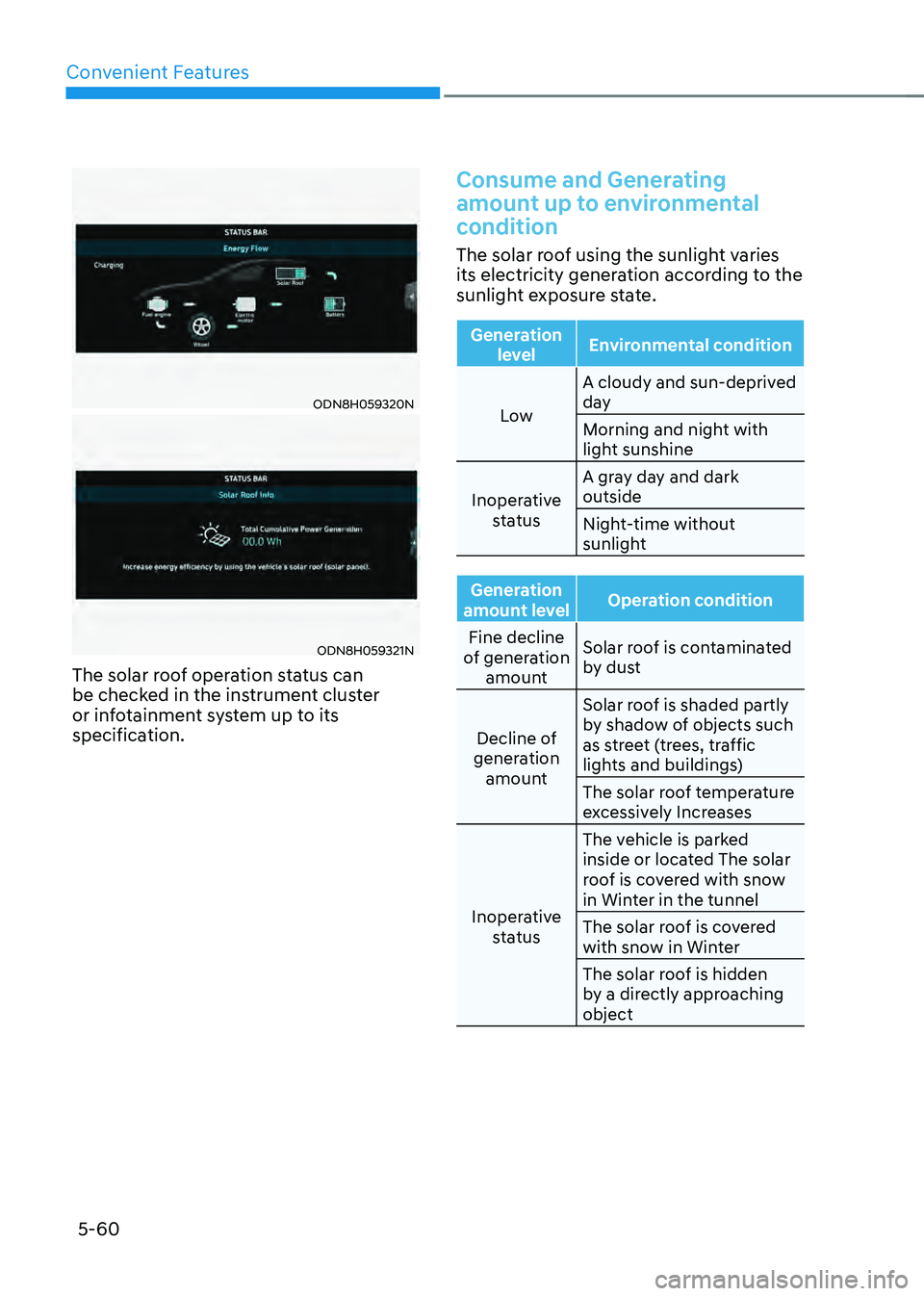
ODN8H059320N
ODN8H059321N
The solar roof operation status can
be checked in the instrument cluster
or infotainment system up to its
specification.
Consume and Generating
amount up to environmental
condition
The solar roof using the sunlight varies
its electricity generation according to the
sunlight exposure state.
Generation level Environmental condition
Low A cloudy and sun-deprived
day
Morning and night with
light sunshine
Inoperative status A gray day and dark
outside
Night-time without
sunlight
Generation
amount level Operation condition
Fine decline
of generation amount Solar roof is contaminated
by dust
Decline of
generation amount Solar roof is shaded partly
by shadow of objects such
as street (trees, traffic
lights and buildings)
The solar roof temperature
excessively Increases
Inoperative status The vehicle is parked
inside or located The solar
roof is covered with snow
in Winter in the tunnel
The solar roof is covered
with snow in Winter
The solar roof is hidden
by a directly approaching
object
Page 213 of 527
05
5-65
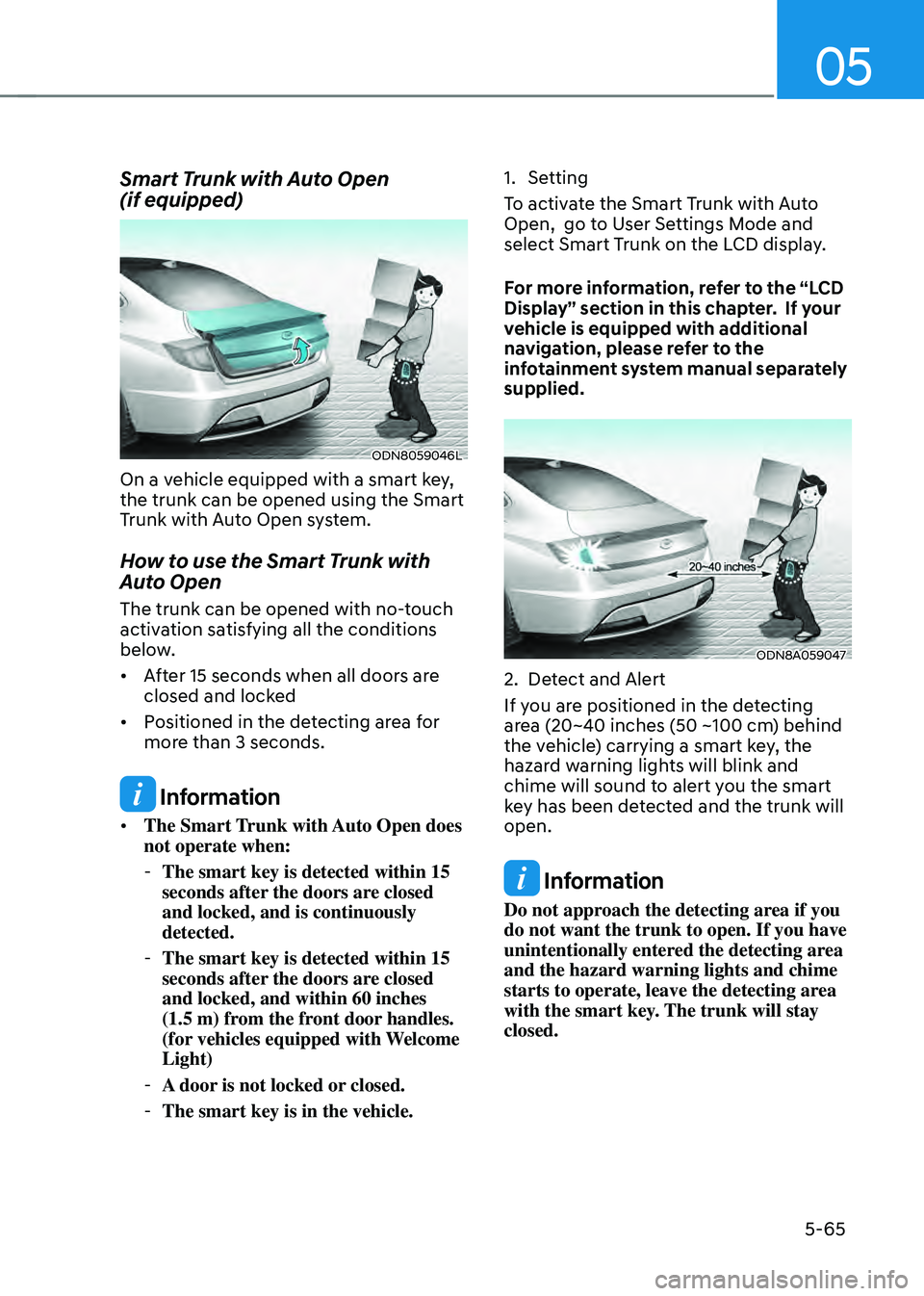
Smart Trunk with Auto Open
(if equipped)
ODN8059046L
On a vehicle equipped with a smart key,
the trunk can be opened using the Smart
Trunk with Auto Open system.
How to use the Smart Trunk with
Auto Open
The trunk can be opened with no-touch
activation satisfying all the conditions
below.
• After 15 seconds when all doors are
closed and locked
• Positioned in the detecting area for
more than 3 seconds.
Information
• The Smart Trunk with Auto Open does
not operate when:
-The smart key is detected within 15
seconds after the doors are closed
and locked, and is continuously
detected.
-The smart key is detected within 15
seconds after the doors are closed
and locked, and within 60 inches
(1.5 m) from the front door handles.
(for vehicles equipped with Welcome
Light)
-A door is not locked or closed.
-The smart key is in the vehicle.
1. Setting
To activate the Smart Trunk with Auto
Open, go to User Settings Mode and
select Smart Trunk on the LCD display.
For more information, refer to the “LCD
Display” section in this chapter. If your
vehicle is equipped with additional
navigation, please refer to the
infotainment system manual separately
supplied.
ODN8A059047
2. Detect and Alert
If you are positioned in the detecting
area (20~40 inches (50 ~100 cm) behind
the vehicle) carrying a smart key, the
hazard warning lights will blink and
chime will sound to alert you the smart
key has been detected and the trunk will
open.
Information
Do not approach the detecting area if you
do not want the trunk to open. If you have
unintentionally entered the detecting area
and the hazard warning lights and chime
starts to operate, leave the detecting area
with the smart key. The trunk will stay
closed.
Page 218 of 527
Convenient Features
5-70
HEAD UP DISPLAY (HUD) (IF EQUIPPED)
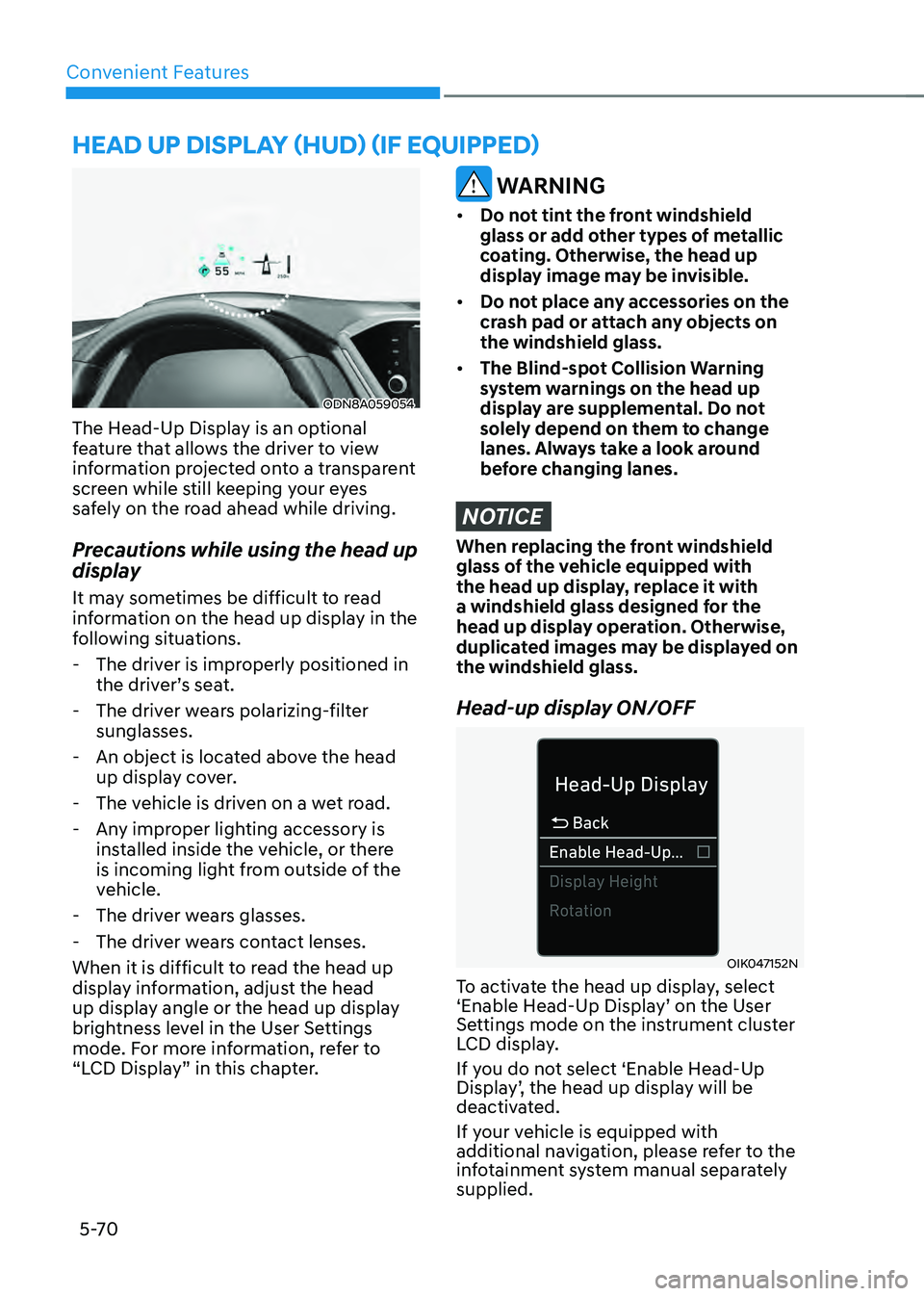
ODN8A059054
The Head-Up Display is an optional
feature that allows the driver to view
information projected onto a transparent
screen while still keeping your eyes
safely on the road ahead while driving.
Precautions while using the head up
display
It may sometimes be difficult to read
information on the head up display in the
following situations.
-The driver is improperly positioned in
the driver’s seat.
-The driver wears polarizing-filter
sunglasses.
-An object is located above the head
up display cover.
-The vehicle is driven on a wet road.
-Any improper lighting accessory is
installed inside the vehicle, or there
is incoming light from outside of the
vehicle.
-The driver wears glasses.
-The driver wears contact lenses.
When it is difficult to read the head up
display information, adjust the head
up display angle or the head up display
brightness level in the User Settings
mode. For more information, refer to
“LCD Display” in this chapter.
WARNING
• Do not tint the front windshield
glass or add other types of metallic
coating. Otherwise, the head up
display image may be invisible.
• Do not place any accessories on the
crash pad or attach any objects on
the windshield glass.
• The Blind-spot Collision Warning
system warnings on the head up
display are supplemental. Do not
solely depend on them to change
lanes. Always take a look around
before changing lanes.
NOTICE
When replacing the front windshield
glass of the vehicle equipped with
the head up display, replace it with
a windshield glass designed for the
head up display operation. Otherwise,
duplicated images may be displayed on
the windshield glass.
Head-up display ON/OFF
OIK047152N
To activate the head up display, select
‘Enable Head-Up Display’ on the User
Settings mode on the instrument cluster
LCD display.
If you do not select ‘Enable Head-Up
Display’, the head up display will be
deactivated.
If your vehicle is equipped with
additional navigation, please refer to the
infotainment system manual separately
supplied.
Page 219 of 527
05
5-71
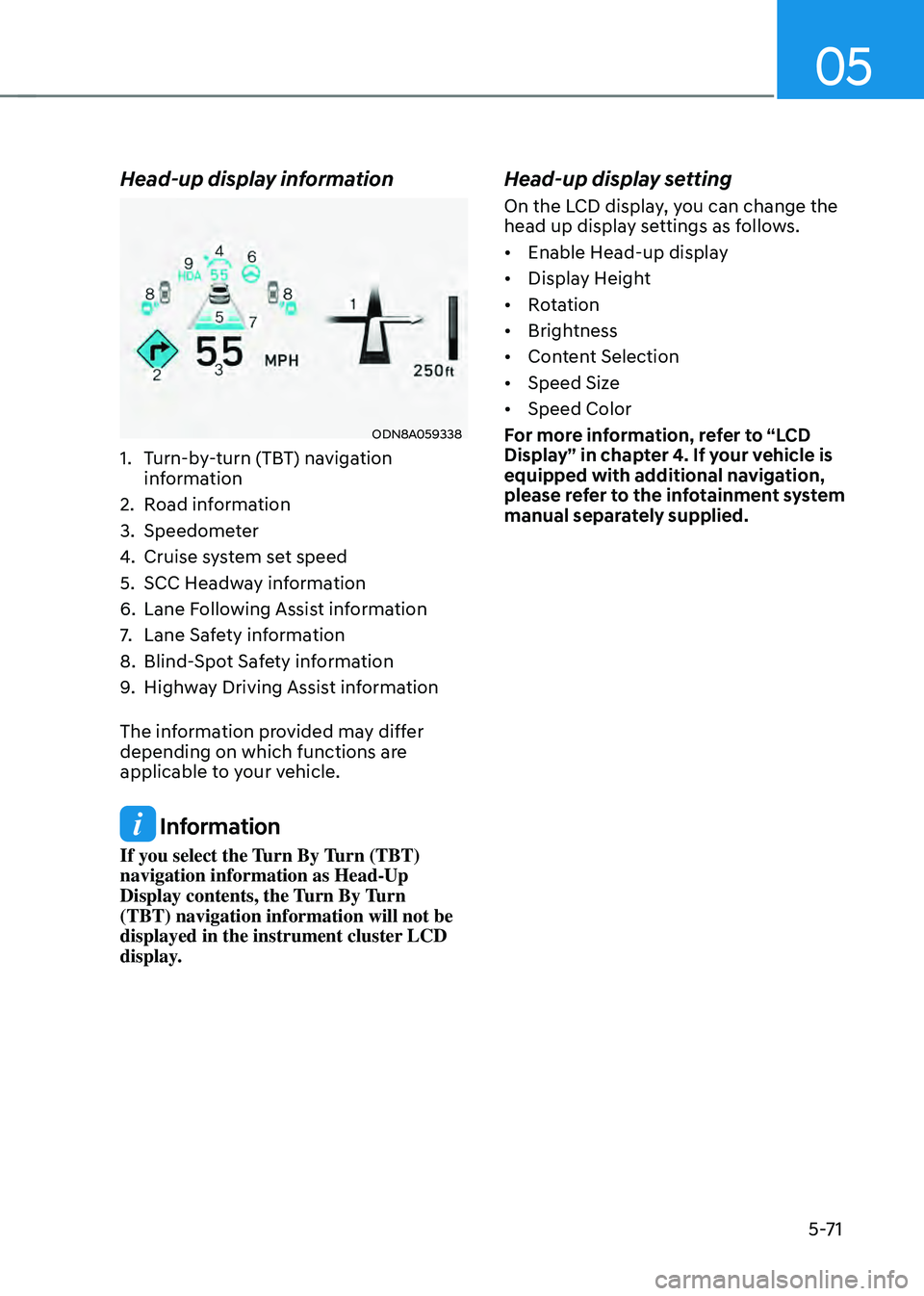
Head-up display information
ODN8A059338
1. Turn-by-turn (TBT) navigation
information
2. Road information
3. Speedometer
4. Cruise system set speed
5. SCC Headway information
6. Lane Following Assist information
7. Lane Safety information
8. Blind-Spot Safety information
9. Highway Driving Assist information
The information provided may differ
depending on which functions are
applicable to your vehicle.
Information
If you select the Turn By Turn (TBT)
navigation information as Head-Up
Display contents, the Turn By Turn
(TBT) navigation information will not be
displayed in the instrument cluster LCD
display.
Head-up display setting
On the LCD display, you can change the
head up display settings as follows.
• Enable Head-up display
• Display Height
• Rotation
• Brightness
• Content Selection
• Speed Size
• Speed Color
For more information, refer to “LCD
Display” in chapter 4. If your vehicle is
equipped with additional navigation,
please refer to the infotainment system
manual separately supplied.
Page 229 of 527
05
5-81
Welcome System (if equipped)
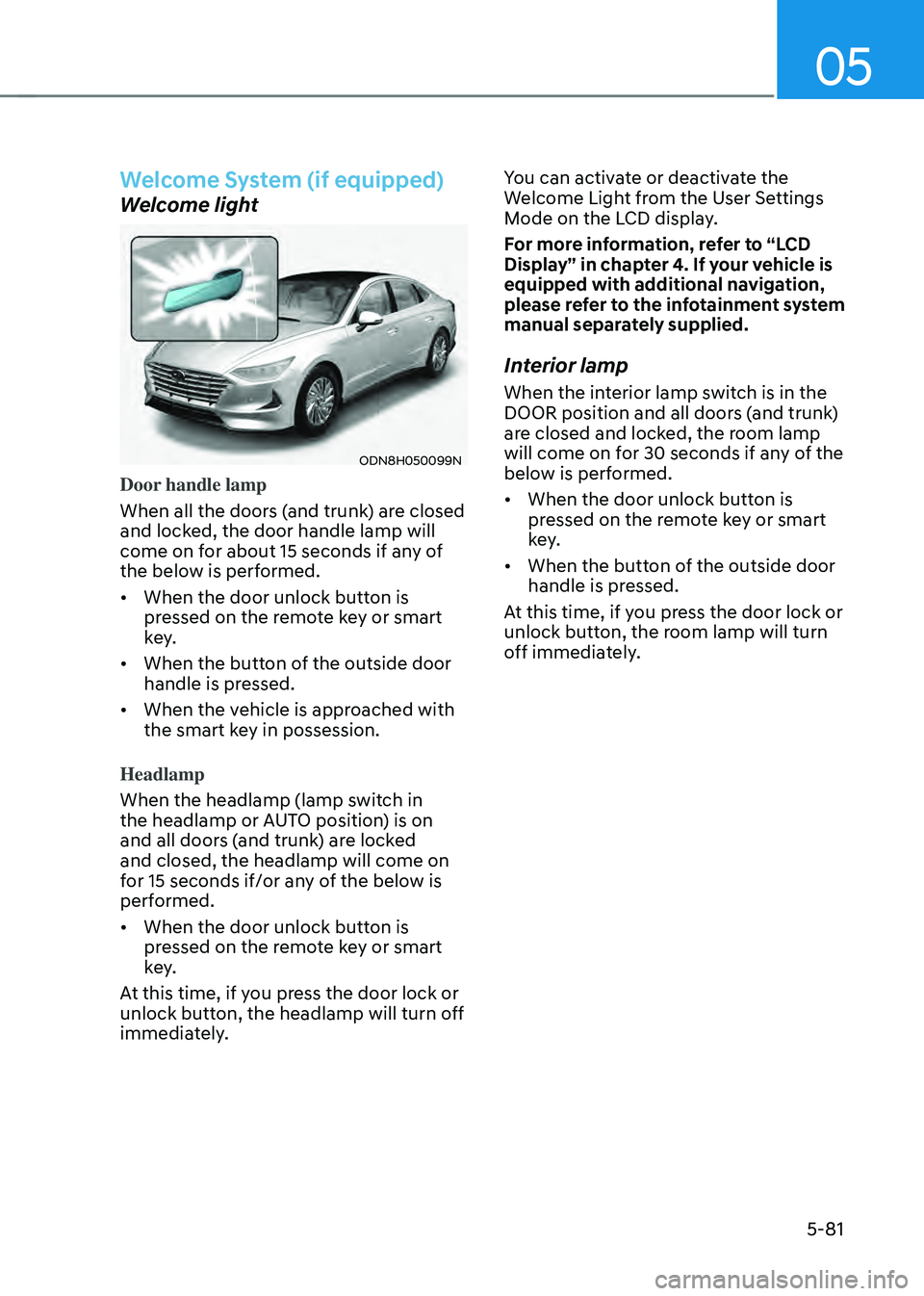
Welcome light
ODN8H050099N
Door handle lamp
When all the doors (and trunk) are closed
and locked, the door handle lamp will
come on for about 15 seconds if any of
the below is performed.
• When the door unlock button is
pressed on the remote key or smart
key.
• When the button of the outside door
handle is pressed.
• When the vehicle is approached with
the smart key in possession.
Headlamp
When the headlamp (lamp switch in
the headlamp or AUTO position) is on
and all doors (and trunk) are locked
and closed, the headlamp will come on
for 15 seconds if/or any of the below is
performed.
• When the door unlock button is
pressed on the remote key or smart
key.
At this time, if you press the door lock or
unlock button, the headlamp will turn off
immediately. You can activate or deactivate the
Welcome Light from the User Settings
Mode on the LCD display.
For more information, refer to “LCD
Display” in chapter 4. If your vehicle is
equipped with additional navigation,
please refer to the infotainment system
manual separately supplied.
Interior lamp
When the interior lamp switch is in the
DOOR position and all doors (and trunk)
are closed and locked, the room lamp
will come on for 30 seconds if any of the
below is performed.
•
When the door unlock button is
pressed on the remote key or smart
key.
• When the button of the outside door
handle is pressed.
At this time, if you press the door lock or
unlock button, the room lamp will turn
off immediately.
Page 232 of 527
Convenient Features
5-84
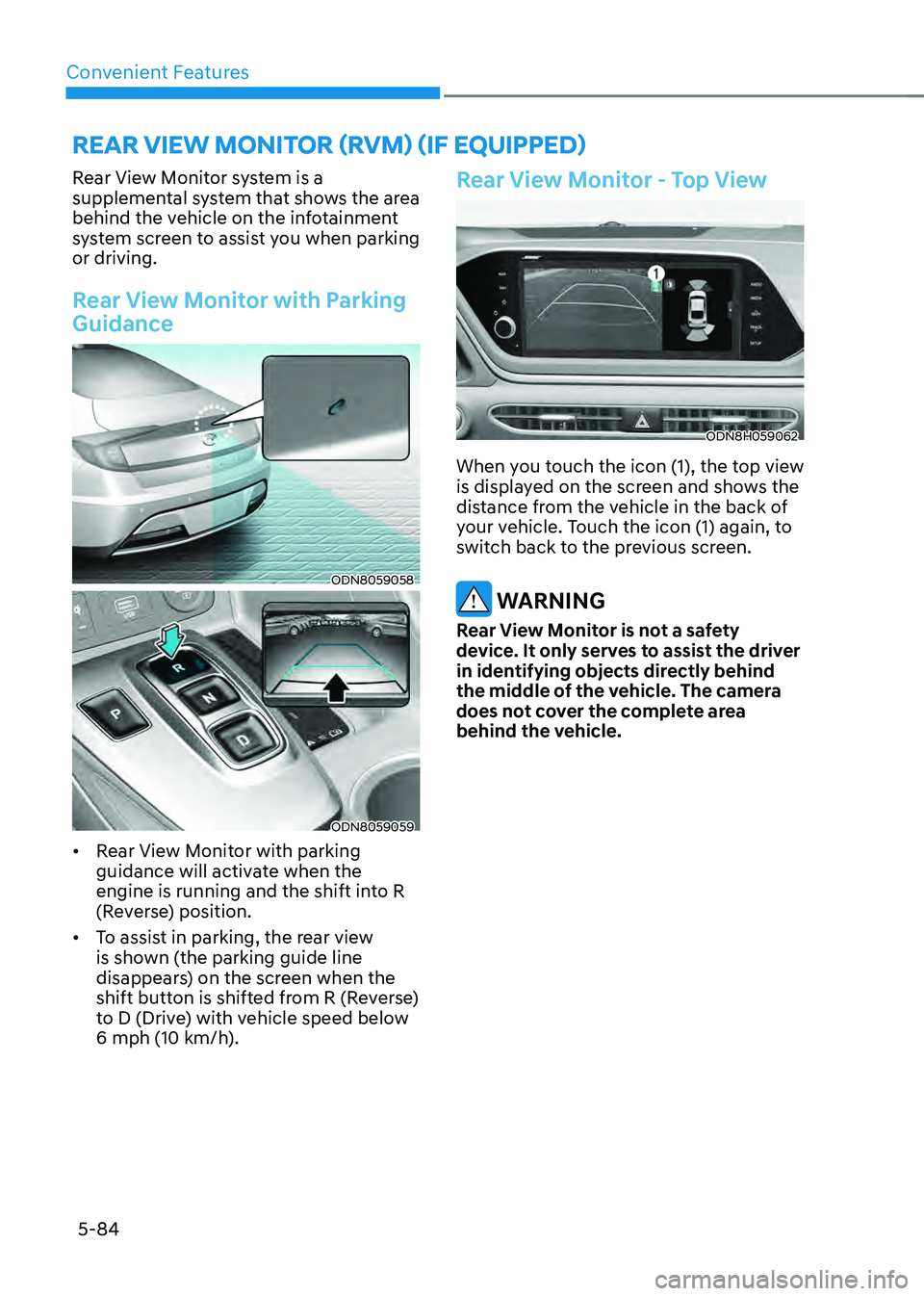
Rear View Monitor system is a
supplemental system that shows the area
behind the vehicle on the infotainment
system screen to assist you when parking
or driving.
Rear View Monitor with Parking
Guidance
ODN8059058
ODN8059059
• Rear View Monitor with parking
guidance will activate when the
engine is running and the shift into R
(Reverse) position.
• To assist in parking, the rear view
is shown (the parking guide line
disappears) on the screen when the
shift button is shifted from R (Reverse)
to D (Drive) with vehicle speed below
6 mph (10 km/h).
Rear View Monitor - Top View
ODN8H059062
When you touch the icon (1), the top view
is displayed on the screen and shows the
distance from the vehicle in the back of
your vehicle. Touch the icon (1) again, to
switch back to the previous screen.
WARNING
Rear View Monitor is not a safety
device. It only serves to assist the driver
in identifying objects directly behind
the middle of the vehicle. The camera
does not cover the complete area
behind the vehicle.
REAR VIEW MONITOR (RVM) (IF EQUIPPED)
Page 240 of 527
Convenient Features
5-92
Operation of Forward/Reverse
Parking Distance Warning
System
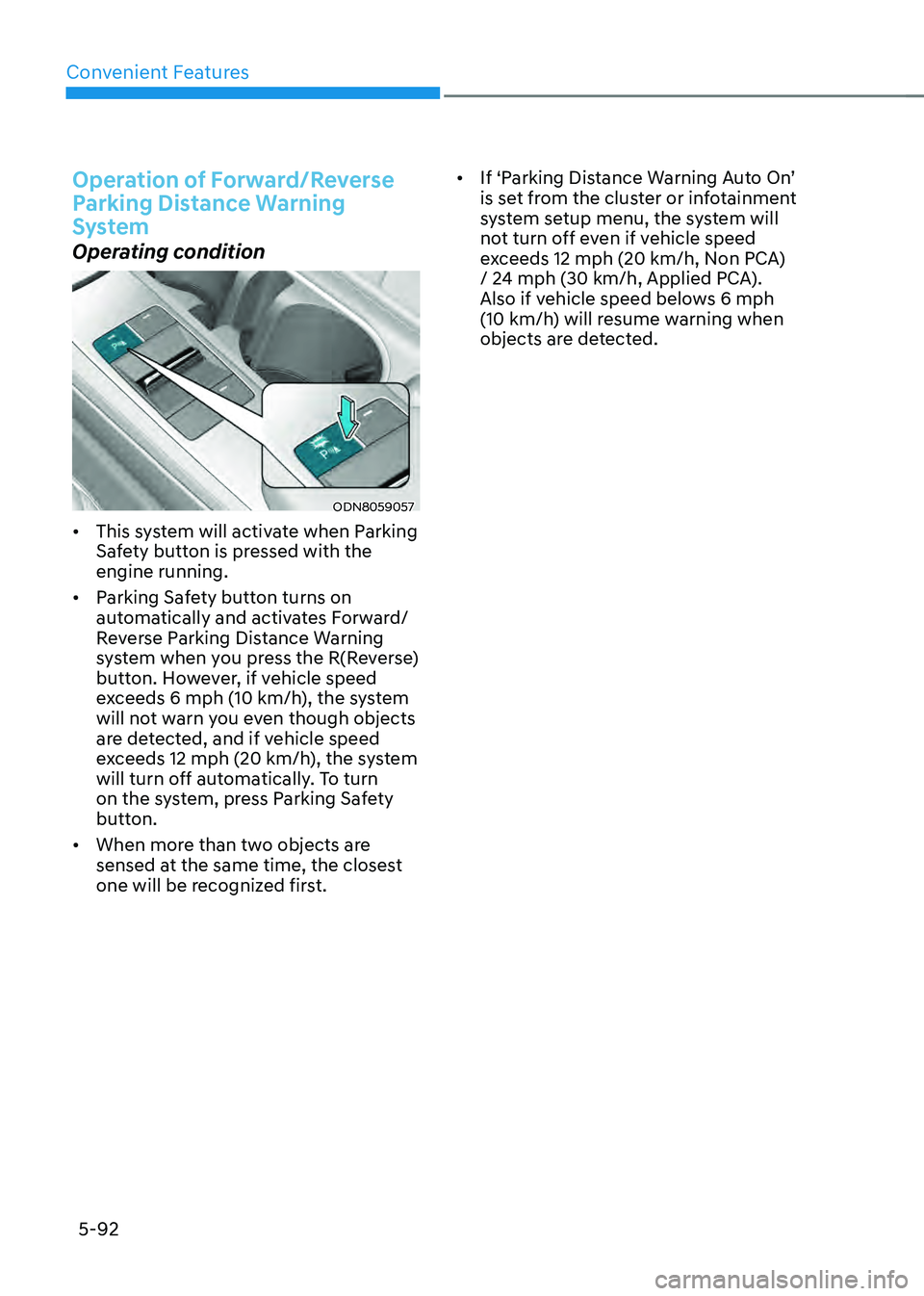
Operating condition
ODN8059057
• This system will activate when Parking
Safety button is pressed with the
engine running.
• Parking Safety button turns on
automatically and activates Forward/
Reverse Parking Distance Warning
system when you press the R(Reverse)
button. However, if vehicle speed
exceeds 6 mph (10 km/h), the system
will not warn you even though objects
are detected, and if vehicle speed
exceeds 12 mph (20 km/h), the system
will turn off automatically. To turn
on the system, press Parking Safety
button.
• When more than two objects are
sensed at the same time, the closest
one will be recognized first. •
If ‘Parking Distance Warning Auto On’
is set from the cluster or infotainment
system setup menu, the system will
not turn off even if vehicle speed
exceeds 12 mph (20 km/h, Non PCA)
/ 24 mph (30 km/h, Applied PCA).
Also if vehicle speed belows 6 mph
(10 km/h) will resume warning when
objects are detected.
Page 243 of 527

05
5-95
Reverse Parking Collision-Avoidance
Assist is a supplemental system that can
warn the driver or apply braking force
to reduce the possibility of collision
with pedestrians when the vehicle is
reversing.
WARNING
• Always look around your vehicle to
make sure there are no objects or
pedestrian before moving the vehicle
in any direction to prevent a collision.
• Do not solely rely on Reverse Parking
Collision-Avoidance Assist system.
The system might not assist the
driver leading to pedestrian injury or
vehicle damage.
• Be aware that some objects may
not be visible on the screen or be
detected by the rear ultrasonic
sensors, due to the objects’ distance,
size or material, all of which can limit
the effectiveness of the sensors.
System Setting and Operation
System setting
Parking Collision-Avoidance Assist-
Reverse can be activated from the
Settings menu in the LCD display or
infotainment system display by following
the procedure below.
1. Set the Engine Start/Stop button to
the ON or START position.
2. Select ‘User Settings → Driver Assistance → Parking Safety → Active Assist / Warning Only / Off’ in the
LCD display or infotainment system
display.
-The system is ready for operation
when ‘Active Assist’ is selected. In
the event of an imminent collision
with a pedestrian or an object, the
system warns the driver or applies
braking force to help avoid the
collision.
-The system is ready for operation
when ‘Warning Only’ is selected. In
the event of an imminent collision
with a pedestrian, the system warns
the driver but does not assist in
braking.
-The system deactivates when ‘Off’ is
selected.
REVERSE PARKING COLLISION-AVOIDANCE ASSIST (PCA)