Page 283 of 535

5-47
Driving your vehicle
5Driving with wheels and tires with
different sizes may cause the ESC
system to malfunction. Before
replacing tires, make sure all four
tires and wheels are the same
size. Never drive the vehicle with
different sized wheels and tires
installed.
ESC OFF usage
When Driving
The ESC OFF mode should only be
used briefly to help free the vehicle if
stuck in snow or mud by temporarily
stopping operation of the ESC to
maintain wheel torque.
To turn ESC off while driving, press
the ESC OFF button while driving on
a flat road surface.To prevent damage to the trans-
mission:
Do not allow wheel(s) of one
axle to spin excessively while
the ESC, ABS, and parking brake
warning lights are displayed.
The repairs would not be cov-
ered by the vehicle warranty.
Reduce engine power and do
not spin the wheel(s) excessive-
ly while these lights are dis-
played.
When operating the vehicle on a dynamometer, make sure the
ESC is turned off (ESC OFF light
illuminated).
Information
Turning the ESC off does not affect
ABS or standard brake system opera-
tion.
i
NOTICE
NOTICE
When the ESC is blinking, this
indicates the ESC is active:
Drive slowly and NEVER
attempt to accelerate. NEVER
turn the ESC off while the ESC
indicator light is blinking or you
may lose control of the vehicle
resulting in an accident.
WARNING
Page 291 of 535
5-55
Driving your vehicle
5
System Setting and Operation
System setting
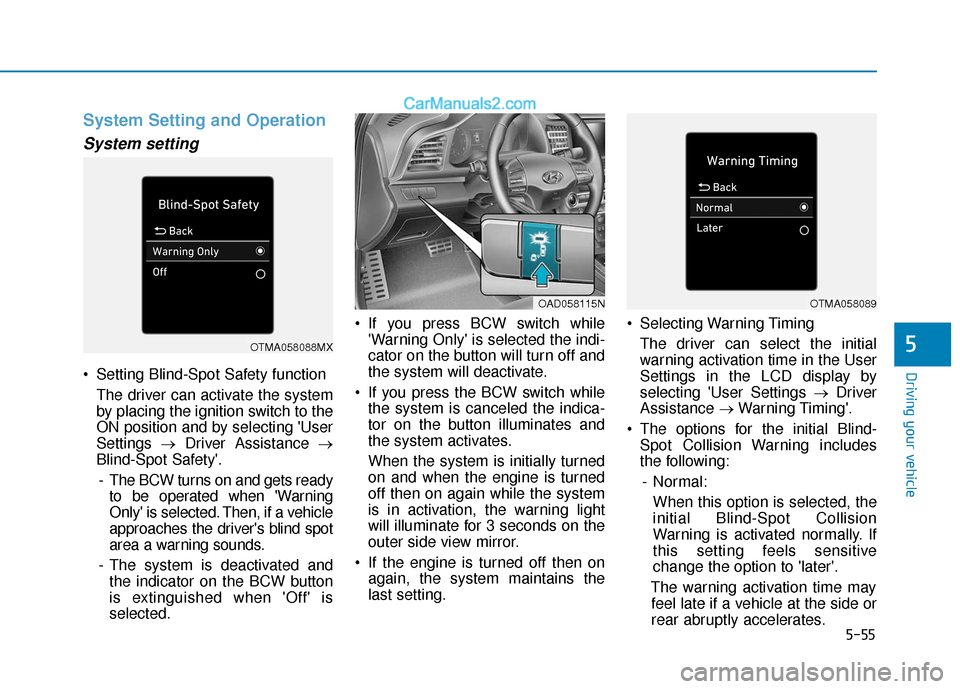
Setting Blind-Spot Safety functionThe driver can activate the system
by placing the ignition switch to the
ON position and by selecting 'User
Settings →Driver Assistance →
Blind-Spot Safety'.
- The BCW turns on and gets ready to be operated when 'Warning
Only' is selected. Then, if a vehicle
approaches the driver's blind spot
area a warning sounds.
- The system is deactivated and the indicator on the BCW button
is extinguished when 'Off' is
selected. If you press BCW switch while
'Warning Only' is selected the indi-
cator on the button will turn off and
the system will deactivate.
If you press the BCW switch while the system is canceled the indica-
tor on the button illuminates and
the system activates.
When the system is initially turned
on and when the engine is turned
off then on again while the system
is in activation, the warning light
will illuminate for 3 seconds on the
outer side view mirror.
If the engine is turned off then on again, the system maintains the
last setting. Selecting Warning Timing
The driver can select the initial
warning activation time in the User
Settings in the LCD display by
selecting 'User Settings → Driver
Assistance →Warning Timing'.
The options for the initial Blind- Spot Collision Warning includes
the following:
- Normal: When this option is selected, the
initial Blind-Spot Collision
Warning is activated normally. If
this setting feels sensitive
change the option to 'later'.
The warning activation time may feel late if a vehicle at the side or
rear abruptly accelerates.
OTMA058088MX
OAD058115NOTMA058089
Page 301 of 535
5-65
Driving your vehicle
5
When the system is initially turnedon and when the engine is turned
off then on again, the warning light
will illuminate for 3 seconds on the
outside rearview mirror.
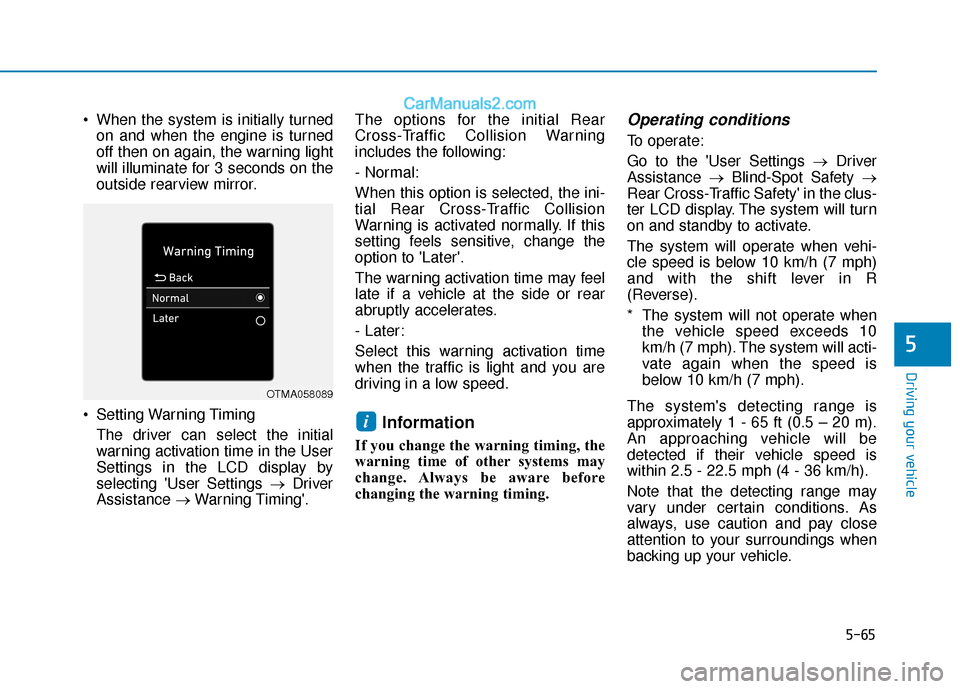
Setting Warning Timing The driver can select the initial
warning activation time in the User
Settings in the LCD display by
selecting 'User Settings → Driver
Assistance →Warning Timing'. The options for the initial Rear
Cross-Traffic Collision Warning
includes the following:
- Normal:
When this option is selected, the ini-
tial Rear Cross-Traffic Collision
Warning is activated normally. If this
setting feels sensitive, change the
option to 'Later'.
The warning activation time may feel
late if a vehicle at the side or rear
abruptly accelerates.
- Later:
Select this warning activation time
when the traffic is light and you are
driving in a low speed.
Information
If you change the warning timing, the
warning time of other systems may
change. Always be aware before
changing the warning timing.
Operating conditions
To operate:
Go to the 'User Settings →
Driver
Assistance →Blind-Spot Safety →
Rear Cross-Traffic Safety' in the clus-
ter LCD display. The system will turn
on and standby to activate.
The system will operate when vehi-
cle speed is below 10 km/h (7 mph)
and with the shift lever in R
(Reverse).
* The system will not operate when the vehicle speed exceeds 10
km/h (7 mph). The system will acti-
vate again when the speed is
below 10 km/h (7 mph).
The system's detecting range is
approximately 1 - 65 ft (0.5 – 20 m).
An approaching vehicle will be
detected if their vehicle speed is
within 2.5 - 22.5 mph (4 - 36 km/h).
Note that the detecting range may
vary under certain conditions. As
always, use caution and pay close
attention to your surroundings when
backing up your vehicle.
i
OTMA058089
Page 315 of 535

5-79
Driving your vehicle
5
Warning message and warninglight
Forward Collision Avoidance Assist
(FCA) system disabled.
Camera obscured
When the front camera is blocked
with dirt, snow, or debris, the FCA
system operation not be able to
detect other vehicles. If this occurs, a
warning message will appear on the
LCD display. The system will operate
normally when such dirt, snow or
debris is removed. FCA may not properly operate in an
area (e.g. open terrain) where any
objects or vehicles are not detected
after turning on the engine.
System Malfunction
Check Forward Collision Avoidance
Assist system
When FCA is not working properly,
the FCA warning light ( ) will illu-
minate and the warning message
will appear for a few seconds. After
the message disappears, the mas-
ter warning light ( ) will illumi-
nate. In this case, have the vehicle
inspected by an authorized
HYUNDAI dealer.
The FCA warning message may appear along with the illumination
of the ESC (Electronic Stability
Control) warning light.
OAD058172L
OAD058171L/OIK057091L
■ Type A■ Type B
Page 328 of 535

5-92
Driving your vehicle
If the sensor is forcibly moved out of proper alignment, the FCA
system may not operate correct-
ly. In this case, a warning mes-
sage may not be displayed. Have
the vehicle inspected by an
authorized HYUNDAI dealer.
Information
Have the system checked by an
authorized HYUNDAI dealer when:
• The windshield glass is replaced.
• The radar sensor or cover gets dam-aged or replaced.
Warning message and warninglight
Forward Collision Avoidance Assist
(FCA) system disabled.
Radar blocked
When the sensor cover is blocked
with dirt, snow, or debris, the FCA
system operation not be able to
detect other vehicles. If this occurs, a
warning message will appear on the
LCD display. The system will operate
normally when such dirt, snow or
debris is removed.
FCA may not properly operate in an
area (e.g. open terrain) where any
objects or vehicles are not detected
after turning on the engine.
System Malfunction
Check Forward Collision Avoidance
Assist system
When FCA is not working properly,
the FCA warning light ( ) will illu-
minate and the warning message
will appear for a few seconds. After
the message disappears, the mas-
ter warning light ( ) will illumi-
nate. In this case, have the vehicle
inspected by an authorized
HYUNDAI dealer.
The FCA warning message may appear along with the illumination
of the ESC (Electronic Stability
Control) warning light.
i
OIK057090L
OAD058171L/OIK057091L
■ Type A■ Type B
Page 349 of 535
5-113
Driving your vehicle
5
Cruise Control Operation
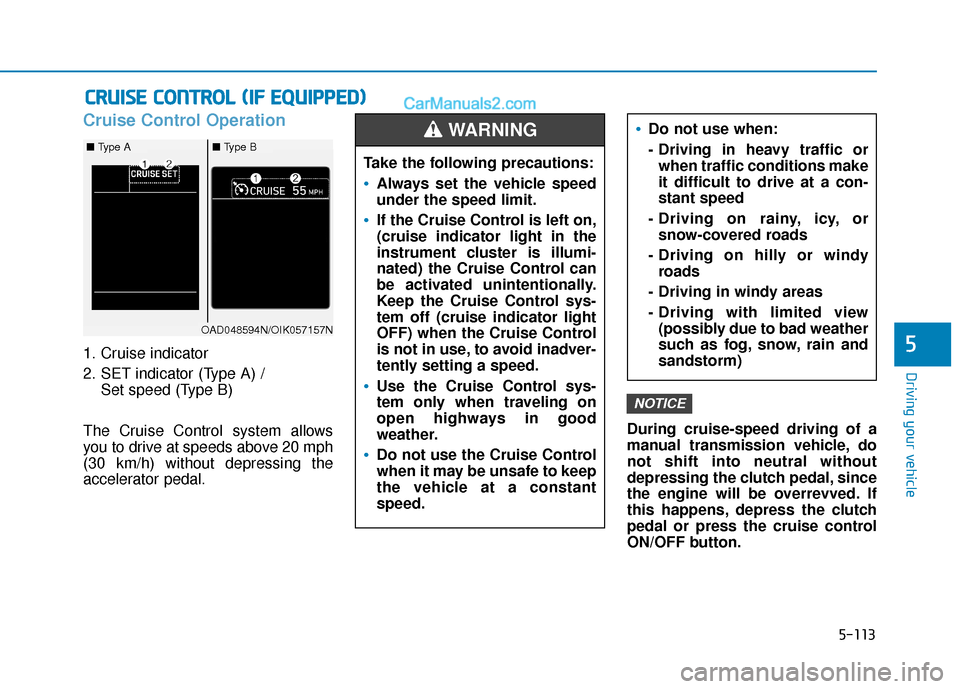
1. Cruise indicator
2. SET indicator (Type A) / Set speed (Type B)
The Cruise Control system allows
you to drive at speeds above 20 mph
(30 km/h) without depressing the
accelerator pedal. During cruise-speed driving of a
manual transmission vehicle, do
not shift into neutral without
depressing the clutch pedal, since
the engine will be overrevved. If
this happens, depress the clutch
pedal or press the cruise control
ON/OFF button.
NOTICE
C C
R
R U
U I
IS
S E
E
C
C O
O N
NT
TR
R O
O L
L
(
( I
IF
F
E
E Q
Q U
UI
IP
P P
PE
ED
D )
)
Do not use when:
- Driving in heavy traffic or
when traffic conditions make
it difficult to drive at a con-
stant speed
- Driving on rainy, icy, or snow-covered roads
- Driving on hilly or windy roads
- Driving in windy areas
- Driving with limited view (possibly due to bad weather
such as fog, snow, rain and
sandstorm)
Take the following precautions:
Always set the vehicle speed
under the speed limit.
If the Cruise Control is left on,
(cruise indicator light in the
instrument cluster is illumi-
nated) the Cruise Control can
be activated unintentionally.
Keep the Cruise Control sys-
tem off (cruise indicator light
OFF) when the Cruise Control
is not in use, to avoid inadver-
tently setting a speed.
Use the Cruise Control sys-
tem only when traveling on
open highways in good
weather.
Do not use the Cruise Control
when it may be unsafe to keep
the vehicle at a constant
speed.
WARNING
OAD048594N/OIK057157N
■ Type A■ Type B
Page 350 of 535

5-114
Driving your vehicle
Information
• During normal cruise control opera-tion, when the SET switch is activat-
ed or reactivated after applying the
brakes, the cruise control will ener-
gize after approximately 3 seconds.
This delay is normal.
• Before activating the cruise control function, the system will check to
verify that the brake switch is oper-
ating normally. Depress the brake
pedal at least once after turning ON
the ignition or starting the engine.
To set Cruise Control speed
1. Press the CRUISE button on the steering wheel to turn the system
on. The cruise indicator will illumi-
nate.
2. Accelerate to the desired speed, which must be more than 20 mph
(30 km/h).
Information - Manual trans-mission
For manual transmission vehicles, you
should depress the brake pedal at
least once to set the cruise control
after starting the engine. 3. Push the toggle switch down
(SET-), and release it. The SET
indicator or set speed on the LCD
display will illuminate.
4. Release the accelerator pedal.
Information
On a steep slope, the vehicle may
slightly slow down or speed up, while
driving uphill or downhill.
i
i
i
OAD058135N
OAD058134N
Page 360 of 535
5-124
Driving your vehicle
To turn Cruise Control off
Push the CRUISE button (thecruise indicator light will go off).
If you wish not to use the cruise
control system, always turn the
system off by pushing the CRUISE
button.
Smart Cruise Control Vehicle-
to-Vehicle Distance
To set Vehicle-to-VehicleDistance
When the Smart Cruise Control sys-
tem is ON, you can set and maintain
the distance from the vehicle ahead
of you without pressing the accelera-
tor or brake pedal. Each time the button is pressed, the
vehicle to vehicle distance changes
as follows:
For example, if you drive at 56 mph
(90 km/h), the distance is maintained
as follows:
Distance 4 - approximately 172 feet
Distance 3 - approximately 130 feet
Distance 2 - approximately 106 feet
Distance 1 - approximately 82 feet
Information
The distance is set to the last set dis-
tance when the system is used for the
first time after starting the engine.
i
OAD058140N
OAD058134N
Distance 4 Distance 3 Distance 2
Distance 1