Page 227 of 535
3-143
Convenient features of your vehicle
3
Keep your drinks sealed whiledriving to prevent spilling your
drink. If liquid spills, it may get
into the vehicle's electrical/elec-
tronic system and damage elec-
trical/electronic parts.
When cleaning spilled liquids, do not dry the cup holder at high
temperature. This may damage
the cup holder.
Sunvisor
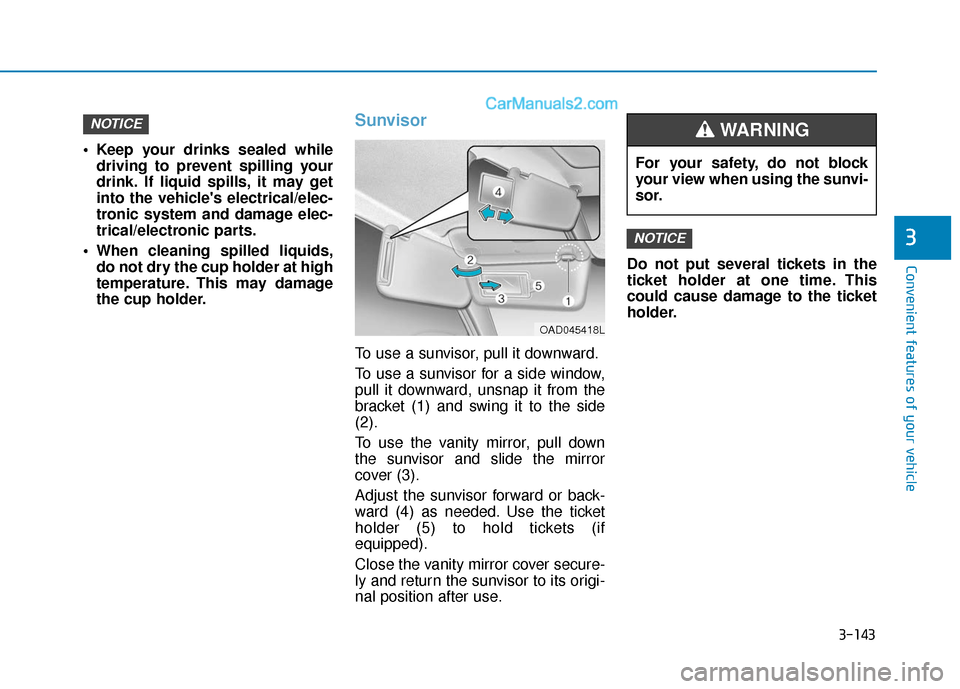
To use a sunvisor, pull it downward.
To use a sunvisor for a side window,
pull it downward, unsnap it from the
bracket (1) and swing it to the side
(2).
To use the vanity mirror, pull down
the sunvisor and slide the mirror
cover (3).
Adjust the sunvisor forward or back-
ward (4) as needed. Use the ticket
holder (5) to hold tickets (if
equipped).
Close the vanity mirror cover secure-
ly and return the sunvisor to its origi-
nal position after use. Do not put several tickets in the
ticket holder at one time. This
could cause damage to the ticket
holder.
NOTICE
NOTICE
For your safety, do not block
your view when using the sunvi-
sor.
WARNING
OAD045418L
Page 240 of 535

5-4
Driving your vehicle
Before Entering the Vehicle
• Be sure all windows, outside mir-ror(s), and outside lights are clean
and unobstructed.
Remove frost, snow, or ice.
Visually check the tires for uneven wear and damage.
Check under the vehicle for any sign of leaks.
Be sure there are no obstacles behind you if you intend to back up.
Before Starting
Make sure the hood, the trunk, andthe doors are securely closed and
locked.
Adjust the position of the seat and steering wheel.
Adjust the inside and outside rearview mirrors.
Verify all the lights work.
Fasten your seat belt. Check that all passengers have fastened their
seat belts.
Check the gauges and indicators in the instrument panel and the mes-
sages on the instrument display
when the ignition switch is in the
ON position.
Check that any items you are car- rying are stored properly or fas-
tened down securely.
CALIFORNIA PROPOSITION 65
WARNING
Engine exhaust and a wide vari-
ety of automobile components
including components found in
the interior furnishings in a
vehicle, contain or emit harmful
chemicals known to the State of
California to cause cancer and
birth defects and reproductive
harm. In addition, certain fluids
contained in vehicles and cer-
tain products of components
contain or emit chemicals
known to the State of California
to cause cancer and birth
defects or other reproductive
harm.WARNING
B B
E
EF
FO
O R
RE
E
D
D R
RI
IV
V I
IN
N G
G
Page 291 of 535
5-55
Driving your vehicle
5
System Setting and Operation
System setting
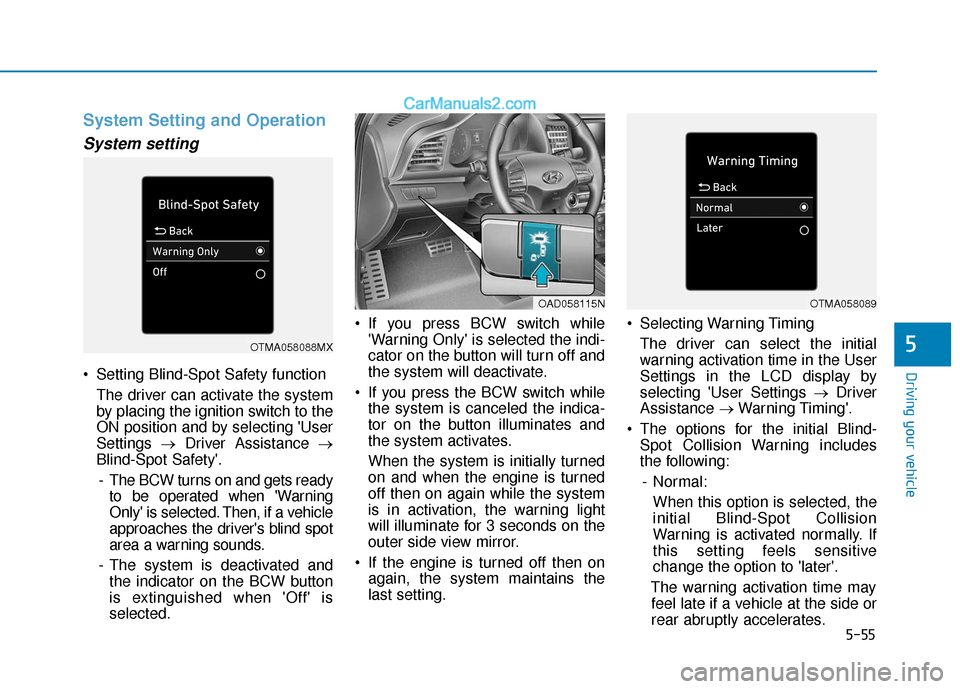
Setting Blind-Spot Safety functionThe driver can activate the system
by placing the ignition switch to the
ON position and by selecting 'User
Settings →Driver Assistance →
Blind-Spot Safety'.
- The BCW turns on and gets ready to be operated when 'Warning
Only' is selected. Then, if a vehicle
approaches the driver's blind spot
area a warning sounds.
- The system is deactivated and the indicator on the BCW button
is extinguished when 'Off' is
selected. If you press BCW switch while
'Warning Only' is selected the indi-
cator on the button will turn off and
the system will deactivate.
If you press the BCW switch while the system is canceled the indica-
tor on the button illuminates and
the system activates.
When the system is initially turned
on and when the engine is turned
off then on again while the system
is in activation, the warning light
will illuminate for 3 seconds on the
outer side view mirror.
If the engine is turned off then on again, the system maintains the
last setting. Selecting Warning Timing
The driver can select the initial
warning activation time in the User
Settings in the LCD display by
selecting 'User Settings → Driver
Assistance →Warning Timing'.
The options for the initial Blind- Spot Collision Warning includes
the following:
- Normal: When this option is selected, the
initial Blind-Spot Collision
Warning is activated normally. If
this setting feels sensitive
change the option to 'later'.
The warning activation time may feel late if a vehicle at the side or
rear abruptly accelerates.
OTMA058088MX
OAD058115NOTMA058089
Page 292 of 535
5-56
Driving your vehicle- Later:Select this warning activation
time when the traffic is light and
you are driving in a low speed.
Information
If you change the warning timing, the
warning time of other systems may
change. Always be aware before
changing the warning timing.
Operating Conditions
The system enters the ready status,
when the following conditions are
satisfied :
The vehicle speed is above approxi-
mately 20 mph (30 km/h).
Warning and System Control
Blind-Spot Collision Warning(BCW) system
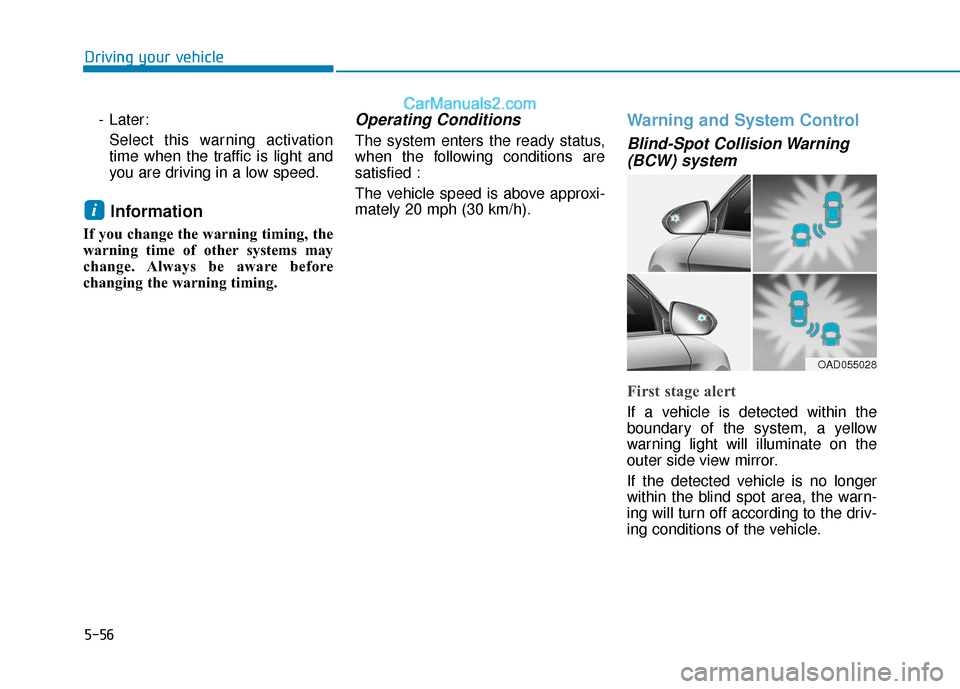
First stage alert
If a vehicle is detected within the
boundary of the system, a yellow
warning light will illuminate on the
outer side view mirror.
If the detected vehicle is no longer
within the blind spot area, the warn-
ing will turn off according to the driv-
ing conditions of the vehicle.
i
OAD055028
Page 293 of 535
![Hyundai Elantra 2020 Owners Manual 5-57
Driving your vehicle
5
OAD055029
■ Left side
OAD055030
■ Right side
[A] : Warning sound
Second stage alert
A warning chime to alert the driver will activate when:
1. A vehicle has been detect](/manual-img/35/14535/w960_14535-292.png "Hyundai Elantra 2020 Owners Manual 5-57
Driving your vehicle
5
OAD055029
■ Left side
OAD055030
■ Right side
[A] : Warning sound
Second stage alert
A warning chime to alert the driver will activate when:
1. A vehicle has been detect")
5-57
Driving your vehicle
5
OAD055029
■ Left side
OAD055030
■ Right side
[A] : Warning sound
Second stage alert
A warning chime to alert the driver will activate when:
1. A vehicle has been detected in the blind spot area by the radar system AND.
2. The turn signal is applied (same side as where the vehicle is being detect- ed).
When this alert is activated, the warning light on the outer side view mir-
ror. Will also blink. And a warning chime will sound.
If you turn off the turn signal indicator, the second stage alert will be deac-
tivated.
If the detected vehicle is no longer within the blind spot area, the warning
will turn off according to the driving conditions of the vehicle.
The warning light on the
outer side view mirror will illu-
minate whenever a vehicle is
detected at the rear side by
the system.
To avoid accidents, do not
focus only on the warning
light and neglect to see the
surroundings of the vehicle.
Drive safely even though the
vehicle is equipped with a
Blind-Spot Collision Warning
(BCW) system. Do not solely
rely on the system but check
your surroundings before
changing lanes or backing the
vehicle up.
The system may not alert the
driver in some situations due
to system limitations so
always check your surround-
ings while driving.
WARNING
Page 294 of 535

5-58
Driving your vehicle
Detecting Sensor
The rear radars are located inside
the rear bumper for detecting the
side and rear areas. Always keep the
rear bumper clean for proper opera-
tion of the system. The system may not work prop-
erly when the bumper has been
damaged, or if the rear bumper
has been replaced or repaired.
The sensing range differs some- what according to the width of
the road. When the road is nar-
row, the system may detect
other vehicles in the next lane.
The system may turn off if inter- fered by electromagnetic waves.
Always keep the sensors clean.
NEVER disassemble the sensor component or apply any impact
on the sensor component.
Be careful not to apply unneces- sary force on the radar sensor or
sensor cover. If the sensor is
forcibly moved out of proper
alignment, the system may not
operate correctly. In this case, a
warning message may not be
displayed. Have the vehicle
inspected by an authorized
HYUNDAI dealer.
NOTICE
Always pay attention to road
and traffic conditions while
driving, whether or not the
warning light on the outside
rearview mirror illuminates or
there is a warning alarm.
Playing the vehicle audio sys-
tem at high volume may pre-
vent occupants from hearing
the Blind-Spot Collision
Warning system warning
sounds.
If any other warning sound
such as seat belt warning
chime is already generated,
the Blind-Spot Collision
Warning (BCW) system warn-
ing may not sound.
CAUTION
OAD058031N
Page 301 of 535
5-65
Driving your vehicle
5
When the system is initially turnedon and when the engine is turned
off then on again, the warning light
will illuminate for 3 seconds on the
outside rearview mirror.
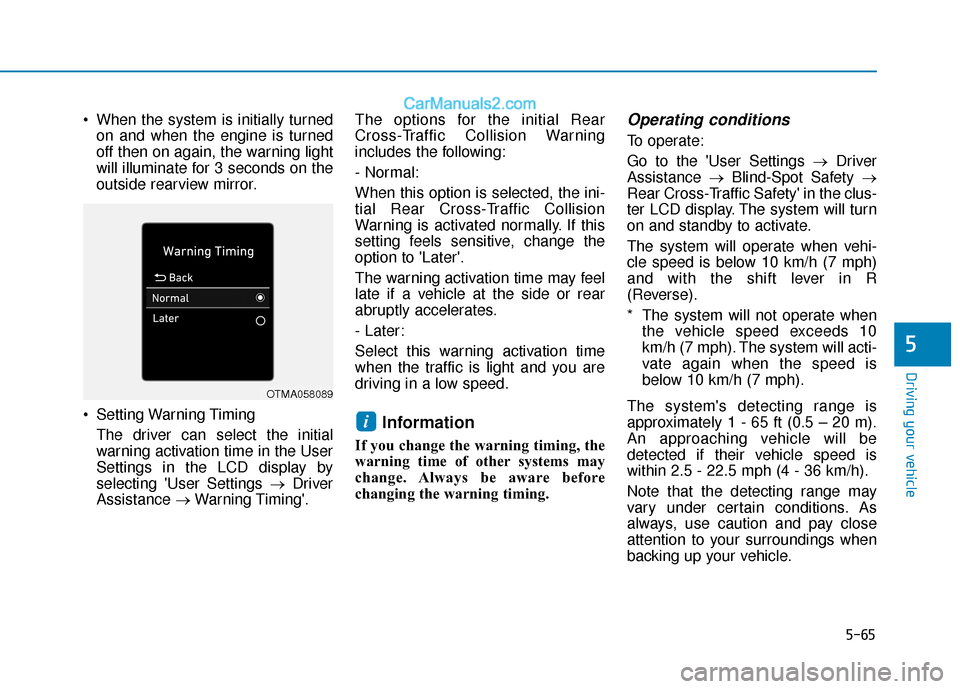
Setting Warning Timing The driver can select the initial
warning activation time in the User
Settings in the LCD display by
selecting 'User Settings → Driver
Assistance →Warning Timing'. The options for the initial Rear
Cross-Traffic Collision Warning
includes the following:
- Normal:
When this option is selected, the ini-
tial Rear Cross-Traffic Collision
Warning is activated normally. If this
setting feels sensitive, change the
option to 'Later'.
The warning activation time may feel
late if a vehicle at the side or rear
abruptly accelerates.
- Later:
Select this warning activation time
when the traffic is light and you are
driving in a low speed.
Information
If you change the warning timing, the
warning time of other systems may
change. Always be aware before
changing the warning timing.
Operating conditions
To operate:
Go to the 'User Settings →
Driver
Assistance →Blind-Spot Safety →
Rear Cross-Traffic Safety' in the clus-
ter LCD display. The system will turn
on and standby to activate.
The system will operate when vehi-
cle speed is below 10 km/h (7 mph)
and with the shift lever in R
(Reverse).
* The system will not operate when the vehicle speed exceeds 10
km/h (7 mph). The system will acti-
vate again when the speed is
below 10 km/h (7 mph).
The system's detecting range is
approximately 1 - 65 ft (0.5 – 20 m).
An approaching vehicle will be
detected if their vehicle speed is
within 2.5 - 22.5 mph (4 - 36 km/h).
Note that the detecting range may
vary under certain conditions. As
always, use caution and pay close
attention to your surroundings when
backing up your vehicle.
i
OTMA058089
Page 302 of 535
5-66
Driving your vehicle
Warning and system control
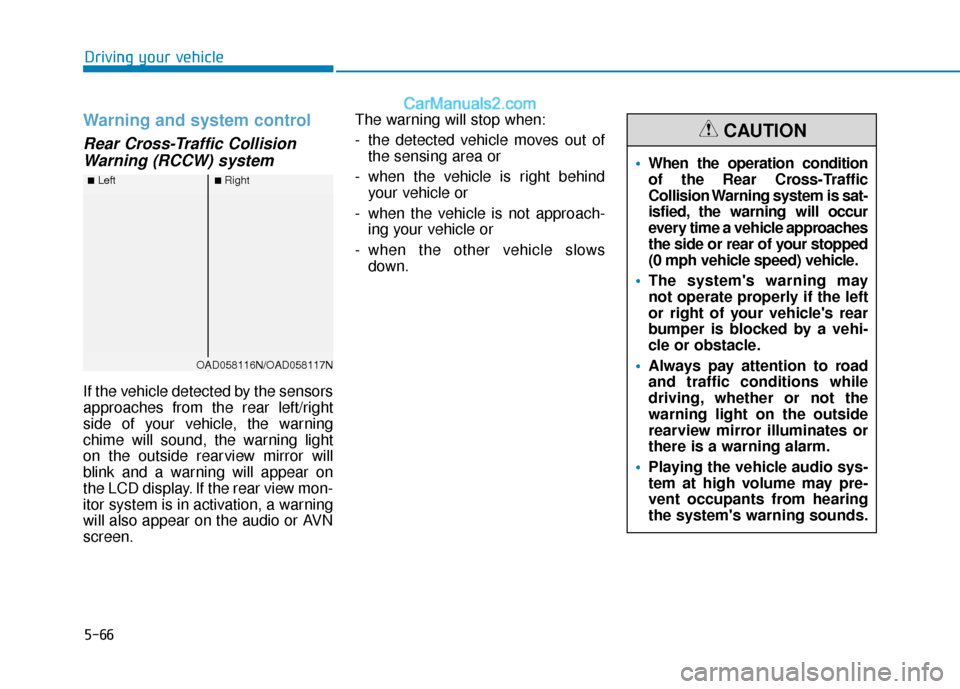
Rear Cross-Traffic CollisionWarning (RCCW) system
If the vehicle detected by the sensors
approaches from the rear left/right
side of your vehicle, the warning
chime will sound, the warning light
on the outside rearview mirror will
blink and a warning will appear on
the LCD display. If the rear view mon-
itor system is in activation, a warning
will also appear on the audio or AVN
screen. The warning will stop when:
- the detected vehicle moves out of
the sensing area or
- when the vehicle is right behind your vehicle or
- when the vehicle is not approach- ing your vehicle or
- when the other vehicle slows down.
■Left■Right
OAD058116N/OAD058117N
When the operation condition
of the Rear Cross-Traffic
Collision Warning system is sat-
isfied, the warning will occur
every time a vehicle approaches
the side or rear of your stopped
(0 mph vehicle speed) vehicle.
The system's warning may
not operate properly if the left
or right of your vehicle's rear
bumper is blocked by a vehi-
cle or obstacle.
Always pay attention to road
and traffic conditions while
driving, whether or not the
warning light on the outside
rearview mirror illuminates or
there is a warning alarm.
Playing the vehicle audio sys-
tem at high volume may pre-
vent occupants from hearing
the system's warning sounds.
CAUTION